

【VRChat】扇陽の円盤 ― 内外が逆に回るアール・デコ風ヘイロー / Fan-shaped halo【MA/PC】
- ダウンロード商品¥ 800
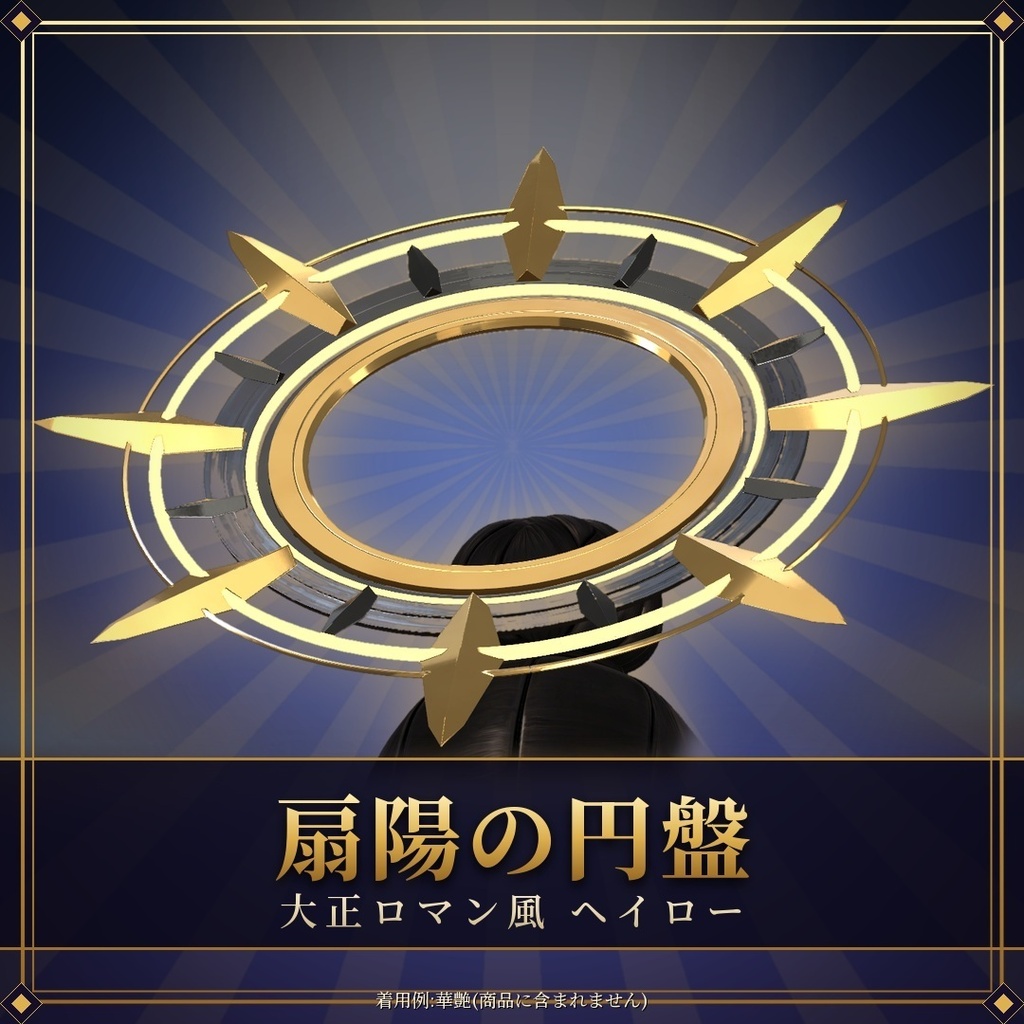
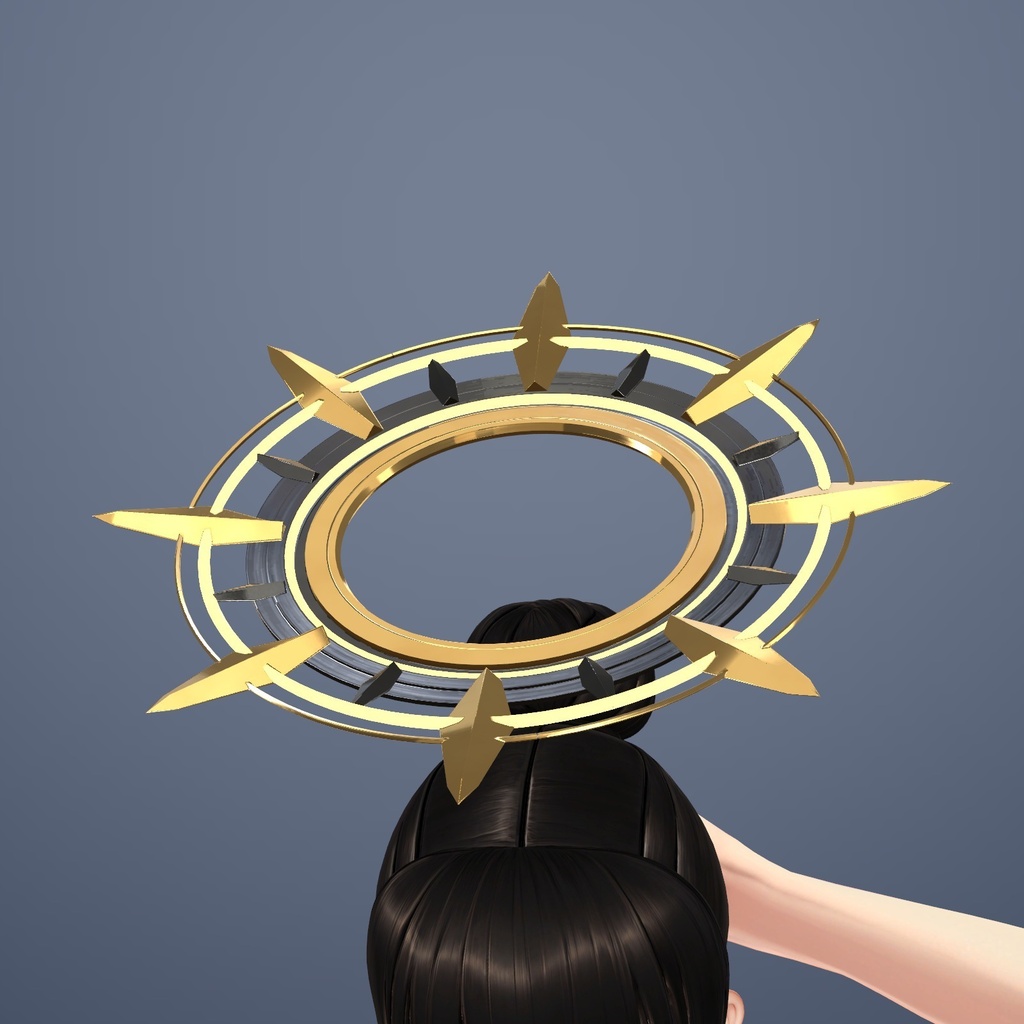
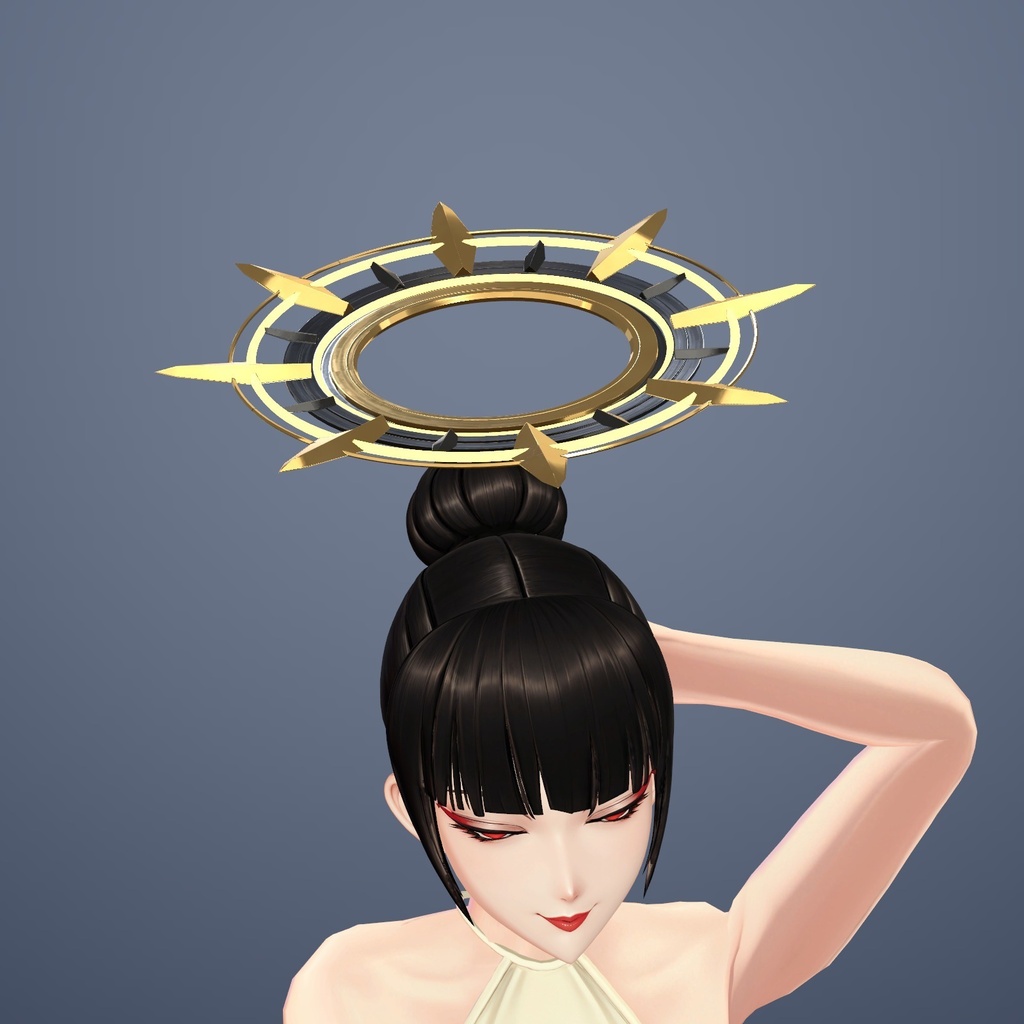
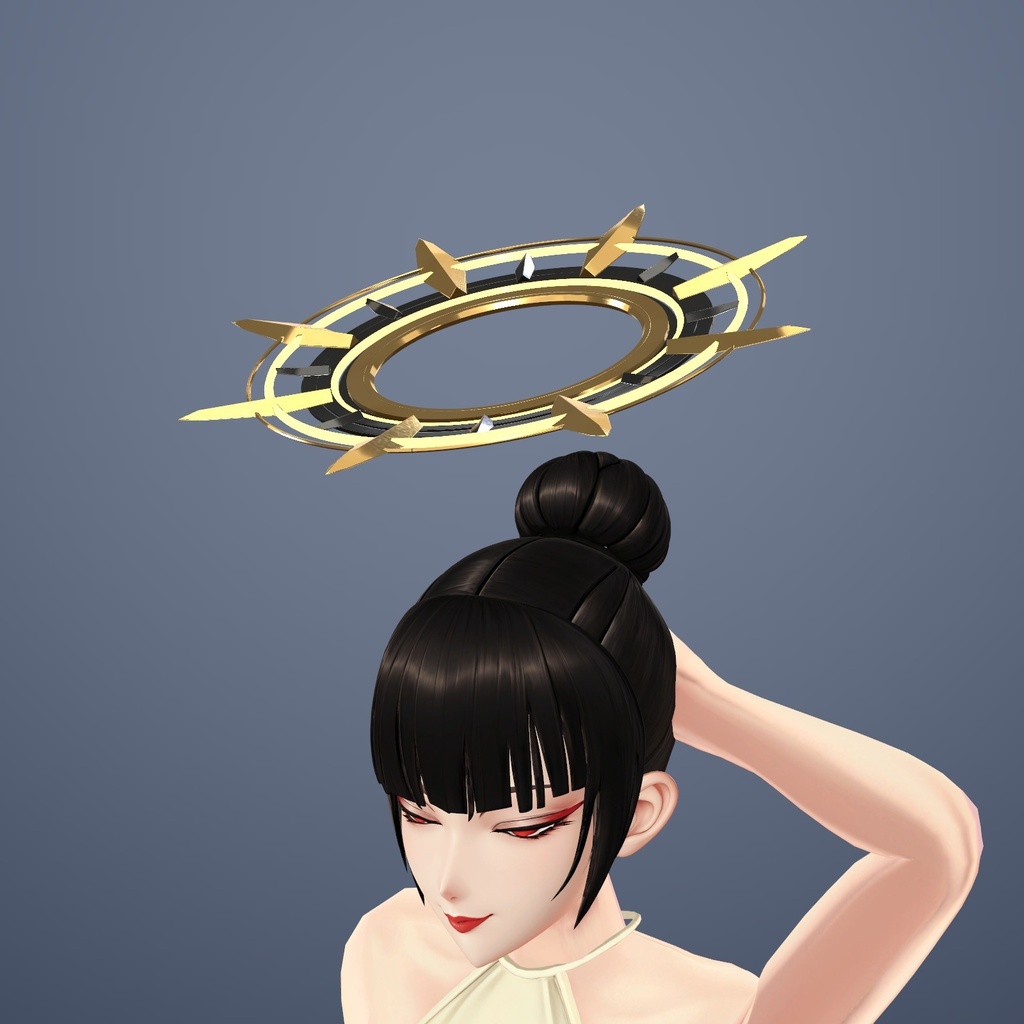
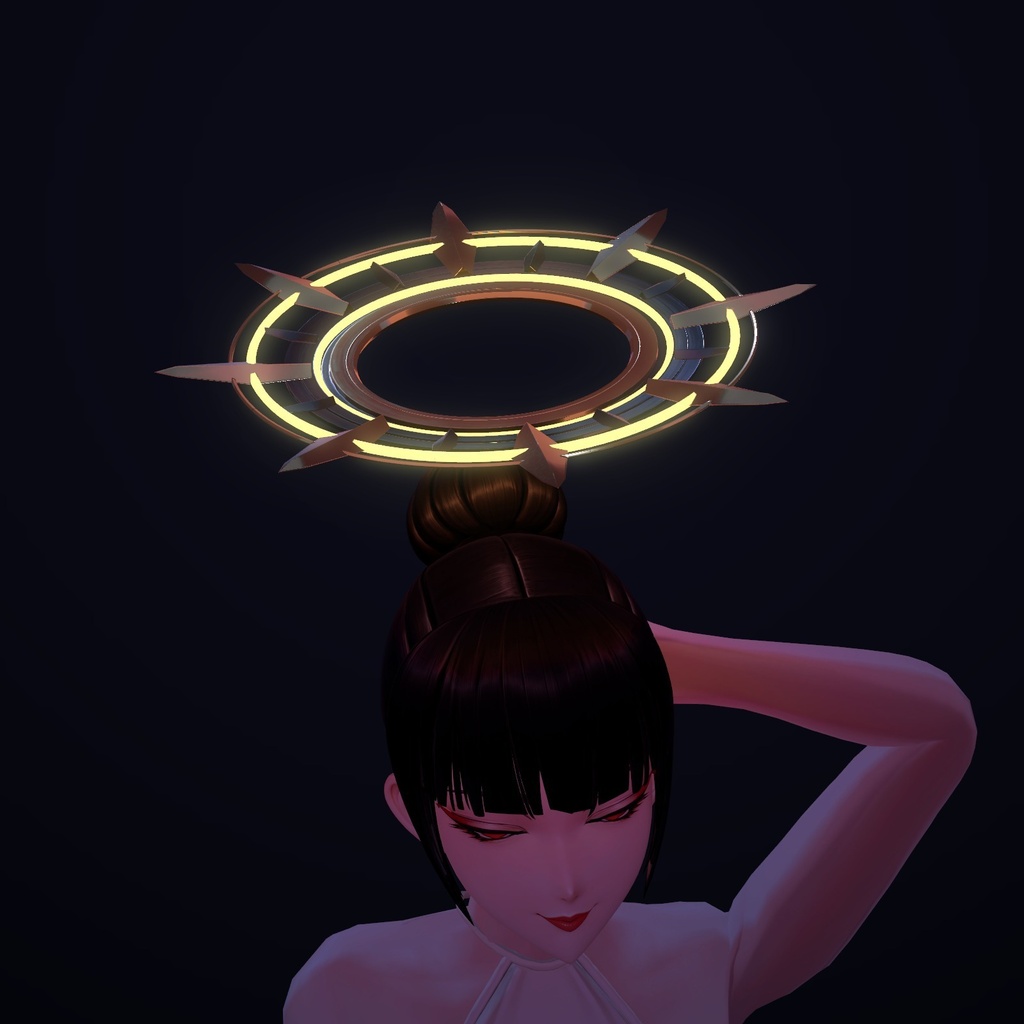
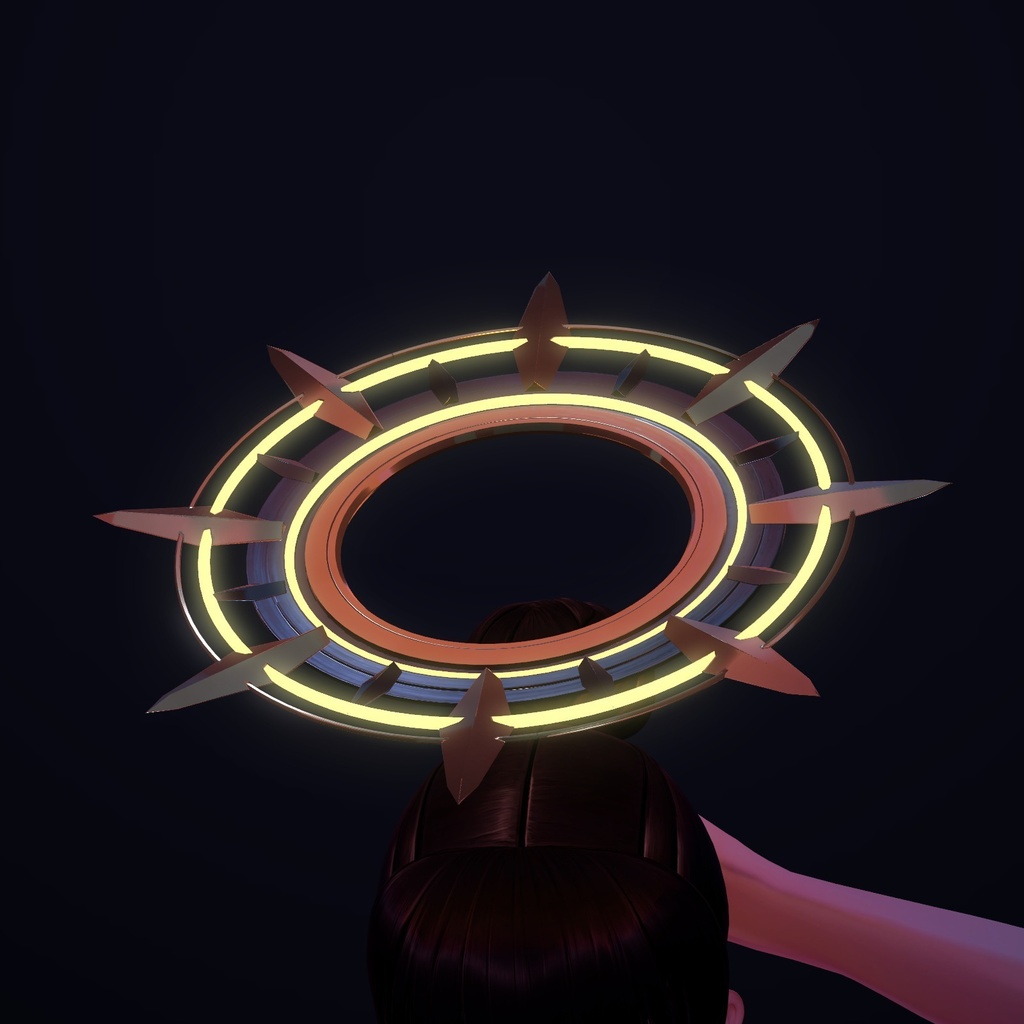
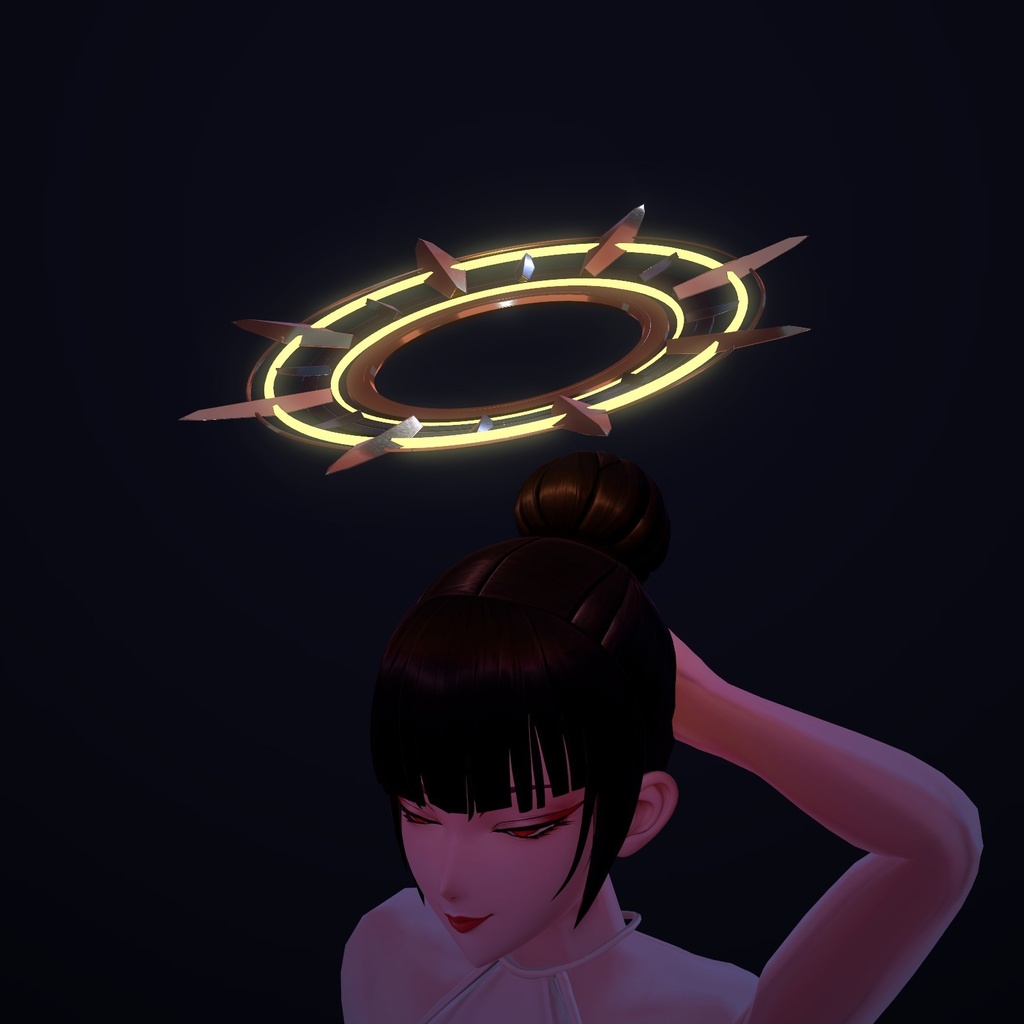
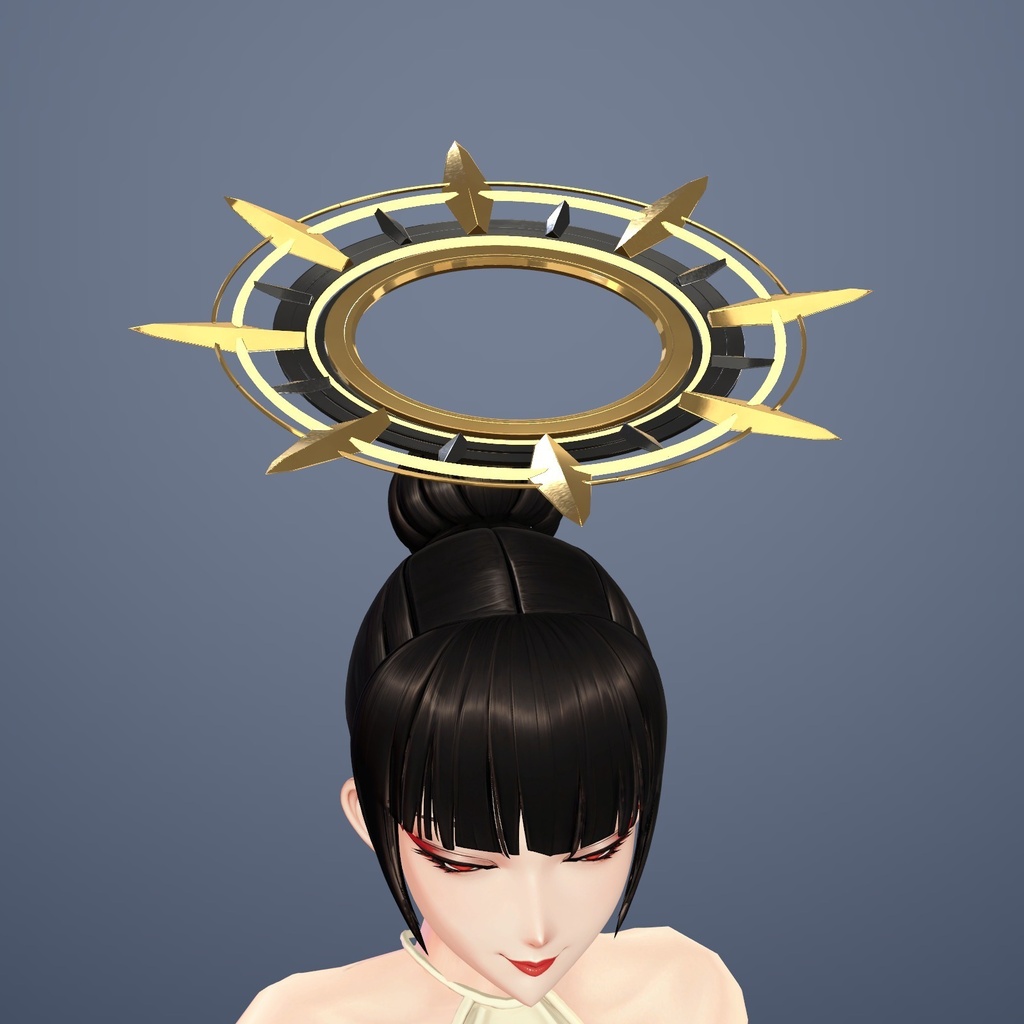
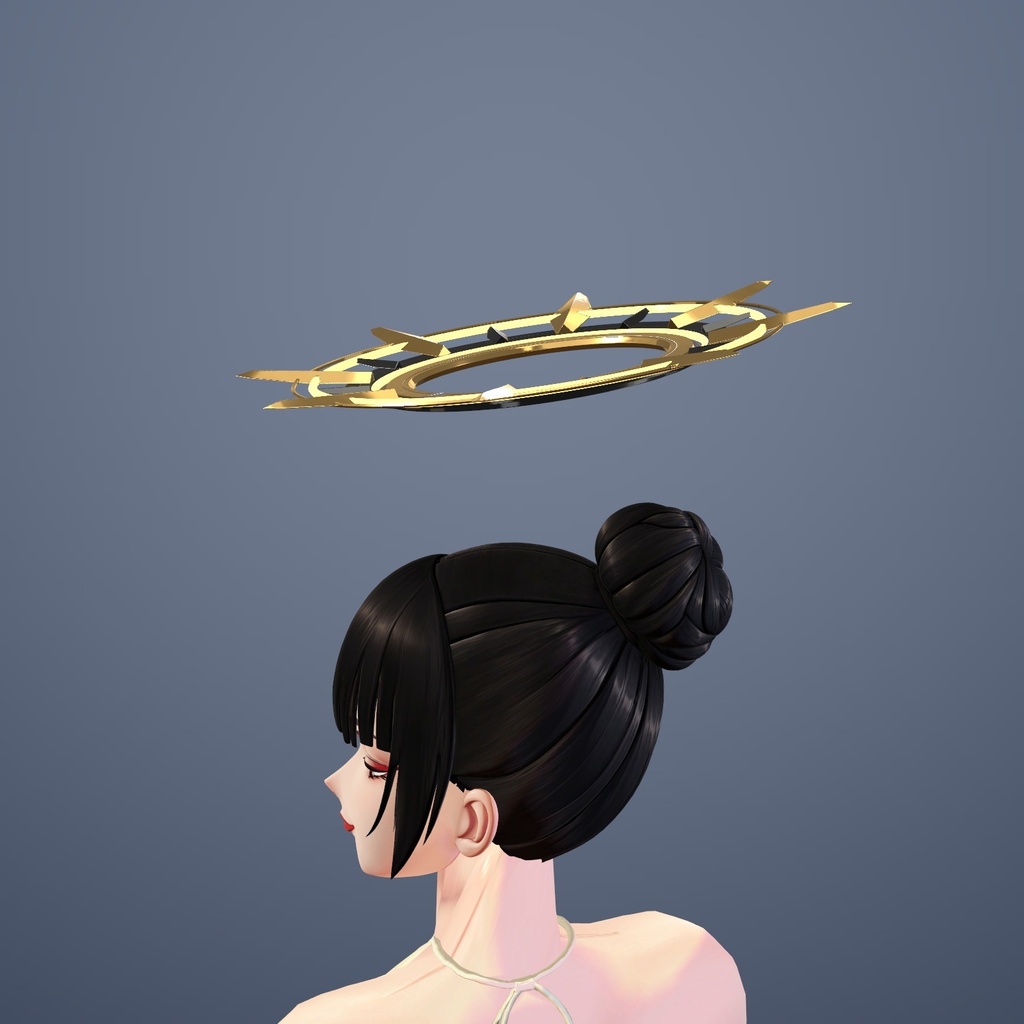
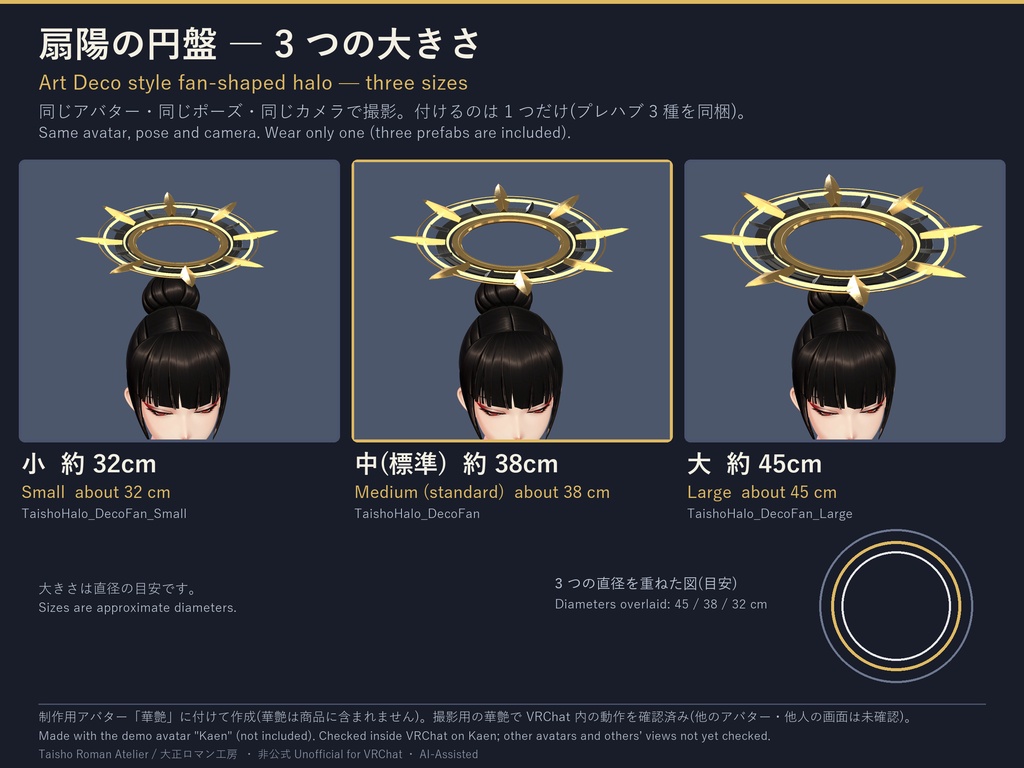
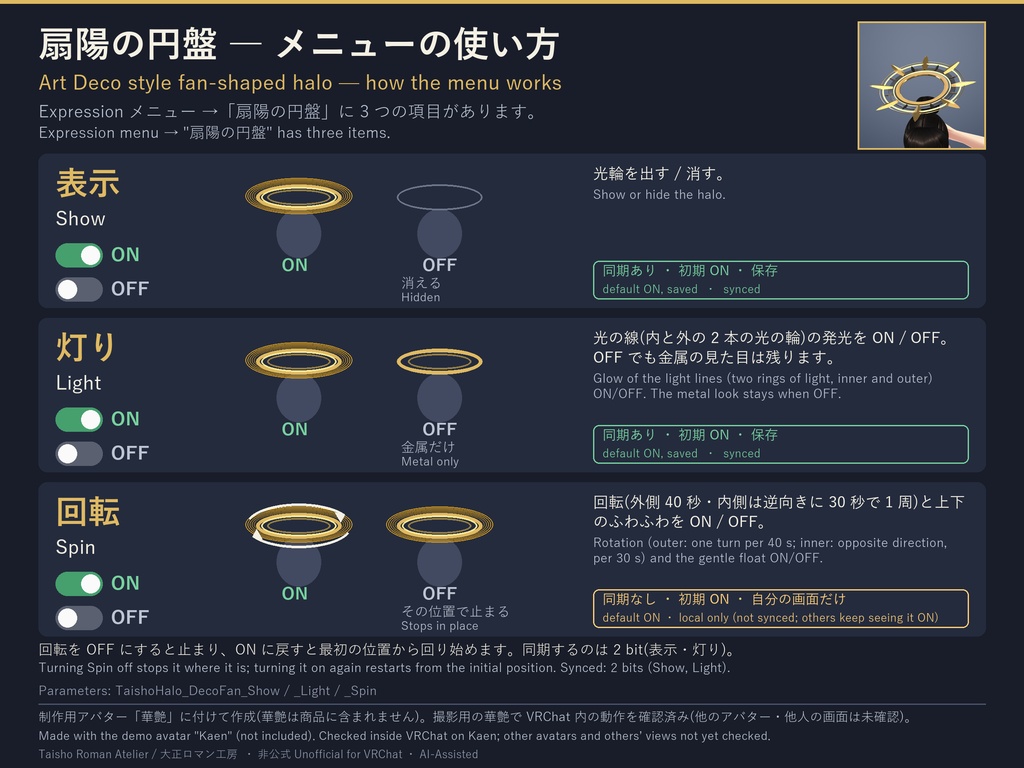
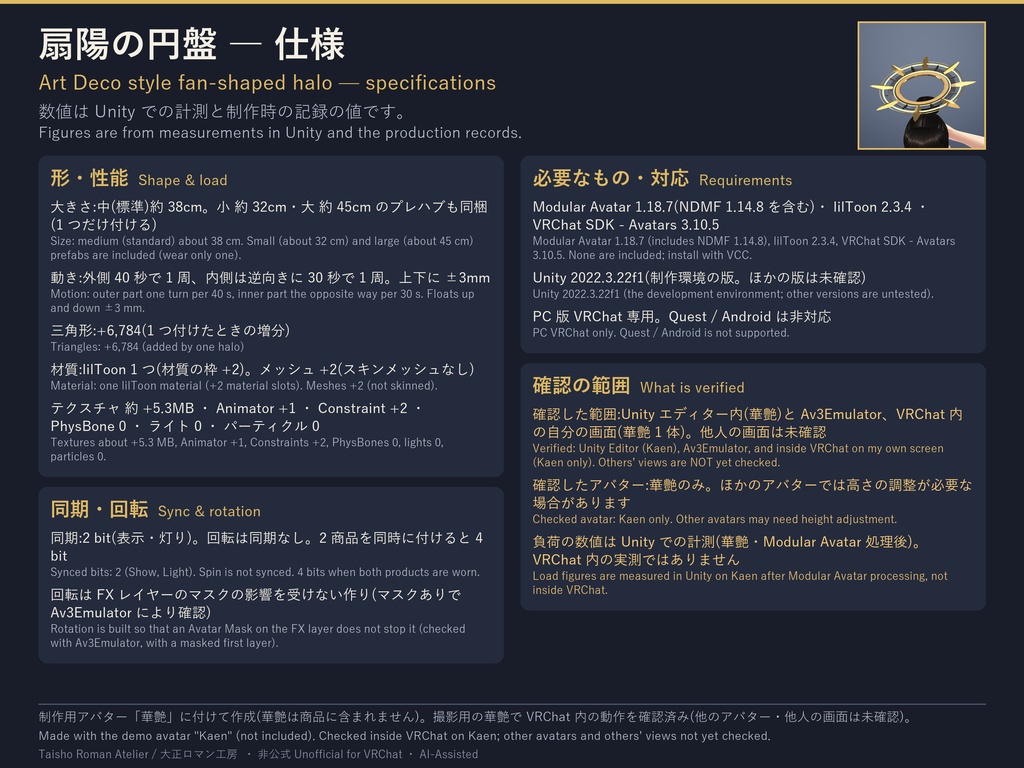


頭の上に浮かぶ、金と黒鉄の光輪です(ヘイロー)。アール・デコ風の扇の形で、稜線のある金の長い羽根 8 枚が、細い外縁の外へ突き出します。 Art Deco style fan-shaped halo for VRChat avatars (Modular Avatar ready, PC only). Eight long gold blades project beyond a thin outer rim. 価格:¥800 ■ 内容 / What it is ・外側(外縁と金の羽根)と内側(中心の座と黒鉄の羽根)が逆向きにゆっくり回る(外 40 秒・内 30 秒で 1 周)+上下に ±3mm ふわふわ ・夜は内と外の 2 本の光の輪が灯る ・プレハブ 3 種(大きさ違い。1 つだけ付ける):中(標準 約 38cm)/小(約 32cm)/大(約 45cm)。後ろ側を 16° 上げた傾き ・材質は lilToon 1 つ。大正ロマン「風」・アール・デコ「風」のデザイン(当時の実物や特定の作品の復元ではありません) - The outer part and the inner part turn slowly in opposite directions (outer 40 s / inner 30 s per turn) with a ±3 mm float; two rings of light glow at night. - Three prefabs (wear only one): medium (standard, about 38 cm), small (about 32 cm), large (about 45 cm); tilted 16°. One lilToon material. "Taisho Roman / Art Deco style" design, not a reproduction of historical items or specific works. ※ 2 商品(扇陽の円盤・天球の輪)は別々のパラメータ名で、同時に付けられます(同期 4 bit)。 * Both halos use separate parameter names and can be worn together (4 synced bits). ■ 販売元・非公式 / Seller, unofficial 販売元:大正ロマン工房 / Taisho Roman Atelier 本品は VRChat の非公式の商品です(VRChat 社とは無関係)。VRChat SDK は同梱しません。 Unofficial product for VRChat (not affiliated with VRChat). The SDK is not included. ■ 必要なもの / Requirements ・VRChat SDK - Avatars 3.10.5、Modular Avatar 1.18.7(NDMF 含む)、lilToon 2.3.4、Unity 2022.3.22f1(制作環境の版。別の版は未確認。いずれも同梱しません) ・PC 版 VRChat 専用(Quest / Android 非対応) - VRChat SDK - Avatars 3.10.5, Modular Avatar 1.18.7 (incl. NDMF), lilToon 2.3.4, Unity 2022.3.22f1 (versions used for development; others untested; none included). PC VRChat only (no Quest / Android). ■ メニュー / Menu Expression メニューに 3 項目:表示(出す/消す。同期)/灯り(光の線・数字の発光。同期)/回転(回転と上下のふわふわ。自分の画面だけ・同期しません。OFF でその位置で止まります)。初期はすべて ON。同期 2 bit。 Expression menu, 3 items: Show (synced) / Light (glow; synced) / Spin (rotation and float; local only, not synced; stops in place when off). All default ON. 2 synced bits. ■ 導入 / Setup 1. VCC で SDK・Modular Avatar・lilToon を導入 2. unitypackage をインポート 3. プレハブをアバター直下に置く 4. 高さを調整(プレハブ内の TaishoHalo_<品>_Offset の Position)。メニュー・動きは Modular Avatar が自動設定。詳細は同梱の README_v034.txt。 Import the unitypackage, put the prefab directly under your avatar, adjust the height with the "_Offset" object. Menu and motion are set up automatically by Modular Avatar. See README_v034.txt. ■ 確認状況 / What was checked 制作者が VRChat の中(自分の画面・華艶 1 体)で確認(2026-10-21):回転・球を描く回転・数字の帯・灯り・表示の切り替え。Unity 内(華艶・Av3Emulator)でも確認。 未確認:他の人の画面での見え方、他のアバターでの位置・干渉、VRChat 内の負荷、VR の両目、ブルームの強いワールド。確認したアバターは華艶のみです(画像の華艶は着用の例。アバターは含まれません)。 Checked by the creator inside VRChat (own screen, one avatar "Kaen", 2026-10-21): rotation, sphere-tracing rotation, numeral band, glow, Show switch. Also checked in Unity (Kaen, Av3Emulator). Unverified: other players' screens, other avatars, in-game load, VR both eyes, worlds with strong bloom. Checked avatar: "Kaen" only (an example in the images; not included). ■ 負荷の目安 / Performance(Unity での計測。VRChat 内の実測ではありません) 光輪 1 つを付けたときの増分(華艶・Modular Avatar 処理後):メッシュ +2、材質の枠 +2(材質は 1 つ)、三角形 +6,784、テクスチャ 約 +5.3MB、Animator +1、Constraint +2。PhysBone・ライト・パーティクル 0。 Added by one halo (on "Kaen", after Modular Avatar): +2 meshes, +2 material slots (one material), +6,784 triangles, about +5.3 MB textures, +1 Animator, +2 Constraints. 0 PhysBones / lights / particles. 材質の枠が増えるため、元のアバターによっては Performance Rank の「材質」が下がることがあります。 The added material slots may lower the "Materials" item of the Performance Rank depending on your avatar. ■ 利用規約(要点) / Terms (summary) ・VRChat 等での自分のアバターへの使用:可/改変:可(改変データの配布・販売は不可) ・再配布・譲渡・転売、販売・配布するアバターや商品への同梱:不可 ・アバターに付けて VRChat にパブリックでアップロード:可(データを取り出せる形での配布は不可) ・個人の商用利用・収益化した動画や配信:可/法人・団体の業務利用:要相談 ・画像生成 AI 等の学習への利用:不可 ・全文は同梱の TERMS_ja_en.txt(日本語版が正) - Allowed: own avatars, modification, public avatar upload (not extractable), personal commercial use, monetized videos / streams. Not allowed: redistribution, resale, bundling, distributing modified data, AI training use. Companies: please contact us. See TERMS_ja_en.txt (the Japanese version prevails). ■ ご注意 / Notes ・紹介画像は Unity 内で制作用アバター「華艶」に付けて撮影した着用の例です。夜の画像は光のにじみ(ブルーム)を後処理で足しています。VRChat の中ではワールドの照明で見え方が変わります。Unity の編集画面では動きは止まって見えます。 ・デジタル商品の性質上、購入後の返品・返金はお受けできません(不具合は BOOTH のメッセージからご連絡ください)。 - Images are Unity captures with the in-house avatar "Kaen" (an example; not included). Night images have bloom added in post. In VRChat the look depends on the world's lighting. No refunds for digital goods (contact us via BOOTH messages for defects). ■ AI の利用について / About AI use 本品は、AI を道具として使って制作しました(AI-Assisted)。形・テクスチャは AI アシスタント(Claude)が書いたスクリプトで作成。外部素材なし。 Made using AI as a tool (AI-Assisted). Shapes and textures were made with scripts written by an AI assistant (Claude). No external assets. 紹介動画 / Video: https://youtu.be/53AVF1lZIJ4