

【VRChat / MA対応】Lumia & Umbria|光と闇の妖精ペット【PC専用】
- 通常版ダウンロード商品¥ 500
- 応援版 (Support)ダウンロード商品¥ 100
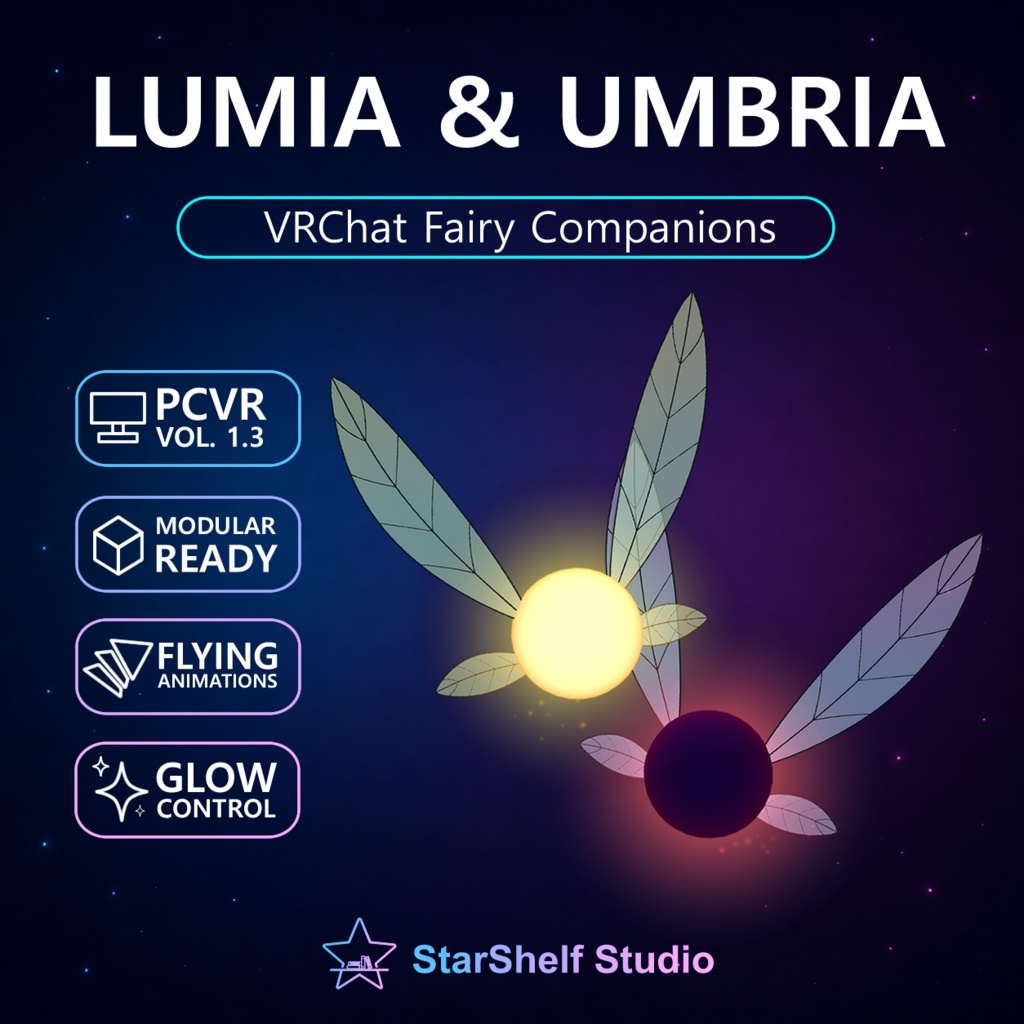
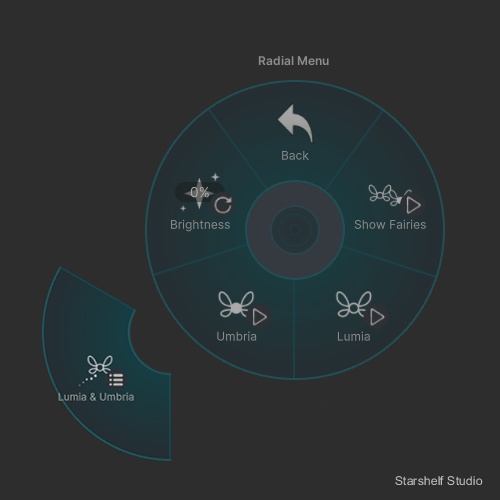


【VRChat / MA対応】Lumia & Umbria|光と闇の妖精ペット【PC専用】 あなたのそばに、光と闇の小さな妖精を。 Lumia & Umbriaは、VRChat PC版アバター向けの妖精アクセサリーです。 白く輝く中心と黄色い光を持つ「Lumia」、深い紫の中心とピンク・オレンジの光を持つ「Umbria」の2体が、羽ばたきながらあなたに寄り添います。 ※サポーターエディションには、感謝の手紙のみが含まれています。 制作者を応援したい方向けのバリエーションです。 ◆THE SUPORTER EDITION◆ contains only a thank-you letter. Choose it if you would like to further support the creator. ━━━━━━━━━━━━━━━━━━━━ ◆ 特徴 ━━━━━━━━━━━━━━━━━━━━ ・光と闇をテーマにした2体の妖精 ・各妖精に4枚の羽と、ボーンによる羽ばたきアニメーション ・小さな8の字を描く、ゆったりとした浮遊アニメーション ・移動した場所に残り、徐々に消える光のパーティクル ・半透明の羽、発光する本体、光のハローとポイントライト ・2体まとめて、または1体ずつ表示を切り替え可能 ・メニューから明るさを0~100%に調整可能 ・Unity上で配置する高さや間隔を調整可能 ・専用アイコン付きExpressionsメニュー ・Modular Avatarによる簡単導入 アバターと一緒に移動しながら、設定した位置の周辺で浮遊します。自律移動や経路探索を行うNPCではありません。 ━━━━━━━━━━━━━━━━━━━━ ◆ 内容物 ━━━━━━━━━━━━━━━━━━━━ ・Lumia_and_Umbria_v1.3.unitypackage ・README.txt — 日本語/英語の説明と導入手順 ・LICENSE.txt — 日本語/英語の利用規約 Unitypackageには、設定済みPrefab、FBXモデル、マテリアル、シェーダー、アニメーション、パーティクル、メニュー、アイコン、デモシーン、導入用Editorスクリプトを収録しています。 READMEとLICENSEはUnitypackageの外に同梱しています。 アバター本体は含まれません。 ━━━━━━━━━━━━━━━━━━━━ ◆ 必要環境・導入方法 ━━━━━━━━━━━━━━━━━━━━ ・VRChat PC版アバター ・VRChat Creator Companionで作成したAvatarsプロジェクト ・Modular Avatar(NDMFを含む) 確認環境: Unity 2022.3.22f1 VRChat SDK 3.10.4 Modular Avatar 1.18.6 NDMF 1.14.8 1. アバタープロジェクトにModular Avatarを導入します。 2. Unitypackageをすべてインポートします。Editorフォルダーも必要です。 3. Lumia_and_Umbria.prefabをアバターのルート直下に配置します。 4. Lumia_PositionとUmbria_Positionで高さと間隔を調整します。 5. Build & Testで確認してからアップロードしてください。 FXコントローラーやExpressionsメニューはModular Avatarが自動で統合します。 Modular Avatar: https://modular-avatar.nadena.dev/ja/docs/intro ━━━━━━━━━━━━━━━━━━━━ ◆ ご確認ください ━━━━━━━━━━━━━━━━━━━━ ・PC専用です。Android/Quest版アバターには対応していません。 ・VRChat SDKとModular Avatarは同梱されていません。必要なシェーダーは同梱しています。 ・1アバターにつきPrefabは1つだけ配置してください。 ・明るさ0%でも本体と羽は表示されます。完全に隠す場合は「Show Fairies」を使用してください。 ・光やパーティクルの見え方は、ワールドや閲覧者の表示設定によって異なります。 ・ポイントライトとパーティクルを使用するため、アバターのパフォーマンス評価に影響します。 ・すべてのアバター構成や他のギミックとの組み合わせでの動作を保証するものではありません。 ━━━━━━━━━━━━━━━━━━━━ ◆ 利用について ━━━━━━━━━━━━━━━━━━━━ ・個人利用、商用利用、収益化された動画・配信での利用可能 ・Private/Publicアバターでの利用可能 ・ご自身で使用するための改変可能 ・クレジット表記は任意 ・元データの再配布、共有、再販売、再許諾は禁止 ・ダウンロード販売するアバターやアセット集への元データの同梱は禁止 ・自作発言は禁止 Publicアバターのゲーム内利用を許可することと、元データを配布することは異なります。 詳細は同梱のLICENSE.txtをご確認ください。 Created by Luxwill Orsen Published by StarShelf Studio ━━━━━━━━━━━━━━━━━━━━ ENGLISH ━━━━━━━━━━━━━━━━━━━━ Bring a little light and darkness along with you. Lumia & Umbria is a fairy companion accessory for VRChat PC avatars. Lumia glows with a white center and golden light, while Umbria combines a deep purple center with pink-orange illumination. ◆ Features ・Two fairies with complementary light and dark designs ・Four rigged, animated wings on each fairy ・Gentle hovering in small figure-eight loops ・Light particles that linger along your movement and gradually fade ・Translucent wings, emissive bodies, glowing halos, and point lights ・Show or hide both fairies, or toggle each individually ・Adjust brightness from 0 to 100% through the expression menu ・Adjust height and spacing in Unity ・Dedicated icons for the expression controls ・Simple installation with Modular Avatar The fairies move with your avatar and hover around their configured positions. They are not autonomous NPCs and do not navigate independently. ◆ Included ・Lumia_and_Umbria_v1.3.unitypackage ・README.txt — Japanese and English overview and installation instructions ・LICENSE.txt — Japanese and English Terms of Use The Unitypackage includes a configured prefab, FBX models, materials, shaders, animations, particles, expression menus, icons, a demo scene, and Editor scripts for installation. README and LICENSE are supplied outside the Unitypackage. No avatar model is included. ◆ Requirements & Installation Requires a VRChat PC avatar project created through VRChat Creator Companion, plus Modular Avatar and its NDMF dependency. Verified environment: Unity 2022.3.22f1 / VRChat SDK 3.10.4 / Modular Avatar 1.18.6 / NDMF 1.14.8. 1. Install Modular Avatar in your avatar project. 2. Import the entire Unitypackage, including the Editor folder. 3. Place Lumia_and_Umbria.prefab directly under your avatar root. 4. Adjust height and spacing using Lumia_Position and Umbria_Position. 5. Use Build & Test before uploading. Modular Avatar automatically merges the FX controller and expression menu. Modular Avatar: https://modular-avatar.nadena.dev/docs/intro ◆ Please Note ・PC only; Android/Quest avatars are not supported. ・VRChat SDK and Modular Avatar are not bundled. Required shaders are included. ・Use one prefab instance per avatar. ・At 0% brightness, the bodies and wings remain visible. Use “Show Fairies” to hide them completely. ・Lighting and particles may look different depending on the world and viewer settings. ・Point lights and particles affect the avatar’s performance rating. ・Compatibility with every avatar configuration or combination of third-party accessories is not guaranteed. ◆ Usage Permissions ・Personal and commercial use allowed, including monetized videos and streams ・Private and public VRChat avatars allowed ・Modification for your own use allowed ・Credit optional ・Redistribution, sharing, resale, and sublicensing of source assets prohibited ・Including source assets in downloadable avatars or asset packs for sale prohibited ・Claiming the supplied asset as your own creation prohibited Allowing in-game use of a public avatar does not grant permission to distribute its source assets. Please read the included LICENSE.txt for the complete Terms of Use. Created by Luxwill Orsen Published by StarShelf Studio