

エクのアホ毛せんぷうきGimmick
- ダウンロード商品¥ 380
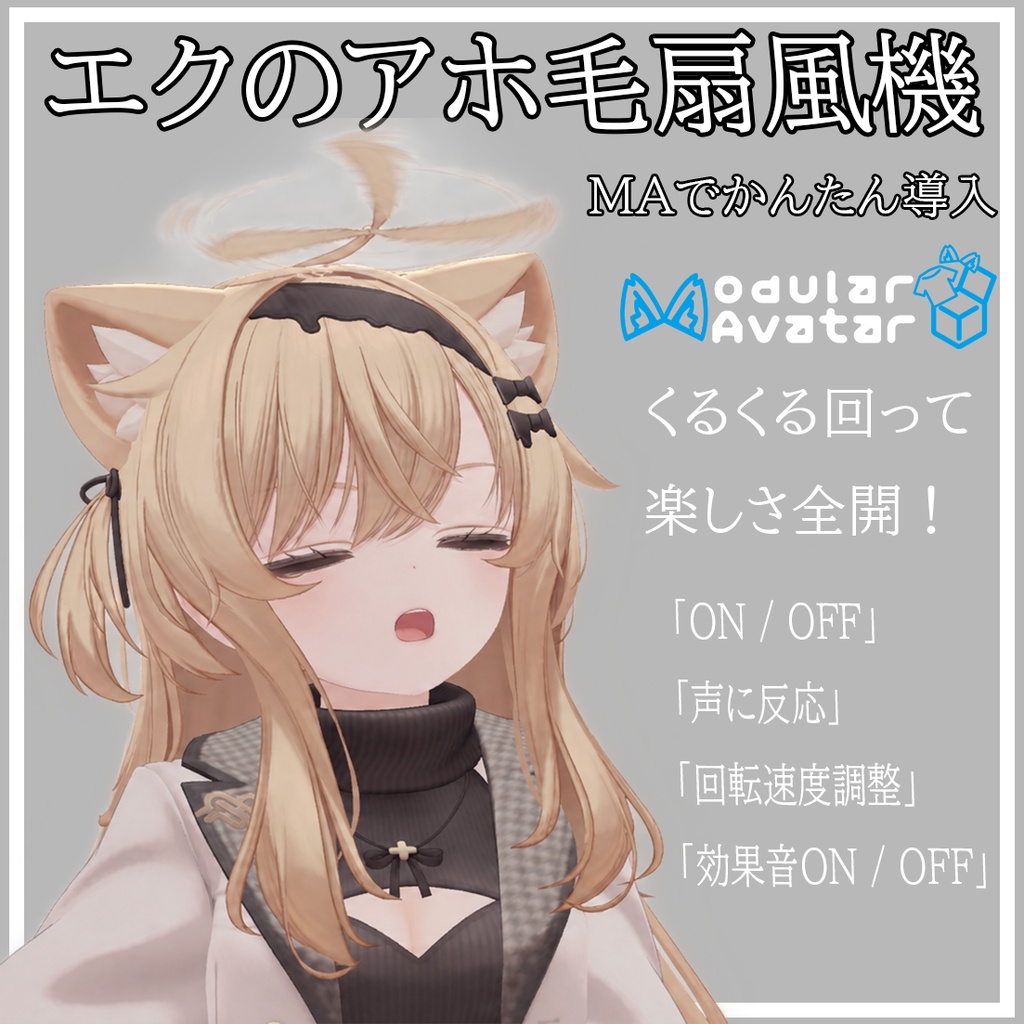

エクのアホ毛せんぷうき 3本のアホ毛が、頭の上の小さな扇風機に! ゆっくり回り始めて、一定の速さでくるくる回転。スイッチを切ると、ゆっくり減速して止まります。 動きに合わせた効果音付きで、エクちゃんにかわいくて楽しい仕掛けを追加できます。 VRChat用・Modular Avatar(MA)で簡単導入! アバターの直下に入れるだけで、メニューやアニメーションを手動で設定する必要はありません。 【機能紹介】 ・扇風機スイッチ:徐々に加速して回り続け、OFFにすると徐々に減速して停止します。 ・サウンドスイッチ:起動・回転中・停止の各効果音を、アニメーションを止めずにミュートできます。 ・おしゃべり連動スイッチ:VRChatのリップシンク信号に連動して、話すと起動し、無音になると減速・停止します。OFFにすると手動操作に戻ります。 ・回転速度の調整:0~100%の円形メニューで速度を調整できます。回転中の変更も可能です。 回転速度:約20~240回転/分 初期設定:75%・約185回転/分 ※ 0%は最低速度です。停止する場合は扇風機スイッチをOFFにしてください。 ※ おしゃべり連動にも起動・停止アニメーションが適用されるため、音節ごとに瞬時に切り替わるものではありません。 【内容物】 ・UnityPackage ・Modular Avatar用Prefab ・Animator Controller・Animation Clip ・起動・回転中・停止の効果音 【対応アバター】 ◆エク / Eku https://booth.pm/ja/items/7328764 【導入方法】 エク本体とModular Avatarを導入したプロジェクトに本商品をインポートし、AhogeFan.prefabをアバターのルート直下に配置してください。 【注意事項】 ・本商品には機能に関連するデータのみが含まれます。アバター本体、衣装、髪のメッシュ、テクスチャは同梱されません。 ・正規に入手したエク本体、VRChat SDK、Modular Avatarを別途ご用意ください。 ・本商品はVRChatアバターでの使用を想定しています。 ・エクの対応ボーン構造を前提としています。他アバターや、ボーンを大幅に変更したアバターでの動作は保証できません。 ・音声アニメーションの参照先を維持するため、Prefabの名前はAhogeFanのまま使用してください。 ・おしゃべり連動には、正常に動作するVRChatのリップシンク設定が必要です。音声認識や周囲の音を検出する機能ではありません。 ・ボーン、階層、Animatorの変更や、同じアホ毛を操作する他の機能との併用により、競合する場合があります。 ・Unity内でアニメーション制御のテストを行っています。VRChatクライアント、マルチプレイ同期、Quest環境での検証は未完了です。 【利用規約】 本商品を購入する際、本規約に同意したものとみなします。 利用規約の内容は変更される場合があり、最新バージョンを優先します。 本規約は、あしやまひろこ(@hiorko_TB)氏が作成したVN3ライセンスのテンプレートを使用しています。 https://www.vn3.org/ 規約全文(JP) https://drive.google.com/file/d/19dZpKbgh_qTQR9UVNfjBP9QkvTx9irLc/view?usp=drive_link ────────────────────────────── Eku Ahoge Fan Turn Eku’s three strands of ahoge into a tiny fan! Watch it gradually spin up, keep rotating at a steady speed, and gently slow to a stop—with synchronized fan sounds for a cute, playful addition to your avatar. Made for VRChat. Easy installation with Modular Avatar (MA)! Just place the prefab under your avatar—no manual menu or Animator setup required. 【Features】 ・Fan Toggle: Gradual acceleration, continuous steady rotation, and gradual deceleration when switched off. ・Sound Toggle: Enable or mute the startup, running, and shutdown sounds without interrupting the animation. ・Speech Activation Toggle: Uses VRChat’s lip-sync signal to start the fan while speaking and slow it to a stop during silence. Disabling this mode restores manual control. ・Speed Dial: Adjust the speed using a 0–100% radial control, including while the fan is running. Speed range: Approximately 20–240 RPM Default setting: 75%, approximately 185 RPM ※ 0% selects the minimum speed; it does not turn the fan off. Use the Fan Toggle to stop it. ※ Speech activation follows the startup and shutdown animations rather than switching instantly between individual syllables. 【Contents】 ・UnityPackage ・Modular Avatar feature prefab ・Animator Controller and Animation Clips ・Startup, running, and shutdown sound effects 【Supported Avatar】 ◆エク / Eku https://booth.pm/ja/items/7328764 【Installation】 Import this package into a project with Eku and Modular Avatar already installed, then place AhogeFan.prefab directly under the avatar root. 【Important Notes】 ・This product contains feature-related assets only. The avatar, clothing, hair meshes, and textures are not included. ・A legitimately obtained copy of Eku, the VRChat SDK, and Modular Avatar are required separately. ・This product is designed for use with VRChat avatars. ・Designed around the supported Eku bone hierarchy. Compatibility with other avatars or substantially modified skeletons is not guaranteed. ・Keep the prefab instance named AhogeFan to preserve the sound animation bindings. ・Speech activation requires working VRChat lip sync. It is not speech recognition or ambient sound detection. ・Changes to bones, hierarchy, or Animator Controllers—and other features controlling the same ahoge—may cause conflicts. ・Animation logic has been tested within Unity. VRChat client behavior, multiplayer synchronization, and Quest compatibility have not yet been verified. 【Terms of Use】 By purchasing this product, you agree to its Terms of Use. The terms may be updated; the latest version takes precedence. These terms use the VN3 License template created by あしやまひろこ (@hiorko_TB). https://www.vn3.org/ Terms of Use (EN) https://drive.google.com/file/d/1Nr0IecsTtizKmxiz_4L6L_-jR7hIMMS-/view?usp=drive_link ────────────────────────────── Eku呆毛电风扇 让 Eku 的三根呆毛变成头顶上的小电风扇! 从缓缓启动到持续旋转,再到慢慢停下,搭配同步风扇音效,增添一点可爱又搞怪的小机关。 适用于 VRChat,支持 Modular Avatar(MA)一键安装! 将预制件拖入模型根物体下即可,无需手动配置菜单或动画控制器。 【功能介绍】 ・风扇开关:开启后逐渐加速,并持续匀速循环旋转;关闭后逐渐减速停止。 ・声音开关:启动、运转、停止均配有对应音效,可单独静音,不影响动画。 ・说话联动开关:开启后通过 VRChat Lip Sync 信号控制风扇,说话时启动,安静时逐渐停止;关闭后恢复手动控制。 ・转速轮盘:通过0~100%百分比轮盘调节转速,运行中也能调整,无需重新启动。 转速范围:约20~240转/分钟 默认转速:75%,约185转/分钟 ※ 轮盘0%为最低转速,并非关闭;停止风扇请使用风扇开关。 ※ 说话联动受启停动画时长影响,不会在每个音节间瞬间启停。 【内容物】 ・UnityPackage ・Modular Avatar功能预制件 ・动画控制器及动画文件 ・启动、运转、停止音效 【适配模型】 ◆エク / Eku https://booth.pm/ja/items/7328764 【导入方式】 请先在项目中导入 Eku 模型及 Modular Avatar,再导入本插件,将 AhogeFan.prefab 放置在模型根物体下。 【注意事项】 ・本商品仅包含插件相关数据,不包含模型本体、服装、发型网格或贴图。 ・需要另行准备合法取得的 Eku 模型、VRChat SDK 及 Modular Avatar。 ・本商品面向 VRChat Avatar 使用。 ・当前为 Eku 对应骨骼结构制作,不保证其他模型或已大幅修改骨骼的模型可直接使用。 ・请保留预制件名称 AhogeFan,以免影响音效动画绑定。 ・说话联动需要模型的 VRChat Lip Sync 正常工作,不是语音识别或周围声音检测功能。 ・修改骨骼、层级、动画控制器,或与其他控制相同呆毛的功能同时使用时,可能产生冲突。 ・已进行 Unity 内动画逻辑测试;VRChat 客户端、多人同步及 Quest 环境尚未完成验证。 【使用条款】 购买本商品即视为同意使用条款。 条款可能更新,请以最新版本为准。 本商品使用的条款基于あしやまひろこ(@hiorko_TB)制作的 VN3 License 模板。 https://www.vn3.org/ 使用条款(ZH) https://drive.google.com/file/d/1Xma-Y08EmT17bF3TK-hERTpbjoF-Sc2g/view?usp=drive_link 禁止在闲鱼搬运、二次售卖。 ────────────────────────────── 에쿠 바보털 선풍기 세 가닥 바보털이 가속→일정 회전→감속·정지! ・팬 ON/OFF · 효과음 별도 ON/OFF ・립싱크 연동: 말하면 작동, 조용해지면 정지 ・속도: 20~240 RPM, 기본 75%. 0%는 최저 속도이며 정지가 아닙니다. 구성: UnityPackage·MA 프리팹·애니메이션·효과음. Eku·VRChat SDK·MA 필요. AhogeFan.prefab을 아바타 바로 아래에 넣고 이름을 유지하세요. 아바타 본체 미포함. 정상 립싱크 필요. 본 구조 변경·다른 기믹과 충돌 가능. VRChat·동기화·Quest 미검증. Eku: https://booth.pm/ja/items/7328764 구매 시 약관에 동의한 것으로 간주합니다. 최신판 우선. VN3 기반. https://drive.google.com/file/d/1gGFiuBuankBu5znAk6u_cWktjT2EOBKg/view?usp=drive_link