
AIモザイクツール|動画の顔を自動でぼかす【Windows・NVIDIA GPU】
- ダウンロード商品¥ 0
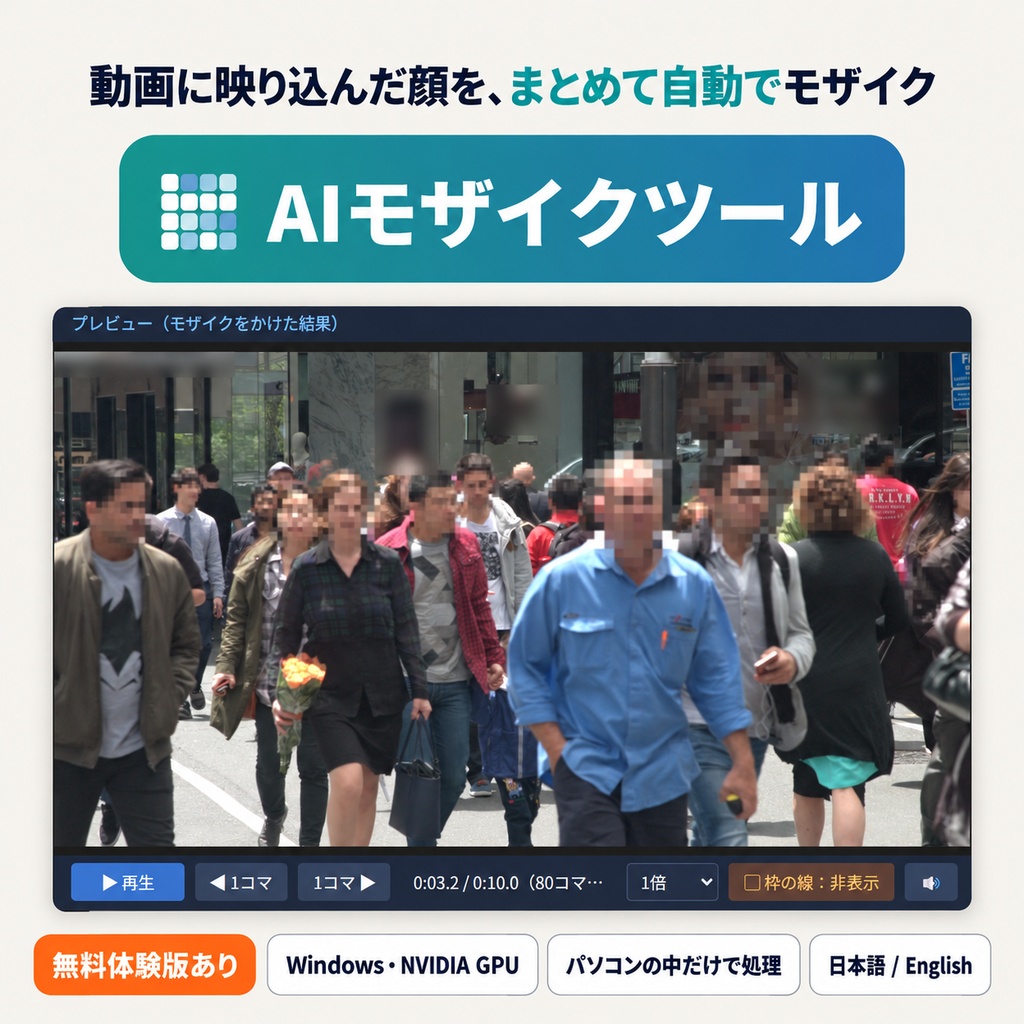
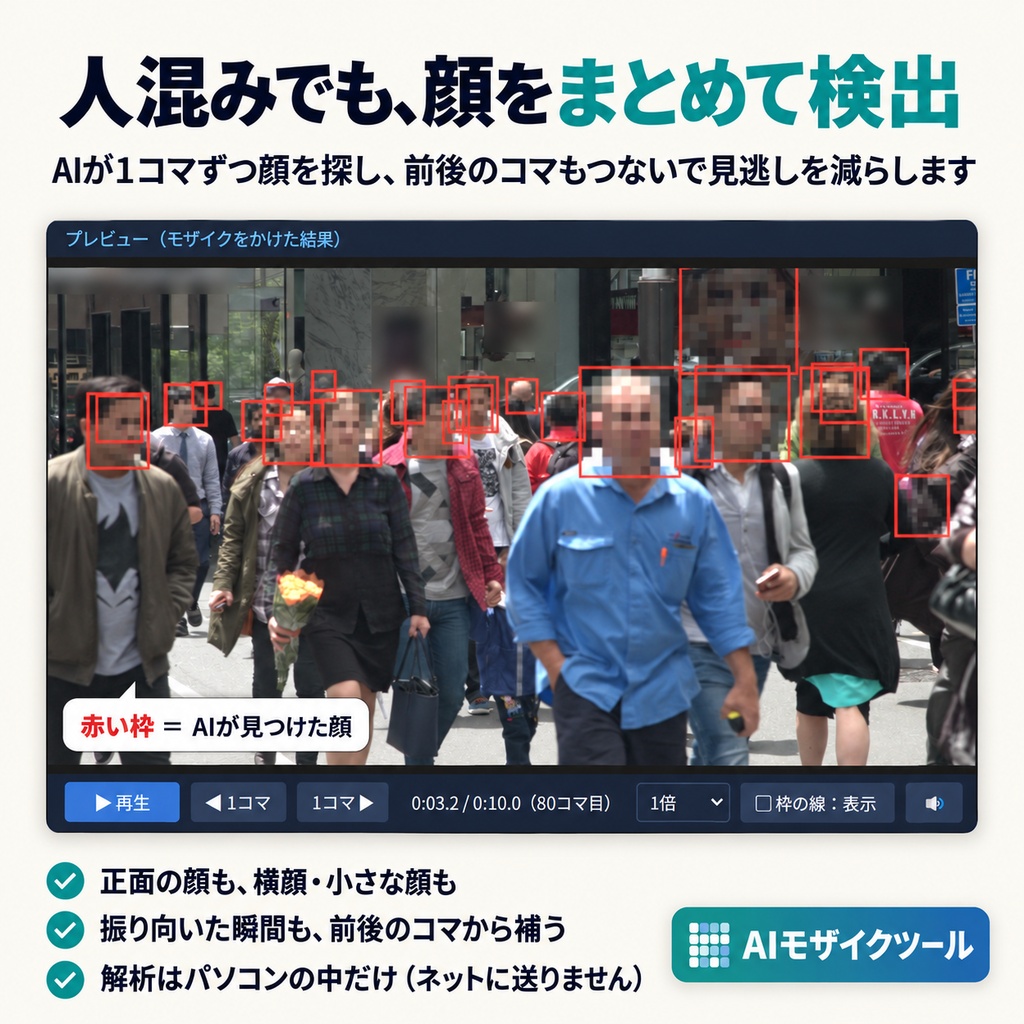
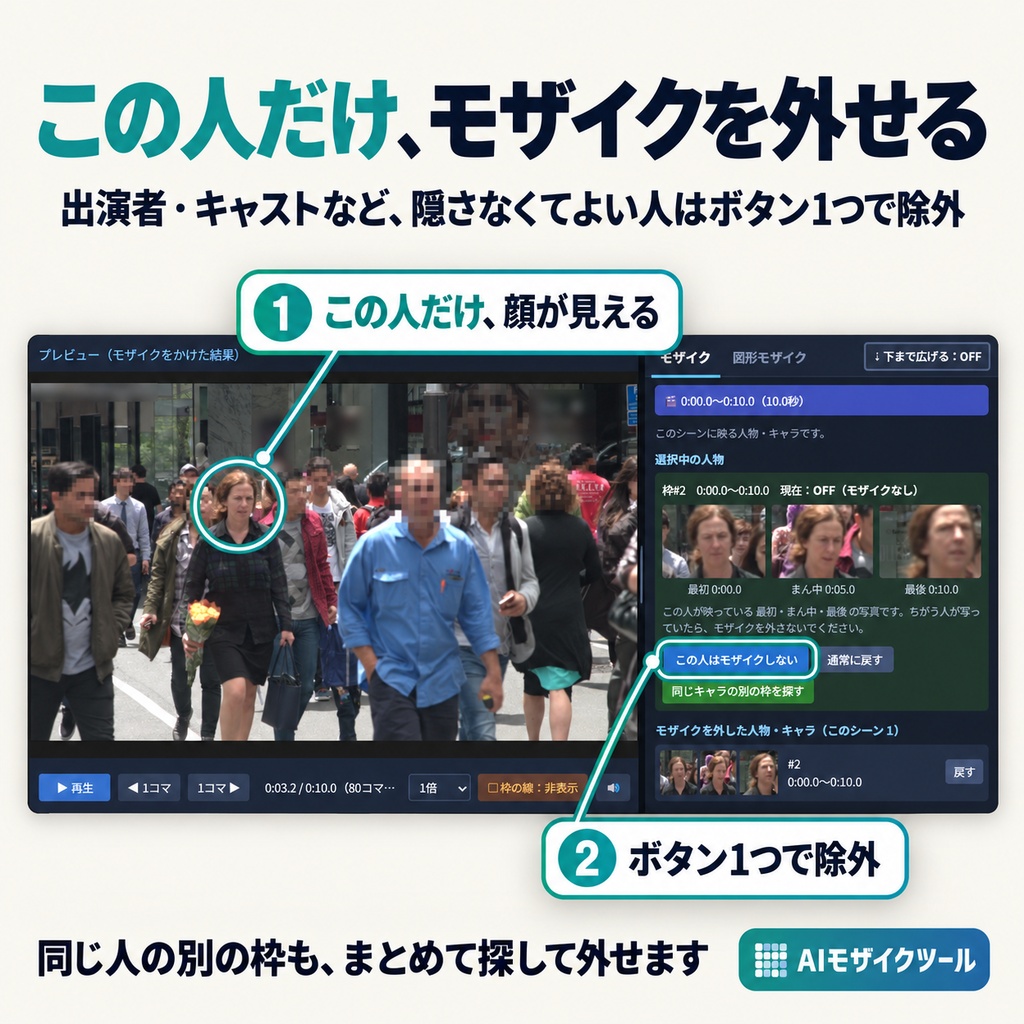
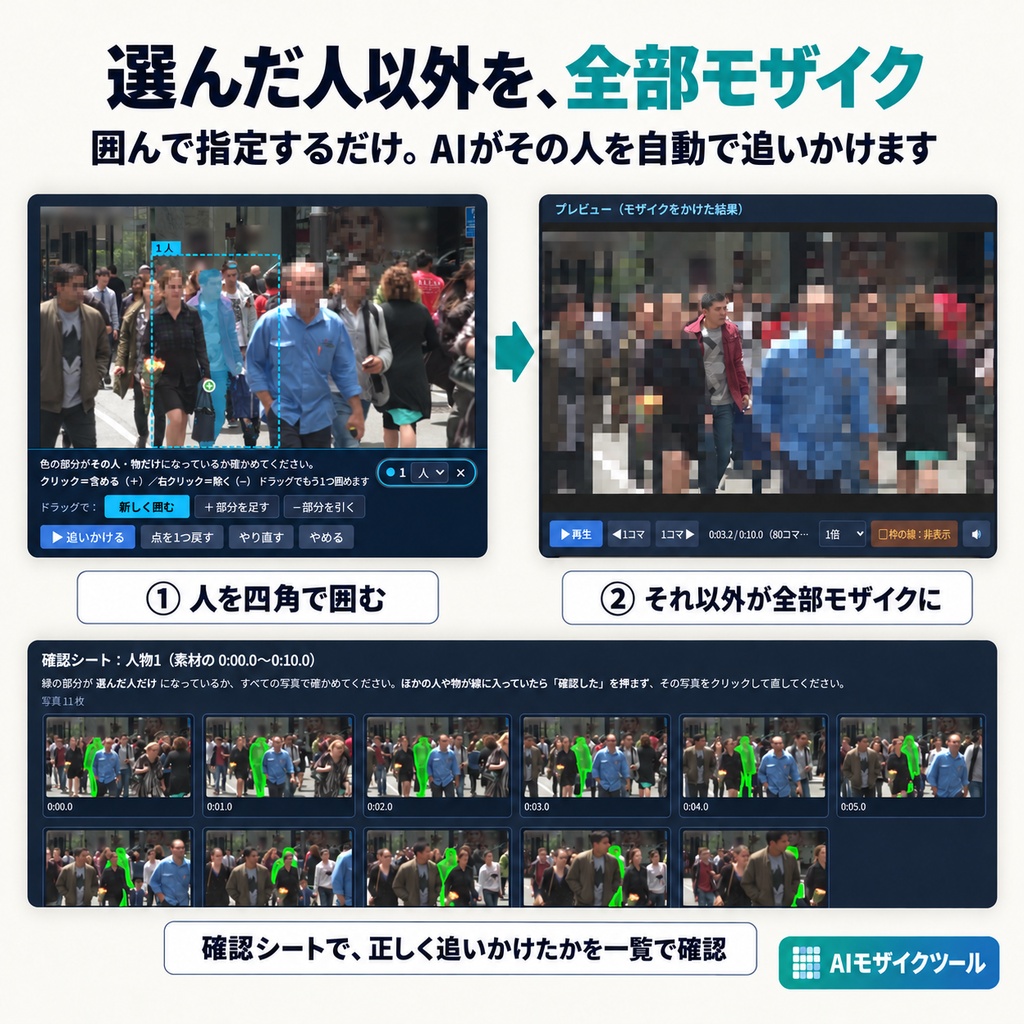
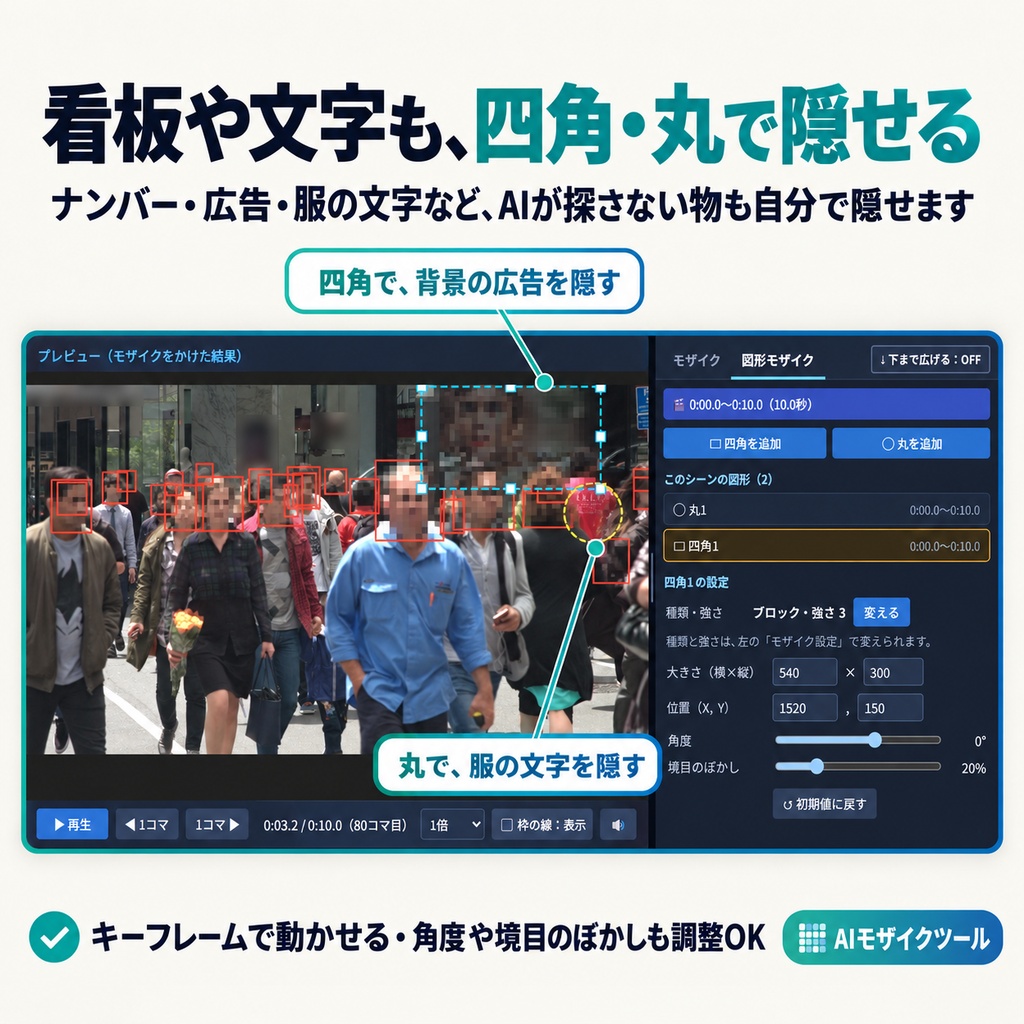
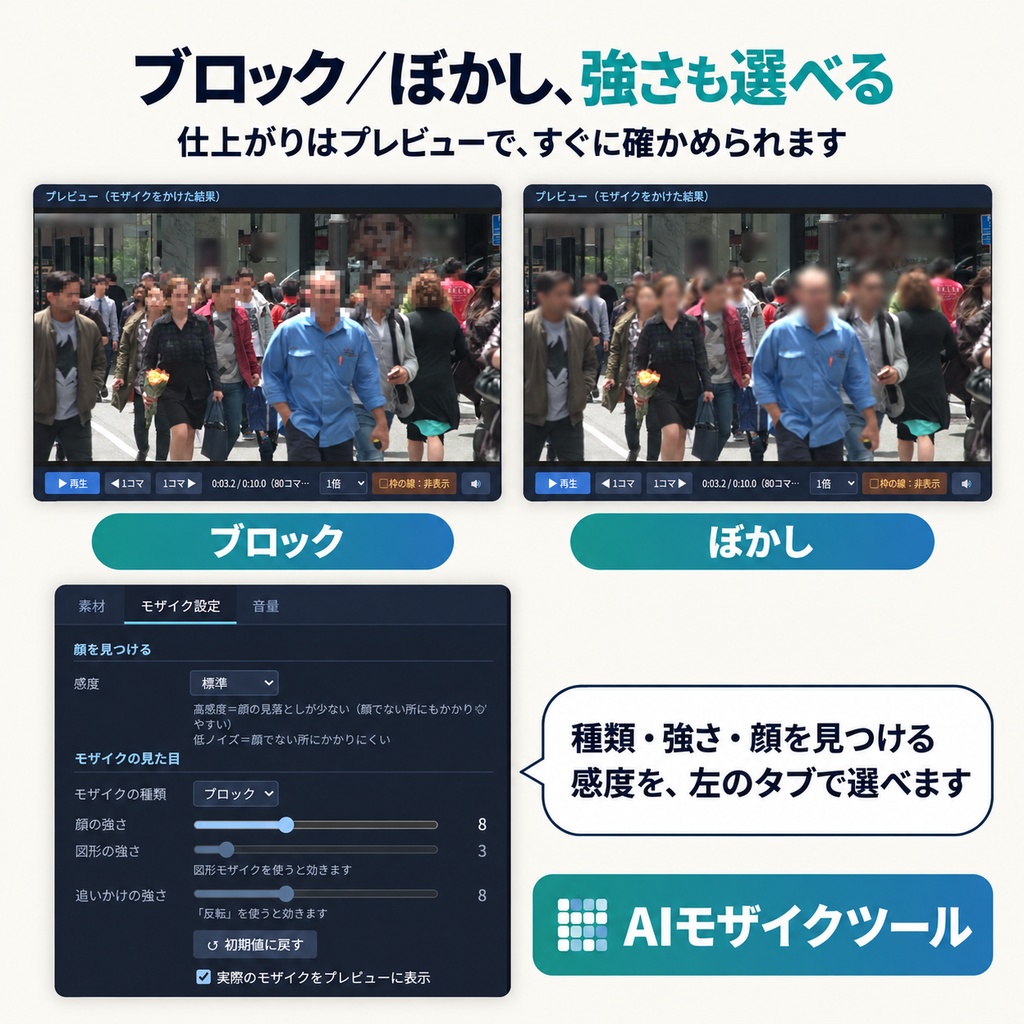
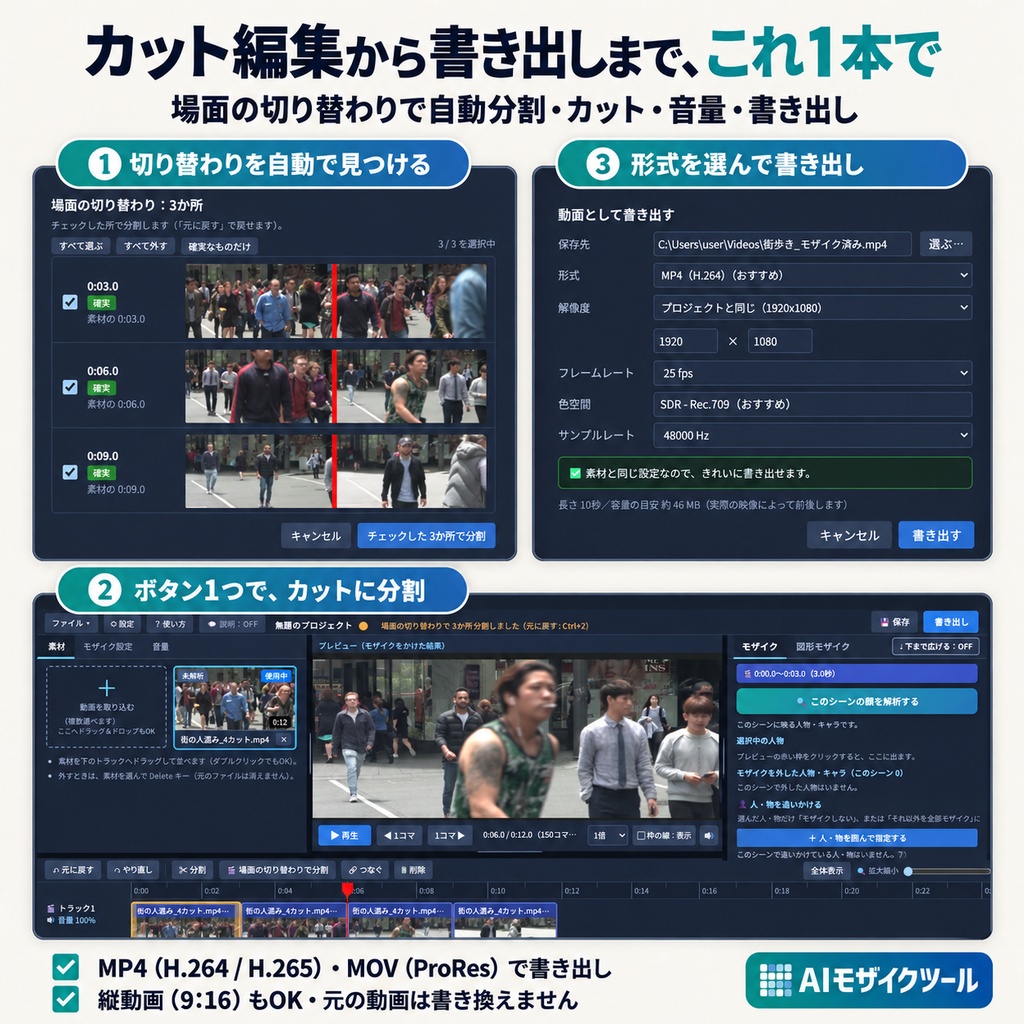

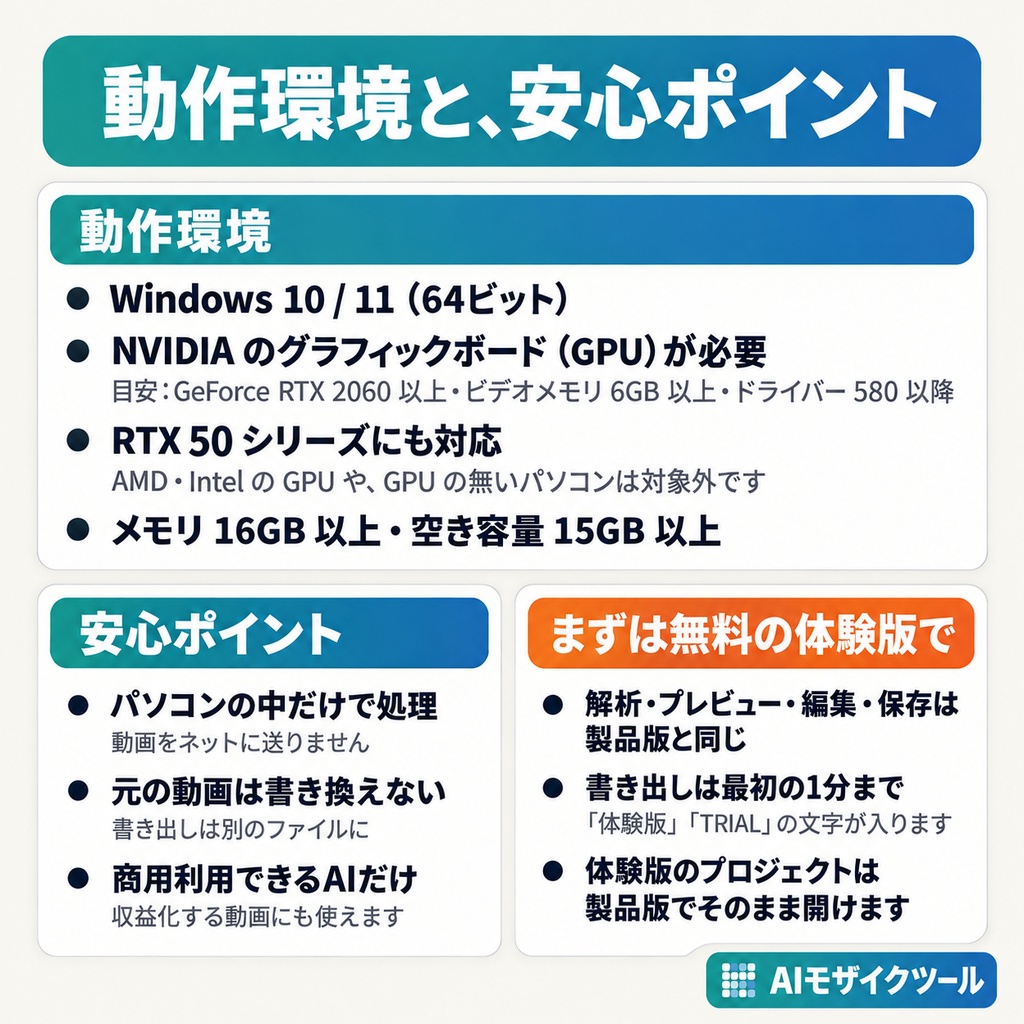


━━━━━━━━━━━━━━━━━━━━ 動画に映った人の顔を、AI が見つけて自動でモザイク。 テーマパーク・街歩き・イベントの Vlog など、たくさんの人が映り込む動画の「顔隠し」の手間を、ぐっと減らします。 ━━━━━━━━━━━━━━━━━━━━ ★ 今は【無料の体験版】を公開しています。 製品版(5,980円・買い切り)は近日公開予定です。まずは体験版で、お使いのパソコンで動くか・顔がきちんと見つかるかをお確かめください。 【できること】 ・顔を自動で見つけてモザイク 複数の AI で顔を探し、前後のコマもつないで、振り向いた瞬間などの「一瞬だけ顔が映る」を減らします。 ・モザイクは「ぼかし」「ブロック」から選べます。強さも調整できます。 ・この人はモザイクしない(除外) 出演者・キャストなど、隠さなくてよい人だけモザイクを外せます。見た目が似ている枠をまとめて探す機能つき。 ・この人以外を全部モザイク(反転) 選んだ人・物を AI が自動で追いかけ、それ以外を全部モザイクにできます。 ・図形モザイク 四角・丸を置いて、看板・ナンバー・群衆などを隠せます。キーフレームで動かせます。 ・場面の切り替わりで自動分割、カット編集・音量調整 ・書き出し:MP4(H.264 / H.265)・MOV(ProRes)。縦動画(9:16)もOK ・自動保存・元に戻す(Ctrl+Z)・キー割り当ての変更・画面の色(6種類) ・画面は日本語と英語に対応 【安心ポイント】 ・動画はパソコンの中だけで処理します。インターネットへは送りません。 ・元の動画ファイルは書き換えません。 ・商用利用できるライセンスの AI だけを使っています。書き出した動画は、収益化する動画にも使えます。 【動作環境】 ・Windows 10 / 11(64ビット) ・NVIDIA の GPU(グラフィックボード)が必要です 目安:GeForce RTX 2060 以上・ビデオメモリ 6GB 以上・ドライバー 580 以降 ※ AMD・Intel の GPU や、GPU の無いパソコンは対象外です ※ RTX 50 シリーズにも対応しています(作者の手元では未確認のため、体験版でお確かめください) ・メモリ 16GB 以上 ・空き容量 15GB 以上 ・解析の速さの目安:1分の動画で約6分(RTX 2070 SUPER のとき) 【体験版の制限】 ・顔の解析・プレビュー・編集・保存は、製品版と同じように使えます。 ・書き出しは最初の1分までで、動画に「体験版」「TRIAL」の文字が入ります。 ・体験版で保存したプロジェクトは、製品版でそのまま開けます。 【ダウンロードと使い方】 1. zip ファイル(~_part1.zip・~_part2.zip …)をすべてダウンロードし、すべて解凍します(Windows の「すべて展開」でOK)。 2. part1 を解凍したフォルダの中の「MosaicTool」フォルダ(体験版は「MosaicTool_Trial」)にある「MosaicTool.exe」をダブルクリックします。 はじめての起動のときに、ほかの zip の中身を自動で1つのフォルダにまとめます。 くわしくは、同梱の「はじめにお読みください.txt」をご覧ください。 【ご注意】 ・AI は完全ではありません。横顔・小さな顔・速い動きなどで、モザイクがかからないことがあります。公開前に必ずプレビューでご確認ください(かからない所は図形モザイクで隠せます)。 ・映っている人の権利(肖像権・プライバシー)への配慮は、動画を公開する方の責任でお願いします。 ・利用規約は、同梱の「はじめにお読みください.txt」に記載しています。 ・お問い合わせは、BOOTH のメッセージからお願いします。 ━━━━━━━━━━━━━━━━━━━━ English ━━━━━━━━━━━━━━━━━━━━ Mosaic Tool - Automatically blur faces in your videos with AI (Windows / NVIDIA GPU) ★ The FREE TRIAL is available now. The full version (JPY 5,980, one-time purchase) is coming soon. Please use the trial first to check that it runs on your PC and finds faces properly. [Features] - Finds faces automatically and applies a mosaic. Multiple AI models plus frame-to-frame tracking reduce "faces that flash for a moment". - Choose Blur or Pixelate, and adjust the strength. - Exclude: remove the mosaic from people who don't need hiding (performers, cast, etc.). Includes a "find similar boxes" feature. - Invert: the AI tracks a selected person/object and mosaics everything else. - Shape mosaic: place rectangles/circles to hide signs, license plates, crowds, etc. Animate them with keyframes. - Automatic split at scene changes, cut editing, volume control. - Export: MP4 (H.264 / H.265), MOV (ProRes). Vertical video (9:16) supported. - Autosave, undo, customizable keys, 6 color themes. - English and Japanese interface. [Peace of mind] - Videos are processed only on your PC. Nothing is sent to the internet. - Your original video files are never modified. - Uses only AI models whose licenses allow commercial use. Exported videos can be used in monetized videos. [System requirements] - Windows 10 / 11 (64-bit) - NVIDIA GPU required: GeForce RTX 2060 or better, 6 GB VRAM or more, driver 580 or later (AMD/Intel GPUs and PCs without a GPU are not supported. RTX 50 series is supported but not yet tested by the developer - please try the trial.) - 16 GB RAM or more, 15 GB or more free disk space - Analysis speed guide: about 6 minutes per 1 minute of video (RTX 2070 SUPER) [Trial limitations] - Face analysis, preview, editing and saving work just like the full version. - Export is limited to the first 1 minute, with "体験版" / "TRIAL" watermarks. - Projects saved in the trial open as-is in the full version. [Download & start] 1. Download all the zip files (..._part1.zip, ..._part2.zip, ...) and extract them all (Windows' "Extract All" is fine). 2. Double-click "MosaicTool.exe" in the "MosaicTool" folder ("MosaicTool_Trial" for the trial) inside the folder where you extracted part1. On the first start, the contents of the other zip files are gathered into one folder automatically. See "README_EN.txt" (included) for details and the terms of use. [Notes] - AI is not perfect. Faces may be missed (side views, small faces, fast motion). Always check the preview before publishing. - Respecting the rights (portrait rights, privacy) of people in your video is the responsibility of whoever publishes it. - Please contact us through BOOTH messages.