

【VRChat・PC向け】ごろごろにゃんこ|本物の猫のゴロゴロ音・Modular Avatar対応
- ダウンロード商品¥ 300
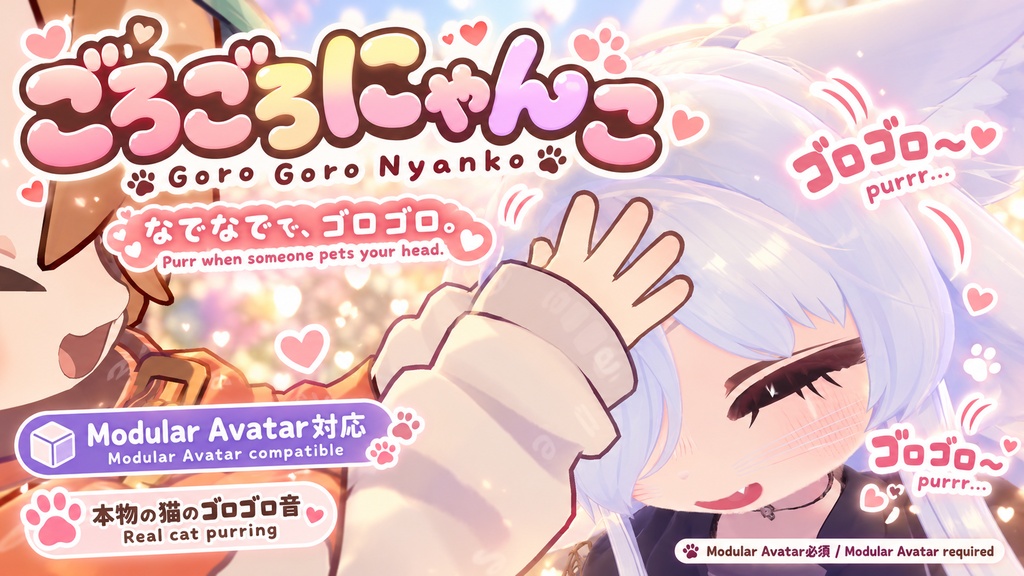
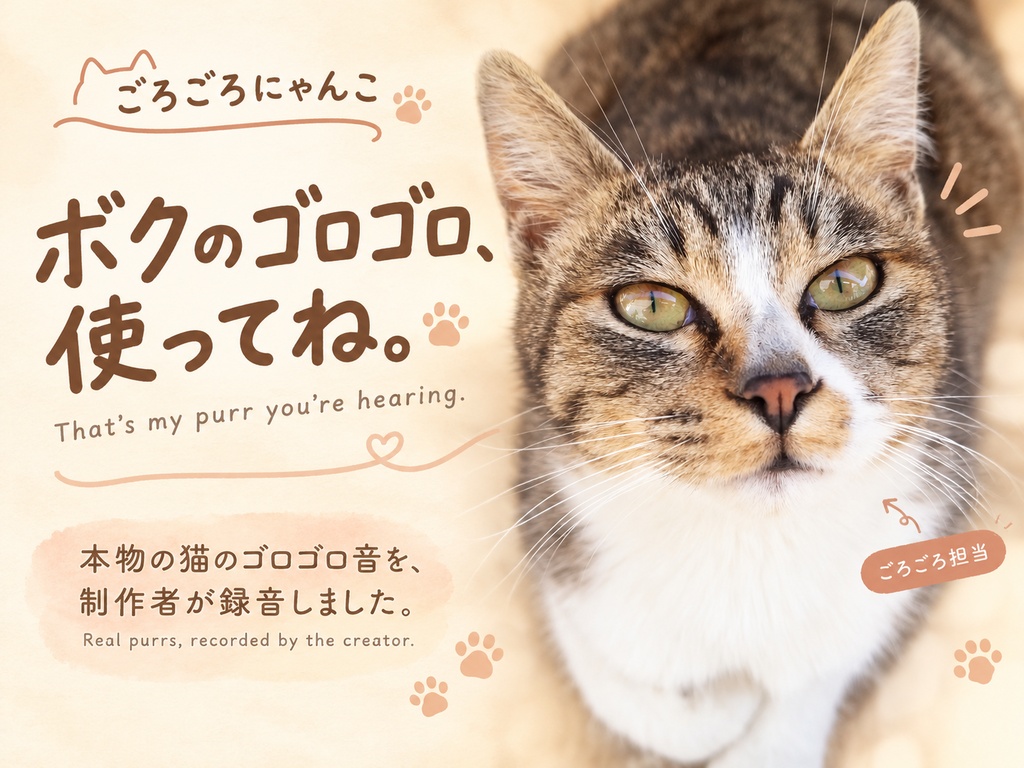
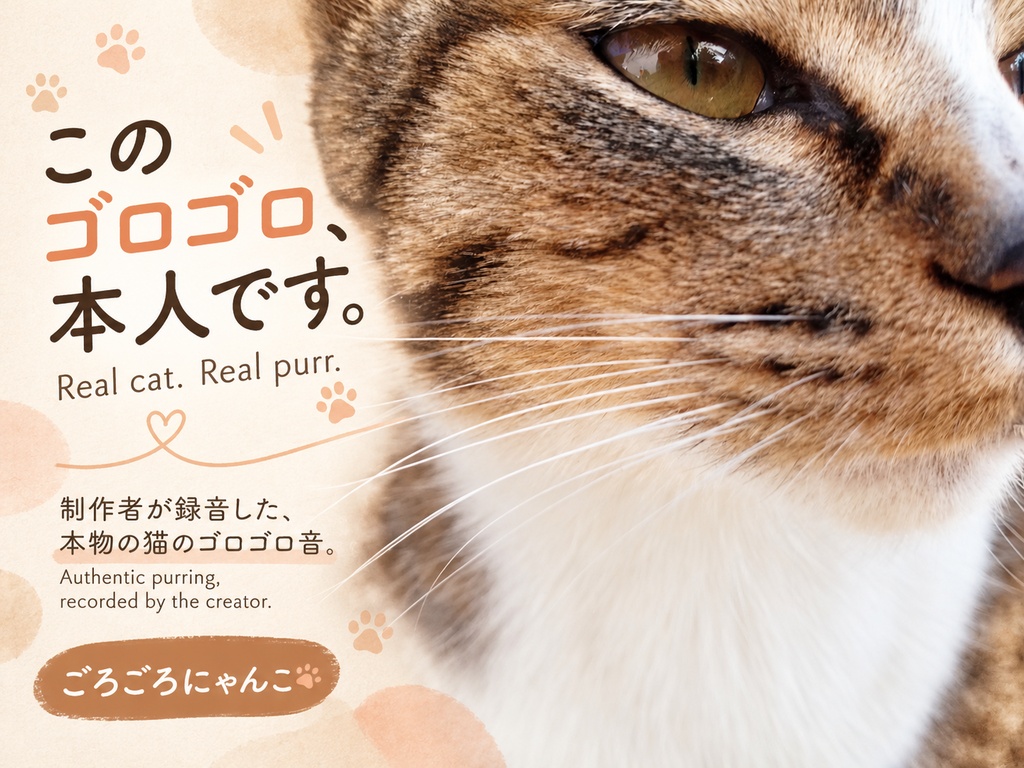
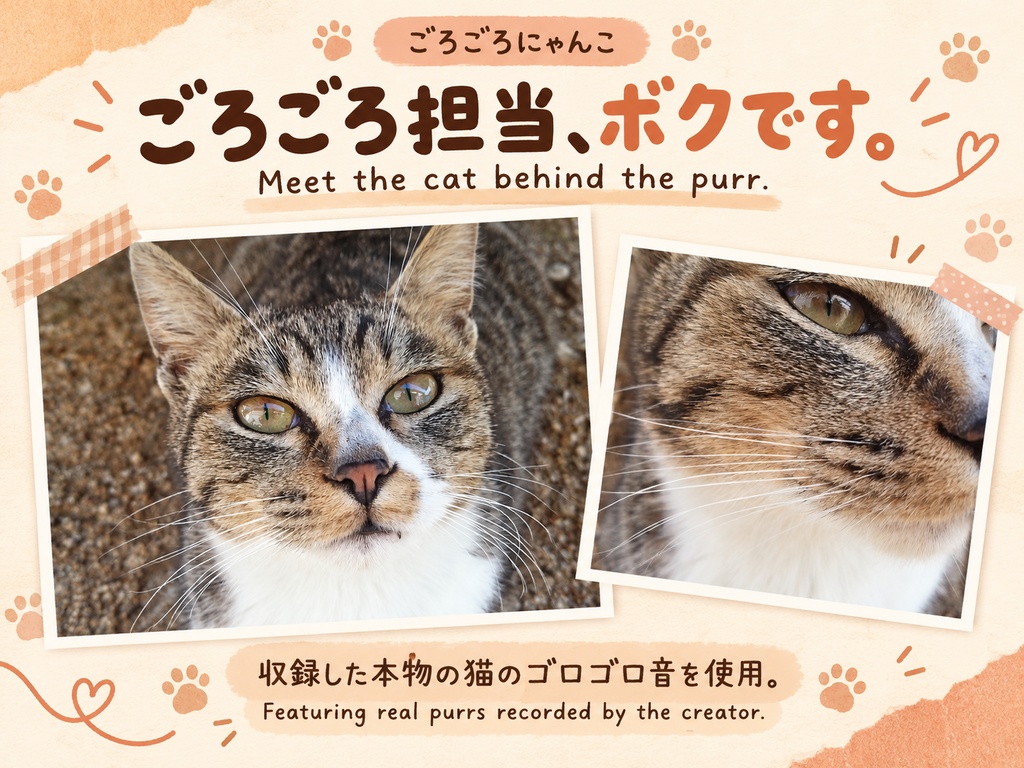
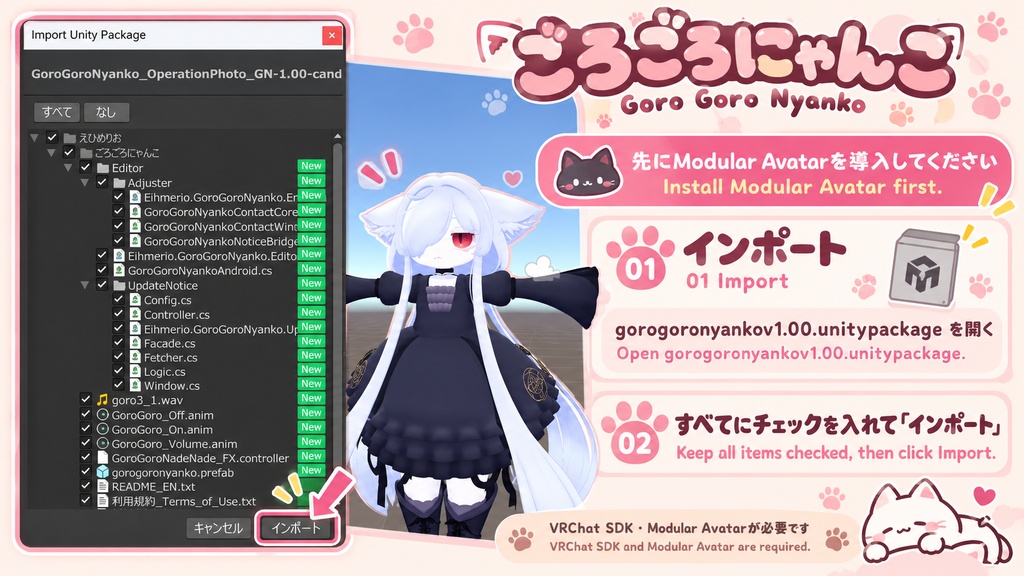
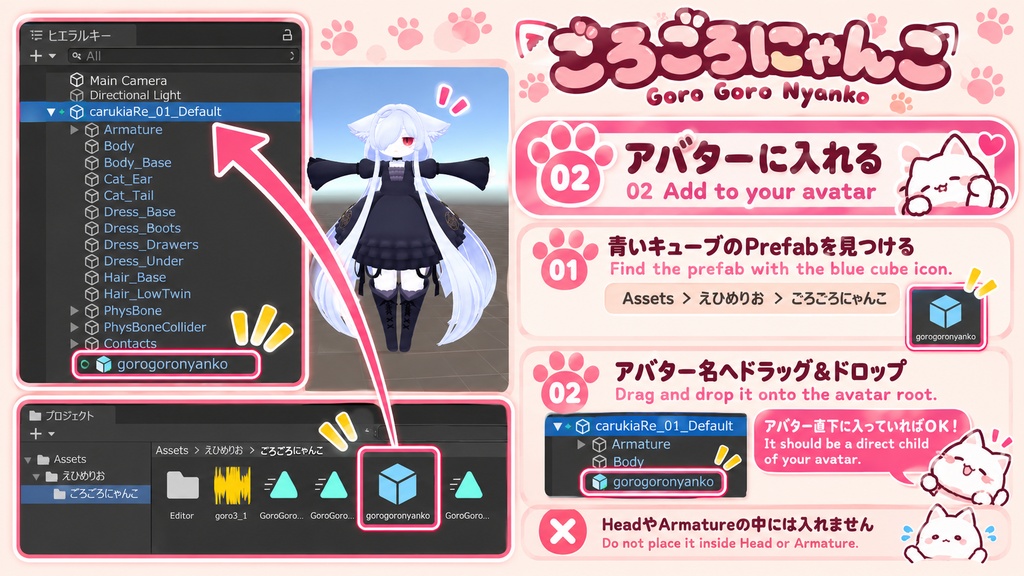
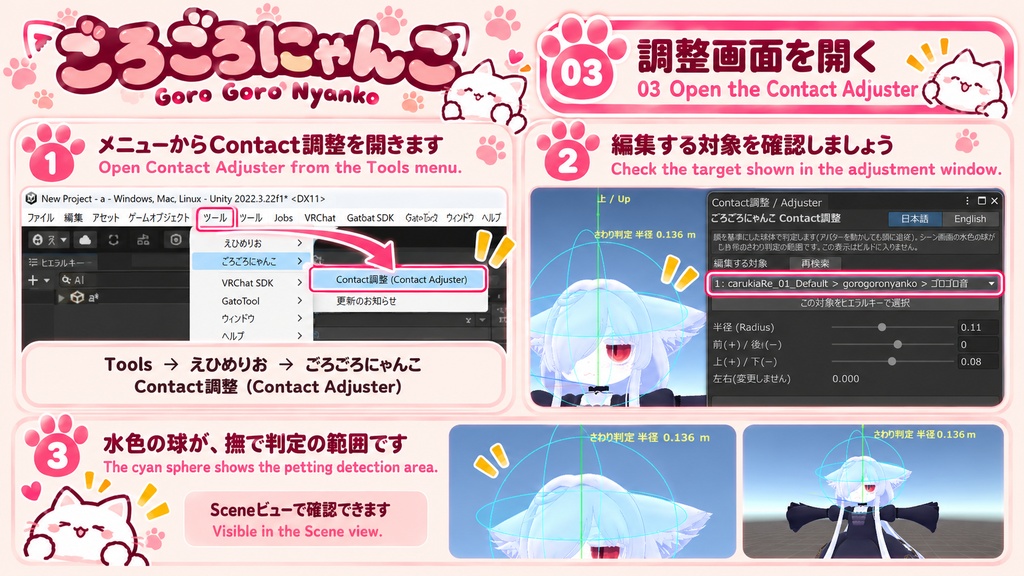
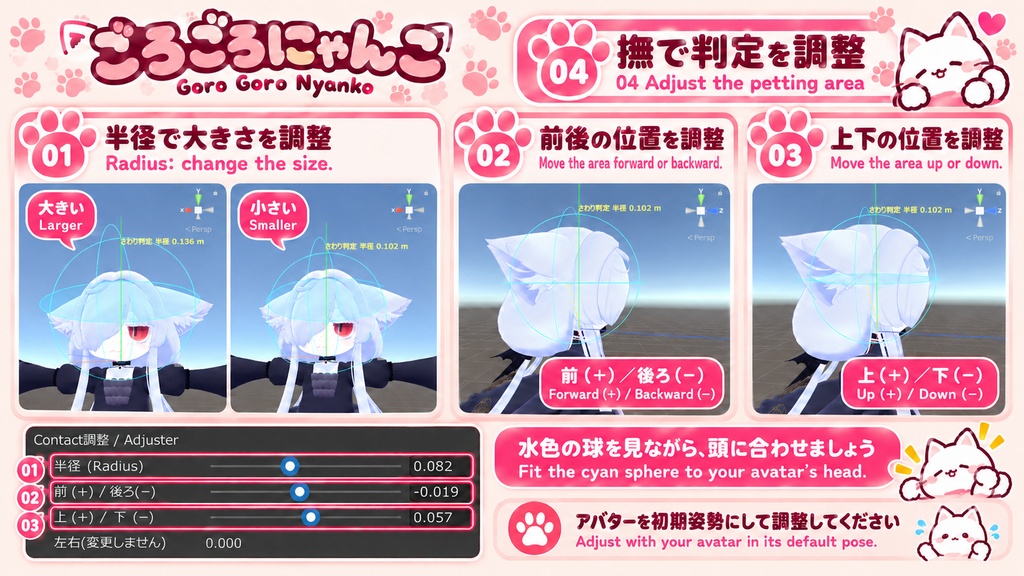
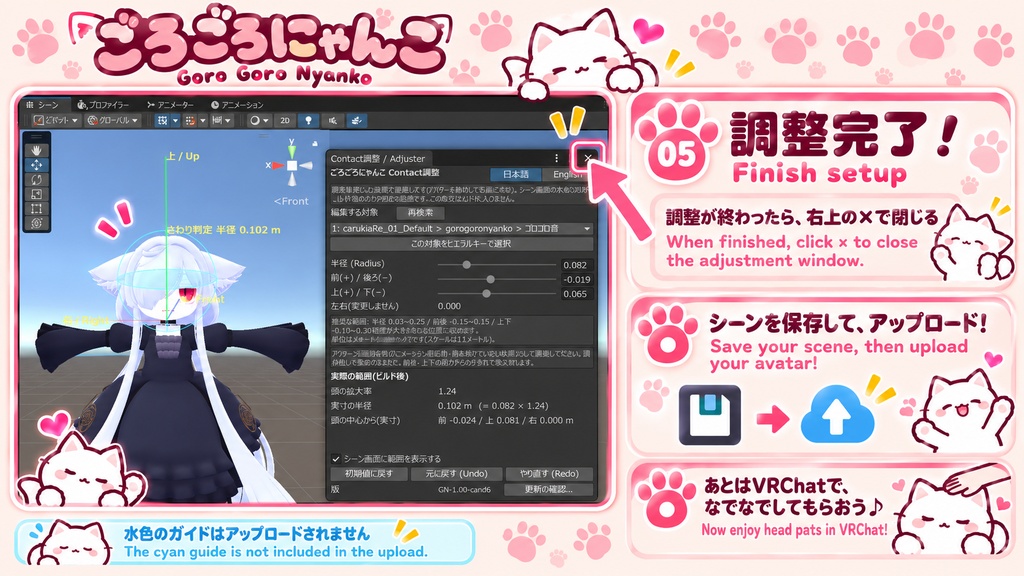


なでなでされると、ゴロゴロ〜。 あなたのアバターも、甘えんぼうなにゃんこに。 「ごろごろにゃんこ」は、ほかの人に頭を撫でてもらうと、本物の猫のゴロゴロ音が鳴るVRChat用ギミックです。 音声は作者自身が録音しました。 商品画像に登場する猫ちゃんが、ゴロゴロ担当です🐾 ■ できること ・ほかの人の手や指が頭の判定範囲に触れると、ゴロゴロ音が鳴ります。自分の手では反応しません。 ・VRChat内のメニューから音量を調整できます。0%にすると消音になります。 ・音は距離に応じて小さくなります。設計上は約2mまで設定した音量を保ち、約3mで聞こえなくなります。 ・Unityの専用画面で判定範囲を確認しながら、大きさ・前後・上下の位置をスライダーで調整できます。 ・調整画面は日本語・英語に対応しています。 ※距離による減衰はVRChat実機で確認しています。2〜3mの間の細かな音量値や、正確に3mで無音になる点は測定していません。 ■ 導入方法 1. VRChat SDK - AvatarsとModular Avatarを導入したプロジェクトに、本商品をインポートします。 2. 同梱の「gorogoronyanko」プレハブを、アバターのいちばん上のオブジェクトの直下に配置します。 3. 必要に応じて、頭の判定範囲を調整します。 4. シーンを保存し、アバターをアップロードします。 詳しい手順は、説明画像と同梱の説明書をご覧ください。 ■ 必要なもの・確認環境 ・Unity 2022.3.22f1(Windows) ・VRChat SDK - Avatars 3.10.4 ・Modular Avatar 1.17.1 ・NDMF 1.14.1 ・導入先のアバター 上記以外のバージョンの組み合わせは確認していません。 アバター本体、VRChat SDK、Modular Avatar、NDMFは付属しません。 ■ 更新のお知らせ Unityエディタ内で、新しいバージョンのお知らせを確認できます。 ・利用は任意です。有効にするまで通信しません。 ・有効にすると、前回の確認から24時間以上空けて、Unityの起動時やツール画面を開いたときなどに自動確認します。 ・「今すぐ確認」から、手動でも確認できます。 ・取得先はGitHub(raw.githubusercontent.com)です。アバター情報やファイルパスなどを送る機能はありません。 ・自動ダウンロード・自動更新は行いません。 ・通信できない場合や機能を無効にした場合も、ゴロゴロ音などの商品機能は使用できます。 お知らせは、作者が更新情報を公開した後、利用者側で次に確認したときに表示されます。 BOOTHの商品ページの変更だけで通知される仕組みではありません。 ■ 内容物 ・gorogoronyankov1.00.unitypackage ・説明メモ.txt(日本語) ・README_EN.txt(英語) ・利用規約_Terms_of_Use.txt ・更新履歴_Changelog.txt ■ ご購入前に ・PC版VRChat向けの商品です。Quest/Android版ではゴロゴロ音は再生されません。 ・標準の構成では、Android向けビルド時に商品部分を自動で取り除く仕組みが入っています。同梱コントローラーを複製・差し替えした場合は、自動除外の対象にならないため、説明書に沿って手動で取り外してください。 ・アバターの形状や大きさによって、判定範囲の調整が必要です。頭の形状に合わせた自動サイズ調整機能はありません。 ・エクスプレッションメニューに空きが必要です。 ・相手側のアバター表示・音声・インタラクション設定によって、音が聞こえない、または反応しない場合があります。 ・掲載画像・動画のアバターは付属しません。 ■ 利用規約の概要 ・購入者本人による使用・改変が可能です。音源の差し替えも可能ですが、使用する音源の利用条件を守ってください。 ・本商品を導入したアバターを、収益化した動画・配信で使用できます。 ・本商品および改変した商品データの再配布・譲渡・転売は禁止します。 ・アバターや素材など、第三者の権利者が定める利用条件も守ってください。 詳細は同梱の「利用規約_Terms_of_Use.txt」をご確認ください。 ■ お問い合わせ BOOTHのショップメッセージからご連絡ください。 お使いのUnity・VRChat SDK・Modular Avatarのバージョンと、発生した状況を添えていただけると確認がスムーズです。 制作:えひめりお ──────────────────── English ──────────────────── A little head pat, a happy purr. Turn your avatar into an affectionate kitty! GoroGoroNyanko is a VRChat avatar gimmick that plays real cat purring sounds when another person pets your head. The audio was personally recorded by the creator. The cat featured in the product images is the actual purring performer! 🐾 ■ Features ・Plays purring sounds when another person's hand or fingers enter the head contact area. Your own hands do not trigger it. ・Adjust the volume from the in-game menu. Set it to 0% to mute. ・Distance-based audio: designed to maintain the selected volume up to approximately 2 metres, then fade to silence at approximately 3 metres. ・Preview the contact area in Unity and adjust its radius, front/back position, and height with sliders. ・The adjustment window supports Japanese and English. Distance-based fading has been checked in VRChat. Exact volume levels between 2 and 3 metres and the precise point of silence have not been measured. ■ Installation 1. Import this product into an avatar project with the VRChat SDK - Avatars and Modular Avatar installed. 2. Place the included “gorogoronyanko” prefab directly under your avatar's root object. 3. Adjust the head contact area if needed. 4. Save the scene and upload your avatar. Please see the instruction images and included documentation for details. ■ Requirements / Checked Environment ・Unity 2022.3.22f1 on Windows ・VRChat SDK - Avatars 3.10.4 ・Modular Avatar 1.17.1 ・NDMF 1.14.1 ・An avatar to install the gimmick on Other version combinations have not been checked. The avatar, VRChat SDK, Modular Avatar, and NDMF are not included. ■ Update Notices Check for newer versions in the Unity Editor. ・This feature is optional. It makes no network requests until enabled. ・When enabled, automatic checks run on Unity startup or when opening the tool, provided at least 24 hours have passed since the previous check. ・You can also check manually using “Check now”. ・Update information is fetched from GitHub (raw.githubusercontent.com). The feature does not send avatar information or local file paths. ・Updates are not downloaded or installed automatically. ・The product's features remain usable if update notices are disabled or the connection fails. Notices appear when the user next checks after the creator publishes new update information. Editing the BOOTH product page alone does not trigger a notice. ■ Contents ・gorogoronyankov1.00.unitypackage ・説明メモ.txt — Japanese instructions ・README_EN.txt — English instructions ・利用規約_Terms_of_Use.txt — Terms of Use ・更新履歴_Changelog.txt — Changelog ■ Before Purchasing ・Designed for PC VRChat. Purring audio does not play on Quest / Android. ・The standard setup includes automatic removal of this product during Android builds. If you duplicate or replace the bundled controller, automatic removal will no longer apply; follow the instructions to remove the product manually. ・The contact area may need adjustment depending on your avatar's shape and size. Automatic matching to the head's shape is not included. ・A free slot in the Expressions menu is required. ・Other users' avatar visibility, audio, and interaction settings may prevent the sound or interaction from working. ・Avatars shown in the images and video are not included. ■ Terms of Use Summary ・The purchaser may use and modify this product, including replacing the audio. Follow the rights holder's terms for any replacement audio. ・Avatars using this product may appear in monetized videos and livestreams. ・Redistributing, transferring, or reselling this product's data, including modified versions, is prohibited. ・Follow the respective rights holders' terms for avatar models and other assets. Please read the included “利用規約_Terms_of_Use.txt” for the full terms. ■ Support Please contact the creator through BOOTH shop messages. Include your Unity, VRChat SDK, and Modular Avatar versions, along with a description of the issue. Created by えひめりお / Ehimerio