
Chat Typing Defense — Your Chat Becomes Letter Monsters (YouTube / Twitch / VTube Studio
- Chat Typing Defenseダウンロード商品¥ 0
- 開発応援版 - Support the Developer(無料版と同一内容 Same Content as the Free Version)ダウンロード商品¥ 1,000
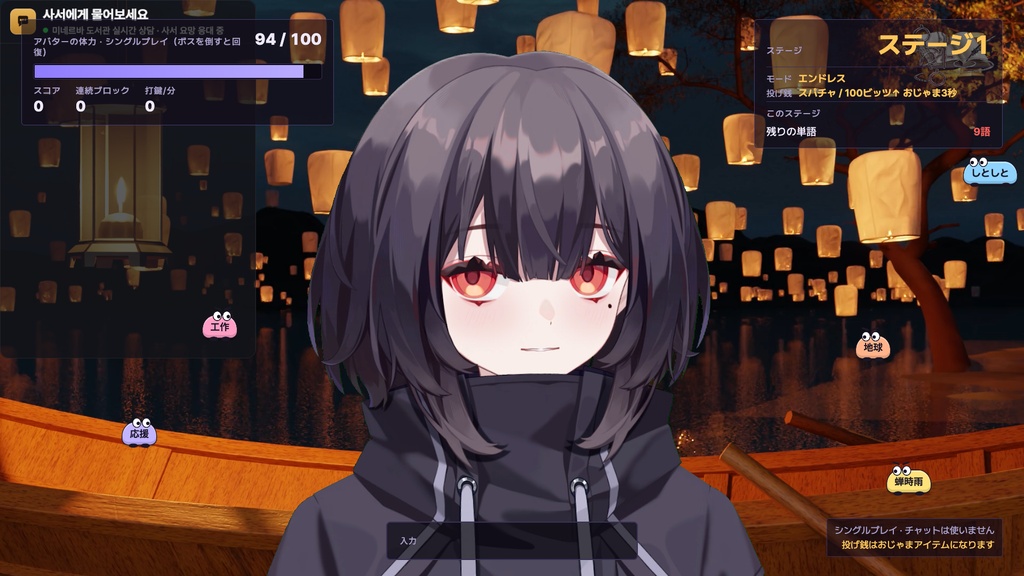
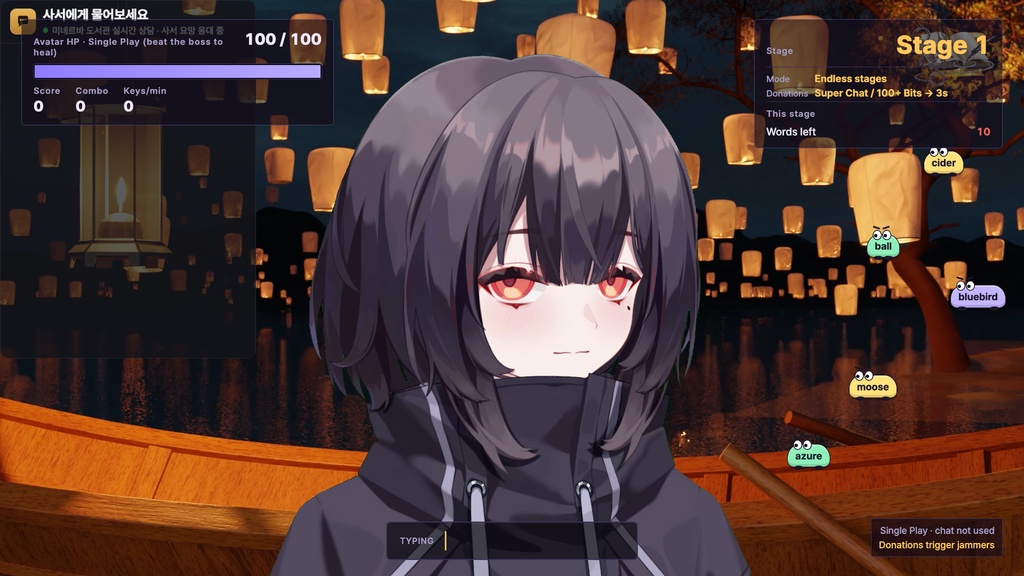
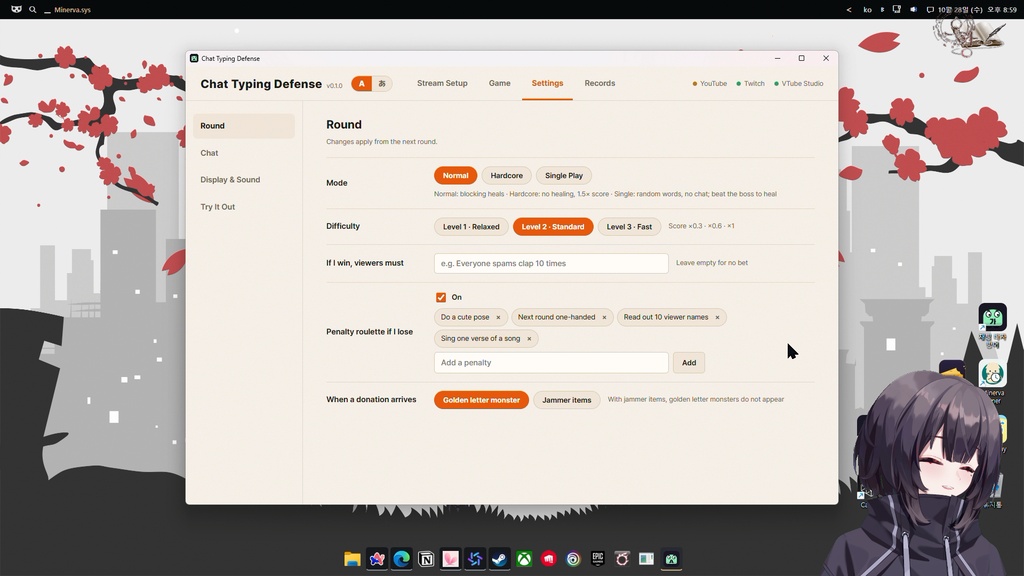
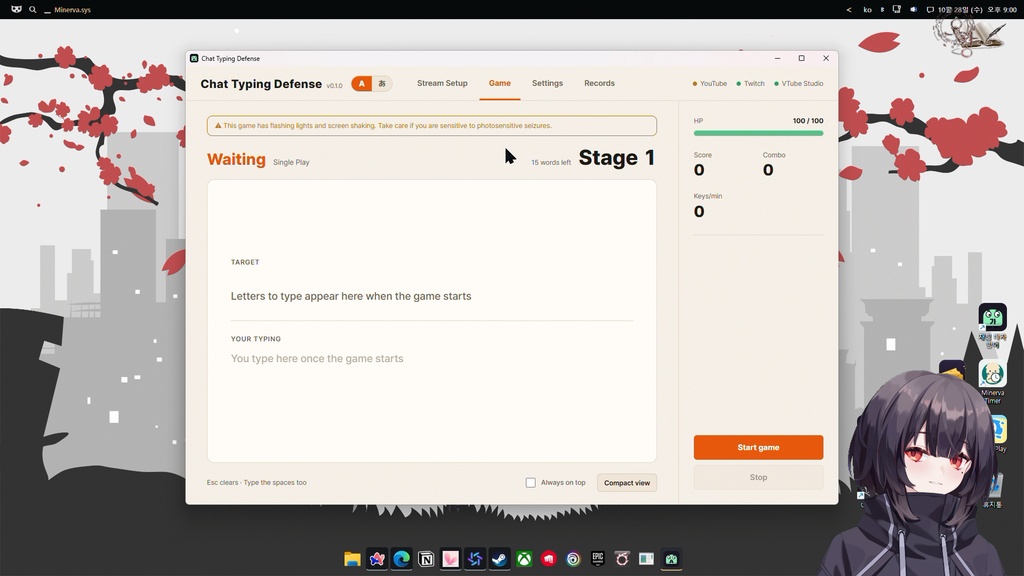


■ 遊び方 ・視聴者のチャットが文字モンスターになり、画面の左右からアバターに向かってきます。 ・プログラム画面でその文字を入力すると撃退。一番先に当たりそうなモンスターを自動で狙います。 ・当たるとVTube Studioのアバターが反応します(白く光る・赤く点滅・のけぞる)。 ・1回3分。「勝ったら視聴者がすること」と「負けたら罰ゲームルーレット(最大12個)」を設定できます。 ■ モード ・ノーマル:防ぐと体力が回復。レベル1〜3。 ・ハードコア:回復なし、スコア1.5倍。 ・シングルプレイ:チャットなしで遊べます。ランダムな単語(日本語1,203語/英語1,081語)が飛んできて、15語ごとに著作権の切れた名作文学の一文がボスとして登場(各言語46種)。倒すと回復して次のステージへ。エンドレスで、記録はPCに保存されます。 ・日本語のシングルプレイはステージ1〜4がひらがなのみ。ステージ5から漢字の単語が少しずつ混ざります。漢字に変換しなくても、読みが合っていればOK(昔 → むかし)。 ■ スパチャ・ビッツ ・スーパーチャット・スーパーステッカー・ビッツを自動で読み取ります。 ・投げ銭が来たらどうなるか選べます。 - 黄金の文字モンスター:投げ銭のメッセージが王冠つきの大きなモンスターに。 - おじゃまアイテム:画面ゆれ/文字さかさま/霧/モンスター2倍速(1〜30秒)。 ・金額はスパチャ(円・ドルなど選んだ通貨)とビッツで別々に設定。ほかの通貨のスパチャは内蔵の目安レートで換算します。 ■ 入力 ・日本語:いつものWindowsの日本語入力(ローマ字入力・かな入力)でそのまま打てます。画面には原文だけを表示。変換が原文と合った瞬間、Enterを押す前でも撃退できます。変換前のかなはミスになりません。 ・英語:大文字・小文字は区別しません。チャットの記号や絵文字は取り除きます。 ・スペースも入力が必要です。Escで入力を消せます。 ■ 配信向けの機能 ・OBSにブラウザソースを1つ追加するだけ(1920×1080)。同じルーターの配信用PCでも使えます。 ・チャットが多いときのランダム抽選、ボットと「!コマンド」の除外、禁止ワード。 ・配信前に試せる:練習用チャット、テストチャット、テスト投げ銭、被弾リアクションのテスト。 ・画面左上の A / あ ボタンでいつでも言語を切り替え。 ■ 動作環境 ・Windows 10 / 11(64ビット) ・OBS Studio(ブラウザソース) ・VTube Studio(推奨。なしでも遊べ、その場合は画面中央下を狙います) ・YouTube:チャンネルの@ハンドルを入れるだけ。ログイン不要。 ・Twitch:Twitchアカウントでログイン(チャットとビッツの読み取り権限のみ) ・インターネット接続 ■ 内容物 ・Windows用インストーラー(約90MB) ・説明書(日本語/英語) ・利用規約(インストール画面に表示) ■ ご注意 ・1回のご購入で配信者1名がご利用いただけます。ご自身のPCへの複数インストール、収益化配信・アーカイブ・切り抜きでの使用は自由です。 ・ファイルの再配布・転売・共有は禁止です。 ・配信者ご本人のチャットはモンスターになりません。お試しは練習用チャット・テストチャットをご利用ください。 ・チャットは保存しません。Twitchのログイン情報・設定・記録はお使いのPCにだけ保存され、販売者のサーバーを通ることはありません。 ・YouTubeのチャットは公開されているライブチャットのページから読み取ります。YouTube側の仕様変更で、アップデートまで使えなくなる場合があります。アップデートは無料です。 ・インストーラーにはコード署名がないため、「WindowsによってPCが保護されました」と表示されることがあります。「詳細情報」→「実行」を押してください。 ・光の点滅や画面の揺れがあります。光過敏性発作のおそれがある方はご注意ください。 ・YouTube(Google)・Twitch・VTube Studio・OBS Studioの公式製品ではありません。 ・ご購入前にデモ動画と動作環境をご確認ください。返金はBOOTHの規定と利用規約に従います。 ・お問い合わせはBOOTHのメッセージからお願いします。 ---------------------------------------------------------- ■ How it plays ・Viewer chat turns into letter monsters that fly in from both sides of the screen toward your avatar. ・Type the letters in the program window. The monster closest to hitting you is targeted automatically, and it pops when you finish typing it. ・If a monster hits you, your avatar reacts in VTube Studio (white flash, red blink, knockback). ・One round is 3 minutes. Set what viewers must do if you win, and a penalty roulette (up to 12 penalties) for when you lose. ■ Modes ・Normal: blocking monsters heals you. Difficulty Level 1–3. ・Hardcore: no healing, 1.5× score. ・Single Play: no chat needed. Random words fly in (1,081 English / 1,203 Japanese). After 15 words, a sentence boss from classic public-domain literature appears (46 per language). Beat it to heal and move to the next, faster stage. Endless, with records saved on your PC. ・Japanese Single Play starts easy: stages 1–4 are hiragana only, and kanji words mix in from stage 5. Typing a kanji word's reading in hiragana also counts (昔 → むかし). ■ Super Chats and Bits ・Super Chats, Super Stickers and Bits are read automatically. ・Choose what a donation does: - Golden letter monster: the donation message becomes a big crowned monster. - Jammer items: screen shake / flip letters / fog / 2× monster speed (1–30 seconds). ・Set amounts separately for Super Chats (in your currency: USD, JPY, EUR, GBP, CAD, AUD and more) and Bits. Super Chats in other currencies are converted with a built-in approximate rate table. ■ Typing ・English: upper/lower case doesn't matter. Punctuation and emoji are removed from chat. ・Japanese: type with your usual Windows Japanese IME (romaji or kana input). Only the original text is shown. The monster pops the moment your conversion matches, even before Enter. Unconverted kana is never counted as a typo. ・Spaces count too. Esc clears your typing. ■ Made for streaming ・Add one OBS Browser Source (1920×1080). A separate streaming PC on the same router works too. ・Random draw when chat is busy, bot and "!command" filtering, banned words. ・Try it before you go live: practice chat, test chats, test Super Chat, test hit reaction. ・Switch the language any time with the A / あ button. ■ Requirements ・Windows 10 / 11 (64-bit) ・OBS Studio (Browser Source) ・VTube Studio (recommended; without it, monsters aim at the lower center of the screen) ・YouTube: just enter your @handle. No login needed. ・Twitch: log in with your Twitch account (permission to read chat and Bits only). ・Internet connection ■ What's included ・Windows installer (about 90 MB) ・README (English / Japanese) ・Terms of use (shown in the installer) ■ Please note ・One purchase is for one streamer. You may install it on your own PCs and use the footage freely, including monetized streams, VODs and clips. ・Redistributing, reselling or sharing the files is not allowed. ・Your own messages as the streamer do not become monsters. Use the practice or test chats to try it out. ・Chat is not saved. Your Twitch login, settings and records stay on your PC, and nothing passes through the seller's servers. ・YouTube chat is read from the public live chat page. If YouTube changes that page, this may stop working until an update. Updates are free. ・The installer is not code-signed, so Windows may show a "Windows protected your PC" screen. Click "More info" → "Run anyway". ・Contains flashing lights and screen shaking. Take care if you are sensitive to photosensitive seizures. ・This is not an official product of YouTube (Google), Twitch, VTube Studio or OBS Studio. ・Please check the demo video and requirements before buying. Refunds follow BOOTH's policy and the terms of use. ・Questions: please contact us through BOOTH messages.