
【OBS】ルーレット・抽選ツール|候補を貼ってクリックで回すだけ・重複なし抽選つき【7デザイン/背景透明/わんコメ不要/日英対応】
- ダウンロード商品¥ 400
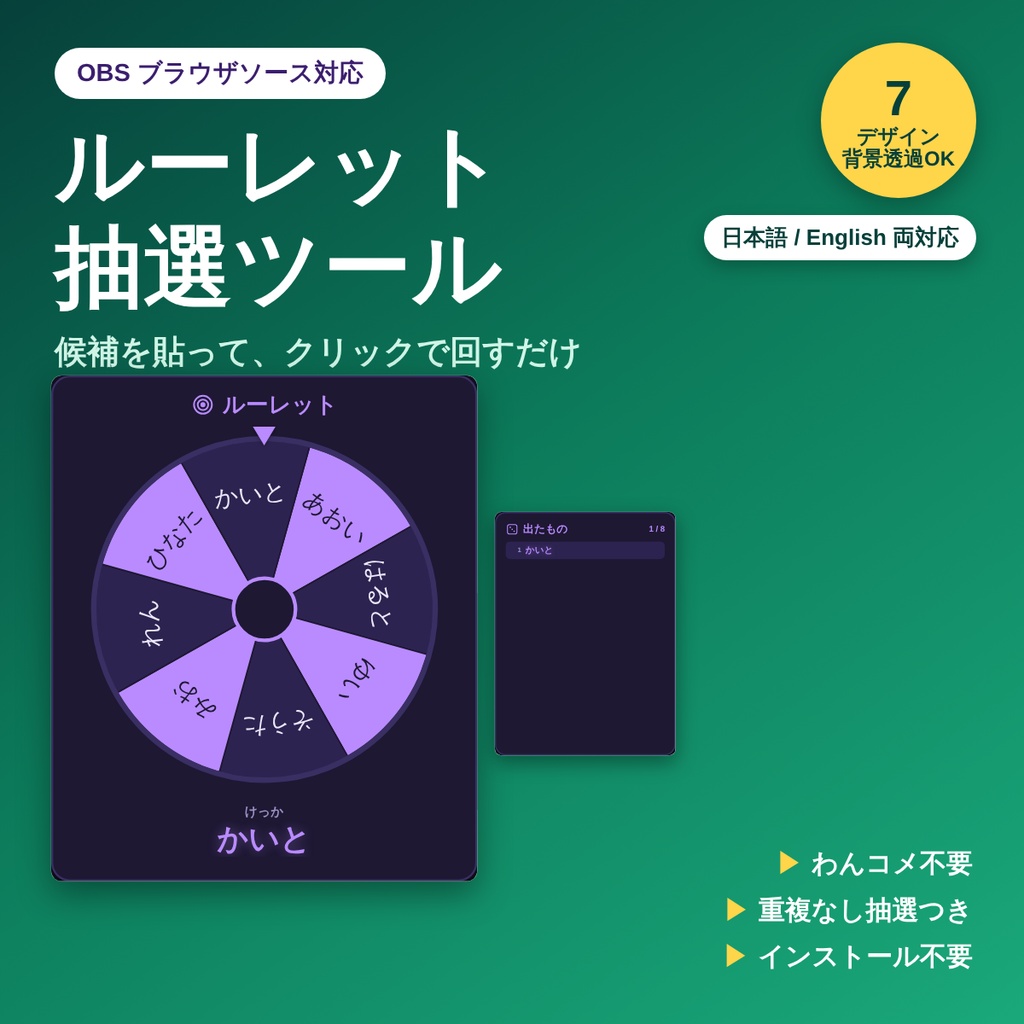
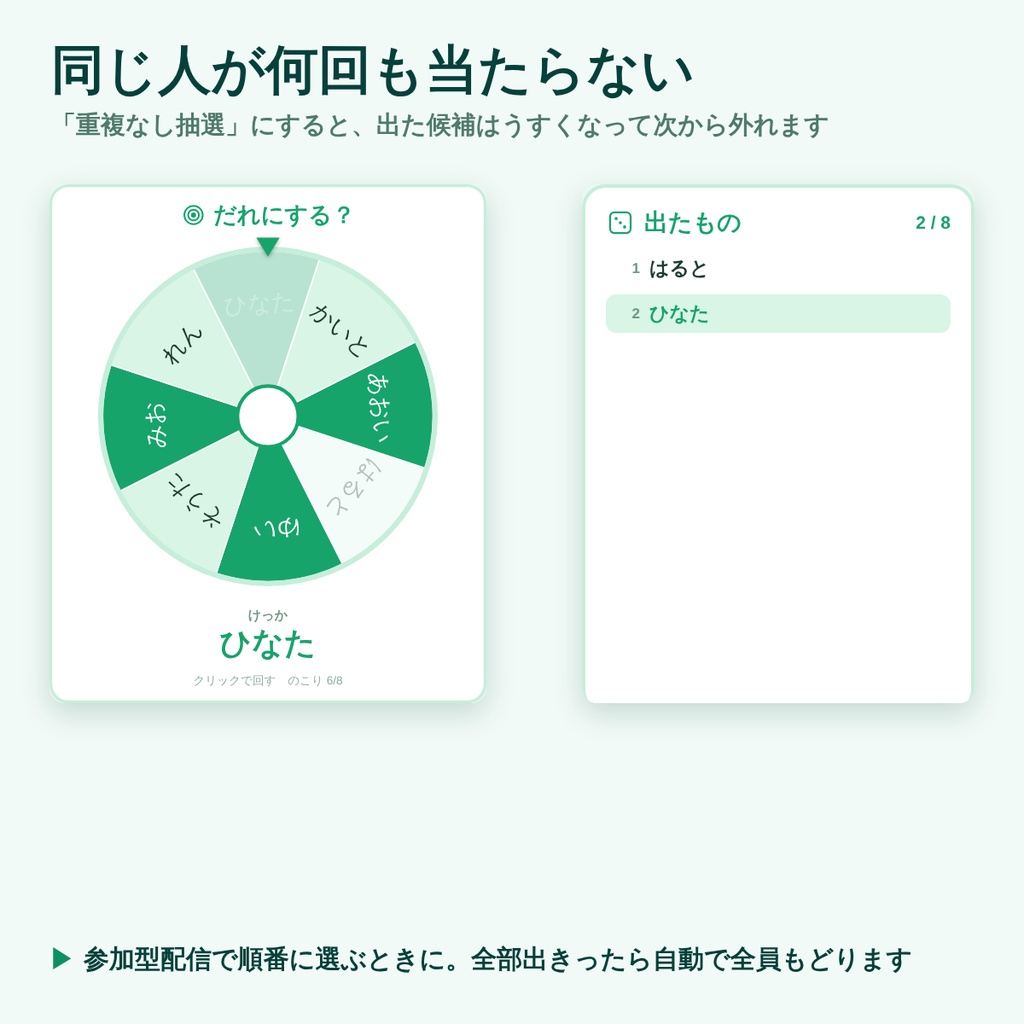
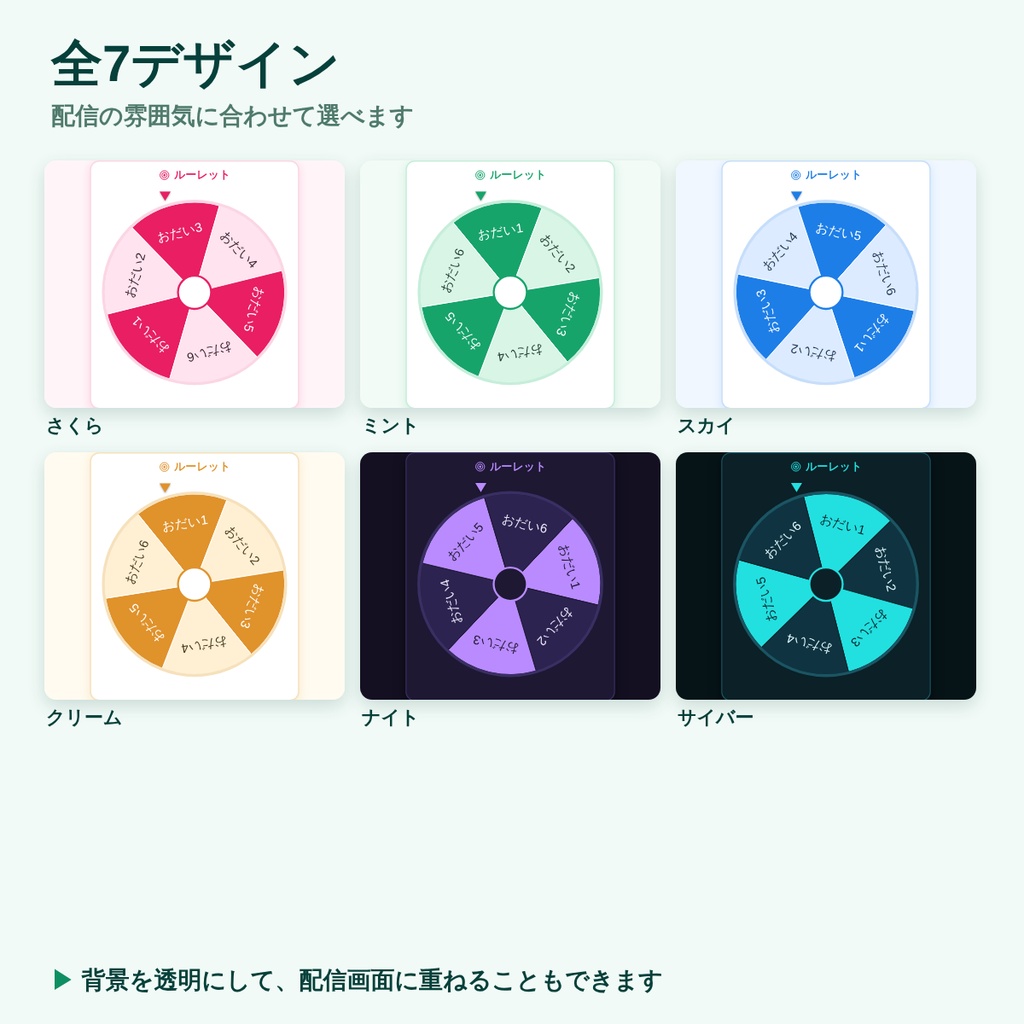
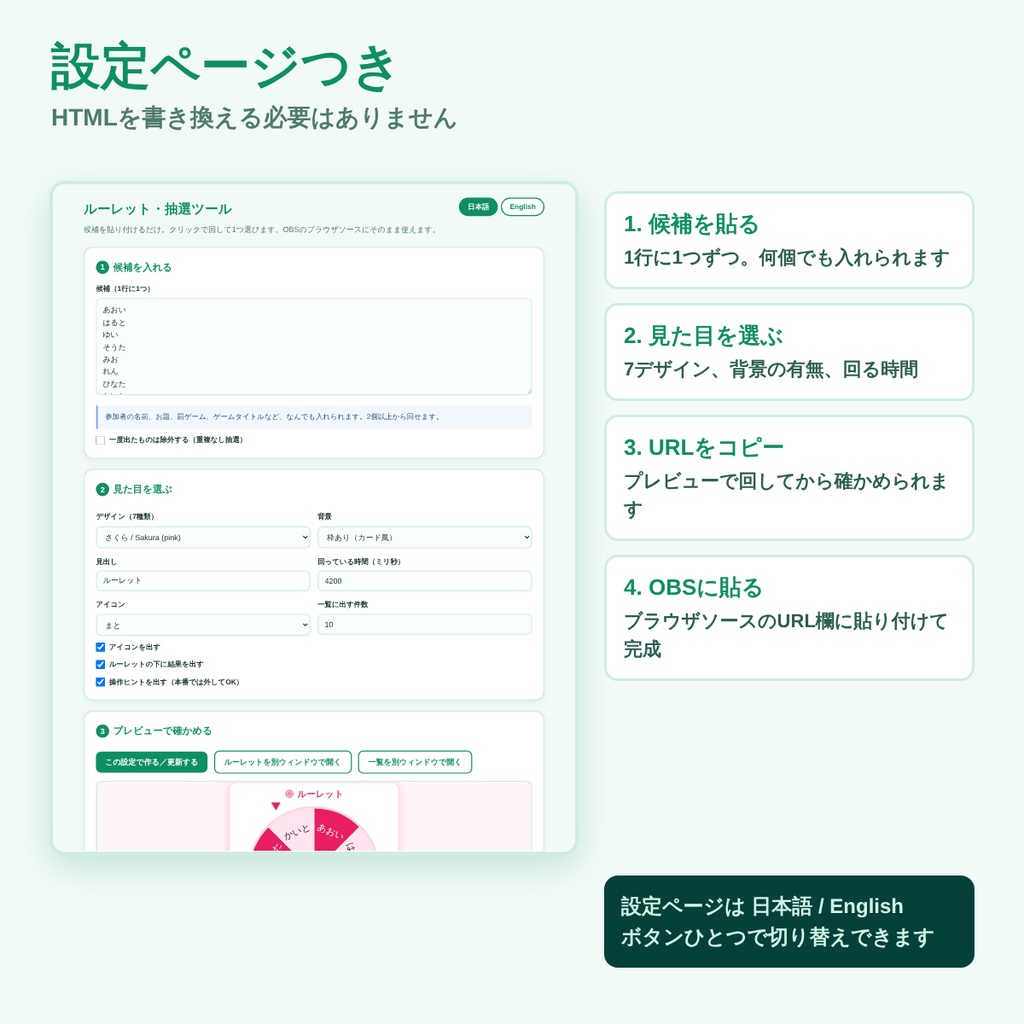


配信中にクリックで回せる、OBS用のルーレットです。 候補を1行ずつ貼ってURLを作るだけ。参加者えらび、お題決め、罰ゲーム、なんでも回せます。 ■ 入っているもの ・START_HERE.html … 設定ページ(候補を貼る → URL作成 → プレビューで試し回し) ・tools/roulette.html … ルーレット本体(640×760) ・tools/history.html … 出たもの一覧(460×620・使わなくてもOK) ・readme.txt … かんたんな説明 ■ できること ・候補を1行に1つ貼るだけ。個数に上限はありません ・クリック、スペース、Enter で回る。Rキーで結果と履歴をリセット ・**重複なし抽選**:一度出た候補を自動で外す。参加者を順番に選ぶときに便利です 全部出きったら、次のクリックで自動的に全員もどります ・結果をルーレットの下に大きく表示(消すこともできます) ・出たものを順番に並べる一覧を、別ソースとして置けます(自動で連動) ・候補が13個以上になると、文字の向きが自動で切り替わって読みやすくなります ・回っている時間を自由に変えられます ・全7デザイン(さくら・ミント・スカイ・クリーム・ナイト・サイバー・モノトーン) ・背景透明モードで配信画面に重ねられます ・OBSを閉じても、結果と履歴が残ります ■ 日本語と英語、どちらでも使えます 設定ページも画面に出る言葉も、ボタンひとつで日本語と英語を切り替えられます。 ■ 使い方 1. zipを解凍して START_HERE.html を開く 2. 候補を1行ずつ貼り付け、デザインを選ぶ 3. 「URLをコピー」を押す 4. OBS → ソース+ → ブラウザ → URL欄に貼り付け 5. 配信中は、ソースを右クリック →「操作(インタラクト)」の窓をクリックで回す ※ わんコメなどの外部ツールは不要です。インストールも不要です。 ※ HTMLを書き換える必要はありません。設定は全部、設定ページでできます。 ■ 動作環境 ・OBS Studio 28以降のブラウザソース(Windows 11/Chromiumで動作確認) ・解凍したフォルダの中だけで動きます。入力した内容が外部に送信されることはありません。 ・画面の文字には、お使いのパソコンに入っているフォントを使います。 ・zip形式(解凍してお使いください) ■ ご利用について ・配信・録画での利用OK/クレジット表記は不要です ・個人・法人、収益化の有無を問わずご利用いただけます ・ファイルの再配布・転売・素材としての二次配布は禁止です ・ご自身の配信用に改変するのは自由です ───────────────────────────── English A click-to-spin roulette wheel for OBS. Paste your entries one per line, build the URL, and spin during your stream. Pick a viewer, choose a talk topic, decide a forfeit — anything. What's inside ・START_HERE.html … settings page (paste entries, build the URL, test spin) ・tools/roulette.html … the wheel (640 x 760) ・tools/history.html … already-drawn list (460 x 620, optional) ・readme.txt … short guide Features ・One entry per line, no limit on how many ・Spin with a click, Space or Enter. R resets the result and the history ・**No-repeats mode**: each winner drops out of the pool, so the same person cannot come up twice. Once everything has come up, the next click puts them all back ・The result is shown large under the wheel (can be turned off) ・An optional second source lists what has already come up, synced automatically ・From 13 entries up the labels switch orientation so they stay readable ・Adjustable spin time ・7 designs (Sakura / Mint / Sky / Cream / Night / Cyber / Mono) ・Transparent background mode to overlay on your scene ・The result and history survive an OBS restart The settings page and the on-screen wording switch between Japanese and English with one button. How to use 1. Extract the ZIP and open START_HERE.html 2. Paste your entries, choose a design 3. Press "Copy this URL" 4. In OBS: Sources + → Browser → paste into the URL field 5. Right-click the source → Interact, then click inside that window to spin No companion app such as OneComme, and no installation. You never have to edit the HTML. Requirements ・OBS Studio 28+ browser source (tested on Windows 11 / Chromium) ・Runs entirely from the extracted folder. Nothing you type is sent anywhere. ・Uses the fonts installed on your computer. License ・Fine for streaming and recording, personal or commercial, monetized or not. No credit required. ・Please do not redistribute or resell the files themselves. ・You may modify them for your own stream.