

★三日間限定販売記念100円引き★DeepSpace_Shader (宇宙Shader)
- ダウンロード商品¥ 500
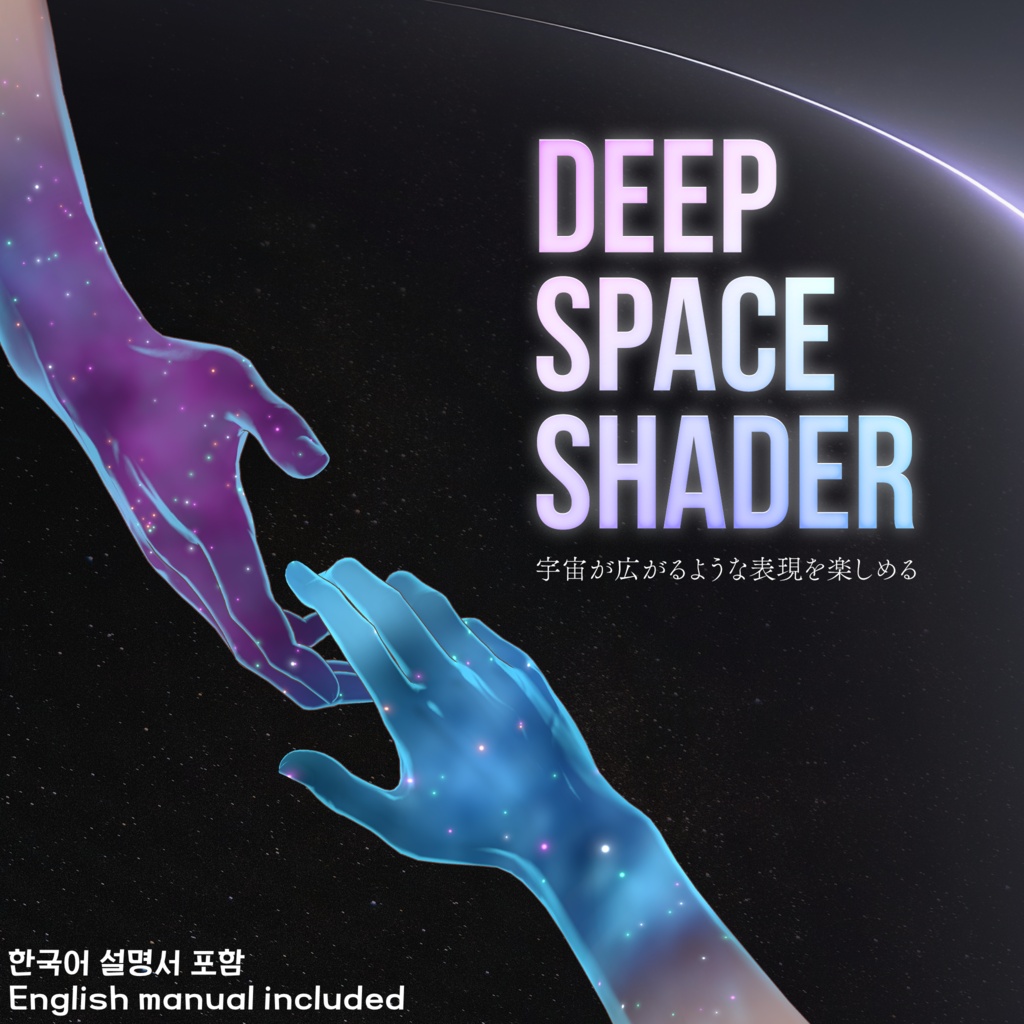
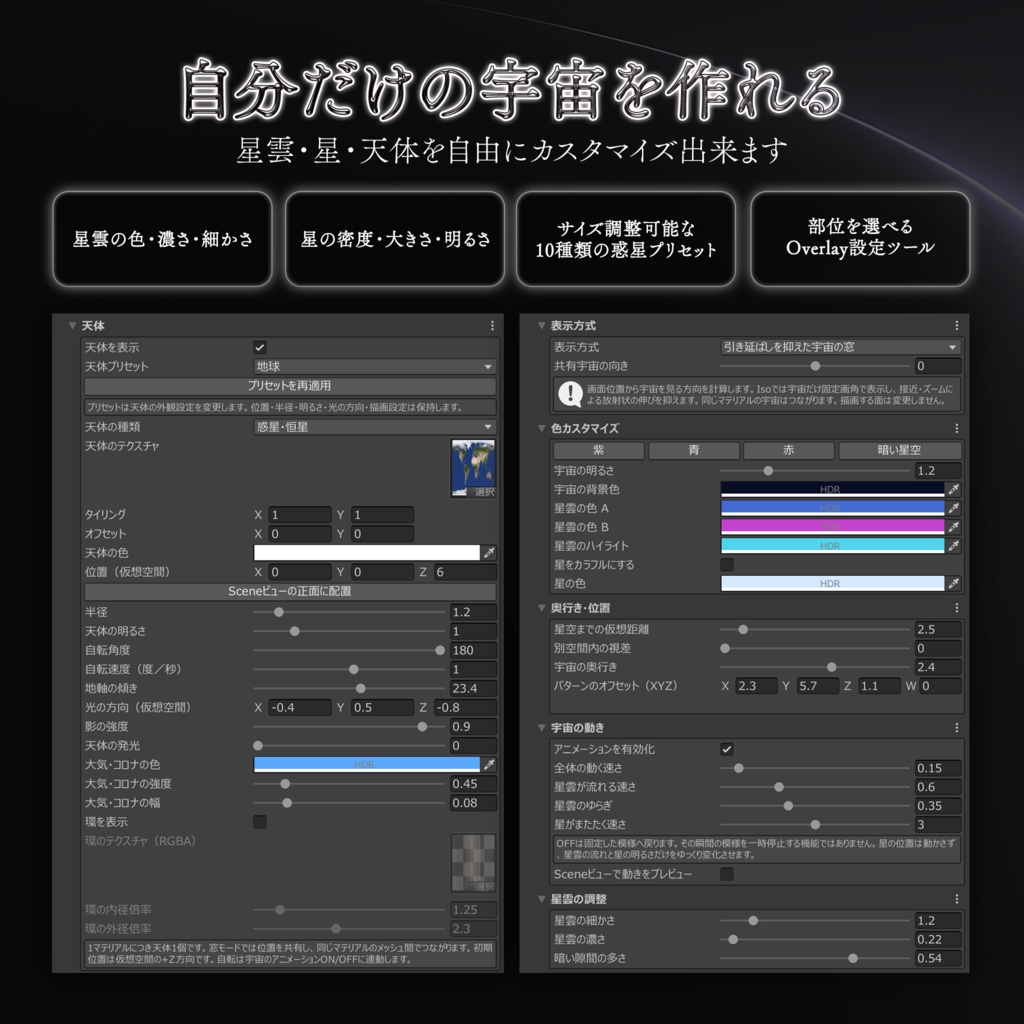
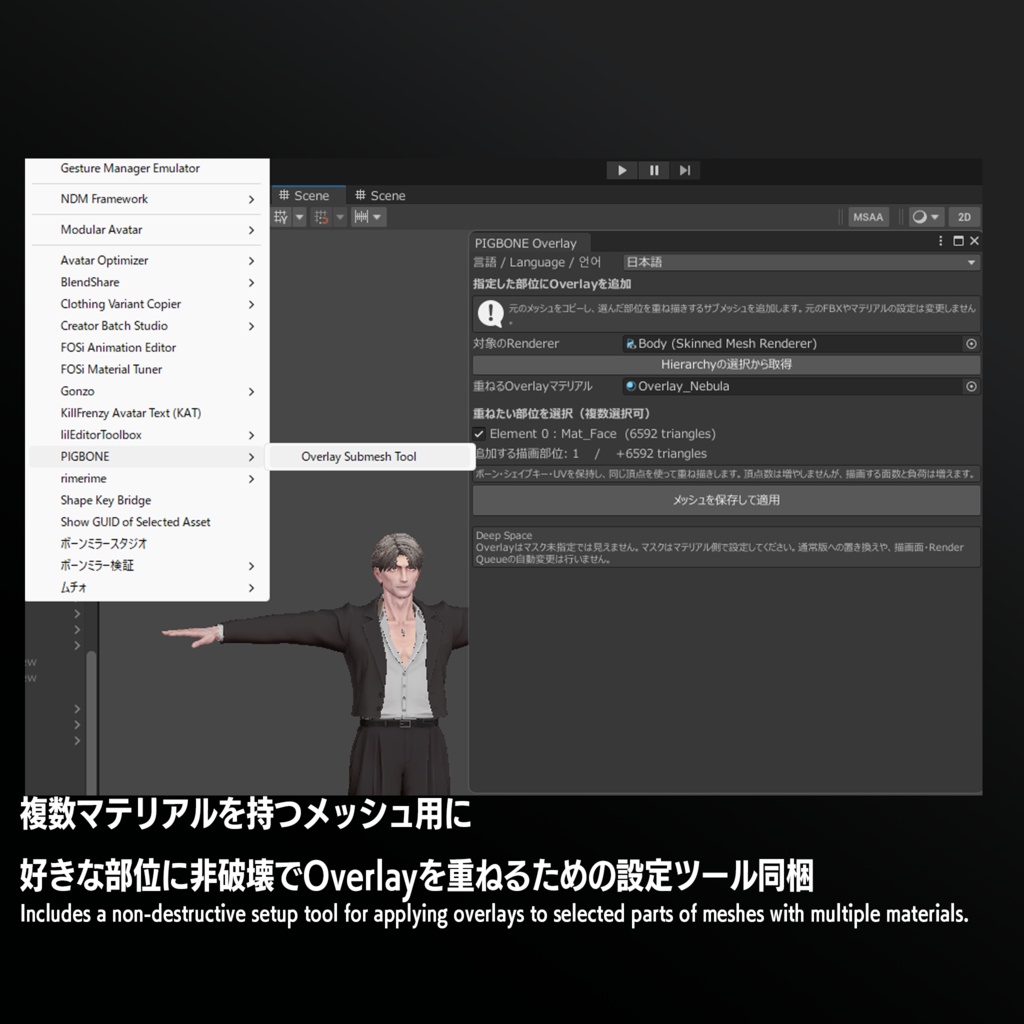
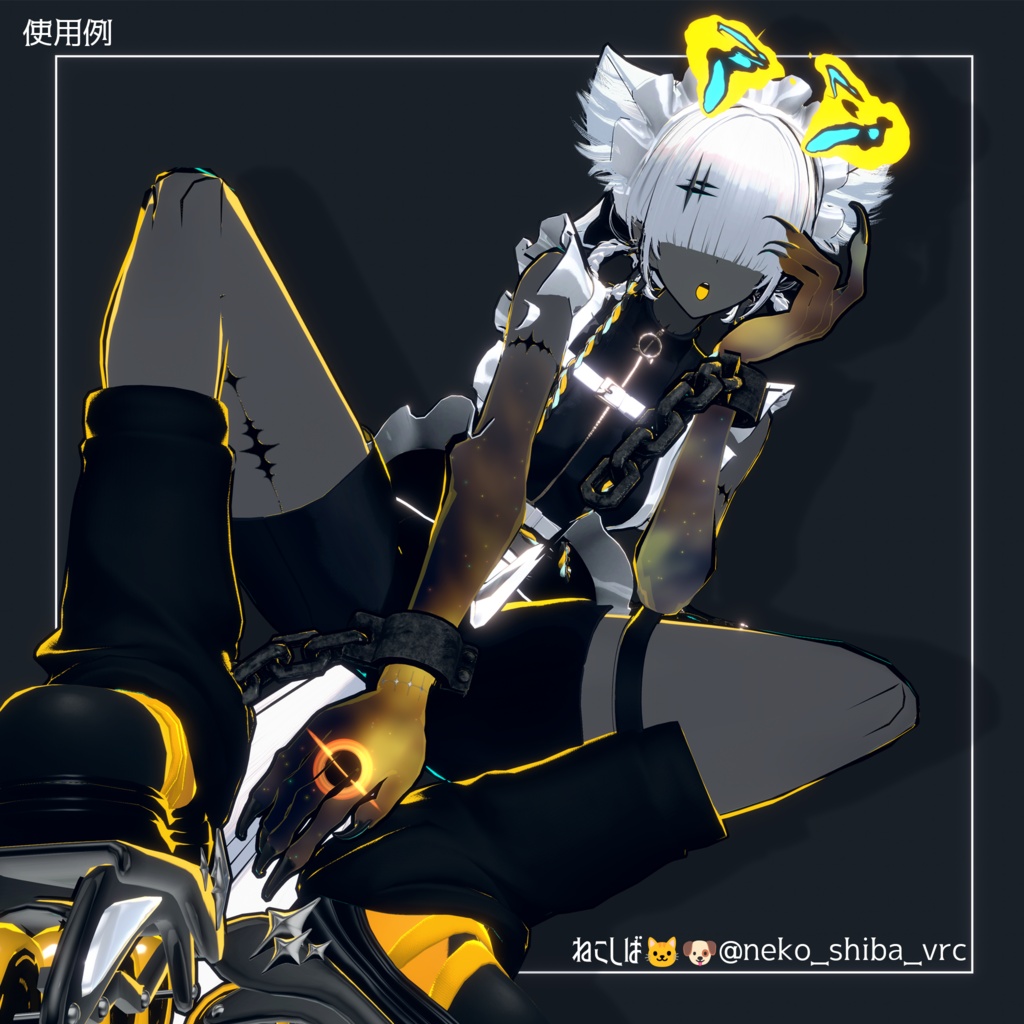
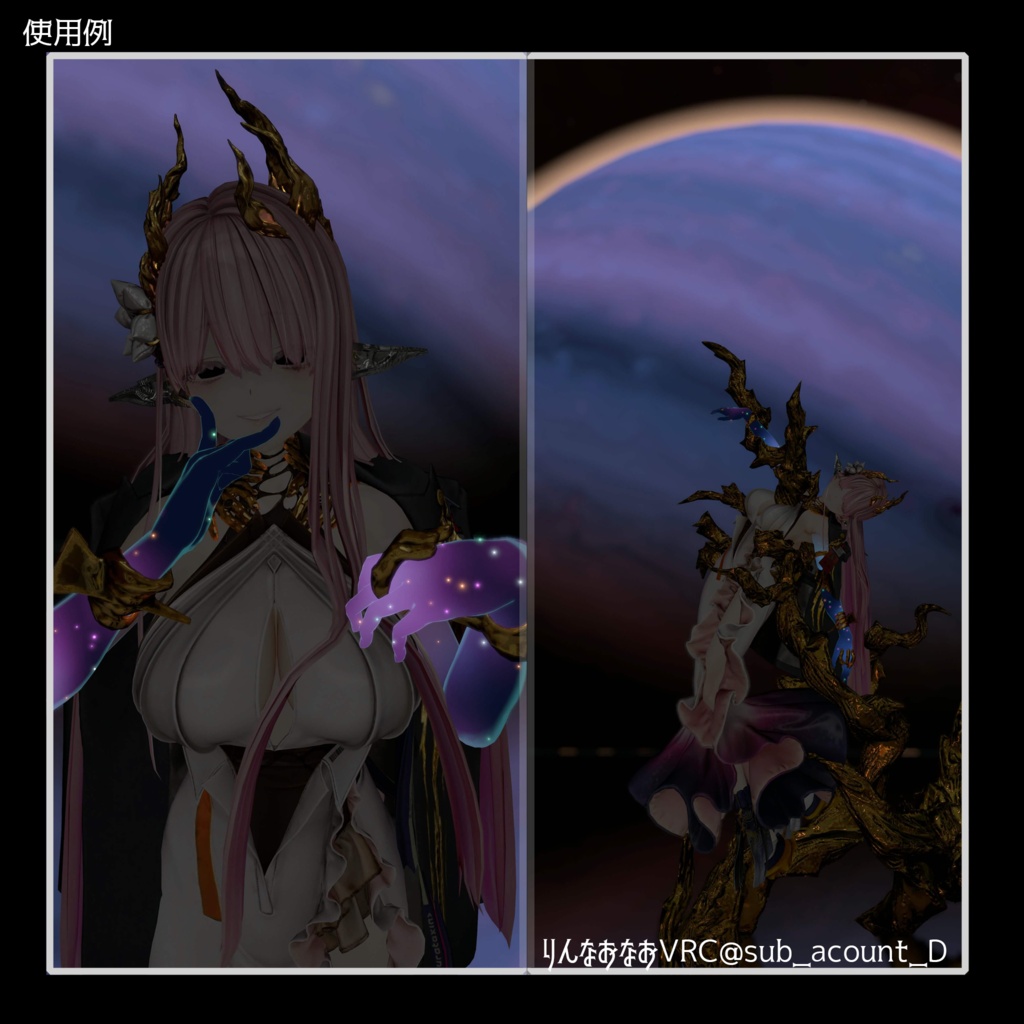


「Deep Spaceシェーダー」は、メッシュの向こうに宇宙が広がるような表現を楽しめるシェーダーです。 衣装やアクセサリーを星空に変えたり、指先から腕にかけて肌と宇宙をなめらかにつないだり。色・密度・動きを調整して、自分だけの宇宙を作れます。 ▼主な機能 ・奥行きを感じる2種類の表示方式 メッシュ表面を基準に立体感を出す「表面ボリューム」と、近づいたときの引き延ばしを抑える「宇宙の窓」を搭載。窓モードでは、同じマテリアルを使う複数のメッシュに、つながった宇宙を表示できます。 ・星雲と星のカスタマイズ 星雲の色・天の川の有無・濃さ・細かさや、星の密度・大きさ・明るさを調整できます。星は最大4色と各色の出現比率を設定可能。色プリセットも収録しています。 ・星雲の動きと星のまたたき 星雲の流れやゆらぎ、星のまたたきを追加できます。アニメーションのON/OFF、速度・強さも調整可能です。 ・肌や衣装に宇宙を重ねるOverlay版 白黒マスクで表示範囲を指定し、元のマテリアルと宇宙をなめらかにブレンド。「指先は宇宙、肘に向かって元の肌へ戻る」といった表現ができます。 ・部位を選べるOverlay設定ツール 肌と爪など、複数のマテリアルを持つメッシュでも、選んだ部位にOverlayを重ねられます。元のFBXを変更せずにメッシュを作成し、元のメッシュ・マテリアル割り当てへ戻す機能も備えています。 ・惑星・月・太陽 地球・月・太陽・水星・金星・火星・木星・土星・天王星・海王星の10種類のプリセットを収録。位置・大きさ・自転・陰影・大気の光などを調整でき、独自の天体テクスチャも使用できます。 ・ブラックホール 黒い中心と発光する降着円盤、上下に回り込む光を表現。円盤の色・大きさ・傾き・動き・ぼかしを調整できます。 ・ノーマルマップとリムライト ノーマルマップによる凹凸の陰影と、輪郭に沿うリムライトに対応。リムライトのON/OFF、色・明るさ・範囲・ぼかしを調整できます。 ・日本語・英語・韓国語に対応 マテリアル設定画面とOverlay設定ツールの表示言語を切り替えられます。3言語の説明書も同梱しています。 ▼同梱内容 ・通常版/Overlay版シェーダー ・専用マテリアル設定エディター ・Overlay設定ツール ・サンプルマテリアル ・天体用テクスチャ/天体設定済みマテリアル ・日本語・英語・韓国語の説明書 ・天体テクスチャのクレジット ▼対応環境・仕様 PC版VRChat/Unity Built-in Render Pipeline向けです。描画品質は「軽量・標準・高品質」から選択できます。 ・マスクによる部分適用・フェードはOverlay版の機能です。アバター用マスクは同梱していません。使用するメッシュのUVに合ったマスク画像をご用意ください。 ・Overlay版は、基本的に不透明で深度を書き込むマテリアルの上で使用します。Overlay設定ツールで部位を指定できますが、元のマテリアル独自の頂点変形・ディゾルブは引き継ぎません。 ・天体は1マテリアルにつき1個です。同じマテリアル内で惑星とブラックホールを同時表示することはできません。 ・元の肌マテリアルのライティングや、ワールドのライト・影をそのまま引き継ぐ仕様ではありません。 ・描画負荷は品質設定・画面を覆う面積・重ね描きの量によって変わります。透明マテリアルとの重なりは、実際の組み合わせでご確認ください。 天体テクスチャ:Solar System Scope / INOVE(CC BY 4.0)。詳細は同梱のクレジットをご確認ください。 ※本商品にマスクは同梱しません 自身でペイントソフトを使用して作成するか グラデーション作成ツールやその他マスク作成ツールなどを利用する前提です。 ・(https://booth.pm/ja/items/7951475) ▼禁止事項 ・本商品の再配布(改変・改造後を含む) ・クローン可能な状態での使用 ・公序良俗に反する使用 ・政治的・宗教的な目的での使用 ・本商品や使用対象のモデルを貶める目的での使用 ・作者、その他関係者に迷惑をかける使用 ▼ソフトウェアへの組み込み・商品への同梱 本商品をゲーム・アプリなどのソフトウェアに組み込んで配布・販売したい場合や、他の商品に同梱したい場合は、事前に作者へ別途ご相談ください。 ご質問や不具合のご報告は、作者のDMまたはショップメッセージへお願いいたします! 【English】 Deep Space Shader creates the impression of a universe stretching beyond your mesh. Turn clothing and accessories into starfields, or blend skin smoothly into space from fingertips along the arms. Adjust colors, density and motion to create your own universe. ▼Key Features ・Two display modes “Surface Volume” creates depth relative to the mesh surface. “Space Window” reduces stretching up close and displays continuous space across meshes sharing the same material. • Nebula and Star Customization Adjust the color, density, and detail of nebulae, toggle the Milky Way band on or off, and fine-tune star density, size, and brightness. Choose up to four star colors and set how often each one appears. Color presets are also included. ・Moving nebulae and twinkling stars Add nebula drift, shifting patterns and star twinkle. Toggle animation and adjust its speed and intensity. ・Overlay version for skin and clothing Use a grayscale mask to blend space over the original material. Create cosmic fingertips that gradually transition back to skin toward the elbow. ・Overlay setup tool for selected parts Apply Overlay to selected parts of a mesh with multiple materials, such as skin and nails. Create a mesh without modifying the original FBX, and restore the original mesh and material assignments when needed. ・Planets, the Moon and the Sun Includes ten presets: Earth, Moon, Sun, Mercury, Venus, Mars, Jupiter, Saturn, Uranus and Neptune. Adjust position, size, rotation, shading and atmospheric glow, or use custom celestial textures. ・Black holes Render a dark center, a glowing accretion disk and light curving above and below it. Adjust disk color, size, tilt, motion and softness. ・Normal maps and rim lighting Add normal-map shading for surface detail and rim lighting along contours. Toggle rim lighting and adjust its color, brightness, width and softness. ・Japanese, English and Korean support Switch the display language of the material Inspector and Overlay setup tool. Manuals in all three languages are included. ▼Package Contents ・Standard and Overlay shaders ・Custom material Inspector ・Overlay setup tool ・Sample materials ・Celestial textures and preset materials ・Japanese, English and Korean manuals ・Celestial texture credits ▼Compatibility and Specifications For PC VRChat and Unity’s Built-in Render Pipeline. Choose Low, Medium or High rendering quality. ・Mask-based coverage and fading require the Overlay version. Avatar masks are not included; prepare a mask matching your mesh’s UV layout. ・Overlay is intended primarily for opaque materials that write depth. The setup tool lets you select parts, but does not inherit the original material’s custom vertex deformation or dissolve effects. ・One celestial body per material. A planet and a black hole cannot appear simultaneously within the same material. ・Lighting from the original skin material, world lights and shadows is not directly inherited. ・Rendering cost varies with quality, screen coverage and overdraw. Check overlap with transparent materials in your intended setup. Celestial textures: Solar System Scope / INOVE (CC BY 4.0). See the included credits for details. ※ Masks are not included with this product. You will need to create your own using painting software, a gradient generator, or another mask creation tool. ・(https://booth.pm/ja/items/7951475) ▼Prohibited Uses ・Redistributing this product, including modified versions ・Use on avatars available for cloning ・Use contrary to public order or accepted standards of decency ・Use for political or religious purposes ・Use intended to disparage this product or a model on which it is used ・Use that causes harm or harassment to the creator or other related parties ▼Software Integration and Bundling Contact the creator in advance if you wish to incorporate this product into games, apps or other software for distribution or sale, or bundle it with another product. For questions or bug reports, contact the creator via DM or the shop’s messaging system!