

【VRChat】月灯りの休憩庭 - Moonlit Haven | Fantasy Rest Spot
- ダウンロード商品¥ 600
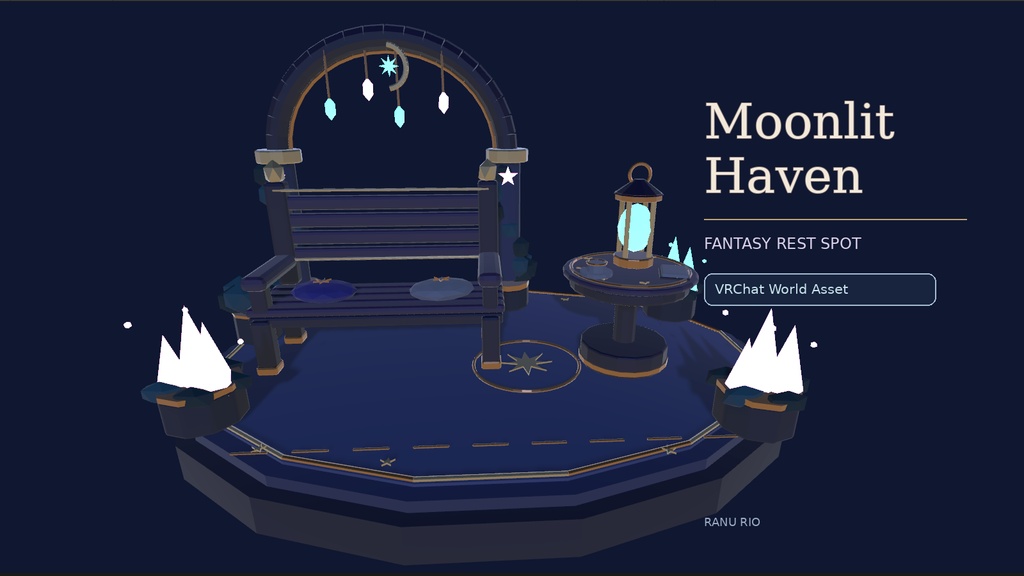
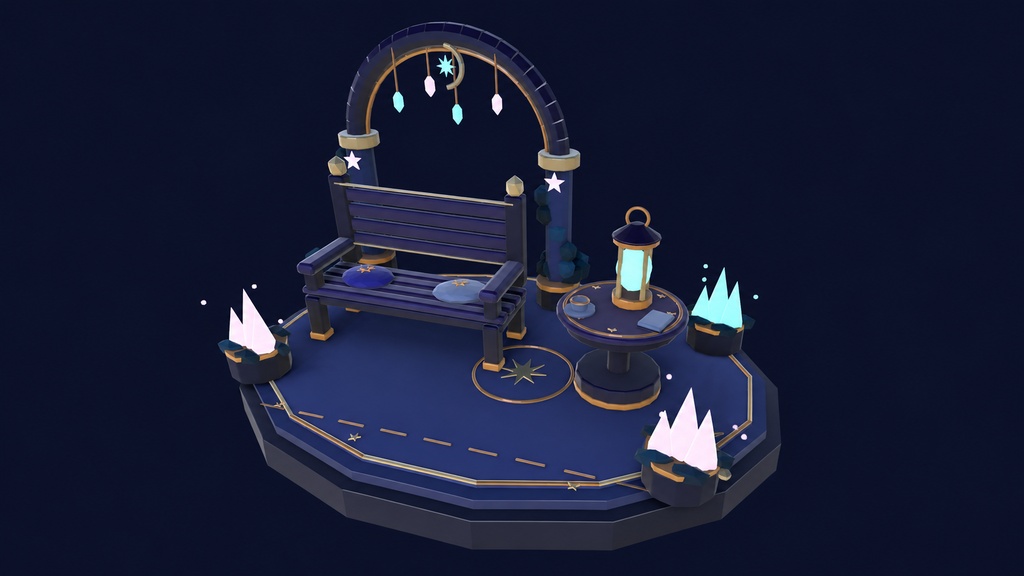
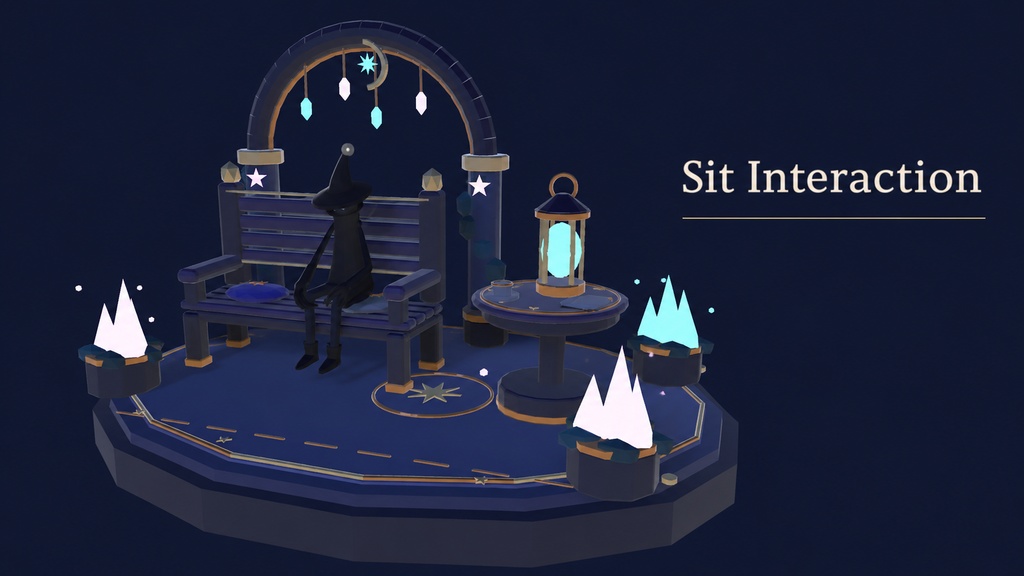
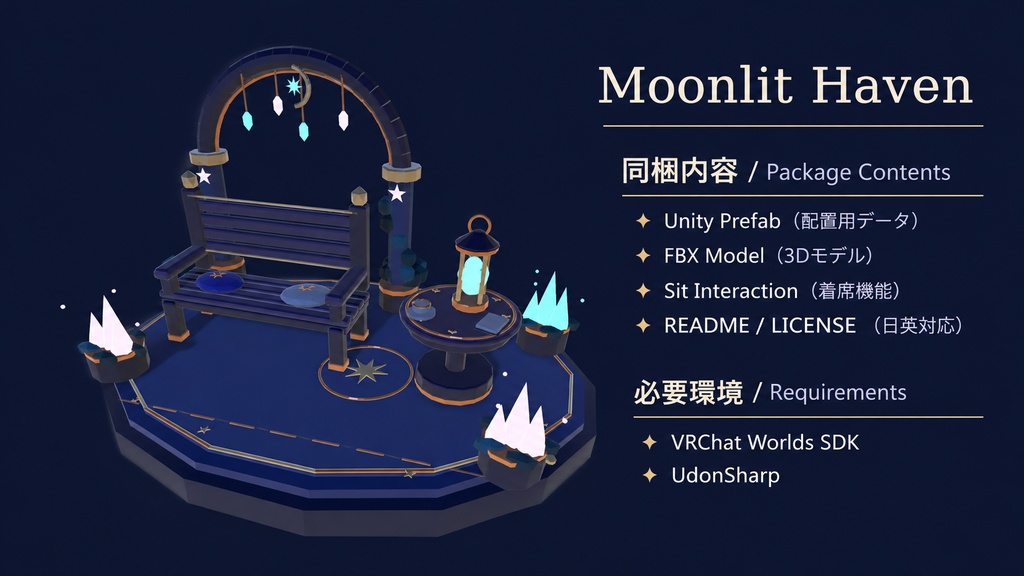


# 月灯りの休憩庭 — Moonlit Haven **幻想的な休憩スポット | VRChat World Asset** 月灯りと星々に包まれた、小さな休憩スペース。 Moonlit Havenは、VRChatワールド向けに制作された、ファンタジー風の3Dアセットです。 星や月をモチーフにしたアーチ、淡く光るクリスタル、ランタン、ベンチやテーブルを組み合わせた、落ち着いた雰囲気の休憩スポットです。 ワールド内のくつろぎスペースや、フレンドとの交流場所、幻想的な空間の装飾としてご利用いただけます。 ## 特徴 - 月と星をモチーフにした幻想的なデザイン - Unity Prefabでワールドに配置可能 - FBXモデル・マテリアル同梱 - UdonSharpによる着席機能 - 位置・サイズの調整が可能 - 個人・公開・商用ワールドで利用可能 ## 同梱内容 - UnityPackage - Unity Prefab - FBXモデル - マテリアル - 着席用スクリプト - README.txt(導入説明書・日本語/英語) - LICENSE.txt(利用規約・日本語/英語) ## 必要環境 - VRChat Worlds SDKに対応したUnity - VRChat Worlds SDK - UdonSharp - VRChat Creator Companion(VCC)推奨 ## 導入方法 1. VCCでVRChatワールドプロジェクトを作成・起動します。 2. 付属のUnityPackageをインポートします。 3. MoonlitHaven PrefabをSceneに配置します。 4. 位置・向きを調整し、着席機能を確認してください。 詳しい内容は同梱のREADMEをご確認ください。 ## 利用規約 - 個人利用・商用利用:可能 - モデルの改変:可能 - 公開VRChatワールドへの設置:可能 - 動画・配信での利用:可能 - 元データ・改変データの再配布、共有、転売:禁止 - 自作発言:禁止 詳細は同梱のLICENSE.txtをご確認ください。 ※本商品はVRChatワールド向けの3Dアセットです。完成済みワールドやアバターではありません。 ※使用環境によっては設定・調整が必要になる場合があります。 --- # Moonlit Haven — Fantasy Rest Spot **VRChat World Asset** A peaceful little resting place surrounded by moonlight and stars. Moonlit Haven is a fantasy-inspired 3D asset designed for VRChat world creators. Featuring a moon-and-star-themed arch, softly glowing crystals, a lantern, a bench, and a table, it brings a calm and magical atmosphere to your virtual world. Perfect for relaxation areas, cozy social spaces, or decorative additions to fantasy environments. ## Features - Fantasy design inspired by the moon and stars - Ready-to-place Unity Prefab - FBX model and materials included - Seating interaction using UdonSharp - Adjustable position and scale - Suitable for personal, public, and commercial VRChat worlds ## Package Contents - UnityPackage - Unity Prefab - FBX model - Materials - Seating interaction script - README.txt (Japanese / English) - LICENSE.txt (Japanese / English) ## Requirements - Unity version compatible with the VRChat Worlds SDK - VRChat Worlds SDK - UdonSharp - VRChat Creator Companion (VCC) recommended ## Installation 1. Create and open a VRChat Worlds project using VCC. 2. Import the included UnityPackage. 3. Drag the MoonlitHaven Prefab into your scene. 4. Adjust its position and orientation, then test the seating interaction. Please refer to the included README for more details. ## License - Personal and commercial use: Allowed - Modifications: Allowed - Use in public VRChat worlds: Allowed - Video and streaming use: Allowed - Redistribution, sharing, or resale of original or modified asset files: Prohibited - Claiming the asset as your own creation: Prohibited Please read the included LICENSE.txt for the complete terms. *This product is a 3D asset for VRChat worlds, not a complete world or avatar.* *Additional setup or adjustments may be required depending on your environment.*