

【VRChat】竹の手提灯 4色【Quest対応・MA対応】
- ダウンロード商品¥ 500
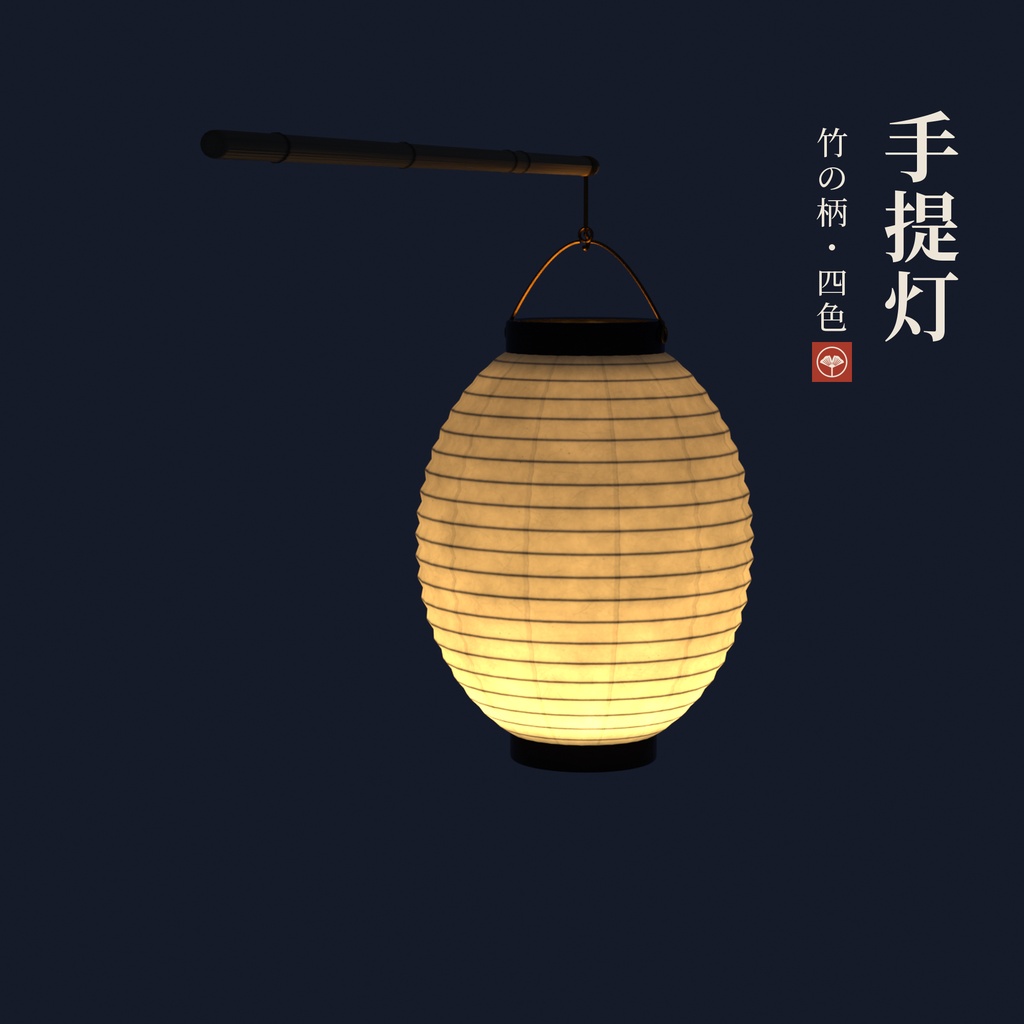
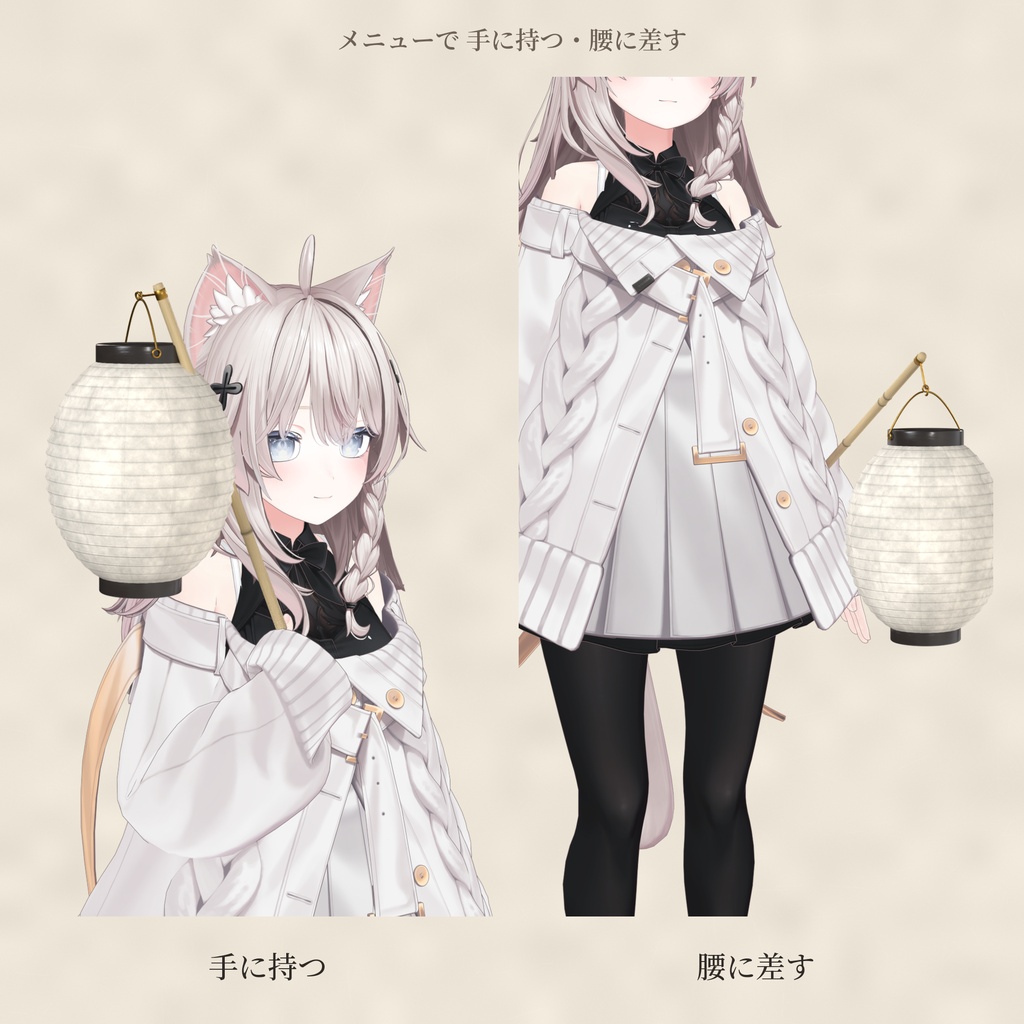
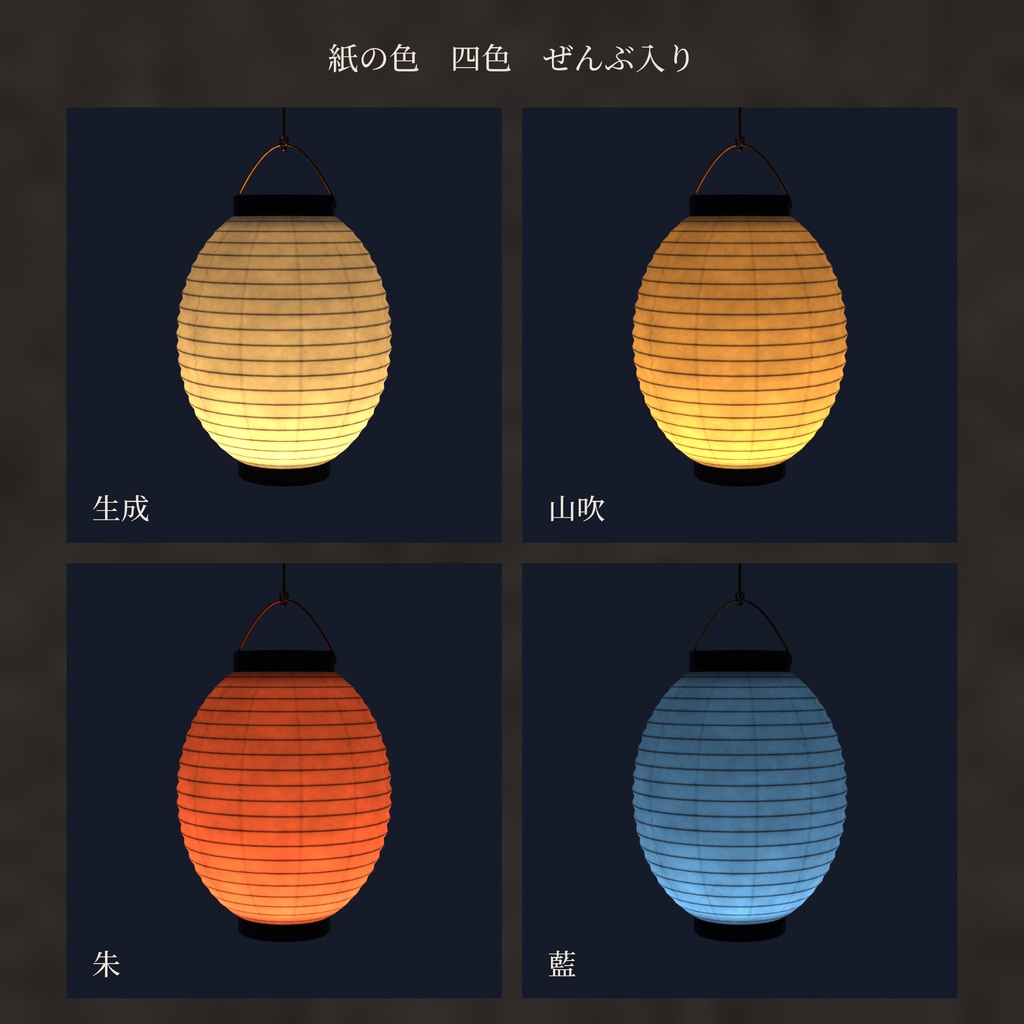
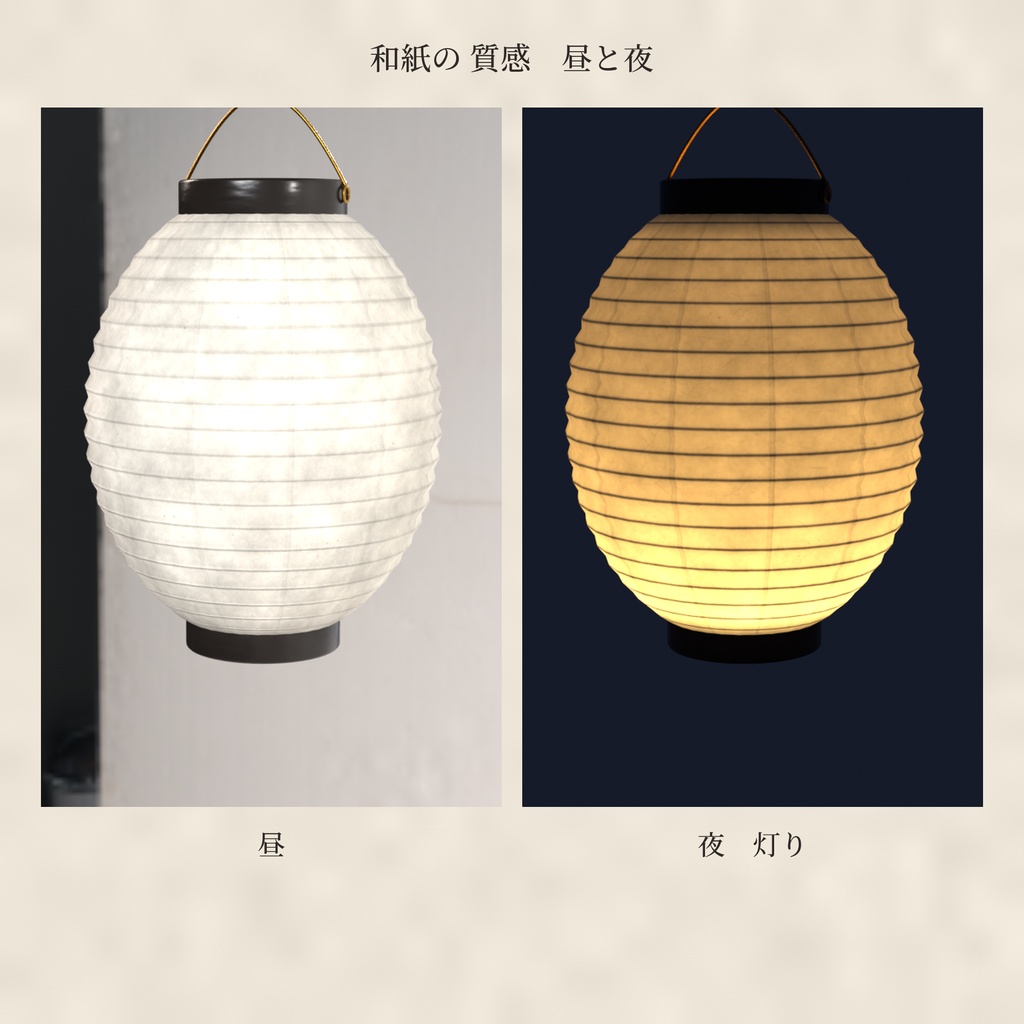
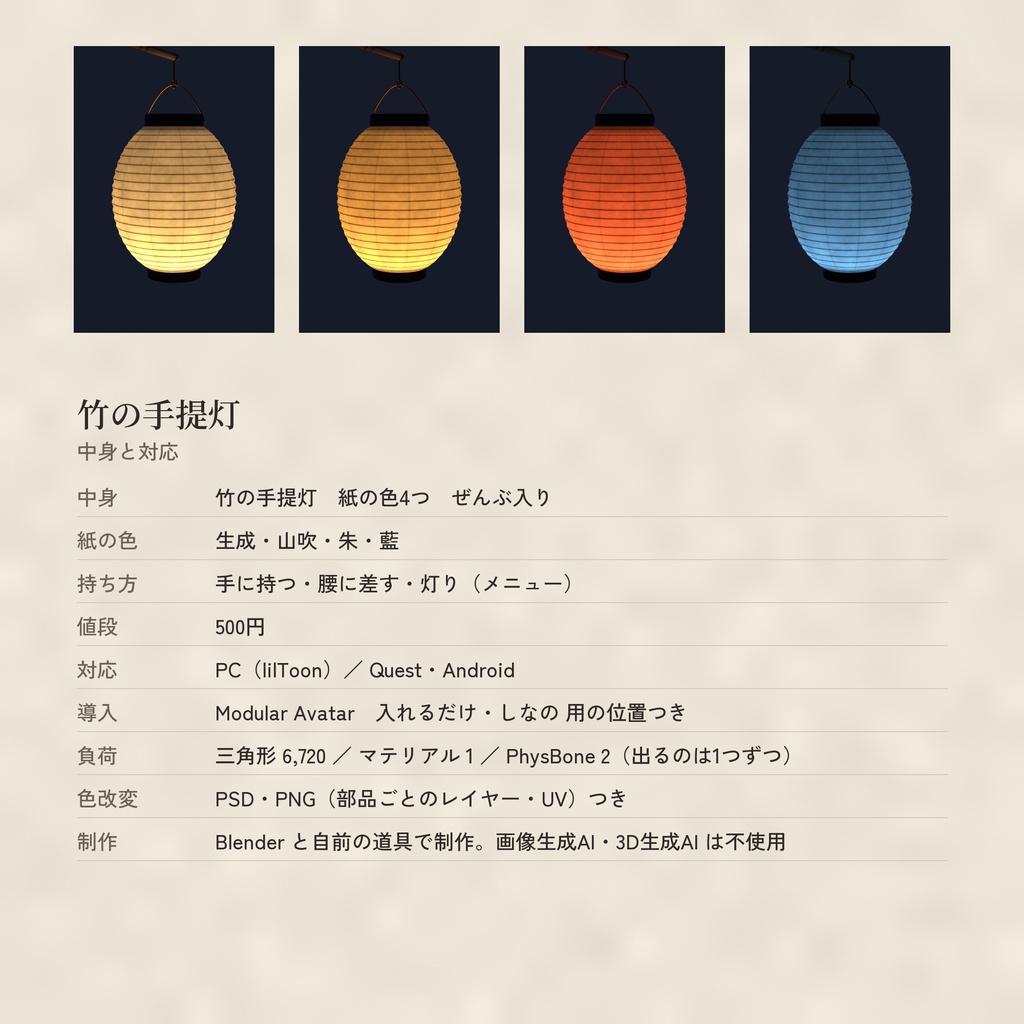


竹の柄に下げる、小さな手提灯です。 黒漆の輪に、すける和紙。 灯りをつけると、ひごの影が浮かびます。 手に持つ・腰に差す。 メニューで2つの持ち方を切りかえられます。 歩くと、提灯が ゆらりとゆれます。 紙の色は4色、ぜんぶ入りです。 夏祭りにも、夜道の写真にも、冬の縁側にも。 ■ 入っている物 ・竹の手提灯:紙の色4色(生成・山吹・朱・藍) ・持ち方2つ:手に持つ・腰に差す(Expression メニューで切りかえ) ・灯り:オン・オフ(はじめは オン) ・持っている間の 右手の にぎり(Gesture の層) ・色改変用の PSD・PNG:部品ごとにレイヤー分け(単色の地+陰影)・灯りの色も別に・UV の線つき(別の zip 3つ「Tinkerleaf_Chochin_Kaihen_ColorPSD_v1.0.zip」「Tinkerleaf_Chochin_Kaihen_ColorPNG_v1.0.zip」「Tinkerleaf_Chochin_Kaihen_Glow_v1.0.zip」にあります) ■ 対応 ・PC:lilToon ・Quest / Android:専用のマテリアルとプレハブ入り ・Modular Avatar:プレハブをアバターに入れるだけで 右手と腰に付きます ・メニューの「提灯」→「手に持つ」か「腰に差す」。どちらか1つだけ。もう一度押すと しまいます ・「灯り」で 紙の灯りを オン・オフ(ワールドをまたいでも おぼえています) ・提灯は PhysBone で ゆれます(つかむことは できません) ・光源(ライト)は 入れていません。紙が光って見えるだけです。点滅は しません ・MA で多くのアバターに付けられます(試したのは しなの)。ほかのアバターは Scene ビューで位置と向きを合わせてください。 ■ 大きさ(しなの に付けたとき) ・火袋(紙の所):直径 約15cm・高さ 約18cm ・竹の柄:約36cm ■ 負荷のめやす ・ポリゴン(三角形):6,720(PC・Quest 同じ) ・マテリアル:1つ ・テクスチャ:色(JPG)・ノーマル・金属となめらかさ(PNG) ・PhysBone:2つ(出るのは どちらか1つ) ■ 入れ方(Modular Avatar) 1. unitypackage を入れる。 2. Prefabs/PC(Quest は Prefabs/Quest)から、ほしい色のプレハブをアバターの中へドラッグ。 3. ほかのアバターは、中の RightHand > Chochin_Hand・Hips > Chochin_Koshi を一度オンにして Scene ビューで位置を合わせる(合わせたら オフに もどす)。 4. そのままアップロード。 ・にぎりの手が いらないときは、Gesture の MA Merge Animator を消してください。 ■ 使う人が先に入れておく物(同梱していません) ・VRChat SDK(Avatars) ・Modular Avatar ・lilToon(PC 版を使うとき) ■ 動作確認 ・Unity 2022.3.22f1 ・VRChat SDK Avatars 3.10.6 ・Modular Avatar 1.18.7 ・lilToon 2.4.1 ■ ファイル ・tinkerleaf_Chochin_v1.0.unitypackage ・FBX(竹の手提灯) ・テクスチャ(JPG・PNG) ・説明書(日本語・英語) ・利用規約(日本語・英語) ・色改変用の PSD・PNG(別の zip 3つ) ■ 作り方について 形も和紙の絵も、Blender と自分で書いたプログラムで作りました。 ほかの店の提灯の形や絵は まねていません。 AI(画像生成・3D 生成)は使っていません。 ■ ご注意 ・配りなおし・売ることはできません(利用規約の Terms_ja.txt を読んでください)。 ・絵のアバターは同梱していません。 ■ tinkerleaf のほかの物 ・羽子板と羽根 絵3種:https://tinkerleaf.booth.pm/items/9108844 ・和紙と漆の狐面(顔ぜんぶ):https://tinkerleaf.booth.pm/items/9102798 ・太ぶちの丸メガネ 金箔散らし:https://tinkerleaf.booth.pm/items/9094199 ・大正の丸メガネ 玉かざりのチェーン付き:https://tinkerleaf.booth.pm/items/9093827 ・漆の狐面(無料):https://tinkerleaf.booth.pm/items/9089745 ・漆と蒔絵の指輪:https://tinkerleaf.booth.pm/items/9086491 ・つまみ細工のかんざし:https://tinkerleaf.booth.pm/items/9085893 ・銀杏のかんざし:https://tinkerleaf.booth.pm/items/9083656 ・水引の結び(無料):https://tinkerleaf.booth.pm/items/9085349 ―――――――――― A small hand lantern hanging from a bamboo pole. Black lacquer rings and translucent washi paper. Light it, and the shadows of the bamboo ribs show through the paper. Hold it in your hand, or tuck the pole into your sash – switch in the menu. It sways gently as you walk. 4 paper colors, all included. - Colors: Kinari (natural) / Yamabuki (golden yellow) / Shu (vermilion) / Ai (indigo) - Menu "Chochin": in hand / at the waist (only one at a time; press again to put it away), light on / off (on by default, saved across worlds) - The right hand closes into a grip while holding it - Swings with PhysBone (not grabbable). No light source; only the paper glows. No flashing. - PC: lilToon / Quest & Android: prefabs with their own materials - Modular Avatar: drop the prefab onto your avatar, it attaches to the right hand and hips - Should fit most avatars with MA (tested on Shinano). For other avatars, adjust it in the Scene view. - Size on Shinano: paper body about 15 cm wide, 18 cm tall; bamboo pole about 36 cm - Layered PSD / PNG for recoloring (flat color per part + shading, separate glow color, UV lines), in the separate zips Tinkerleaf_Chochin_Kaihen_ColorPSD_v1.0.zip, Tinkerleaf_Chochin_Kaihen_ColorPNG_v1.0.zip and Tinkerleaf_Chochin_Kaihen_Glow_v1.0.zip Performance: 6,720 tris (PC and Quest), 1 material, 2 PhysBones (only one shows at a time). Required (not included): VRChat SDK (Avatars), Modular Avatar, lilToon (for PC). Tested with Unity 2022.3.22f1, VRChat SDK 3.10.6, Modular Avatar 1.18.7, lilToon 2.4.1. Made in Blender and self-written code. No generative AI (image / 3D) was used. The avatar in the images is not included. Redistribution and resale are not allowed. Please read Terms_en.txt.
利用規約
配りなおし・売ることはできません。 くわしくは 同梱の Terms_ja.txt を読んでください。 Redistribution and resale are not allowed. Please read Terms_en.txt in the package.
更新履歴
2026/11/07 v1.0 公開 2026/11/07 v1.0 released