
WINDOWSEED|時間から決める学習プランナー【無料プレビューあり】
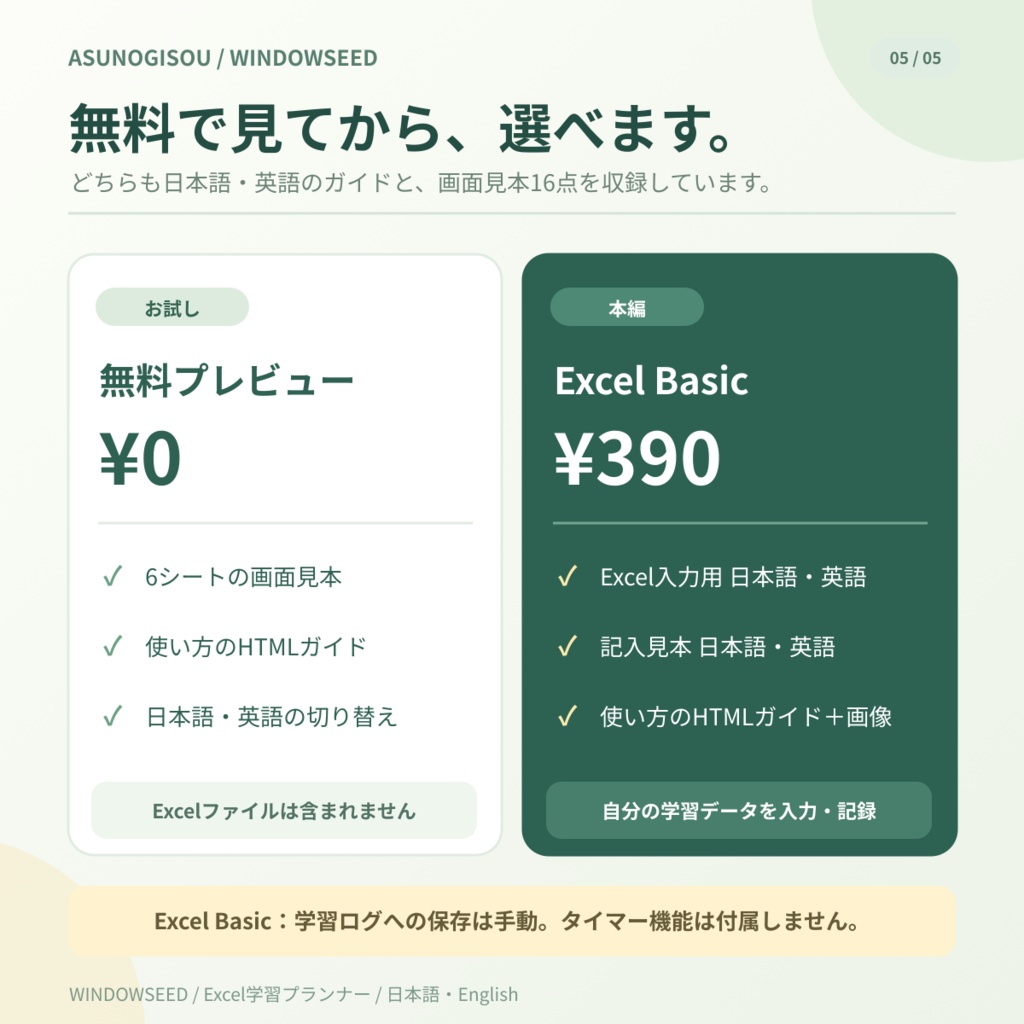
- 無料プレビュー|日本語・Englishダウンロード商品¥ 0
- Excel Basic|日本語・Englishダウンロード商品¥ 390


WINDOWSEED
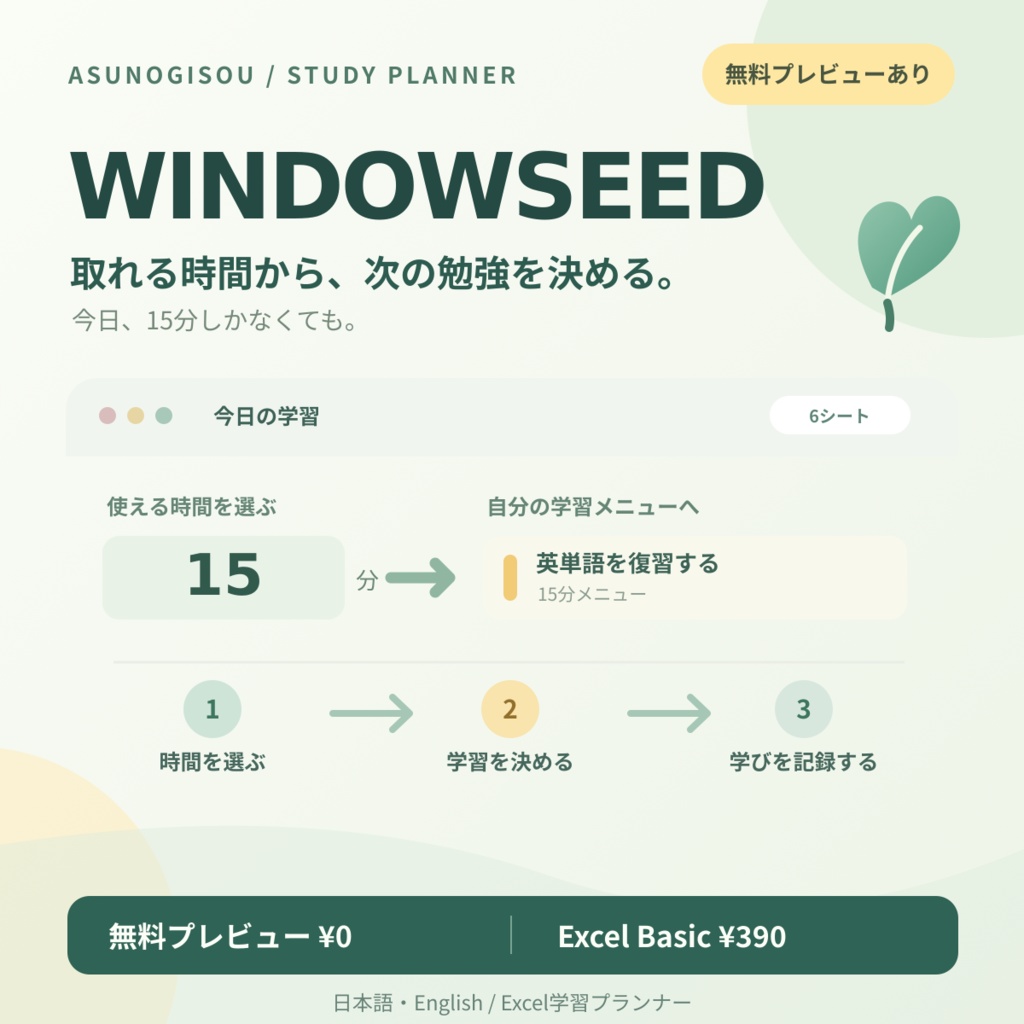
今日、15分しかなくても。取れる時間から、次の勉強を決める。
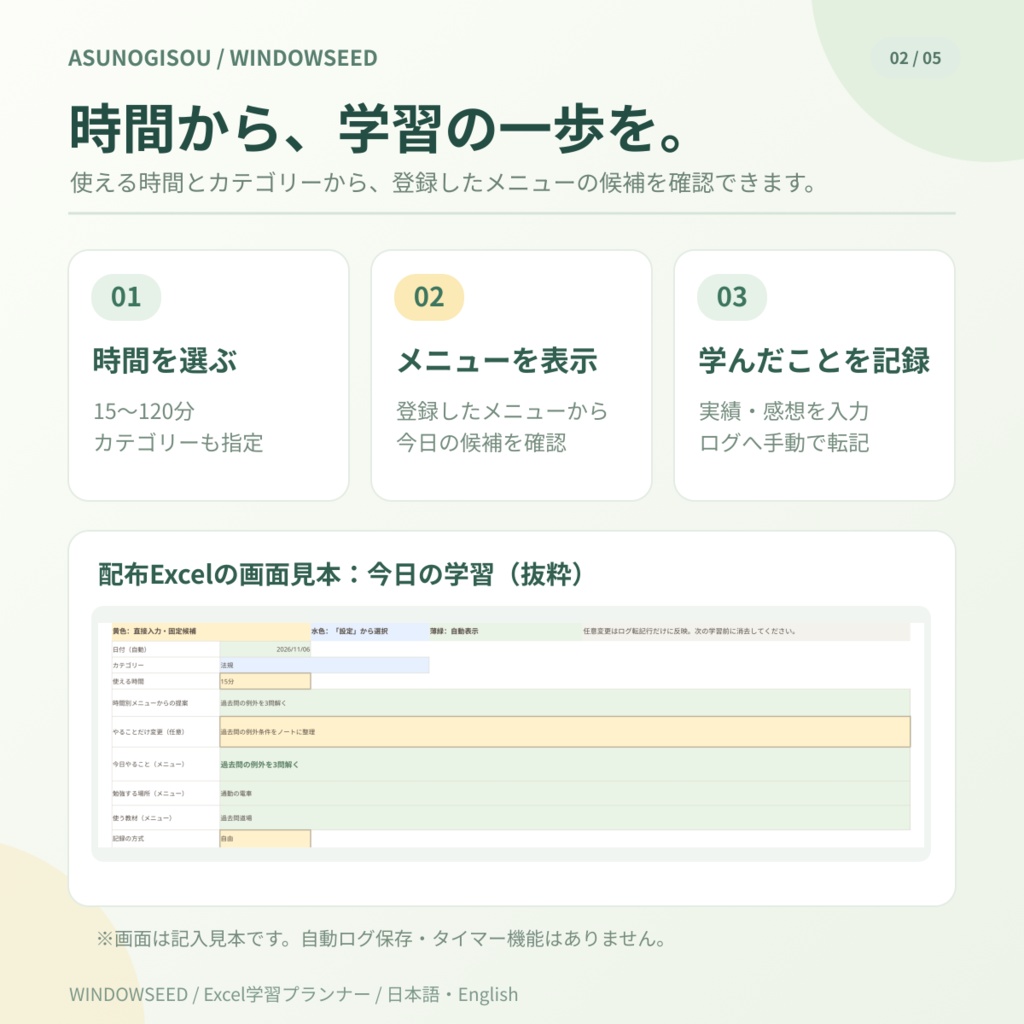
WINDOWSEEDは、今使える時間とカテゴリーを選び、自分で登録したメニューから学習内容を決めるExcel学習プランナーです。「今日は何をする?」と迷う時間を短くし、学んだ時間を記録できます。
2つのバリエーションから選べます。
① 無料プレビュー|日本語・English:0円 6シートの画面例と、基本操作をまとめた日本語・英語切替HTML、見本画像16点を収録。学習内容の選び方、今日だけの変更、学習ログへの記録方法を確認できます。 ※閲覧専用です。Excelファイル本体は含まれず、データの入力・保存はできません。 ② Excel Basic|日本語・English:390円 ・入力用Excel:日本語・英語各1冊 ・6シートに架空データを入れた記入見本:日本語・英語各1冊 ・日本語・英語切替HTMLガイドと画像16点
Excel Basicでできること
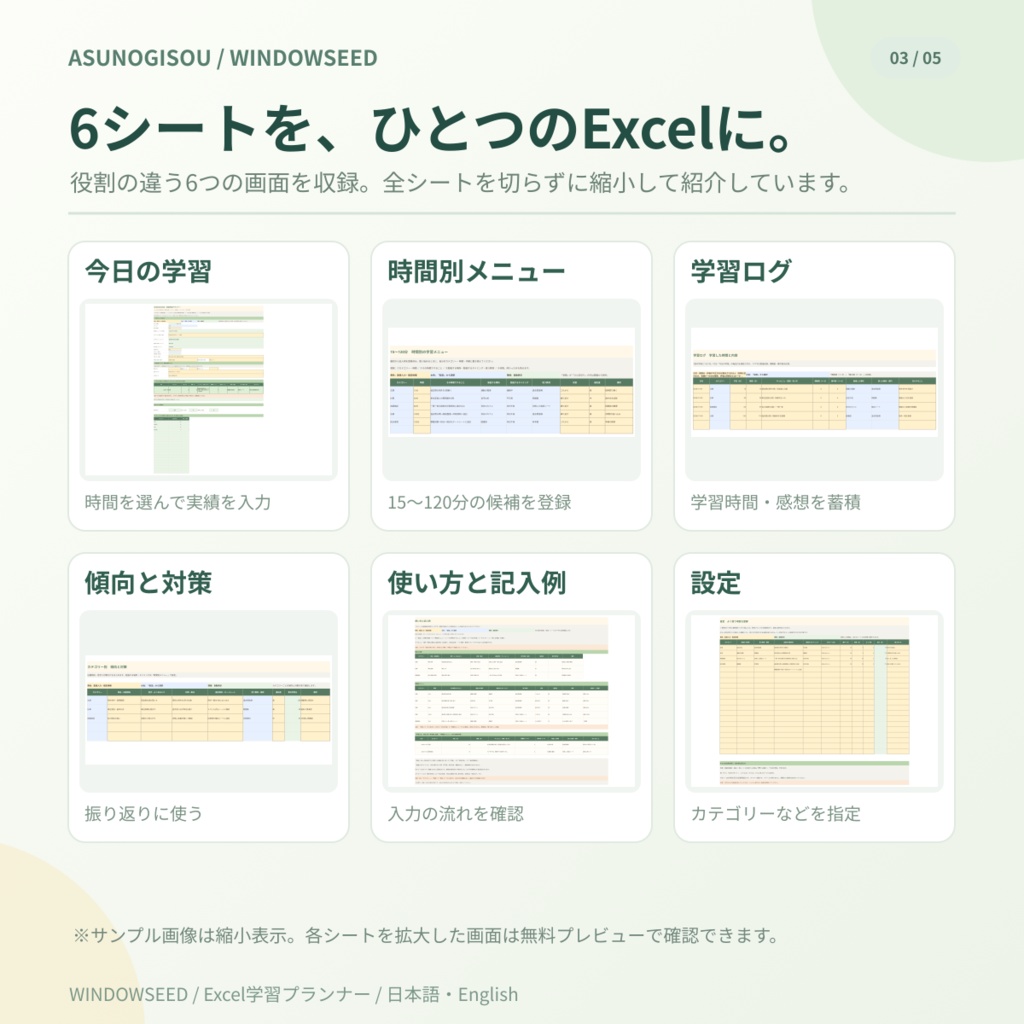
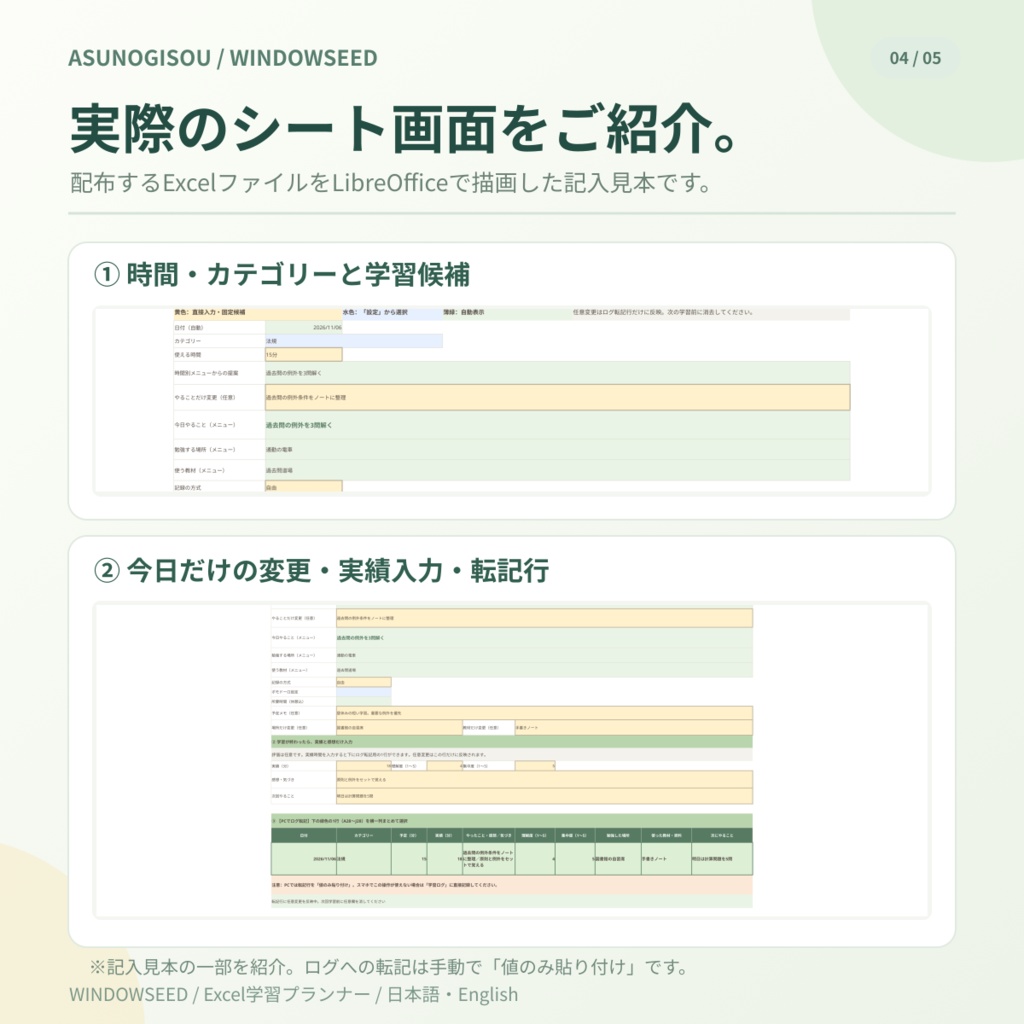
①15〜120分の時間別メニューを登録し、カテゴリーと使える時間から学習内容を決める。 ②今日だけ「やること・場所・教材」を変更する(元のメニューは変更しない)。 ③学習時間・感想・理解度・集中度を記録し、カテゴリー別の累計時間を確認する。 ④ポモドーロの設定を記録する(カウントダウン・アラーム機能はありません)。 6つのシート: 今日の学習/時間別メニュー/学習ログ/傾向と対策/使い方と記入例/設定 学習1回の流れ: 時間・カテゴリーを選ぶ → 必要に応じて今日だけ変更 → 学習後に実績を入力 → PCで転記行をコピーして学習ログへ「値のみ貼り付け」 → 次回の前に実績欄と一時変更欄を消す。
ご利用前にご確認ください
・Excel BasicはPCのExcel互換表計算ソフト向けです。LibreOfficeで再計算・PDF描画を検査していますが、Microsoft Excelデスクトップでの操作・表示は未検証です。ソフト・バージョンによって動作が異なる場合があります。 ・学習ログへの保存は1回ごとに手動の「値のみ貼り付け」が必要です。自動記録・マクロはありません。入力は自動消去されません。学習ログは1ファイルにつき200回分です。 ・実績分数は単位を付けず数字で入力してください。過去日の記録はログのA列を修正します。スマートフォンでは自動転記できず、学習ログへ直接手入力します。 ・Googleスプレッドシート上でExcelファイルを直接編集すると計算・日付・貼り付けが異なる場合があります。教材・問題集・タイマーは付属しません。 開き方: ZIPを展開し、WINDOWSEED_START_HERE.html をブラウザで開きます。assets フォルダーはHTMLと同じ階層に置いてください。Excel Basicはブラウザの説明とExcel画面を切り替えて使えます。
利用条件・お問い合わせ
・Excel Basicは購入者ご本人の学習・記録のために入力・編集・複製できます。 ・テンプレート本体や同梱ガイド・画像の第三者への再配布・再販売はできません。ご自身の学習成果を共有することは妨げません。 ・操作の質問や不具合の連絡はBOOTHショップのメッセージからお願いします。使用ソフトとバージョン、操作手順、問題の画面が分かると確認しやすくなります。 ・確認できた不具合には可能な範囲で対応しますが、すべての環境での動作、将来の機能追加や継続的な更新は保証しません。
English
Even if you only have 15 minutes today. Choose what to study from the time you have. WINDOWSEED is an Excel study planner that lets you choose a category and available minutes, then select a task from your own reusable menus. It also helps you record your study sessions. Choose one of two download options. ① Free Preview | Japanese & English: ¥0 A bilingual HTML preview with a five-step guide, six-sheet screenshots and 16 images. Explore the layout and how to choose activities, make one-off changes and record sessions. Read-only: no Excel workbook is included, and you cannot enter or save study data. ② Excel Basic | Japanese & English: ¥390 Includes four Excel workbooks (one editable workbook and one fully populated six-sheet example in each language), a bilingual HTML guide and 16 images. What Excel Basic can do 1. Save reusable 15–120-minute study menus and choose activities by category and available time. 2. Override today's task, place or resource without changing the original menu. 3. Record study minutes, reflections, understanding and concentration; check category totals. 4. Log Pomodoro settings (no countdown or alarm). Six sheets: Daily Plan, Time Menus, Study Log, Exam Strategies, Guide & Examples, Settings. Per-session workflow: Choose a category and time → optionally adjust today's task → enter actual results → manually copy the transfer row and Paste values only into Study Log on a PC → clear the previous session's result and temporary fields before the next session. Before use - Designed for desktop spreadsheet apps compatible with Excel. Recalculation and PDF rendering were tested in LibreOffice; desktop Microsoft Excel operation and display have not been tested. Behavior may vary by app and version. - Saving to Study Log requires manual Paste values only once per session; there is no automatic logging or one-click macro. Previous inputs are not cleared automatically. Study Log holds 200 sessions per workbook. - Enter focused minutes as numbers without units. For past dates, correct column A in Study Log after pasting. On mobile, manually enter a new row in Study Log; the transfer workflow is not automatic. - Editing the workbook directly in Google Sheets may change calculation, date or paste behavior. Study materials and a timer are not included. Opening the guide: Extract the ZIP and open `WINDOWSEED_START_HERE.html` in a browser, keeping the `assets` folder beside it. Switch between the browser and Excel as needed. License & support - Excel Basic may be edited and copied for the purchaser's personal studying and record-keeping. - Do not redistribute or resell the original templates, bundled guide or images. You may share your own study results. - For questions or bugs, use BOOTH shop messaging and include your spreadsheet app/version, steps and a screenshot if possible. - We will address confirmed issues where practicable, but cannot guarantee compatibility with every app/device, future features or ongoing updates.