
植物の成長比較画像|GROWTH STUDIO|白黒2色・写真2枚でPNG保存
- ダウンロード商品¥ 480
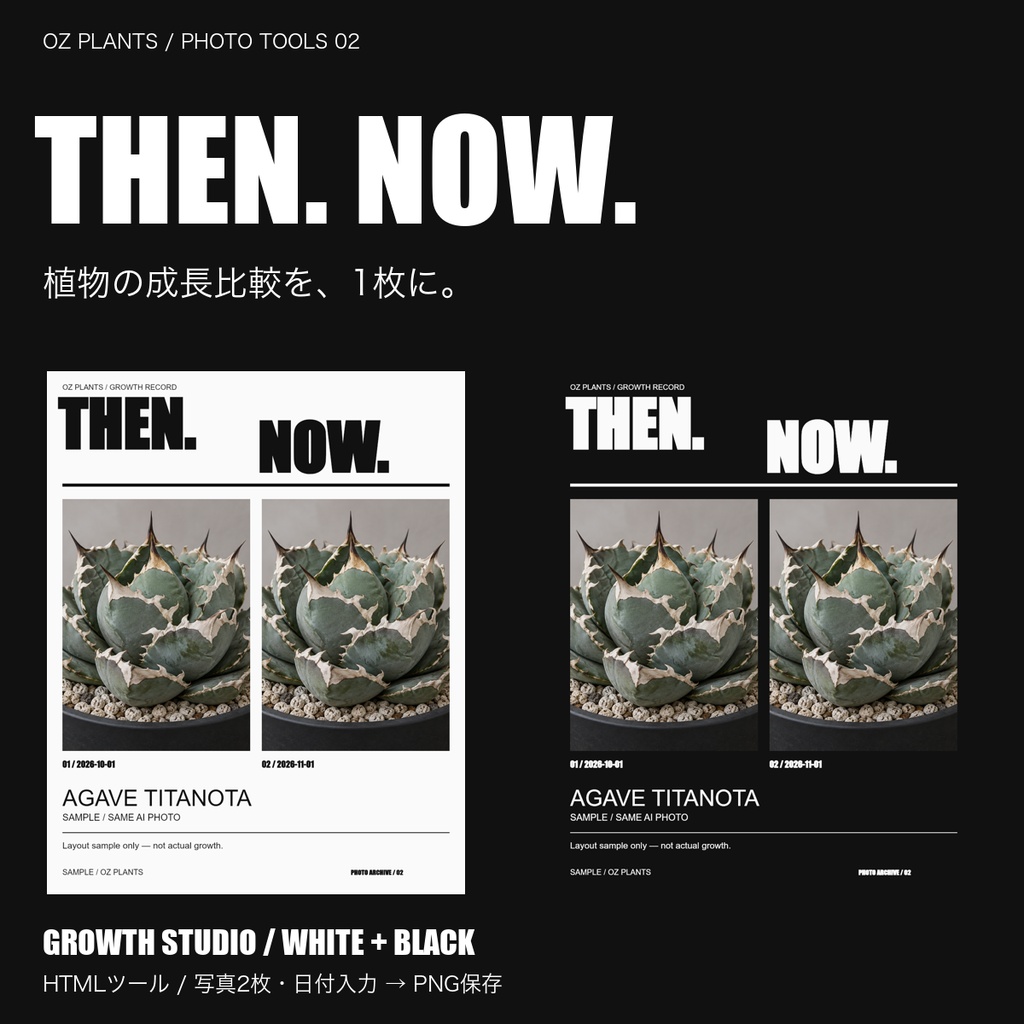



以前の姿と今の姿を、1枚に。 植物の写真2枚と撮影日を入れて、成長記録画像を作るHTMLツールです。 ■できること ・BEFORE / AFTERの写真を並べる ・写真ごとに拡大・上下左右の位置を調整 ・植物名、品種・個体番号、撮影日、メモ、あなたの名前を入力 ・白背景と黒背景を切り替え ・1080×1350pxのPNG保存 ■使い方 ZIPを展開し、Growth_Studio.htmlをパソコンのブラウザーで開きます。写真を2枚選択し、構図と撮影日を整えてPNG保存。インストールやアカウント登録は不要です。 日英併記UI。JPEG / PNG / WebP、各20MB以内。HEICはJPEGに変換してください。 ■内容・注意 Growth_Studio.html / Read_Me.txt 写真素材・植物・鉢は付属しません。 写真を蓄積するデータベース、自動保存、成長量の測定機能はありません。入力は再読み込みで消えます。 商品画像は同じAI生成写真を2枚配置した見本で、実際の成長比較ではありません。 ユーザーのパソコンで写真2枚の選択・PNG保存を確認済み。すべての環境での動作確認は行っていません。 ■利用について ご自身の写真など、利用権限のある画像をご使用ください。書き出した画像は個人の投稿やご自身の販売活動で利用可能。本体の再配布・転売は禁止です。 GROWTH STUDIO — Plant photo comparison maker Turn two plant photos into one progress record. Adjust each crop, add capture dates, plant details and a note, then save a 1080×1350 PNG. White and black themes; bilingual Japanese/English controls. Extract the ZIP and open the HTML in a desktop browser. No installation or account required. JPEG/PNG/WebP up to 20 MB each. Convert HEIC before use. No photo library, autosave or growth measurement. Entries disappear after reload. Photos, plants and pots are not included. Product images use the same AI-generated photo twice as a layout example, not real growth. Photo selection and PNG download tested by the user on their computer; other environments are not verified. Use photos you have rights to use. Exported images may be used for your own posts and sales activities; redistribution/resale of the tool is prohibited.