

【無料】YAWNS - MIRROR | ボーンポーズミラー
- YAWNS - MIRRORダウンロード商品¥ 0
- Supportダウンロード商品¥ 200


Video demonstration: https://youtu.be/CSkklVoelwc?si=n6yXmDlR_F-pIM-i -日本語訳は下部に -English translation is provided below. -한국어 번역은 아래에 있습니다. -La traducción al español se encuentra a continuación. 「我们反对任何形式的非法转售。」
日本語
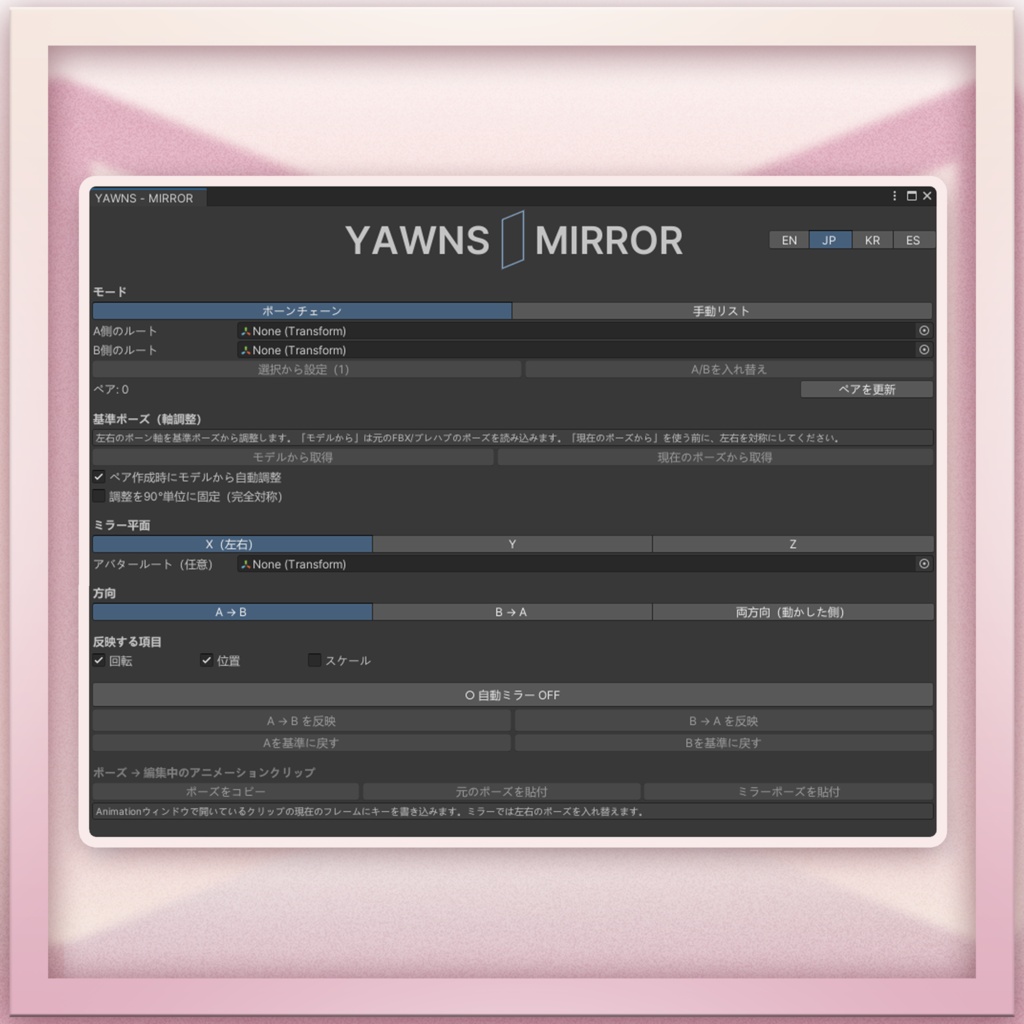
YAWNS - MIRROR は、アバターの片側で作ったボーンのポーズを、反対側に反転コピーできる Unity エディター拡張です。片手の指を一本ずつ調整したあと、もう片方の手にも同じポーズを作りたいときに使えます。反転したポーズをアニメーションクリップの好きなフレームに記録することもできます。 できること - 左右のルートボーンからボーンのペアを自動で作成。個別にペアを指定することもできます。 - 左から右、右から左のどちらにもコピーできます。Auto Mirror を有効にすると、片側の編集が反対側にも反映されます。 - 回転・位置・スケールから、コピーしたい項目を選べます。 - Copy Pose でポーズをコピーし、元のポーズまたは反転したポーズをアニメーションに貼り付けられます。 使い方 1. インポート後、`Tools > YAWNS - MIRROR` を開きます。 2. Bone Chain で左右のルートボーンを Side A Root / Side B Root に指定し、ペアを確認します。 3. Capture From Model で基準ポーズを取得します。取得できない場合は、左右を対称に整えて Capture From Current を押します。 4. A 側のボーンを動かし、Apply A → B で反対側に反映します。 動作確認環境 Unity 2022.3.22f1 付属説明書 日本語・English・한국어・Español 無料版と応援版の内容は同じです。
English
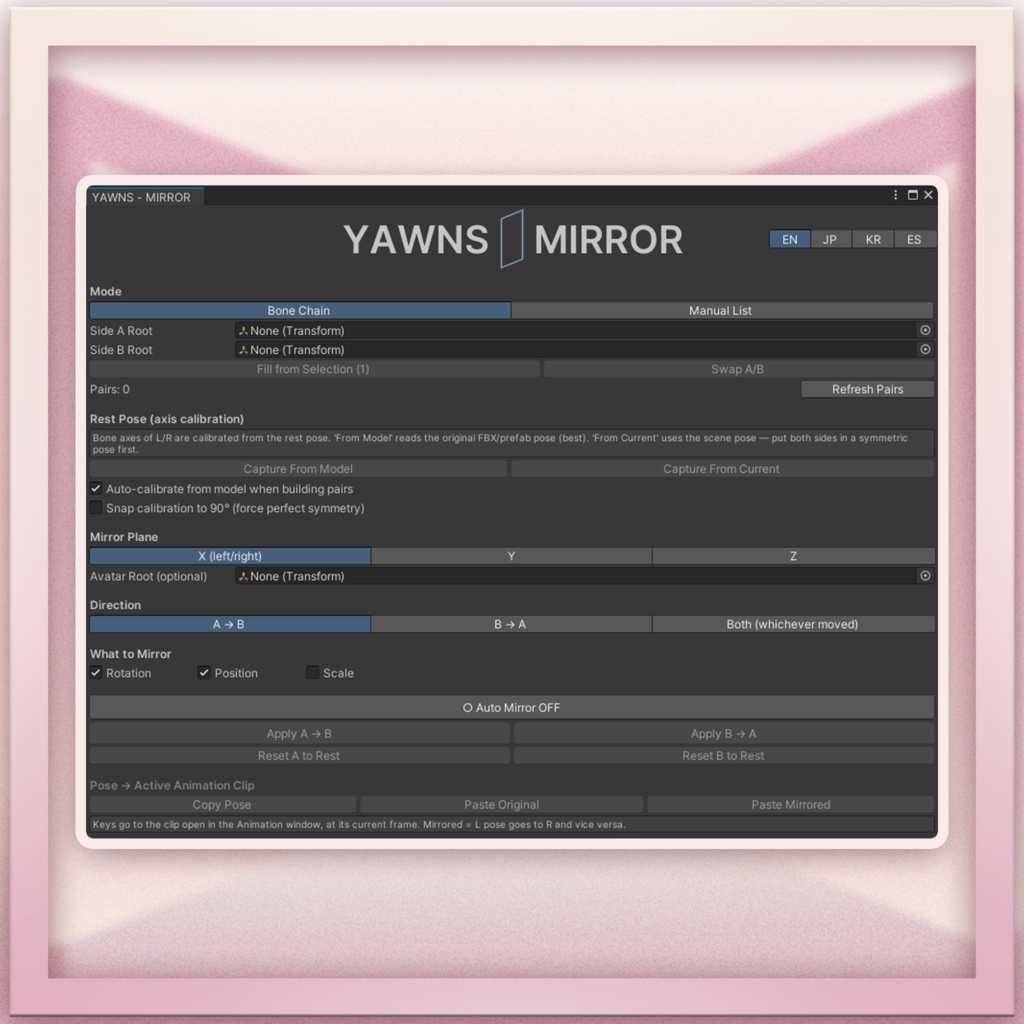
YAWNS - MIRROR is a Unity Editor tool for mirroring bone poses from one side of an avatar to the other. Pose the fingers on one hand, then mirror the pose to the other hand in one click. You can also paste the mirrored pose at a frame of your choice in an animation clip. How to use 1. Open Tools > YAWNS - MIRROR. In Bone Chain, assign the left and right root bones and check the pairs. Use Manual List if you prefer to pick individual pairs. 2. Click Capture From Model to read the rest pose. If it’s unavailable, put both sides in a symmetric pose and click Capture From Current. 3. Pose side A and click Apply A → B, or use B → A to go the other way. Turn on Auto Mirror to see the opposite side follow as you edit. You can mirror rotation, position and scale independently. To key a pose, open an editable clip in Unity’s Animation window, select a frame and use Copy Pose, then Paste Original or Paste Mirrored. Tested with Unity 2022.3.22f1. Guides included in English, Japanese, Korean and Spanish. Both downloads contain the same tool.
한국어
YAWNS - MIRROR는 아바타 한쪽의 본 포즈를 반대쪽에 대칭으로 복사하는 Unity 에디터 도구입니다. 한 손의 손가락 포즈를 만든 뒤 클릭 한 번으로 반대쪽 손에도 적용할 수 있습니다. 반전한 포즈를 애니메이션 클립의 원하는 프레임에 기록할 수도 있습니다. 사용 방법 1. Tools > YAWNS - MIRROR를 열고 Bone Chain에서 양쪽 루트 본을 지정한 뒤 본 쌍을 확인하세요. Manual List에서 직접 쌍을 지정할 수도 있습니다. 2. Capture From Model로 기준 포즈를 가져오세요. 가져올 수 없다면 양쪽을 대칭 포즈로 맞춘 뒤 Capture From Current를 누르세요. 3. A쪽 포즈를 조정하고 Apply A → B를 누르세요. 반대 방향도 가능하며, Auto Mirror를 켜면 편집하는 동안 반대쪽에도 자동으로 반영됩니다. 회전, 위치, 스케일 중 복사할 항목을 선택할 수 있습니다. 애니메이션에 기록하려면 편집 가능한 클립에서 프레임을 선택하고 Copy Pose → Paste Mirrored를 누르세요. 테스트 환경 Unity 2022.3.22f1 무료 버전과 후원 버전의 구성은 동일합니다.
Español
YAWNS - MIRROR es una herramienta para el editor de Unity que permite reflejar una pose de un lado del avatar al otro. Por ejemplo, puedes ajustar los dedos de una mano y aplicar la pose a la otra con un clic. También puedes guardar la pose reflejada en el fotograma que elijas de un clip de animación. Cómo se usa 1. Abre Tools > YAWNS - MIRROR. En Bone Chain, asigna los huesos raíz de ambos lados y revisa los pares. También puedes elegirlos uno a uno en Manual List. 2. Pulsa Capture From Model para obtener la pose de referencia. Si no está disponible, coloca ambos lados en una pose simétrica y pulsa Capture From Current. 3. Ajusta la pose del lado A y pulsa Apply A → B. También puedes copiar de B a A o activar Auto Mirror para que el otro lado siga tus cambios mientras editas. Puedes elegir si quieres copiar la rotación, la posición o la escala. Para guardar la pose reflejada, selecciona un fotograma de un clip editable y pulsa Copy Pose → Paste Mirrored. Probado con Unity 2022.3.22f1. Ambas descargas incluyen la misma herramienta.
⚠Terms of Use ⚠
日本語 無料版・応援版ともに、同じ利用規約が適用されます。 本ツールで作成したポーズやアニメーションは、個人・商用を問わず利用・配布・販売できます。使用したアバターや素材の利用規約にも従ってください。 本ツール本体および同梱ファイルの再配布・転売・第三者への譲渡は禁止です。有償・無償、改変の有無を問わず、ファイルの一部にも適用されます。アバターパッケージや共有プロジェクトに本ツールを含めて配布することも禁止です。 本ツールを紹介する際は、公式BOOTHページのリンクを共有してください。 English The same terms apply to the free and supporter downloads. You may use, share and sell poses and animations you create with this tool, including in commercial projects. Please also follow the terms of any avatars or other assets you use. You may not redistribute, resell or give anyone a copy of the tool or its included files. This applies to all or part of the files, whether original or modified, paid or free. Do not include the tool in avatar packages or Unity projects you share with others. If you’d like to share the tool with someone, please send them the official BOOTH page link. 한국어 무료 버전과 후원 버전에는 동일한 이용약관이 적용됩니다. 이 도구로 만든 포즈와 애니메이션은 개인 및 상업 프로젝트에서 사용하거나 배포·판매할 수 있습니다. 사용한 아바타와 기타 에셋의 이용약관도 준수해 주세요. 도구 자체 또는 동봉된 파일의 재배포, 재판매 및 제3자에게 사본을 제공하는 행위는 금지됩니다. 유료·무료 여부와 관계없이 원본과 수정본 모두에 적용되며, 파일 일부도 포함됩니다. 다른 사람에게 전달하는 아바타 패키지나 Unity 프로젝트에 이 도구를 포함할 수 없습니다. 도구를 소개할 때는 공식 BOOTH 페이지 링크를 공유해 주세요. Español Las mismas condiciones se aplican a la descarga gratuita y a la de apoyo. Puedes usar, compartir y vender las poses y animaciones que crees con esta herramienta, incluso en proyectos comerciales. Respeta también las condiciones de los avatares y demás recursos que utilices. Queda prohibido redistribuir, revender o entregar a terceros copias de la herramienta o de los archivos incluidos. Esto se aplica a los archivos completos o parciales, originales o modificados, tanto si se ofrecen gratis como si se cobra por ellos. No incluyas la herramienta en paquetes de avatares ni en proyectos de Unity que compartas con otras personas. Si quieres recomendar la herramienta, comparte el enlace a la página oficial de BOOTH.
UPDATES
11.12.2026 - Release
✦Special thanks to✦
Miku Celaline