
ImageStorage|資料画像を集めて・整理して・並べて見るWindowsアプリ
- 無料版ダウンロード商品¥ 0
- 支援版ダウンロード商品¥ 500
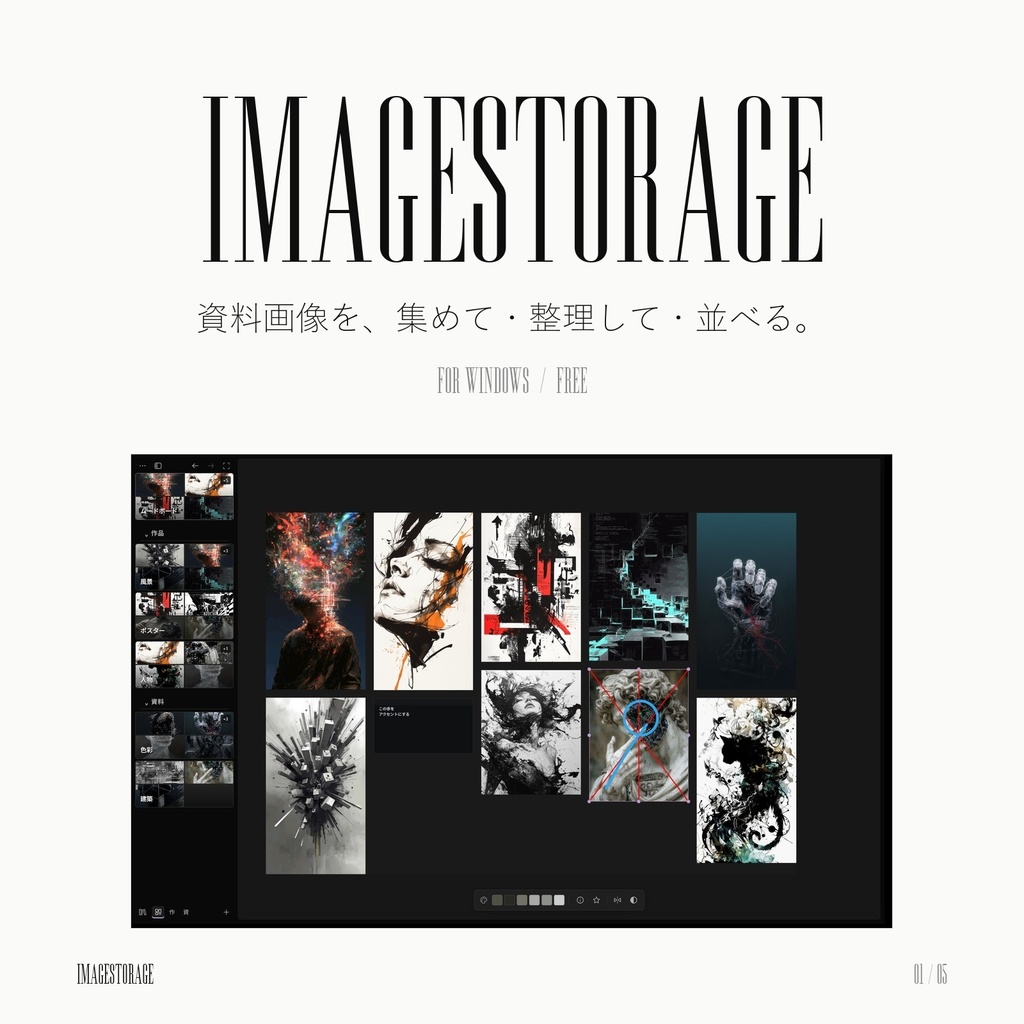
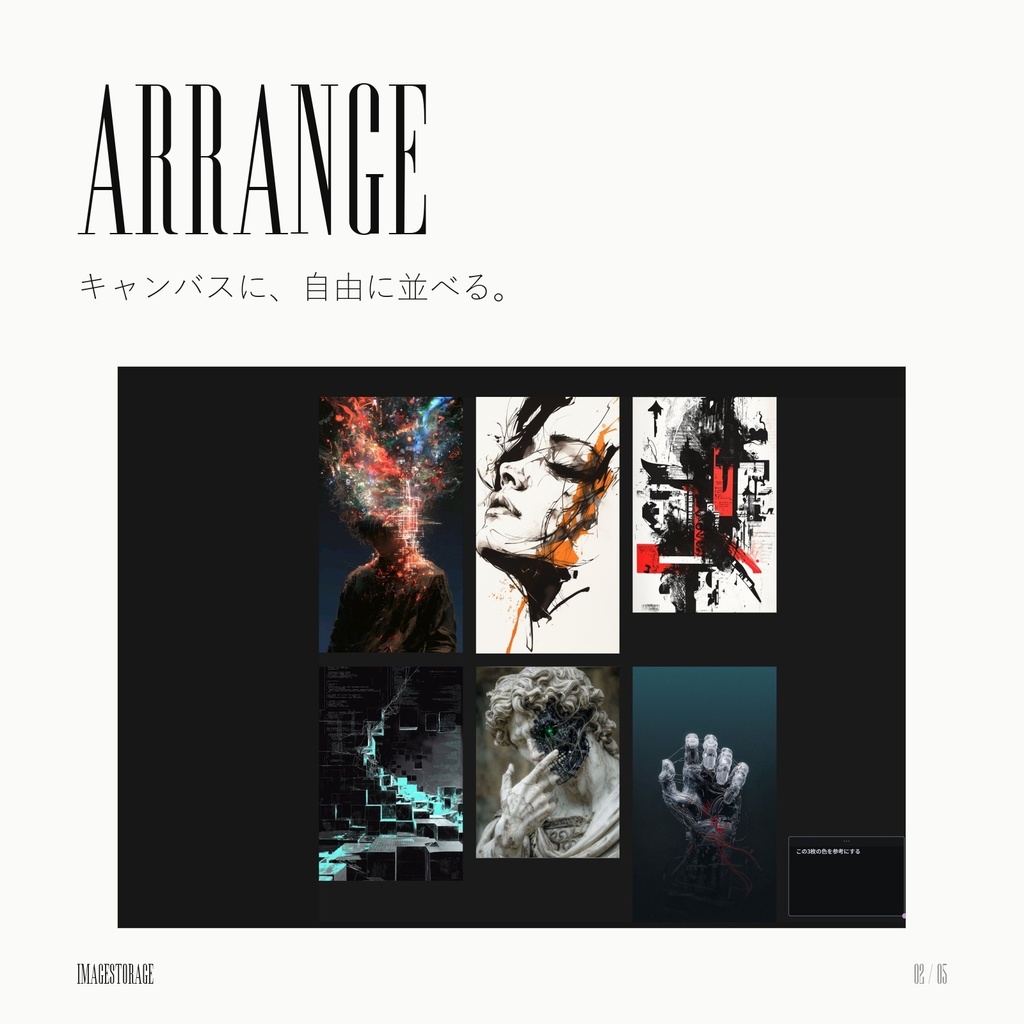
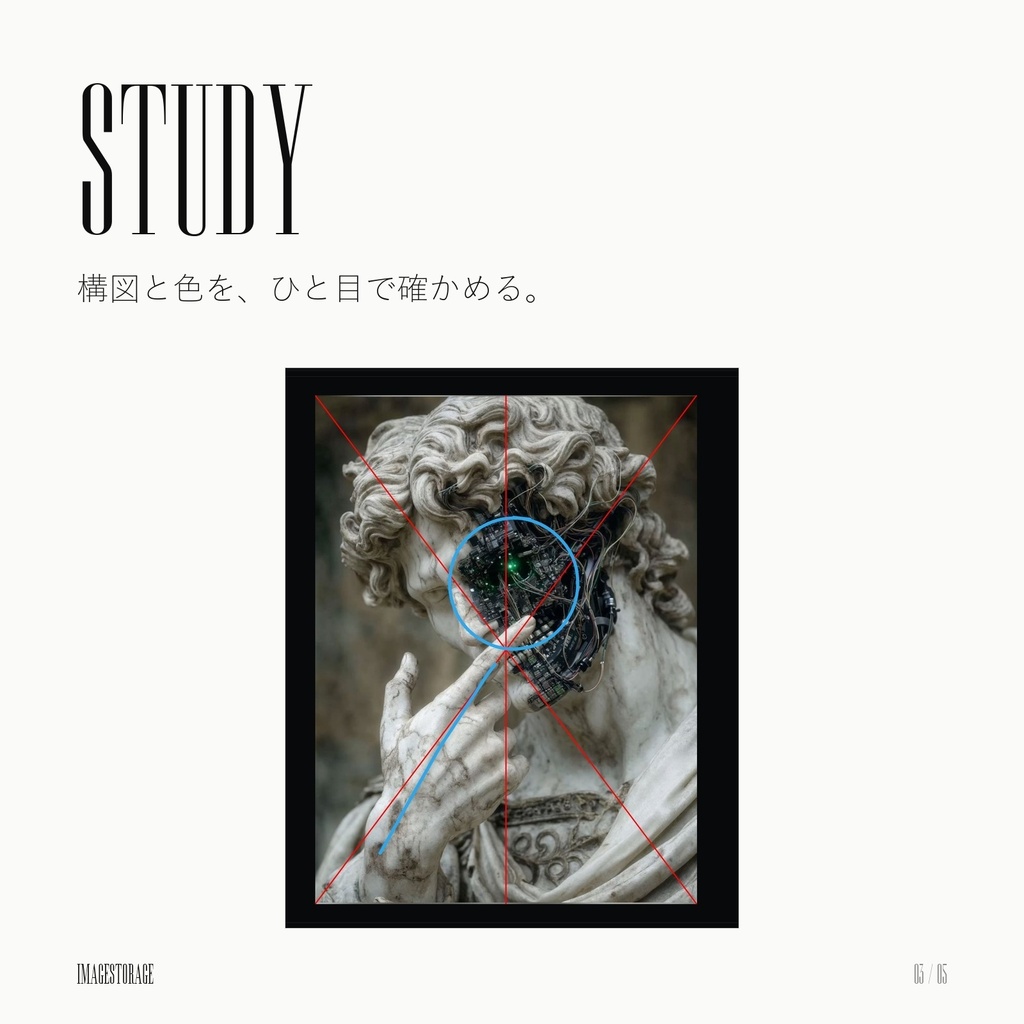
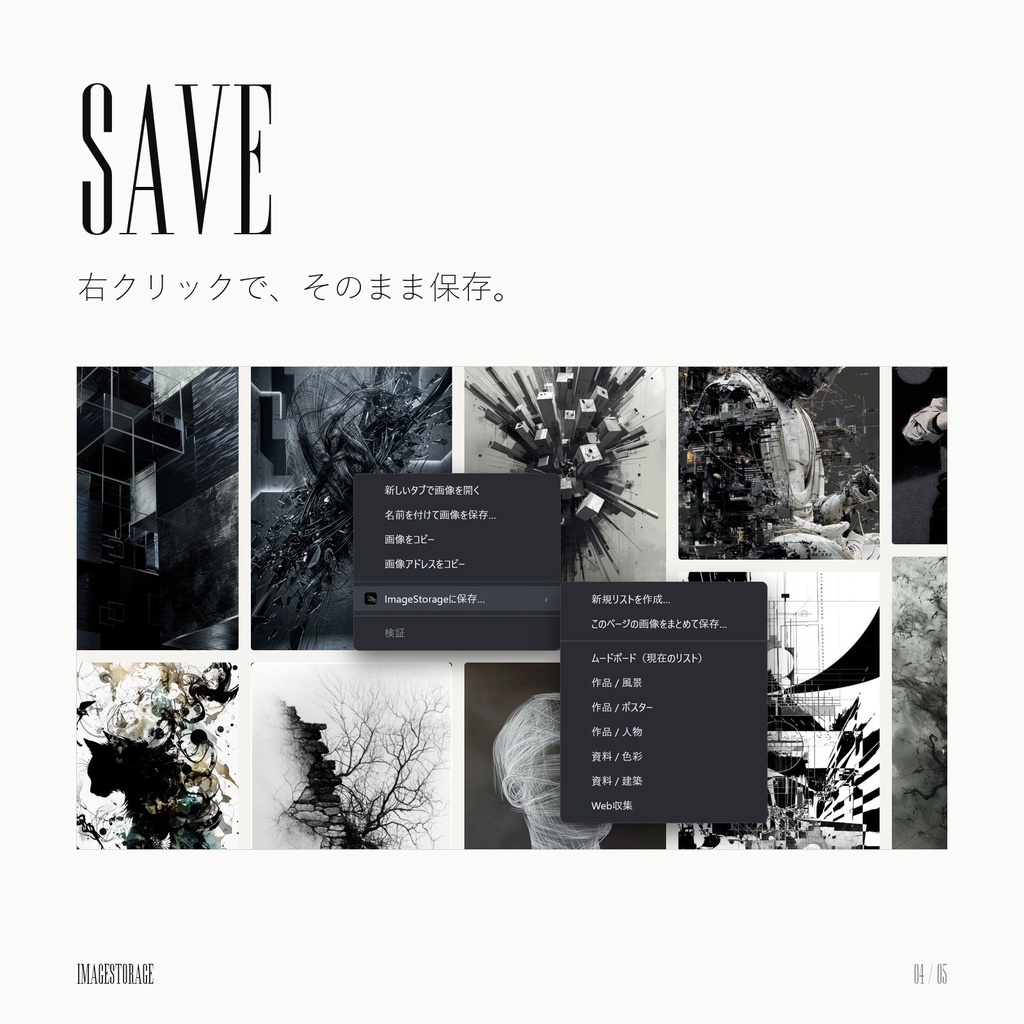
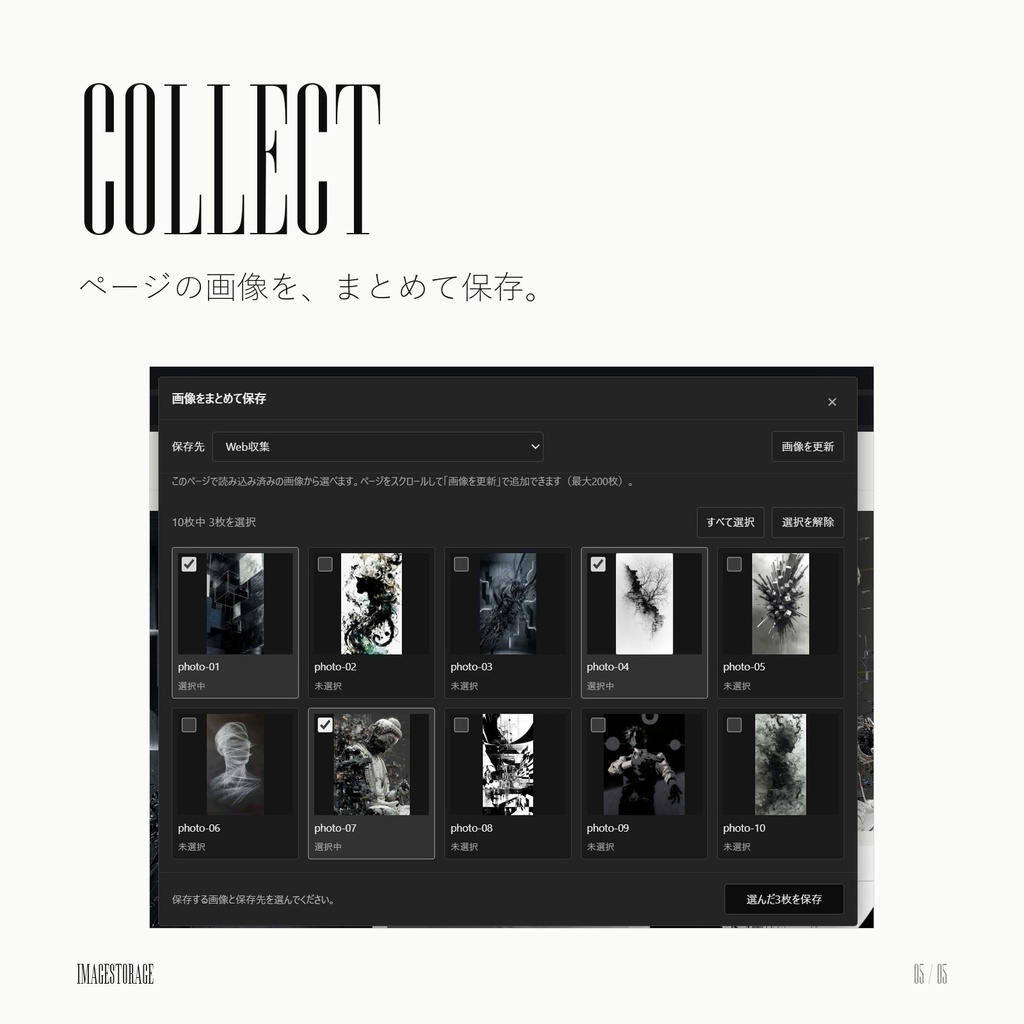


ImageStorage は、イラストやデザインの資料画像を集めて、整理して、並べて見るための Windows アプリです。 ブラウザーで見つけた画像を右クリックで保存し、テーマごとのリストで整理して、キャンバスに自由に並べられます。 【無料版と支援版について】 無料版と支援版の中身はまったく同じです。機能の制限もありません。 「応援したい」「今後の開発を支えたい」と思っていただけたら、支援版を選んでいただけるととても励みになります。 ━━━━━━━━━━━━━━━━━━━━ ■ できること ━━━━━━━━━━━━━━━━━━━━ ◆ リストで整理 ・テーマごとに「保存リスト」を作って画像を分けられます ・リストはグループにまとめて、開閉や絞り込みができます ◆ 画像の追加はかんたん ・フォルダーからドラッグ&ドロップ ・コピーした画像を Ctrl + V で貼り付け ・画像のURLを Ctrl + V で貼り付け ◆ キャンバスで自由に並べる ・ドラッグで好きな位置へ配置、グリッドできれいに整列 ・ホイールで拡大・縮小、スペース+ドラッグで表示を移動 ・ダブルクリックで付箋を追加して、メモを残せます ◆ 構図と色を調べる ・画像を選ぶと主な色を表示、クリックでカラーコードをコピー ・三分割・対角線・黄金比などの構図ガイドを重ねて確認 ・ペンで気づいたことを直接書き込み、保存できます ◆ ブラウザーから保存(拡張機能) ・Webページの画像を右クリック →「ImageStorageに保存…」で、保存先のリストを選ぶだけ ・「このページの画像をまとめて保存…」で、チェックを付けた画像を一度に保存 ・Chrome / Edge / Zen(Firefox)に対応 ・インストールの最後に、拡張機能の導入手順を画面で1つずつ案内します ◆ Pinterest のボードを取り込む ・拡張機能でボードを書き出して、ImageStorage に新しいリストとしてまとめて取り込めます ◆ データを守る ・変更は自動で保存されます(間隔やオン・オフは設定で変更できます) ・バックアップの作成と復元 ・プロジェクトファイル(.imagestorage)として保存・持ち運び ◆ 日本語 / English / 中文 / 한국어 の表示に対応(Windows の言語に合わせて始まります) ━━━━━━━━━━━━━━━━━━━━ ■ 同梱物 ━━━━━━━━━━━━━━━━━━━━ ・ImageStorage-0.15.57-Setup.exe(インストーラー) ・使い方の動画(日本語字幕・約7分30秒)/英語字幕版 ・はじめにお読みください.txt / ReadMe-EN.txt 使い方の動画では、画面の見方から、画像の追加、リスト整理、キャンバス、構図ガイド、ブラウザーからの保存、ボードの取り込み、バックアップまでを8章で説明しています。 ━━━━━━━━━━━━━━━━━━━━ ■ 動作環境 ━━━━━━━━━━━━━━━━━━━━ ・Windows 10 / 11(64ビット) ・ブラウザー連携:Google Chrome / Microsoft Edge / Zen Browser(Firefox 140以降) ━━━━━━━━━━━━━━━━━━━━ ■ ご注意 ━━━━━━━━━━━━━━━━━━━━ ・インストーラーにはデジタル署名がないため、「WindowsによってPCが保護されました」と表示される場合があります。その場合は「詳細情報」→「実行」を押してください。 ・ブラウザー拡張機能は、各ブラウザーの「デベロッパーモード」から読み込む形式です(ストアからのインストールではありません)。 ・Zen / Firefox では「一時的なアドオン」として読み込むため、ブラウザーを再起動すると外れます。その場合は再度読み込んでください。 ・保存した画像の著作権は、それぞれの権利者に帰属します。個人の資料としての利用にとどめてください。 ・本ソフトウェアの再配布・改変版の配布は禁止します。 ・本ソフトウェアの使用によって生じた損害について、作者は責任を負いかねます。 動画の音楽:Roie Shpigler「Held in Motion」(Artlist) ソースコード:https://github.com/pooh9135/ImageStorage ━━━━━━━━━━━━━━━━━━━━ ■ English ━━━━━━━━━━━━━━━━━━━━ ImageStorage is a Windows app for collecting, organizing, and viewing reference images for illustration and design. Save images from your browser with a right-click, sort them into themed lists, and arrange them freely on a canvas. [Free and Support editions] Both editions are exactly the same, with no feature limits. If you'd like to support future development, choosing the Support edition is greatly appreciated. -- Features -- ◆ Organize with lists - Create "save lists" for each theme, and group them for quick filtering ◆ Add images easily - Drag and drop from a folder - Paste a copied image or an image URL with Ctrl + V ◆ Arrange on the canvas - Drag images anywhere, snap them to a grid - Zoom with the mouse wheel, pan with Space + drag - Double-click to add sticky notes ◆ Study composition and color - See an image's main colors and copy the color code with a click - Overlay composition guides (rule of thirds, diagonals, golden ratio, and more) - Draw notes on the image with a pen and save them ◆ Save from your browser (extension) - Right-click an image → "Save to ImageStorage" and pick a list - Save many images from a page at once with checkboxes - Works with Chrome, Edge, and Zen (Firefox) - The installer walks you through adding the extension, step by step ◆ Import a Pinterest board - Export a board with the extension and import it as a new list ◆ Keep your data safe - Automatic saving, backups and restore - Save and carry your work as a project file (.imagestorage) ◆ Display languages: Japanese / English / Chinese / Korean (follows your Windows language) -- Included -- - ImageStorage-0.15.57-Setup.exe (installer) - How-to videos (Japanese and English subtitles, about 7.5 minutes) - ReadMe-EN.txt / はじめにお読みください.txt (Japanese) -- Requirements -- - Windows 10 / 11 (64-bit) - Browser connector: Google Chrome / Microsoft Edge / Zen Browser (Firefox 140 or later) -- Notes -- - The installer is not digitally signed, so Windows may show "Windows protected your PC". Click "More info", then "Run anyway". - The browser extension is loaded through each browser's Developer mode (it is not installed from a store). - In Zen / Firefox the extension is loaded as a temporary add-on and is removed when the browser restarts. - The browser connector's own setup screens are in Japanese at the moment; the video explains each button. - Copyright of saved images belongs to their respective owners. Please use them only as personal reference. - Redistribution of this software, or of modified versions, is not permitted. - The author is not liable for any damage caused by using this software. Music in the videos: "Held in Motion" by Roie Shpigler (Artlist) Source code: https://github.com/pooh9135/ImageStorage