

【VRChat】ダッシュ補助ツール Steal an Egg Auto Dash & Jump
- ダウンロード商品¥ 300

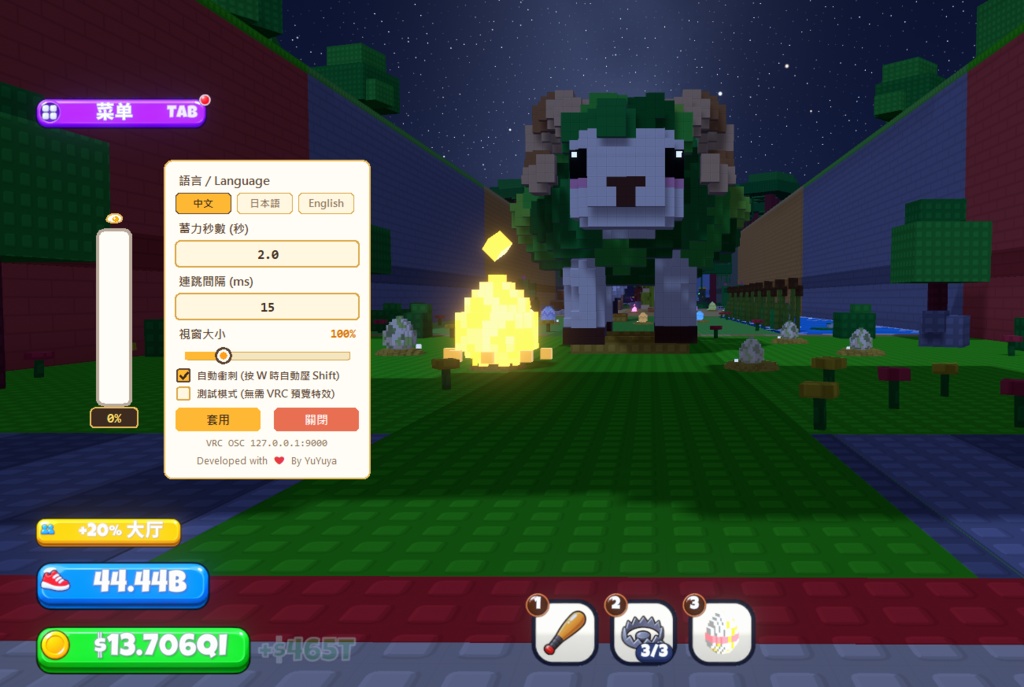
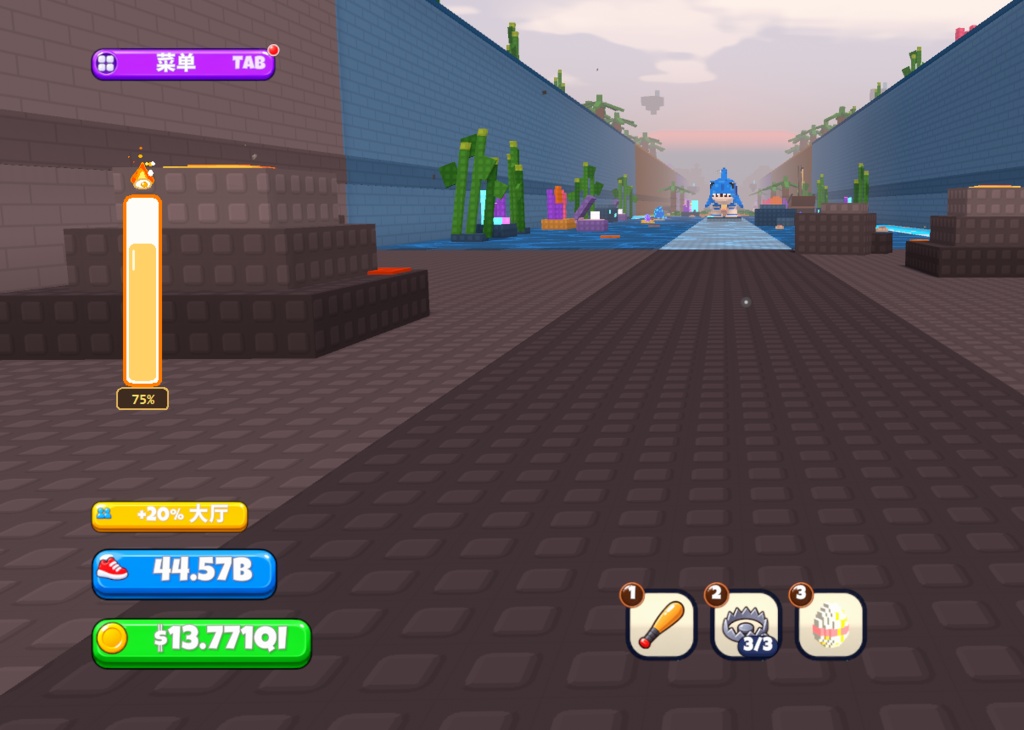
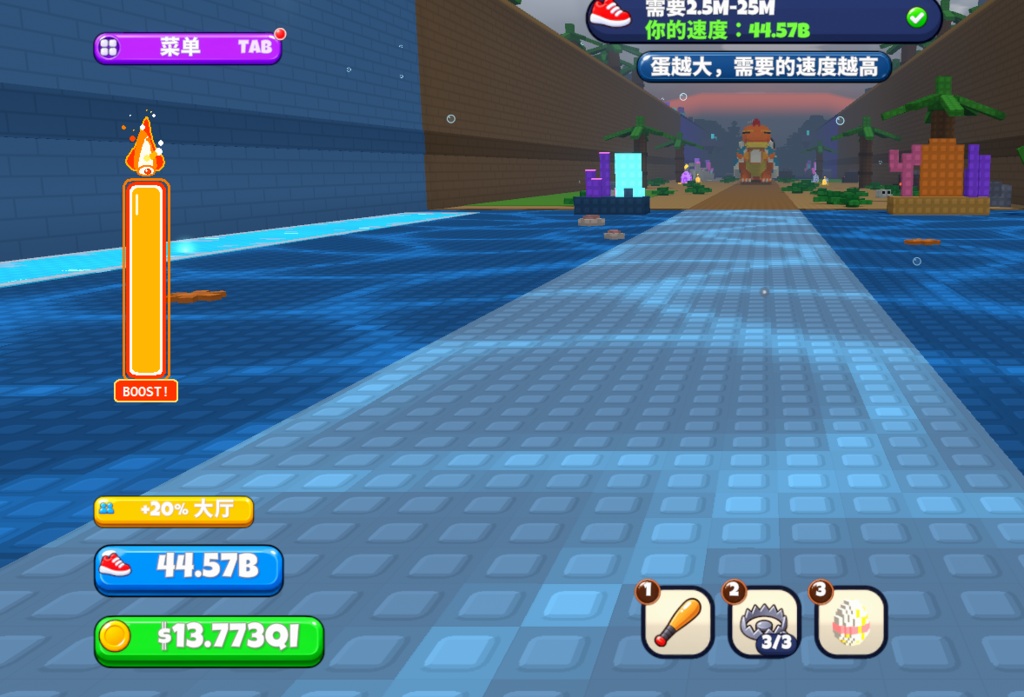
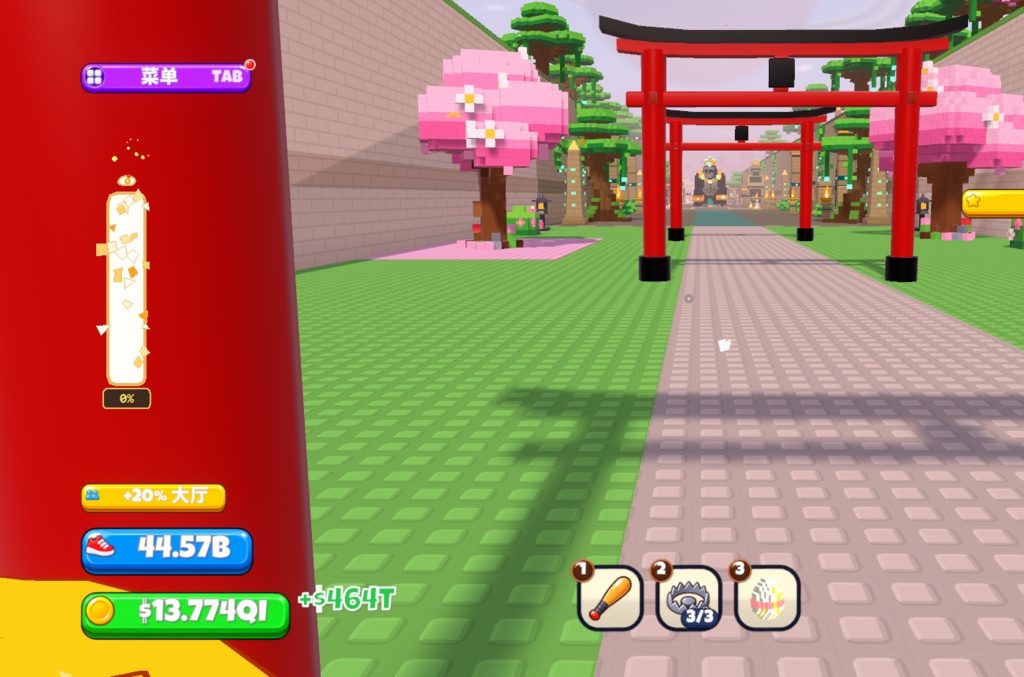


【VRChat】ダッシュ補助ツール Steal an Egg Auto Dash & Jump 「Steal an Egg」をはじめ、高速ダッシュや連打ジャンプが必要なワールドで幅広く使える軽量補助ツールです。 可愛い目玉焼きの透過UIで状態を確認しながら、指の負担を大幅に軽減できます! ### ✨ 主な機能 * 自動ダッシュ(Auto Sprint):`W` キーを押すだけで自動的にダッシュ状態(Shift維持)になります。 * チャージ&ブースト連打ジャンプ:左クリック長押しでエネルギーをチャージし(卵を集める)、100%到達時に `W` キーを押すと `BOOST!` 状態にロック!自動的に高速連打ジャンプを実行します(`W` キーを離すとエフェクトと共にリセット)。 * 他ワールドへの高い汎用性:「Steal an Egg」だけでなく、長距離ダッシュや連打ジャンプが求められるアスレチック・鬼ごっこ・周回系ワールドなど、あらゆる類似ワールドでそのまま活用できます。 * 可愛い透明オーバーレイUI:黒枠なしの完全透過デザイン。ドラッグで自由な位置に移動でき、ウィンドウサイズもスライダーで調整可能です。 * 誤爆防止(VRChatフォーカス検知):VRChatがアクティブな時のみ動作するため、デスクトップ操作中の誤作動を防ぎます。 * 多言語対応&テストモード:日本語・中国語・英語の切り替えに対応。VRChatを起動せずにエフェクトを確認できるテストモードも搭載しています。 ### 🎮 操作手順 1. 事前準備:VRChat内のアクションメニュー(Expression Menu)から OSC を有効(Enabled) にしてください。 2. 起動:EggDash.exe を実行します(インストール不要の単体実行ファイルです)。 3. チャージ&ダッシュ: * マウス左クリック長押しでエネルギーをチャージ(卵を集める)(デフォルト 2.0秒)。 * 100%になったら `W` キーを押して **BOOST!(高速連打ジャンプ)** を発動。`W` キーを押している間は左クリックを離しても維持されます。 4. 設定変更: * ゲージ上で 右クリック すると設定パネルが開きます(チャージ秒数、ジャンプ間隔ms、ウィンドウサイズ、言語変更など)。 * 設定パネルの外側を 左クリック すると自動で閉じます。 ### ⚠️ 起動時の警告・セキュリティに関するご案内 * Windowsの警告表示について:本ツールは個人開発のため、高額なデジタル署名(コードサイニング証明書)を取得しておりません。初回起動時に「WindowsによってPCが保護されました(Microsoft Defender SmartScreen)」等の警告画面が表示される場合がありますが、ウイルス等ではございません。表示された場合は「詳細情報」→「実行」をクリックして起動してください。 * 規約遵守について:本ツールはゲームの移動速度の改変やメモリ書き換え等の規約違反行為は一切行いません。VRChat公式のOSC入力機能を通じて、ダッシュやジャンプの操作をより快適・楽にするための入力補助ツールです。 ### 💻 動作環境・著作権表示 * 対応OS:Windows 10 / 11 (64-bit) * 著作権について:本ソフトウェアは購入者個人の利用に限ります。二次配布、転載、転売、改変、および商用利用は一切禁止いたします。 ------------------------------------------------------------------- 【VRChat】ダッシュ補助ツール Steal an Egg Auto Dash & Jump 專為《Steal an Egg》打造,同時通用於各類需要高速衝刺與連跳的 VRChat 世界的輕量輔助工具。 搭配可愛的透明荷包蛋懸浮介面,讓你輕鬆操作、徹底解放手指疲勞! ### ✨ 核心特色 * 自動衝刺(Auto Sprint):按下 `W` 鍵前進時自動維持衝刺狀態,無需一直死按 Shift。 * 蓄力鎖定與高速連跳:按住滑鼠左鍵蓄力(撿蛋),達到 100% 時按住 `W` 鍵即可鎖定進入 `BOOST!` 燃燒狀態並自動連跳(放開 `W` 鍵即觸發蛋殼破碎特效並歸零)。 * 通用於各類高速跑圖世界:除了《Steal an Egg》之外,凡是需要快速衝刺、連跳趕路、跑酷或鬼抓人等類似機制的 VRChat 世界皆可直接通用,並可依地圖手感自由微調蓄力秒數與連跳間隔。 * 極簡透明懸浮 UI:無邊框透明視窗,左鍵拖曳即可隨意擺放位置,並支援自訂介面縮放大小。 * 防誤觸焦點保護:僅在 VRChat 視窗處於前景聚焦時觸發指令,切出桌面聊天或瀏覽網頁絕不誤觸。 * 多國語言與測試模式:內建中文 / 日文 / 英文切換,並提供免開遊戲即可預覽粒子特效的測試模式。 ### 🎮 操作步驟 1. 開啟 OSC:進入 VRChat 後,開啟圓盤選單(Expression Menu)將 OSC 設為開啟(Enabled)。 2. 啟動程式:雙擊執行 `EggDash.exe`(免安裝單檔綠色版)。 3. 蓄力與連跳操作: * 按住 滑鼠左鍵 進行能量蓄力(撿蛋)(預設 2.0 秒)。 * 蓄力滿 100% 時按住 `W` 鍵 即可觸發 BOOST!(自動高速連跳),鎖定後可放開滑鼠左鍵。 4. 開啟設定面板: * 在能量條上 點擊滑鼠右鍵 即可展開設定(可調整蓄力秒數、連跳間隔 ms、視窗大小、語言與測試模式)。 * 左鍵點擊視窗外任意處 即可自動收起設定面板。 ### ⚠️ 啟動警告與安全聲明 * Windows 安全警告告示:本程式為個人獨立開發,未購買商業數位簽證(Code Signing Certificate),因此在首次執行時,Windows Defender SmartScreen 可能會跳出「已保護您的電腦」之提示警告。此為未簽署執行檔的正常現象,程式本身絕對安全無毒;請點擊視窗中的「其他資訊」→「仍要執行」即可正常開啟。 * 無違規修改聲明:本程式絕無修改遊戲移動速度或任何違反規定、竄改遊戲檔案之行為,僅透過 VRChat 官方支援的標準 OSC 協定發送按鍵訊號,讓您在遊玩時能夠更輕鬆地進行衝刺與跳躍。 ### 💻 系統需求與版權聲明 * 支援系統:Windows 10 / 11 (64-bit) * 著作權聲明:本軟體僅供購買者個人使用,嚴禁二次分發、轉載、轉售、改作或用於商業用途。 ------------------------------------------------------------------- 【VRChat】ダッシュ補助ツール Steal an Egg Auto Dash & Jump A lightweight auto-sprint and bunny-hop assist tool for Steal an Egg and other fast-paced VRChat worlds. Track your boost easily with a cute transparent fried-egg HUD while saving your fingers from fatigue! ### ✨ Key Features * Auto Sprint: Automatically holds sprint whenever you press `W` to move forward. * Charge & Locked Auto-Jump: Hold Left-Click to charge energy (Collecting eggs); once at 100%, hold `W` to lock into `BOOST!` mode with automatic rapid jumping (releasing `W` resets the gauge with a shatter animation). * Versatile Across Fast-Paced Worlds: Works seamlessly not only in *Steal an Egg*, but also in any other VRChat worlds where fast running, bunny-hopping, or rapid traversal is helpful—with customizable charge duration and jump intervals to match different world pacing. * Borderless Transparent Overlay: Drag anywhere on your screen to reposition and freely adjust the HUD scale via the settings slider. * VRChat Focus Protection: Only sends OSC inputs while VRChat is the active foreground window—zero accidental triggers on your desktop. * Multi-Language & Test Mode: Supports Chinese, Japanese, and English UI, plus an offline Test Mode to preview animations without launching VRChat. ### 🎮 Step-by-Step Instructions 1. Enable OSC: In VRChat, open your Action Menu (Expression Menu) and set OSC to Enabled. 2. Launch: Run `EggDash.exe` directly (portable single executable, no installation required). 3. Dash & Jump: * Hold Left Mouse Button to charge up the gauge (Collecting eggs) (default: 2.0s). * At 100%, hold `W` to activate **BOOST! (Auto-Jump)**. Once locked, you can release the mouse button while holding `W`. 4. Settings Menu: * Right-Click on the gauge to open/close settings (Charge Time, Jump Interval in ms, Window Scale, Language, and Test Mode). * Left-Click anywhere outside the window to automatically close the settings panel. ### ⚠️ Security Warning & Fair-Play Notice * Unsigned Executable Warning: Because this is an indie-developed tool without a commercial Code Signing Certificate, Windows Defender SmartScreen may display a *"Windows protected your PC"* warning on first launch. This is completely normal for unsigned `.exe` files—click "More info" → "Run anyway" to launch safely. * Fair-Play Guarantee: This tool does NOT modify movement speed, alter game files, or violate any Terms of Service. It strictly uses VRChat's official OSC input protocol to help you sprint and jump more comfortably without finger strain. ### 💻 System Requirements & Copyright * OS: Windows 10 / 11 (64-bit) * Copyright Notice: This software is for the purchaser's personal use only. Any redistribution, re-uploading, resale, modification, or commercial use is strictly prohibited.