

VRoidDefaultSet for VRChat - VRoid の標準の表情・エモートをボタンひとつに【無料・Modular Avatar】
- ダウンロード商品¥ 0
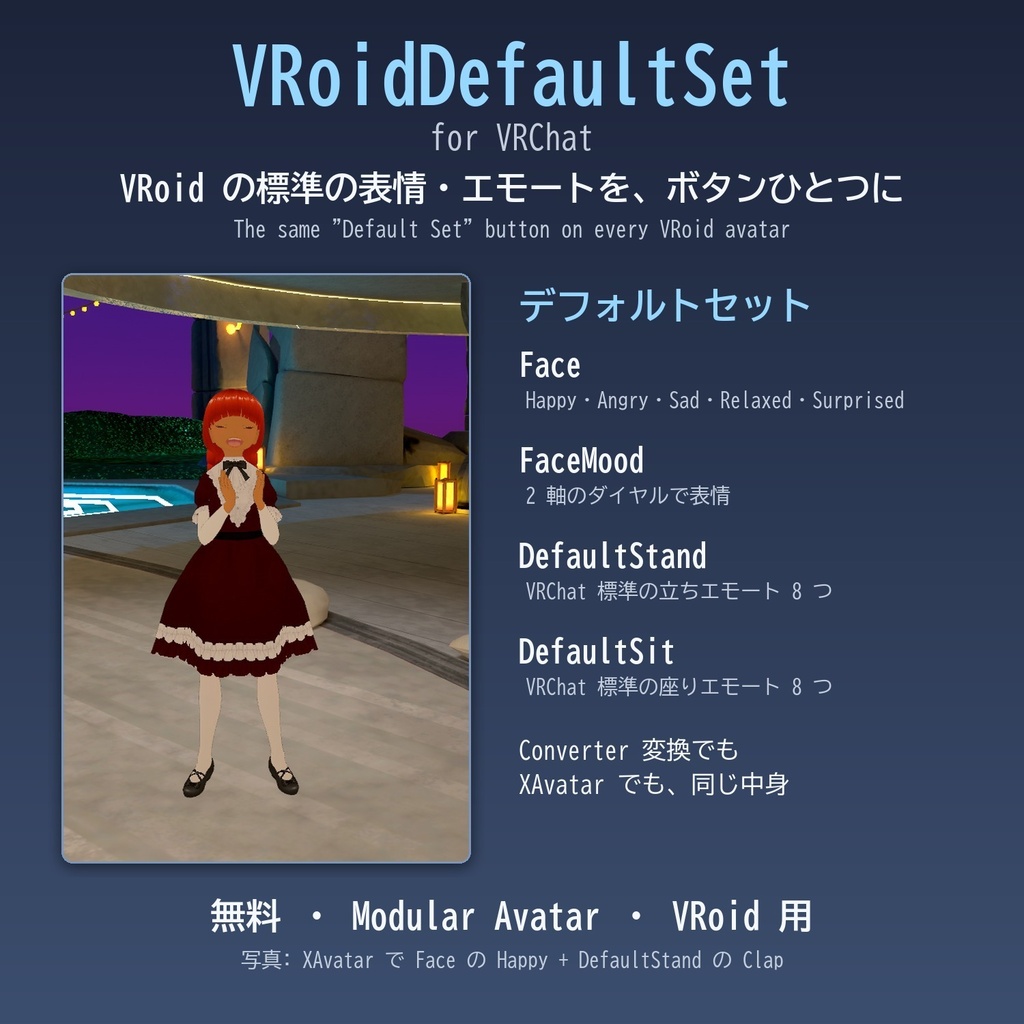
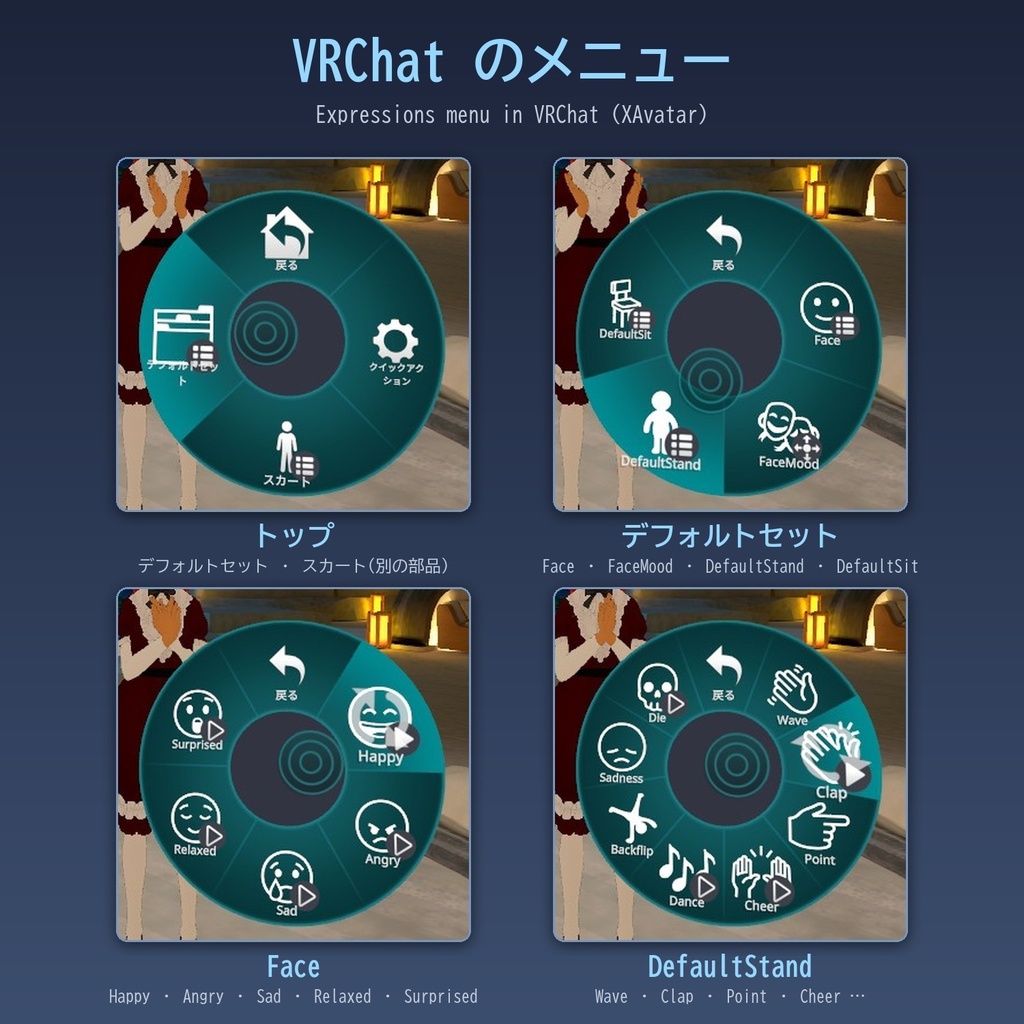
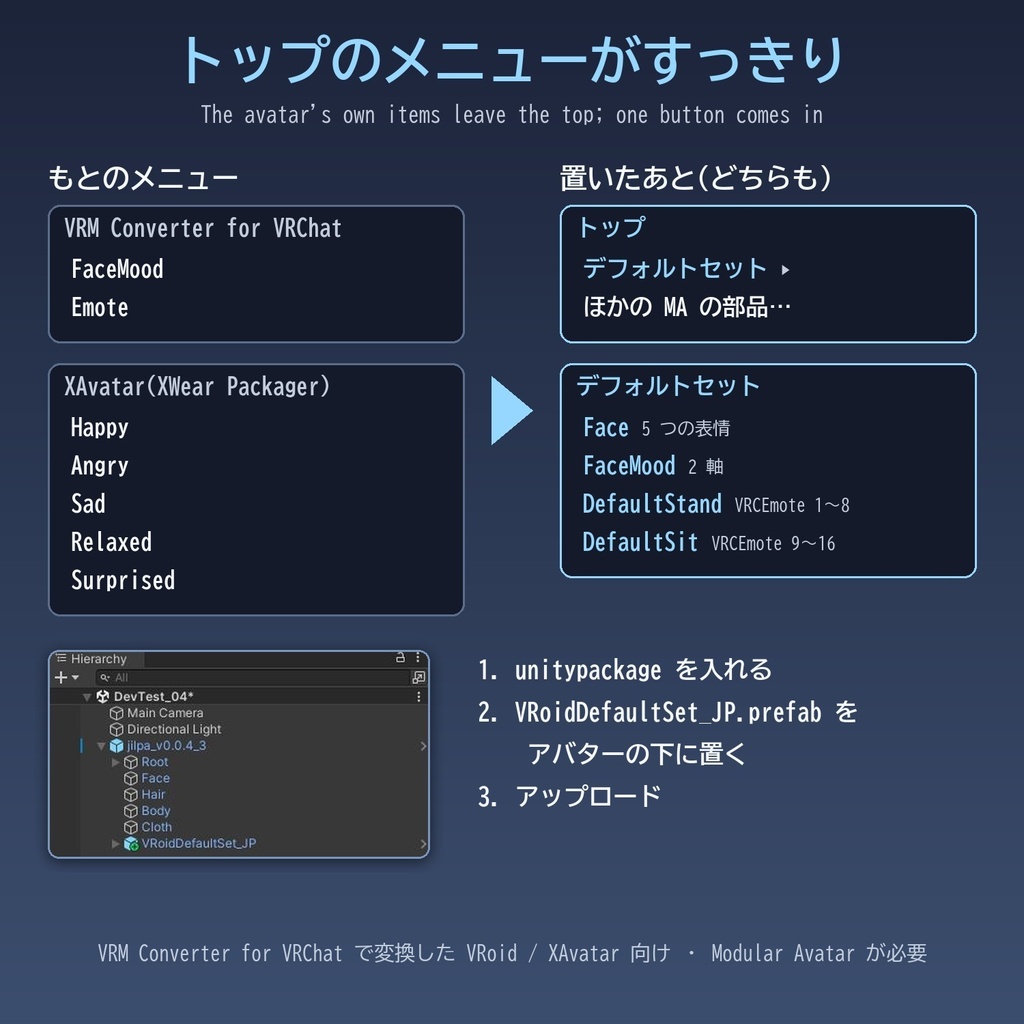


ジョンおじさまからの委託販売のようなものになります(今回は無料です)。以下、ジョンおじさまからの説明です。: VRoid のアバターが最初から持っている表情とエモートのメニューを、どのアバターでも同じ「デフォルトセット」ボタンひとつにまとめる Modular Avatar の部品です。 VRoid のアバターは、VRChat 用にする方法によって最初のメニューが違います。VRM Converter for VRChat で変換したものはトップに FaceMood と Emote、XAvatar(XWear Packager で取り込んだもの)はトップに Happy・Angry・Sad・Relaxed・Surprised。ほかの Modular Avatar の部品を足していくと、これでトップが散らかります。 ほかの部品でアバターを作り込んでいっても、VRoid のデフォルトの表情やエモートは残しておきたい。そんなときに便利なように作りました。この部品を置くと、もとの項目はトップから消え、代わりに「デフォルトセット」がひとつ入ります。中身はどちらの型でも同じです。 ・Face: Happy・Angry・Sad・Relaxed・Surprised ・FaceMood: 2 軸のダイヤル(Sorrow・Joy・Fun・Angry) ・DefaultStand: VRChat 標準の立ちエモート 8 つ(Wave など) ・DefaultSit: VRChat 標準の座りエモート 8 つ(RaiseHand など) パラメーターの名前はもとのアバターと同じにしてあるので、もとからあるものは増えません(XAvatar では増える bit は 0)。要らない項目は prefab の子を消せば、メニューもパラメーターもなくなります。メニューで表情を選んでいないときは、手のジェスチャーの表情など、もとの表情がそのまま出ます。 使い方: unitypackage を入れて、VRoidDefaultSet_JP.prefab をアバターの下に置き、アップロードするだけです(英語のボタン名は VRoidDefaultSet_EN.prefab)。 対応: VRM Converter for VRChat で変換した VRoid のアバターか、XAvatar を XWear Packager で取り込んだアバター。Modular Avatar が必要です。DefaultStand は立っているときだけ、DefaultSit は座っているときだけ動きます(VRChat 標準の決まり)。もとのメニューを外さずにまとめる設定や、残す項目を選ぶ設定もあります。詳しくは同梱の README をご覧ください。 この道具は Claude Code(Claude Opus 5.5)に作ってもらいました。Unity のプロジェクトを見せて AI と相談しながら進めれば、こういう自分専用の小さな仕掛けも作れる、というご紹介を兼ねて Booth に置くことにしました。 同じ作者の小さな道具: ・OscPoser(任意のポーズを VRChat でとらせる) https://j-rockford.booth.pm/items/9099989 ・VRoidSkirtDial(座ったスカートをダイヤルで直す) https://j-rockford.booth.pm/items/9147262 無料です。ライセンス: MIT License(メニューのアイコンは Noto Emoji(SIL Open Font License 1.1)から作りました) VRoid は pixiv 株式会社の商標または登録商標です。VRChat は VRChat Inc. の商標です。この道具は非公式のもので、pixiv 株式会社・VRChat Inc. とは関係ありません。 --- English --- VRoidDefaultSet for VRChat: a free Modular Avatar add-on that puts the same "Default Set" button on every VRoid avatar. What a VRoid avatar starts with depends on how it was made ready for VRChat: avatars converted with VRM Converter for VRChat have FaceMood and Emote at the top of the menu; XAvatars imported with XWear Packager have Happy, Angry, Sad, Relaxed and Surprised. As you add other Modular Avatar add-ons, these clutter the top. It is made for when you build up your avatar with other add-ons but still want to keep VRoid's default expressions and emotes. With this add-on, the original items are removed from the top and one "Default Set" button is added, with the same contents on both kinds of avatars: - Face: Happy, Angry, Sad, Relaxed, Surprised - FaceMood: a two-axis puppet (Sorrow, Joy, Fun, Angry) - DefaultStand: VRChat's 8 standard standing emotes (Wave, etc.) - DefaultSit: VRChat's 8 standard seated emotes (RaiseHand, etc.) Parameter names match the avatar's own, so the ones it already has cost nothing (0 extra bits on an XAvatar). Delete a child of the prefab to drop an item together with its parameters. While no expression is selected, the avatar's own expressions (hand-gesture faces, etc.) show as before. When Face and FaceMood overlap, the expression chosen with a Face toggle wins (VRChat's two-axis puppet may keep its value after you close it). Usage: import the unitypackage, drag VRoidDefaultSet_EN.prefab under your avatar, and upload. Requirements: a VRoid avatar converted with VRM Converter for VRChat, or an XAvatar imported with XWear Packager, and Modular Avatar. DefaultStand works only while standing and DefaultSit only while seated (VRChat's standard rule). You can also keep the original items (folded into one button, or chosen items left at the top). See the included README. With other emote add-ons: DefaultStand and DefaultSit are VRChat's standard emotes (VRCEmote 1-16). If an emote add-on replaces the Action layer (for example Necocoya's EmoteBox with its default settings), VRoidDefaultSet detects it at upload and adds VRChat's standard emotes back after it (same numbers and menu; the add-on's emotes keep working too; checked in VRChat). Made with Claude Code (Claude Opus 5.5), as an example of the small personal gimmicks you can build by showing your Unity project to an AI and talking it through. Other small tools by the same author: - OscPoser (make your avatar take any pose in VRChat) https://j-rockford.booth.pm/items/9099989 - VRoidSkirtDial (fix a sitting skirt with dials) https://j-rockford.booth.pm/items/9147262 Free. MIT License (menu icons made from Noto Emoji, SIL Open Font License 1.1). VRoid is a trademark or registered trademark of pixiv Inc. VRChat is a trademark of VRChat Inc. This is an unofficial tool, not affiliated with either.
更新履歴
2026-11-17 初公開: v0.1.0 2026-11-17 更新: v0.2.0。ねここや さんの EmoteBox (MA版) に対応。 2026-11-17 更新: v0.3.0。zundakaisetu さんの「エモートを簡単追加!」に対応。