

【FREE / 無料配布】3D Cyber Headphones for VRoid Studio 100% Hand-Painted Cel-Shaded Accessory • NO AI Used (100%手描き・AI不使用)
- ダウンロード商品¥ 0
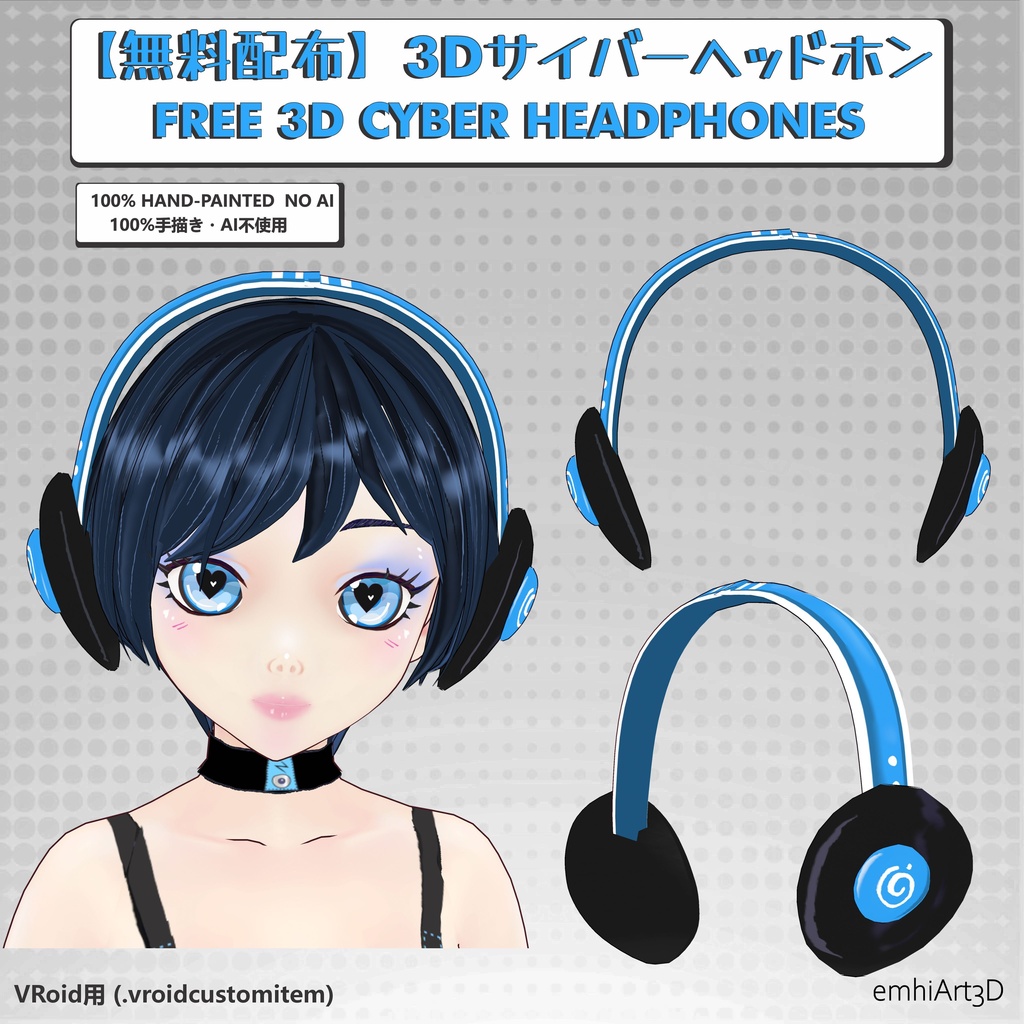
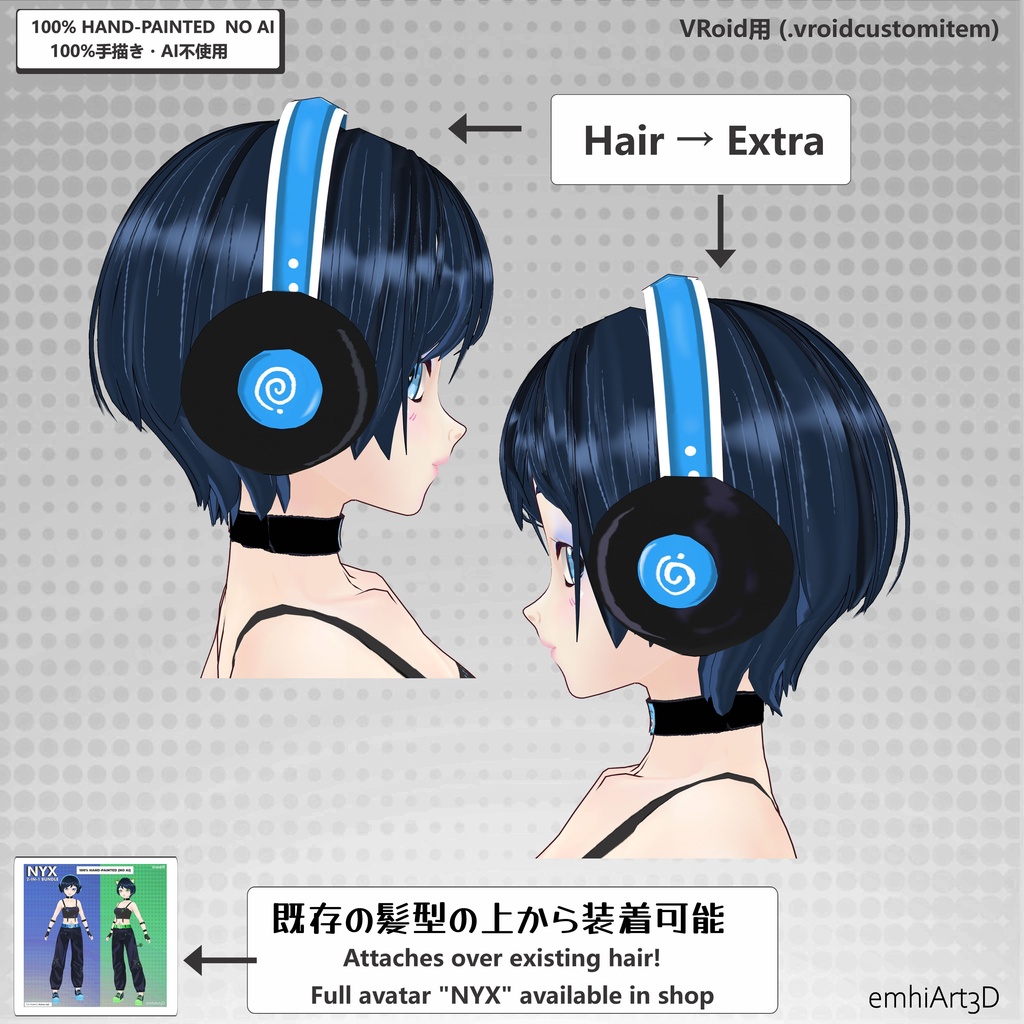


A free, standalone 3D headphone accessory built inside the "Extra" hair category! Attach it over any existing VRoid hairstyle with one click—without replacing your character's hair. ★ Love this style? Check out my full 100% hand-painted 3D VTuber models "NYX (2-in-1 Cyber-Neko & Cyber-Gamer)" and "REN" in my Booth shop! ★ ━━━━━━━━━━━━━━━━━━━━ ■ ENGLISH DETAILS ━━━━━━━━━━━━━━━━━━━━ 【What's Included】 • 1x .vroidcustomitem file (3D_Cyber_Headphones_emhiArt3D.vroidcustomitem) • Built under "Hair -> Extra" (No bones / rigid fit so it stays firmly on the head) • Easy to recolor inside VRoid Studio! 【How to Import】 1. Open your character in VRoid Studio (v2.14.0+). 2. Go to Hair -> Extra -> Custom -> Import, and select the .vroidcustomitem file. 【Terms of Use】 ✔ Allowed: Personal & commercial VTubing/streaming, VRChat, personal edits/recolors. ✖ Prohibited: Reselling or redistributing this item on its own (even if modified), claiming as your own work, or AI training. ━━━━━━━━━━━━━━━━━━━━ ■ 日本語説明 (JAPANESE) ━━━━━━━━━━━━━━━━━━━━ VRoid Studio用の無料3Dヘッドホンアクセサリーです! 「エクストラ(Extra)」カテゴリーで作成されているため、既存の髪型を消さずにワンクリックでどのアバターにも装着できます。 ★ このスタイルが気に入ったら、ショップ内の100%手描きオリジナル3Dモデル「NYX(2スタイル同梱版)」や「REN」もぜひチェックしてください! ★ 【同梱内容】 ・.vroidcustomitem データ ×1種(ボーンなし・頭部にしっかり固定されます) ・VRoid Studio内で簡単に色変え改変が可能です。 【導入方法】 VRoid Studio(v2.14.0以降)を開き、「髪型」>「エクストラ」>「カスタム」>「インポート」からファイルを読み込んでください。 【利用規約】 ◎ 許可事項:個人・法人問わずVTuber配信、VRChat、ご自身での改変・色変え。 × 禁止事項:本データの単体再配布・転売、自作発言、AI学習への利用。 Created by emhiArt3D (Heidi)