
推し盤スタジオ ― 推しの動画を「メニュー付き DVD」に。ケースも作れるオーサリングソフト【Windows】
- はじめにお読みくださいダウンロード商品¥ 0
- ReadMeFirstダウンロード商品¥ 0
- スタンダード ( Standard )ダウンロード商品¥ 0
- プロ ( Pro )ダウンロード商品¥ 500
- プレミアム ( Premium )ダウンロード商品¥ 1,000
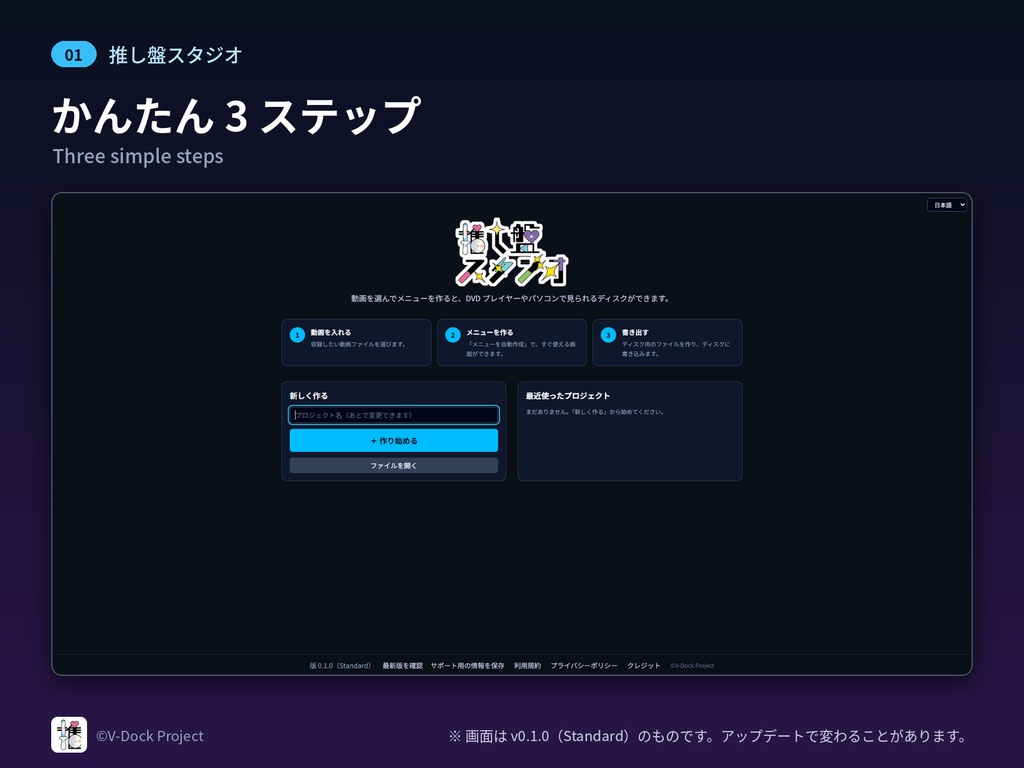
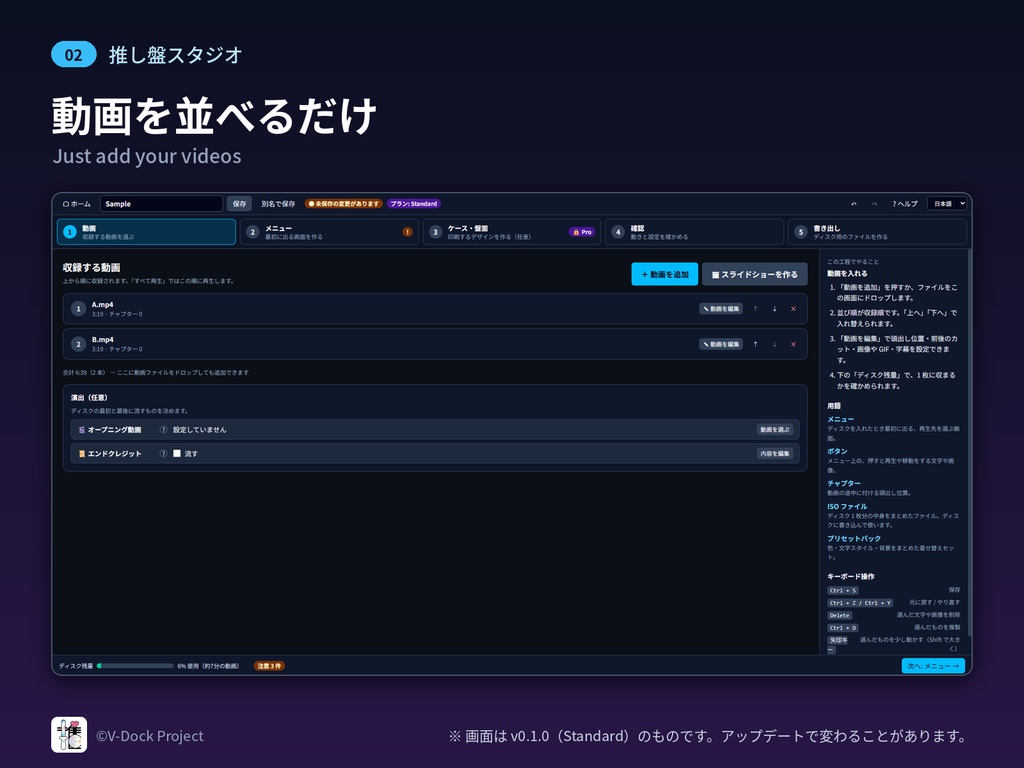
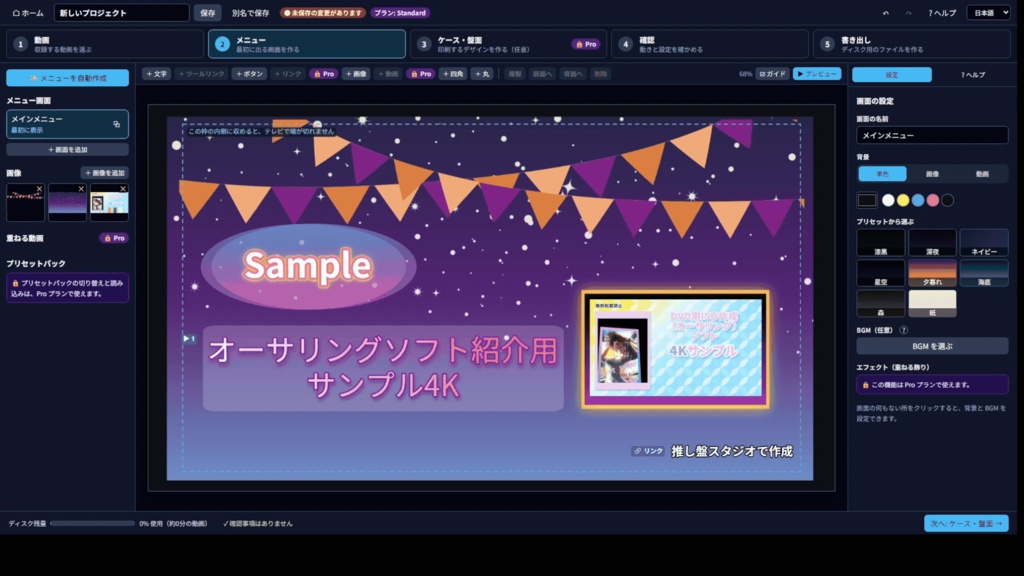
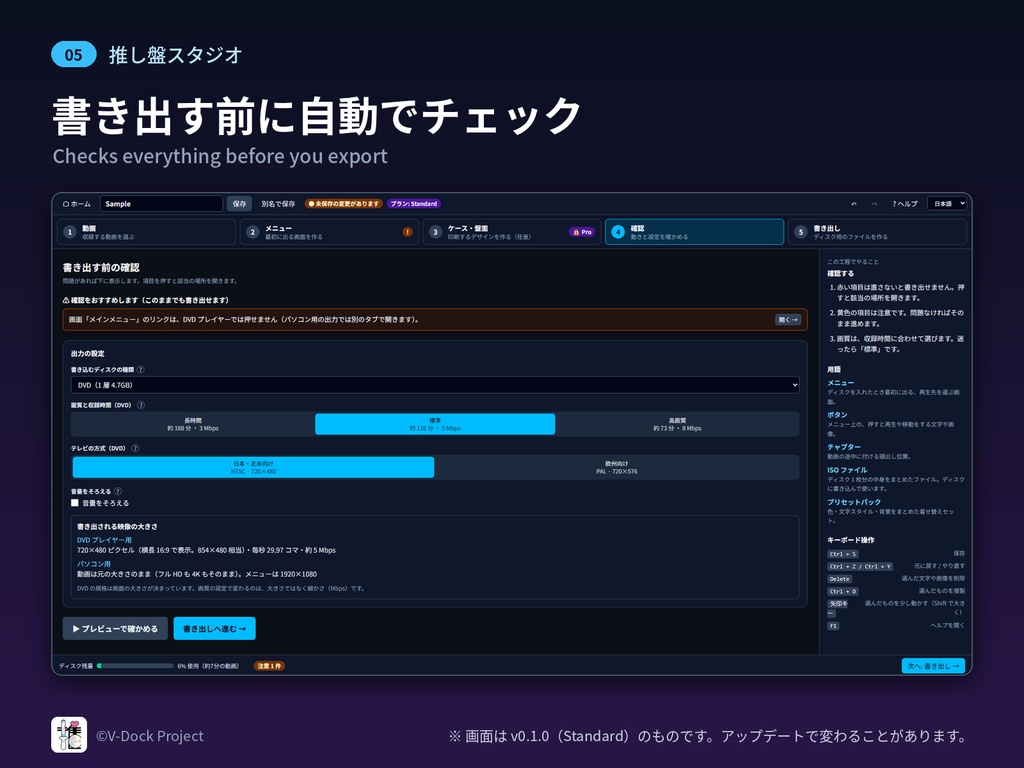
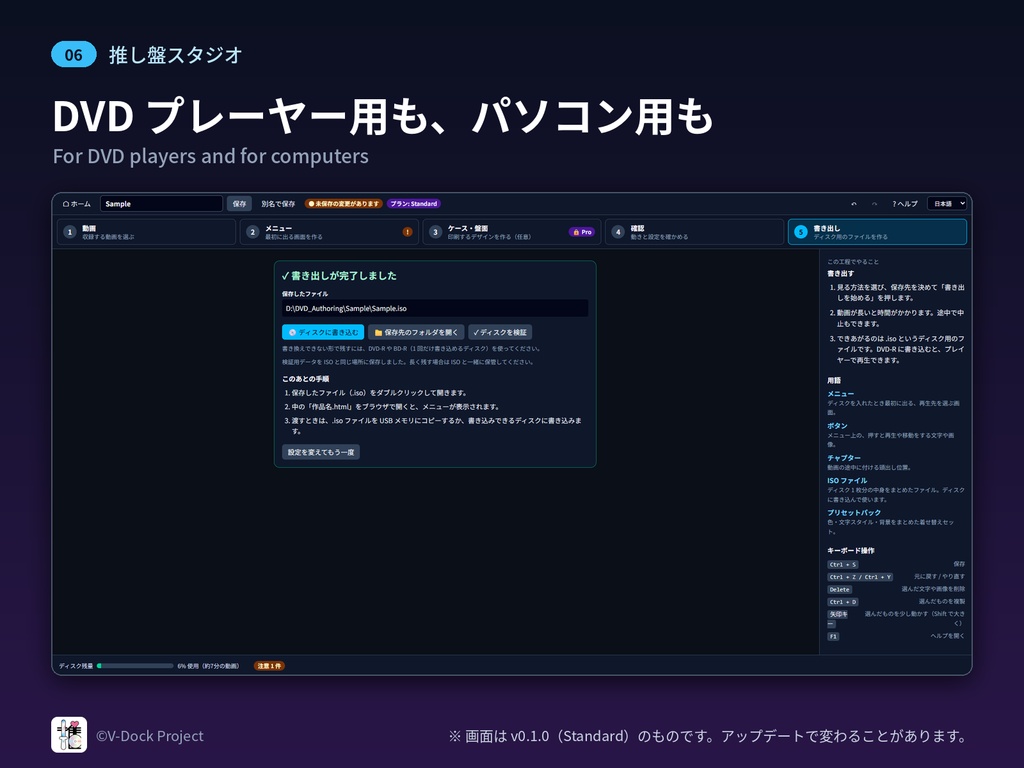
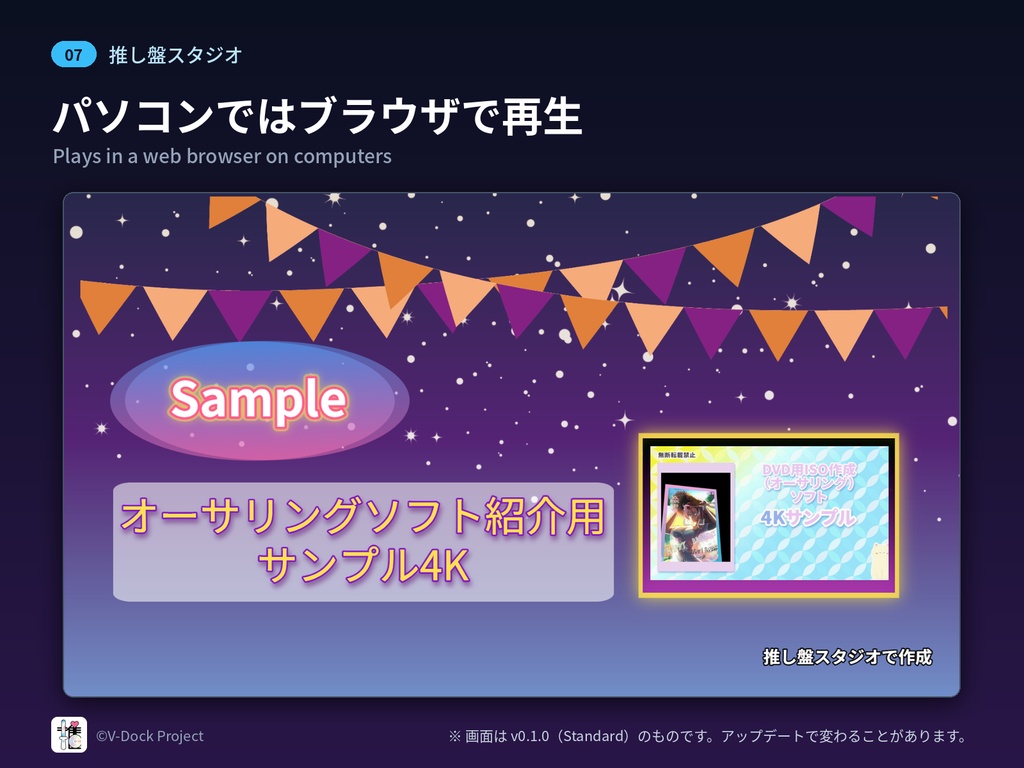


推しの動画をメニュー付きの一枚に。 「推し盤スタジオ」は、手元の動画からメニュー付きの DVD や、パソコンで見られるディスクを作る Windows 用ソフトです。ケースのジャケットや盤面のデザインまで、これ 1 本でできます。専門用語はなるべく使わず、画面の案内どおりに進めば完成します。 インストール方法と使い方は「はじめにお読みください」(無料)にまとめています。この商品ページの「はじめにお読みください」からダウンロードできます。
【こんな方に】
・自分で撮った・作った推し活動画を、形に残したい ・イベントや記念日の動画を、メニュー付きのディスクにまとめたい ・同人・サークル活動で、映像作品を DVD で頒布したい(Pro 以上) ・ケースまでそろえて、「それっぽい」仕上がりにしたい ――――――――――――――――――――――――――――――――――
【できること】
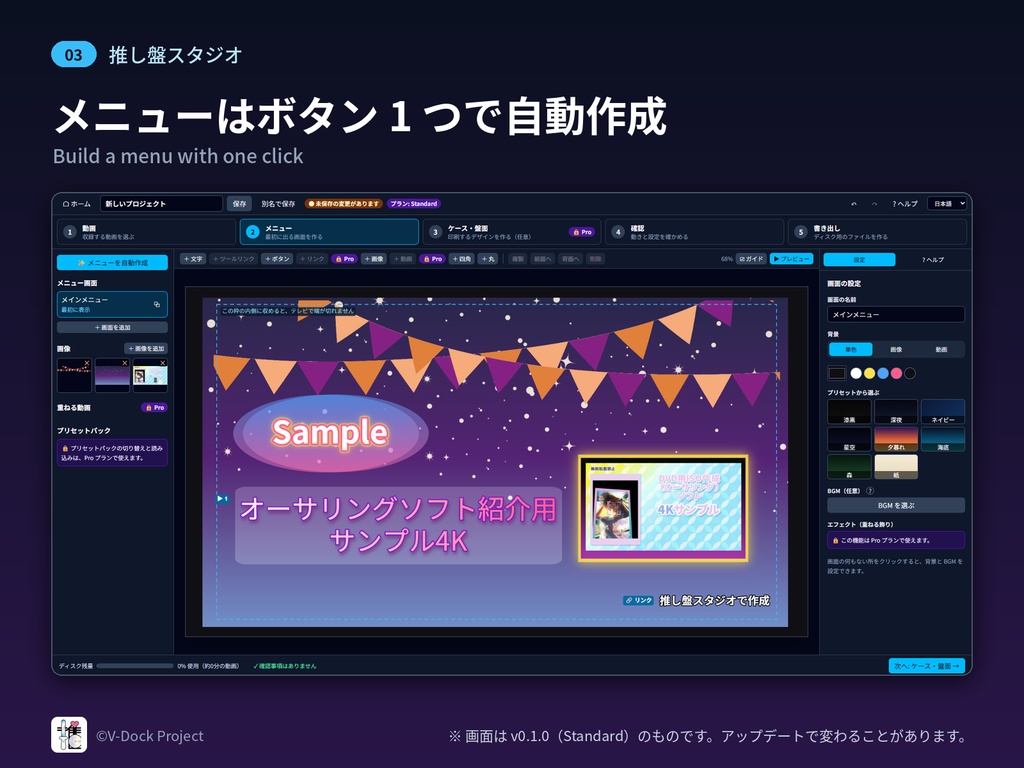
■ 動画を並べるだけで、メニューを自動作成 MP4・MOV・MKV などを入れてボタンを押すと、「すべて再生」や動画ごとのボタンが並んだメニューができます。 ■ メニューを自由にデザイン 文字・画像・図形・ボタンを置くだけ。背景は単色・画像・動画・GIF。BGM、推しカラー、影・光・グラデーションなどの効果、動く GIF も使えます。画像の背景色を抜くクロマキーにも対応。プレビューではリモコン操作まで確かめられます。 ■ 動画の編集 ・チャプター(頭出し位置)とチャプター選択画面の自動作成 ・前後のカット、音量の自動調整 ・好きなコマを画像に、動画から GIF アニメを作成(ダイジェスト GIF も) ・字幕(SRT・VTT・ASS。Pro 以上)。タイミングのずれも画面で確認して修正できます ・画像を並べたスライドショー ■ 2 種類の書き出し ・DVD プレーヤー用:家庭の DVD プレーヤーで再生できるディスク ・パソコン用:高画質のままブラウザで開くメニュー。USB メモリでも渡せます 容量を超えるときは、画質の自動調整や 2 枚への分割もできます。 ■ ケース・盤面のデザイン(Pro 以上) DVD トール・スリム、BD、CD スリムの寸法を内蔵。印刷用の画像(PNG)で保存できます。Premium では、塗り足し・トンボ付きの実寸 PDF や A4 の PDF でも保存でき、家庭用プリンターでそのまま印刷できます。 ■ 演出(Pro 以上) 最初に流れるオープニング動画、自動で作れるエンドクレジット、メニューに重ねる動く飾り(桜・雪・ハートなど)、メニューの上で動かす動画(グリーンバック・透過動画に対応)、パソコン用メニューのリンク。 ■ そのほか 自動保存、元に戻す・やり直し、着せ替え用のプリセットパック、書き込み後の検証、日本語 / English の切り替え。 ――――――――――――――――――――――――――――――――――
【プランの違い】
◆ Standard 動画の取り込み・編集、メニュー作成、DVD / パソコン用の書き出し。最初のメニューに「推し盤スタジオで作成」の表記が入ります。個人で楽しむためのプランです(作ったディスクの頒布・販売はできません)。 ◆ Pro Standard のすべて+ケース・盤面デザイン(印刷用の画像)、オープニング・エンドクレジット、字幕、動く飾り、メニューに重ねる動画、リンクと QR コード、プリセットパック、BD 容量でのパソコン用書き出し。ケース裏に小さな QR コードの表記が入ります(メニューの表記は記載推奨)。作ったディスクの頒布・販売ができます。 ◆ Premium Pro のすべて+印刷用 PDF(実寸・A4)、プリセットパックの作成・書き出し、4K メニュー。表記はどちらも外せます(記載推奨)。 ※ 現在の価格は先行価格です。正式版で価格を見直す予定です。購入済みの方は、正式版以降の更新版も追加料金なしでダウンロードできます。 ※ プランごとにインストーラーが分かれています。ご購入のプランのものを入れてください。 ※ まず Standard で動作を確かめてからのご購入をおすすめします。作ったプロジェクトは上位プランでそのまま開けます。 ――――――――――――――――――――――――――――――――――
【動作環境】
・Windows 10 / 11(64 ビット) ・メモリ 8GB 以上推奨、空き容量:アプリ約 500MB+作業用に動画の 2~3 倍 ・DVD にするには、書き込みできるドライブが必要です(Windows 標準の書き込みで OK) ・macOS・スマートフォンには対応していません ――――――――――――――――――――――――――――――――――
【内容物】
プランごとに zip ファイルが 1 つ(中身はインストーラー)です。 インストールの手順は「はじめにお読みください」をご覧ください。 ――――――――――――――――――――――――――――――――――
【はじめて起動するとき】
個人制作のソフトのため、「Windows によって PC が保護されました」と表示されることがあります。 「詳細情報」→「実行」で進めてください。操作説明の動画は現在準備中です。 ――――――――――――――――――――――――――――――――――
【ご注意】
・使えるのは、ご自身が権利を持つ動画、または権利者が利用を認めている動画です。公式の映像・配信の二次利用は、各権利者のガイドラインに従ってください。 ・市販の DVD やブルーレイを読み込む機能はありません。 ・すべての DVD プレーヤー・ディスクでの再生を保証するものではありません。頒布前に、実際に使うプレーヤーで確かめてください。 ・デジタル商品のため、購入後の返品・返金はできません。無料の Standard で、ご利用の環境で動くかを先にお試しください。 ・利用規約はアプリのホーム画面から確認できます。 ・動画の変換には FFmpeg、DVD の作成には dvdauthor などのオープンソースソフトウェアを使っています。ライセンスとソースコードの入手先は、アプリの「クレジット」に載せています。 ――――――――――――――――――――――――――――――――――
【制作について】
・ロゴ・アイコン・商品ページの画像は、イラストレーターの烏賊野カラさん(X:@Kara_Ikano)に描いていただきました。 ・プログラムの作成には、AI(Gemini 3.1 Pro、Claude Opus 5.5)も使用しています。 ――――――――――――――――――――――――――――――――――
【よくある質問】
Q. パソコンに詳しくなくても使えますか? A. 「動画 → メニュー → ケース → 確認 → 書き出し」の順に画面が並んでいて、各画面にやることの案内があります。 Q. 何分くらい入りますか? A. 1 層の DVD-R で、標準画質なら約 2 時間、長時間画質なら約 3 時間が目安です。画面下の「ディスク残量」で収まるかを確かめられます。 Q. ブルーレイのプレーヤー用ディスクは作れますか? A. 現在は DVD プレーヤー用とパソコン用です。BD 容量でのパソコン用書き出しには対応しています(Pro 以上)。 Q. 更新はありますか? A. 更新版は同じ商品ページから、購入済みの方は無料でダウンロードできます。 そのほかの質問と困ったときの対処は「はじめにお読みください」にまとめています。 ――――――――――――――――――――――――――――――――――
【今後の更新について】
Pro・Premium は、機能の追加と不具合の修正を続けていきます。 ■ 次の更新(Premium) ・音楽 CD の作成 - CD プレーヤーとパソコンの両方で使えるディスク - 曲名の表示(CD-TEXT) - 曲間なしの収録 - CD のジャケット・盤面のデザインと印刷 ■ その後の更新 ・Pro から Premium への乗り換え ・同じディスクを続けて書き込む機能 ・副音声・多言語字幕 ・チャプターの自動作成 ・盤面に直接印刷できるプリンター向けのデザイン ・音声からの字幕の自動作成 ※対象のプランは機能ごとに異なります。 ――――――――――――――――――――――――――――――――――
【お問い合わせ】
・Booth のメッセージ(ショップページの「ショップへのお問い合わせ」) ・X(@VDock_Official)https://x.com/VDock_Official(お知らせ・更新情報もこちら) 不具合のご報告では、どの操作をしたときに何が起きたかをお書きください。 ――――――――――――――――――――――――――――――――――
【アップデート履歴】
2026-11-27: v0.1.0 公開 ◆◇◆◇◆◇◆◇◆◇◆◇◆◇◆◇◆◇◆◇◆◇◆◇◆◇◆◇◆◇◆◇◆◇
English
Turn your favorite videos into a disc with a menu. OshiBan Studio is a Windows app that turns your own videos into a DVD with a real menu, or a disc you can watch on any computer — and designs the case and disc label too. Just follow the on-screen steps. The app can be switched between Japanese and English. How to install and use it is in "Read Me First" (Japanese / English). Download it free from "ReadMeFirst" on this page. ――――――――――――――――――――――――――――――――――
[WHO IT'S FOR]
・You want to keep the oshi-katsu videos you shot or made in a physical form ・You want to put event or anniversary videos on one disc with a menu ・You want to distribute your video works on DVD at doujin events (Pro and up) ・You want a finished look, case and all ――――――――――――――――――――――――――――――――――
[WHAT YOU CAN DO]
■ Automatic menus Add MP4 / MOV / MKV files and press one button to get a menu with "Play all" and a button for each video. ■ Design your own menu Text, images, shapes and buttons on a color, image, video or GIF background. Background music, effects such as shadow, glow and gradient, animated GIFs, and chroma key to remove an image's background color. Preview it with an on-screen remote. ■ Video editing ・Chapters, plus an automatic chapter selection screen ・Trim the start and end, even out the loudness ・Save any frame as an image, make GIFs (including a digest GIF) ・Subtitles (SRT / VTT / ASS, Pro and up) — check and fix the timing on screen ・Photo slideshows ■ Two kinds of output ・DVD player: a disc for home DVD players ・Computer: a browser-based menu in full quality; share it on a USB stick Too long for one disc? Lower the quality to fit, or split it across two discs. ■ Case and disc art (Pro and up) Built-in sizes for DVD tall and slim cases, Blu-ray cases and slim CD cases. Save print images (PNG). Premium also saves print-ready PDFs (actual size with bleed and crop marks, or A4). ■ Extras (Pro and up) Opening video, automatic end credits, animated overlays (sakura, snow, hearts...), videos playing on the menu (green screen and transparent videos), and web links in the computer menu. ――――――――――――――――――――――――――――――――――
[PLANS]
◆ Standard Import and edit videos, make menus, export for DVD and computer. The first menu shows "Made with OshiBan Studio". For personal use — discs made with it may not be distributed or sold. ◆ Pro Everything in Standard, plus case and disc art (print images), opening video and end credits, subtitles, animated overlays, videos on the menu, links and QR codes, preset packs and Blu-ray-size output for computers. A small QR credit goes on the back of the case (the menu credit is recommended but optional). You may distribute and sell your discs. ◆ Premium Everything in Pro, plus print-ready PDFs (actual size / A4), creating and sharing preset packs, and 4K menus. Both credits are optional (but appreciated). ※ Current prices are early-access prices and will be reviewed for the full release. If you buy now, later updates, including the full release, are free to download. ※ Each plan has its own installer. Please install the one you bought. ※ Try Standard first. Projects open as they are in higher plans. ――――――――――――――――――――――――――――――――――
[REQUIREMENTS]
・Windows 10 / 11 (64-bit) ・8 GB RAM recommended; about 500 MB for the app, plus 2–3 times the size of your videos while exporting ・A drive that can write discs to make a DVD (Windows' built-in burner is fine) ・Not available for macOS or smartphones ――――――――――――――――――――――――――――――――――
[WHAT'S INCLUDED]
One zip file per plan, containing the installer. ――――――――――――――――――――――――――――――――――
[FIRST LAUNCH]
Windows may show "Windows protected your PC" because this is an independently made app. Click "More info", then "Run anyway". Video guides are in preparation. ――――――――――――――――――――――――――――――――――
[PLEASE NOTE]
・Use only videos you own the rights to, or that the rights holder allows you to use. ・The app cannot read commercial DVDs or Blu-ray discs. ・Playback is not guaranteed on every DVD player or disc. Test on the players you plan to use before handing discs out. ・Digital product: no returns or refunds after purchase. Please try the free Standard plan first. ・DVDs are made in NTSC (Japan / North America) or PAL (Europe and others). Choose the one your players use in the settings. ・Uses open-source software such as FFmpeg and dvdauthor. Licenses and source code links are listed under "Credits" in the app. ――――――――――――――――――――――――――――――――――
[CREDITS]
・The logo, icon and product images are by illustrator 烏賊野カラ (X: @Kara_Ikano). ・AI (Gemini 3.1 Pro, Claude Opus 5.5) was also used in writing the code. ――――――――――――――――――――――――――――――――――
[FUTURE UPDATES]
We will keep adding features and fixing bugs in Pro and Premium. ■ Next update (Premium) - Music CD creation - Discs that play on both CD players and PCs - Track titles (CD-TEXT) - Gapless recording - CD jacket and disc label design and printing ■ Later updates - Upgrading from Pro to Premium - Writing the same disc multiple times in a row - Secondary audio tracks and multilingual subtitles - Automatic chapter creation - Designs for printers that can print directly on discs - Automatic subtitles generated from audio * Which plans receive each feature differs by feature. ――――――――――――――――――――――――――――――――――
[SUPPORT]
・Booth message ("Contact the shop" on the shop page) ・X (@VDock_Official) https://x.com/VDock_Official (news and updates too) Replies are in Japanese or simple English. ――――――――――――――――――――――――――――――――――
[UPDATE HISTORY]
2026-11-27: v0.1.0 released