

【無料】裂環|武器12点と連動する追従ドローン【VRChat PC】 / Rift Halo
- ダウンロード商品¥ 0
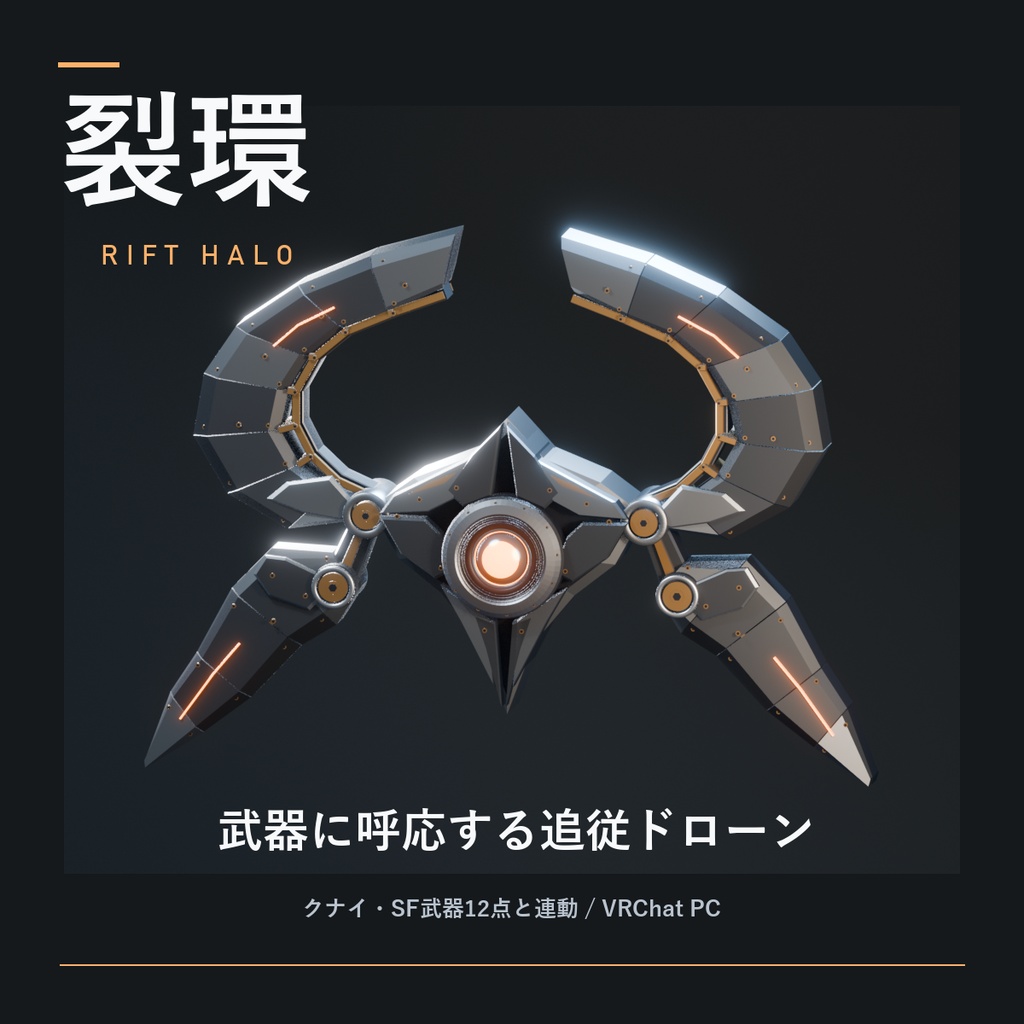
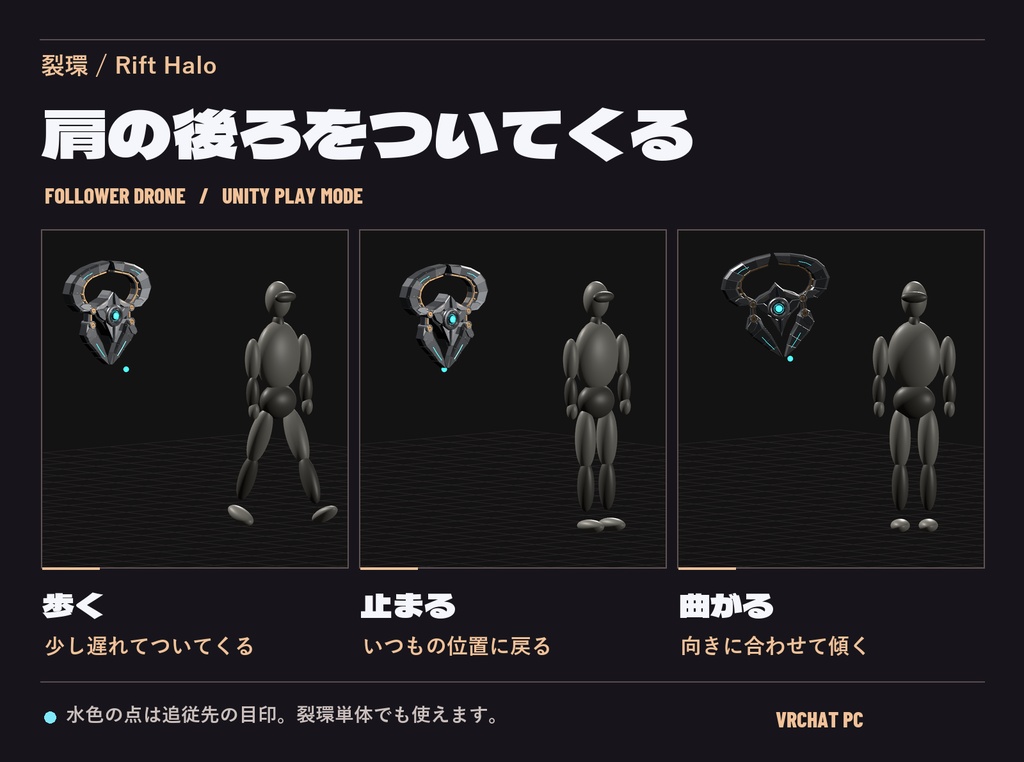
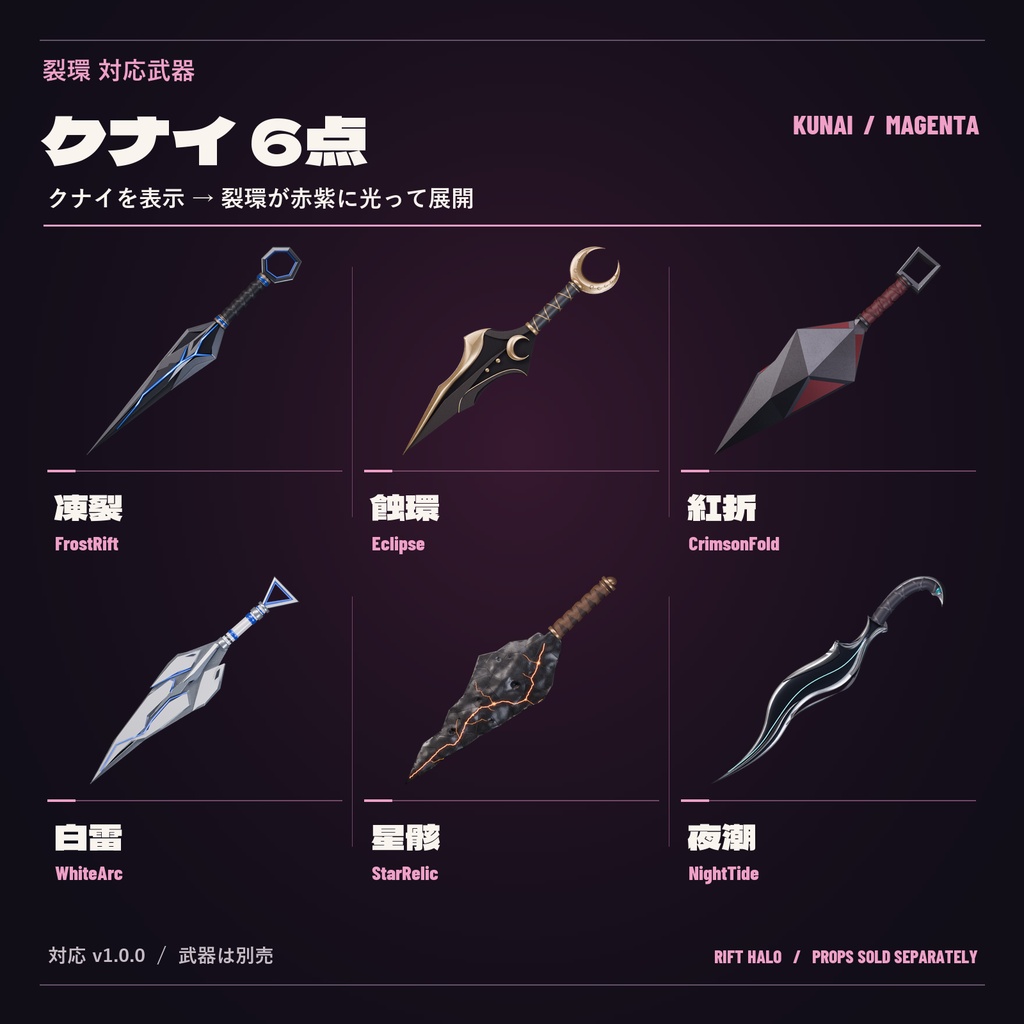
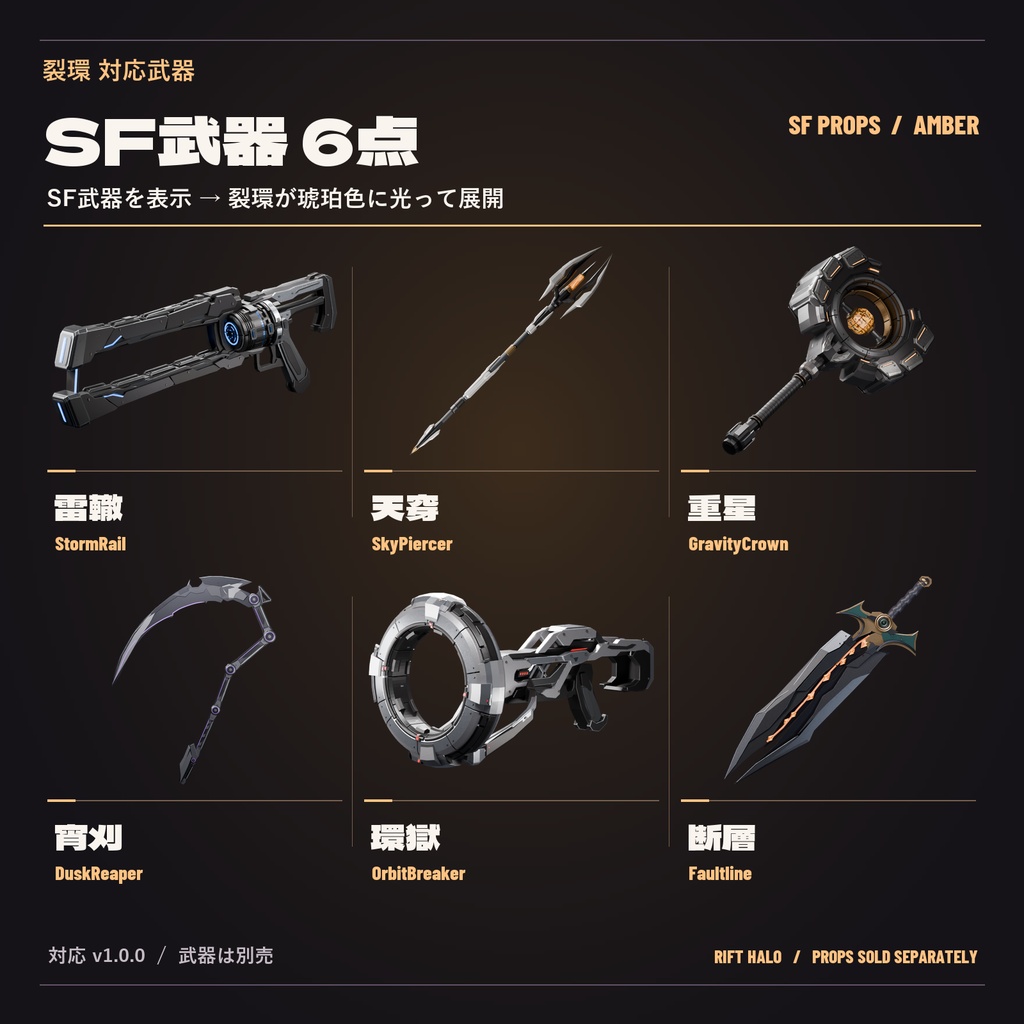
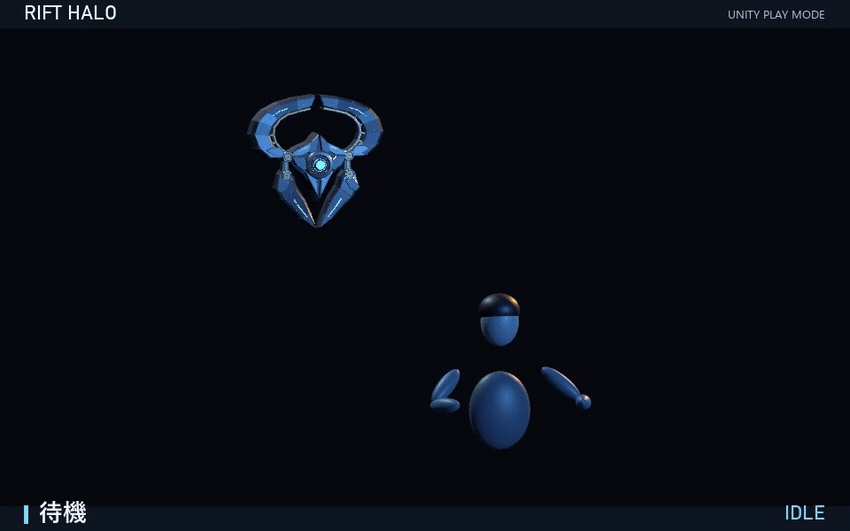
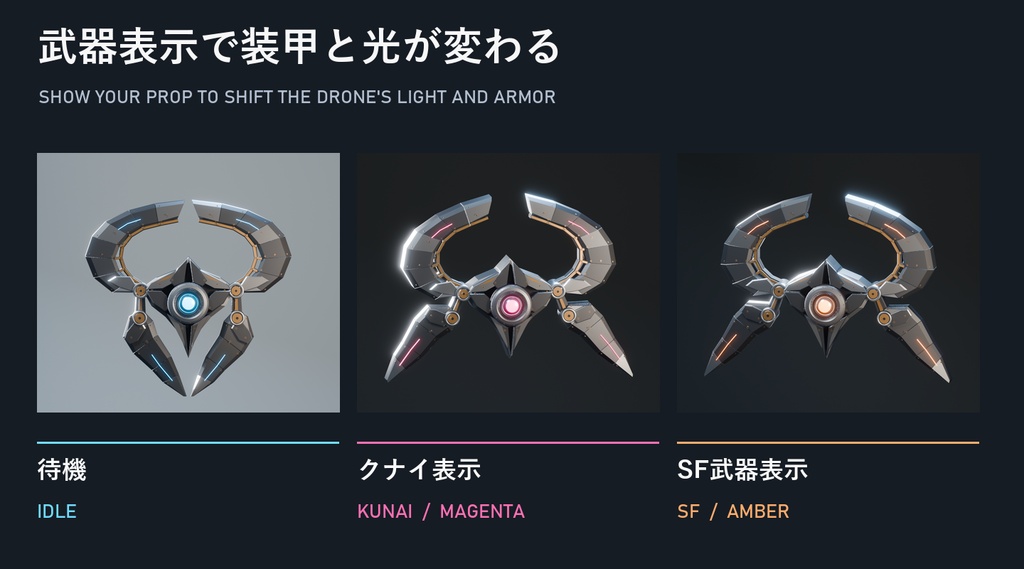
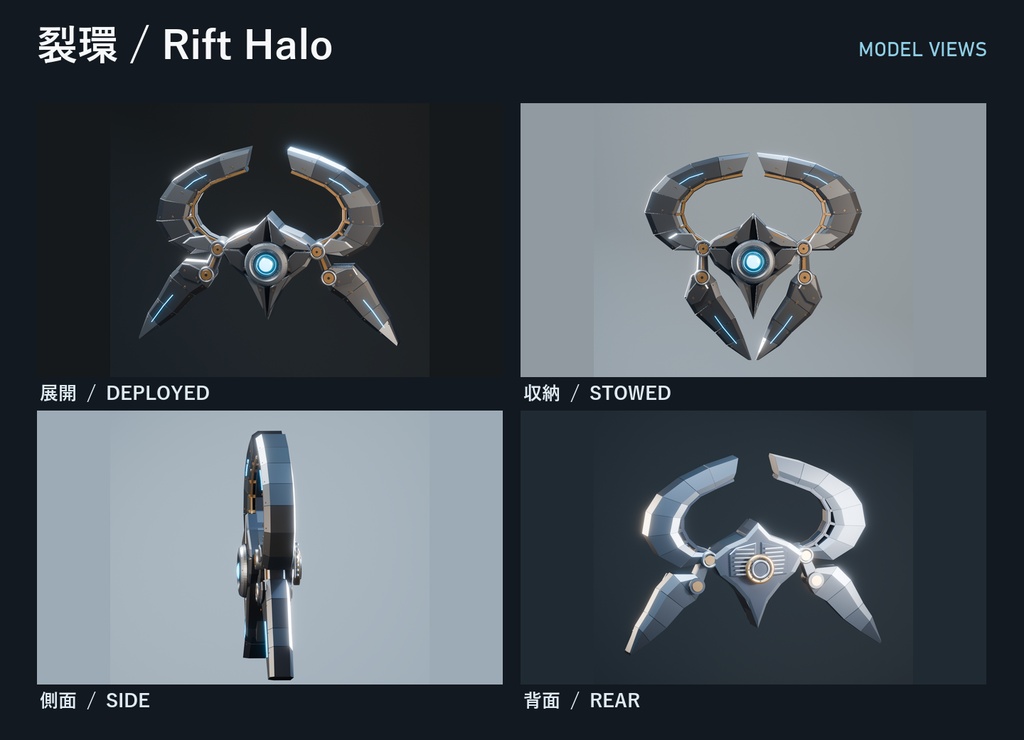
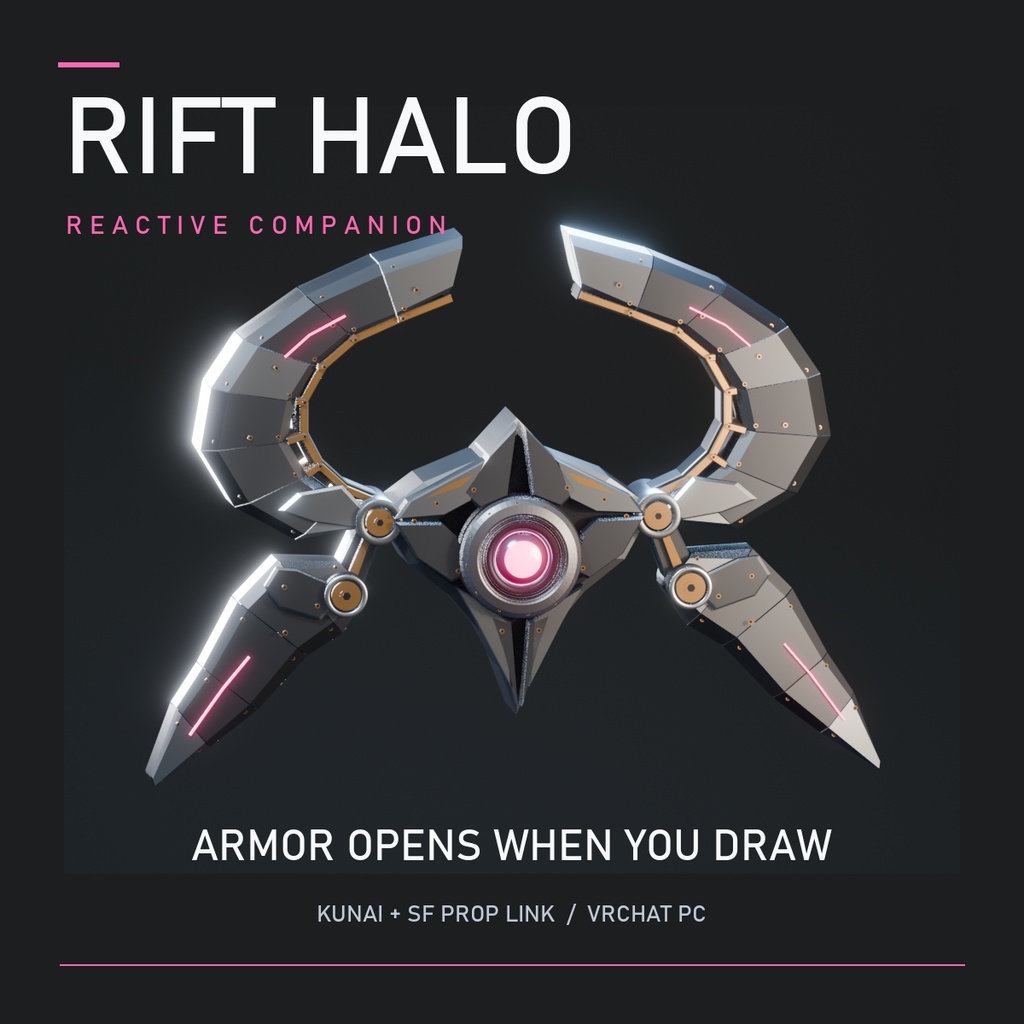


裂環本体は無料(0円)でダウンロードできます。対応武器は別売です。 肩の後ろを、少し遅れてついてくる。 裂環(Rift Halo)は、黒鋼と真鍮の装甲を持つPC版VRChatアバター用追従ドローンです。展開時約75cm。肩の後ろに浮き、歩くと少し遅れてついてきます。止まると定位置に戻り、旋回では軽く機体を傾けます。商品画像2枚目に、Unityで撮影した歩行・停止・旋回を並べました。 【装備に応じて変わる発光】 待機は氷青。武器を表示すると左右の装甲が開き、光の弧が回ります。クナイとSF武器を同時に出した場合は琥珀が優先されます。裂環だけでも追従・表示切替・手動展開が使えます。 【対応武器12点・別売】 商品画像3枚目がクナイ、4枚目がSF武器の実モデル一覧です。5枚目のGIFでは紅折・重星との連動を見られます。以下の各v1.0.0単品と、六景セットに入っている同版Prefabに対応します。 ◆ クナイ6点 | 裂環が赤紫に光って展開 凍裂 / FrostRift https://bosutakorika.booth.pm/items/9176351 蝕環 / Eclipse https://bosutakorika.booth.pm/items/9176128 紅折 / CrimsonFold https://bosutakorika.booth.pm/items/9175831 白雷 / WhiteArc https://bosutakorika.booth.pm/items/9176354 星骸 / StarRelic https://bosutakorika.booth.pm/items/9176328 夜潮 / NightTide https://bosutakorika.booth.pm/items/9176352 セット版:クナイ六景 https://bosutakorika.booth.pm/items/9176344 ◆ SF武器6点 | 裂環が琥珀色に光って展開 雷轍 / StormRail https://bosutakorika.booth.pm/items/9176383 天穿 / SkyPiercer https://bosutakorika.booth.pm/items/9176385 重星 / GravityCrown https://bosutakorika.booth.pm/items/9176361 宵刈 / DuskReaper https://bosutakorika.booth.pm/items/9176393 環獄 / OrbitBreaker https://bosutakorika.booth.pm/items/9176364 断層 / Faultline https://bosutakorika.booth.pm/items/9176397 セット版:SF武器六景 https://bosutakorika.booth.pm/items/9176381 【導入 3ステップ】 1. VCCのPCアバタープロジェクト(Unity 2022.3.22f1)にVRChat SDKとModular Avatarを用意し、付属のunitypackageをインポート。 2. PrefabsのRiftHaloをアバタールート直下に配置し、InspectorのTransformで位置・大きさを調整。 3. アクションメニューの「裂環 / Rift Halo」で切替。対応武器も同じアバターに入れ、その武器の既存の表示スイッチをONにすると連動します。 【同梱・利用条件】 0円のZIPにUnityパッケージ、Blender、FBX、日英のガイド・利用条件、実モデル画像と7秒の連動動画を収録。個人・商用利用と改変可。素材の再配布・転売は不可。原画に生成画像を使用し、掲載画像ではBlenderで制作した実モデルをレンダーしています。 Unityで12点の連動と単体動作を確認し、紅折・重星を導入した代表構成でSDKのローカルビルドを確認しました。VRChat実ゲーム・他者視点・同期・Quest/Androidは未確認です。 —— ENGLISH —— Free download (¥0). Compatible weapons are sold separately. Rift Halo is a 75 cm articulated follower drone for PC VRChat avatars. It drifts behind your shoulder. Show a supported kunai to deploy magenta armor lights, or an SF prop to deploy amber lights and orbiting arcs. Amber takes priority if both groups are shown. Standalone follow and manual deployment are included. 1. Add Modular Avatar to your VCC avatar project and import the included Unity package. 2. Drag RiftHalo from Prefabs onto the avatar root. Set position and uniform scale in the Inspector. 3. Open the Rift Halo menu. To link a supported prop, install it on the same avatar and use its existing Show toggle. Includes the Unity package, Blender, FBX, a bilingual guide and license, images and a 7-second demo. Gallery image 2 shows the drone following a test avatar as it walks, stops, and turns. Images 3 and 4 show the compatible kunai and SF props. Image 5 demonstrates CrimsonFold and GravityCrown. All weapons are sold separately. Personal/commercial use and modifications are permitted under the included license. Tested in Unity and with a local VRChat SDK build. In-client behavior, remote views, networking and Quest/Android are unverified.