

【VRChat】Seat Slide|椅子の位置を3段階で調整
- ダウンロード商品¥ 300


Seat Slide | HEZ STUDIO v0.1.0 · ¥300
【日本語】
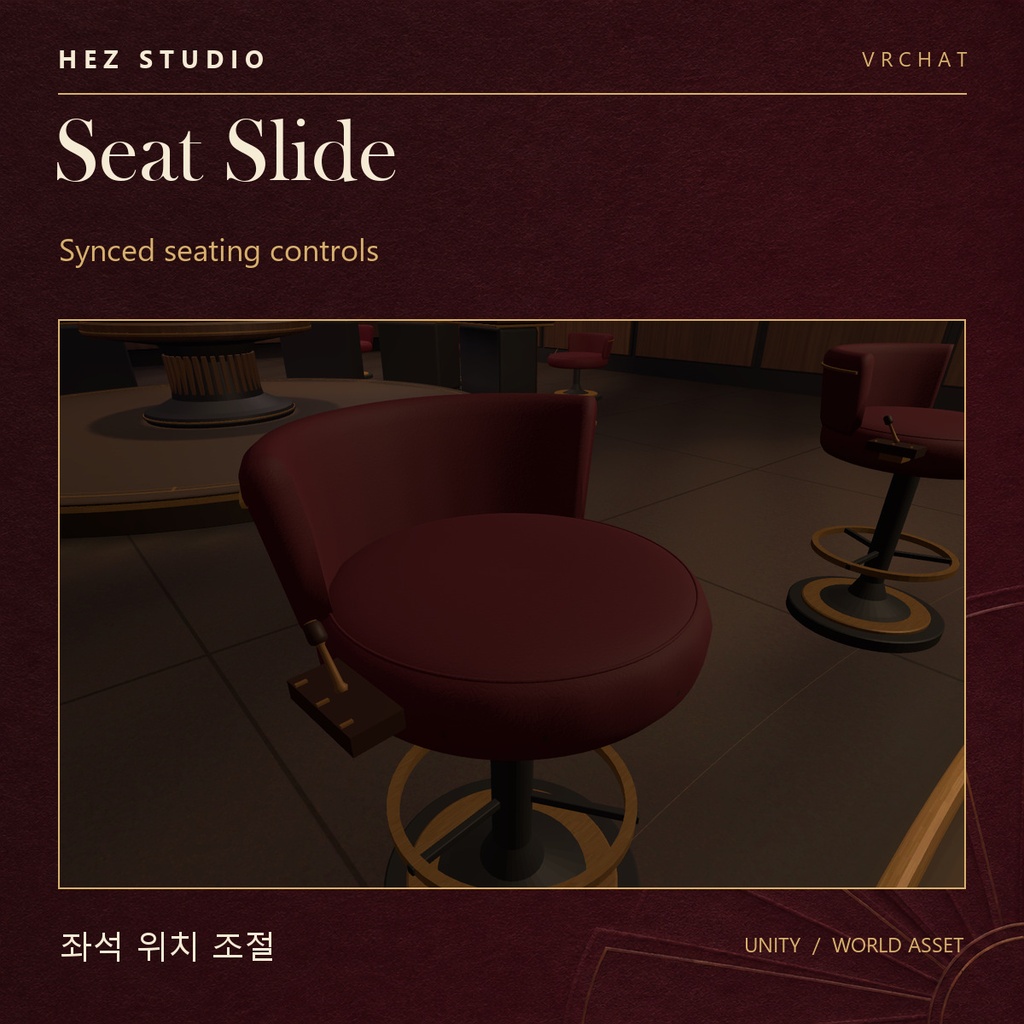
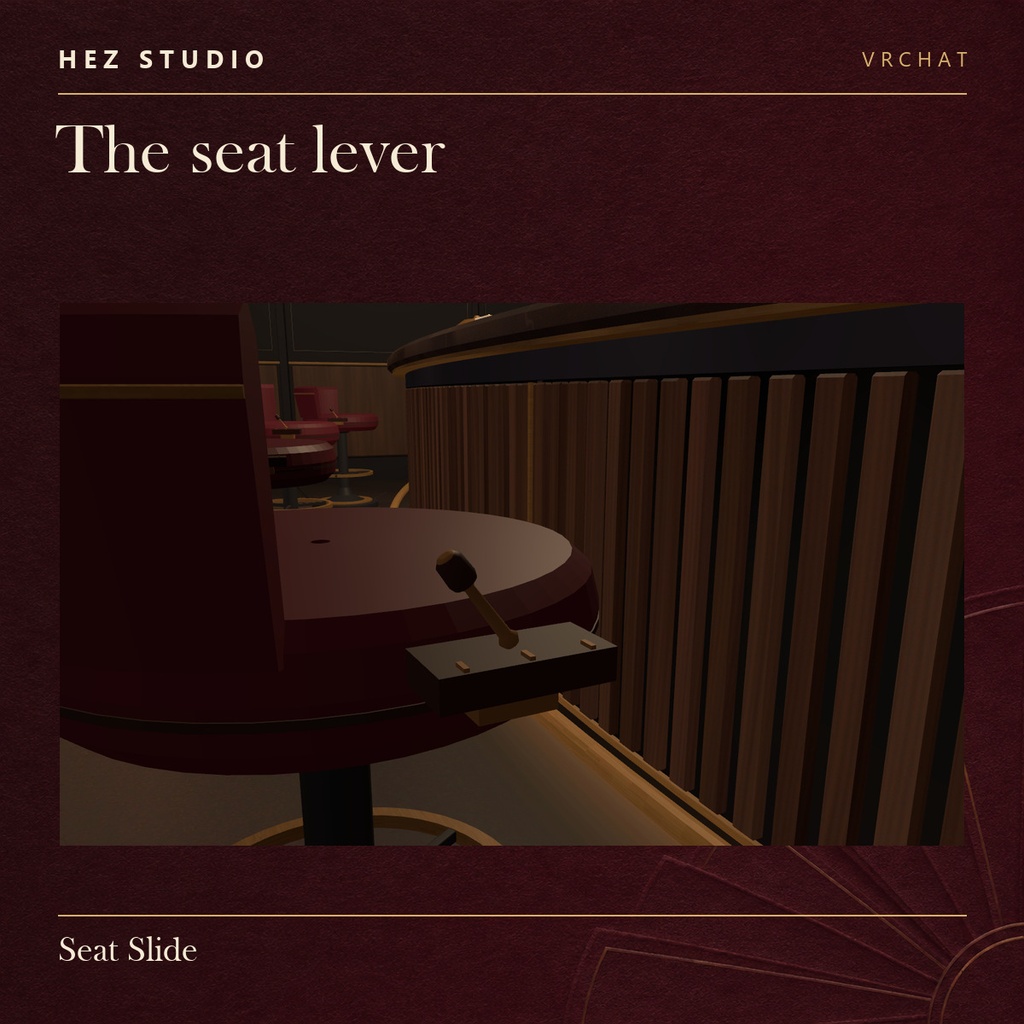
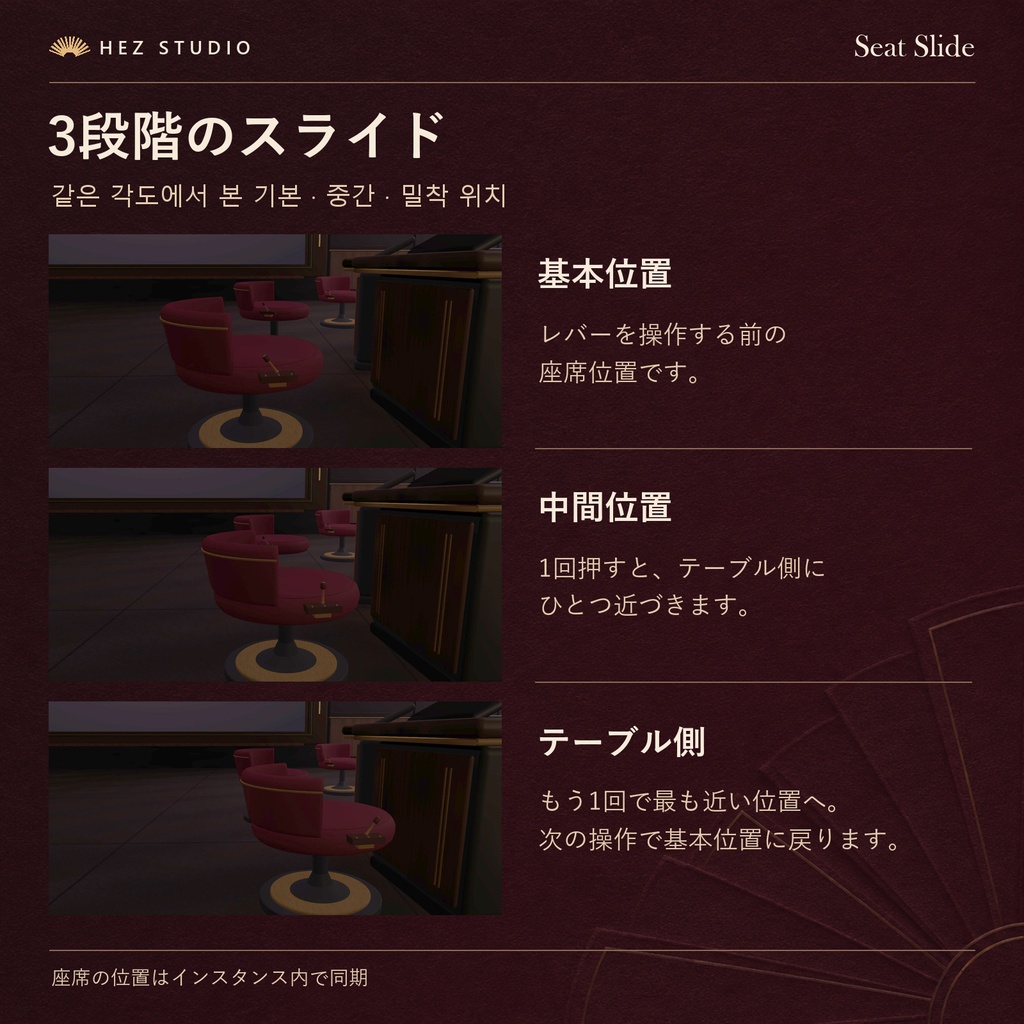
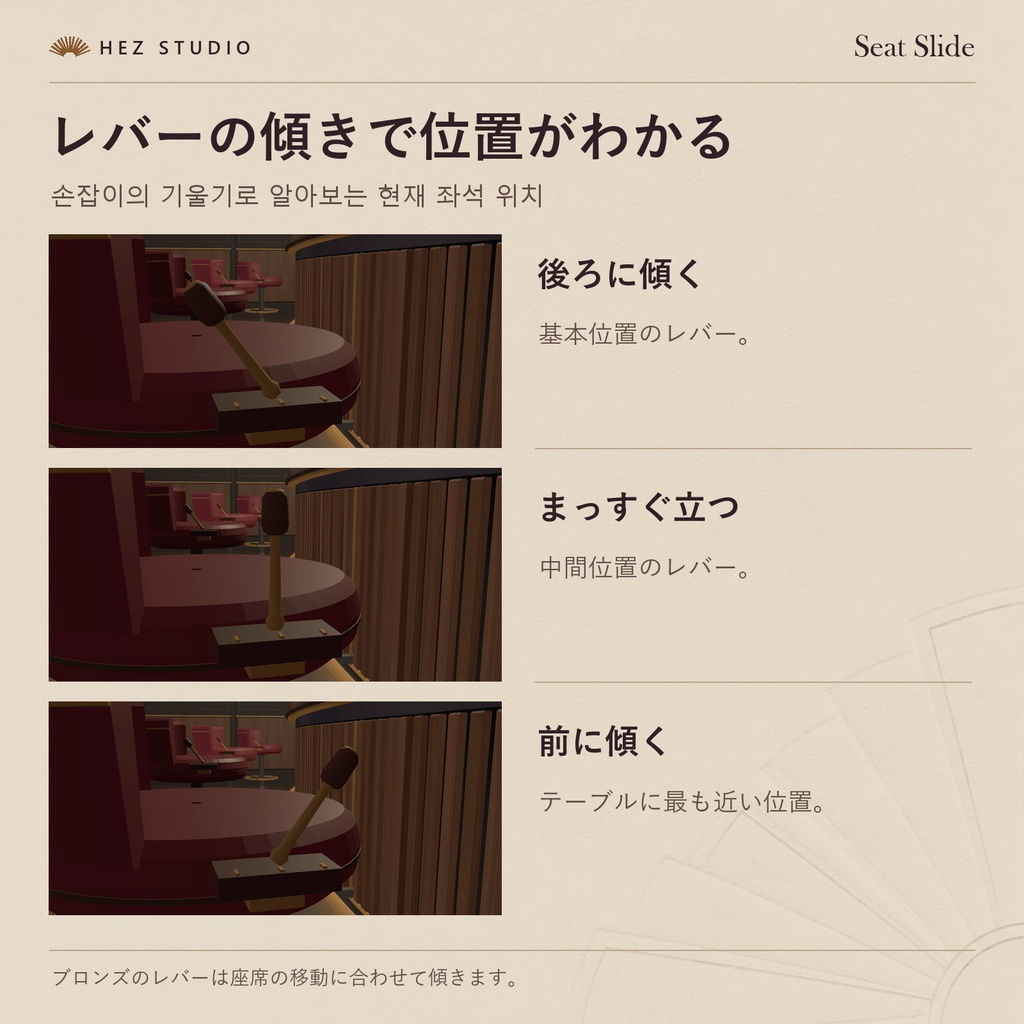
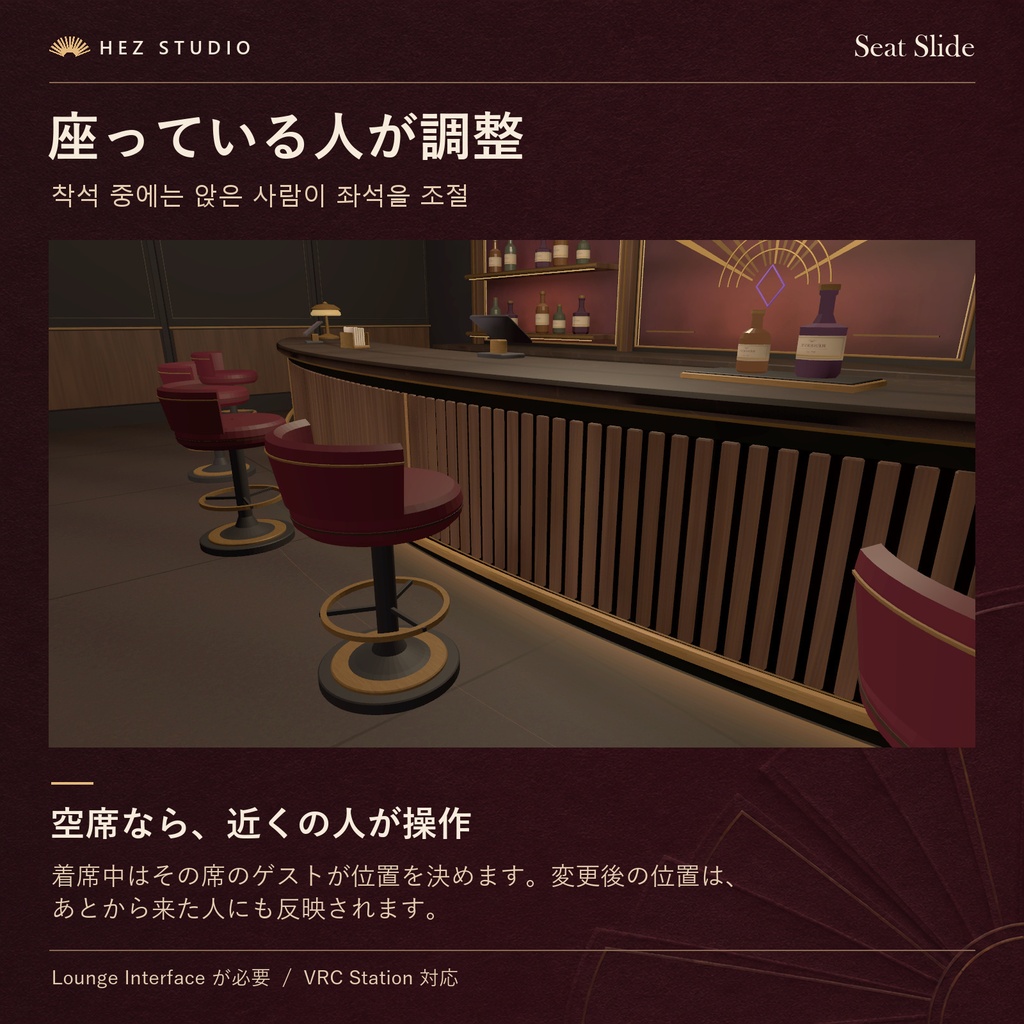
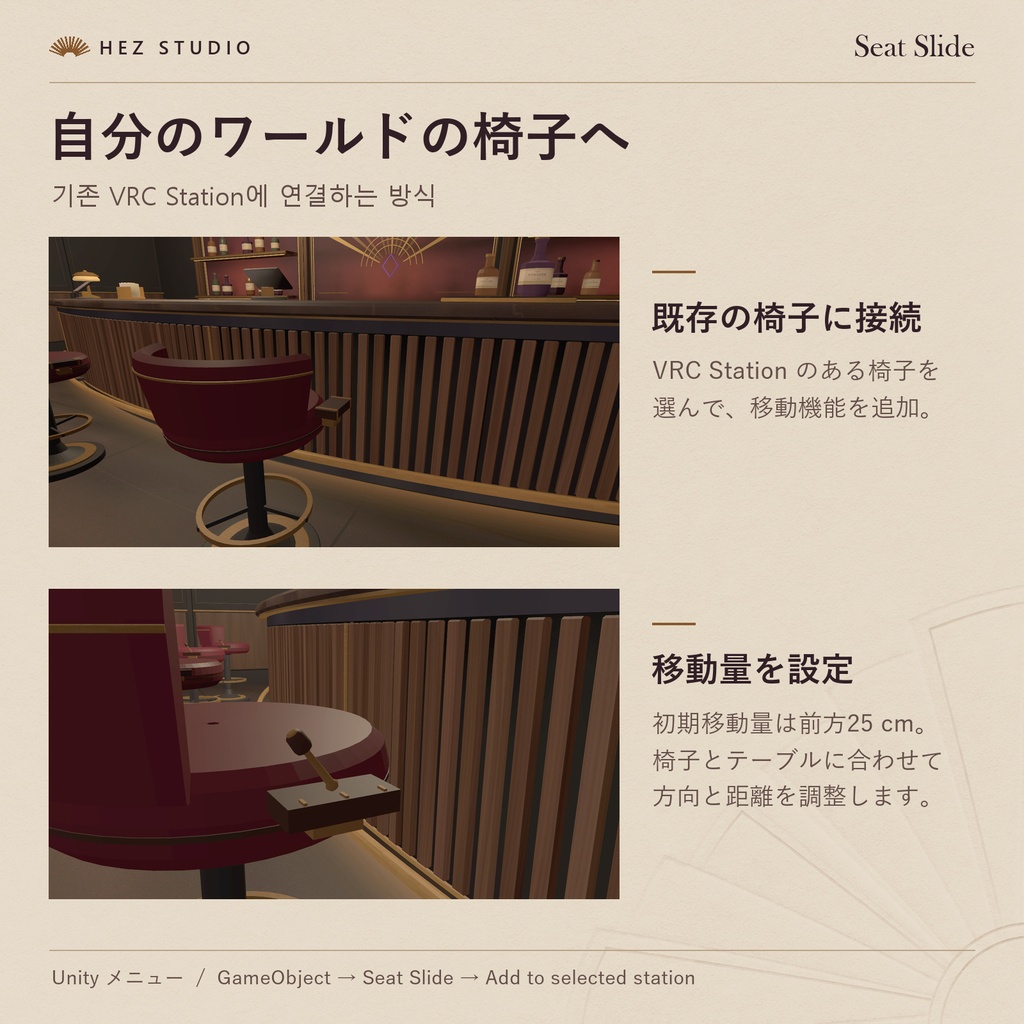
「もう少しだけ、テーブルに近づきたい。」 VRChatワールドの既存の椅子に後付けできる、3段階の座席位置調整ギミックです。 椅子の横にある小さなブロンズのレバーを操作するだけで、座席を「元の位置・中間・テーブル寄り」の3段階に切り替えられます。 レバーの傾きも椅子の位置に連動するため、現在の位置を見た目でも確認できます。 バーのカウンター席やカフェのテーブル席、ラウンジなど、座席とテーブルの距離を調整したいワールドにおすすめです。 ■ ご購入前に 本商品は、既存のVRC Stationに追加できる座席位置調整システムです。 椅子そのものを置き換える必要はなく、既存の座席に取り付けて使用できます。 HEZの有料モジュールは必要ありませんが、無料のLounge Interfaceが必要です。 【必須アセット】 ・Lounge Interface(無料) https://hezdqma.booth.pm/items/9195389 ■ 主な機能 【3段階の座席位置調整】 ・元の位置 ・中間位置 ・テーブル寄りの位置 レバーを操作するたびに、3段階の位置が順番に切り替わります。 【レバー連動】 ・小さなブロンズレバーで操作 ・椅子の位置に合わせてレバーの傾きが変化 ・現在の調整状態を視覚的に確認可能 【着席状態に応じた操作】 ・空席の場合:近くのプレイヤーが操作可能 ・着席中の場合:座っている本人のみ操作可能 ほかのプレイヤーが使用中の椅子を勝手に動かさないように設計されています。 【マルチプレイヤー同期】 ・椅子の位置をプレイヤー間で同期 ・後から入室したプレイヤーにも同じ位置を表示 【椅子ごとの調整設定】 ・設置時の位置を基準に移動 ・移動方向を椅子ごとに設定可能 ・移動距離を椅子ごとに設定可能 ■ 対応する利用シーン ・バーのカウンター席 ・カフェのテーブル席 ・ラウンジのソファ席 ・VRChatの接客イベントワールド ・既存のVRC Stationを使用した座席 テーブルとの距離が気になる座席に、位置調整機能を追加できます。 ■ 導入方法 Lounge Interface(無料)を導入 https://hezdqma.booth.pm/items/9195389 Seat Slideをインポート Unityで既存のVRC Stationを選択 以下のメニューから取り付け GameObject → Seat Slide → Add to selected station 椅子ごとに移動方向と距離を設定 設置時の位置を基準として、3段階の移動を設定できます。 詳しい導入手順は付属のSTART-HERE.txtをご確認ください。 ■ 完成ワールドについて Seat Slideを含む、バー・ドリンク注文・ルーレットなどのシステムをまとめて導入したい方には、フルセットをご用意しています。 Salon HEZ Casino Lounge Full https://hezdqma.booth.pm/items/9195383 ワールド本体と全7モジュール、接続済みの完成シーンを収録しています。
【한국어】
"테이블에 조금만 더 가까이 앉고 싶을 때." VRChat 월드의 기존 의자에 추가로 설치할 수 있는 3단계 좌석 위치 조절 기믹입니다. 의자 옆에 있는 작은 브론즈 레버를 조작하면 좌석 위치가 '기본 위치 → 중간 위치 → 테이블 가까이'의 3단계로 전환됩니다. 레버의 기울기도 의자 위치에 맞춰 변경되므로 현재 조절 상태를 시각적으로 확인할 수 있습니다. 바 카운터, 카페 테이블, 라운지 등 좌석과 테이블 사이의 거리를 조절하고 싶은 VRChat 월드에 적합합니다. ■ 구매 전 확인 사항 본 상품은 기존 VRC Station에 추가할 수 있는 좌석 위치 조절 시스템입니다. 기존 의자를 교체하지 않고도 위치 조절 기능을 추가할 수 있습니다. 다른 HEZ 유료 모듈은 필요하지 않지만, 무료 Lounge Interface가 필요합니다. 【필수 에셋】 ・Lounge Interface (무료) https://hezdqma.booth.pm/items/9195389 ■ 주요 기능 【3단계 좌석 위치 조절】 ・기본 위치 ・중간 위치 ・테이블 가까이 위치 레버를 조작할 때마다 세 위치가 순서대로 전환됩니다. 【레버 연동】 ・작은 브론즈 레버를 통한 조작 ・의자 위치에 따라 레버 기울기 변경 ・현재 조절 상태를 시각적으로 확인 가능 【착석 상태에 따른 조작 권한】 ・빈 좌석: 근처의 다른 사용자가 조작 가능 ・착석 중: 해당 좌석에 앉은 사용자만 조작 가능 다른 사용자가 앉아 있는 의자를 임의로 움직이지 않도록 설계했습니다. 【멀티플레이어 동기화】 ・의자 위치를 사용자 간 동기화 ・나중에 입장한 사용자에게도 동일한 위치 표시 【좌석별 설정】 ・설치 시 위치를 기준으로 이동 ・의자마다 이동 방향 설정 가능 ・의자마다 이동 거리 설정 가능 ■ 추천 활용 공간 ・VRChat 바 카운터 ・카페 테이블 좌석 ・라운지 소파석 ・VRChat 접객 이벤트 월드 ・기존 VRC Station이 설치된 좌석 테이블과의 거리가 불편한 좌석에 위치 조절 기능을 추가할 수 있습니다. ■ 설치 방법 Lounge Interface(무료) 설치 https://hezdqma.booth.pm/items/9195389 Seat Slide 임포트 Unity에서 기존 VRC Station 선택 다음 메뉴를 이용해 설치 GameObject → Seat Slide → Add to selected station 좌석별 이동 방향 및 거리 설정 설치 당시 위치를 기준으로 3단계 이동을 설정할 수 있습니다. 자세한 설치 방법은 동봉된 START-HERE.txt를 참고해 주세요. ■ 완성형 월드 패키지 Seat Slide를 포함한 바, 음료 주문, 룰렛 등의 기능을 한 번에 설치하고 싶다면 다음 상품을 확인해 주세요. Salon HEZ Casino Lounge Full https://hezdqma.booth.pm/items/9195383 월드 본체와 모듈 7종, 연결 완료된 씬을 포함하고 있습니다.
【English】
"Just a little closer to the table." A three-position seat adjustment gimmick that can be added to existing chairs in VRChat worlds. Use the small bronze lever beside a chair to cycle between three positions: original, halfway in, and closer to the table. The lever tilts along with the chair's position, making the current adjustment easy to see. Ideal for bar counters, café seating, lounges, and VRChat worlds where guests may want to adjust the distance between their seats and the table. ■ Before Purchasing Seat Slide is a seat adjustment system designed to work with existing VRC Stations. It can be added to an existing chair without replacing the entire seat. No other paid HEZ modules are required, but the free Lounge Interface is necessary. 【Required Asset】 ・Lounge Interface (Free) https://hezdqma.booth.pm/items/9195389 ■ Main Features 【Three Seat Positions】 ・Original position ・Intermediate position ・Closer to the table Each lever interaction cycles to the next position. 【Interactive Lever】 ・Adjust the seat using a small bronze lever ・Lever angle changes with the chair position ・Visual indication of the current adjustment 【Seat Occupancy Controls】 ・Empty seat: nearby players can adjust its position ・Occupied seat: only the seated player can adjust it This prevents other players from freely adjusting an occupied seat. 【Multiplayer Synchronization】 ・Seat positions are synchronized between players ・Late joiners see the same adjusted positions 【Per-Seat Configuration】 ・Movement is relative to the original placement ・Configure the movement direction for each chair ・Configure the movement distance for each chair ■ Recommended Uses ・VRChat bar counter seating ・Café tables and chairs ・Lounge sofa seating ・Hospitality and roleplay event worlds ・Existing seating using VRC Stations Add adjustable seating to areas where the distance between a chair and its table needs improvement. ■ Installation Import Lounge Interface (Free) https://hezdqma.booth.pm/items/9195389 Import Seat Slide Select an existing VRC Station in Unity Use the following menu: GameObject → Seat Slide → Add to selected station Configure the movement direction and distance for each seat The three positions are calculated relative to the seat's original placement. See the included START-HERE.txt for detailed installation instructions. ■ Complete World Package For creators who want a complete VRChat bar world with Seat Slide, drink ordering, roulette, and other integrated features: Salon HEZ Casino Lounge Full https://hezdqma.booth.pm/items/9195383 Includes the world base, all seven modules, and a fully connected scene.
-
━━━━━━━━━━━━━━━━━━━━ 動作確認環境 / 검증 환경 / Tested With ━━━━━━━━━━━━━━━━━━━━ Windows PC Unity 2022.3.22f1 VRChat Worlds SDK 3.10.6 (UdonSharp) ━━━━━━━━━━━━━━━━━━━━ 配布形式 / 배포 형식 / Download ━━━━━━━━━━━━━━━━━━━━ ZIP · .unitypackage START-HERE.txt (日本語 / 한국어 / English) ━━━━━━━━━━━━━━━━━━━━ 公開体験ワールド / 공개 체험 월드 / Public Demo World ━━━━━━━━━━━━━━━━━━━━ HEZ STUDIO Showroom