

【Milltina対応】膨腹ギミック「ふくらむおなか」|からだ変化シリーズ 第1弾
- 通常版ダウンロード商品¥ 600
- 応援版ダウンロード商品¥ 1,200
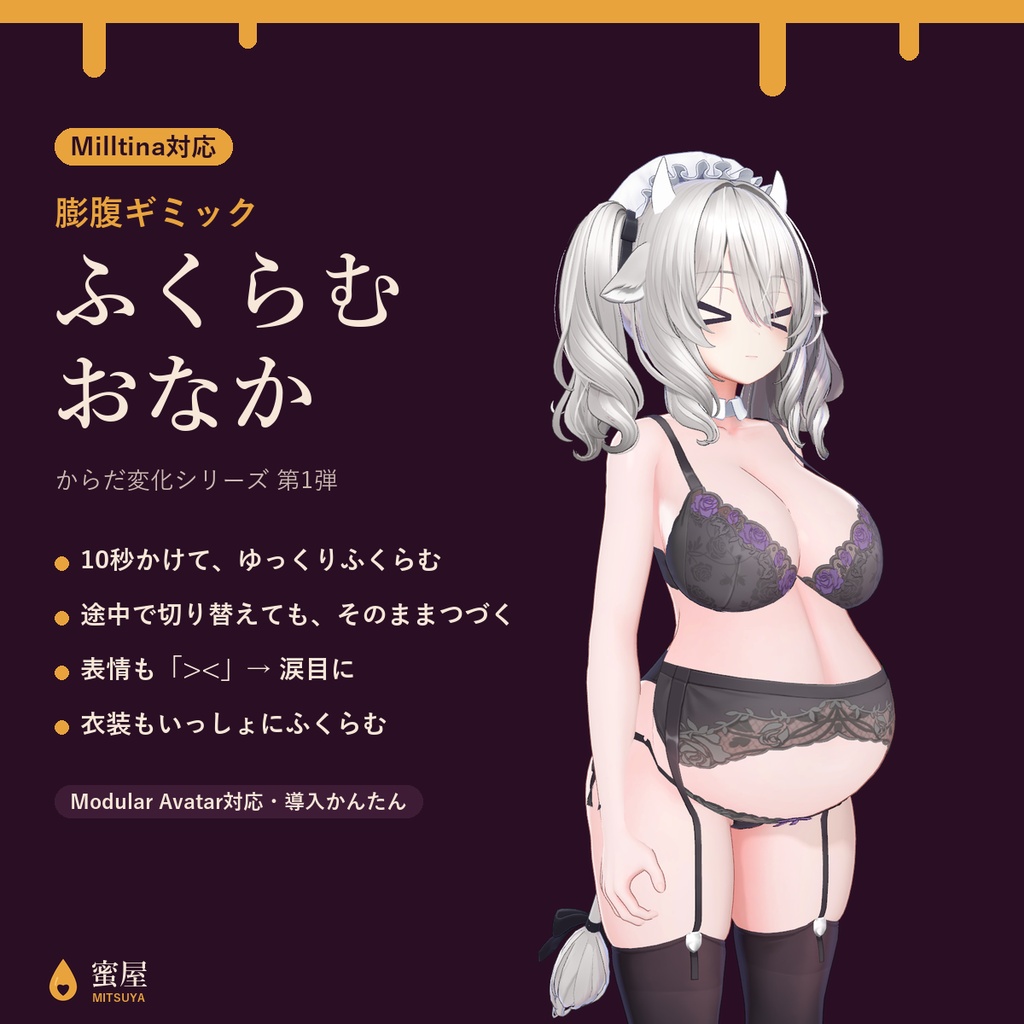
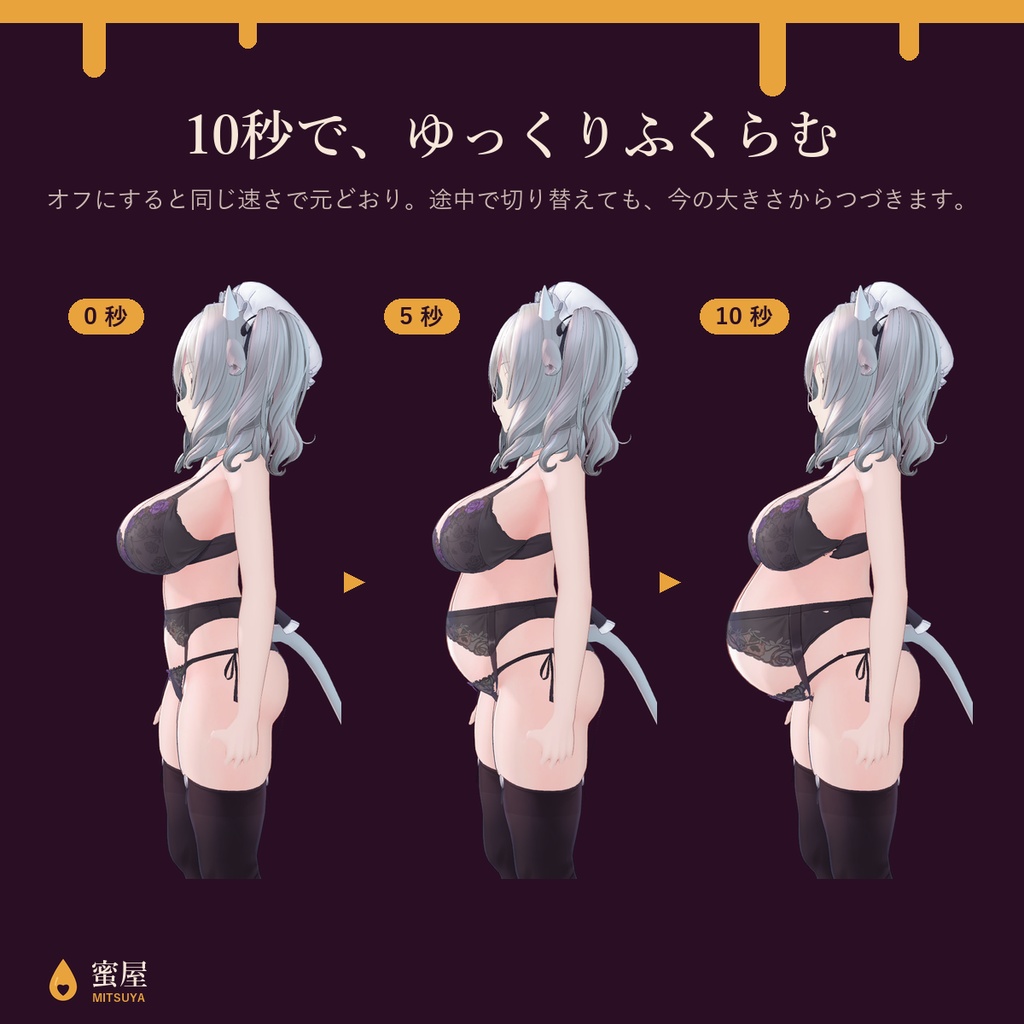
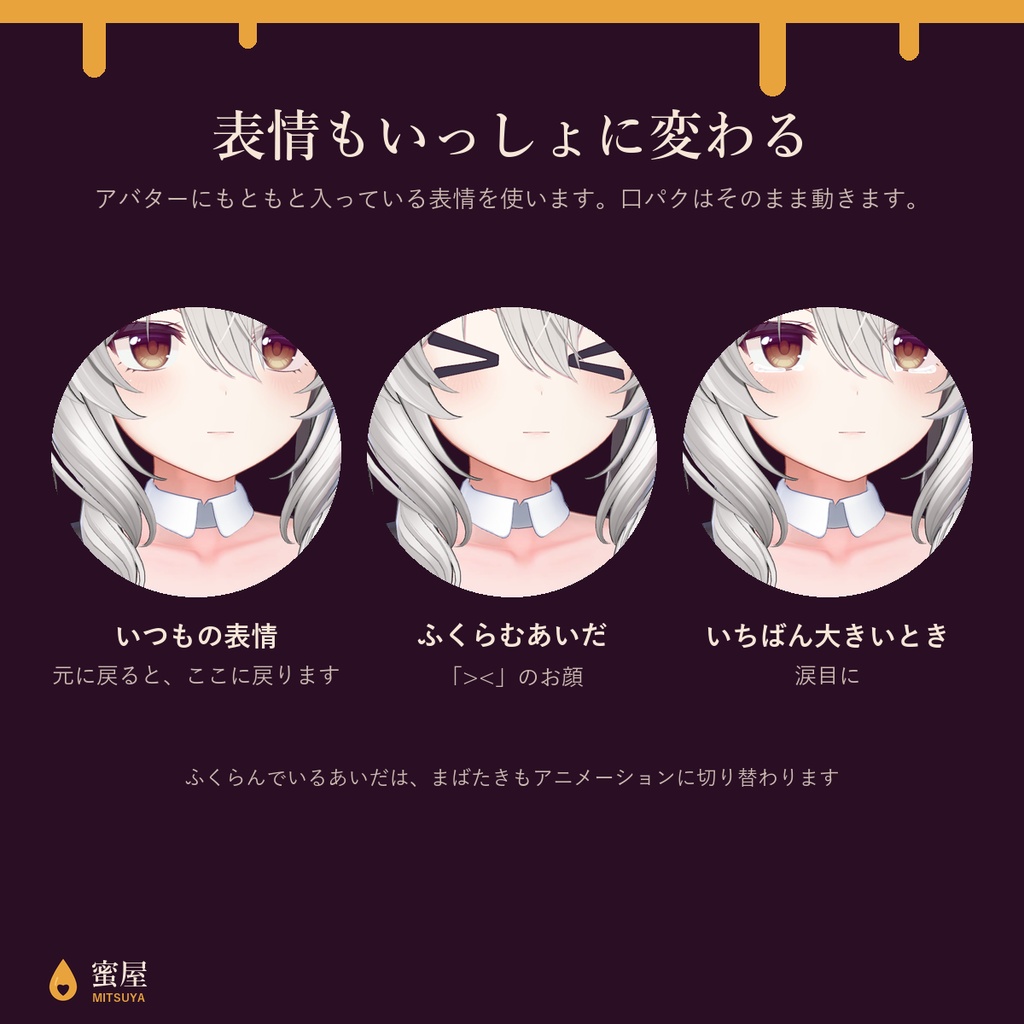
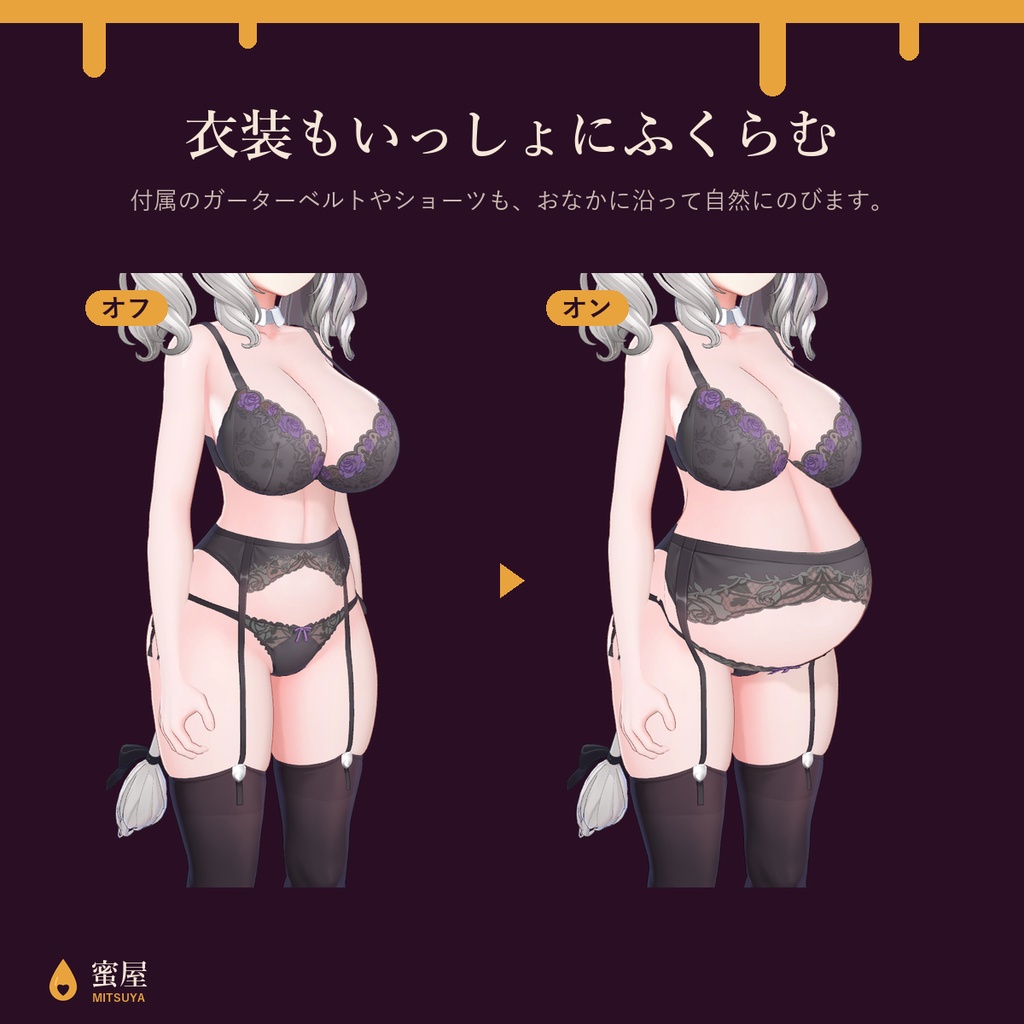
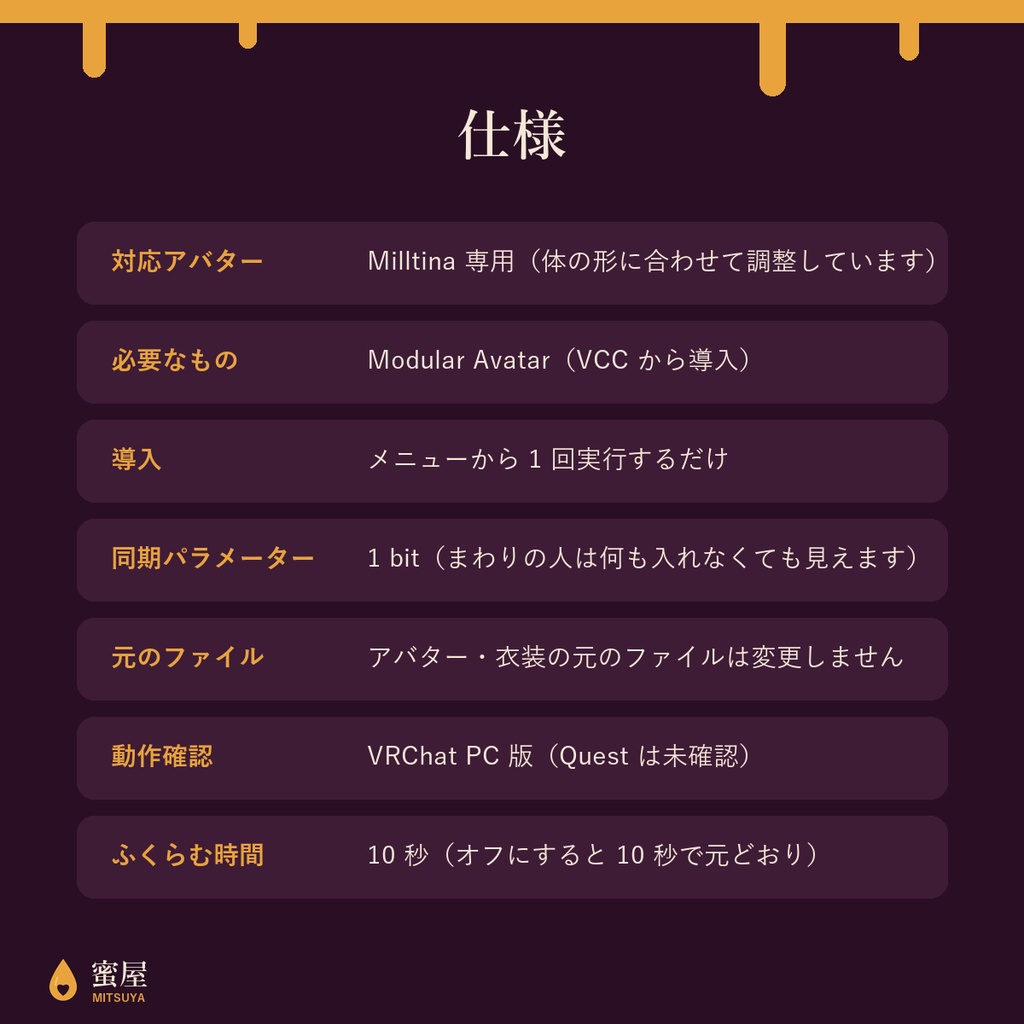


メニューをオンにすると、おなかが10秒かけてゆっくりふくらむ、Milltina専用の膨腹ギミックです。 オフにすると同じ速さで元どおり。途中で切り替えても、今の大きさからなめらかにつづきます。 ふくらんでいるあいだは「><」のお顔、いちばん大きくなると涙目に。元に戻ると、いつもの表情に戻ります。 導入するのは自分のアバターだけで大丈夫です。まわりの人は何も入れなくても見えます。 The English version of the description is at the bottom. ■ 機能 ・胸の下からまあるくふくらむ、自然な形(Milltinaの体に合わせて調整しています) ・10秒でふくらみ、オフにすると10秒で元どおり ・途中でオン/オフを切り替えても、その大きさからつづきます ・付属の衣装(下着・メイド服・エプロンなど)もいっしょにふくらみます ・表情はアバターにもともと入っている表情を使います。口パクはそのまま動きます ・同期パラメーターは1 bitだけ ・アップロード時とPlay時にだけ処理するので、アバターや衣装の元のファイルは変更しません ■ 前提条件 ・Milltina(DOLOSart様) ・Modular Avatar(VCCから導入してください) ・Windows版のUnity(Mac版のUnityでは使えません) ・動作確認環境:Unity 2022.3.22f1 / VRChat SDK 3.10.6 / Modular Avatar 1.18.7 ■ 導入手順 1. Modular Avatarを導入する。 2. 本商品のunitypackageをインポートする。 3. HierarchyでMilltinaを選び、メニュー「Tools > 蜜屋 > ふくらむおなか > 選択中のアバターに導入」を1回実行する。 4. アップロードする。 Expression Menuに「ふくらむおなか」が追加されます。 アップロード前に確認したい場合は、Playを押して、Gesture Managerのメニューから「ふくらむおなか」をオンにしてください。 ■ 衣装について ・動作確認はMilltina付属の衣装で行っています。 ・Modular Avatarで着せたほかの衣装も、ふつうの衣装であれば自動でいっしょにふくらみます。ただし、次の場合はきれいに見えないことがあります。 ・ベルトのバックルや金属パーツなど、変形しない小物:おなかに埋もれることがあります。ふくらませるときは非表示にしてください。 ・胸のあたりから一体になっているトップス:おなかの上のほうが引っぱられることがあります。 ・おなかの下を通る衣装(ショーツ、ハイウエストのパンツなど):おなかといっしょに少し下に引っぱられます(付属のショーツで約4cm)。 ■ 操作上の注意 ・ふくらんでいるあいだは、ハンドサインの表情は止まり、まばたきもアニメーションに切り替わります。元に戻ると、いつもの表情に戻ります。 ・メニューで「涙」をオンにしている場合も、ふくらんでいるあいだは一時的に上書きされます。 ・あとからインスタンスに来た人には、おなかがぺたんこからふくらむところ(10秒)が見えます。 ・Milltina以外のアバターに入れた場合、ギミックは追加されません(アップロードはそのままできます)。 ■ 既知の不具合 現在、確認されている不具合はありません。 ■ アップデート履歴 [2026-11-○○: v1.0.0] 公開 ■ バグ報告・サポートについて BoothのメッセージまたはX(@mitsuya_vrc)のDMまでお問い合わせください。 お問い合わせの際は、Unity・VRChat SDK・Modular Avatarのバージョンと、Consoleに出ているメッセージのスクリーンショットを添えていただけるとスムーズです。 ・他ギミックとの複合的な問題やUnityのバグなど、作者の知見を超える内容にはお答えできない場合があります。 ・内容が分かりにくい場合、お答えが難しいことがあります。 ■ 利用規約 ・unitypackageそのもの、および含まれるファイルの一部または全部の再配布・転売を禁止します。 ・本商品を組み込んだアバターのアップロードは可能です。Public化については、Milltinaの利用規約に従ってください。 ・販売・配布するアバターや衣装への組み込みは禁止します。 ・本商品の仕組みを強く模倣したものの公開・販売を禁止します。 ・本商品を使った写真・動画の公開は可能です。VRChatの利用規約・コミュニティガイドラインに従ってください。 https://hello.vrchat.com/creator-guidelines ・Milltina本体の利用規約もあわせてお守りください。 ・法人でのご利用はお問い合わせください。 ・本商品の使用によって生じたいかなる損害についても、作者は責任を負いません。 ・規約は予告なく変更する場合があります。 ――― English ――― A belly-inflation gimmick made for Milltina. Turn it on from the menu and the belly slowly grows over 10 seconds. Turn it off and it goes back at the same pace. Switch midway and it carries on smoothly from its current size. While it grows, the face shows "><" eyes; at full size the eyes tear up. Once it's back to normal, your usual expressions return. Only you need to install it. People around you see it without installing anything. ■ Features ・A natural, round belly that grows from just below the bust (tuned to Milltina's body) ・Grows in 10 seconds, shrinks back in 10 seconds ・Switching on or off midway continues from the current size ・The included outfits (underwear, maid dress, apron, etc.) grow with it ・Uses the expressions already built into the avatar. Lip sync keeps working ・Only 1 bit of synced parameters ・Processes the avatar only at upload and in Play mode, so your original avatar and outfit files are never changed ■ Requirements ・Milltina (by DOLOSart) ・Modular Avatar (install it from the VCC) ・Unity on Windows (it does not work in Unity on Mac) ・Tested with Unity 2022.3.22f1 / VRChat SDK 3.10.6 / Modular Avatar 1.18.7 ■ Installation 1. Install Modular Avatar. 2. Import this product's unitypackage. 3. Select Milltina in the Hierarchy and run "Tools > 蜜屋 > ふくらむおなか > 選択中のアバターに導入" once. 4. Upload. A "ふくらむおなか" toggle is added to your Expression Menu. To check it before uploading, press Play and turn on "ふくらむおなか" from the Gesture Manager menu. ■ Outfits ・Tested with the outfits that come with Milltina. ・Other outfits worn through Modular Avatar normally grow with the belly automatically. They may not look right in these cases: ・Rigid parts that don't bend, such as belt buckles or metal pieces: they may sink into the belly. Hide them while the belly is grown. ・Tops joined to the chest area: the upper part of the belly may look pulled. ・Clothes that pass under the belly (panties, high-waisted bottoms): they get pulled down a little with the belly (about 4 cm with the included panties). ■ Notes ・While the belly is grown or changing, hand-gesture expressions pause and blinking switches to animation. Your usual expressions return once it's back to normal. ・If you turned on "tears" in the menu, it is temporarily overridden while the belly is grown. ・People who join the instance later see the belly grow from flat (10 seconds). ・On avatars other than Milltina, the gimmick is left out (the avatar still uploads normally). ■ Known issues None at the moment. ■ Update history [2026-11-○○: v1.0.0] Released ■ Bug reports and support Please contact us through Booth messages or a DM on X (@mitsuya_vrc). Including your Unity, VRChat SDK and Modular Avatar versions and a screenshot of the Console messages helps a lot. ・We may not be able to help with problems involving other gimmicks, Unity bugs, or anything beyond the author's knowledge. ・Unclear requests may be hard to answer. ■ Terms of use ・Redistributing or reselling the unitypackage or any of its files, in whole or in part, is prohibited. ・You may upload avatars that include this product. For public avatars, follow Milltina's terms of use. ・Including this product in avatars or outfits that are sold or distributed is prohibited. ・Publishing or selling anything that closely imitates how this product works is prohibited. ・You may publish photos and videos made with this product. Please follow VRChat's Terms of Service and Community Guidelines. https://hello.vrchat.com/creator-guidelines ・Please also follow Milltina's own terms of use. ・For commercial use by companies, please contact us. ・The author is not responsible for any damage caused by using this product. ・These terms may change without notice.