

【VRChat】ホログラム立体地図 / HoloMap【MA対応】
- ホログラム立体地図 / HoloMapダウンロード商品¥ 800
- 共通利用規約PDF / License (no asset)ダウンロード商品¥ 0
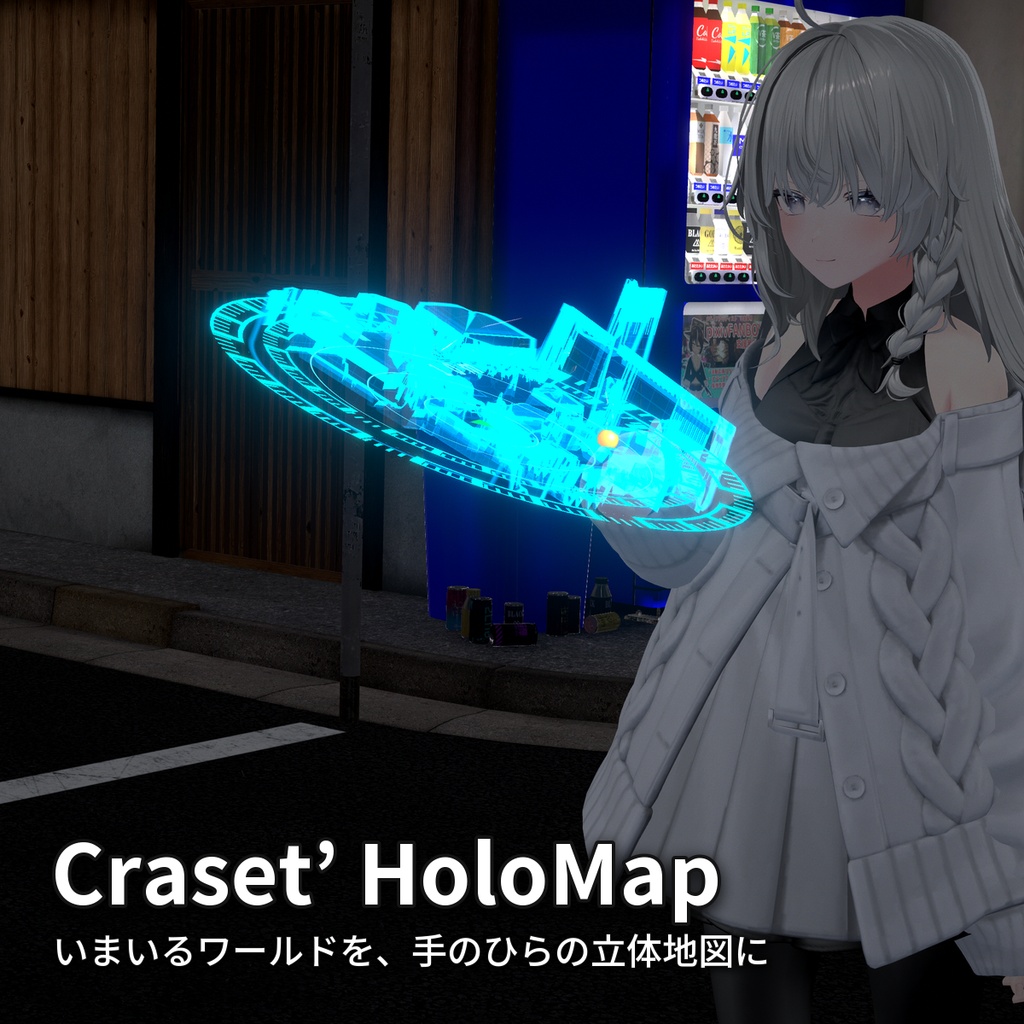
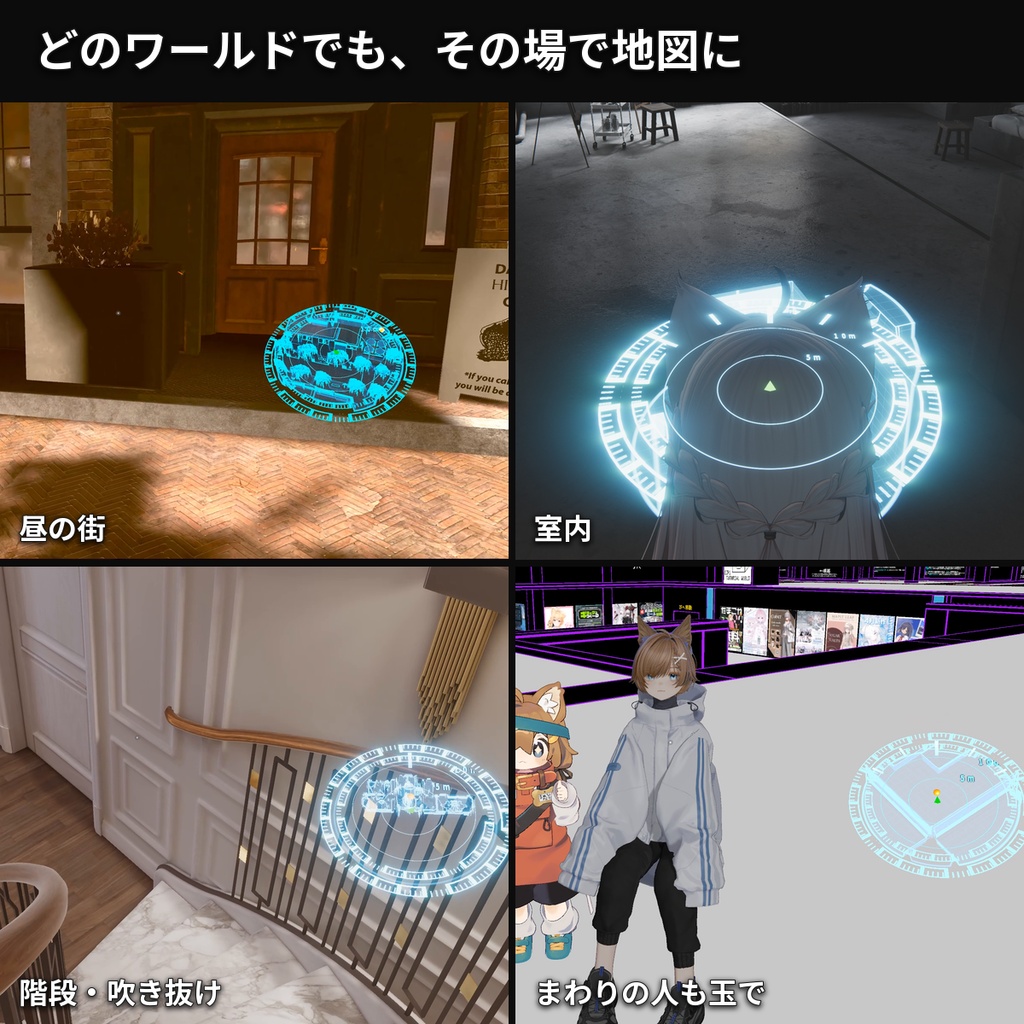
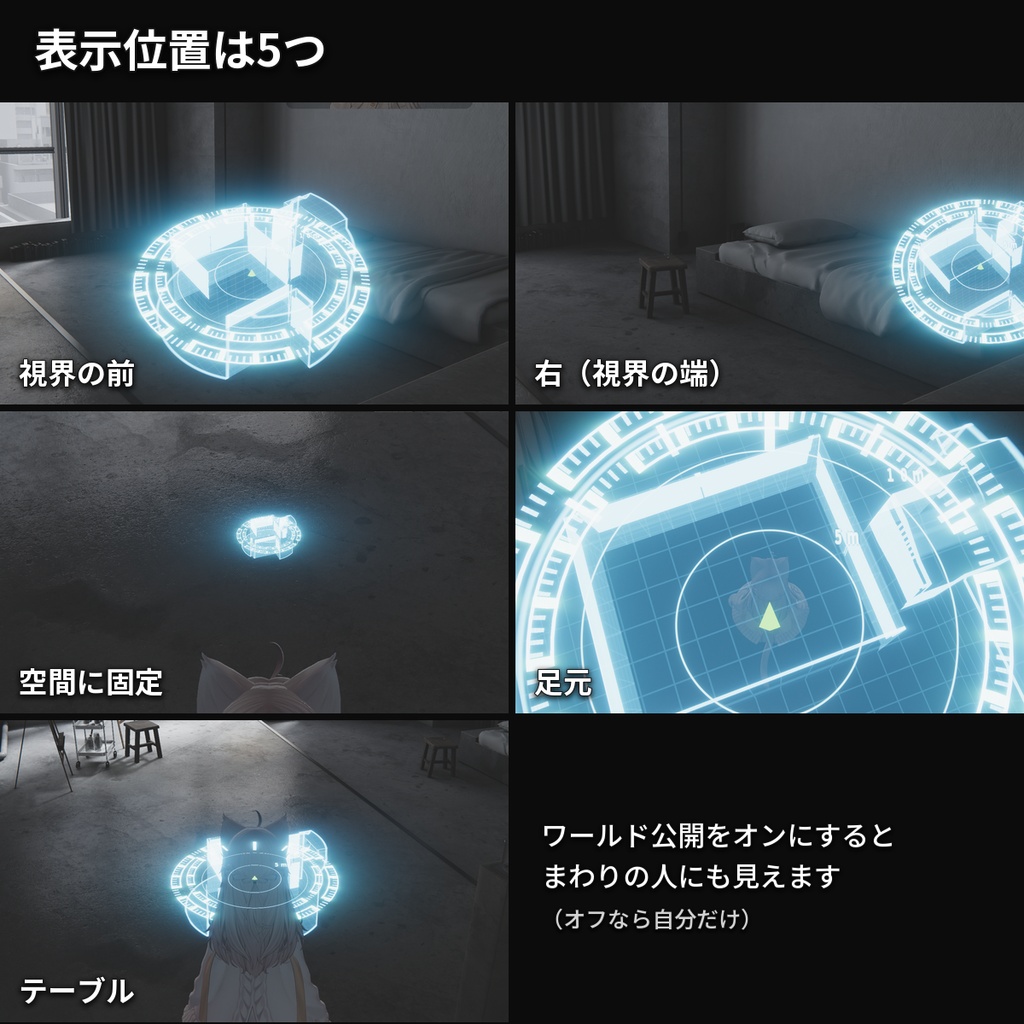
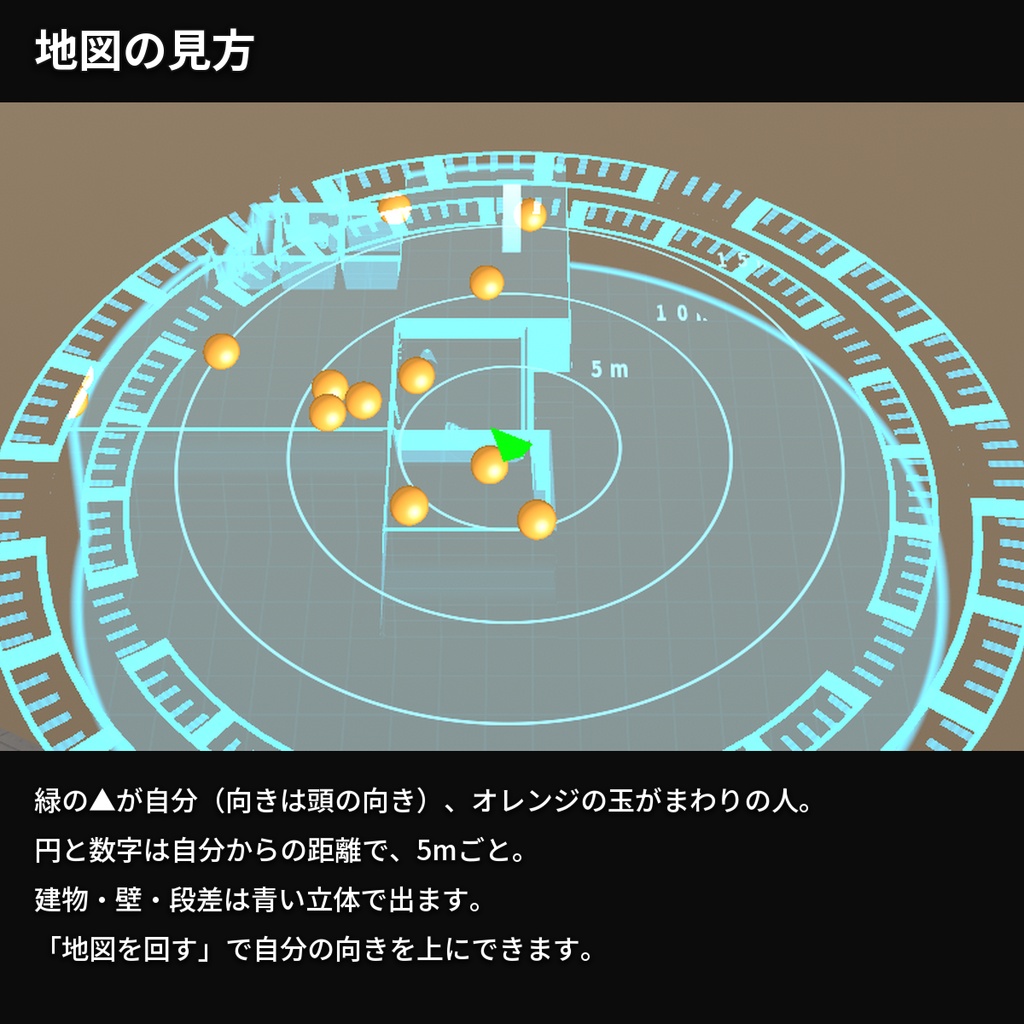
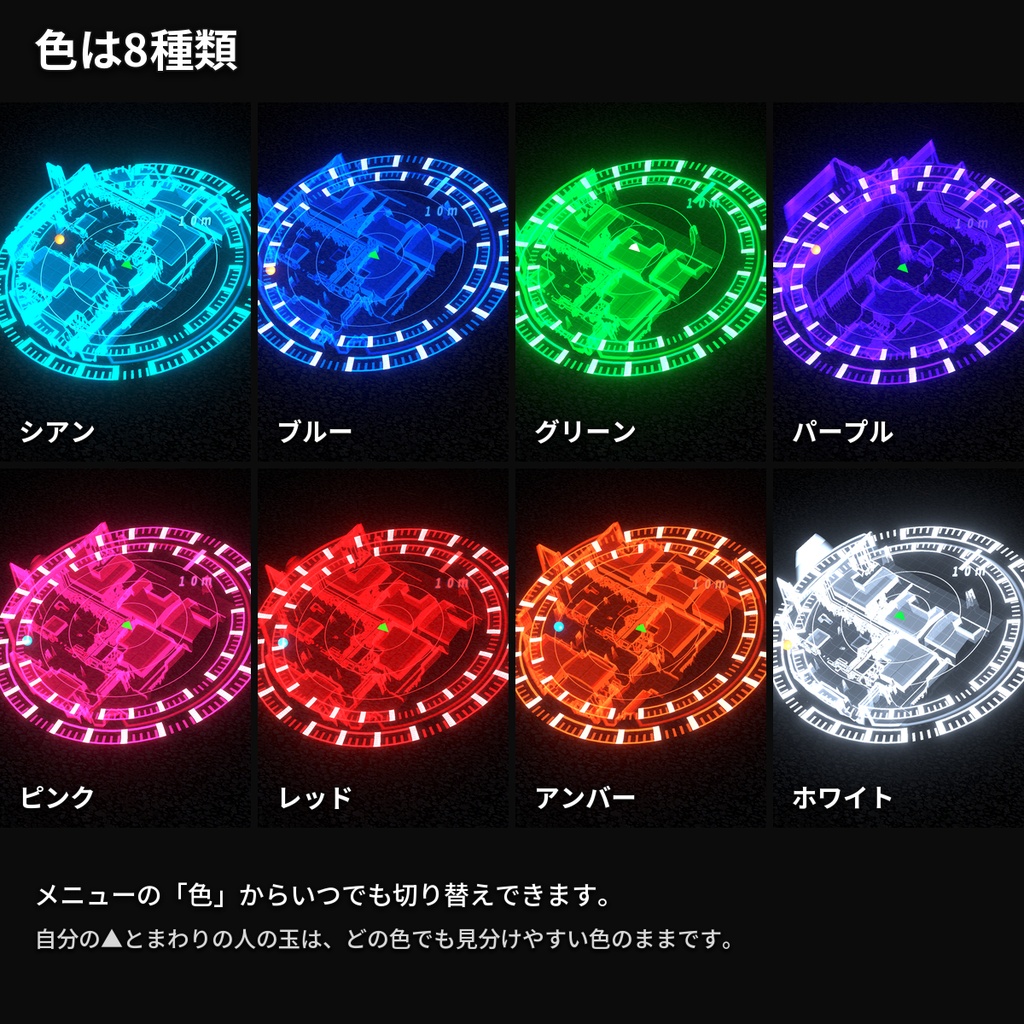
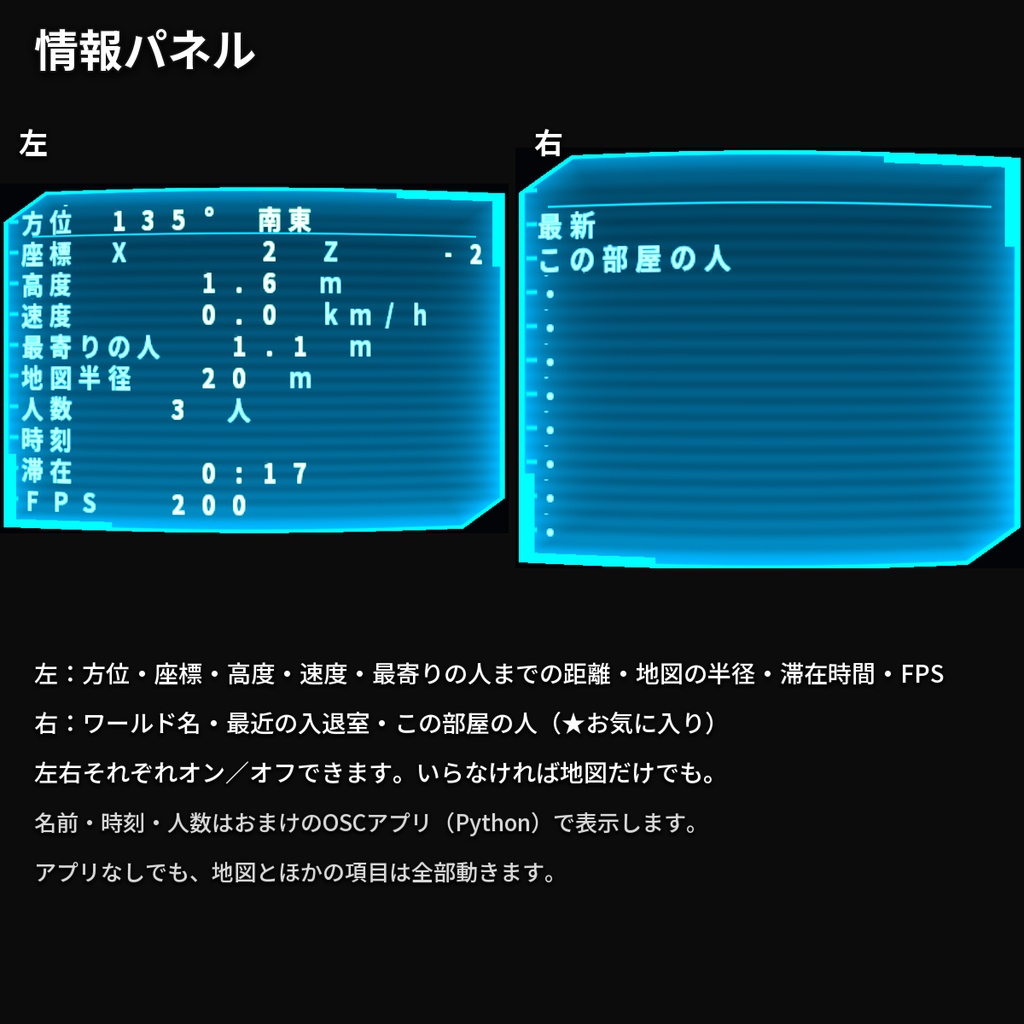
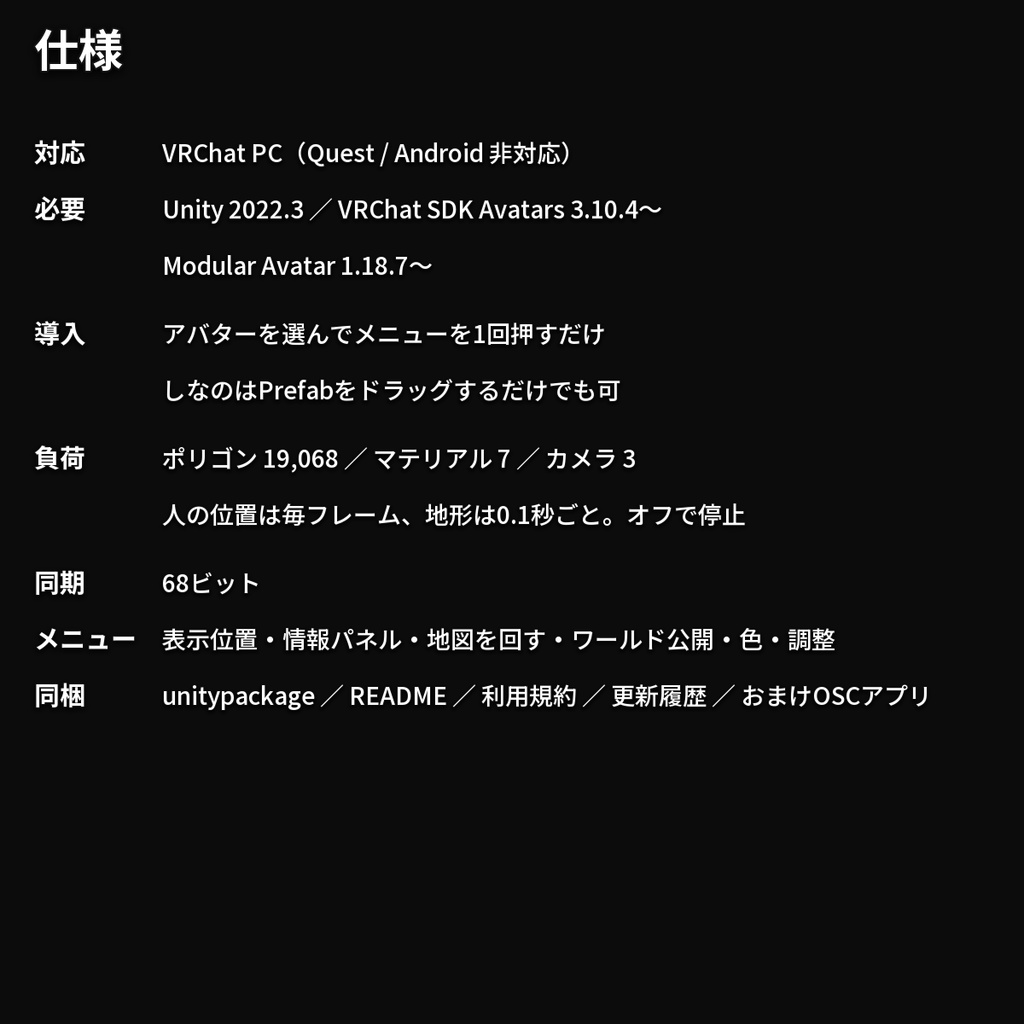


English description below. 今いるワールドを上から見た、青いホログラムの立体地図を。 上空のカメラでワールドの形を撮り、目の前・足元・テーブルなどに立体地図として表示するVRChat向けギミックです。 建物や壁は立体で、まわりの人はオレンジの玉、自分は緑の▲。5mごとの円で距離も分かります。 広いワールドの散策や待ち合わせ、イベント会場の把握にどうぞ。テーブルに置けば、みんなで同じ地図を囲めます。 ・表示位置5種:視界の前/右(視界の端)/空間に固定/足元/テーブル ・地図を回す:自分の向きを上に、または北を上に ・ワールド公開:オンにすると、まわりの人にも同じ地図が見えます ・色8種:シアン/ブルー/グリーン/パープル/ピンク/レッド/アンバー/ホワイト ・PC版VRChat向け/Modular Avatar必須(別途導入) ・改変・撮影・配信・商用利用OK(再配布・再販売NG) ※Quest/Android非対応。アバター本体・衣装は含みません。 ■ 機能・仕様 情報パネル:方位・座標・高度・速度・最寄りの人までの距離・FPSなど。 色は昼の明るいワールドでも見やすいものに切り替えられます。 調整:大きさ、写す広さ(10〜40m)、距離、角度、屋内用の天井カット、初期値に戻す。 ポリゴン 19,068/マテリアル 7/メッシュ 8/カメラ 3。同期パラメーター 68bit。アバターのパフォーマンスランクが下がることがあります。 ■ 導入 unitypackageをインポートして、アバターを選んで「Craset > HoloMap > Add to Selected Avatar」を押すだけです。目の高さは自動で合わせます。 しなの用の調整済みプレハブも入っています。 ■ 必要環境・内容物 Unity 2022.3/VRChat SDK Avatars 3.10.4以降/Modular Avatar 1.18.7以降。SDK・MAは別途導入してください。 UnityPackage、README(共通・しなの)、利用規約、更新履歴を同梱。 おまけのOSCアプリ(部屋の人の名前や時刻をパネルに出す補助アプリ。Pythonが必要です。使わなくても地図は全部動きます)。 ■ ご注意 ・まわりの人に地形や玉が見えるのは、相手があなたのアバターを表示しているとき(フレンド、またはShow Avatar)だけです。 ・誰がどの玉かは分かりません。 ・屋根の下や多層の建物の中は正しく出ないことがあります(屋内は天井カットで改善します)。 ・紹介動画の効果音とナレーションは動画用です。HoloMap本体は音が出ません。 ■ 使用させていただいたもの(商品画像) ・アバター:オリジナル3Dモデル「しなの」(ぽんでろ様) https://booth.pm/ja/items/6106863 ※ これは本商品に含まれません。 ■ Craset’共通利用規約 1.0.1(VN3形式) Craset’制作アセットは共通の利用規約です。商品ごとに利用条件は変わりません。全文は無料の「共通利用規約PDF」へ。第三者素材には各権利者の規約が適用されます。 改変・撮影・配信・商用利用は自由。クレジット・利用報告は任意です。法人でのご利用も歓迎します。ご一報いただけたら嬉しいですが、連絡は任意です。 政治活動・宗教活動への利用は禁止です。 データの再配布・再販売は禁止(改変済みデータや、データを取り出せるアバターファイルの配布・販売も含みます)。改変依頼のデータ共有は、依頼者・作業者の双方が購入済みの場合のみ可能です。 購入者の利用権を他人へ譲渡・貸与することはできません。プレゼントはBOOTHのギフト機能をご利用ください。正規のギフト受取人も利用でき、上記の購入済み要件に含まれます。 無料の規約PDFにはアセット本体は含まれません。 ■ 更新履歴 1.0.1:2人以上で使ったときに地図がずれる・回る不具合、足元の小物を人と表示する不具合、歩いたときのカクつきを修正。空間に固定は常に水平に。平面表示をなくし、天井カットを調整に。 1.0.0:初版。 ■ お問い合わせ・使用例 商品不具合はBOOTHメッセージへ。確認のうえ、修正・更新等で対応します。Unityの基本操作・個別改変相談は対象外です。 #CrasetVRC で使い方を見せてもらえたら嬉しいです。 https://x.com/craset_shop ■ スペシャルサンクス 降谷凪さん
English / HoloMap
A blue holographic 3D map of the world you are in, attached to your avatar. Cameras high above capture the shape of the world and show it as a 3D map in front of you, at your feet, or on a table. Buildings and walls are 3D, nearby people are orange dots and you are the green ▲. Rings every 5 m show distance. • 5 display positions: in front of view / right edge of view / fixed in space / at your feet / table • Rotate the map: your heading up, or north up • Share mode: others nearby can see the same map • 8 colors: Cyan / Blue / Green / Purple / Pink / Red / Amber / White • Info panel: heading, coordinates, altitude, speed, distance to nearest person, FPS and more • Adjustable size, range (10–40 m), distance, angle and a ceiling cut for indoors • PC VRChat / Modular Avatar required (install separately) • Modification, photos, streaming and commercial use permitted / asset redistribution and resale prohibited Quest/Android not supported. Avatar models and clothing shown in the images are not included. Setup Import the unitypackage, select your avatar and choose Craset > HoloMap > Add to Selected Avatar. Eye height is adjusted automatically. A pre-fitted prefab for Shinano is included. Specs 19,068 polygons / 7 materials / 8 meshes / 3 cameras / 68 synced parameter bits. Your avatar's performance rank may drop. Notes Others only see the terrain and dots when they are showing your avatar (friends, or Show Avatar). The map cannot tell who each dot is. Under roofs and inside multi-floor buildings the map may not be accurate. Sound effects and narration in the promo video were added for the video; HoloMap itself makes no sound. Updates 1.0.1: fixed the map shifting or spinning when two or more people use it, small objects at your feet showing as people, and stutter while walking. Fixed-in-space mode now stays level. Flat mode removed; ceiling cut moved to Adjust. 1.0.0: first release. License Craset’ Common License 1.0.1 (VN3). See the free "License (no asset)" PDF for the full text. Bug reports: please contact us via BOOTH messages.