

【VRChatワールド用】寝る前に明かりをゆっくり消すタイマー「消灯」自分の画面だけ暗くなる【PC/Quest対応】
- ダウンロード商品¥ 500
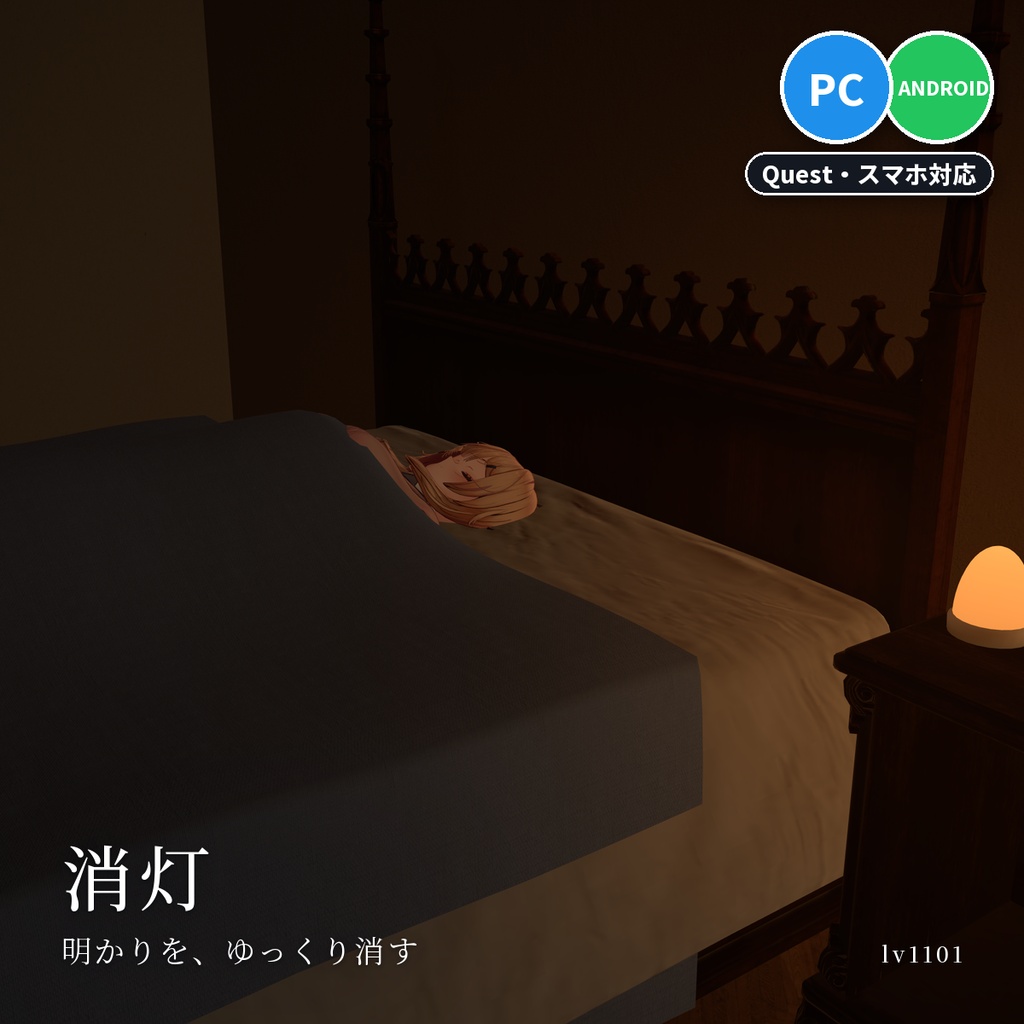
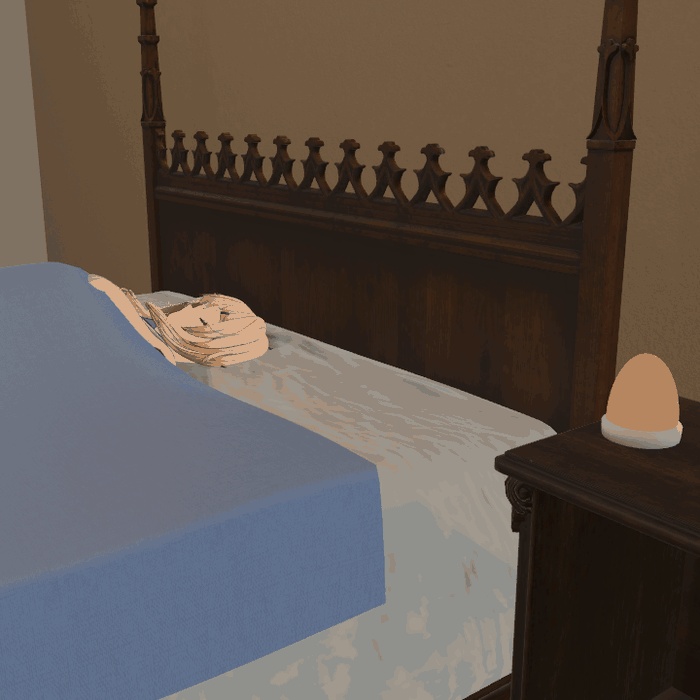
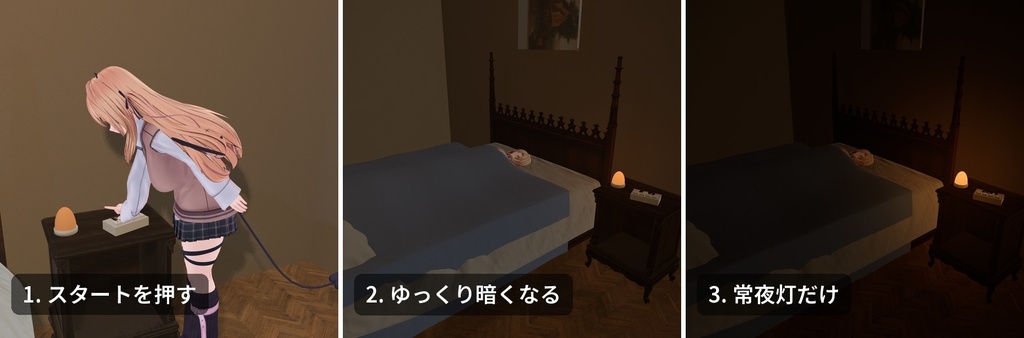
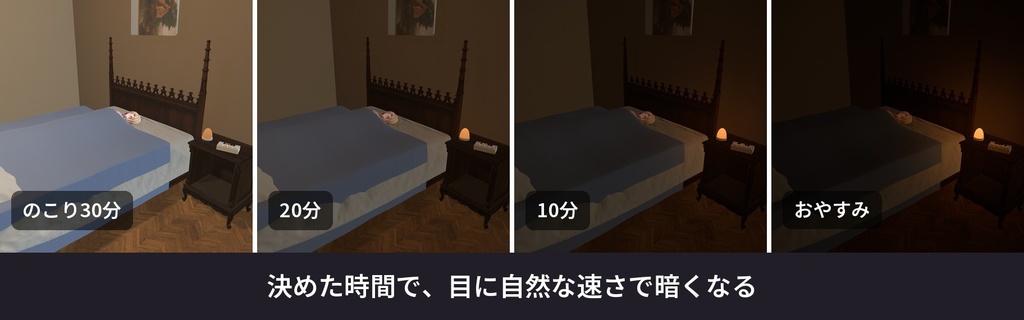
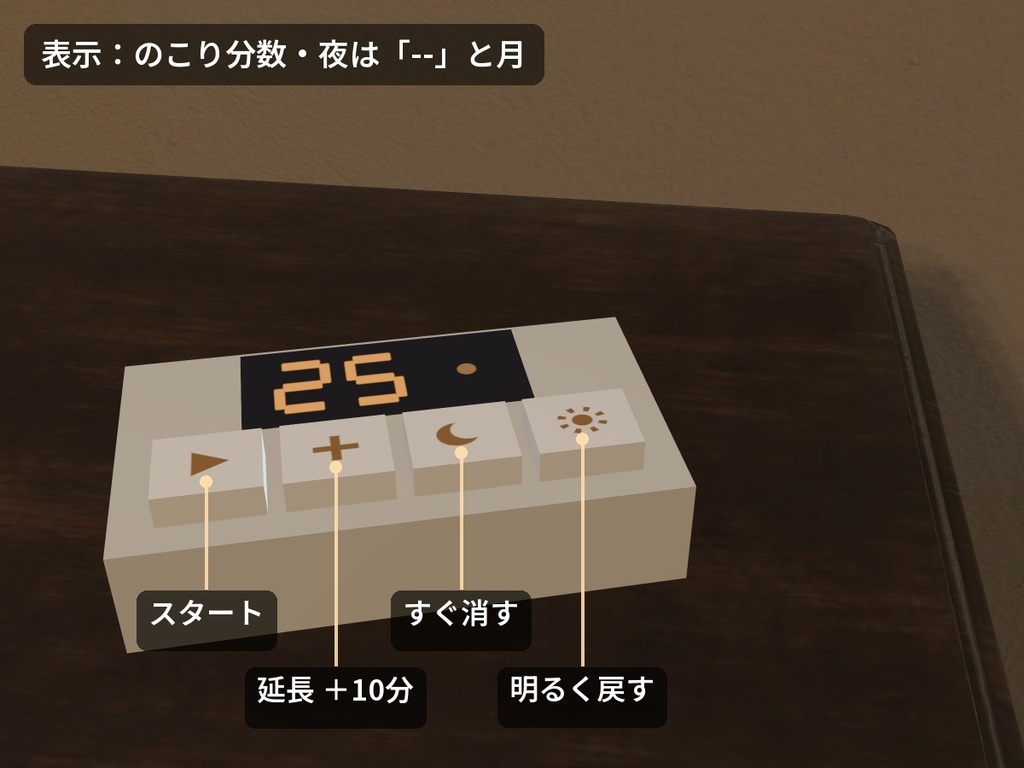
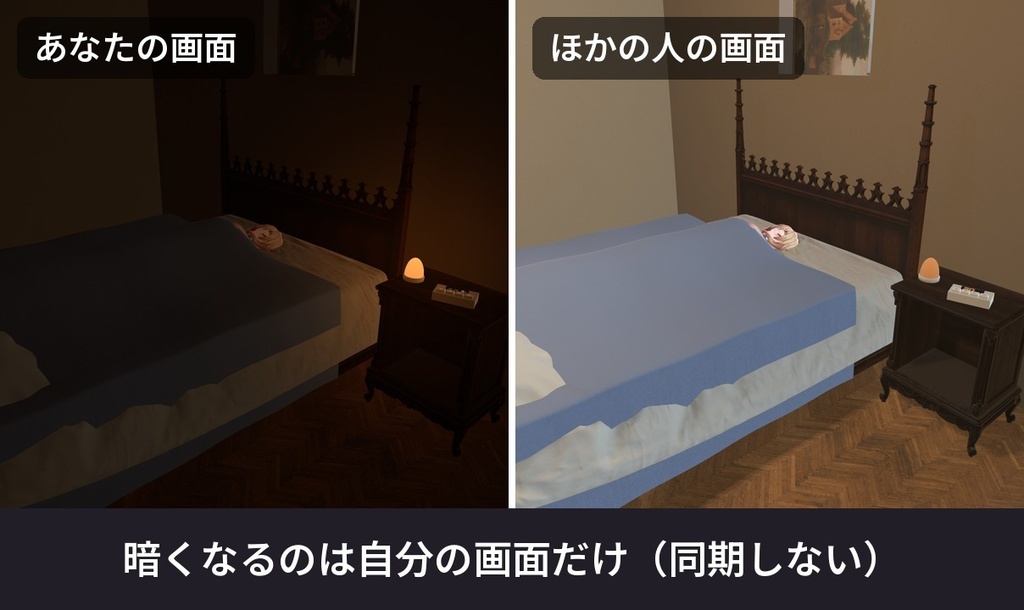
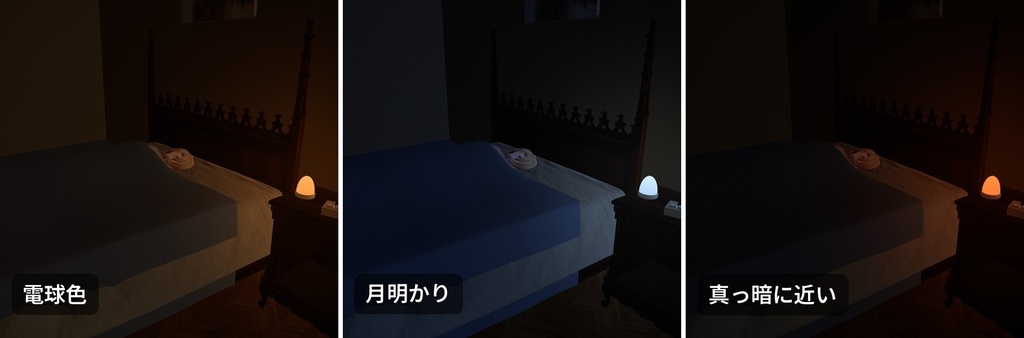
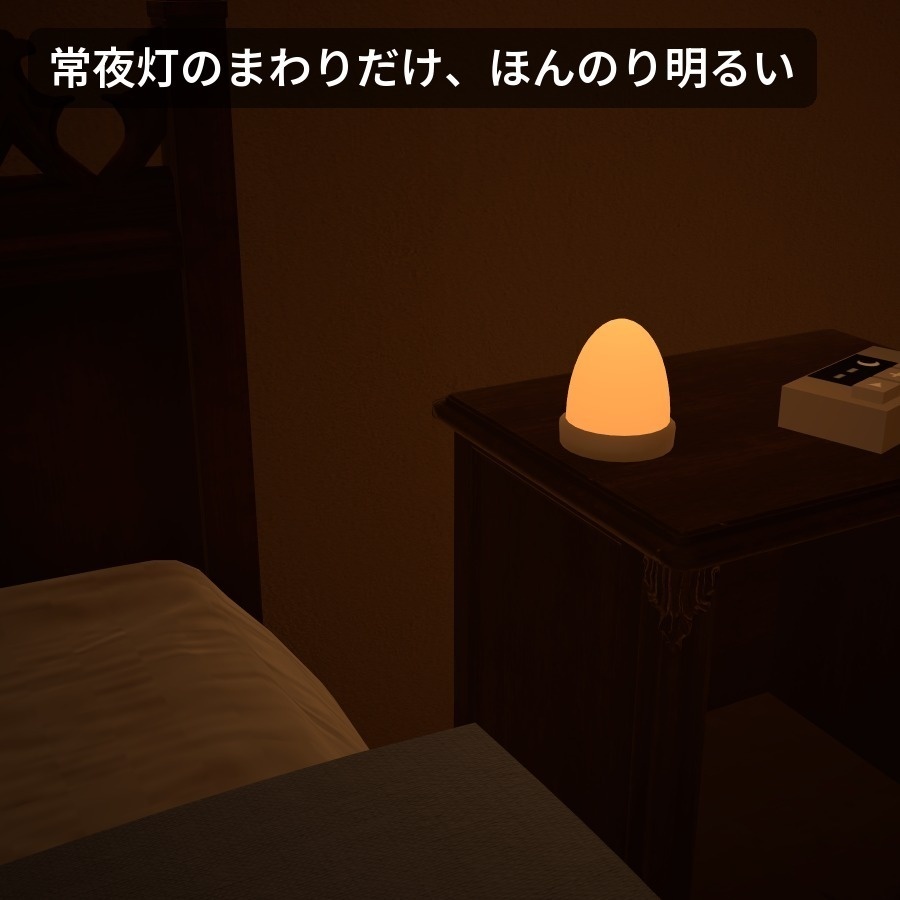
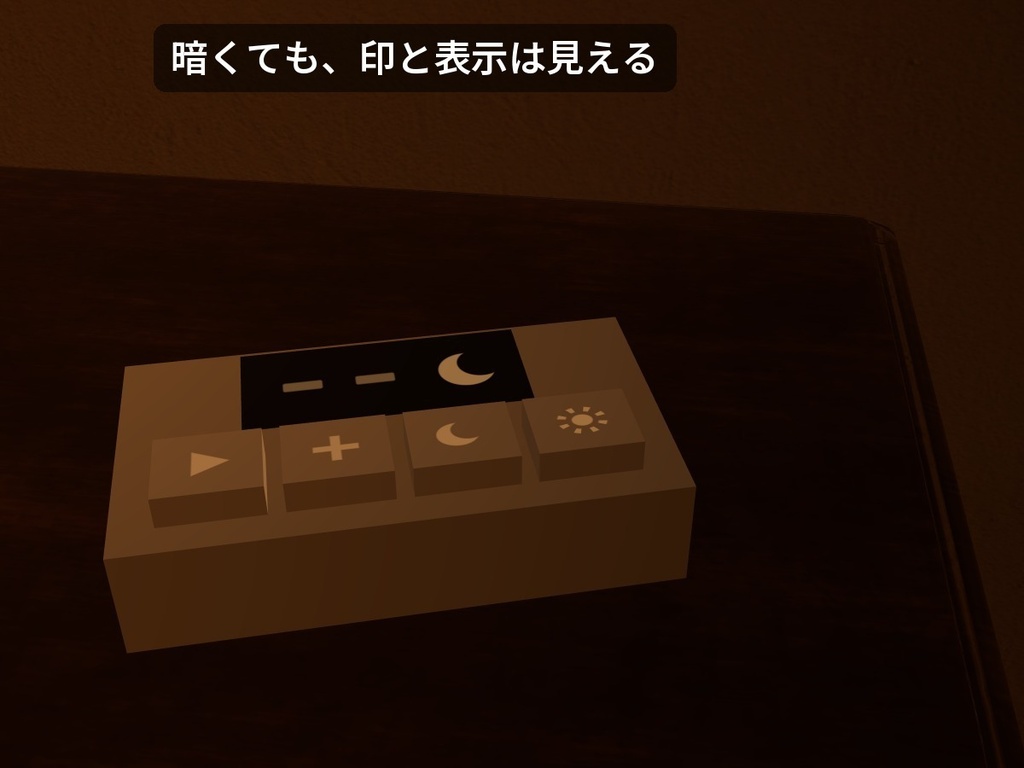
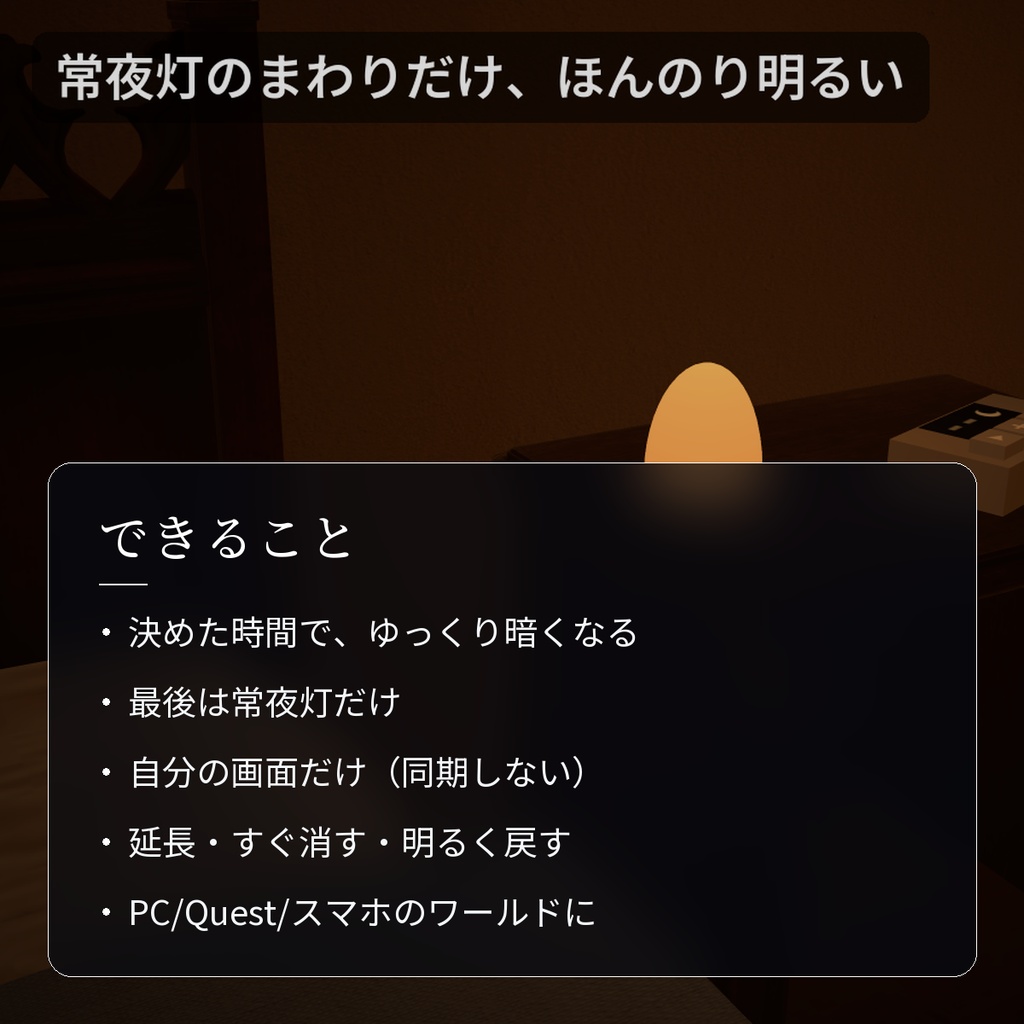
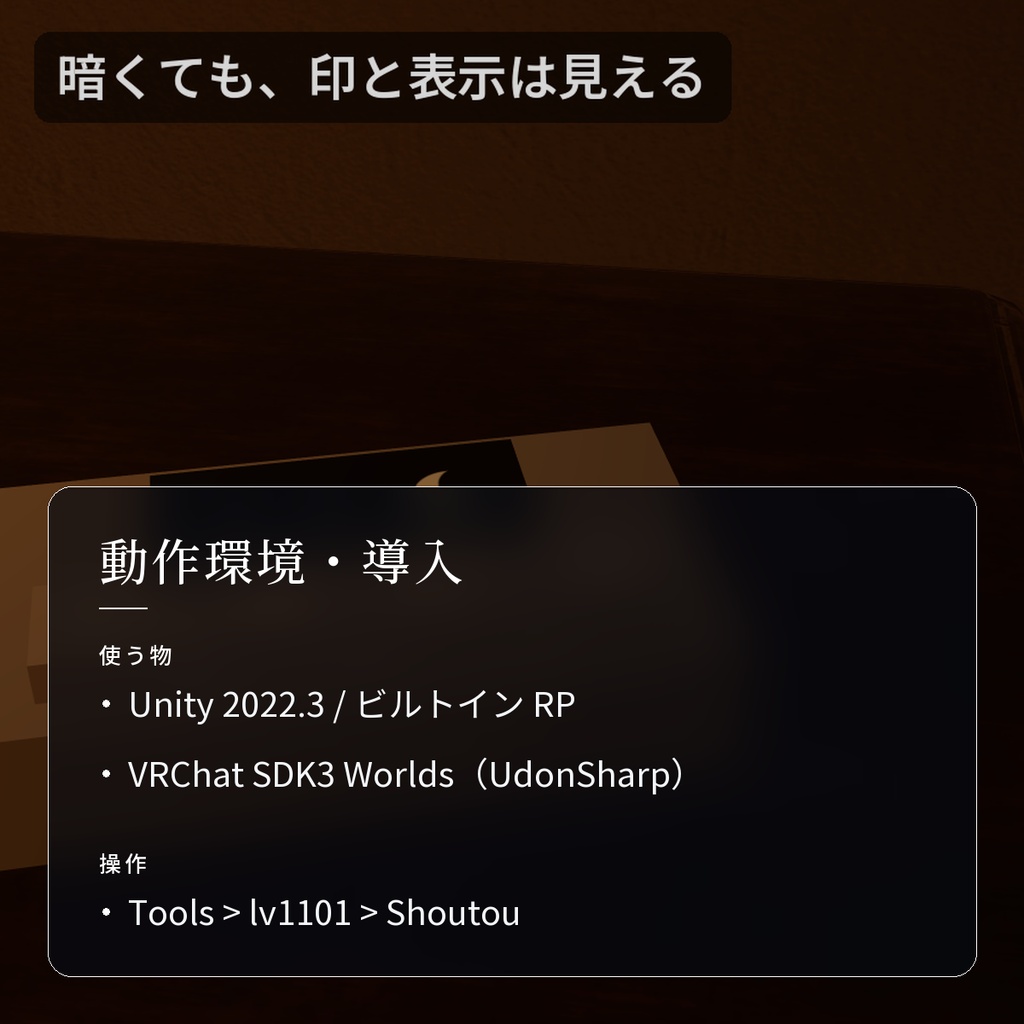
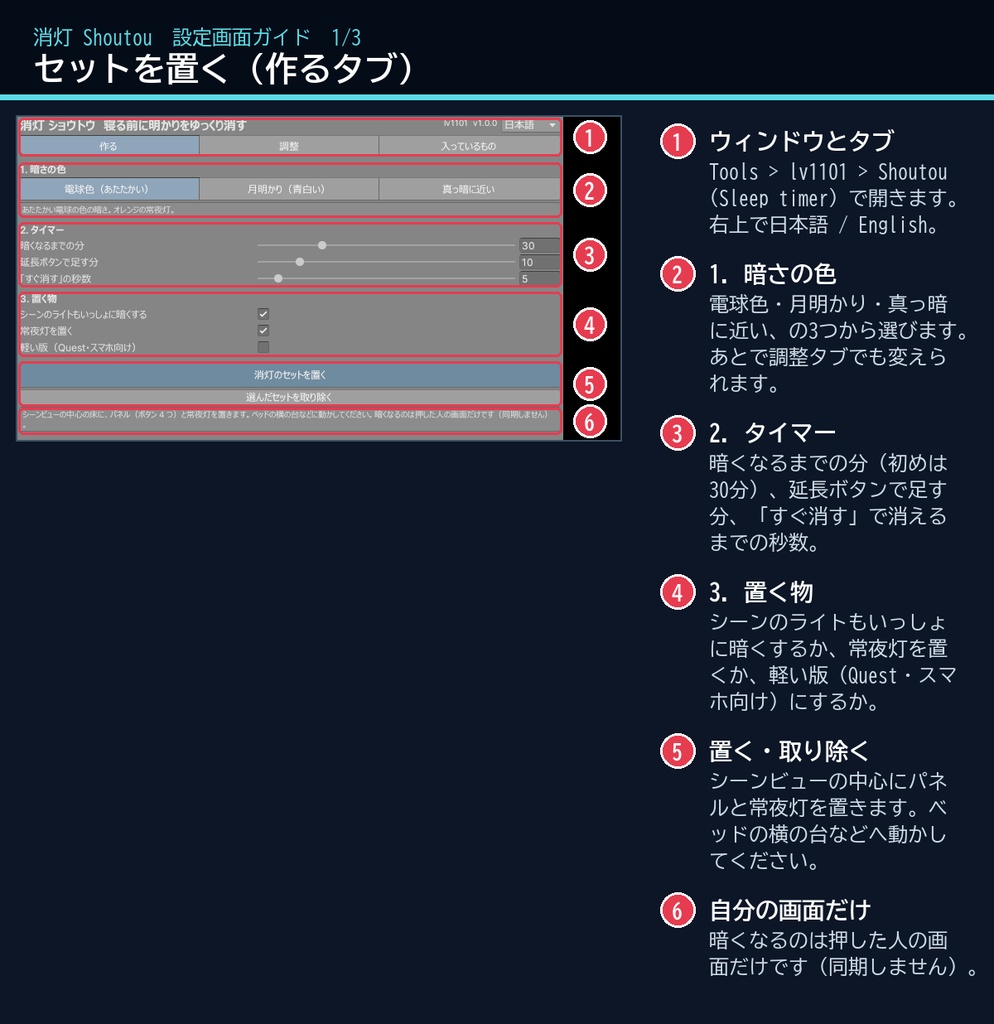
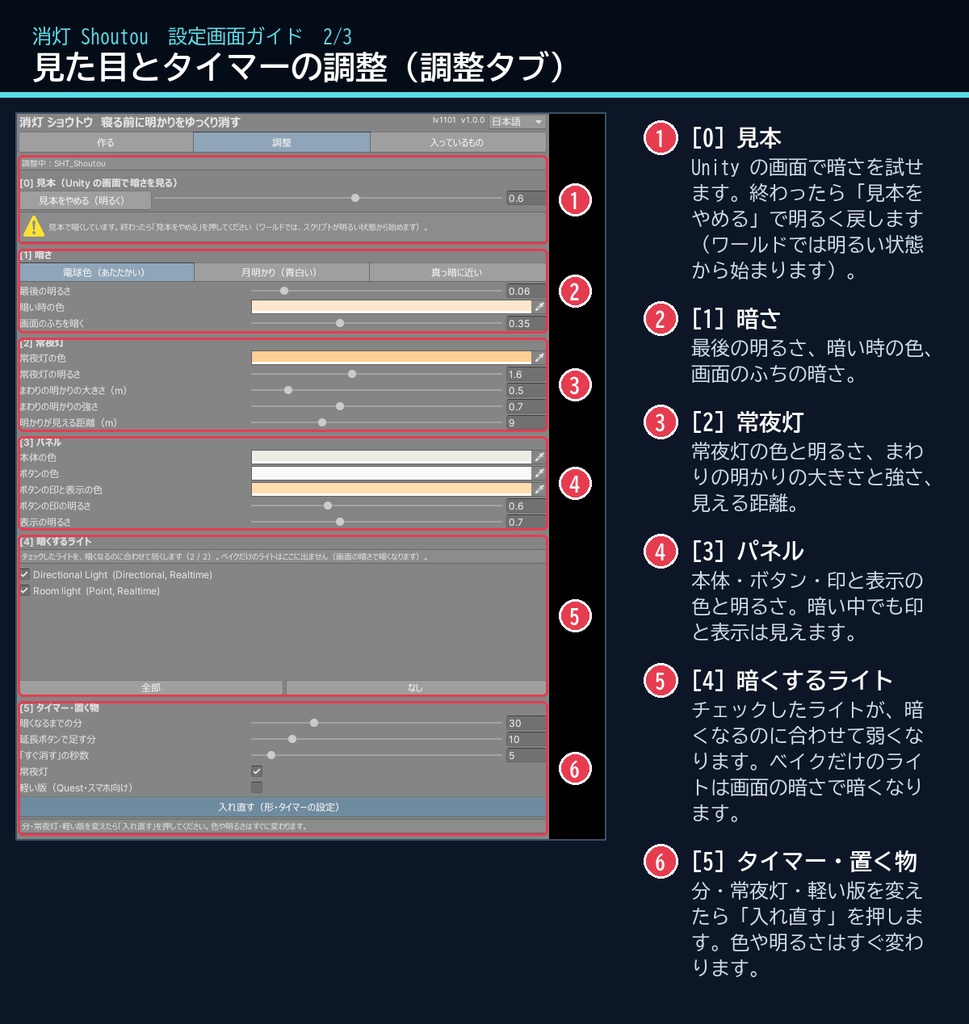
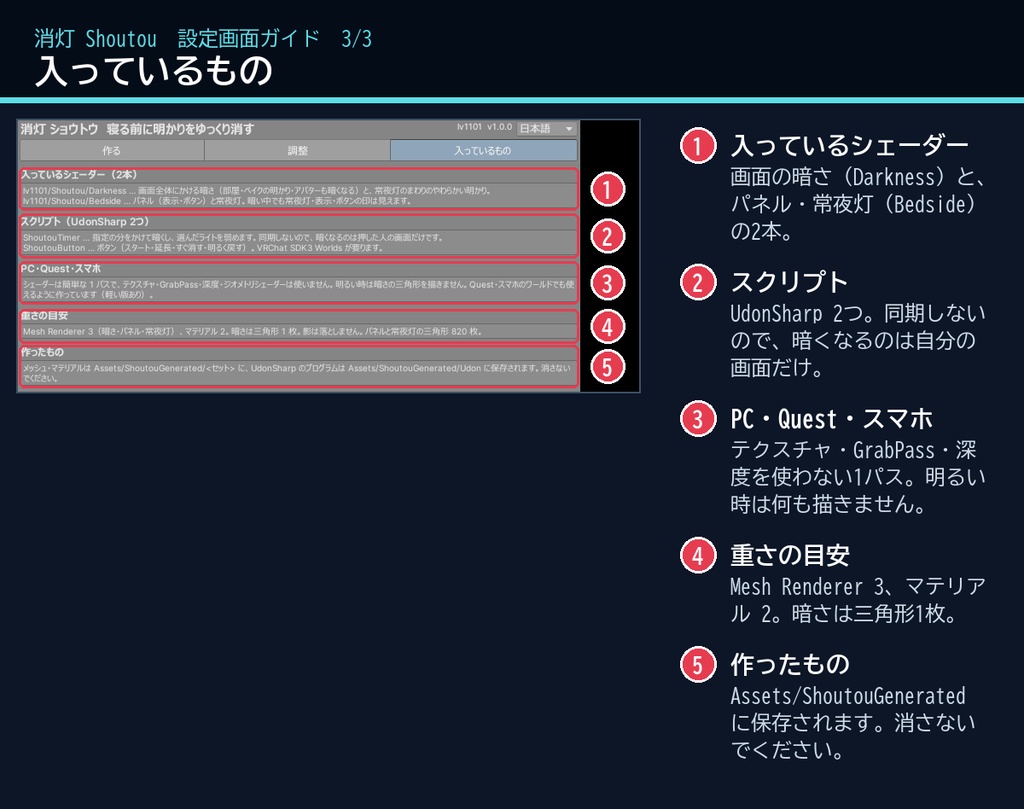
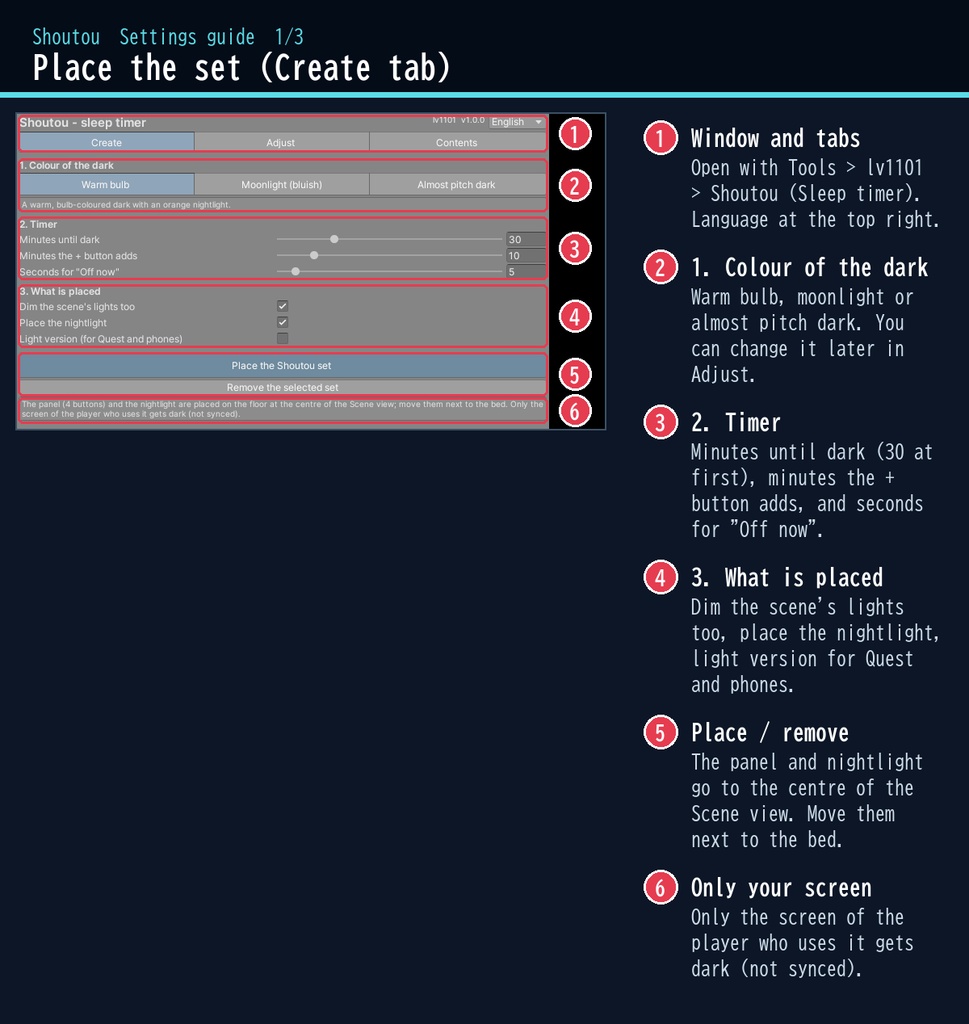
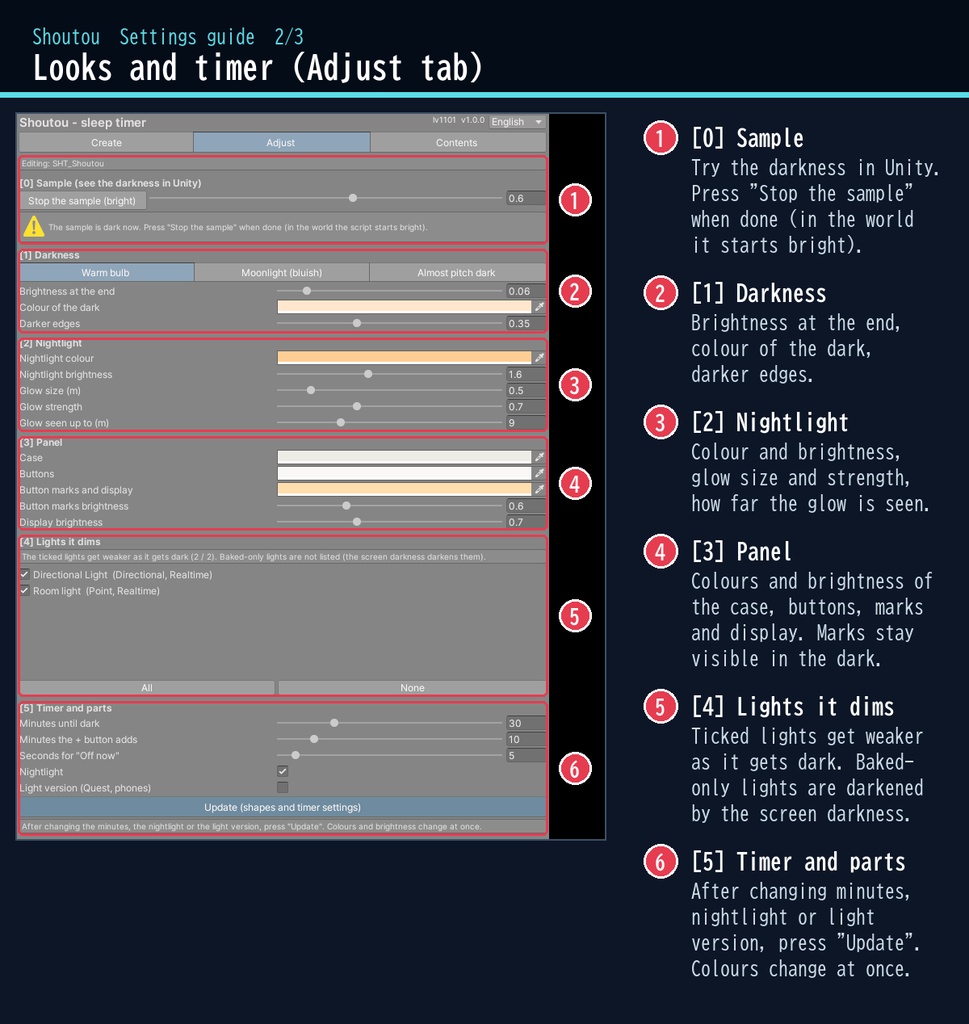
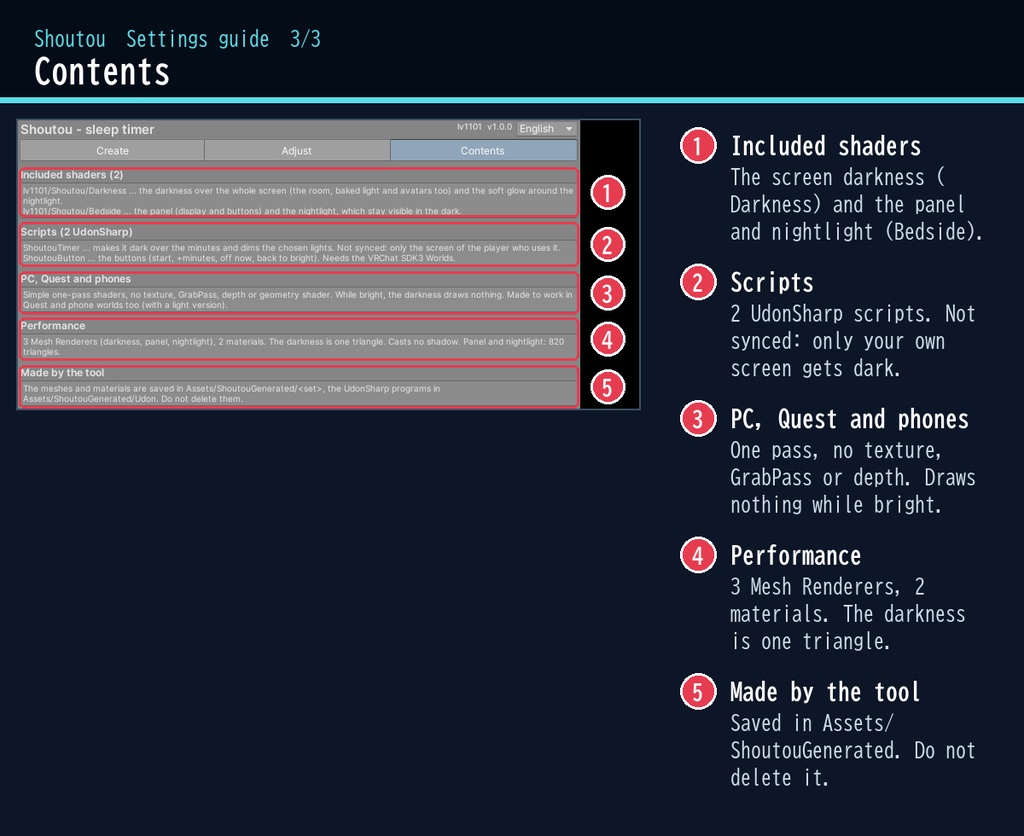


寝落ちする前に、部屋の明かりをゆっくり消す。 「消灯(ショウトウ)」は、VRChat ワールドのベッドの横に置ける、明かりのタイマーです(シェーダー・ツール・小さなスクリプト)。 手元のパネルで「スタート」を押すと、部屋が決めた時間(はじめは 30 分)でゆっくり暗くなり、最後は常夜灯のまわりだけがほんのり明るく残ります。 暗くなるのは押した人の画面だけ。いっしょにいる人の部屋は明るいままです。 ■ ポイント ・ボタン1つで、パネル(ボタン4つと小さな表示)と常夜灯をワールドに置けます。Ctrl+Z で取り消し ・決めた時間で、目に自然な速さでゆっくり暗くなる。最後は常夜灯だけ ・自分の画面だけ暗くなる(同期しない)。ほかの人のじゃまをしません ・手元で 延長(+10分)/ すぐ消す / 明るく戻す。暗い中でもボタンの印と表示が見える ・電球色 / 月明かり / 真っ暗に近い。PC / Quest / スマホのワールドに ↓ 暗くなっていく様子は2枚目の GIF で。くわしくは下へ。 ■ くわしく ・表示:のこりの分。真っ暗になると「--」と月のしるし ・延長:暗くなる途中なら、のこり時間が延びます(明かりは急に変わりません)。真っ暗の後なら半分くらいの明るさに戻って、またゆっくり暗くなります。止まっている時は、時間が 10 分ずつ増えます(120 分まで) ・すぐ消す:数秒で常夜灯だけに。明るく戻す:2 秒ほどで元どおり ・画面の上に暗さを重ねるので、ベイクした明かり・アバター・空も、目に入るものはすべて暗くなります ・シーンのリアルタイムのライトも、いっしょに弱くできます(どのライトか選べます) ・常夜灯のまわりだけ、やわらかく明るい。常夜灯とパネルは好きな場所へ動かせて、明かりは常夜灯についていきます ・調整:最後の明るさ、暗い時の色、画面のふちの暗さ、常夜灯の色・明るさ・明かりの大きさ、パネルの色 ・Quest・スマホ向けの軽い版あり。スマホ(Android)は、Quest と同じアップロードでそのまま見られます ・日本語 / English の設定画面。Unity の画面で暗さの見本も見られます ■ 使い方 1. unitypackage をインポートして、Tools > lv1101 > Shoutou (Sleep timer) を開きます 2. 暗さの色と時間を決めて「消灯のセットを置く」 3. パネルと常夜灯をベッドの横の台などへ動かします 4. Quest・スマホのワールドでは「軽い版」にチェック ■ 重さの目安 ・Mesh Renderer 3(暗さ・パネル・常夜灯)、マテリアル 2(どちらも1パス)。影は落としません ・暗さは三角形 1 枚で、明るい時は何も描きません。パネルと常夜灯で三角形 820(軽い版 292) ・テクスチャ・GrabPass・深度・ジオメトリシェーダーなし ・UdonSharp のスクリプト 2 つ(タイマーとボタン)。同期しません ■ 動作環境 ・Unity 2022.3(VRChat で使うバージョン)、ビルトイン レンダーパイプライン ・VRChat SDK3 Worlds(ボタンとタイマーに使います。UdonSharp は SDK に入っています)。SDK がないと置けるだけで、明るいままです ・PC / Quest / スマホ:シェーダーは Quest・スマホ用(OpenGL ES 3 / Vulkan、VR の両目まとめ描き)のコンパイルを Unity で確認しました。Quest・スマホの実機では未確認です ■ 注意 ・VRChat の中ではまだ試していません(Unity のエディターと Play モード(ClientSim)で、スタート・延長・すぐ消す・明るく戻す・ライトが弱くなることを確認しています) ・常夜灯のまわりの明かりは画面の上で光らせているので、壁の向こうから常夜灯の方を見ると少し明るく見えることがあります(離れると消えます。見える距離は変えられます) ・ライトを弱くできるのはリアルタイム・ミックスのライトだけです(ベイクだけのライトは画面の暗さで暗くなります) ・音は入っていません ■ 内容物 ・Shoutou_1.0.0.unitypackage(README_ja.txt / README_en.txt 入り) ・利用規約.txt / TermsOfUse_en.txt ■ 利用規約(概要) ・VRChat のワールド(Public/商用利用・有料イベントを含む)で使えます ・改変できます ・シェーダー・スクリプトの再配布、転売、ワールド素材への同梱はできません(改変したものも含む) ・クレジット表記は任意です くわしくは同梱の 利用規約.txt をご覧ください。 ※画像のアバター:ゆめか Yumeka(©Arka_X / https://booth.pm/ja/items/8672657 )。商品には含みません。 ※画像のベッド・ナイトテーブル・天井の照明・窓・植木・額・床・壁・布・空の素材:Poly Haven(CC0)。商品には含みません。 ■ English Shoutou - a sleep timer for VRChat worlds that slowly turns the lights down (PC / Quest / Android, Unity 2022.3, Built-in RP, VRChat SDK3 Worlds). • Press Start on the bedside panel: the room slowly gets dark over the minutes you chose (30 at first); at the end only the nightlight's glow is left • Only your own screen gets dark (not synced), so it never bothers the people with you • Buttons at hand: Extend (+10 min), Off now, Back to bright. The display shows the minutes left; marks stay visible in the dark • The darkness is laid over the screen, so baked light, avatars and the sky get dark too; chosen realtime lights are dimmed with it • Warm bulb / Moonlight / Almost pitch dark; light version for Quest and phones (Android phones see it from the same upload as Quest) • 3 Mesh Renderers, 2 materials, the darkness is one triangle (draws nothing while bright), 820 triangles for the panel and nightlight (292 light version), 2 UdonSharp scripts. Full English UI, English README, Terms of Use and settings guide images Install: import the unitypackage, open Tools > lv1101 > Shoutou (Sleep timer) and press "Place the Shoutou set". Move the panel and the nightlight next to the bed. Notes: not tried inside VRChat itself or on a real Quest or phone yet (checked in the Unity editor and Play mode with ClientSim; the shaders were compiled for OpenGL ES 3 / Vulkan). The glow can show a little through walls when you look toward the nightlight (it fades with distance). No sound. Terms (summary): usable in VRChat worlds, including public / commercial use and paid events; modification allowed; no redistribution, resale or bundling of the shaders / scripts (including modified versions); credit optional. Avatar in the images: Yumeka (©Arka_X), not included. Background assets: Poly Haven (CC0), not included. ■ 更新履歴 / Version history 1.0.0 最初の版 / First release