
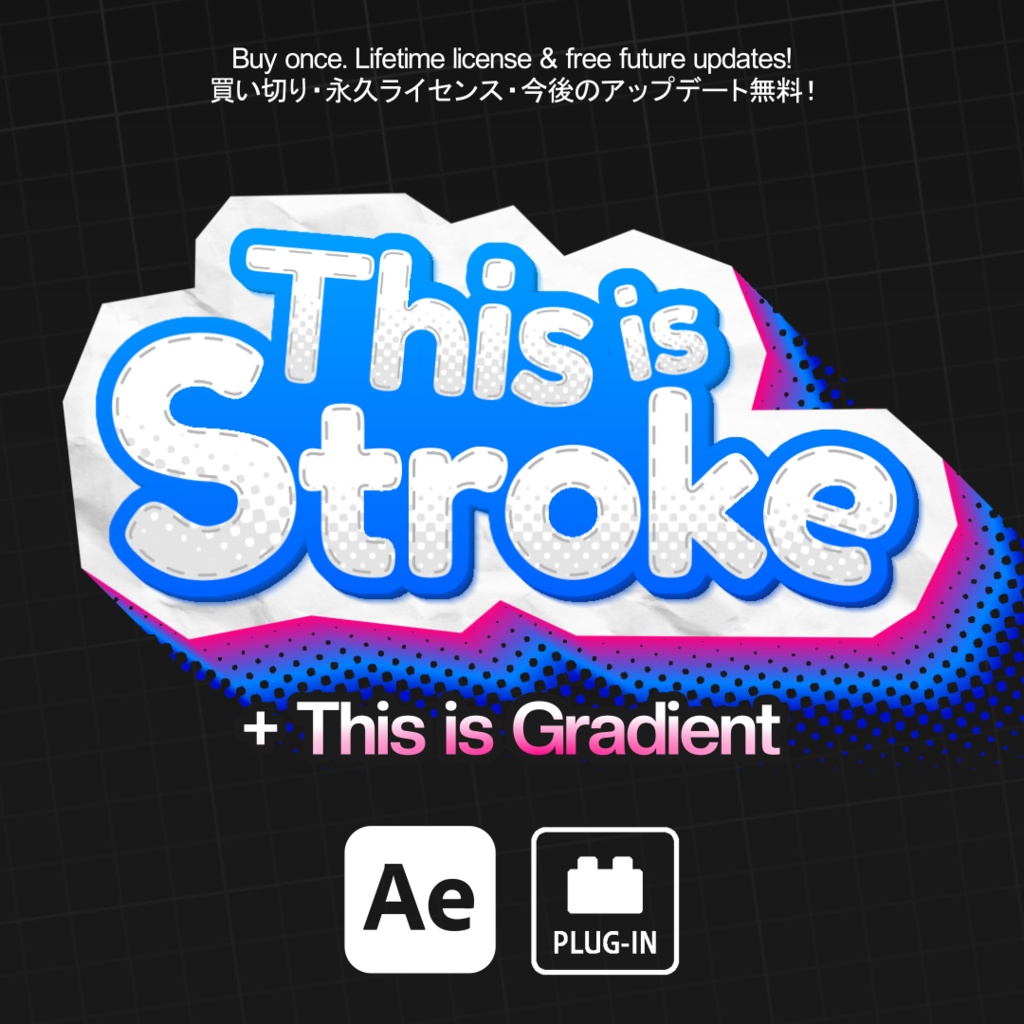
【After Effectsプラグイン】This is Stroke (アウトライン / 破線 / ロングシャドウ / ハーフトーン) + This is Gradient Plugin
- ダウンロード商品¥ 900
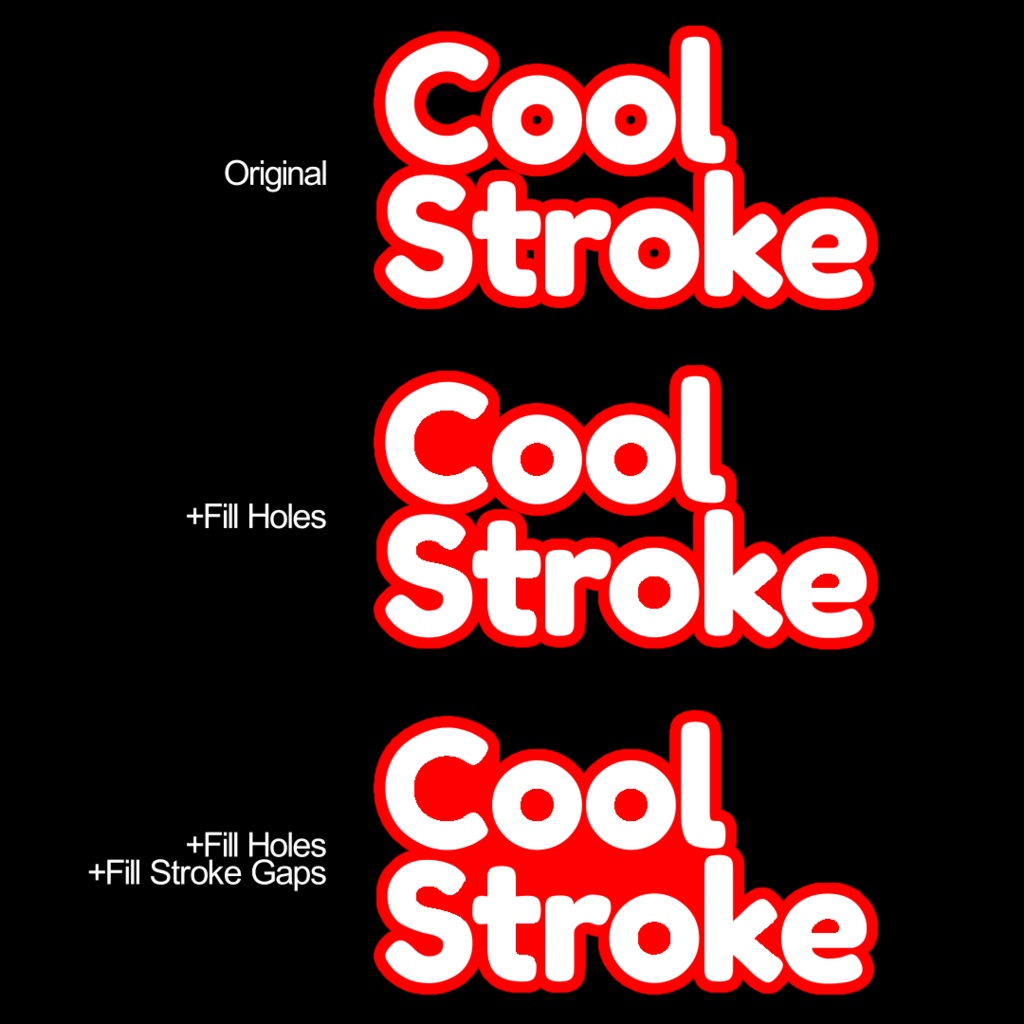
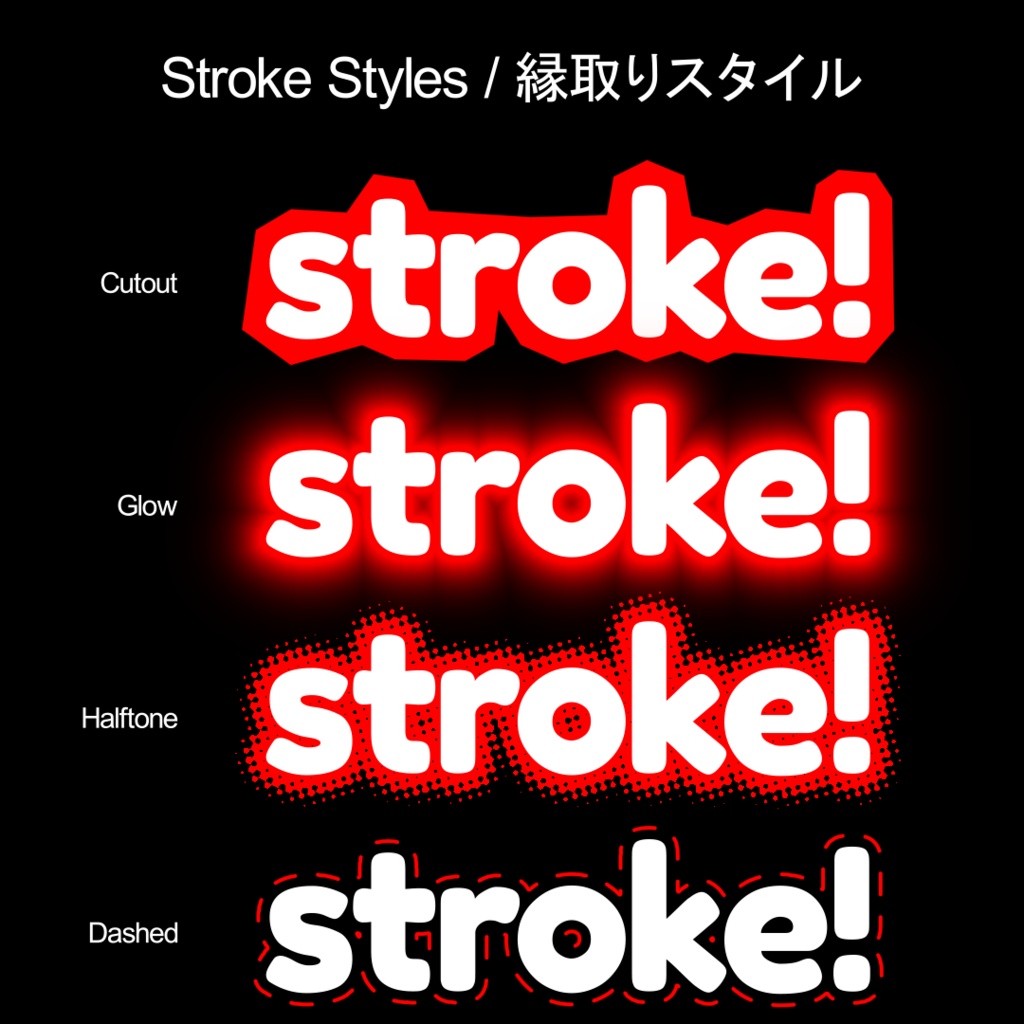
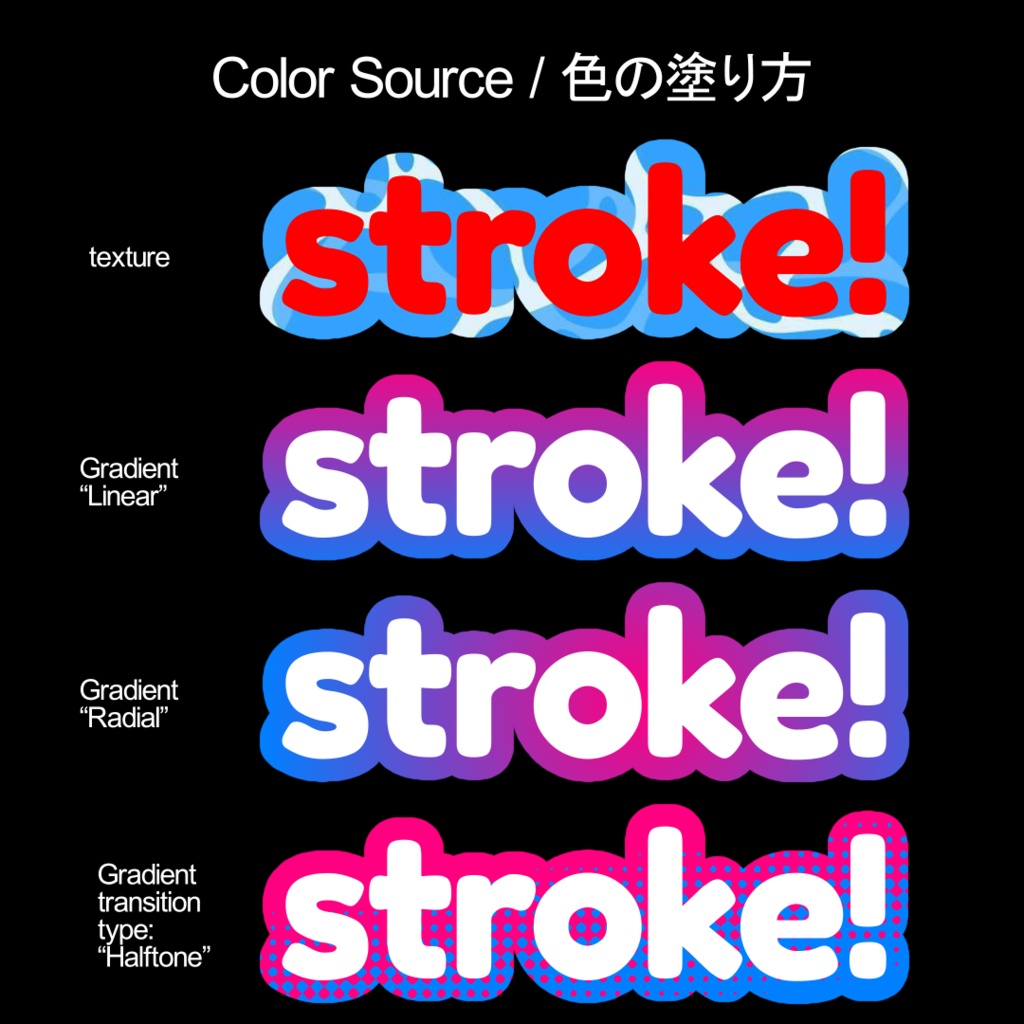
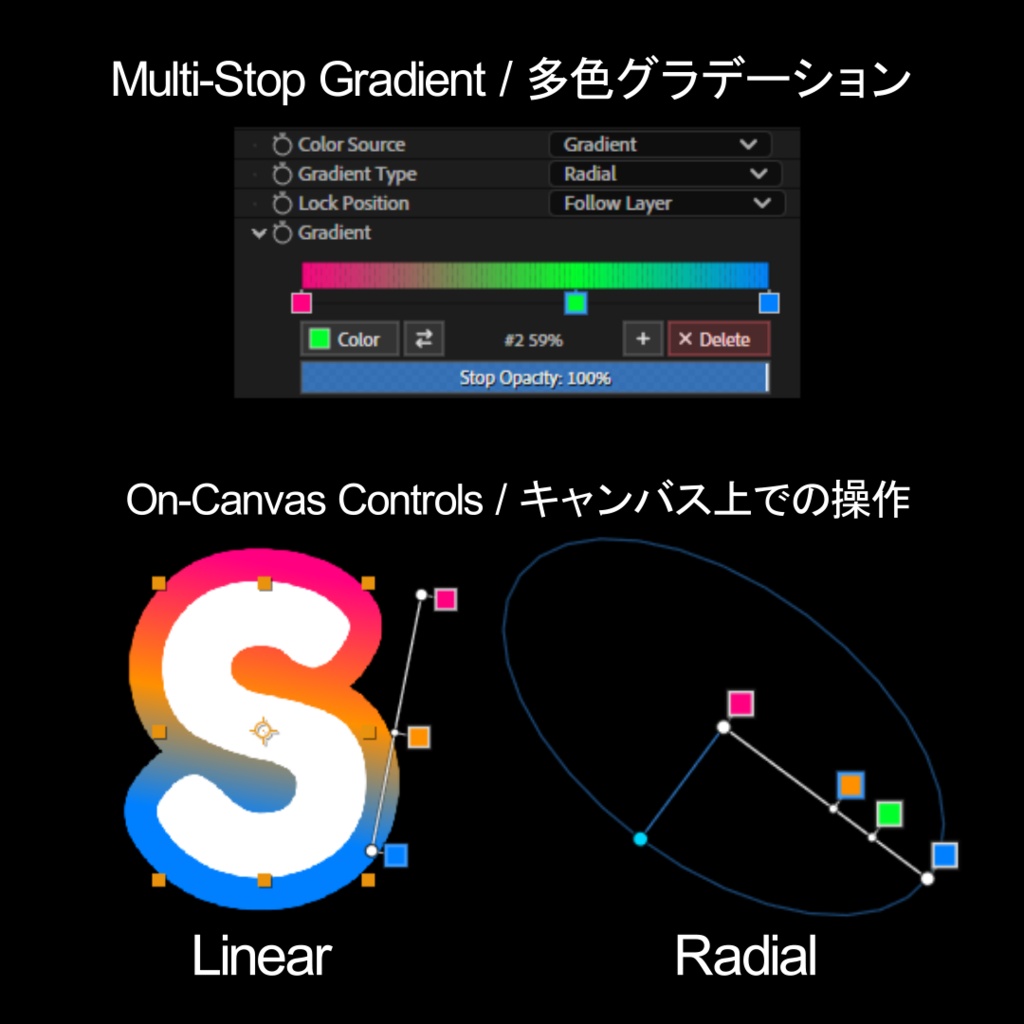
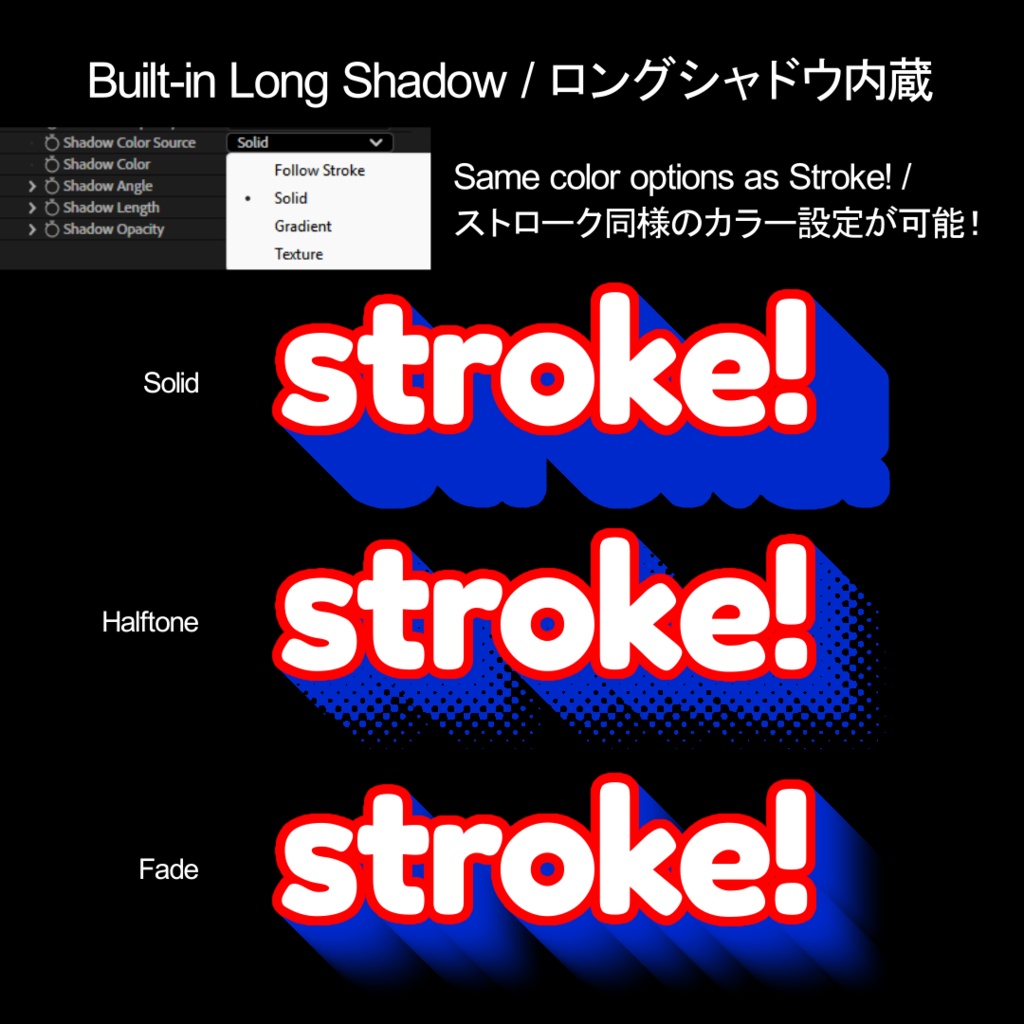
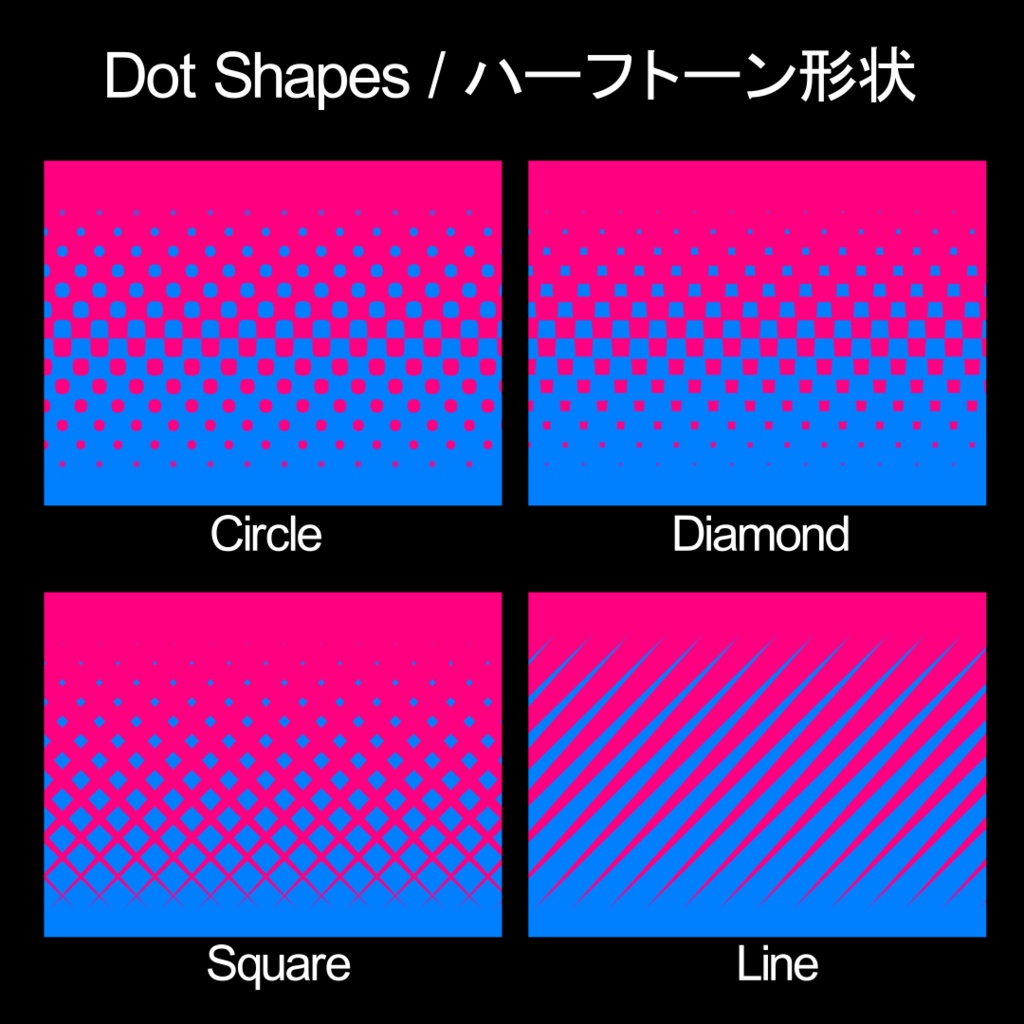


==== JP ==== 【主な機能】 ■ ストローク・輪郭 (Stroke & Cutout) - Stroke Width: 0.0〜1000.0 px の自由な線幅設定(1px未満の極細線も安定描画) - Placement: * Outside: アルファ外周から外側へ展開 * Inside: アルファ境界から内側へ展開(不透明レイヤー対応) * Both: 境界を中心に内外対称へ展開 * Fill: レイヤー内を輪郭ごと塗りつぶし(Cutoutモード時は外側余白を自動確保) - Corner Style: * Round: 滑らかな円弧コーナー * Cutout: 切り絵風の直線ポリゴン加工(Position移動やRotation回転時も頂点形状を固定維持) - Cutout Detail / Corner Finish (Pointed | Chamfered) / Cutout Variation / Cutout Seed - Hole Mode: * Normal: 外周と内部穴の両方にストローク描画 * Ignore Holes: 外周のみ描画し、内部穴を透過維持 * Fill Holes: 閉じた内部穴を自動検知して塗りつぶし(Halftone時も単一シルエットとして処理) - Fill Stroke Gaps: 文字間など近接ストローク同士の衝突で閉じた隙間を自動充填 - Stroke Only / Clamp to Canvas: 線のみ出力 / キャンバス端クランプ切り替え ■ スタイル・不透明度 (Appearance) - Shape Style: * Solid: 均一な塗り * Glow: Softness / Falloff 調整可能な発光ストローク * Halftone: Dot Shape (Circle / Diamond / Square / Line)、Cell Size、Angle、Offset * Dashed: ソース輪郭に沿った破線/ドット線(Round & Cutout両対応、Dash Margin、Dash Length [0+Roundで真円ドット]、Dash Gap、Dash Cap [Round | Flat]、Dash Offsetアニメーション、Seamless Loop) - Stroke Opacity / Source Opacity / Blend Mode (Normal / Add / Screen / Multiply) ■ カラーソース (Color Source) - Solid Color: 単色RGBA指定 - Gradient (最大16ストップ・マルチストップRGBAランプ): * ビューポート&エフェクトコントロール上の直感操作(1クリック選択、追加、削除、ドラッグ移動、Shift+ドラッグで8方向/45°マグネティックスナップ、⇄反転/ミラーボタン、Stop Opacity個別スライダー) * Gradient Type: Linear / Radial (Figma風第3ハンドルによる楕円Radial Aspect調整) / Outline Depth * Lock Position: Follow Layer / Fixed in Comp (シェイプ/テキスト/折りたたみプリコンプ対応) * Transition: Smooth / Halftone (Grad Dot Shape 4種、Grad Halftone Size、Angle、Offset、Invert) - Texture: 別レイヤーのテクスチャ投影 * Position / Rotation / Scale X / Scale Y * Fit: Cover (コンポジション空間に追従) / Stretch (レイヤー領域に伸縮フィット) ■ ロングシャドウ (Long Shadow ※Shape Style: Solid / Fill時に利用可能) - 指向性2Dレイマーチシャドウ (Shadow Angle / Shadow Length 0〜30000 px / Shadow Opacity) - Shadow Shape Style: Solid / Halftone (Shadow Dot Shape 4種、Size、Angle、Offset、Invert) / Fade (滑らかな不透明度フェード) - Shadow Color Source: Follow Stroke / Solid / 独立Gradient (Linear・Radial・Shadow Depth、⇄反転、Fade、Halftone対応) / 独立Texture ■ パフォーマンス・対応規格 - SmartFX (8-bit / 16-bit / 32-bit float カラー) 完全対応 - マルチフレームレンダリング (MFR)&SIMD並列処理対応 --- 【動作環境】 ・Windows: Windows 10 / 11 (64-bit) / After Effects 2020 - 2026 ・macOS: macOS 11 (Big Sur) 以降 / Apple Silicon & Intel Universal Binary / After Effects 2022 - 2026 【インストール方法】 ・Windows: 「ThisIsStroke.aex」を C:\Program Files\Adobe\Adobe After Effects <バージョン>\Support Files\Plug-ins\ (または C:\Program Files\Adobe\Common\Plug-ins\7.0\MediaCore\) へコピー ・macOS: 「ThisIsStroke.plugin」を /Library/Application Support/Adobe/Common/Plug-ins/7.0/MediaCore/ へコピー ・適用メニュー: エフェクト > This is Effects > This is Stroke 【利用規約】 ・商用・個人利用可(映像制作、配信、ゲーム、MV、商業広告等) ・プラグインバイナリの再配布・再販売・リバースエンジニアリング禁止 【サポート・ご要望】 This is Stroke をダウンロードいただきありがとうございます! 万が一バグを見つけた場合や、アップデートに関するご提案などがございましたら、 alpinejag.work@gmail.com までお送りいただけますと大変嬉しいです。 ==== EN ==== [ Features ] - Stroke Geometry: * Stroke Width (0.0 - 1000.0 px with subpixel thin-line stabilization) * Placement: Outside / Inside / Both / Fill * Corner Style: Round (exact SDF arcs) or Cutout (paper cutout polygons locked across position/rotation transforms, with Cutout Detail, Corner Finish [Pointed | Chamfered], Variation, Seed) * Hole Mode: Normal / Ignore Holes / Fill Holes (unified silhouette in Solid & Halftone) * Fill Stroke Gaps: Auto-seals enclosed cavities created when strokes collide * Stroke Only & Clamp to Canvas toggles - Shape Style & Opacity: * Solid / Glow (Softness & Falloff) / Halftone (Dot Shape: Circle | Diamond | Square | Line, Cell Size, Angle, Offset) * Dashed: Contour-following dashed or dotted strokes (Round & Cutout compatible, Dash Margin, Dash Length [0 + Round = circular dots], Dash Gap, Dash Cap [Round | Flat], Dash Offset animation, Seamless Loop) * Independent Stroke Opacity, Source Opacity & Blend Mode (Normal / Add / Screen / Multiply) - Color Source: * Solid Color (RGBA) * Multi-Stop Gradient (up to 16 stops): - 1-click stop selection, viewport handles (Shift+drag for 8-direction 45 deg magnetic snap), Flip/Mirror stops button, per-stop Opacity scrubber & premultiplied alpha interpolation - Linear / Elliptical Radial (Figma-style 3rd Aspect handle) / Outline Depth - Lock Position: Follow Layer / Fixed in Comp (supports Text, Shape & Collapsed Pre-comps) - Transition: Smooth / Halftone (Grad Dot Shape: Circle | Diamond | Square | Line, Size, Angle, Offset, Invert) * Texture: External layer mapping with Position, Rotation, Scale X/Y & Fit (Cover | Stretch) - Directional 2D Long Shadow (Available in Solid & Fill modes): * Shadow Angle, Shadow Length (0 - 30000 px) & Shadow Opacity * Shadow Shape Style: Solid / Halftone (Shadow Dot Shape: Circle | Diamond | Square | Line) / Fade * Shadow Color Source: Follow Stroke / Solid / Independent Gradient (Linear, Elliptical Radial, Shadow Depth, Flip, Halftone) / Independent Texture - Performance & Compatibility: * SmartFX 8 / 16 / 32-bpc Float pipeline * Multi-Frame Rendering (MFR) & SIMD multi-threaded engine --- [ System Requirements ] - Windows: Windows 10 / 11 (64-bit), After Effects 2020 - 2026 - macOS: macOS 11+ (Apple Silicon & Intel Universal Binary), After Effects 2022 - 2026 [ Installation ] - Windows: Copy "ThisIsStroke.aex" to C:\Program Files\Adobe\Adobe After Effects <Version>\Support Files\Plug-ins\ (or C:\Program Files\Adobe\Common\Plug-ins\7.0\MediaCore\) - macOS: Copy "ThisIsStroke.plugin" to /Library/Application Support/Adobe/Common/Plug-ins/7.0/MediaCore/ - Menu: Effects > This is Effects > This is Stroke [ License ] - Commercial & personal use allowed. Redistribution, resale, or reverse engineering of binaries is prohibited. [ Support & Feedback ] Thank you for downloading This is Stroke! If you happen to find any bugs or have suggestions for updates, I would be very happy if you send them to alpinejag.work@gmail.com.