
BWF Auto Spot ― BWF をタイムスタンプ位置へ自動で配置(Pro Tools 用・Mac)
- ダウンロード商品¥ 4,980
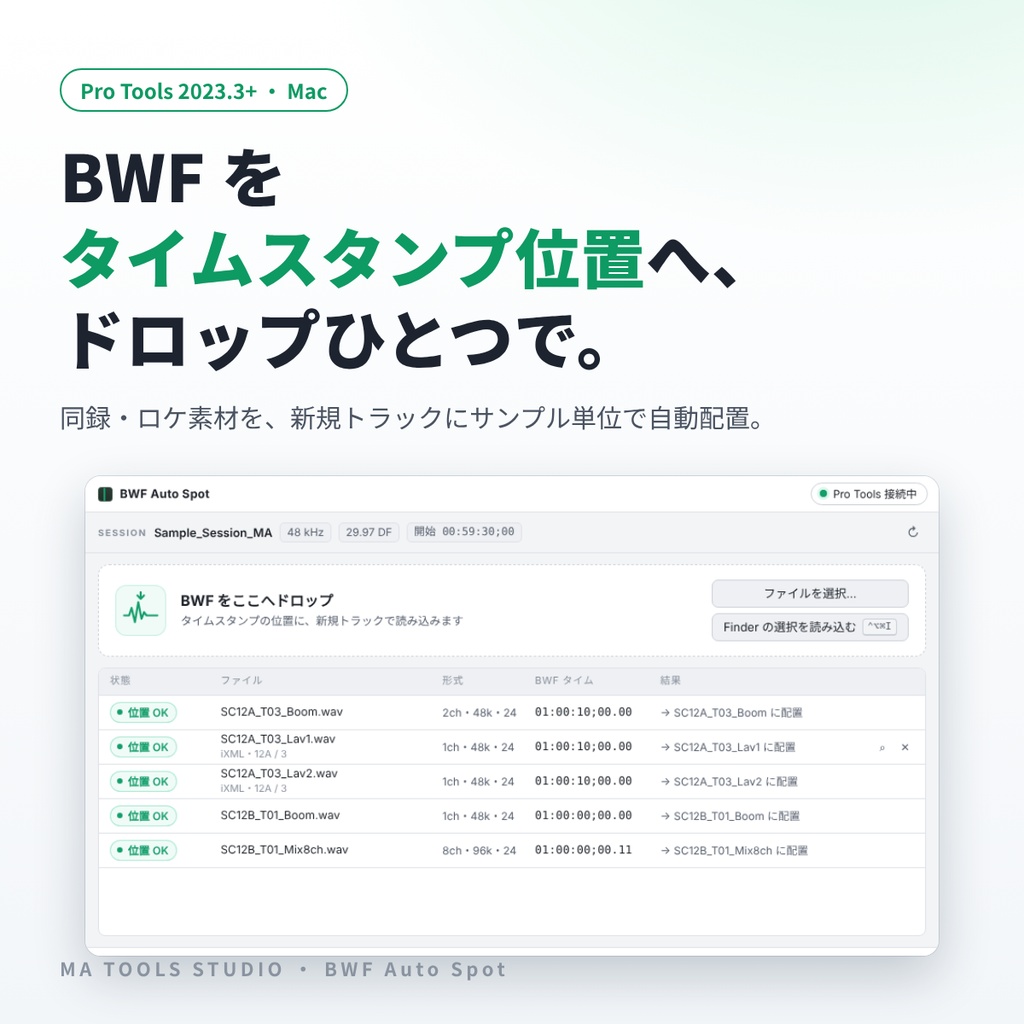
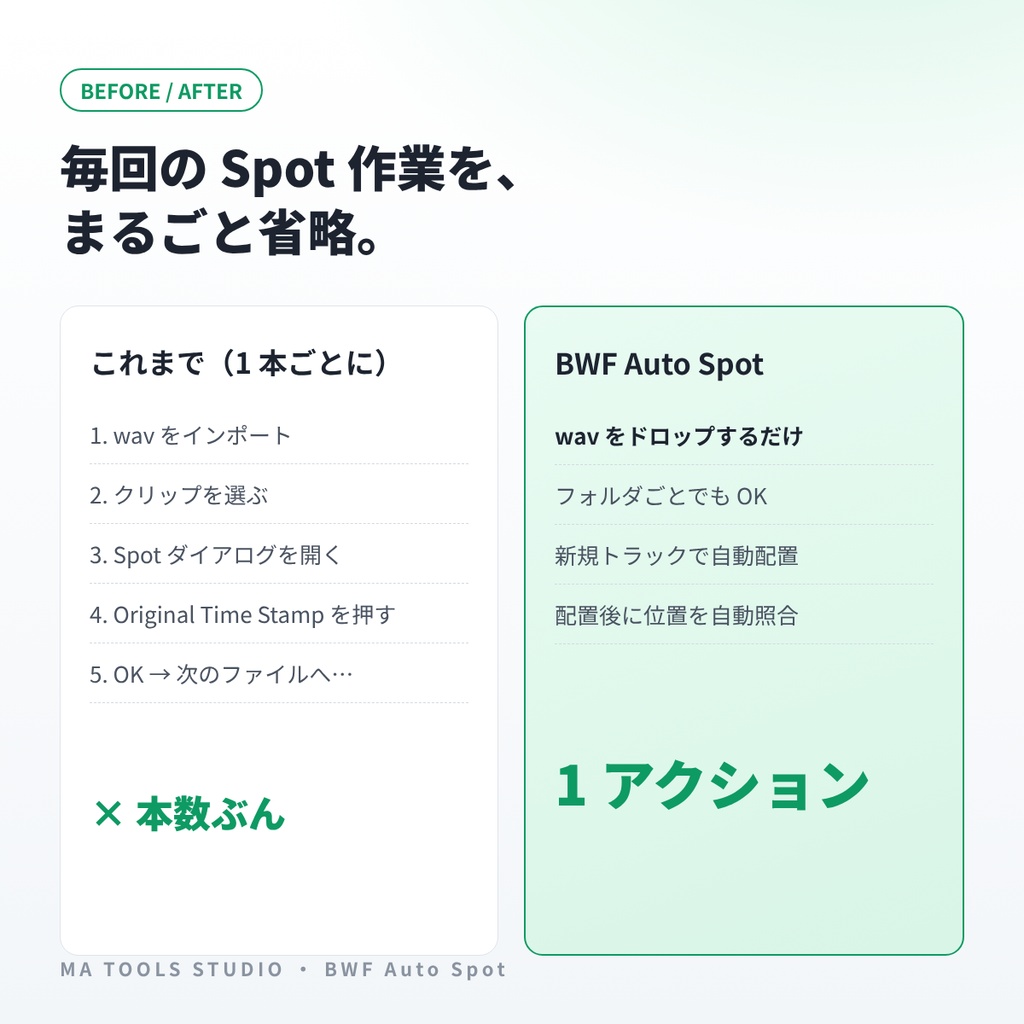
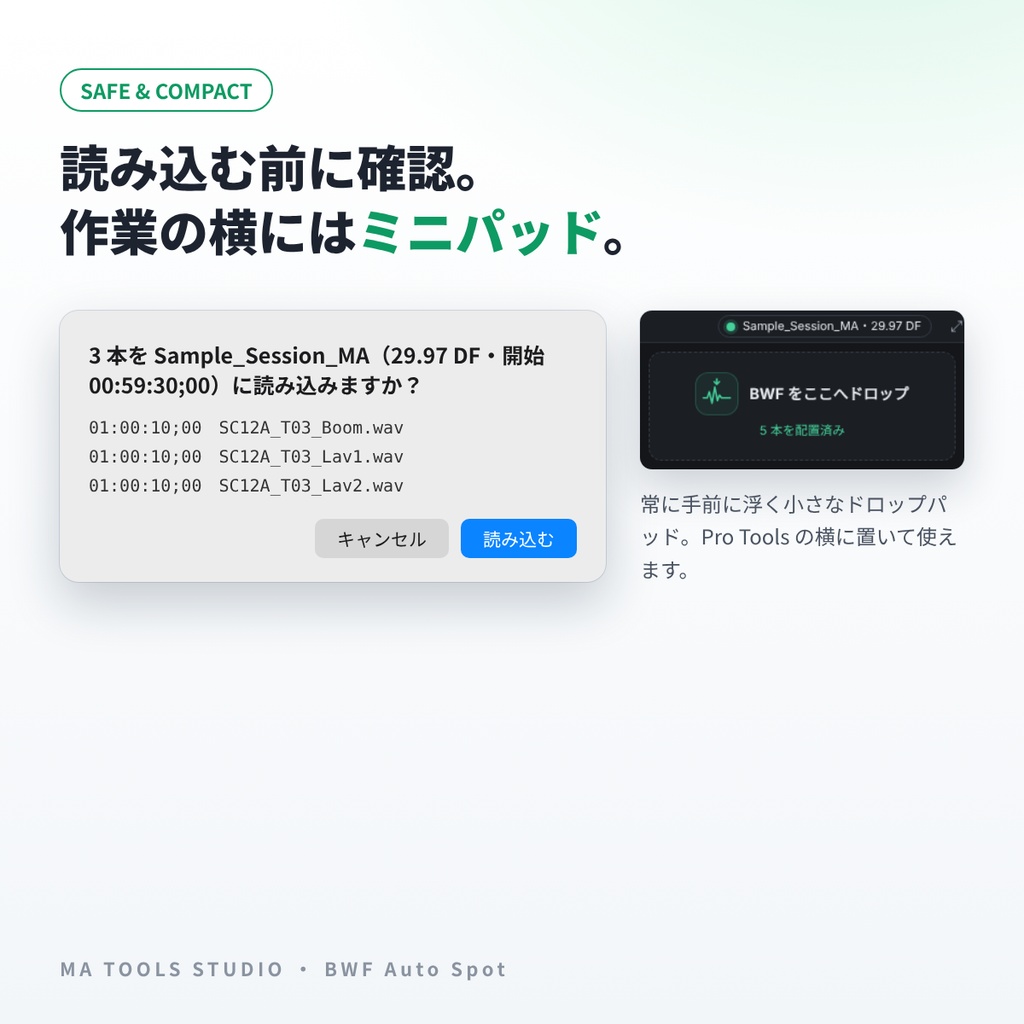
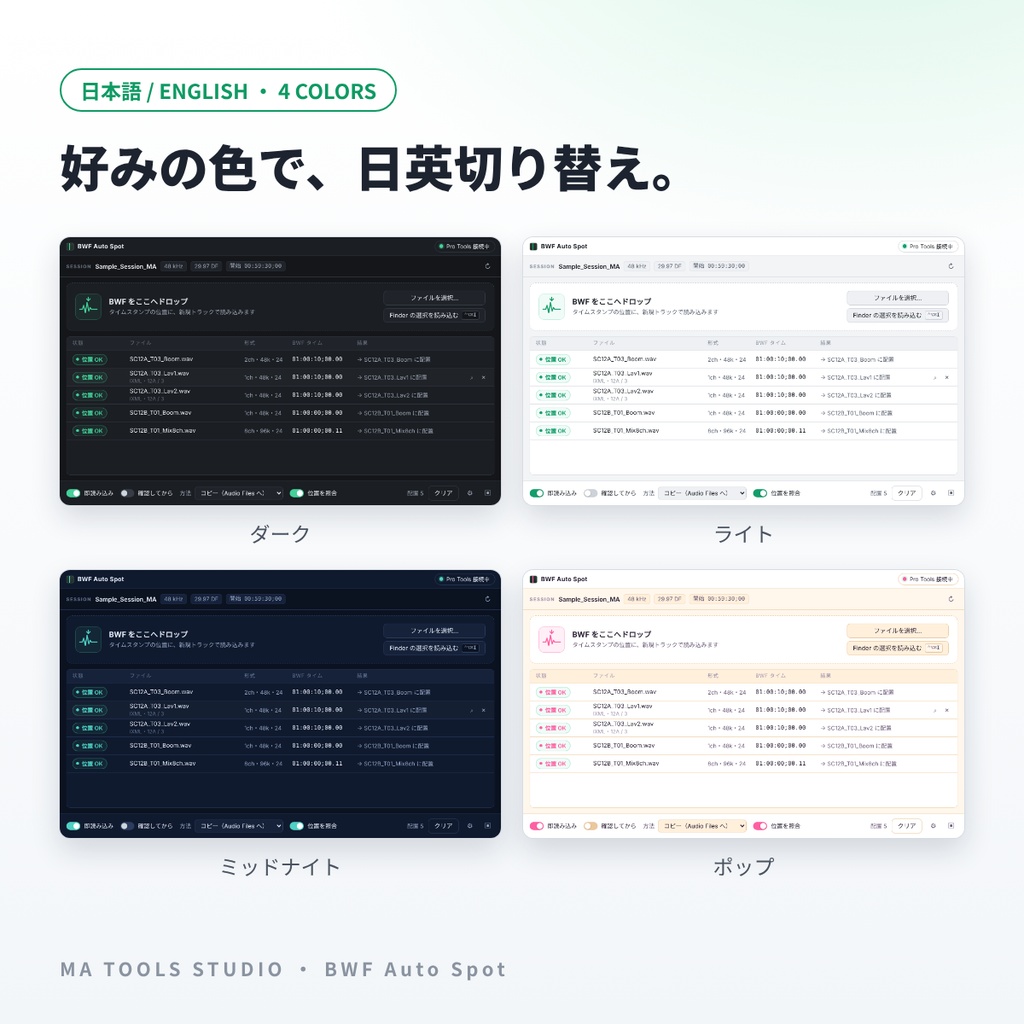
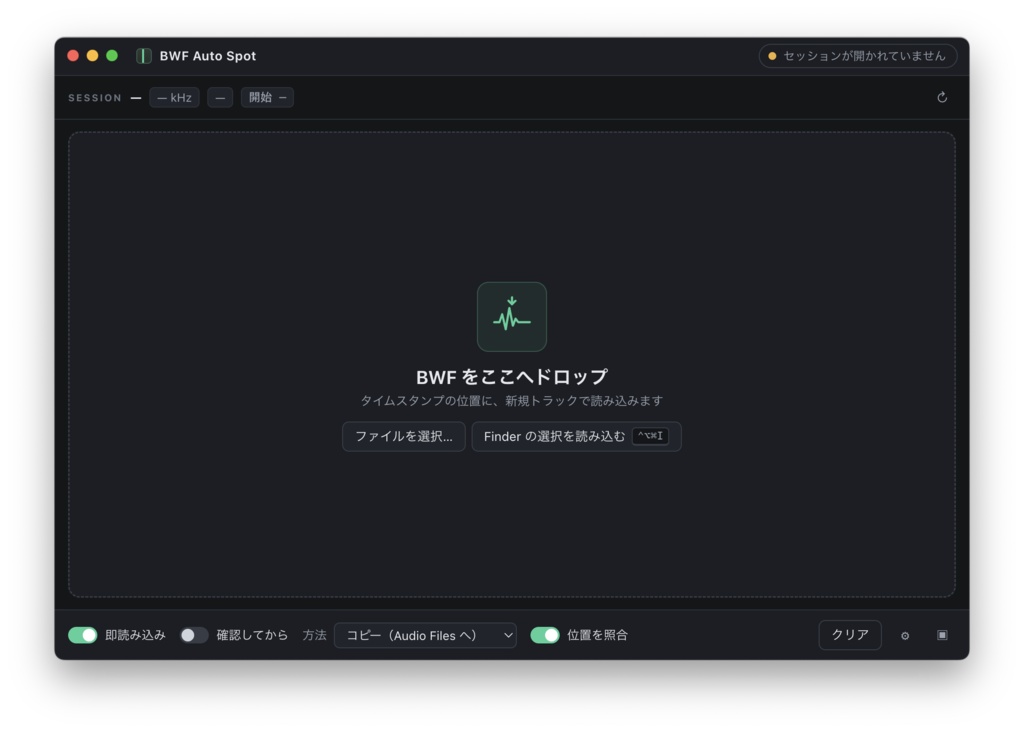


音響効果さんから書き出されたWAVや、同録・ロケ素材の BWF を、Pro Tools に「タイムスタンプの位置」で一発配置。 Pro Tools に BWF を読み込むたびに、Spot ダイアログを開いて オリジナルタイムスタンプ を押していませんか? BWF Auto Spot は、wav をドロップするだけで、ファイルごとに新規トラックを作り、BWF のタイムスタンプ位置へサンプル単位で置きます。
■できること
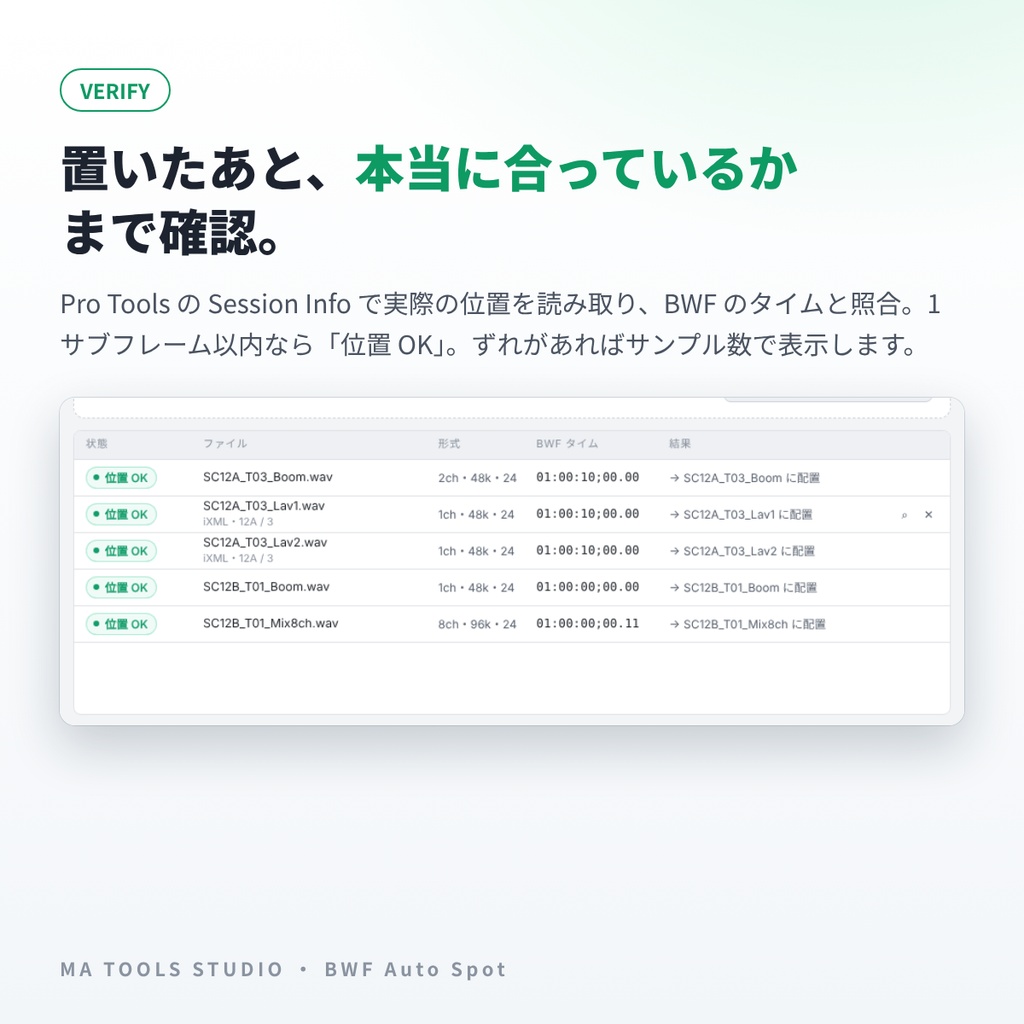
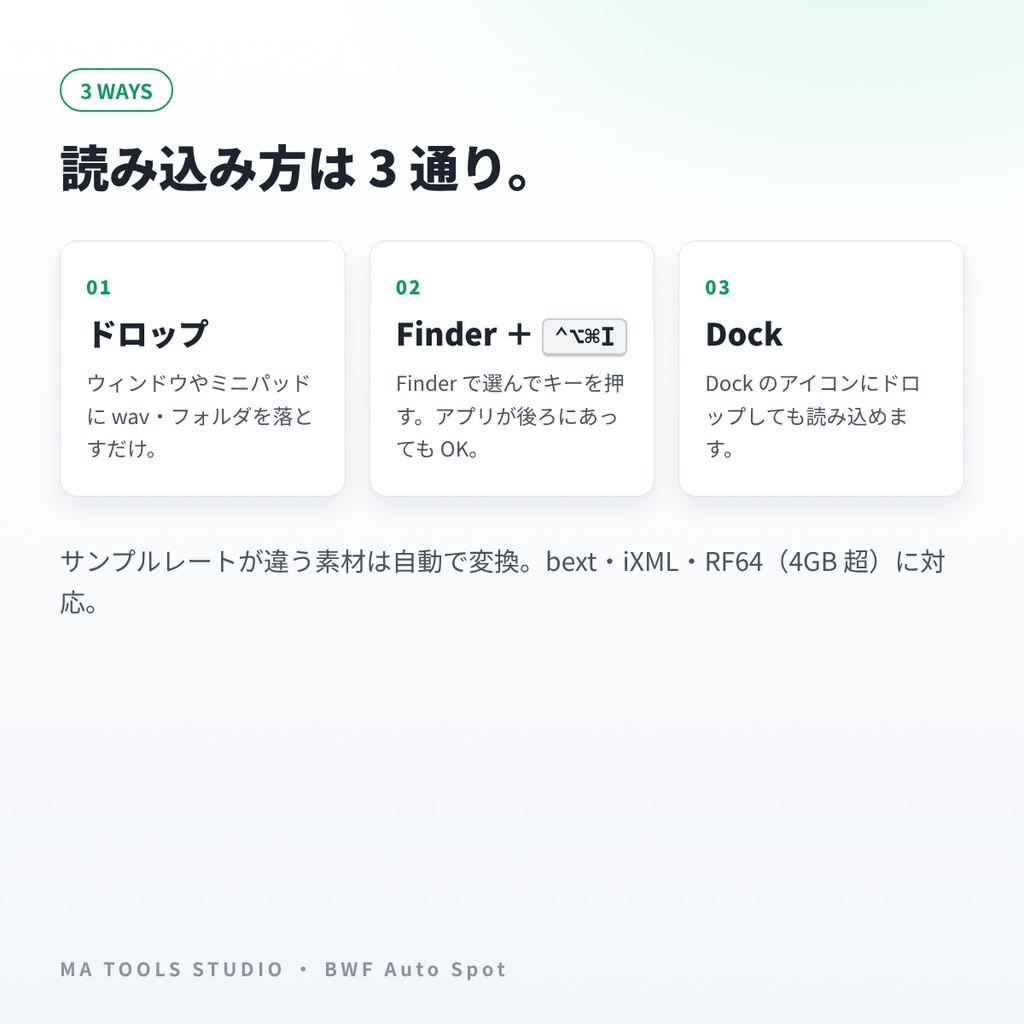
・wav(フォルダごとでも可)をドロップ → タイムスタンプ位置に新規トラックで配置 ・Finder で選んで ⌃⌥⌘I でも読み込み(アプリが後ろにあっても OK) ・読み込み後に実際の位置を照合し「位置 OK」を表示(1 サブフレーム以内) ・読み込む前にファイルと置き先タイムを確認できるダイアログ ・サンプルレートが違う素材は自動で変換(96k → 48k など) ・素材とセッションのフレームレートが違うときは注意を表示 ・bext のほか iXML のタイムスタンプ、RF64(4GB 超)にも対応 ・常に手前に浮くミニ表示のドロップパッド ・日本語 / English、カラー 4 種
■ こんな方に
・ロケ・同録素材を Pro Tools で整音する MA・ポスプロの方 ・複数の録音機の素材を、タイムコードどおりに並べたい方 ・毎日の Spot 作業を減らしたい方
■ 特長
・Avid 公式のスクリプト機能(Pro Tools Scripting Library)で動きます。画面のクリックを代行する方式ではないので、Pro Tools のウィンドウ配置に左右されません ・月額課金なし・登録なしの買い切り ・インターネットには一切接続しません(通信するのは同じ Mac の Pro Tools だけ) ・Apple の公証済み
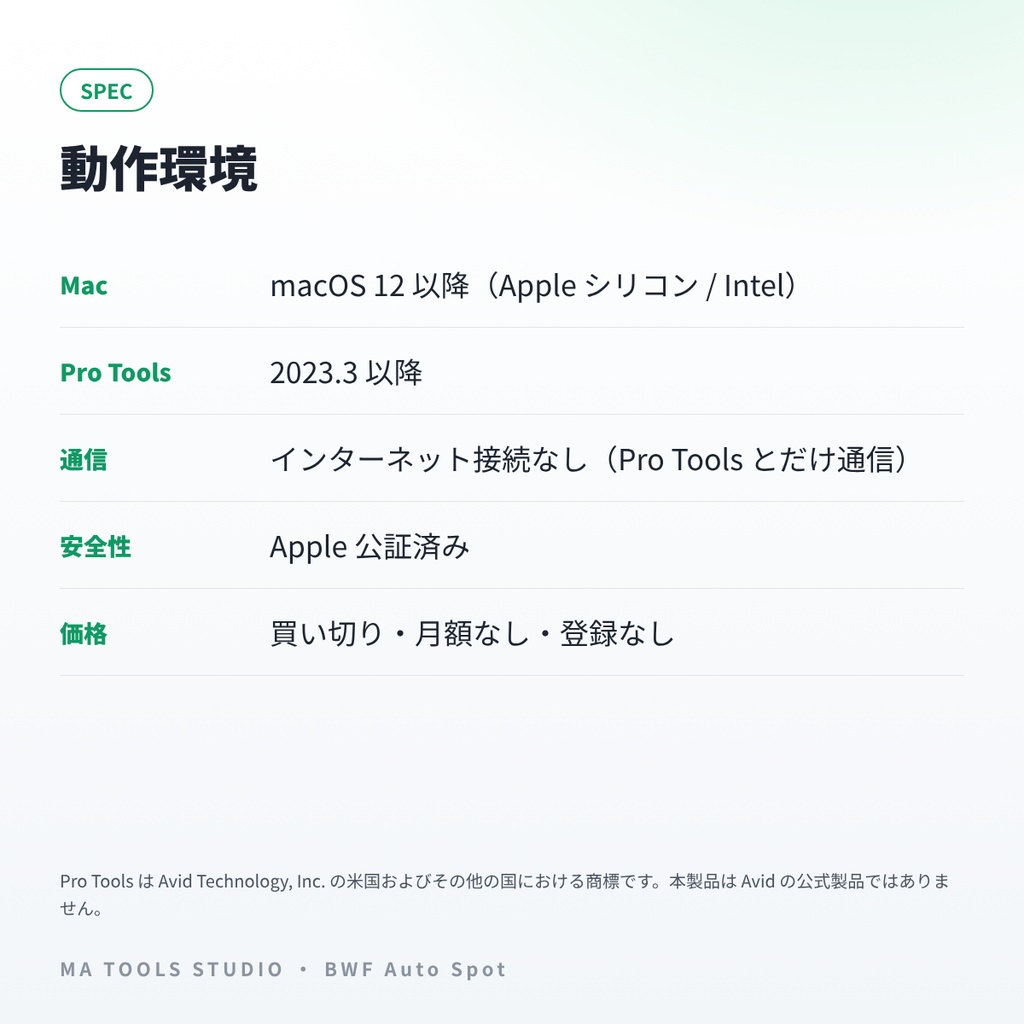
■ 動作環境
・macOS 12 以降(Apple シリコン / Intel 両対応) ・Pro Tools 2023.3 以降(それより前のバージョンでは動きません)
■ ご注意
・置く先は新規トラックのみです(Pro Tools の仕様上、既存トラックへは置けません) ・タイムスタンプが無い・0 のファイル、セッション開始より前のファイルは対象外です ・プルアップ/プルダウンには対応していません ・必ずお使いの環境で動作をご確認のうえ、本番作業にお使いください
■ 内容物
・BWF Auto Spot(DMG) ・README(日本語 / English)、使用許諾(日本語 / English)、第三者ライセンス、更新履歴
■ 返品について
デジタル商品のため、購入後の返品はお受けできません。不具合がある場合は修正版で対応し、解決しない場合は返金いたします。 ■ お問い合わせ matoolsstudio@gmail.com Pro Tools は Avid Technology, Inc. の米国およびその他の国における商標です。本製品は Avid の公式製品ではありません。
■ Description (English)
Place location-sound BWF files in Pro Tools at their timestamps — in one drop. Tired of opening the Spot dialog and clicking Original Time Stamp for every BWF you import? BWF Auto Spot imports each dropped file onto a new track and places it at its BWF timestamp, sample-accurately. ■ Features ・Drop WAV files (or folders) → placed on new tracks at their timestamps ・Or select files in Finder and press ⌃⌥⌘I, even with the app in the background ・Verifies the actual positions after import and shows "Position OK" (within one subframe) ・Optional confirmation dialog showing files and destination times ・Different sample rates are converted automatically (e.g. 96k → 48k) ・Warns when the source and session frame rates differ ・Reads bext and iXML timestamps; supports RF64 (over 4 GB) ・Always-on-top mini drop pad ・Japanese / English, 4 color themes ■ Highlights ・Uses Avid's official Pro Tools Scripting Library — no simulated clicks, unaffected by window layout ・One-time purchase, no subscription, no account ・Never connects to the internet (talks only to Pro Tools on the same Mac) ・Notarized by Apple ■ Requirements ・macOS 12 or later (Apple silicon / Intel) ・Pro Tools 2023.3 or later ■ Notes ・Files are always placed on new tracks (Pro Tools does not allow placing onto existing tracks) ・Files without a timestamp, with a timestamp of 0, or before the session start are skipped ・Pull-up / pull-down is not supported ・Please test in your own setup before using it on a real job Pro Tools is a trademark of Avid Technology, Inc. in the U.S. and other countries. This product is not made, endorsed or supported by Avid.