

【VRC】多機能!!ゆめかわコンデジ
- 「通常版」ダウンロード商品¥ 800
- 「支援版」ダウンロード商品¥ 1,500
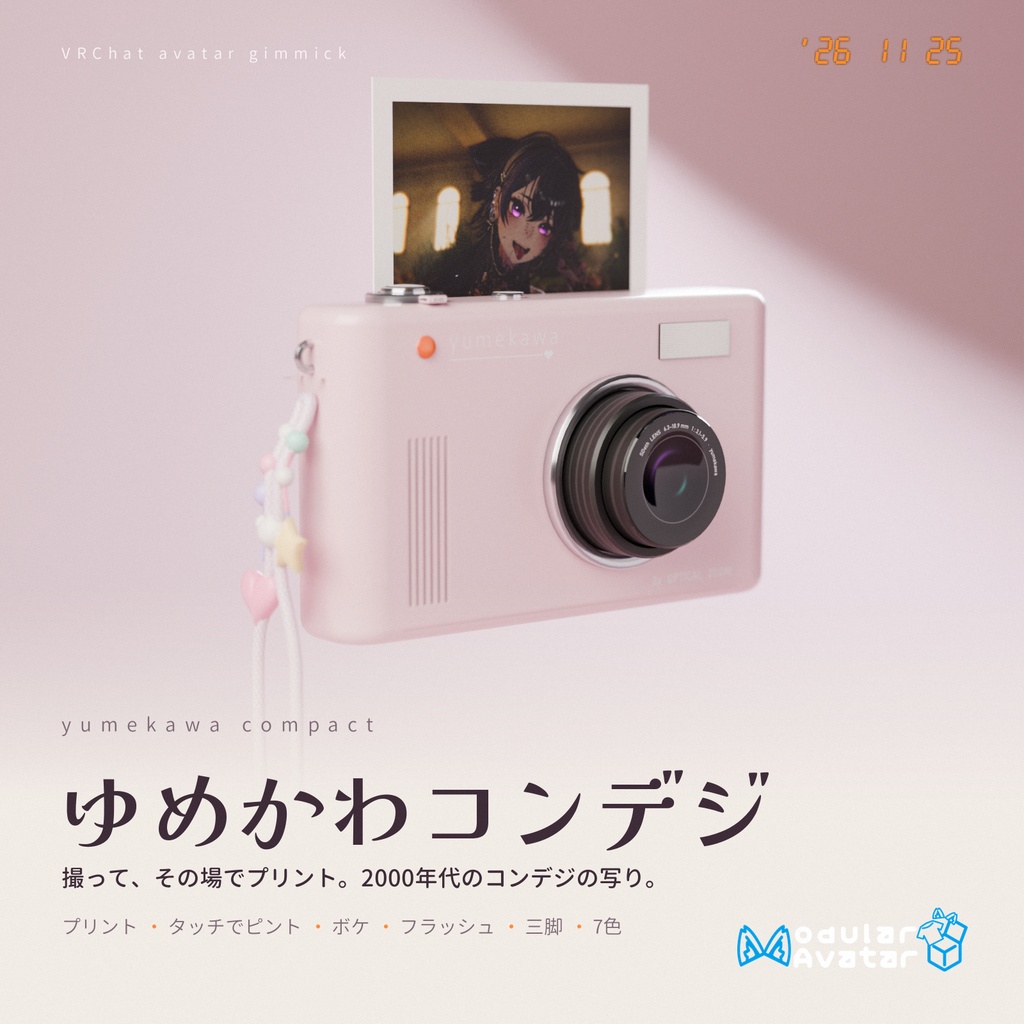
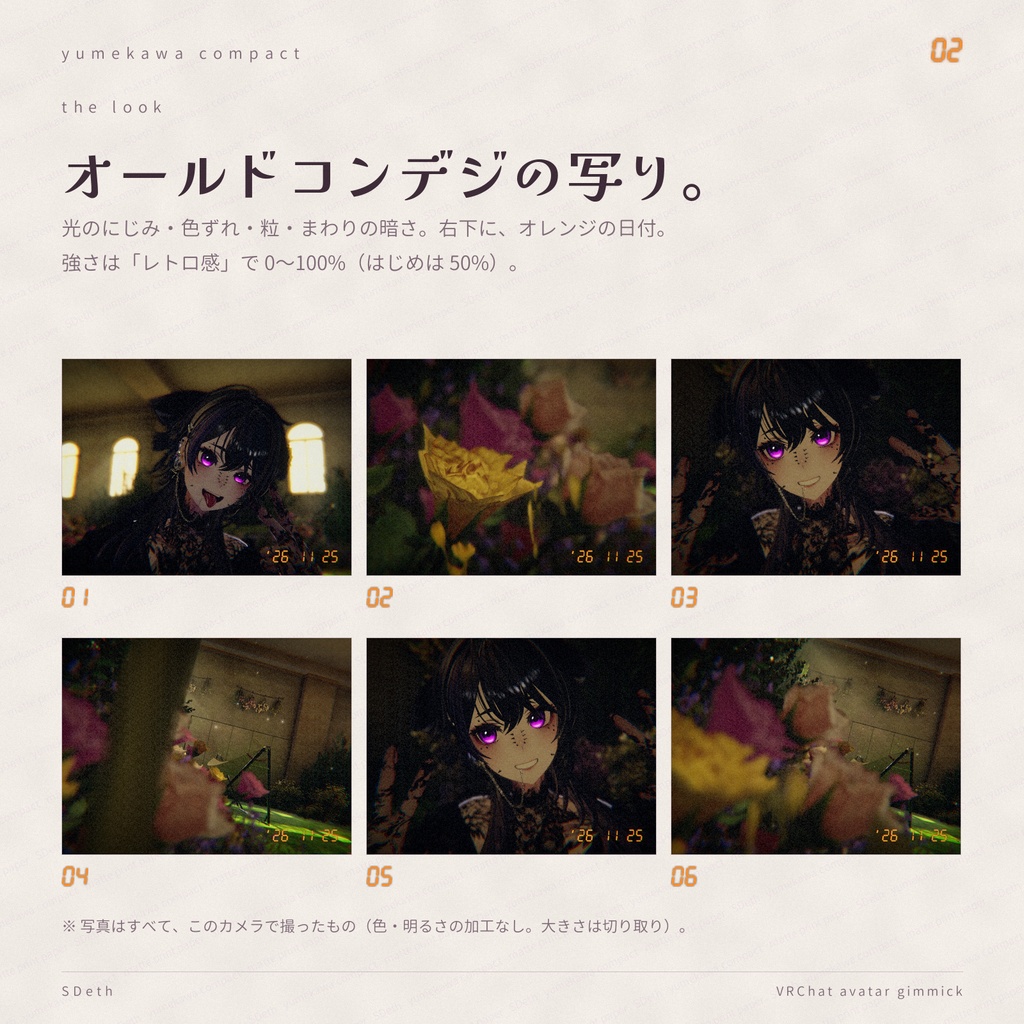
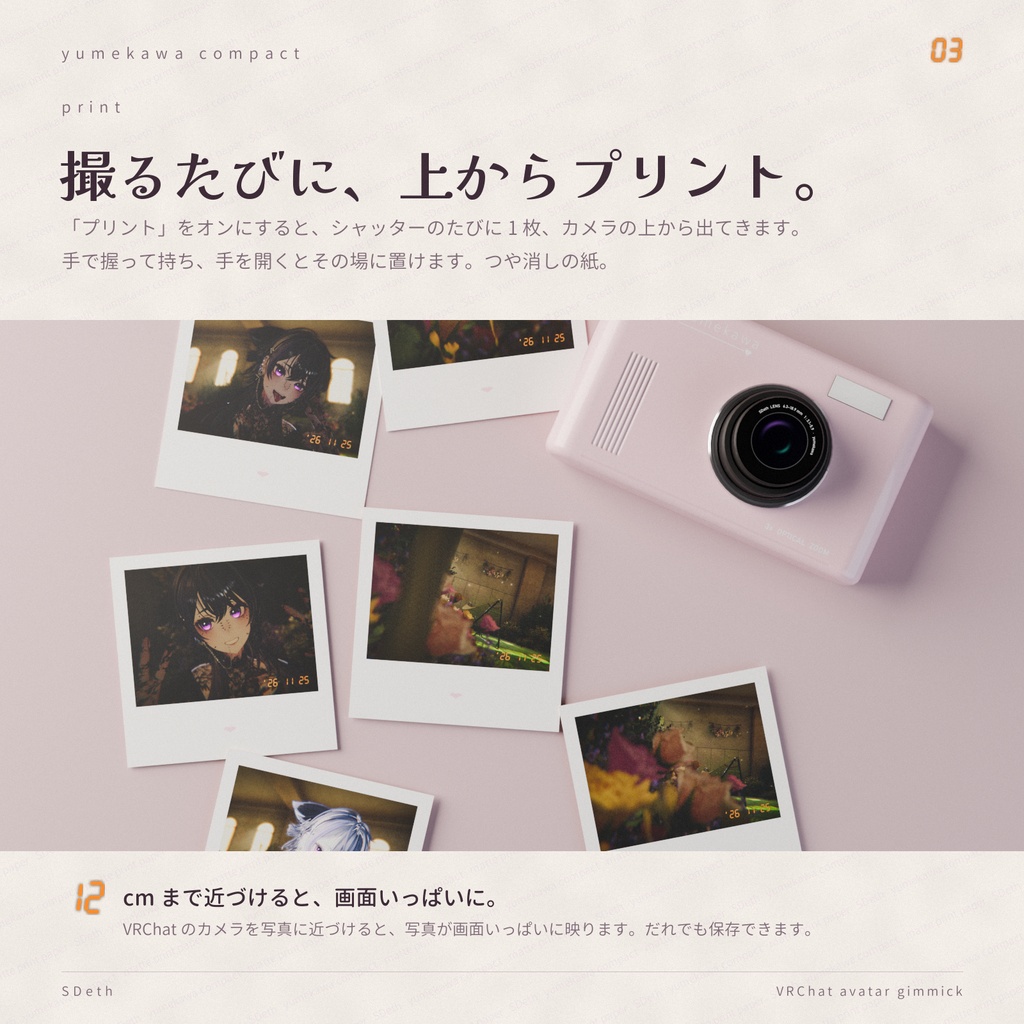
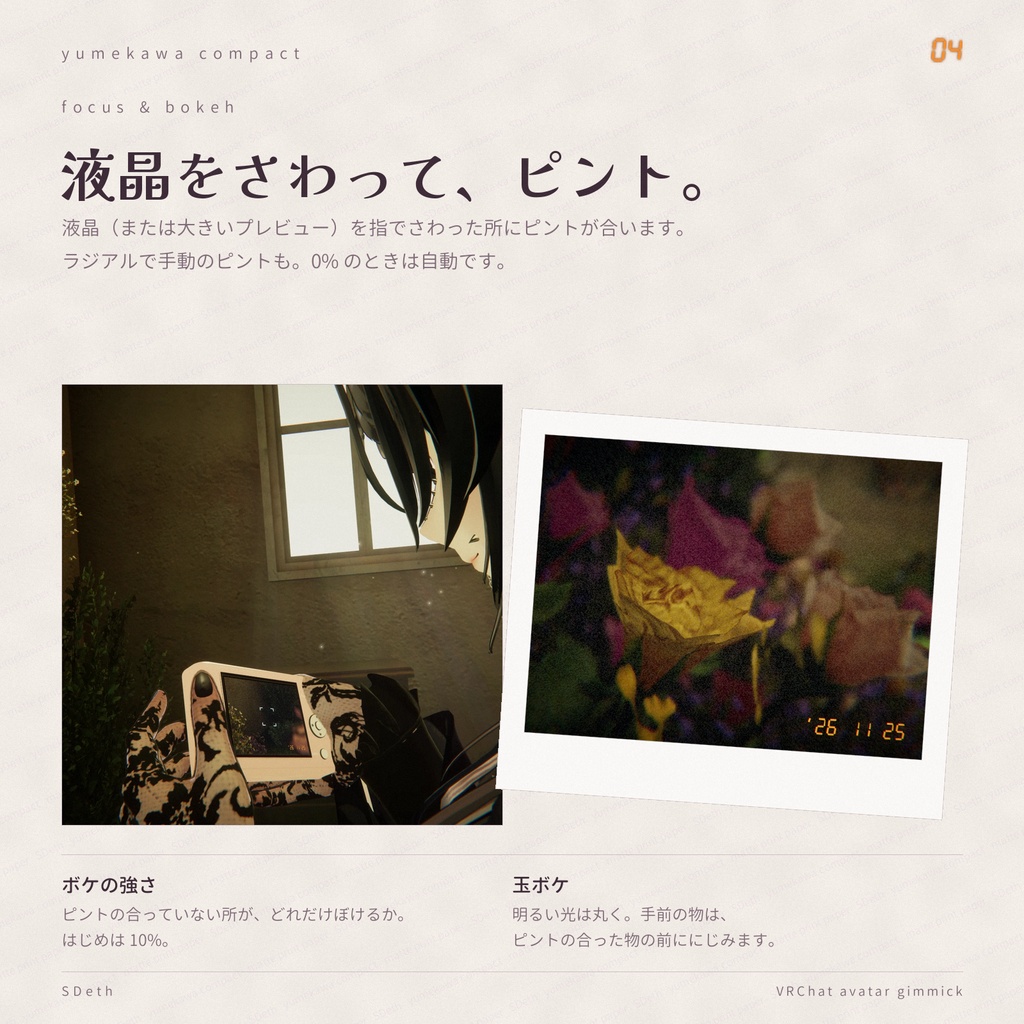


2000 年代のコンパクトデジタルカメラのような写りで写真を撮れる、VRChat 用のアバターギミックです。 撮るたびにカメラの上から紙のプリント(VRChat の中の物)が出てきて、手で持ったり、その場に置いたりできます。 写真の保存は VRChat のカメラを使います(くわしくは下の「写真の残し方」)。 液晶をさわってピント合わせ、ボケ、フラッシュ、三脚とセルフタイマー、色フィルター、ボディは 7 色。 PC 版 VRChat 専用(Quest 非対応。PC VR で動作確認、デスクトップは未確認)/VRChat SDK 3.7.0 以上/Modular Avatar・lilToon 必須 通常版 800円・支援版 1,500円(中身は同じ) Modular Avatar と lilToon を入れたあと、アバターを選んで「アバターに追加」を押すだけで導入できます。 ほかの人を撮るときは、必ず相手の同意を得てから撮ってください。 フラッシュは 1 回だけの短い光です(はじめはオフ)。セルフタイマーを使うと、前面の小さなランプが約 1 秒点滅します。光に敏感な方はご注意ください。 A VRChat avatar gimmick that takes photos with the look of a 2000s compact digital camera. Each shot can come out of the top of the camera as a paper print (an object inside VRChat) that you can hold and put down. Photos are saved with the VRChat camera (see "Saving photos" below). Touch-to-focus on the screen, bokeh, flash, tripod and self-timer, color filters, 7 body colors. PC VRChat only (not for Quest; tested in PC VR, desktop not tested) / VRChat SDK 3.7.0 or later / Modular Avatar and lilToon required. Standard 800 JPY / Support 1,500 JPY (same content). English manual included (see below). Always get consent before taking a photo of another person. The flash fires once, briefly (off by default). The self-timer makes a small lamp on the front blink for about one second. Please take care if you are sensitive to light.
できること
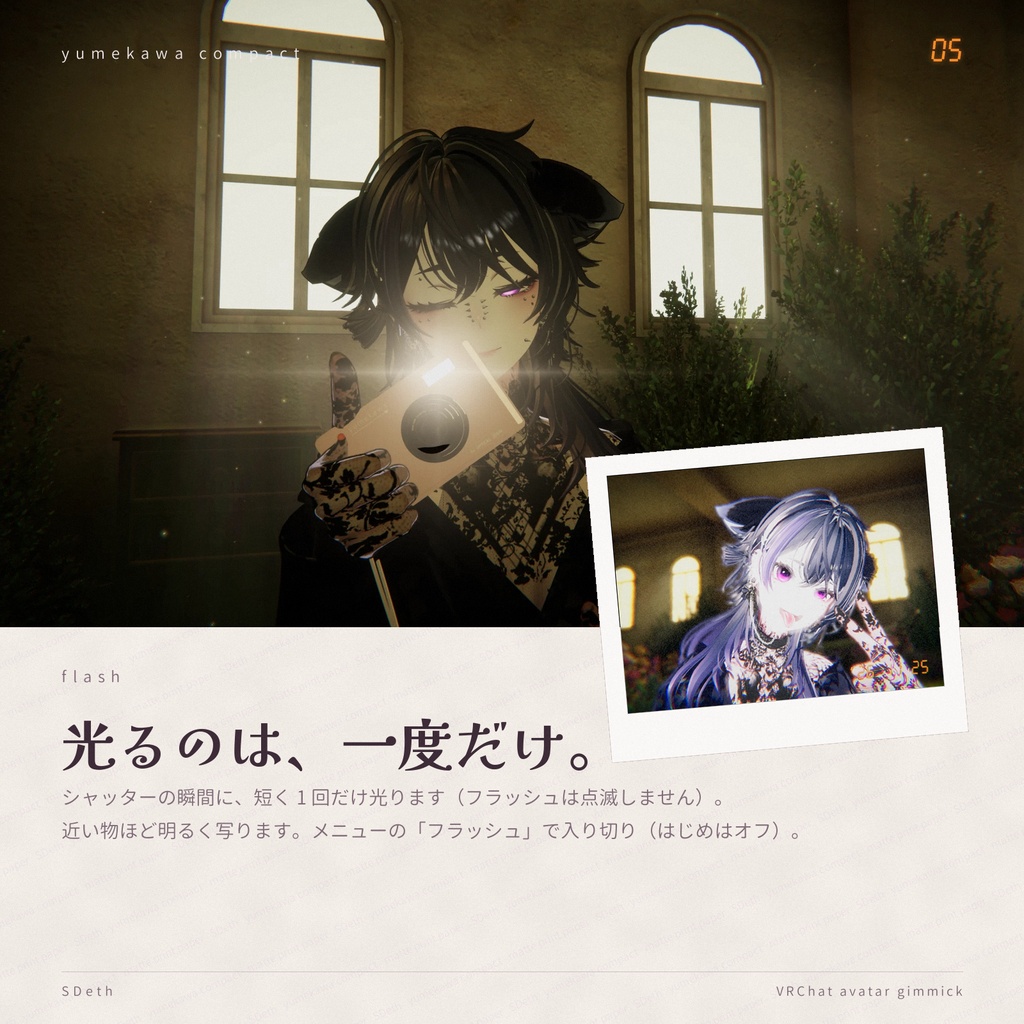
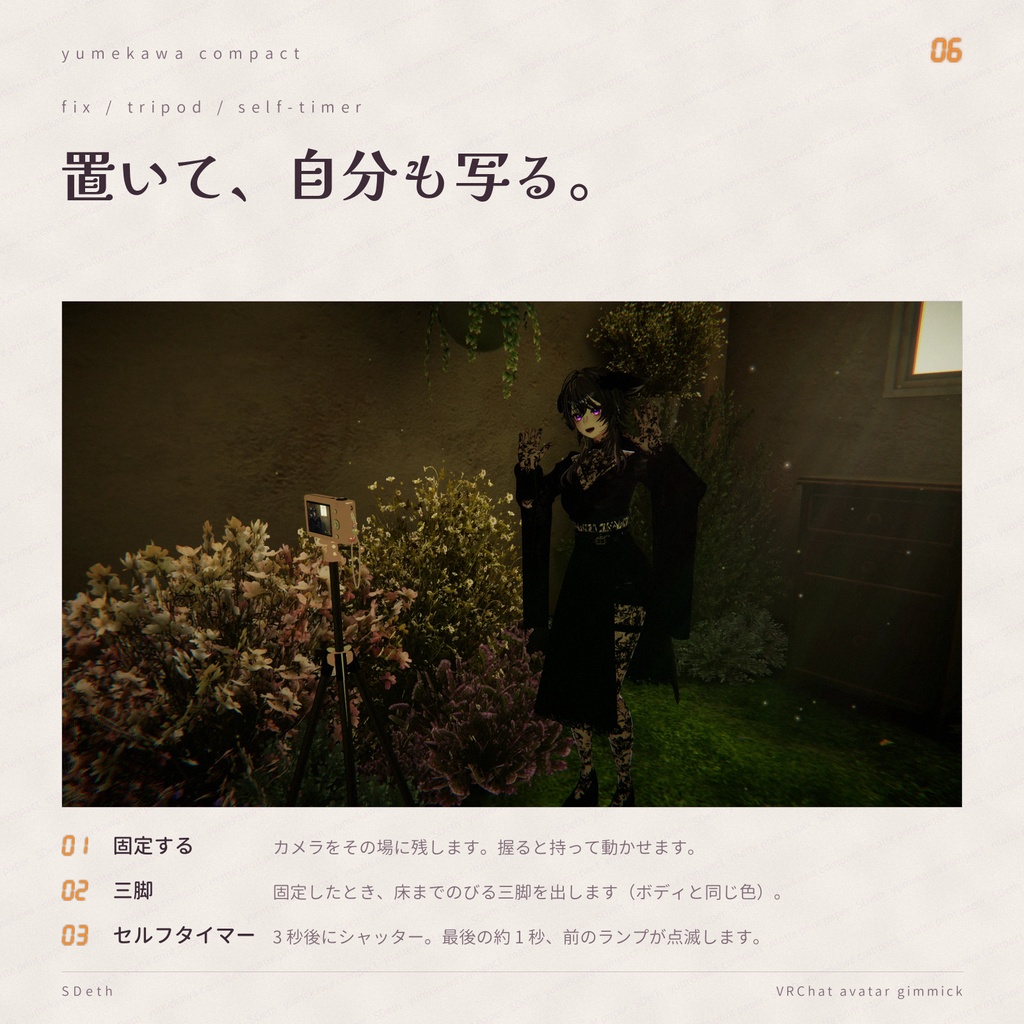
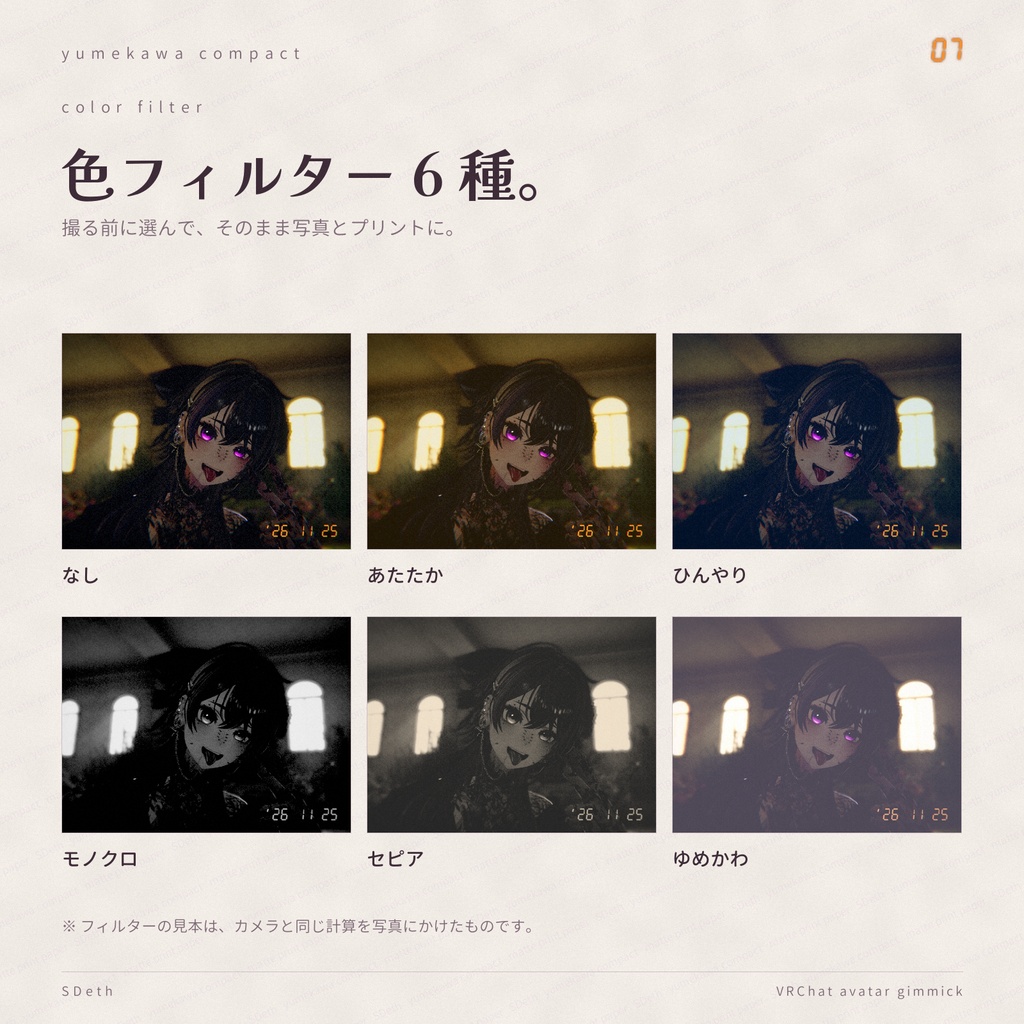
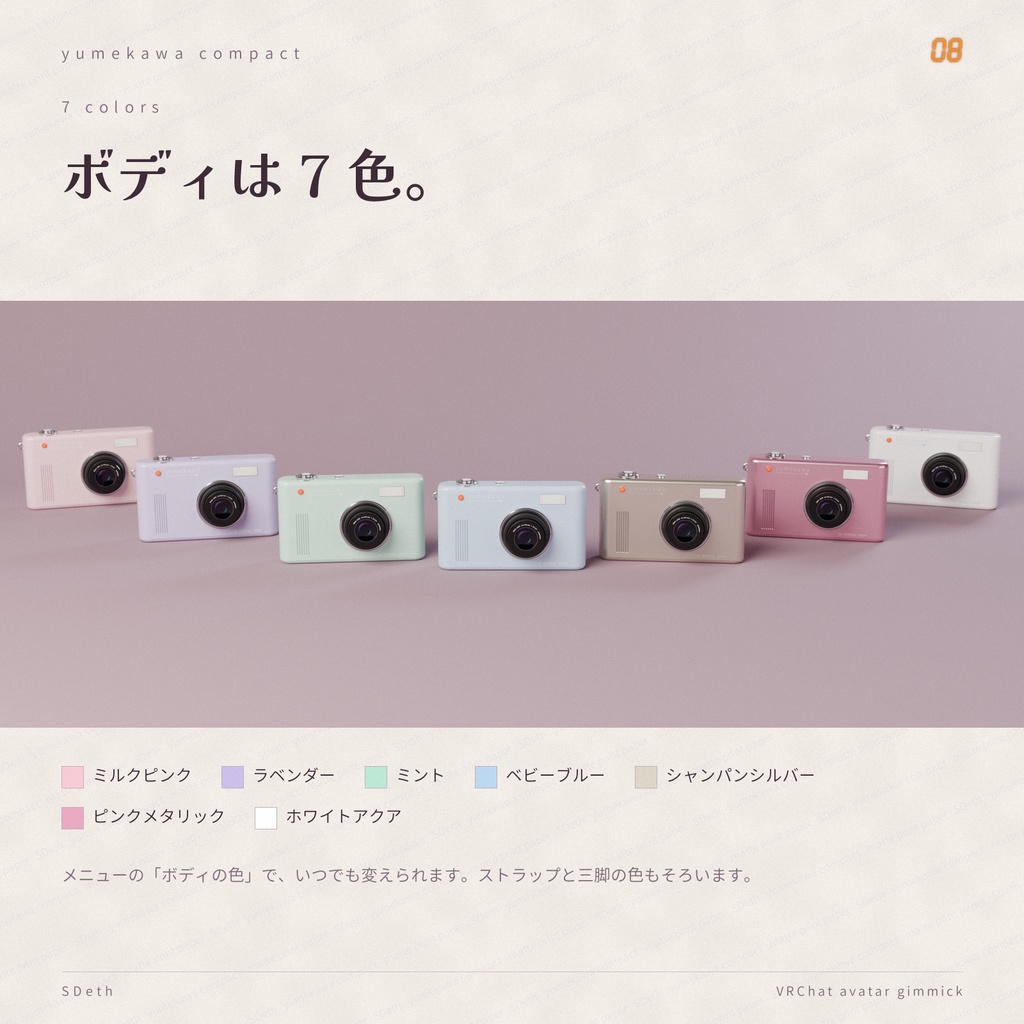
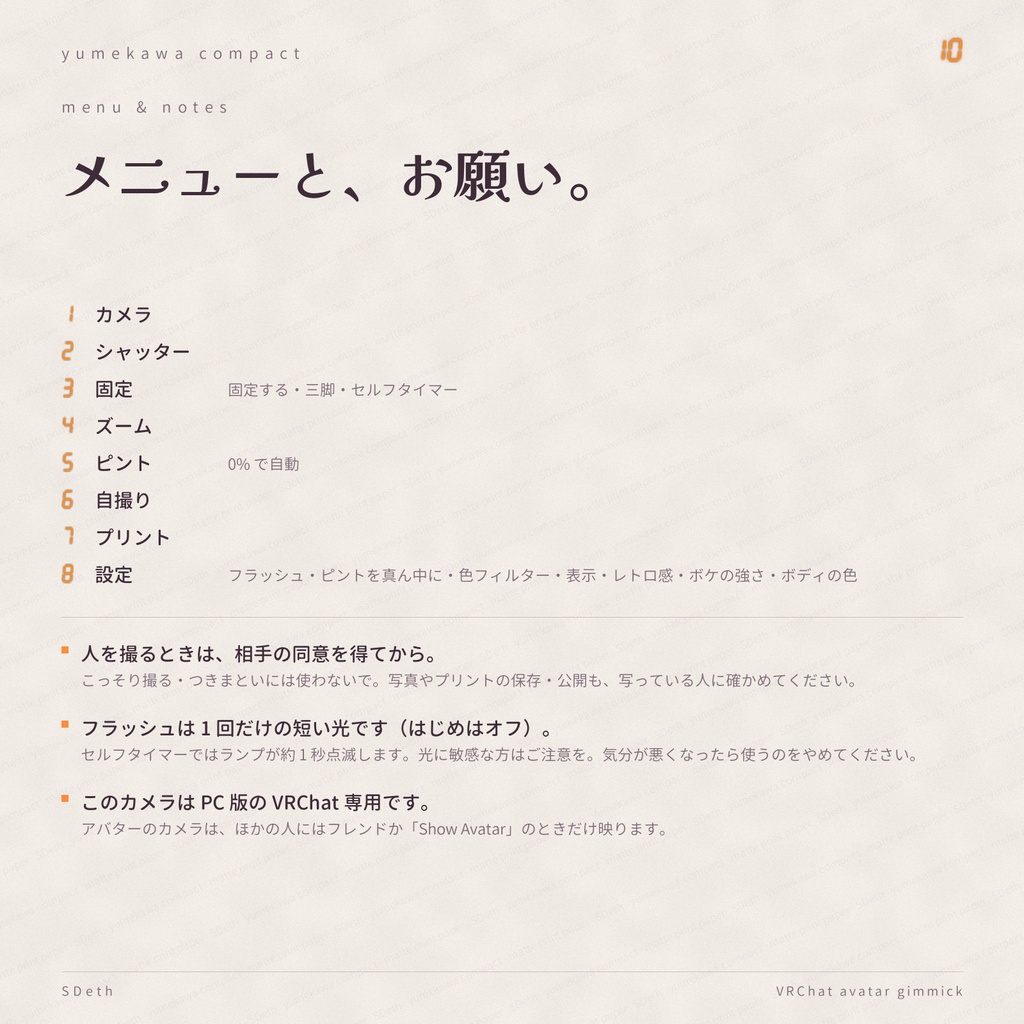
・メニューの「カメラ」で、右手にカメラが出ます ・オールドコンデジの写り:光のにじみ・色ずれ・粒・まわりの暗さ。強さは「レトロ感」で調整 ・右下にオレンジの日付(表示・非表示を切りかえ) ・プリント:オンにすると、撮るたびにカメラの上から 1 枚出てきます。手で握って持ち、手を開くとその場に置けます ・液晶(または大きいプレビュー)を指でさわった所にピントが合います。ラジアルで手動のピントも(ピーキングつき) ・ボケ:ピントの合っていない所がぼけ、明るい光は丸い玉ボケに。強さは「ボケの強さ」で調整 ・ズーム、自撮り、フラッシュ(1 回だけの短い光) ・固定:その場に置いて、床までのびる三脚つき。セルフタイマーで自分も写せます ・色フィルター 6 種(なし・あたたか・ひんやり・モノクロ・セピア・ゆめかわ) ・ボディ 7 色(ストラップと三脚の色もそろいます) ・効果音はすべてオリジナルの合成音です
写真の残し方
・アバターのカメラだけでは、写真を PC に保存できません ・VRChat のカメラを出すと、このカメラの映像が映ります(「VRCカメラに映す」)。そのまま VRChat のカメラで撮ると保存されます ・プリントに VRChat のカメラを 12cm 以内まで近づけると、写真が画面いっぱいに映ります。だれのカメラでも保存できるので、人が写ったプリントの扱いには気をつけてください ・写真の大きさは 640×480、メニューの「高画質」で 1600×1200 【段落3】 見出し:人を撮るときのお願い 本文: ・ほかの人を撮るときは、必ず相手の同意を得てから撮ってください。相手がいやがったら、すぐにやめてください ・こっそり撮る、つきまとう、嫌がらせをする目的では使わないでください ・写っている人の写真・プリントを保存・公開するときも、その人に確かめてください ・プリントは周りの人にも見えます。人が写ったプリントを、その人の同意なく見せたり置いたりしないでください
光について
・フラッシュは、シャッターの瞬間に短く 1 回だけ光ります(フラッシュは点滅しません)。初期値はオフです ・セルフタイマーを使うと、カメラ前面の小さなランプが、シャッター前の約 1 秒間だけ点滅します ・光に敏感な方や、周りに光に敏感な方がいるときは、「フラッシュ」をオフのまま使ってください(ランプの点滅は切れないので、気になる方はセルフタイマーを使わないでください) ・気分が悪くなったときは、すぐに使うのをやめてください
かんたん導入
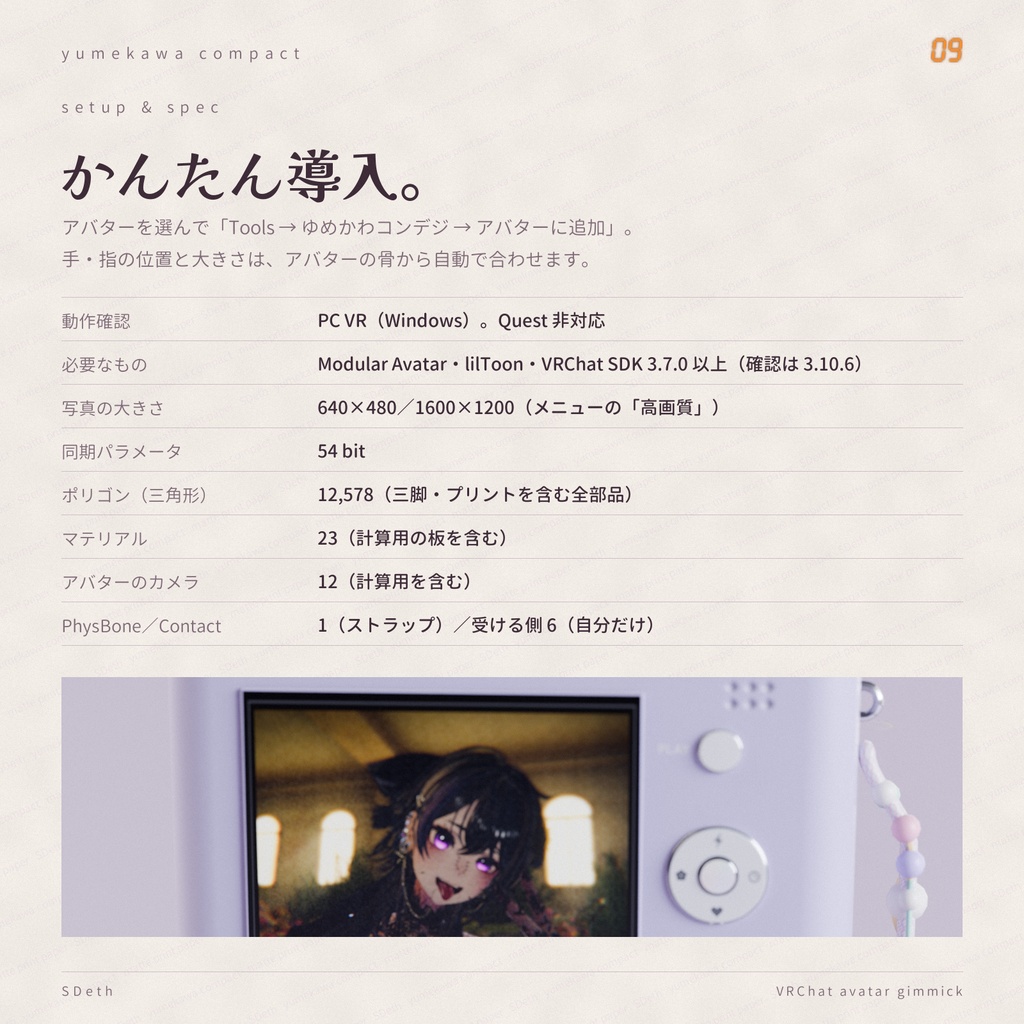
1. unitypackage をプロジェクトに入れる 2. ヒエラルキーでアバターを選ぶ 3. 上のメニューの「Tools → ゆめかわコンデジ → アバターに追加」を押す これだけで、手・指の位置と大きさがアバターの骨から自動で合います。 Modular Avatar 対応なので、元のアバターの FX やメニューを書きかえません。 くわしくは同梱の説明書 PDF(画像つき)をご覧ください。
動作環境
・VRChat SDK3 Avatars 3.7.0 以上(動作確認:3.10.6) ・Modular Avatar 必須(動作確認:1.19.0) ・lilToon 必須(動作確認:2.4.1) ・Unity 2022.3(VRChat の指定バージョン) ・PC 版 VRChat の VR で動作確認(デスクトップは未確認) ・アバターのカメラは PC 版だけで動きます(Quest では動きません) ・液晶などのカメラの映像は、周りの人にはフレンドか「Show Avatar」のときだけ映ります(VRChat の決まり) ・人型(Humanoid)アバター
使用量
・同期パラメータ:54 bit ・ポリゴン(三角形):12,578(三脚・プリントを含む全部品) ・マテリアル:23(計算用の板を含む) ・アバターのカメラ:12(計算用を含む) ・ライト:2(ピント用の深度を作る弱いライト・フラッシュ) ・PhysBone:1(ストラップ) ・Contact:受ける側 6(すべて自分だけ) ・VRC Constraint:6 ・効果音:6
内容物
・YumekawaCompact_v1.0.0.unitypackage (プレハブ、モデル、テクスチャ、マテリアル、シェーダー、アニメーション、効果音、導入用エディタ拡張) ・説明書 PDF(画像つき・日本語/英語) ・利用規約(日本語・英語)
通常版と支援版について
通常版(800円)と支援版(1,500円)の中身は同じです。 支援版は、応援していただける方向けです。
ご注意
・本商品は、架空のカメラで写真を撮って遊ぶ VRChat 用ギミックです。実在のカメラ・メーカー・ブランドとは関係ありません。 ・VRChat の利用規約・コミュニティガイドラインに従ってお使いください。 ・アバター本体は含まれません。 ・デジタルデータのため、購入後の返金はできません。 ・ご購入前に、画像の「メニューと、お願い」と、同梱の利用規約をご確認ください。利用規約は zip の中にあります。変えたときは、この商品ページの更新履歴でお知らせします。 ・商品画像の写真のアバター:Lasyusha(Keenoo)
English
[MA] Yumekawa Compact Camera A VRChat avatar gimmick that takes photos with the look of a 2000s compact digital camera. Each shot can come out of the top of the camera as a paper print. Features ・Turn on "カメラ" in the menu and the camera appears in your right hand ・Old compact-camera look: glow, color fringing, grain and vignetting. Adjust with "レトロ感" (Retro look) ・Orange date stamp in the corner (can be turned off) ・Prints: when on, every shot comes out of the top as one print. Hold it with a fist and open your hand to leave it there ・Touch the screen (or the large preview) to focus there. Manual focus with a radial, with focus peaking ・Bokeh: out-of-focus areas blur and bright lights become round. Adjust with "ボケの強さ" (Bokeh) ・Zoom, selfie, flash (one short burst) ・Fix the camera in place with a tripod that reaches the floor, and use the self-timer to be in the photo ・6 color filters / 7 body colors (the strap and tripod match) ・Original synthesized sound effects Saving photos An avatar camera cannot save files by itself. Open the VRChat camera: it shows this camera's image ("VRCカメラに映す"), so taking a picture with the VRChat camera saves it. Bringing any VRChat camera within 12 cm of a print shows the photo full-screen, so anyone can save it. 640×480, or 1600×1200 with "高画質" (High quality). Taking photos of people Always get consent before taking a photo of another person, and stop if they do not want it. Do not use it to take photos secretly, follow or harass anyone. Check with the people in a photo or print before saving or publishing it; anyone can save a print with their camera. Light The flash fires once, briefly, at the moment of the shot (the flash does not blink) and is off by default. The self-timer lamp blinks for about one second before the shot; it cannot be turned off, so avoid the self-timer if this bothers you. If you or someone near you is sensitive to light, keep the flash off. If you feel unwell, stop using it right away. Setup Import the unitypackage, select your avatar and click "Tools → ゆめかわコンデジ → アバターに追加" (Add to avatar). Hand and finger positions and the size are fitted from the avatar's bones. Built for Modular Avatar: it does not edit your avatar's original FX layer or menu. The in-game menu labels are in Japanese; the English PDF manual explains each one. Requirements ・VRChat SDK3 Avatars 3.7.0 or later (tested 3.10.6) / Modular Avatar required (tested 1.19.0) / lilToon required (tested 2.4.1) / Unity 2022.3 ・Tested in PC VR (desktop not tested). Avatar cameras work only on PC, not on Quest. Others see camera images only as friends or with "Show Avatar" (VRChat rule) / humanoid avatars Performance 54 bits synced / 12,578 triangles (all parts) / 23 materials (incl. processing quads) / 12 avatar cameras (incl. processing) / 2 lights / 1 PhysBone / 6 Contact receivers (all local) / 6 VRC Constraints / 6 sounds Standard (800 JPY) and Support (1,500 JPY) editions have the same content. Package: YumekawaCompact_v1.0.0.unitypackage, PDF manual (JA / EN), Terms of Use (JA / EN). Avatar not included. This is a VRChat gimmick for taking photos with a fictional camera; it is not related to any real camera, maker or brand. Please follow VRChat's Terms of Service and Community Guidelines. Digital product: no refunds. Please read the Terms of Use before purchasing. Avatar in the product photos: Lasyusha (Keenoo) The Terms of Use are in the zip; changes are announced in the update history on this page. Contact: Booth messages (SDeth)
更新履歴・お問い合わせ
v1.0.0 公開 お問い合わせは Booth のメッセージからお願いします(SDeth)。