

【無料】Arknights Honeycake
- 無料版ダウンロード商品¥ 0
- Buy Me A Cakeダウンロード商品¥ 500
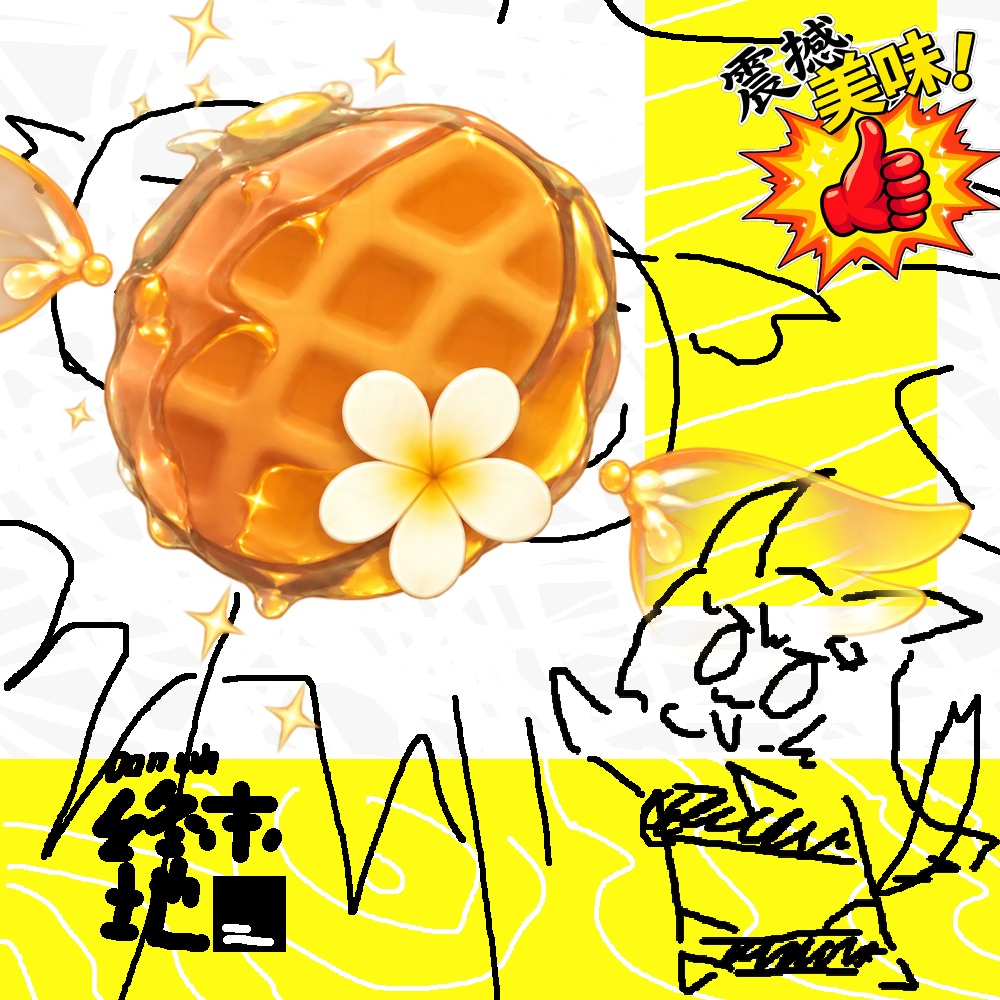

A flying honeycake from Arknights:Endfield
JP
※この文章はChatGPTによって翻訳されました。 無料版と「Buy Me A Cake」版の内容は同一です。 『アークナイツ:エンドフィールド』のオペレーター「ケーちゃん」のはちみつワッフルです。 【使用方法】 1. FlyingHoneycake/Right Hand/Hand Mount をドラッグして、位置・サイズ・向きを調整し、右手の人差し指の方向に合わせてください。大きな翼がある側が、ワッフルの進行方向です。 2. FlyingHoneycake/Runtime/Orbit Center/Orbit Layout/Waypoints にあるオレンジ色のキューブは巡回ポイントです。アバターに合わせて手動で移動させることができます。オレンジ色のキューブはビルド時に自動的に削除されるため、手動で削除する必要はありません。 3. はちみつワッフルを有効にすると、巡回ポイント間を移動するようになります。 4. 衝突判定には VRC SDK 3.10.3 が必要です。 右手を握り拳(hand_first)の状態にしてワッフルに近づけると、右手でキャッチできます。 右手で持っている間は、ワッフルを直接取り外すことはできません。右手を銃を構えるポーズ(hand_gun)にすると、ワッフルが人差し指の向いている方向へ飛んでいきます。手の向きを変えることで、飛行方向を操作できます。 hand_gun のポーズを解除すると、ワッフルは消えて巡回ポイントに戻ります。 人や物に衝突した場合も、ワッフルは消えて巡回ポイントに戻ります。 Modular Avatar が必要です。 Codex を使用して抽出・制作しました。 インポート後に不具合が発生した場合は、お気軽にご連絡ください。他のプロジェクト環境でも正常に動作するかどうかは、まだ確認できていません。
EN
※This text was translated by ChatGPT. The Free version and the "Buy Me A Cake" version contain exactly the same content. A flying Honey Waffle inspired by Kay, an Operator from Arknights: Endfield. How to use: 1. Drag FlyingHoneycake/Right Hand/Hand Mount to adjust its position, scale, and rotation. Align it with the direction of your right index finger. The side with the larger wings indicates the forward direction of the waffle. 2. The orange cubes under FlyingHoneycake/Runtime/Orbit Center/Orbit Layout/Waypoints are patrol points. You can manually move them to fit your avatar. These orange cubes will be automatically removed during the build process, so there is no need to delete them manually. 3. Once the Honey Waffle is enabled, it will move between the patrol points. 4. Collision detection requires VRC SDK 3.10.3. Make a fist with your right hand (hand_first) and bring it close to the waffle to catch it. While holding the waffle in your right hand, you cannot detach it directly. Switch your right hand to the finger-gun gesture (hand_gun), and the waffle will fly in the direction your index finger is pointing. You can control its flight direction by changing the orientation of your hand. When you stop making the finger-gun gesture (hand_gun), the waffle will disappear and return to its patrol points. The waffle will also disappear and return to its patrol points after colliding with a person or an object. Requires Modular Avatar. Extracted and created using Codex. If you encounter any bugs after importing, please feel free to contact me. I haven't tested whether it works correctly in other projects.
CN
免费版 和 Buy Me A Cake版 是相同的内容。 来自《明日方舟终末地》干员小刻的蜜饼。 使用时: 1. 将 FlyingHoneycake/Right Hand/Hand Mount 拖拽缩放和指向 你的右手食指方向,翅膀较大的那一侧是蜜饼的前进方向。 2. FlyingHoneycake/Runtime/Orbit Center/Orbit Layout/Waypoints 下的橙色方块是巡航点,你可以手动拖动他们来适配你的角色,橙色方块会在构建时被移除,不需要手动删除。 3. 打开蜜饼后,蜜饼会在巡航点之间移动。 将右手握拳(hand_first)靠近蜜饼,即可抓取到右手。 在右手时,无法取下蜜饼,需要将右手比作射击姿势(hand_gun),蜜饼将朝着食指指向的方向飞出去,你可以改变手的指向来控制蜜饼的飞行方向。 当手不再是射击姿势(hand_gun)时,蜜饼会消失回到巡航点。 在碰撞人和物品后,蜜饼会消失回到巡航点。 4.碰撞需要VRC SDK 3.10.3 需要Modular Avatar。 使用Codex提取和制作。 如导入后出现Bug请与我联系,我未检查他在其他工程中能否正常运行。