
クリスマスの配信画面セット|Christmas Stream Screen Pack
- ダウンロード商品¥ 100
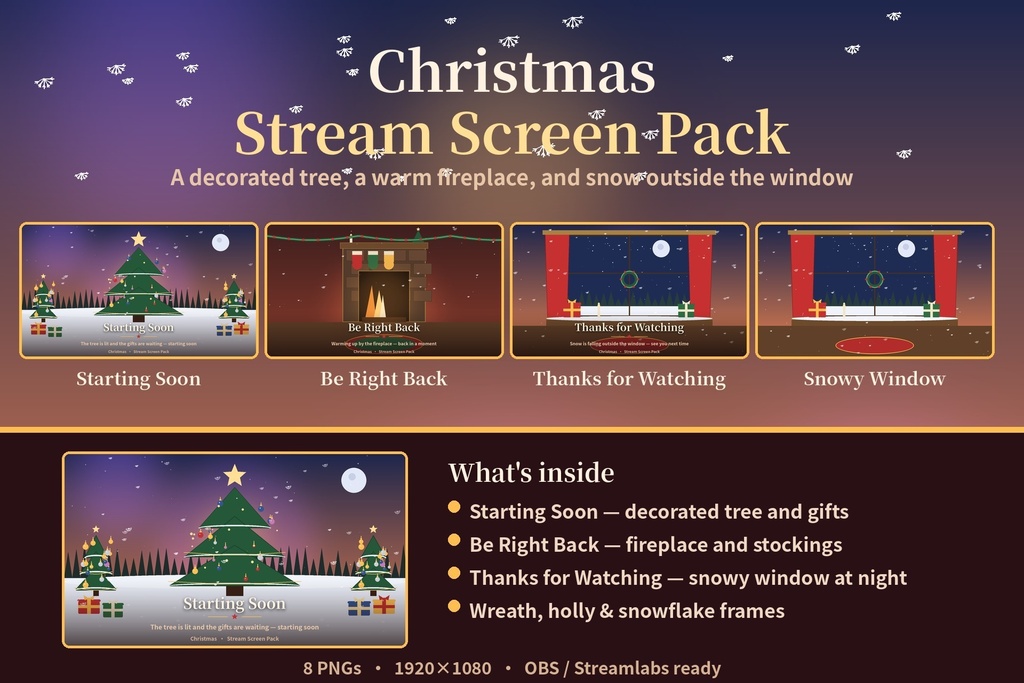

Warm Christmas evenings for your stream. A decorated tree glows beside the gifts while you get ready, stockings hang over a warm fireplace while you take a break, and snow falls outside the window as you say good night. Three full screens, two text-free backgrounds, and three transparent overlay frames — everything in one Christmas theme. What's inside (8 PNGs, 1920 x 1080 each) Starting Soon — decorated Christmas tree and gifts, snow falling (screen-starting-soon.png) Be Right Back — fireplace with stockings and a garland (screen-be-right-back.png) Thanks for Watching — snowy window at night, wreath and candles (screen-thanks-for-watching.png) Decorated Christmas tree background (no text, add your own words in OBS) (background-christmas-tree.png) Snowy window background (no text) (background-snowy-window.png) Christmas wreath corner frame (transparent, for your webcam) (christmas-wreath-corner-frame.png) Holly branch top frame (transparent, a holly branch across the top of your scene) (holly-branch-top-frame.png) Snowflake border (transparent, a simple snowflake border around the whole frame) (snowflake-border.png) How to use in OBS Studio / Streamlabs 1. Unzip the pack and keep the PNGs in one folder. 2. In OBS, create scenes such as Starting Soon, Be Right Back, and Thanks for Watching. 3. In each scene, add the matching PNG as an Image source and stretch it to fill the 1920 x 1080 canvas. 4. Use the two backgrounds the same way whenever you want a clean scene with your own text or webcam on top. 5. Add the Christmas wreath corner frame as an Image source above your webcam (Video Capture Device) source, sized to match the webcam box. 6. Add the holly branch top frame across the top of your scene, and the snowflake border around the whole frame. 7. The frames are transparent PNGs, so they sit cleanly over any scene. No streamer name is baked into any file — add your own name, handle, or social links as text sources in OBS. This is the Christmas entry in the stream screen series — different from the Rainy Night Window, Starry Night Sky, Snowy Winter Night, and Autumn Maple Leaves packs: a decorated tree, a warm fireplace, stockings, presents, holly and snowflakes in red, green and gold. The Snowy Winter Night pack is snow only; this one is a Christmas room with a tree, a fireplace, and gifts. License Commercial use OK — you may use these screens in streams and videos you monetize. No redistribution or resale of the assets themselves (do not re-sell, share, or give away the files as-is or as part of another asset pack). Credit is appreciated but not required. Note These assets were created with AI-assisted generation and hand-finished. 日本語でのご案内 クリスマスをテーマにした配信画面セットです。「Starting Soon」「Be Right Back」「Thanks for Watching」の3画面、文字なし背景2点、透過のリース枠・ヒイラギ枝枠・雪の結晶ボーダー枠3点の計8点入り。飾り付けたツリーとプレゼント、暖炉と靴下、雪の降る窓辺など、クリスマスのあたたかさをそのまま配信画面にできます。OBS / Streamlabs で画像ソースとして追加するだけで使えます。配信者名は入っていないので、自分の名前やSNSをOBSのテキストで自由に追加できます。商用利用可(素材そのものの再配布・転売は不可)。雨の夜・星空・雪の夜・紅葉の秋の配信画面セットとは別テーマのクリスマスバージョンです。雪の夜セットが雪だけの画面なのに対し、こちらはツリー・暖炉・プレゼントのあるクリスマスの部屋が主役です。