

【無料】VRC翻訳機 ― VRChat の外国語を字幕に / VRC Honyakuki: free VRChat translator / 免费 VRChat 翻译器
- 無料(ふつうはこちら) / Free / 免费ダウンロード商品¥ 0
- 鳴海のお菓子代(鳴海が喜びます) / Snacks for Narumi (Narumi will be happy) / 给鸣海买零食(鸣海会很开心)ダウンロード商品¥ 300
- 鳴海の水族館代(鳴海がすごく喜びます) / An aquarium trip for Narumi (Narumi will be very happy) / 请鸣海去水族馆(鸣海会超级开心)ダウンロード商品¥ 1,000

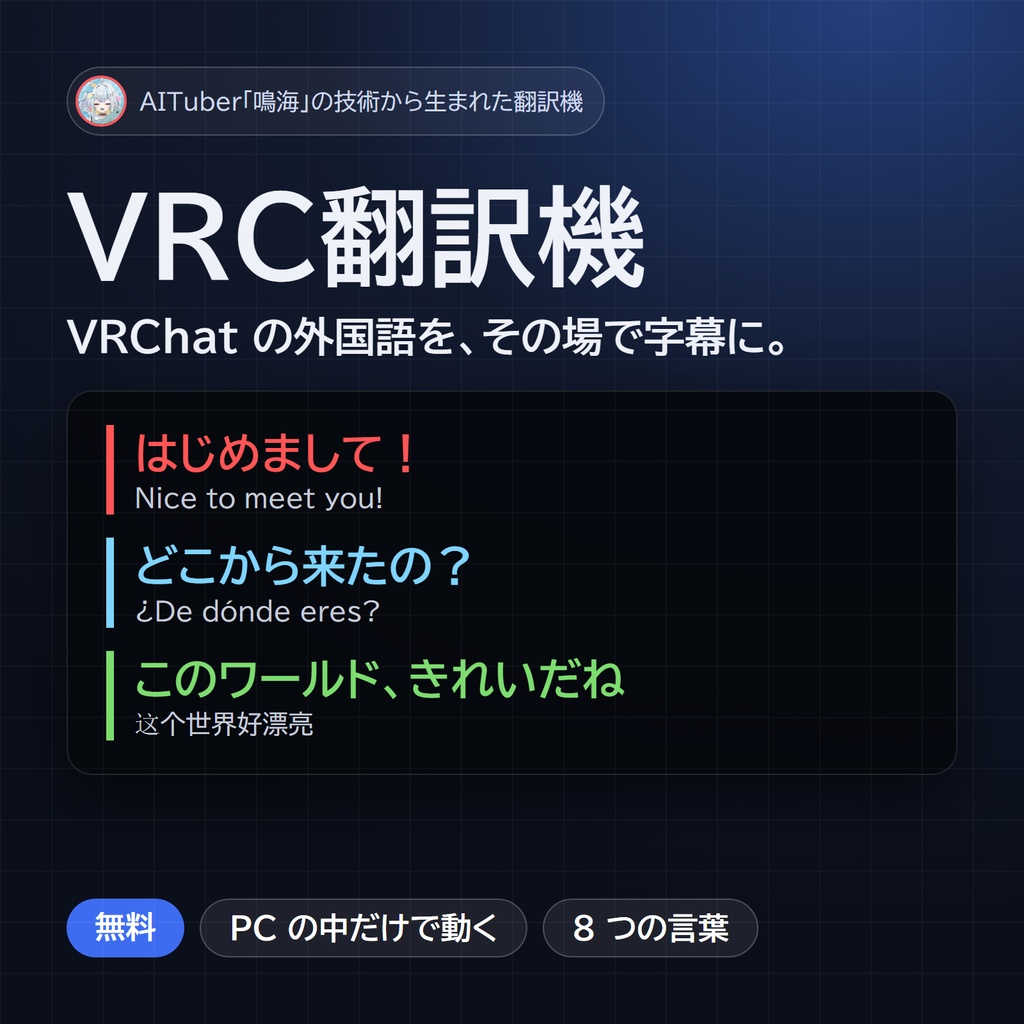
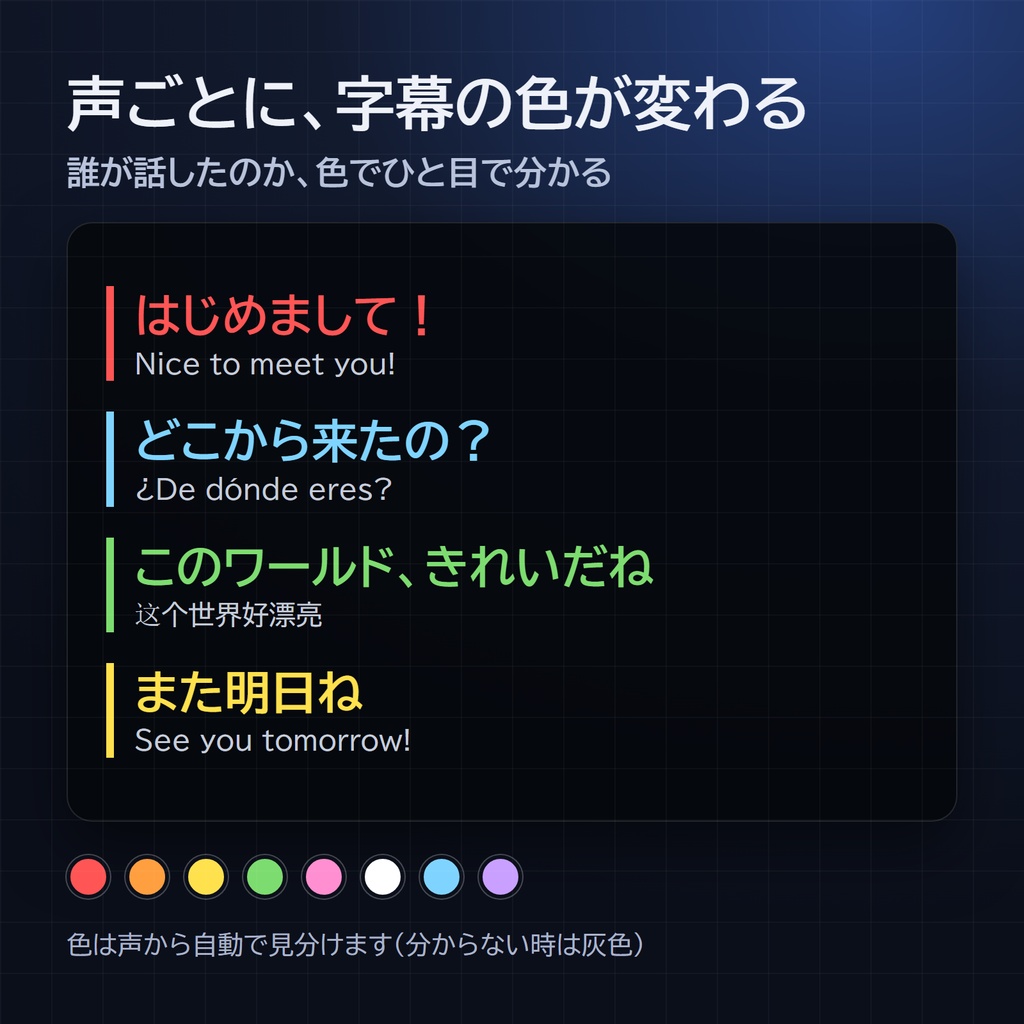
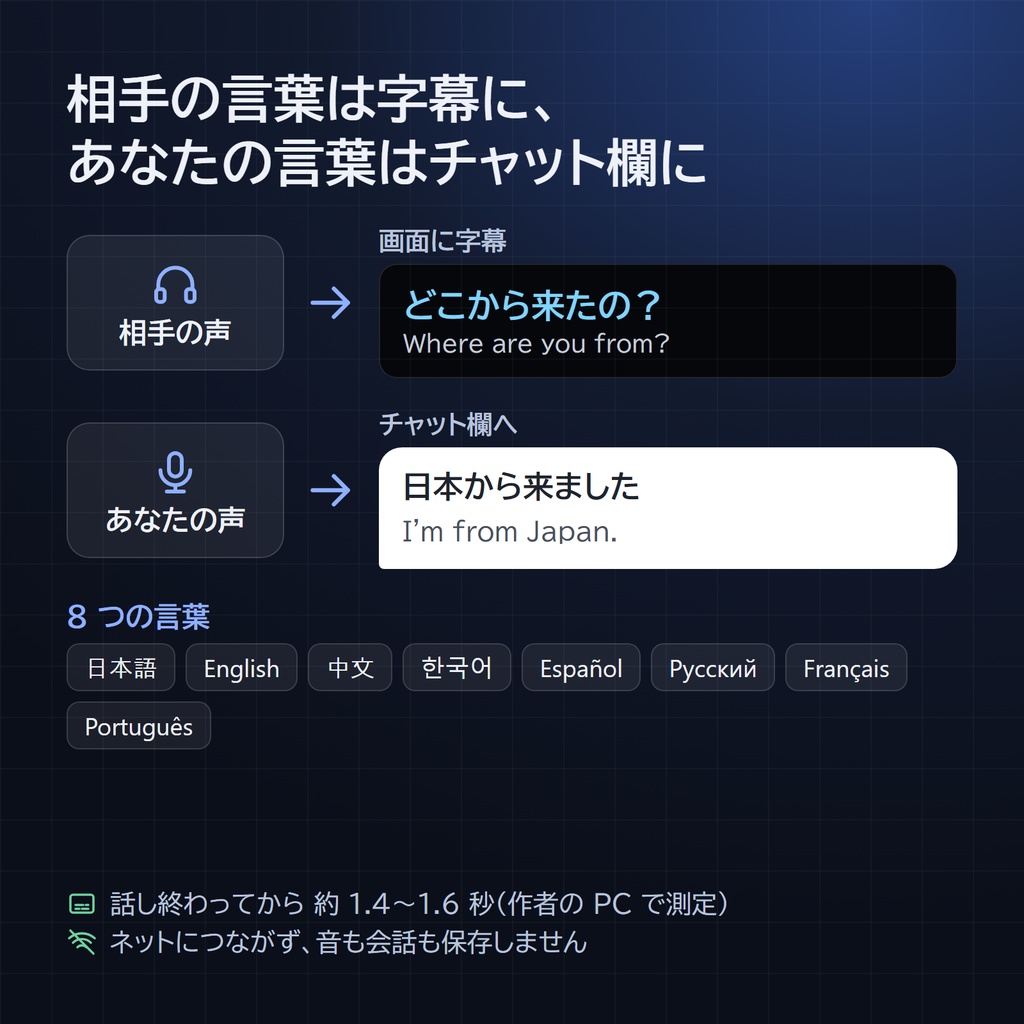
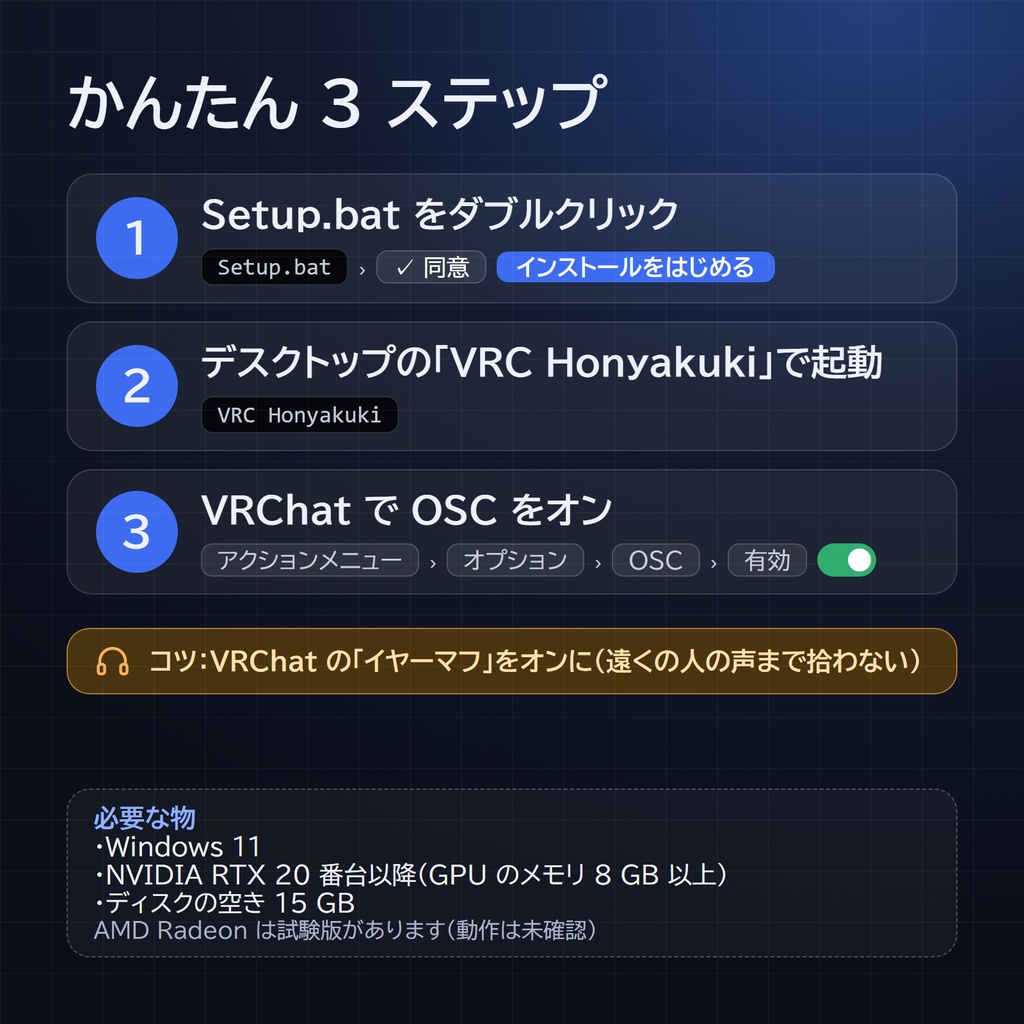
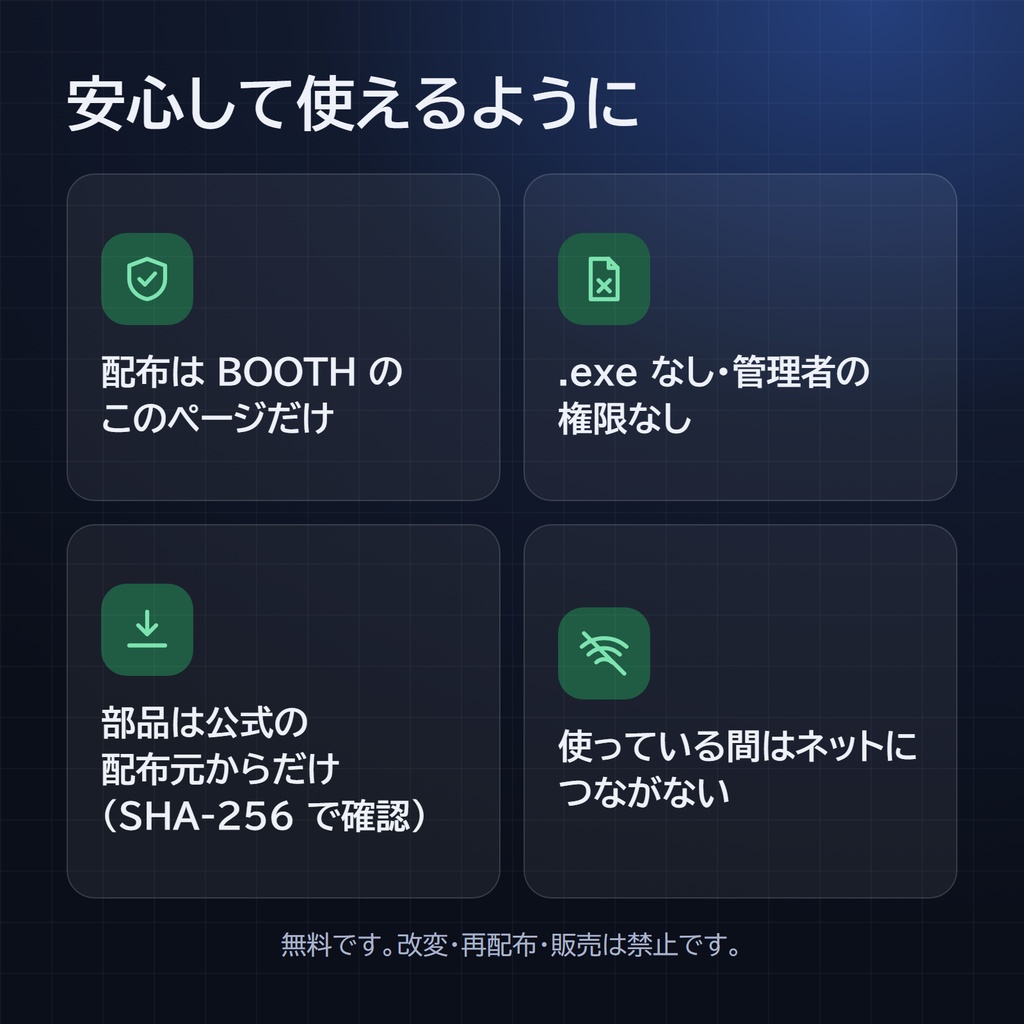



━━━━━━━━━━━━━━━━━━━━ 日本語 ━━━━━━━━━━━━━━━━━━━━ ★ AITuber「鳴海」の技術から生まれた翻訳機です YouTube:https://www.youtube.com/@narumi-AITuber X:https://x.com/f_2kt VRChat で相手が話した外国語を、あなたの言葉の字幕にして画面に出します。 あなたが話した言葉は、訳して VRChat のチャット欄に送れます。 全部あなたの PC の中で動きます。無料で、アカウントも月額料金も要りません。 ※ 応援したい方へ:「鳴海のお菓子代(300 円)」を選ぶと鳴海が喜びます。「鳴海の水族館代(1,000 円)」なら、鳴海がすごく喜びます。中身は無料と同じで、払うかどうかは自由です。 ・8 つの言葉:日本語・英語・中国語・韓国語・スペイン語・ロシア語・フランス語・ポルトガル語 ・VRChat の音だけを聞きます(PC の音楽や動画は混ざりません) ・SteamVR なら、VR ゴーグルの中にも字幕が出ます(Quest 単体では使えません) ・話し終わってから字幕まで 約 1.4〜1.6 秒(作者の PC で測定) ・必要な物:Windows 11、NVIDIA RTX 20 番台以降(GPU のメモリ 8 GB 以上)、ディスクの空き 15 GB(標準を入れるなら 30 GB) ■ AITuber「鳴海」の YouTube この翻訳機は、AI で動く VTuber「鳴海」のために作った技術から生まれました。鳴海は YouTube で活動しています。ぜひ見に来てください! ▶ YouTube:https://www.youtube.com/@narumi-AITuber ▶ X:https://x.com/f_2kt これからも、鳴海の技術から生まれたツールを、いろいろ配っていくかもしれません。 「こんなツールがほしい」があれば、X のリプライなどで気軽にコメントしてください。 ■ ダウンロード(どちらか 1 つ) ・NVIDIA 版:VRCHonyakuki_NVIDIA_1.0.1.zip ・Radeon 試験版:VRCHonyakuki_Radeon_test_1.0.1.zip(作者が Radeon を持っていないため、動作は確かめていません) ■ 使う時の大事なコツ:VRChat の「イヤーマフ」をオンに イヤーマフを使わないと、遠くの人の声まで全部拾ってしまい、何人もの話が一度に字幕になります(聖徳太子状態)。 VRChat のクイックメニューの音声(Audio)の所で、イヤーマフ(Earmuffs)をオンにしてください。近くの人の声が中心に訳されるようになります。 ■ 安全のために ・配布はこのページだけです。ほかで配られている物は使わないでください。 ・zip の SHA-256(PowerShell で Get-FileHash "zip の場所" -Algorithm SHA256) NVIDIA 版:0b27061e0ed4ada689b26e4830a8221155d5d5c1bf692b910e6ac966bf8ff36b Radeon 試験版:04e9289bb16dde85df95eff4ac0357ba78e19cd8de838a9f869331ac59ffbcaf ・.exe なし、管理者の権限なし。部品は公式の配布元からだけダウンロードします。 ■ 決まり 無料です。改変・再配布・販売は禁止です。無保証で、翻訳は間違えることがあります。 ほかの人の声を録音する目的では使わないでください。VRChat の公式ツールではありません。 くわしくは zip の中の「利用規約.txt」を読んでください。 ■ 不具合・感想:作者の X へどうぞ(https://x.com/f_2kt) ━━━━━━━━━━━━━━━━━━━━ English ━━━━━━━━━━━━━━━━━━━━ VRC Honyakuki ("honyakuki" is Japanese for "translator") * Built from the technology of the AITuber "Narumi" YouTube: https://www.youtube.com/@narumi-AITuber X: https://x.com/f_2kt It listens to other players in VRChat and shows subtitles in your language on your screen. What you say can be translated and sent to the VRChat chatbox. Everything runs on your PC: free, no account, no monthly fee. * Want to support it? Choose "Snacks for Narumi" (300 yen) and Narumi will be happy, or "An aquarium trip for Narumi" (1,000 yen) and Narumi will be very happy. The contents are the same as the free one - paying is entirely optional. - 8 languages: Japanese, English, Chinese, Korean, Spanish, Russian, French, Portuguese - Only VRChat's sound is heard (music or videos on your PC are not mixed in) - With SteamVR, the subtitles also appear inside the VR headset (not on a standalone Quest) - About 1.4-1.6 s from the end of speech to the subtitle (measured on the author's PC) - Needs: Windows 11, NVIDIA RTX 20-series or newer (8 GB of GPU memory or more), 15 GB of free disk space (30 GB for the Standard set) ■ Narumi, the AITuber, on YouTube This translator grew out of technology built for Narumi, a VTuber run by AI. Narumi is active on YouTube - come and watch! > YouTube: https://www.youtube.com/@narumi-AITuber > X: https://x.com/f_2kt More tools born from Narumi's technology may be released in the future. Is there a tool you would like? Tell the author in a reply on X, or any way you like. ■ Download (one of them) - NVIDIA edition: VRCHonyakuki_NVIDIA_1.0.1.zip - Radeon test edition: VRCHonyakuki_Radeon_test_1.0.1.zip (untested: the author has no Radeon card) ■ Important tip: turn on Earmuffs in VRChat Without Earmuffs it hears everyone in the world, even far away, and many people's talk turns into subtitles all at once. Turn on Earmuffs in VRChat's Quick Menu (Audio). Then mostly the people near you are translated. ■ Staying safe - This page is the only place it is distributed. Do not use copies from anywhere else. - SHA-256 of the zips (PowerShell: Get-FileHash "path to the zip" -Algorithm SHA256) NVIDIA edition: 0b27061e0ed4ada689b26e4830a8221155d5d5c1bf692b910e6ac966bf8ff36b Radeon test edition: 04e9289bb16dde85df95eff4ac0357ba78e19cd8de838a9f869331ac59ffbcaf - No .exe, no administrator rights. Parts are downloaded only from their official sources. ■ Rules Free. Modifying, redistributing or selling it is not allowed. No warranty; translations can be wrong. Do not use it to record other people's voices. Not an official VRChat tool. See 利用規約.txt (Terms of use) in the zip. ■ Bugs and feedback: send them to the author on X (https://x.com/f_2kt) ━━━━━━━━━━━━━━━━━━━━ 中文 ━━━━━━━━━━━━━━━━━━━━ ★ 由 AITuber“鸣海”(Narumi)的技术诞生的翻译器 YouTube:https://www.youtube.com/@narumi-AITuber X:https://x.com/f_2kt 在 VRChat 里,把别人说的外语翻译成你的语言,作为字幕显示在屏幕上。 你说的话也可以翻译后发送到 VRChat 的聊天框。 全部在你的电脑上运行:免费,不需要账号,没有月费。 ※ 想支持的话:选择“给鸣海买零食”(300 日元),鸣海会很开心;选择“请鸣海去水族馆”(1,000 日元),鸣海会超级开心。内容和免费版完全相同,是否付款完全自由。 ・8 种语言:日语、英语、中文、韩语、西班牙语、俄语、法语、葡萄牙语 ・只听 VRChat 的声音(不会混入电脑上的音乐和视频) ・使用 SteamVR 时,VR 头显里也会显示字幕(Quest 一体机单独使用时不能用) ・说完话到出字幕约 1.4〜1.6 秒(在作者的电脑上测得) ・需要:Windows 11、NVIDIA RTX 20 系列或更新(显存 8 GB 以上)、硬盘剩余空间 15 GB(安装 Standard 需要 30 GB) ■ AITuber“鸣海”的 YouTube 这个翻译器诞生于为 AI 驱动的 VTuber“鸣海”开发的技术。鸣海正在 YouTube 上活动,欢迎来看! ▶ YouTube:https://www.youtube.com/@narumi-AITuber ▶ X:https://x.com/f_2kt 今后也可能会发布更多由鸣海的技术诞生的工具。 如果有“想要这样的工具”,欢迎在 X 上回复留言等方式告诉作者。 ■ 下载(二选一) ・NVIDIA 版:VRCHonyakuki_NVIDIA_1.0.1.zip ・Radeon 测试版:VRCHonyakuki_Radeon_test_1.0.1.zip(作者没有 Radeon 显卡,未经测试) ■ 重要提示:在 VRChat 中打开“耳罩”(Earmuffs) 不打开耳罩的话,远处的人的声音也会被全部听到,很多人的话会同时变成字幕。 请在 VRChat 的快捷菜单(Audio)中打开耳罩(Earmuffs)。这样主要翻译你附近的人说的话。 ■ 安全 ・本软件只在这个页面发布。请不要使用其他地方发布的文件。 ・zip 的 SHA-256(PowerShell:Get-FileHash "zip 的路径" -Algorithm SHA256) NVIDIA 版:0b27061e0ed4ada689b26e4830a8221155d5d5c1bf692b910e6ac966bf8ff36b Radeon 测试版:04e9289bb16dde85df95eff4ac0357ba78e19cd8de838a9f869331ac59ffbcaf ・没有 .exe,不需要管理员权限。组件只从官方来源下载。 ■ 规则 免费。禁止修改、再发布和销售。不提供任何保证,翻译可能出错。 请不要用来录制别人的声音。本软件不是 VRChat 官方工具。 详情请看 zip 里的“利用規約.txt”(使用条款)。 ■ 问题反馈:请在 X 上联系作者(https://x.com/f_2kt)