

[SALE] Diana(ディアナ) - Facial Tracking Add on
- ダウンロード商品¥ 1,800
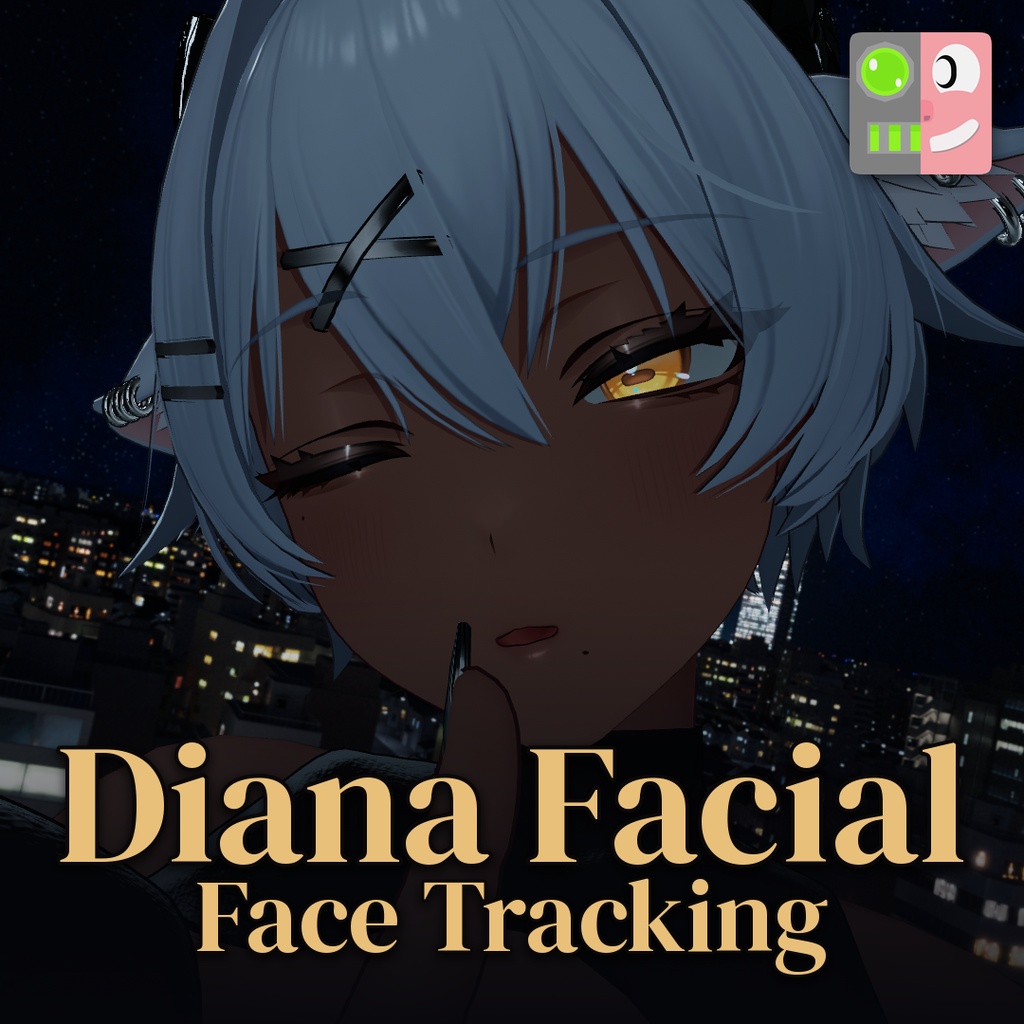


🎁 Diana(ディアナ) - Facial Tracking Add on 🎁 2200JPY 👉 1800JPY 2026.11.28 ~ 2026.12.12 ============================================== Nelva FT for Diana v1.0.0 Model : https://booth.pm/en/items/9108761 ディアナ(お雑煮屋様)用のフェイストラッキングアドオンです! アバター本体は含まれておりません。 ディアナとあわせてご購入のうえ、ご利用いただけますと幸いです! このフェイシャルトラッキングシステムは、VRChat内でのインゲームテストを経て制作されました。動作確認は、カスタマイズしていないオリジナルのベースモデルでのみ行っています。 ・VRChat ネイティブのフェイストラッキング専用です。 A face tracking add-on for Diana (by お雑煮屋 / OZONIYA)! The avatar itself is not included. Please purchase Diana as well before using this add-on! This facial tracking system was developed through in-game testing in VRChat. It has only been tested on the original base model, without any customizations. VRChat native face tracking only. Dianaディアナ(by お雑煮屋님)용 페이스 트래킹 애드온입니다! 아바타 본체는 포함되어있지 않습니다. 디아나와 함께 구매하신 뒤 사용해 주시면 감사하겠습니다! 이 페이셜 트래킹 시스템은 VRChat 내의 인게임 제품 테스트를 거쳐서 제작되었으며, 동작 확인은 커스터마이즈하지 않은 오리지널 베이스 모델에서만 진행했습니다. · VRChat 네이티브 페이스 트래킹 전용입니다. 这是 Diana(ディアナ / お雑煮屋)专用的面部追踪插件! 不包含模型本体。 请同时购买 Diana 后使用! 本面部追踪系统经过 VRChat 游戏内测试制作而成。仅在未经改造的原版模型上确认过运行。 ・仅支持 VRChat 原生面部追踪。
[JP]
こんにちは!Nelvaです! まずは、このたびは私たちの商品をご購入いただき、本当にありがとうございます! 以下に、商品の導入方法とかんたんな進め方を記載しています。 ゆっくり順番に進めていただければ、どなたでも簡単に導入できます! ========================================================== ■ 導入手順 1. VCC でプロジェクトに Modular Avatar を追加します。 (※制作時の Modular Avatar のバージョン:1.18.7) 2. このパッケージ (.unitypackage) を Unity にインポートします。 3. 上部メニューの Tools > Nelva > Nelva FT を開きます。 4. シーン上のディアナを「アバター」の欄にドラッグします。 5. 「メニューの言語」で、Expressionメニューに使う言語を選びます。 (日本語 / 英語 / 韓国語 / 中国語) 6. 選んだ言語によって、ゲーム内のメニューの表示言語が変わりますのでご注意ください。 7. 「適用する」を押します。 8. アップロードが完了し、メニューにフェイシャルのメニューが追加されていればご利用いただけます。 ========================================================== ■ 対応バージョン ・ディアナ Ver1.0.2 (Diana.prefab / Diana_kisekae.prefab / Diana_AnotherColor.prefab / Diana_AnotherColor_kisekae.prefab で確認済み) ・他のバージョンでは、Nelva FT ウィンドウに「アバターのバージョンが対応していません」と表示されます。 ■ アセットのバージョン ・VRChat SDK (Avatars) 3.10.6 以降 ・Modular Avatar 1.18 以降(VCC から追加) ・VRChat ネイティブのフェイストラッキング専用です。 ・VRCFaceTracking 6.0(PC側で起動するアプリ) ・VRCFT に対応したフェイストラッキング機器 Meta Quest Pro で動作を確認しています。 (※ 対応機器:Meta Quest Pro、Pico4 Pro、Narea Facial、Vive Pro Eye) メニューの言語は、適用したあとも同じウィンドウから変更できます。 Nelva FT ウィンドウを使わずに、 Assets/Nelva/Diana/Nelva_FaceTracking_Diana.prefab を アバターのルート直下にドラッグしても同じです。 元の FBX、メッシュ、FX は書き換えません。 フェイストラッキング用のシェイプキーは、アップロード時に自動で追加されます。 【その他のボタン】 ・新しいアバターとして作成 元のプレハブから、フェイストラッキング入りのディアナを新しく作ります。 改変していないきれいな状態から始めたいときにお使いください。 ・メッシュに焼き込む(任意) シェイプキーをメッシュに書き込んだファイルを作ります。 ほかのツールが、あらかじめメッシュにシェイプキーがあることを必要とする場合にのみお使いください。 「元のメッシュに戻す」でいつでも元に戻せます。 ・取り外す アドオンを外し、焼き込んだメッシュも元に戻します。 ・BOOST の強さ メニューの「表情ブースト」をオンにしたときの強さを選びます。(弱 / 標準 / 強) ■ VRChat 側の設定 1. PC で VRCFaceTracking を起動し、お使いの機器に合ったモジュールを入れて有効にします。 (Quest Pro の場合、Virtual Desktop 用と Quest Link 用のモジュールがあります) 2. VRChat のアクションメニューで「Options > OSC > Enabled」をオンにします。 3. アバターのメニュー「Nelva FT」で 「アイトラッキング」と「リップ/フェイストラッキング」がオンになっていることを確認します。 (初期状態でオンになっています) アップロードし直したあとに動かない場合は、アバターを着替え直してください。 ■ メニュー メニューの言語を日本語にしたときの名前です。 Nelva FT ├ リップ/フェイストラッキング .. 口・顔・舌のトラッキング ├ アイトラッキング ............ 目・まぶたのトラッキング ├ 表情ブースト ................ 表情を大きめに出す(目を大きく見開く量も大きくなります) ├ エフェクト (涙・怒り・青ざめ) .. 表情に合わせて出る涙・怒り・青ざめの演出 ├ プリン瞳 .................... まばたきのあと、瞳がプリンのようにぷるんと揺れます(左右それぞれ) ├ 時間の演出 .................. すばやく笑う・口を開くときのはずみ、まばたき時の眉の動き ├ 口の形スタイル │ ├ ねこ口 (ω) ............... 笑ったときの口をねこ口に │ └ V字の口 .................. 笑ったときの口をV字に └ 設定 ├ リップシンク併用 (Viseme) . リップシンクと併用する └ ジェスチャー表情オフ ...... ハンドジェスチャーの表情をオフ 初期値は、表情ブースト・ねこ口・V字の口・リップシンク併用・ジェスチャー表情オフがオフ、 それ以外はオンです。 フェイストラッキングがオンの間は、ハンドジェスチャーによる表情は自動で止まります。 泣くとき(口角を下げたとき)は耳が垂れ、怒るとき(眉を下げたとき)は耳が後ろに倒れます。 耳の PhysBone は、この動きに合わせて動くようアップロード時に自動で設定されます。 ■ パラメーター ・このアドオンの同期パラメーター:10 bit(メニューの設定のみ) ・ディアナ本体(Diana.prefab)と合わせて 104 / 256 bit (kisekae のプレハブは本体が軽いため、合計 46 / 256 bit です) ========================================================== ■ よくある質問 Q. フェイストラッキング中に目の閉じ方がおかしくなります。 A. アバターメニューの「Face」で表情を選んだままになっている可能性があります。 フェイストラッキングを使うときは、表情を「Default」に戻してください。 Q. Nelva FT ウィンドウに「アバターのバージョンが対応していません」と表示されます。 A. ディアナが Ver1.0.2 ではない可能性があります。最新版に更新してください。 Q. 「メッシュが編集されています」と表示されます。 A. 顔の形を変えるツールなどでメッシュが変わっている状態です。そのまま使えますが、 表情が崩れる場合は元のメッシュでお試しください。 Q. 表情が動きません。 A. VRCFaceTracking が起動しているか、OSC がオンになっているか、メニューでトラッキングをオンにしているかご確認ください。 Q. ほかのフェイストラッキングアドオンと一緒に使えますか? A. 一緒に入れると互いに干渉します。どちらか一方のみお使いください。 ほかのアドオンが入っている場合は、Nelva FT ウィンドウに警告が表示されます。 ■ アップデート 新しいバージョンのパッケージを、そのまま上書きでインポートしてください。 アバターに付けたプレハブはそのままで大丈夫です。
[EN]
Hello! This is Nelva! First of all, thank you so much for purchasing our product! Below you'll find how to set it up, step by step. Just follow along at your own pace and you'll have it working in no time! ========================================================== - Installation 1. Add Modular Avatar to your project in VCC. (Made with Modular Avatar 1.18.7) 2. Import this package (.unitypackage) into Unity. 3. Open Tools > Nelva > Nelva FT from the top menu. 4. Drag your Diana from the scene into the "Avatar" field. 5. Choose the language for the Expression Menu under "Menu language". (Japanese / English / Korean / Chinese) 6. Please note that the in-game menu will be shown in the language you choose. 7. Press "Apply". 8. Once the upload is finished and the face tracking menu appears in your avatar menu, you're ready to go. ========================================================== - Supported version Diana Ver1.0.2 (tested with Diana.prefab / Diana_kisekae.prefab / Diana_AnotherColor.prefab / Diana_AnotherColor_kisekae.prefab) Other versions will show "Unsupported avatar version" in the Nelva FT window. - Asset versions VRChat SDK (Avatars) 3.10.6 or later Modular Avatar 1.18 or later (add it through VCC) VRChat native face tracking only. VRCFaceTracking 6.0 (runs on your PC) A face tracking device supported by VRCFT Tested with Meta Quest Pro. (* Supported devices: Meta Quest Pro, Pico4 Pro, Narea Facial, Vive Pro Eye) You can change the menu language later from the same window. You can also skip the Nelva FT window and drag Assets/Nelva/Diana/Nelva_FaceTracking_Diana.prefab directly under your avatar root. It works the same way. Your original FBX, mesh and FX are never modified. The face tracking blendshapes are added automatically when you upload. [Other buttons] - Create as new avatar Makes a fresh Diana from the original prefab with face tracking already in. Use this if you want to start from a clean, unedited copy. - Bake into mesh (optional) Creates a mesh file with the blendshapes written into it. Only use this if another tool needs the blendshapes to already exist in the mesh. You can undo it any time with "Restore original mesh". - Remove Removes the add-on and restores the mesh if you baked it. - BOOST strength Chooses how strong "Expression Boost" is when you turn it on in the menu. (Weak / Standard / Strong) - VRChat settings 1. Start VRCFaceTracking on your PC, then install and enable the module for your device. (For Quest Pro there are modules for Virtual Desktop and Quest Link.) 2. In the VRChat Action Menu, turn on "Options > OSC > Enabled". 3. In the avatar menu, open "Nelva FT" and check that "Eye Tracking" and "Lip/Face Tracking" are on. (Both are on by default.) If nothing moves after re-uploading, switch into the avatar again. - Menu These are the names when the menu language is set to English. Nelva FT - Lip/Face Tracking ........... mouth, face and tongue - Eye Tracking ................ eyes and eyelids - Expression Boost ............ bigger expressions (your eyes also open wider) - Effects (Tears/Anger/Shock) . tears, anger and shock reactions that follow your expression - Pudding Eyes ................ after you blink, the eyes wobble like pudding (each eye on its own) - Time Effects ................ a little bounce when you smile or open your mouth quickly, brow movement on blink - Mouth Style - Cat Mouth (ω) ............. cat mouth when you smile - V Mouth ................... V-shaped mouth when you smile - Options - Use Lipsync (Viseme) ...... use together with lipsync - Gesture Off ............... turn off hand gesture expressions Defaults: Expression Boost, Cat Mouth, V Mouth, Use Lipsync and Gesture Off are off, everything else is on. While face tracking is on, hand gesture expressions stop automatically. When you cry (mouth corners down) the ears droop, and when you get angry (brows down) the ears fold back. The ear PhysBones are set up automatically at upload so they follow this movement. - Parameters This add-on's synced parameters: 10 bits (menu settings only) Together with Diana (Diana.prefab): 104 / 256 bits (The kisekae prefabs are lighter: 46 / 256 bits in total.) ========================================================== - FAQ Q. The eyes close strangely while face tracking. A. An expression may still be selected under "Face" in the avatar menu. When using face tracking, set the expression back to "Default". Q. The Nelva FT window says "Unsupported avatar version". A. Your Diana may not be Ver1.0.2. Please update it to the latest version. Q. It says the mesh has been edited. A. The mesh was changed by something like a face shaping tool. It still works, but if expressions look broken, please try with the original mesh. Q. The expressions don't move. A. Please check that VRCFaceTracking is running, OSC is on, and tracking is turned on in the menu. Q. Can I use it together with another face tracking add-on? A. They will conflict with each other. Please use only one. If another add-on is found, the Nelva FT window will show a warning. - Updating Just import the new version of the package over the old one. The prefab on your avatar can stay as it is.
[KR]
안녕하세요! 넬바입니다! 먼저 저희 제품을 구매해주셔서 정말로 감사합니다! 아래의 설명에 따라 제품 적용 및 간편한 진행 라인이 서술되어 있으니 천천히 따라하시면 전부 쉽게 적용이 가능합니다! ========================================================== ■ 설치 방법 1. VCC에서 프로젝트에 Modular Avatar를 추가합니다. (※제작 시 Modular Avatar 버전: 1.18.7) 2. 이 패키지(.unitypackage)를 Unity에 임포트합니다. 3. 상단 메뉴에서 Tools > Nelva > Nelva FT를 엽니다. 4. 씬에 있는 디아나를 "아바타" 칸에 끌어다 놓습니다. 5. "메뉴 언어"에서 익스프레션 메뉴에 쓸 언어를 고릅니다. (일본어 / 영어 / 한국어 / 중국어) 6. 적용 언어에 따라 인게임 메뉴창의 언어가 변경되니 참고 부탁드립니다. 7. "적용"을 누릅니다. 8. 업로드가 완료되고 메뉴에서 페이셜 메뉴창이 적용되면 사용이 가능합니다. ========================================================== ■ 지원 버전 · 디아나 Ver1.0.2 (Diana.prefab / Diana_kisekae.prefab / Diana_AnotherColor.prefab / Diana_AnotherColor_kisekae.prefab에서 확인) · 다른 버전이면 Nelva FT 창에 "지원하지 않는 아바타 버전"이라고 나옵니다. ■ 에셋 버전 · VRChat SDK (Avatars) 3.10.6 이상 · Modular Avatar 1.18 이상 (VCC에서 추가) · VRChat 네이티브 페이스 트래킹 전용입니다. · VRCFaceTracking 6.0 (PC에서 실행하는 프로그램) · VRCFT를 지원하는 페이스 트래킹 기기 Meta Quest Pro로 동작을 확인했습니다. (※ 사용 가능 기기 : Meta Quest Pro, Pico4 Pro, Narea Facial, Vive Pro Eye) 메뉴 언어는 적용한 뒤에도 같은 창에서 바꿀 수 있습니다. Nelva FT 창을 쓰지 않고 Assets/Nelva/Diana/Nelva_FaceTracking_Diana.prefab 을 아바타 최상단 바로 아래에 끌어다 놓아도 똑같습니다. 원본 FBX, 메시, FX는 수정하지 않습니다. 페이스 트래킹용 셰이프키는 업로드할 때 자동으로 추가됩니다. 【그 외 버튼】 · 새 아바타로 만들기 원본 프리팹으로 페이스 트래킹이 들어간 디아나를 새로 만듭니다. 개조하지 않은 깨끗한 상태에서 시작하고 싶을 때 사용해 주십시오. · 메시에 구워 넣기 (선택) 셰이프키를 메시에 써 넣은 파일을 만듭니다. 다른 툴이 메시에 셰이프키가 미리 들어 있어야 하는 경우에만 사용해 주십시오. "원본 메시로 되돌리기"로 언제든 되돌릴 수 있습니다. · 제거 애드온을 빼고, 구워 넣은 메시도 원래대로 돌려놓습니다. · BOOST 강도 메뉴의 "표정 강조"를 켰을 때 얼마나 크게 할지 고릅니다. (약 / 보통 / 강) ■ VRChat 설정 1. PC에서 VRCFaceTracking을 실행하고, 쓰는 기기에 맞는 모듈을 설치해 켭니다. (Quest Pro는 Virtual Desktop용, Quest Link용 모듈이 있습니다) 2. VRChat 액션 메뉴에서 "Options > OSC > Enabled"를 켭니다. 3. 아바타 메뉴 "Nelva FT"에서 "아이 트래킹"과 "립/페이스 트래킹"이 켜져 있는지 확인합니다. (처음부터 켜져 있습니다) 다시 업로드한 뒤 움직이지 않으면 아바타를 다시 입어 주십시오. ■ 메뉴 메뉴 언어를 한국어로 했을 때의 이름입니다. Nelva FT ├ 립/페이스 트래킹 ......... 입·얼굴·혀 트래킹 ├ 아이 트래킹 .............. 눈·눈꺼풀 트래킹 ├ 표정 강조 ................ 표정을 크게 (눈을 크게 뜨는 양도 커집니다) ├ 이펙트 (눈물·화남·기겁) ... 표정에 따라 나오는 눈물·화남·기겁 연출 ├ 푸딩 눈동자 .............. 깜빡인 뒤 눈동자가 푸딩처럼 탱글하게 흔들립니다 (양쪽 눈 따로) ├ 시간 효과 ................ 빠르게 웃거나 입을 벌릴 때 살짝 튕기는 움직임, 깜빡일 때 눈썹 움직임 ├ 입 모양 스타일 │ ├ 고양이 입 (ω) .......... 웃을 때 입을 고양이 입으로 │ └ V 입 ................... 웃을 때 입을 V자로 └ 설정 ├ 립싱크 같이 쓰기 (Viseme) ... 립싱크와 같이 쓰기 └ 제스처 표정 끄기 ....... 손 제스처 표정 끄기 처음 값은 표정 강조, 고양이 입, V 입, 립싱크 같이 쓰기, 제스처 표정 끄기가 꺼짐, 나머지는 켜짐입니다. 페이스 트래킹이 켜져 있는 동안에는 손 제스처 표정이 자동으로 멈춥니다. 울 때(입꼬리를 내릴 때)는 귀가 처지고, 화낼 때(눈썹을 내릴 때)는 귀가 뒤로 젖혀집니다. 귀의 PhysBone은 이 움직임을 따라가도록 업로드할 때 자동으로 설정됩니다. ■ 파라미터 · 이 애드온의 동기화 파라미터: 10 bit (메뉴 설정만) · 디아나 본체(Diana.prefab)와 합쳐서 104 / 256 bit (kisekae 프리팹은 본체가 가벼워서 합계 46 / 256 bit입니다)
[Terms of use]
To use this package, you must purchase Diana and use it together with this add-on. Please also follow Diana's own terms of use. You may use it only on your own avatar. If you use it in streams or videos, please credit "Nelva" wherever credits can be shown. - Prohibited Sharing the files or letting third parties use them is prohibited. Sharing an account, or buying together with others and sharing the use, is prohibited. Distributing modified data (blendshapes, animations, animator controllers, scripts) is prohibited. Redistributing, reselling or sharing the data is prohibited. Reverse engineering the product data and using it to make products is prohibited. Using the data to train AI (machine learning, generative AI, etc.), or feeding it to an AI to analyze or create things, is prohibited. Using data that was not officially purchased is prohibited. The author is not responsible for any problems caused by using this product. This product is not made or sold by the creator of Diana. Please contact Nelva, not the Diana creator, about this product. These terms may change in the future. The latest version always applies. - Contact Please reach us through BOOTH messages! Thank you! Made by Nelva Avatar: ディアナ-Diana- / お雑煮屋|OZONIYA