

【FBX・Unity・XWear】ミニシルクハット
- 通常版 / Normal editionDigital300 JPY
- PSD付属版 / PSD attached editionDigital450 JPY
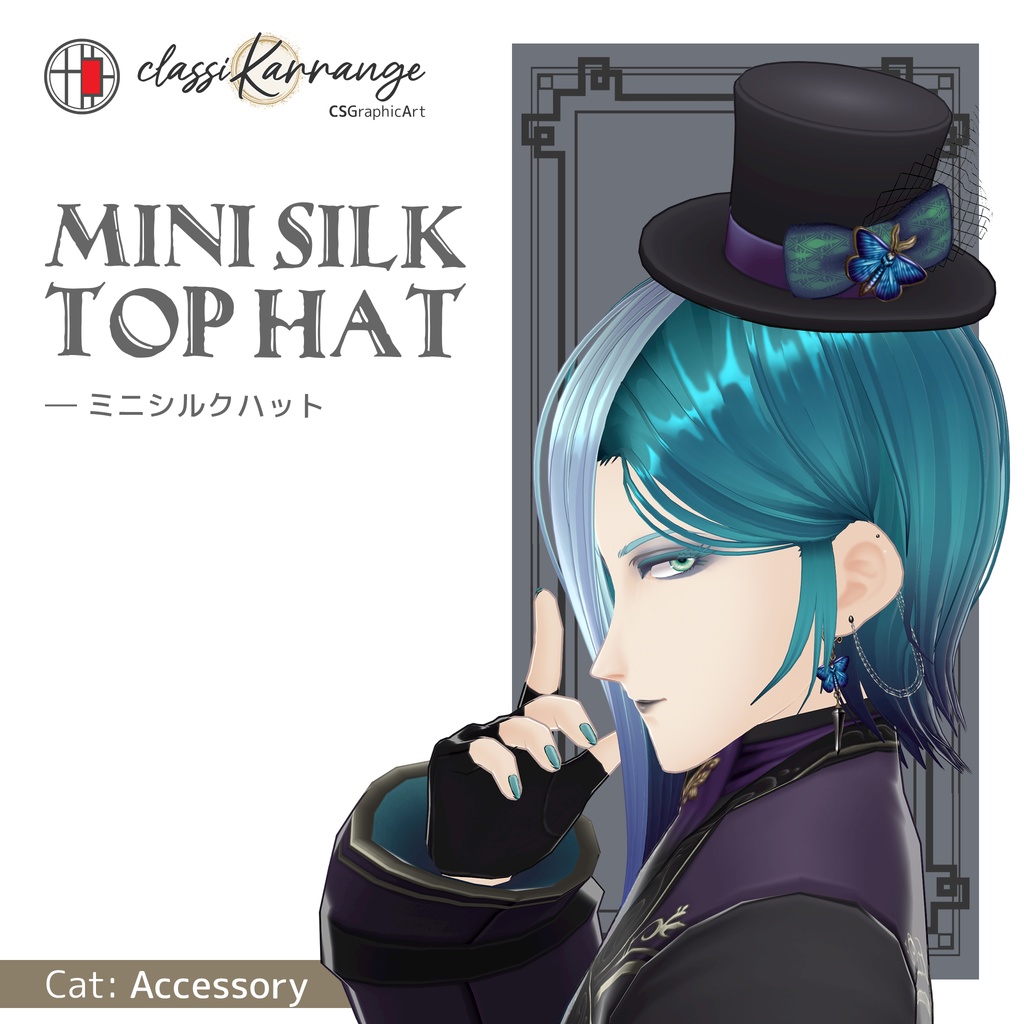
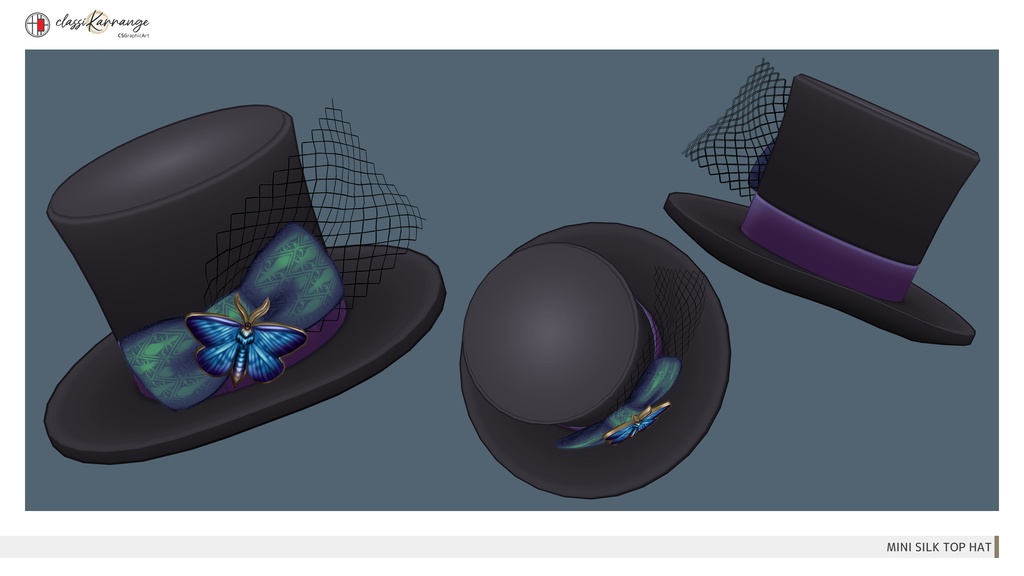


本アイテムは、ゲーム制作・VRChatアバター等幅広い用途でお使いいただけます。 既存のVRoid衣装との相性も考慮して設計しています。 また、サイズと位置を変更することで、普通サイズのシルクハットとして装着することが出来ます。 ◆ シェーダー設定について ◆ 本アイテムには「Rene」と同じMToonシェーダーを設定済みです。 そのままでもご使用いただけますが、描画環境や好みに合わせて、必要であればご自身でプロパティ等の調整をお願いいたします。 *シェーダーの設定方法についての個別サポートは行っておりません。 ◆ 導入方法について ◆ 本モデルにボーン・ウェイトは設定されておりません。 Unityでキャラモデルに使用する場合: サイズと位置を調整後、「Rene_Hat」を頭のボーンの直下に配置(親子付け)してください。 VRoid Studioの着せ替え機能を使用する場合: アクセサリー設定の際、親ボーンに「Head」を選択してください。 Suitable for game development, VRChat avatars, and various other uses. Also designed with compatibility for existing VRoid outfits in mind. It can also be worn as a regular-sized top hat by adjusting its scale and position. ◆ About Shader Settings ◆ The item features the MToon shader, the same one used in our "Rene" You are also free to adjust the shader settings to suit your specific needs. ◆ How to Install ◆ This model does not include bones or skin weights. For Unity: Adjust the size and position, then parent the Rene_Hat object under the Head bone. For VRoid Studio (Dress-up Feature): Select "Head" as the parent bone for the accessory.e」と同じMToonシェーダーを設定済みです。 そのままでもご使用いただけますが、描画環境や好みに合わせて、必要であればご自身でプロパティ等の調整をお願いいたします。 *シェーダーの設定方法についての個別サポートは行っておりません。 ◆ 導入方法について ◆ 本モデルにボーン・ウェイトは設定されておりません。 Unityでキャラモデルに使用する場合: サイズと位置を調整後、「Rene_Hat」を頭のボーンの直下に配置(親子付け)してください。 VRoid Studioの着せ替え機能を使用する場合: アクセサリー設定の際、親ボーンに「Head」を選択してください。 Suitable for game development, VRChat avatars, and various other uses. Also designed with compatibility for existing VRoid outfits in mind. It can also be worn as a regular-sized top hat by adjusting its scale and position. ◆ About Shader Settings ◆ The item features the MToon shader, the same one used in our "Rene" You are also free to adjust the shader settings to suit your specific needs. ◆ How to Install ◆ This model does not include bones or skin weights. For Unity: Adjust the size and position, then parent the Rene_Hat object under the Head bone. For VRoid Studio (Dress-up Feature): Select "Head" as the parent bone for the accessory.
📌利用規約 / Terms of use
ご購入前に必ず以下のリンクよりご確認いただき、ご理解・承諾いただいた上でダウンロードしてください。 Please make sure to check out the link below before purchasing. And download after understanding and consenting. https://docs.google.com/document/d/16W--peQTV2n5zLCFBJ0aKgmgnYtoCmoycLo8BmggqbM/edit?usp=sharing
📌 XWearについて / About XWear
本商品は、VRoid Studioの「クローゼット機能」に対応しています。 ・ .xwear ファイルはZIPアーカイブには含まれていません。 ・ 購入ページのダウンロード一覧から、.xwear ファイルを個別にダウンロードしてください。 ・ または、VRoid Studioの着せ替え機能で「クローゼット」を開き、「BOOTHライブラリ」から直接インポートすることもできます。 This product supports the VRoid Studio "Closet" feature. ・ The `.xwear` file is not included in the ZIP archive. ・ Please download the `.xwear` file separately from your BOOTH purchase page. ・ Alternatively, in VRoid Studio's Dress-up Feature, open "Closet" and import the item directly from your "BOOTH Library".
📌データ内容 / Data contents
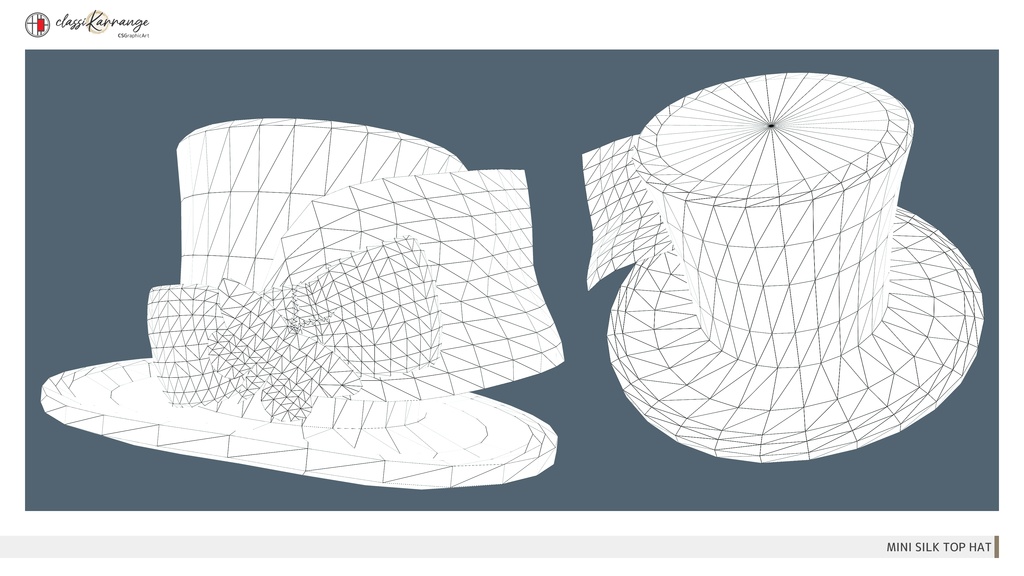
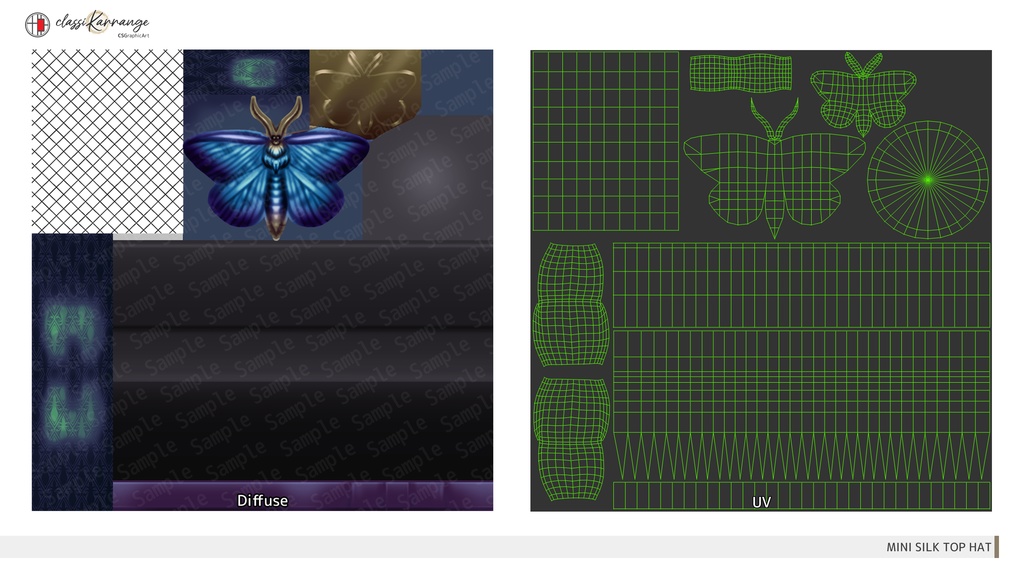
●通常版 / Normal edition : .fbx、 .unitypackage、 .png .xwear ●PSD付属版 / PSD attached edition : 通常版データ、 .psd、色変更用レイヤーについて.txt .xwear 〇ポリゴン数 / Polygons : 3,244 tris 〇テクスチャサイズ / Texture size : 1024×1024 pixels ※.fbxにマテリアルは設定しておりません。.unitypackage、.xwearで使用しているシェーダーはMToonとなります。 No materials were assigned to .fbx. However MToon shader is set in .unitypackage and .xwear.
📌更新履歴 / Update history
●2024/12/02 .xwearに対応