

【VRC想定カメラギミック】pixOcam PC-1 【OSCコンパニオンアプリ対応】
- Standard (20% Off)Digital800 JPY
- PremiumDigital1,500 JPY
- ExtraDigital2,000 JPY
- 規約 TermsDigital0 JPY
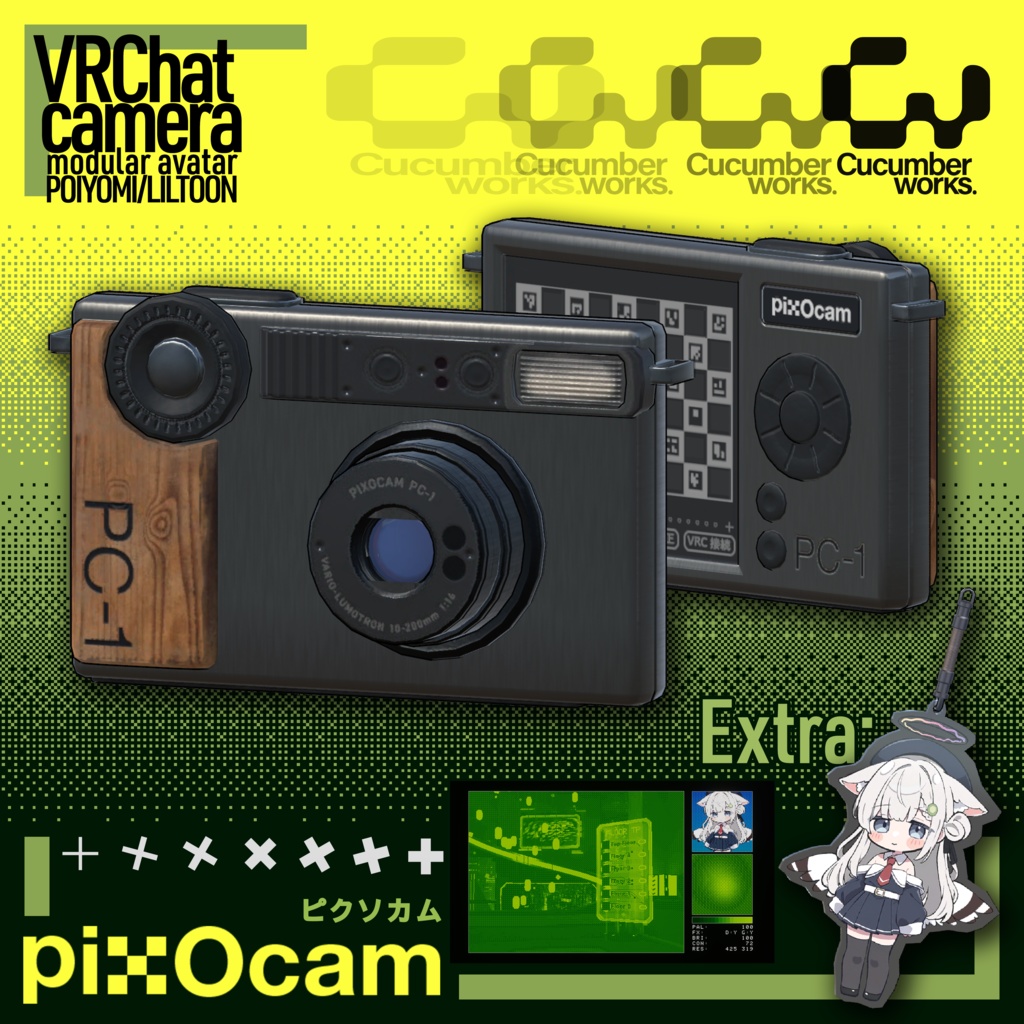


初期デジタルカメラの質感をVRChatで楽しめる、Modular Avatar対応カメラギミックです。ピクセル化、ディザリング、カスタムグラデーション、レンズ/VHS/CRT表現に加え、Windows用OSCコンパニオンアプリからの双方向操作、スマホ操作、静止画・GIF撮影に対応しています。 pixOcam PC-1は、初期のデジタルカメラや低解像度映像の質感をVRChatで楽しむための、Modular Avatar対応カメラギミックです。PC-1カメラモデル、カスタムピクセルシェーダー、Expression Menu、各種マテリアル、Windows用OSCコンパニオンアプリが含まれています。 カメラモデルは他のユーザーからも見えますが、負荷の大きいカメラ描画処理はローカル側のみで動作します。最新版では読み込み時の負荷も改善しています。 pixOcam PC-1 is a Modular Avatar-compatible VRChat camera gimmick inspired by early digital cameras and low-resolution imaging. It includes the PC-1 camera model, custom pixel shader, Expression Menu setup, camera materials, and an optional Windows OSC companion app. The physical camera model remains visible to other users, while the heavier camera rendering runs locally. The latest version also reduces loading overhead compared with earlier releases. 購入前にこのギミックをお試しいただきたい場合は、このワールドにあるテストアバターをご使用ください。 If you want to test this gimmick before purchase, please visit this world and use the test avatar inside. https://vrchat.com/home/world/wrld_fafbf56e-6ba8-43f3-a6d8-d9bbe8984bab/info lilToon/Poiyomi 9.0 とModular Avatarを使用しています。どちらかを事前に導入してください。 This asset uses lilToon or Poiyomi 9.0 and Modular Avatar. Please import these packages first. このアセットはレンズにlilToonを使用しているため、Poiyomi版を使用したい方は、lilToonとPoiyomiの両方を導入してください。Because the asset uses lilToon for lens, for users who would like to use the Poiyomi prefab, please import both lilToon and Poiyomi. Poiyomi: https://booth.pm/ja/items/4841309
<内容データ Contents>
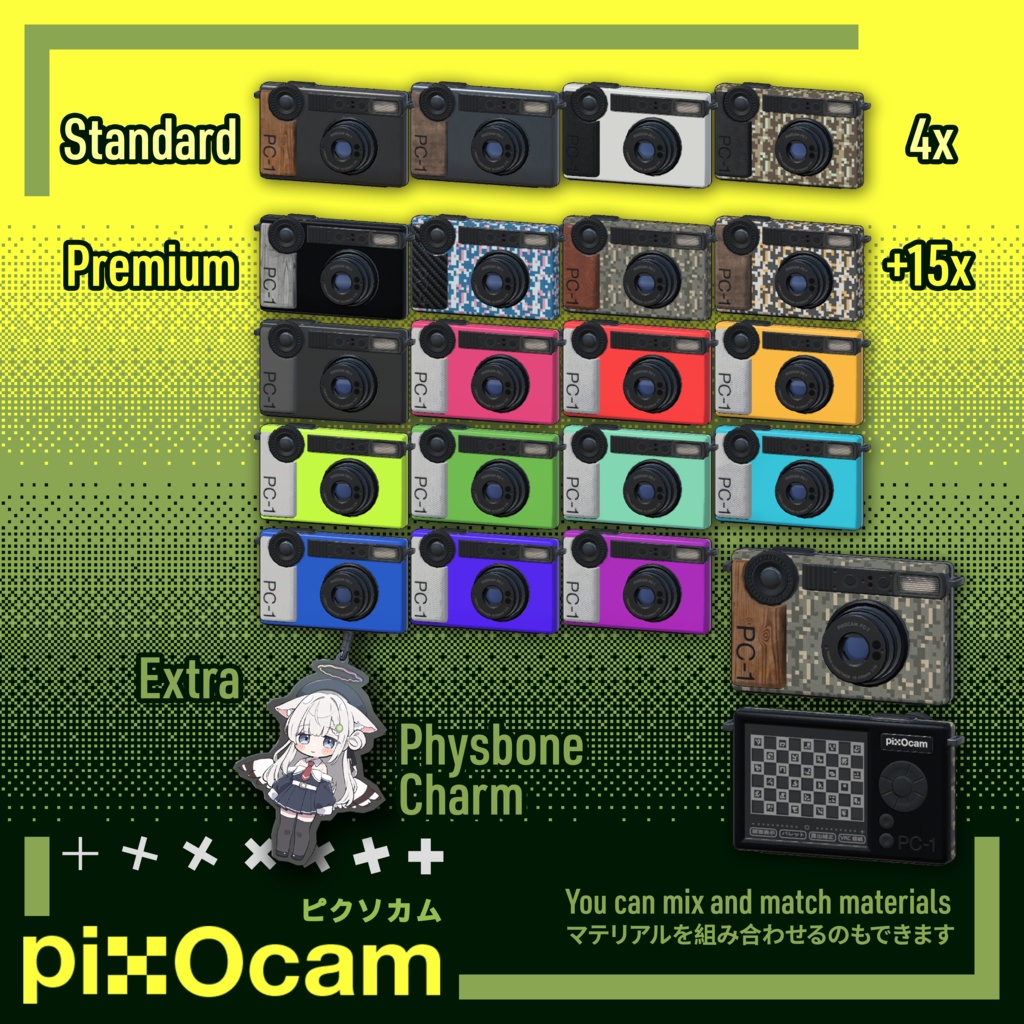
Standard ・fbxデータ fbx data (1x) ・マテリアル Material (4x) ・テクスチャ Texture Premium ・マテリアル Material (4+15x) ・テクスチャ Texture Extra ・チャーム Charm
<使用説明 Instructions>
1. Modular Avatarと使用する外装マテリアルのシェーダーを導入します。 2. 「PC-1 Camera」Prefabをアバターのルート階層に配置します。 3. Prefabの「PC-1 Menu Language」でEnglish / 日本語を選択します。選択内容はアップロード前に自動適用されます。 4. 「Hand Proxy」は通常時の右手アンカーです。位置・回転を調整してカメラの持ち方を合わせます。「Head Camera Proxy」は頭ボーンへ接続され、その子の「Head Camera Anchor」がヘッドカメラの位置を決めます。半透明の「Head Camera Guide」を見ながらAnchorを調整してください。 5. ProxyはModular Avatar用の補助Transformなので削除しないでください。Head Camera GuideはEditorOnlyのためアップロードされません。 6. コンパニオンアプリを使用する場合は、VRChatのAction MenuからOSCを有効にしてアプリを起動します。 1. Install Modular Avatar and the shader used by your chosen camera-body material. 2. Place the "PC-1 Camera" prefab at the root of your avatar hierarchy. 3. Choose English or Japanese using the "PC-1 Menu Language" component. It is applied automatically before upload. 4. "Hand Proxy" is the normal right-hand anchor; move or rotate it to adjust the grip. "Head Camera Proxy" attaches to the Head bone, while its child "Head Camera Anchor" defines the head-camera position. Adjust the Anchor using the translucent "Head Camera Guide." 5. Keep both proxies: they are Modular Avatar helper transforms. The Head Camera Guide is EditorOnly and is not uploaded. 6. To use the companion app, enable OSC in VRChat and launch the app.
<OSCコンパニオンアプリ OSC Companion App>
Windows用コンパニオンアプリは任意機能です。アプリを使用しなくても、VRChat内のExpression MenuだけでPC-1を操作できます。 ・PC-1設定とVRChat間の双方向OSC同期 ・設定プリセット、カスタムグラデーションプリセット ・カラーホイール、HSVスライダー、HEX入力、グラデーションプレビュー ・OSCによるVRChatカメラのシャッター操作、Spout出力を利用したGIF撮影 ・カウントダウン、録画時間、FPS、解像度上限、ファイルサイズ上限 ・同じローカルネットワーク上のスマートフォンから操作できるブラウザリモコン The optional Windows companion app provides two-way OSC synchronization, setting and gradient presets, a color wheel with HSV/HEX editing, VRChat camera shutter control, and GIF capture through Spout. It also provides a browser remote for phones on the same local network. OSC must be enabled in VRChat. GIF capture requires the Windows VRChat client and its Spout camera output.
<規約 Terms>
規約はVN3ライセンステンプレートを使用しております。 The included terms are based on the VN3 license Template.
<その他 Others>
インストールや使用中にご質問があれば、私のディスコードサーバーに参加するか、Twitter(X)でDMを送ってください。Boothを通じてメッセージを送ると、見逃す可能性がありますので、ご注意ください。 If you have any questions during installation and use, I recommend joining my discord server, or DM me on Twitter(X). If you send me messages through booth, I may miss it. Discord: https://discord.gg/JWjkaAUrGd Twitter: @cucumberworks
<開発支援 Support>
こちらの皆様に感謝を申し上げます Special thanks to the following supporters during development ギミックのテストとデバッグ: Gimmick Testing and Debugging: rocksuchさん https://x.com/rocksuch ミナタさん https://x.com/kanzakimnt_vc Mitisさん https://x.com/HillMitis モデリングサポート: Modeling Support: Mimikuさん https://x.com/MIMIKUCN キャラクターイラスト: Illustration: Yakumoyukarさん https://x.com/yakumoyukar