

【無料あり】VRCLogDebugger / 起動するだけでログ取得!
- Basic (Free)Digital0 JPY
- FullDigital500 JPY
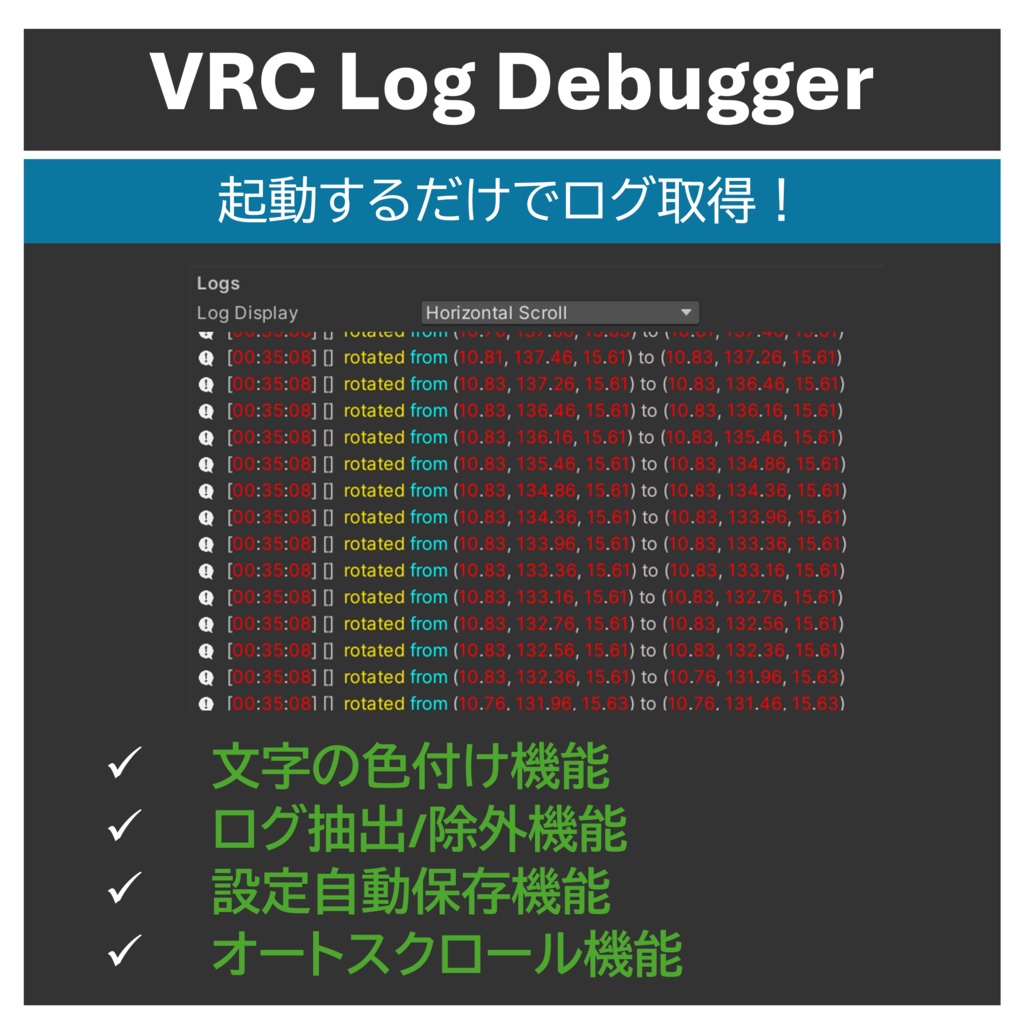


VRChatでワールド制作時に出力されるログをいい感じに表示するツールです。 デフォルト設定ではログが表示されない&ログの内容が見にくかったので作成しました。 このツールを起動するだけでPlayモード時やログイン先のワールドログを表示することができます。 (Application.logMessageReceivedで取得) ※ アバター制作時のログは未対応です。 --- This tool provides a user-friendly display of the logs generated when building worlds in VRChat. By default,the logs are hided and make it hard to follow what’s happening, so I built this tool to solve that. Just open the window, and it will automatically show you Play-mode logs and the logs from the world you’re currently in (captured via Application.logMessageReceived). * Logs from avatar are not supported.
◆提供機能◆
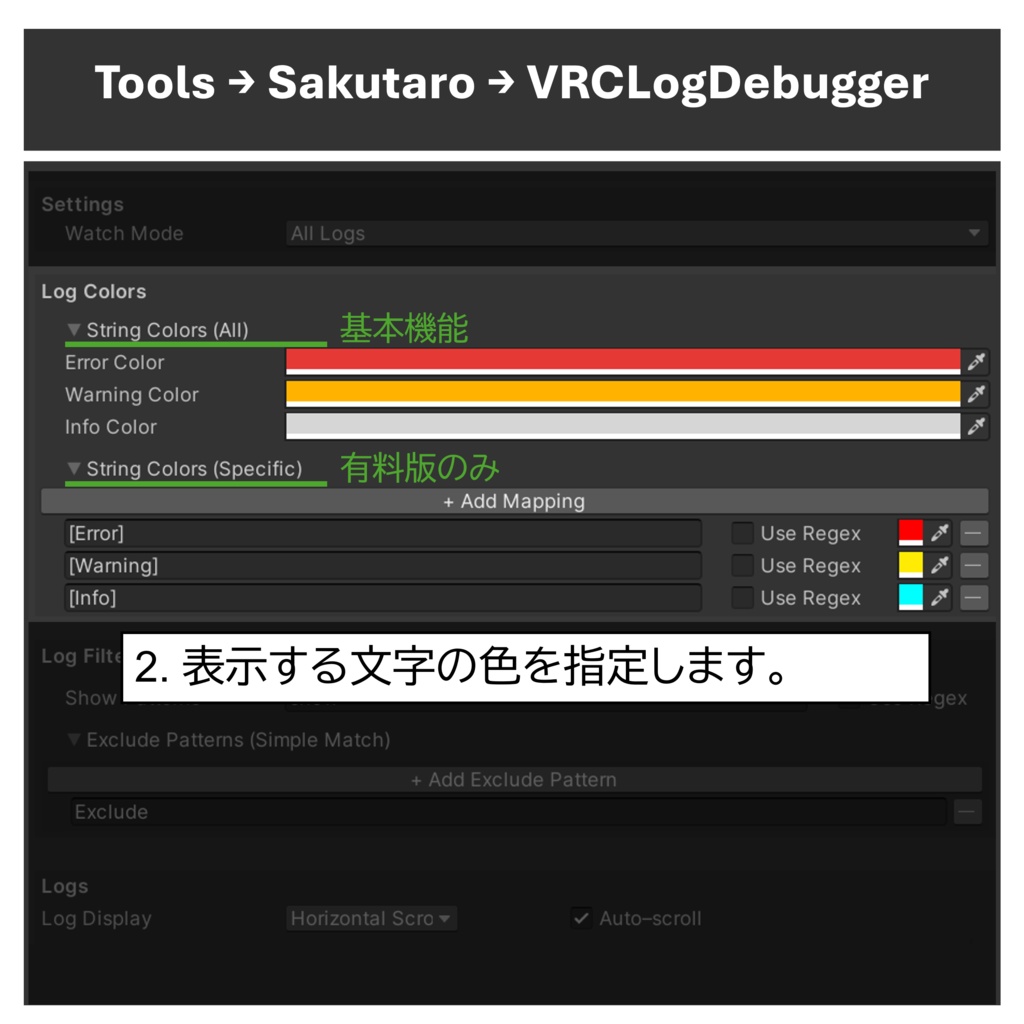
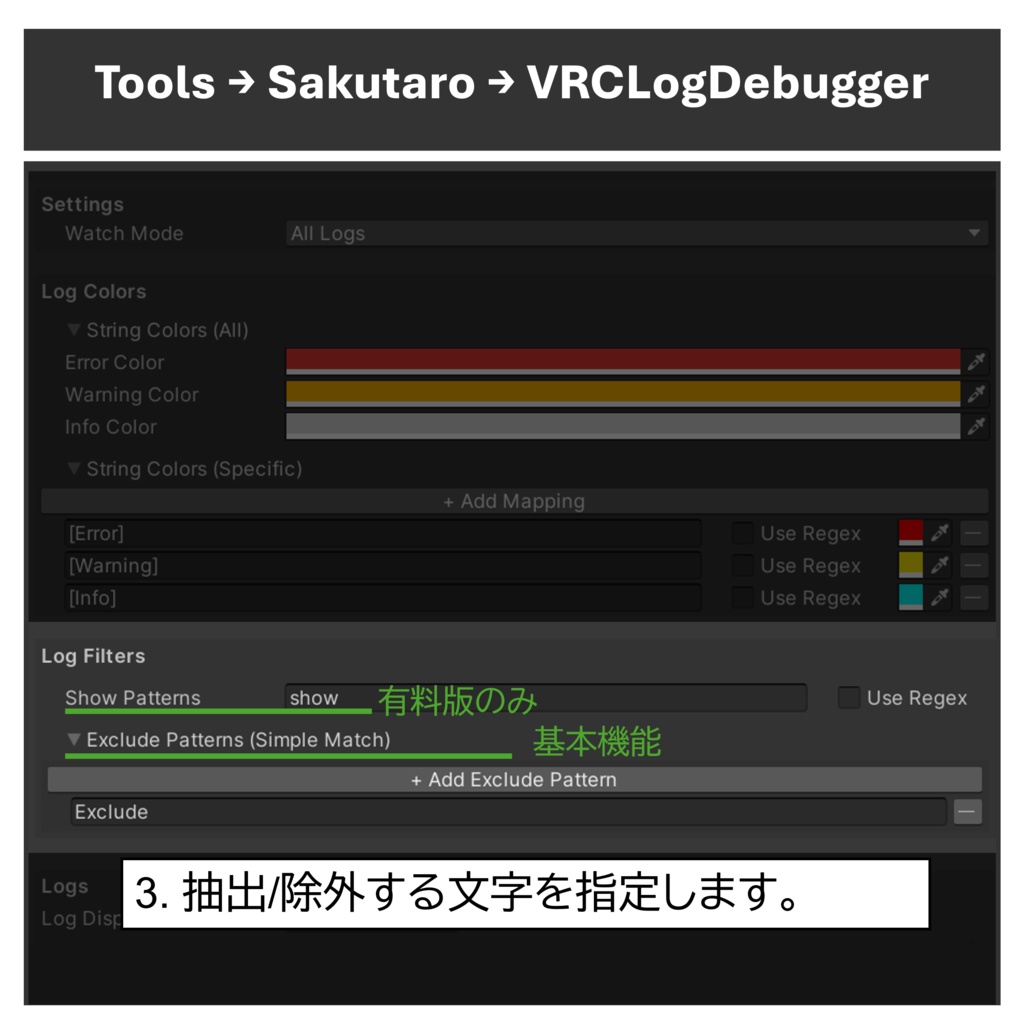
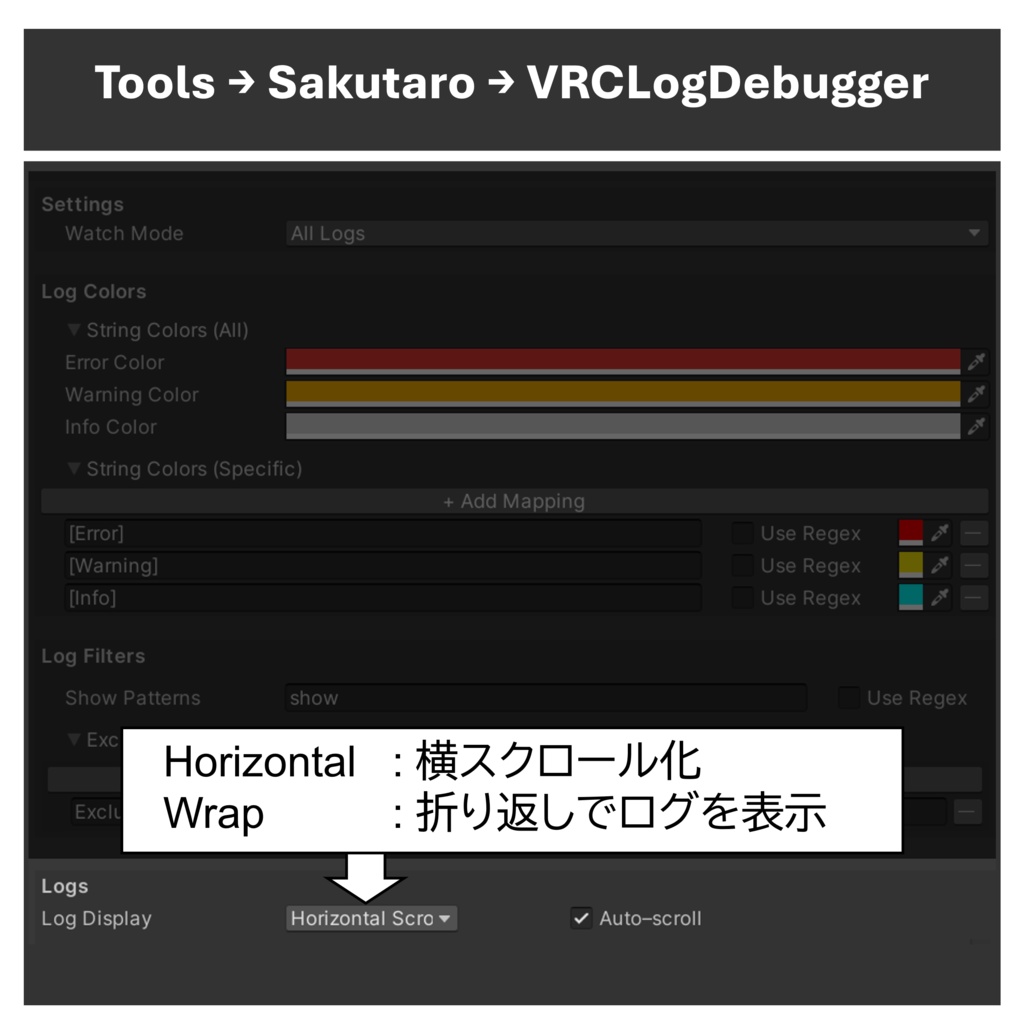
◆Basic (Free) 機能 起動するだけで、ワールドギミックのログを表示可能です。 ・ツール起動時にログ出力モードへ自動切り替え ・Error / Warning / Log を色分け表示(色は自由に変更) ・指定文字列に一致する表示を除外(登録数制限なし) ・設定は自動保存 ・自動スクロール対応 ・表示モード切替(横スクロール/折り返し) ◆Full (Basic+追加機能) “見たいログだけ”を抜き出します。 ・指定した文字列 or 正規表現で一致した文字を任意の色に変更可能 (設定上限無し) ・指定した文字列 or 正規表現で一致したログだけを抽出可能
◆利用方法◆
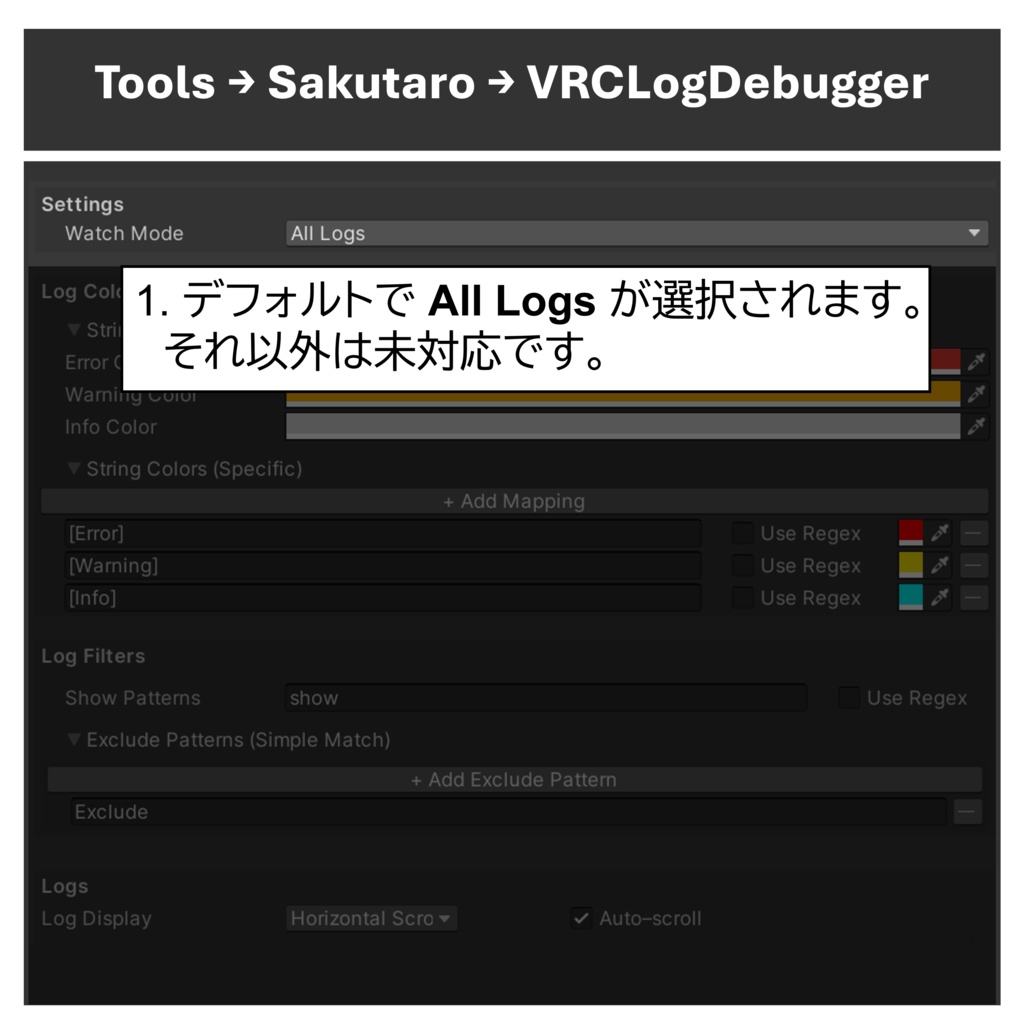
起動方法 1. unitypackageをimport 2. Tools → Sakutaro → VRCLogDebugger サンプルログ確認方法 ・Log Colors → String Colors (All) → Print Sample Logsボタンを押してください。 Unity 2022.3.22f1で動作確認済み。 将来のアップデートでの動作を保証しません。
◆利用規約◆
・改変・商業利用可能 Modification and commercial use permitted. ・再配布禁止 Prohibition of redistribution. ・本ソフトウェアは、現状の機能のまま提供されます。 This software is provided as-is, with its current functionality. ・β版であり本ツールを使用することによって発生した不具合や損害には作者は一切の責任を負いません。ご利用は自己責任でお願いいたします。 This tool is provided as a beta. The author accepts no liability for any defects or damages arising from its use. Please use it at your own risk.
◆お問い合わせ◆
ご不明点や不具合等ございましたら さくたろ までご連絡下さい。 https://x.com/nakekk
◆更新履歴◆
2025/5/1 v0.1.0b 公開 2026/2/21 v0.2.0b 公開 - 一部の環境で利用できない問題を修正 - サンプルログ表示機能追加