
【VTube Studio対応】○×クイズ札モーション【商用利用OK】
- Digital800 JPY
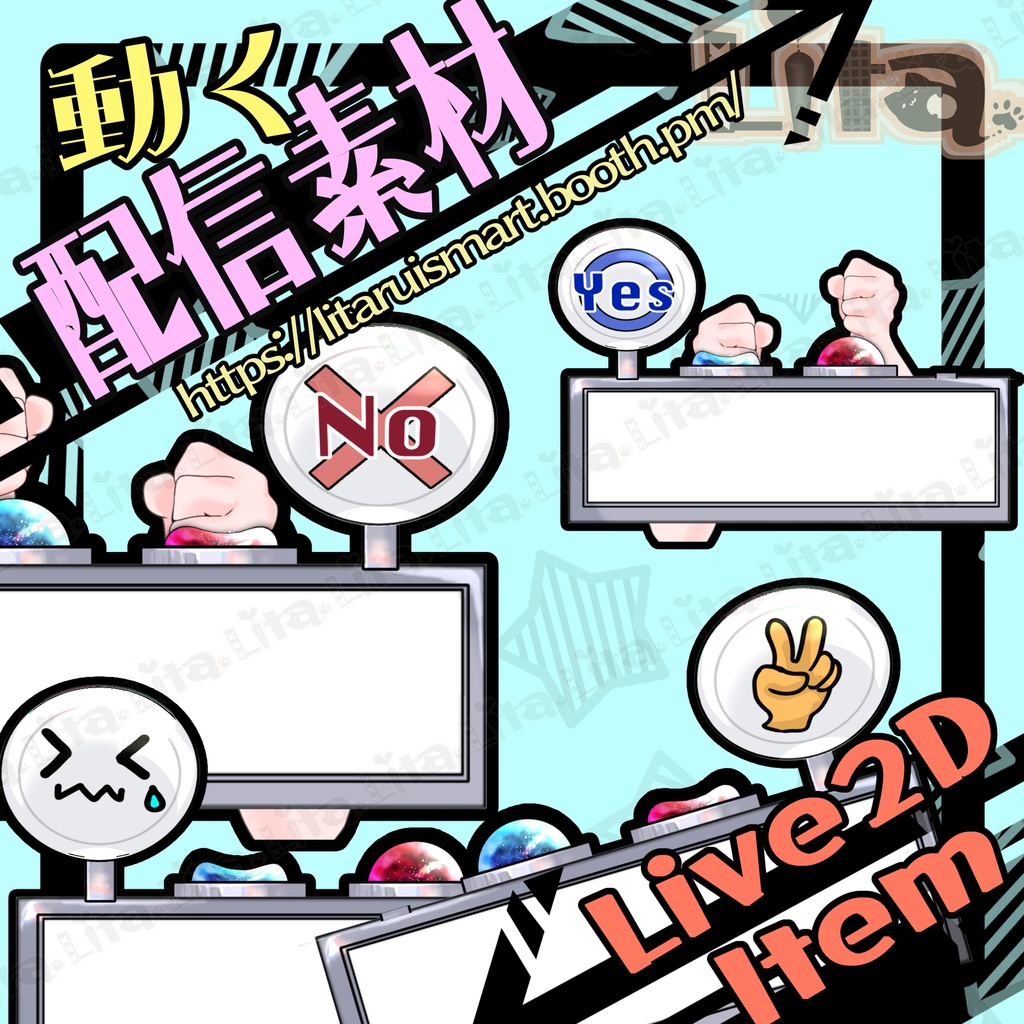

毎週腕素材をリリースしている腕素材屋さんです。 ぜひ配信のネタにしてください! ⭐︎Lita公式サイト⭐︎ https://lita-art.net/
VtubeStudioで使える素材です。//Assets for VtubeStudio
☆★☆★☆★☆★☆★☆★☆★☆★☆ 操作方法 / Controls Ctrl:青ボタン//Blue Button(YES) Shift:赤ボタン//Red Button(NO) 表情と組み合わせる場合 / Using with Expressions 例えば怒り表情にしたい場合は、 先に Q を押しながら Ctrl を押すと自然です。 For example, if you want to show an angry expression, hold Q first, then press Ctrl for a more natural result. 同時押しでも動作しますが、 先に Q を押しておくと表情が先に切り替わるのでおすすめです。 Pressing them at the same time also works, but holding Q first is recommended so the expression changes first. ボタンを離すと、デフォルトの YES に戻ります。 When you release the button, it returns to the default YES state. ☆★☆★☆★☆★☆★☆★☆★☆★☆ キーバインド設定//Keybind setting —青ボタンカスタム Blue Side Custom Triggers — 🎮 【Ctrl+ 1】Custom1 🎮 【Ctrl+ 2】Custom2 🎮 【Ctrl+ 3】Custom3 🎮 【Ctrl+ 4】Custom4 🎮 【Ctrl+ 5】Custom5 — 青ボタン顔文字Blue Side Expression Reactions — 🎮 【Ctrl+ Q】怒り//angry 🎮 【Ctrl+ W】泣き//cry 🎮 【Ctrl+ E】にこ//smile 🎮 【Ctrl+ R】いいね//Thums up 🎮 【Ctrl+ T】イイヨ//OK in japanese — 赤ボタンカスタムRed Side Custom Triggers — 🎮 【Shift+ 5】Custom5 🎮 【Shift+ 6】Custom6 🎮 【Shift+ 7】Custom7 🎮 【Shift+ 8】Custom8 —赤ボタン手ジェスチャー Red Side Gesture Reactions — 🎮 【Shift+ Y】ぐー//Rock 🎮 【Shift+ U】ちょき//Scissors 🎮 【Shift+ I】パー//Paper 🎮 【Shift+ O】バッド//Thums Down 🎮 【Shift+ P】ヤダ//Yada(No in japanese) — Question Board Custom Triggers — 🎮 【Space + 1】質問Custom1 🎮 【Space + 2】質問Custom2 🎮 【Space + 3】質問Custom3 🎮 【Space + 4】質問Custom4 🎮 【Space + 5】質問Custom5 🎮 【Space + 6】質問Custom6 🎮 【Space + 7】質問Custom7 🎮 【Space + 8】質問Custom8 🎮 【Space + 0】表情クリア//Reset Expression — Utilities — 🎮 【Space + L】左腕OFF(右腕だけで押します)//Disable left arm only (for single-arm push animation) 🎮 【Space + K】右腕OFF(左腕だけで押します)//Disable right arm only 🎮 【Space + J】腕OFF//Turn off both arms 🎮 【Space + H】机のサイズ//Toggle desk size 🎮 【Space + G】机の色(透明に設定してありますが、色変更が可能です)//Desk Color (Set to transparent by default, but the color can be changed.) 🎮 【Space + F】質問ボードOFF//Hide question board ☆★☆★☆★☆★☆★☆★☆★☆★☆★☆★☆★☆ 今回は、texture_00 と texture_01 がカスタム可能になっています。 In this item, texture_00 and texture_01 can be customized. 日本語 https://youtu.be/2YASoao3Phg?si=rKnwaCQY_RKe75uy 英語 https://youtu.be/JgQLLwoV4iU?si=RQnnBqioZrd36J83 色変更の設定方法はこちら//How to change the color 日本語🔗 https://lita-art.net/2026/01/26/how-to-change-color/ English 🔗 https://lita-art.net/2026/01/26/how-to-chage-color/ ーーーーーーーーーーーー
✅ 商用利用・編集可能ですが、著作権は放棄していません。 ✅ クレジット表記は任意です。 ✅ ご利用の際は、下記URL記載の 利用規約 に同意したものとみなします。 🔗 https://lita-art.net/terms-and-condition/ ⚠️ 成人向けコンテンツへの使用規制はしていません。 常識の範囲内でご使用ください。 ーーーーーーーーーーーー Litaのアイテムは、表情ファイルエディター、またはアートメッシュでの色調整が可能です。(表情ファイルエディタからは一部できないものもあります。初期の作品のほとんどはアートメッシュからの色変更になります!) 表情ファイルエディタから可能な場合は、colorと書いてあるパラメータが存在します。そのパラメータをいじって色変更して遊んでみてください! 色変更パラメータ: Color1 – 乗算明暗 Color2 – 乗算カラー Color3 – スクリーン明暗 Color4 – スクリーンカラー 設定方法の詳細はこちらをご覧ください! 日本語 🔗 https://lita-art.net/2026/01/26/how-to-change-color/ English 🔗 https://lita-art.net/2026/01/26/how-to-chage-color/ ーーーーーーーーーーーー 質問・ご相談はDMにて受付中! お気軽にご連絡ください✨ 🔹 LitaのX(Twitter): https://x.com/LitaVtuber 🔹 Litaのホームページ: https://lita-art.net/ ーーーーーーーーーーーー ✅ Commercial use and editing are permitted, but I do not waive my copyright. ✅ Credit notation is optional. ✅ By using this product, you are deemed to have agreed to the Terms of Sale listed at the URL below. 🔗https://lita-art.net/terms-and-condition/ ⚠️ There are no restrictions on use in adult-oriented (NSFW) content. Please use within the bounds of common sense. ーーーーーーーーーーーー Lita’s items can be color-adjusted either through the Expression File Editor or directly via ArtMesh. (Some items cannot be adjusted from the Expression File Editor. Most early works require color changes through ArtMesh.) If the item supports adjustment in the Expression File Editor, there will be a parameter labeled “Color.” Try modifying that parameter to change the colors and have fun experimenting! Color change parameters: Color1 – Multiply Brightness Color2 – Multiply Color Color3 – Screen Brightness Color4 – Screen Color For more details on the setup method, please check here! Japanese 🔗 https://lita-art.net/2026/01/26/how-to-change-color/ English 🔗 https://lita-art.net/2026/01/26/how-to-chage-color/ ーーーーーーーーーーーー Questions and consultations are accepted via DM! Feel free to contact me ✨ 🔹 Lita's X (Twitter): https://x.com/LitaVtuber 🔹 Lita's Website: https://lita-art.net/