
【無料 Free|NDMFテスト版公開中】ファントムシステム PhantomSystem(アバター分身追加ツール)
- Digital0 JPY
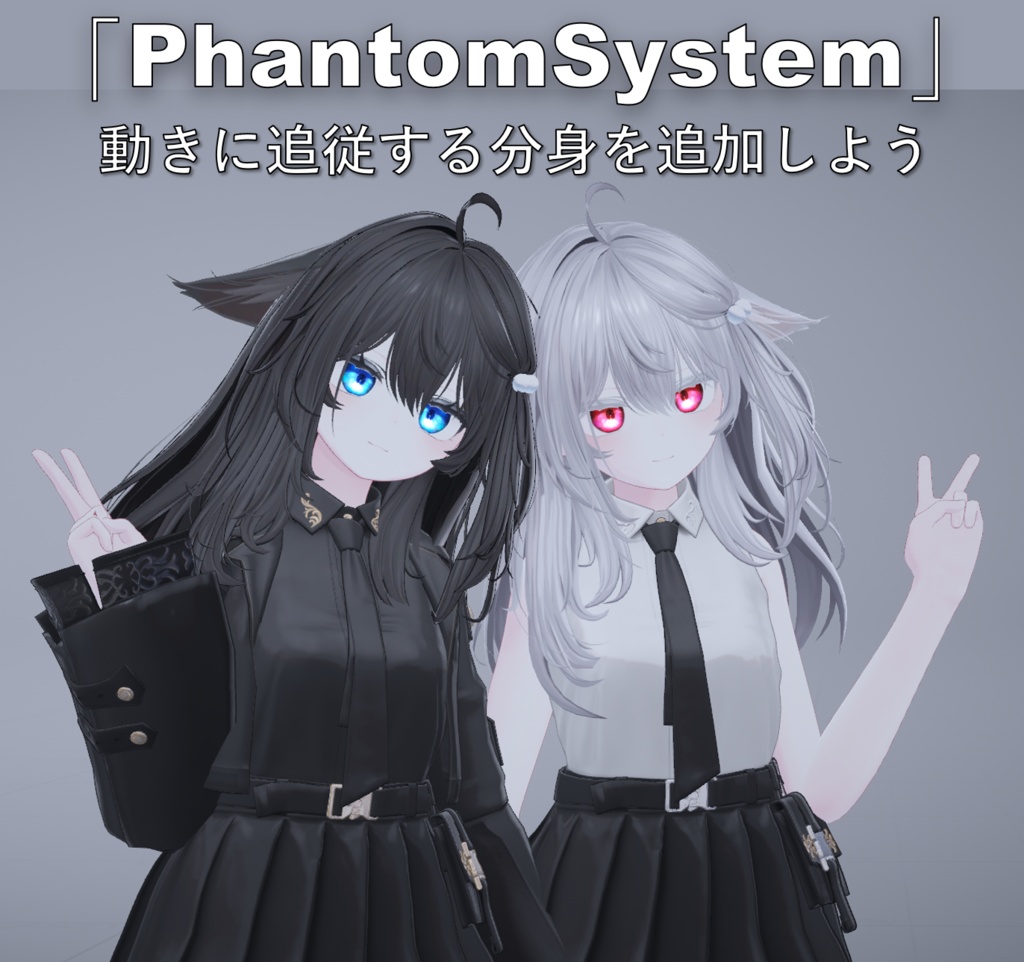


【テスト版】NDMF版 PhantomSystem 0.3.1 NDMF を基盤として再構築した新しい PhantomSystem をテスト公開しています。 従来版から多数の新機能と改善が追加されています。詳細は GitHub README をご確認ください。 英語・簡体字中国語・日本語に対応しています。 問題や不具合を見つけた場合は、BOOTHのメッセージ、またはGitHub Issueから ご連絡ください。テストへのフィードバックも歓迎します。 VCC/VPM からの導入: https://mpcct.github.io/VRC-PhantomSystem-NDMF/ README: https://github.com/MPCCT/VRC-PhantomSystem-NDMF/blob/master/README_JA.md GitHub Issues: https://github.com/MPCCT/VRC-PhantomSystem-NDMF/issues ※ NDMF版は独立したバージョン番号を使用しています。 --------------------------------- 【测试版】PhantomSystem NDMF 版本 0.3.1 基于 NDMF 重新构建的新版 PhantomSystem 现已提供测试。 相比原有版本,新版增加了大量功能与改进,详细内容请参阅 GitHub README。 已提供简体中文、英文和日文本地化。 如果遇到问题或发现 Bug,可以直接通过 BOOTH 消息联系,或者在 GitHub 提交 Issue。也欢迎提供测试反馈。 通过 VCC/VPM 安装: https://mpcct.github.io/VRC-PhantomSystem-NDMF/ README: https://github.com/MPCCT/VRC-PhantomSystem-NDMF/blob/master/README.md ※ NDMF 版本使用独立的版本编号。 --------------------------------- [Test Release] PhantomSystem NDMF 0.3.1 A new NDMF-based version of PhantomSystem is now available for testing. It includes many new features and improvements over the previous edition. See the GitHub README for details. Available in English, Simplified Chinese, and Japanese. If you encounter a problem or find a bug, please contact me through BOOTH messages or open an Issue on GitHub. Testing feedback is also welcome. Install through VCC/VPM: https://mpcct.github.io/VRC-PhantomSystem-NDMF/ README: https://github.com/MPCCT/VRC-PhantomSystem-NDMF/blob/master/README_EN.md GitHub Issues: https://github.com/MPCCT/VRC-PhantomSystem-NDMF/issues ※ The NDMF edition uses independent version numbering. --------------------------------- PhantomSystemは、VRChatのアバターに、本体の動きに追従する分身(ファントム)モデルを簡単に追加するためのツールです。 本ツールを使用したアバターの動作サンプルはこちらからご確認いただけます: https://vrchat.com/home/avatar/avtr_46032ab3-7e16-464c-a521-7ca432fea395 本ツールの注意事項、およびよくある質問については、GitHubのREADMEをご確認ください。 https://github.com/MPCCT/VRC-PhantomSystem/blob/main/README_JP.md --------------------------------- PhantomSystem 是一款用于在 VRChat 模型中简单地添加一个跟随本体动作的分身模型的工具。 您可以点击下方链接查看使用本工具的模型演示: https://vrchat.com/home/avatar/avtr_46032ab3-7e16-464c-a521-7ca432fea395 关于本工具的注意事项及常见问题,请参阅 GitHub 上的 README 文档: https://github.com/MPCCT/VRC-PhantomSystem/blob/main/README.md --------------------------------- PhantomSystem is a tool designed to easily add a "Phantom Avatar" to your VRChat avatar that follows the movements of the base model. You can check a sample of an avatar using this tool here: https://vrchat.com/home/avatar/avtr_46032ab3-7e16-464c-a521-7ca432fea395 For Notes and FAQ regarding this tool, please refer to the README on GitHub: https://github.com/MPCCT/VRC-PhantomSystem/blob/main/README_EN.md
✨ 特徴
・ ワンクリック設定: 複雑な操作は不要です。モデルを準備したら、ボタン一つで自動設定が完了します。 ・ 多彩な分身制御: 出現後にその場に留まらせるか、一緒に移動させるかを選択できます。もちろん、直接掴んで位置を変えることも可能です。静止オプションを使えば、いつでもその時のポーズで固定できます。 ・ 専用の表情メニュー: 本体とは独立したメニューで、ファントムの衣装を着せ替えたり、ちょっとした機能を使用したりできます。 ・ Modular Avatar 対応: MAコンポーネントを使用したほとんどのアイテムを、ファントムアバターに自由に追加できます。 ・ ファントムサイズ制御: ファントムの大きさをリアルタイムで変更したり、ミラーオプションを切り替えたりできます。 ・ ファントム視界: ファントムの視界を表示するスクリーンを開き、周囲の状況をいつでも確認できます。 --------------------------------- ・ 一键配置:无需复杂的操作流程,准备好模型后一键自动配置。 ・ 多种分身控制:可以控制分身在生成后停留在原地或是和你一起移动,当然也可以直接抓取分身来改变位置。分身静止选项也可以随时让分身冻结在当前姿势。 ・ 分身表情菜单:独立控制的分身表情菜单,让分身也能更换衣服,甚至开启一些小功能。 ・ Modular Avatar 适配:分身模型可以自由添加大多数使用MA组件的物品。 ・ 分身大小控制:可以实时控制分身的大小,切换分身镜像选项等。 ・ 分身视角:可以打开一个能看到分身视角的屏幕,随时看到分身周围情况。 --------------------------------- ・ One-Click Setup: No complex setting steps. Once your models are ready, configure everything with a single click. ・ Multiple Phantom Controls: Control whether the phantom stays in place or moves with you after spawning. You can also pick up and move the phantom manually. The "Freeze" option allows the phantom to lock into its current pose at any time. ・ Phantom Expression Menu: An independent expression menu for the phantom, allowing it to change clothes or toggle minor features. ・ Modular Avatar Compatible: You can freely add items using MA components to the phantom model. ・ Phantom Scale Control: Real-time control of phantom size, toggle phantom mirror options, etc. ・ Phantom View: Open a screen that displays the phantom's perspective, allowing you to monitor its surroundings.
📦 動作に必要な環境
本ツールをインポートする前に、以下の環境が正しくインストールされていることを確認してください: 1. Unity 2022.3.22f1 2. VRChat SDK (ドキュメント作成時のバージョン: 3.10.1) 3. Modular Avatar (ドキュメント作成時のバージョン: 1.15.1) https://github.com/bdunderscore/modular-avatar --------------------------------- 在导入该工具前,请确保以下内容正确安装: 1. Unity 2022.3.22f1 2. VRChat SDK (在该文档编辑时使用的版本为3.10.1) 3. Modular Avatar (在该文档编辑时使用的版本为1.15.1) https://github.com/bdunderscore/modular-avatar --------------------------------- Before importing this tool, please ensure the following are installed correctly: 1. Unity 2022.3.22f1 2. VRChat SDK (Version 3.10.1 used during documentation) 3. Modular Avatar (Version 1.15.1 used during documentation) https://github.com/bdunderscore/modular-avatar
🚀 導入方法
1. ベースアバターと、ファントムアバターとして使用するモデルを準備します(ベースと体が同じ、あるいは似ているモデルを推奨します)。 2. 上部メニューから MPCCT -> PhantomSystemSetup を選択します。 3. 準備したモデルを ベースアバター と ファントムアバター のスロットにドラッグ&ドロップします。 4. セットアップ開始! をクリックします。 --------------------------------- 1. 准备好一个基础模型和准备作为分身的分身模型(最好与基础模型身体相同或相似) 2. 在顶部菜单中选择 MPCCT -> PhantomSystemSetup 3. 将准备好的模型拖入 基础模型 和 分身模型 中 4. 点击 开始配置! --------------------------------- 1. Prepare a Base Avatar and a model to be used as the Phantom Avatar (it is recommended that their body structures are the same or similar). 2. Select MPCCT -> PhantomSystemSetup from the top menu. 3. Drag and drop your models into the Base Avatar and Phantom Avatar fields. 4. Click Setup!
📂 ソースコード
https://github.com/MPCCT/VRC-PhantomSystem
📜 利用規約
本ツールは MIT License で公開されています。 https://github.com/MPCCT/VRC-PhantomSystem/blob/main/LICENSE
📝 更新情報
**v1.1.1** ・ 掴み判定 スイッチを追加し、ファントムの掴み機能を制御できるようにしました。 ・ ファントムの生成位置を変更した後、ファントム位置を固定 を解除する際に発生する不具合を修正しました。 --------------------------------- ・ 添加 开启抓取 开关以控制是否开启抓取功能。 ・ 修复了在更改分身生成位置后,取消勾选 固定分身位置 时出现的异常情况。 --------------------------------- ・ Add a toggle GrabOn to control whether the Phantom can be grabbed. ・ Fixed an issue that occurred when disabling LockPosition after changing the Phantom's spawn location. =================== **v1.1.0** ・ ファントムサイズ制御機能を追加しました。ファントムの大きさをリアルタイムで変更したり、ミラーオプションを切り替えたりできます。 ・ セットアップウィンドウに、セットアップ完了後にファントムアバターの出現位置を調整できるボタンを追加しました。 ・ WD Offのアバターで発生するいくつかの不具合の修正を試みました。 ・ その他、軽微な修正。 --------------------------------- ・ 添加了 控制分身大小 功能。可以实时控制分身的大小,切换分身镜像选项等。 ・ 在设置窗口中添加了一个用于调整分身生成位置的按钮。 ・ 尝试修复一些在WD Off模型上出现的问题。 ・ 其他少量修改 --------------------------------- ・ Add Phantom Scale Control feature. Real-time control of phantom size, toggle phantom mirror options, etc. ・ Add a button in setup window that can adjust your phantom avatar's spawn position after setup. ・ Try fix some bugs that happens on WD Off avatars. ・ Other minor fixes.