

【マヌカ用】夜のワールドでも質感が死なない。「真夜中のドレスアップ」テクスチャセット - Takiza Works
- Digital500 JPY
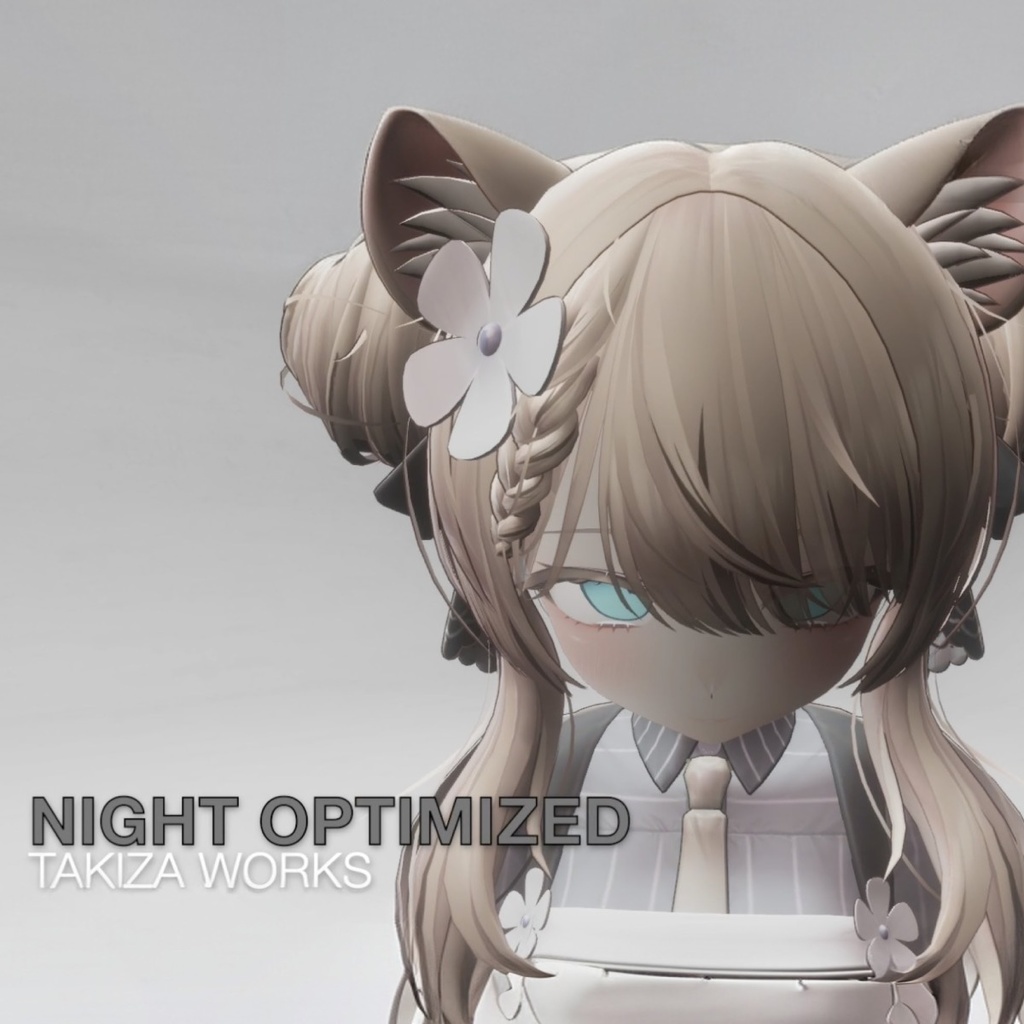
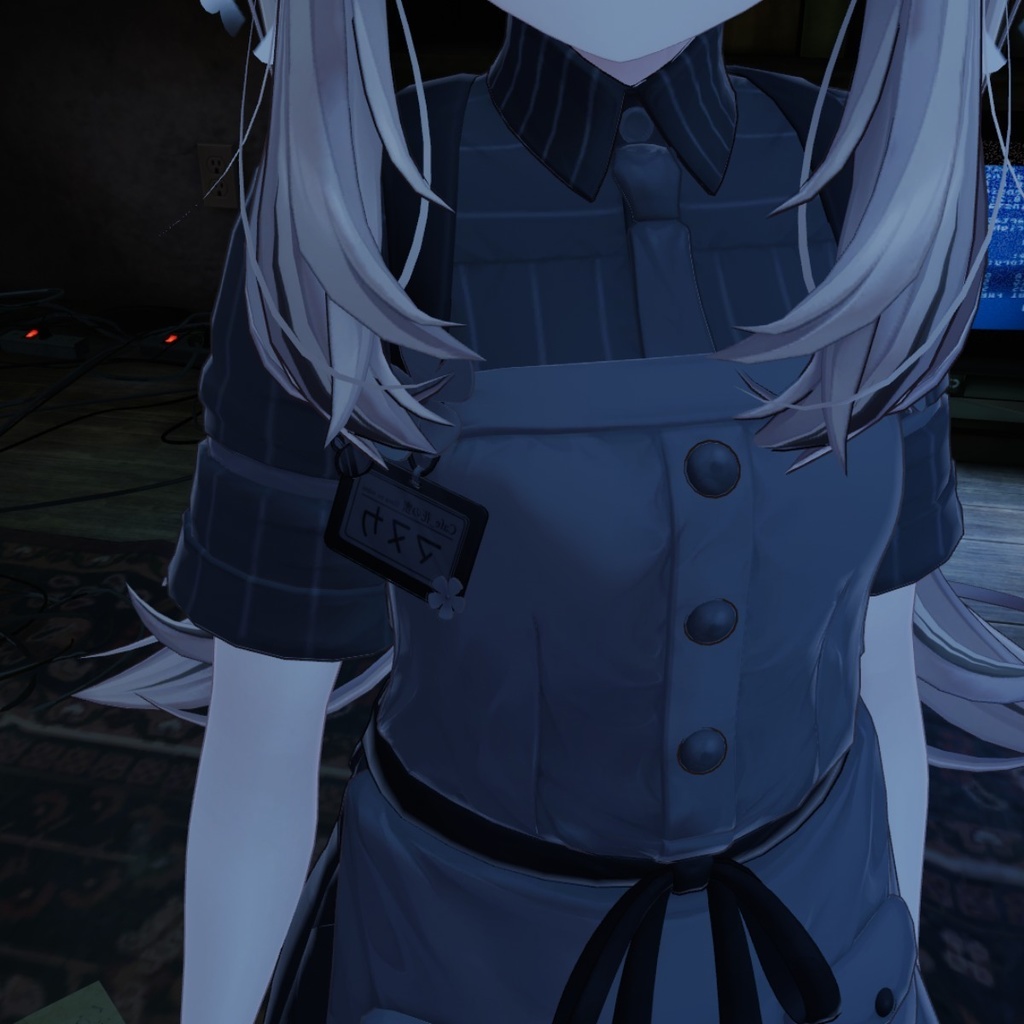
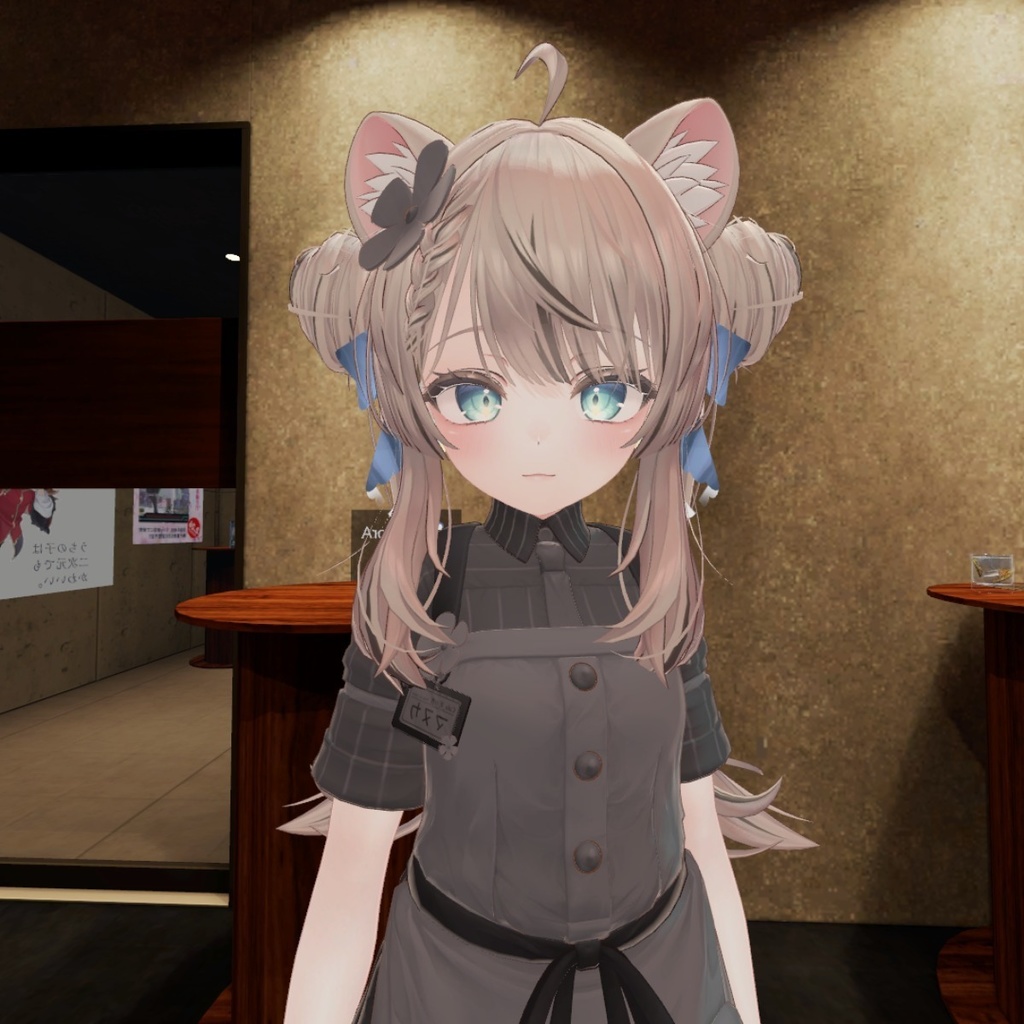
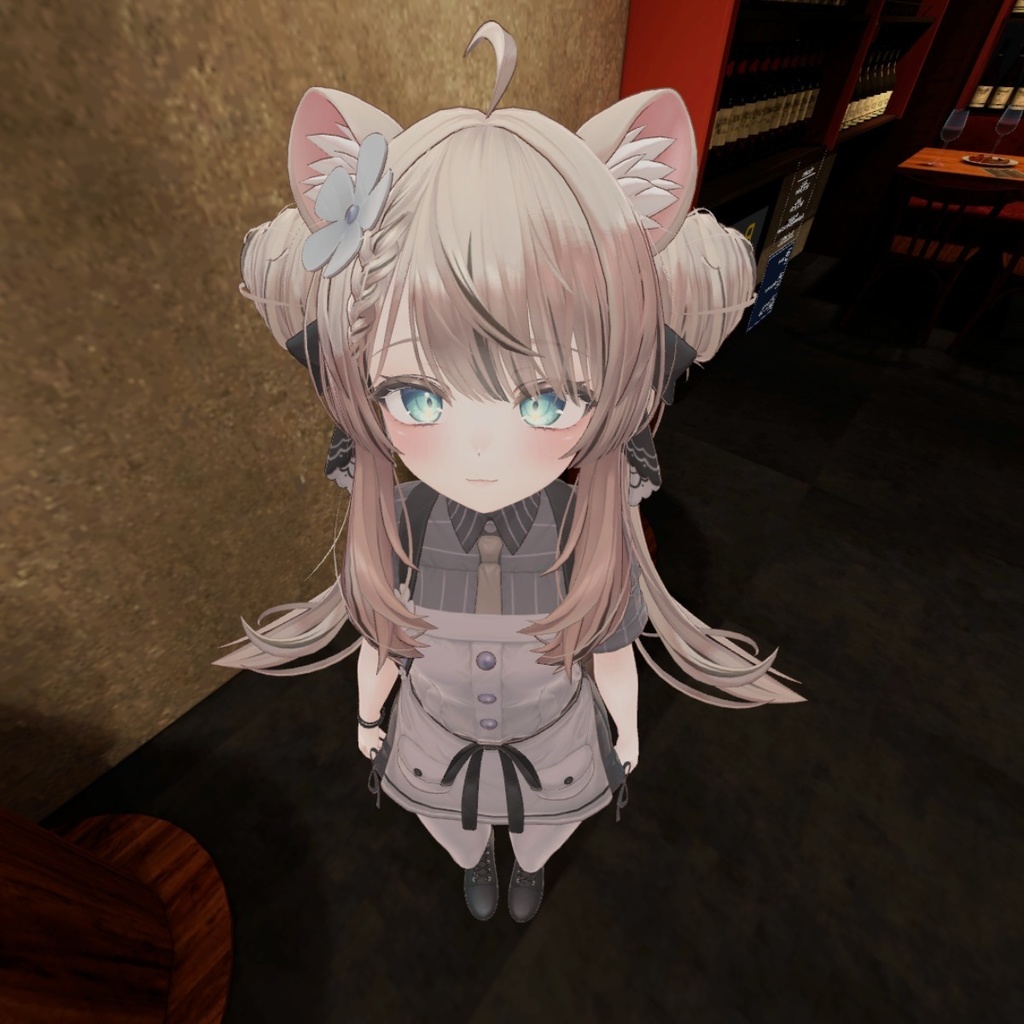
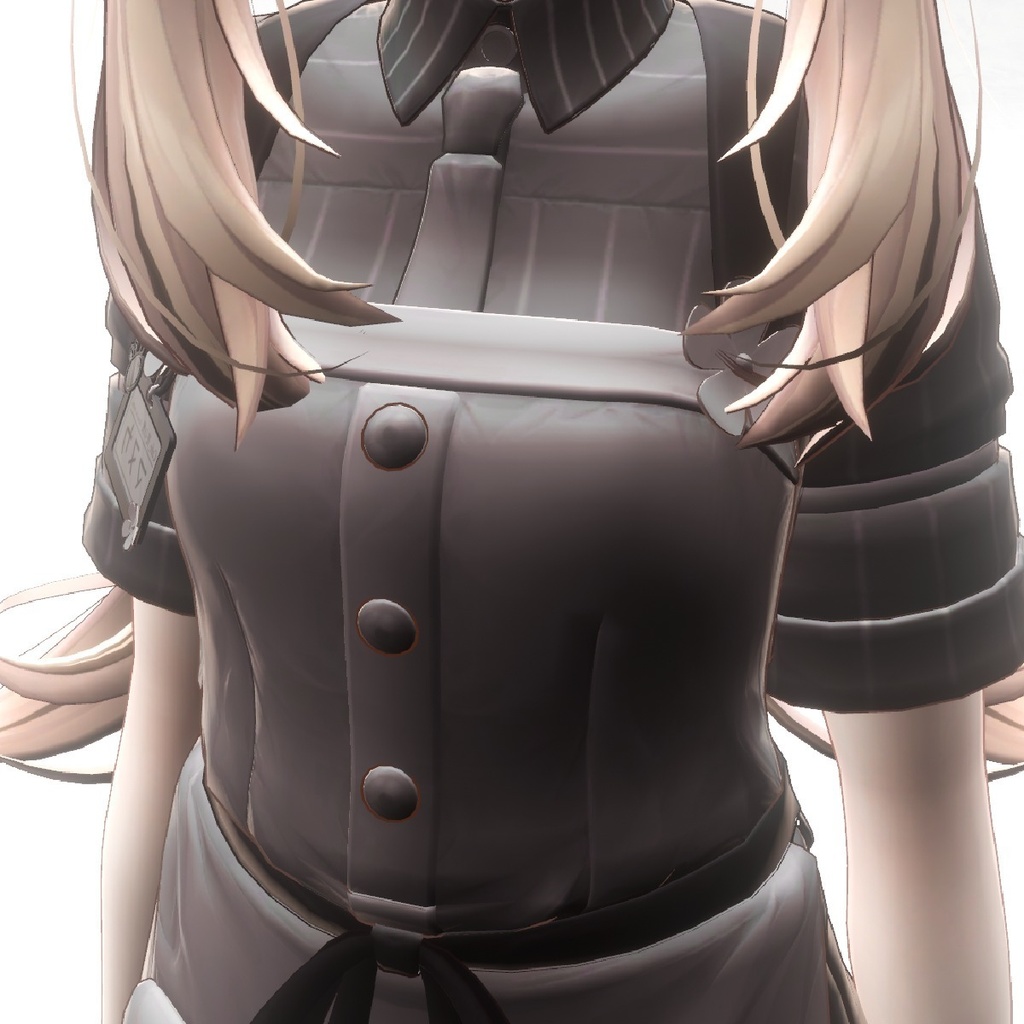
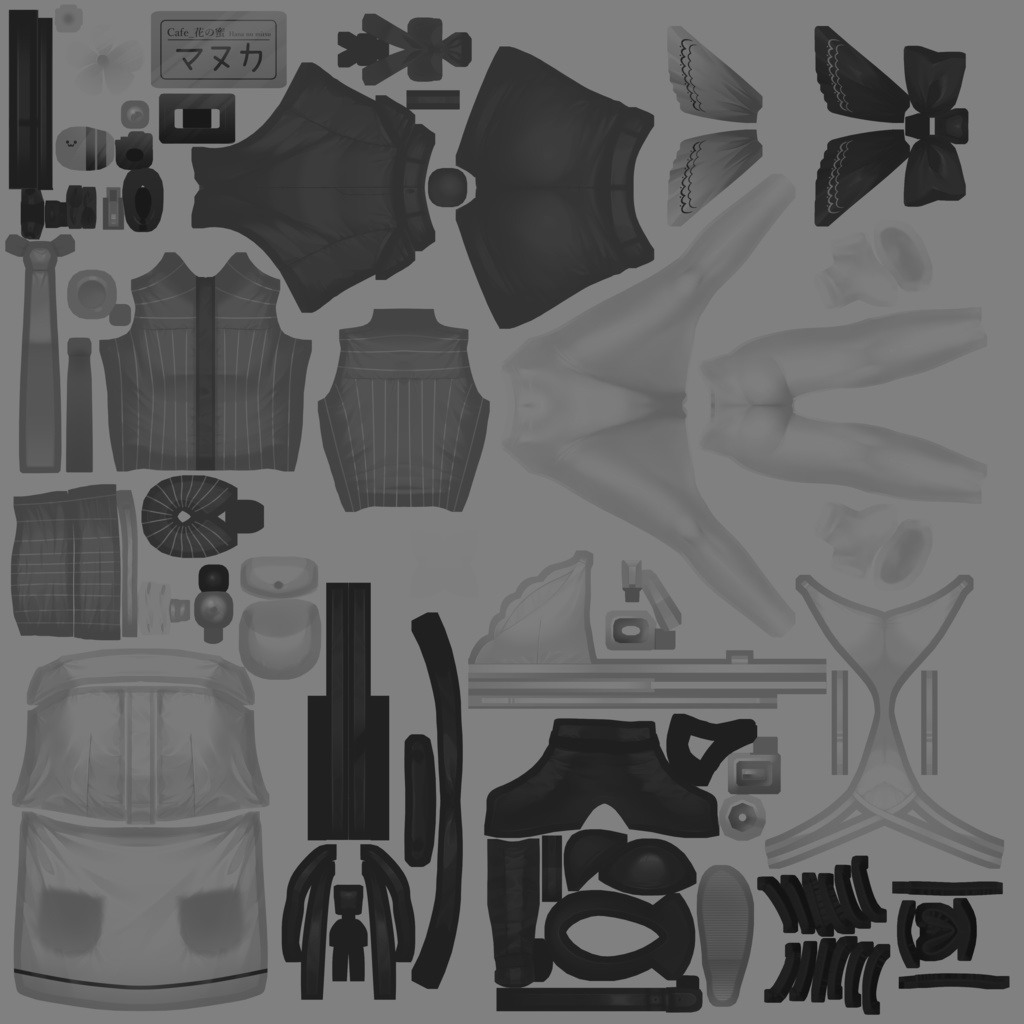
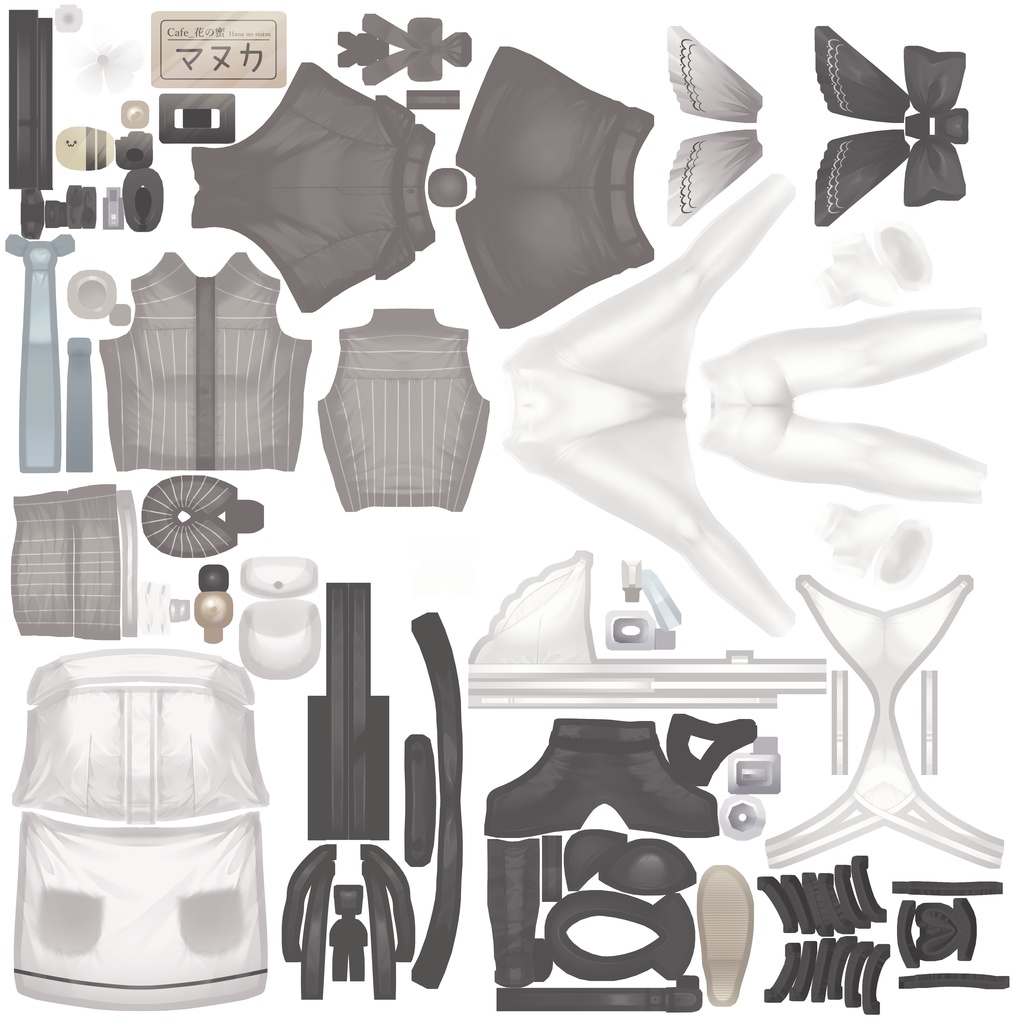
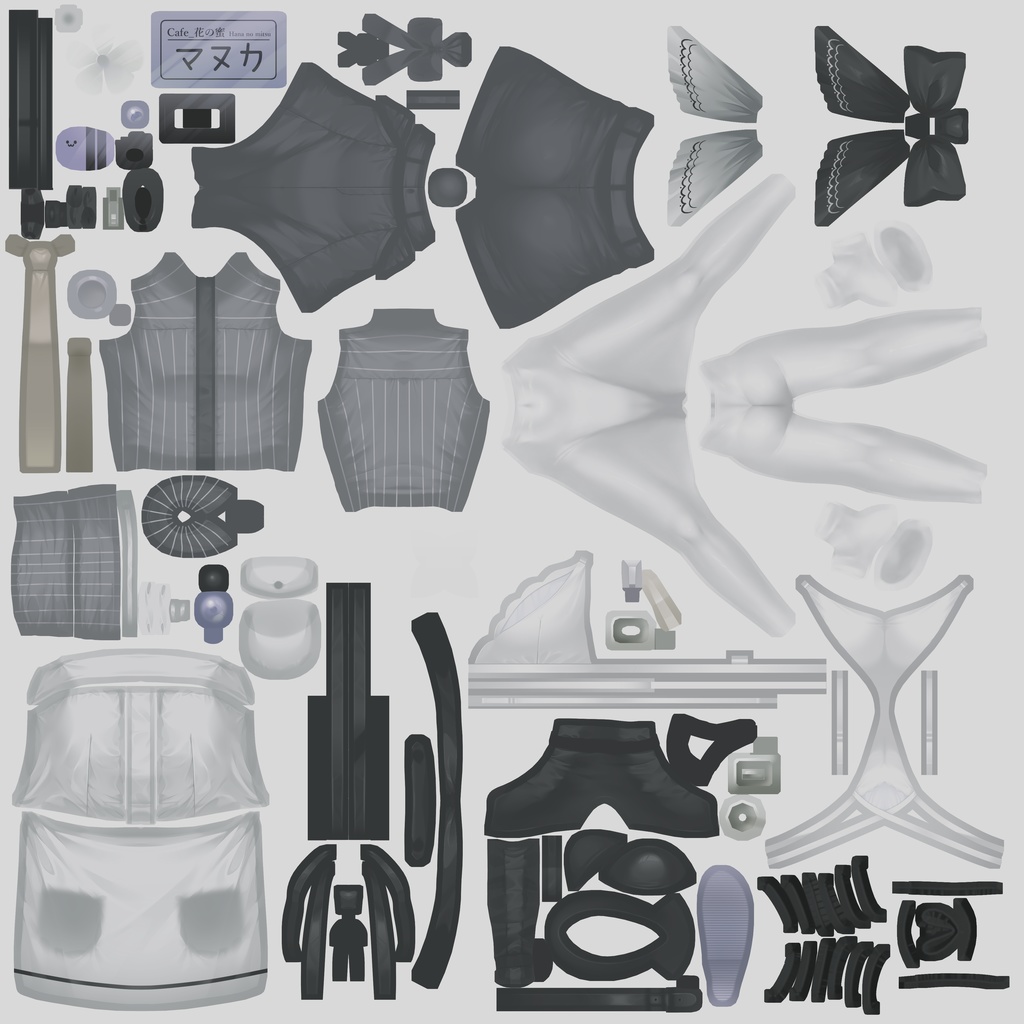


■ 夜ワールドでこそ、服が映える 暗い場所で潰れがちな衣装の立体感を、 自然に、美しくキープするために設計された マヌカ専用テクスチャセット(3色)です。 派手すぎず、暗すぎない「くすみカラー」により、 夜景バーやクラブワールドでも、布の陰影と質感がしっかり見えます。 スクリーンショットや動画撮影で、立体感のある美しい映りを実現します。 ──────────────────── ■ 収録カラー(3色) ──────────────────── 【Midnight Matte Black】 マットな黒。夜景バー・クラブワールド向け 【Ash Greige】 柔らかいベージュグレー。カフェ・日常系ワールド向け 【Muted Navy】 落ち着いたネイビー。昼夜問わず使える万能色 ※照明環境によっては、ネイビーがわずかに紫寄りに見える場合がありますが、テクスチャ自体の色はネイビーです。 ──────────────────── ■ 内容物 ──────────────────── ・PNG形式テクスチャ 3色 ・導入手順・利用規約(Readme.txt) ※アバター本体、髪・肌テクスチャは含まれません ──────────────────── ■ 対応アバター ──────────────────── 本テクスチャを使用するには、以下のモデル本体が必要です。 オリジナル3Dモデル「マヌカ」 製作者:진권 / ジンゴ 様 https://booth.pm/ja/items/5058077 ──────────────────── ■ 導入方法 ──────────────────── Unityで衣装マテリアルのメインカラーにドラッグ&ドロップするだけ。 詳しい手順は同梱のReadmeに記載しています。 【⚠️ 重要】 メインカラー右側の色設定を「白(#FFFFFF)」にしてください。 他の色が設定されていると、正しく表示されません。 ──────────────────── ■ よくある質問 ──────────────────── Q. 色が正しく表示されません A. マテリアルの「メインカラー」色設定(画像枠の右側)を白(#FFFFFF)にしてください。 Q. 他のシェーダーでも使えますか? A. 基本的に使用可能ですが、lilToonでのみ動作確認済みです。 Q. 色をもっと明るく/暗くしたい A. 改変OKですので、画像編集ソフト等で自由に調整してください。 ──────────────────── ■ 利用規約 ──────────────────── 【OK】 ・個人での配信・動画投稿(広告収益化可) ・改変・色調整 ・R-18 / R-18G表現(マヌカ本体の利用規約に準拠) 【NG】 ・テクスチャデータの再配布・販売(改変含む) ・アバターのパブリック化(VRChat等でのPublic設定) ※企業案件での使用をご希望の場合はご相談ください。 ※詳細な利用条件・免責事項は同梱のReadmeをご確認ください。 ──────────────────── Texture Creator: Takiza Works Contact: BOOTHメッセージ または X (@takiza_works) ご購入ありがとうございます。 不具合報告・ご要望は、お気軽にご連絡ください。 ──────────────────── ======================================== English Description Night World Ready Textures for Manuka Keep Your Outfit's 3D Depth in Dark Environments ──────────────────── Tired of your outfit losing detail in dark VRChat worlds? These textures are specifically designed to preserve beautiful 3D depth and fabric details in low-light environments like nightclubs, bars, and evening scenes. Featuring carefully selected "muted colors" that are neither too bright nor too dark, your outfit will maintain clear shading and texture visibility even in the darkest worlds—perfect for stunning screenshots and videos. ──────────────────── ■ Colors Included (3-Pack) ──────────────────── 【Midnight Matte Black】 Deep matte black. Perfect for nightclubs and bar worlds. 【Ash Greige】 Soft beige-gray. Ideal for cafes and casual everyday worlds. 【Muted Navy】 Calm navy blue. Versatile for both day and night settings. *Note: May appear slightly purple under certain lighting, but the base color is navy. ──────────────────── ■ What's Included ──────────────────── ・PNG texture files (3 colors) ・Installation guide & Terms of Use (Readme.txt) *Avatar body, hair, and skin textures are NOT included. ──────────────────── ■ Required Base Model ──────────────────── This texture requires the following avatar: 【Manuka】by JINGO CHANNEL https://booth.pm/ja/items/5058077 ──────────────────── ■ Installation ──────────────────── Simply drag and drop the PNG texture onto the "Main Color" (Main Texture) slot of your outfit material in Unity. Full step-by-step instructions included in the Readme. 【⚠️ IMPORTANT】 Make sure the color value next to "Main Color" is set to White (#FFFFFF). If set to any other color, the texture will not display correctly. ──────────────────── ■ FAQ ──────────────────── Q. The colors don't look right. A. Check that the "Main Color" value (color picker next to the texture slot) is set to White (#FFFFFF). Q. Can I use other shaders? A. Yes, but this product is tested and optimized for lilToon shader only. Q. Can I adjust the brightness/darkness? A. Yes! Modifications are allowed. Feel free to edit using any image editing software. ──────────────────── ■ Terms of Use ──────────────────── 【Allowed ✓】 ・Personal use in streams/videos (monetization allowed) ・Texture modification & color adjustment ・R-18 / R-18G content (must follow Manuka's original terms) 【Not Allowed ✗】 ・Redistribution or resale of texture files (including modified versions) ・Public avatar uploads (e.g., VRChat Public status) *For commercial/corporate use, please contact me first. Full terms included in the Readme file. ──────────────────── Creator: Takiza Works Contact: BOOTH Messages or X/Twitter (@takiza_works) Thank you for your purchase! If you encounter any issues or have requests, feel free to reach out anytime. ────────────────────