

【無料Free】Super Imposter
- Super ImposterDigital0 JPY
- Support me (same content)Digital500 JPY
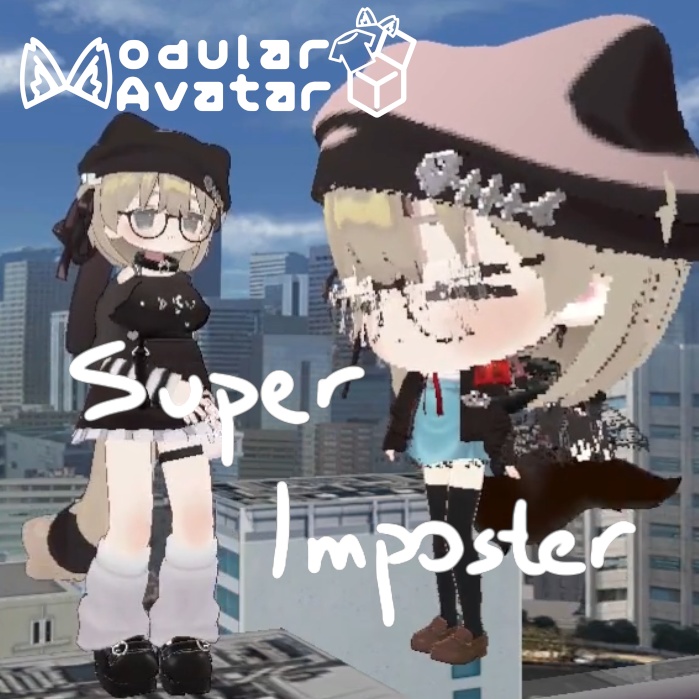

Based on Landon Townsend's "Super Imposter" shader https://www.landontownsend.com/single-post/super-imposter-shader-my-journey-to-make-a-high-quality-imposter-shader Released under MIT License PC ONLY Only visible to your friends (or people who selected "Show Avatar" in the quick menu before you turn on this gimmick) Capturing process is performance heavy! Please avoid using in crowded instances MA (Modular Avatar) compatible How to use: Transparent cylinder indicates the volume that will be captured Left hand rock 'n roll to adjust scale (alternatively use expressions menu) Use physbone to adjust vertical displacement Left hand thumbs up to capture Can be attached to your/others' heads before/after capturing ------------------------------------------------------------------------------- Landon Townsend 氏の "Super Imposter" シェーダーに基づいています https://www.landontownsend.com/single-post/super-imposter-shader-my-journey-to-make-a-high-quality-imposter-shader MITライセンスの下で公開されています 注意事項 PC専用 フレンド(または、このギミックをオンにする前にクイックメニューで「Show Avatar」を選択している人)にのみ表示されます キャプチャ処理は負荷が非常に高いです! 人がいっぱいいるインスタンスでの使用は避けてください MA(Modular Avatar)対応 使い方 透明なシリンダーはキャプチャされる範囲を示します 左手の「Rock 'n Roll」ジェスチャーでスケールを調整(またはエクスプレッションメニューから) PhysBoneを使って垂直方向の位置を調整 左手の「Thumbs Up」ジェスチャーでキャプチャ開始 キャプチャの前後どちらでも、自分や他人の頭に取り付けることができます ------------------------------------------------------------------------------- 基于 Landon Townsend 的 "Super Imposter" 着色器开发 https://www.landontownsend.com/single-post/super-imposter-shader-my-journey-to-make-a-high-quality-imposter-shader 根据 MIT 许可证发布 注意事项 仅限 PC 端 仅对你的好友可见(或者在开启此功能前,在快捷菜单中选择了“Show Avatar”的人) 捕捉过程非常消耗性能!请避免在人数众多的实例中使用 兼容 MA (Modular Avatar) 使用方法 透明圆柱体表示将被捕捉的范围 左手做出“摇滚(Rock 'n Roll)”手势以调节缩放(也可以使用表情菜单) 使用 PhysBone 调节垂直位置 左手做出大拇指手势即可捕捉 捕捉前后均可将其附着在你自己或他人的头部