

【無料あり】Lyra Menu Manager【VRC想定】
- 無料版Digital0 JPY
- Pro版Digital800 JPY
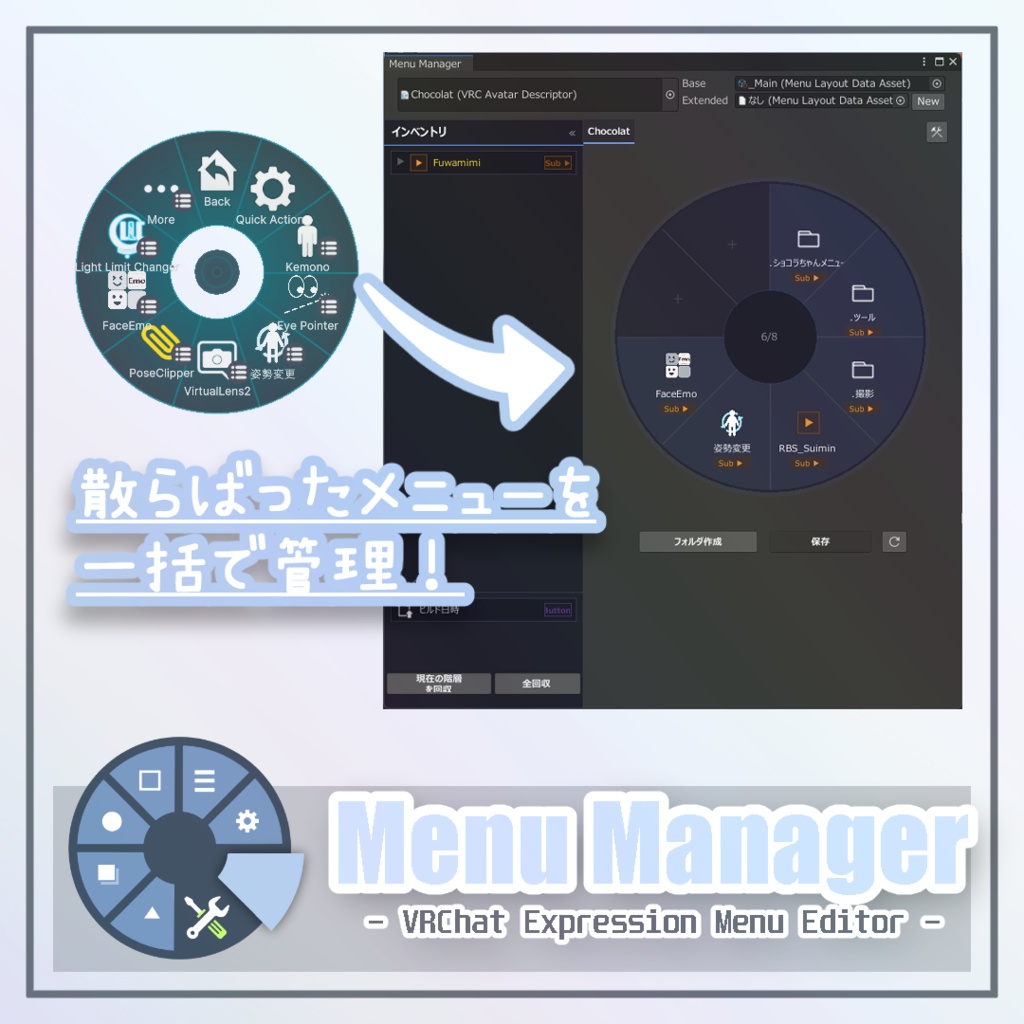
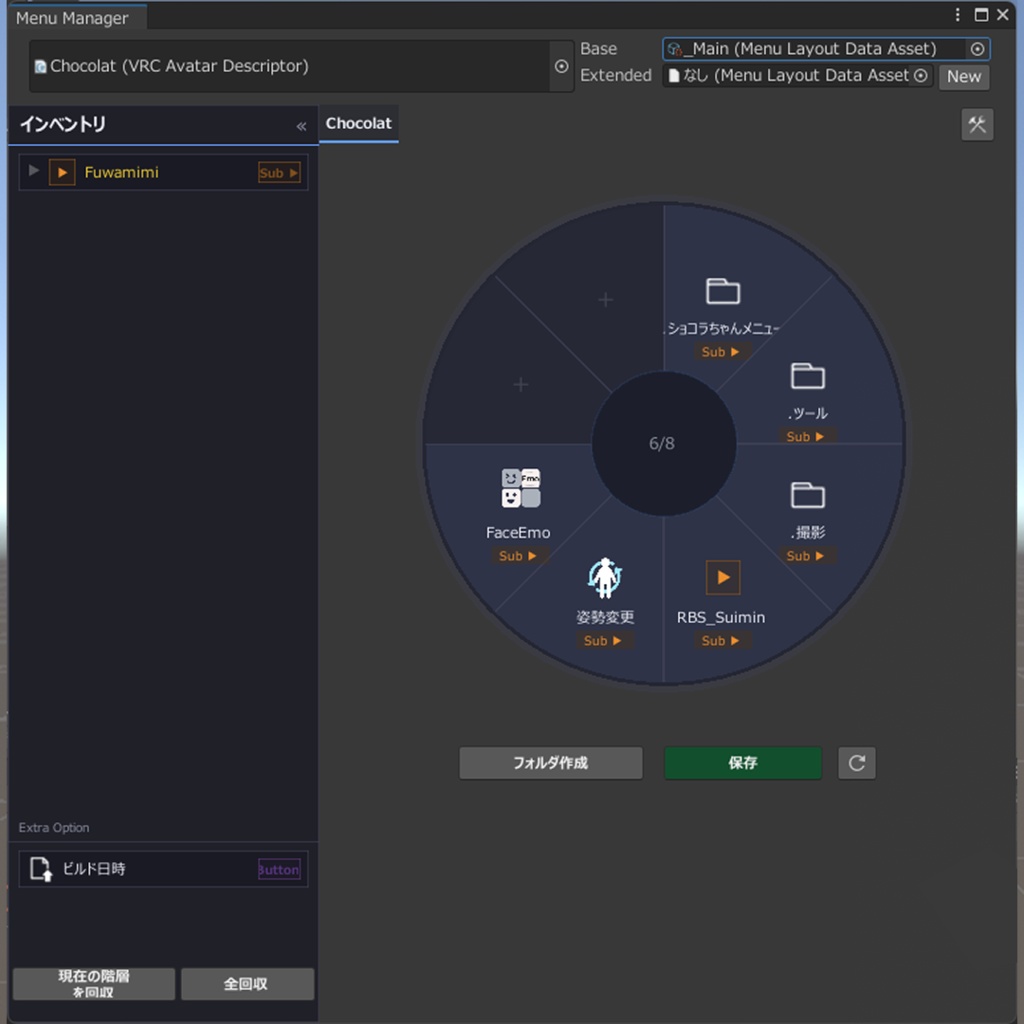
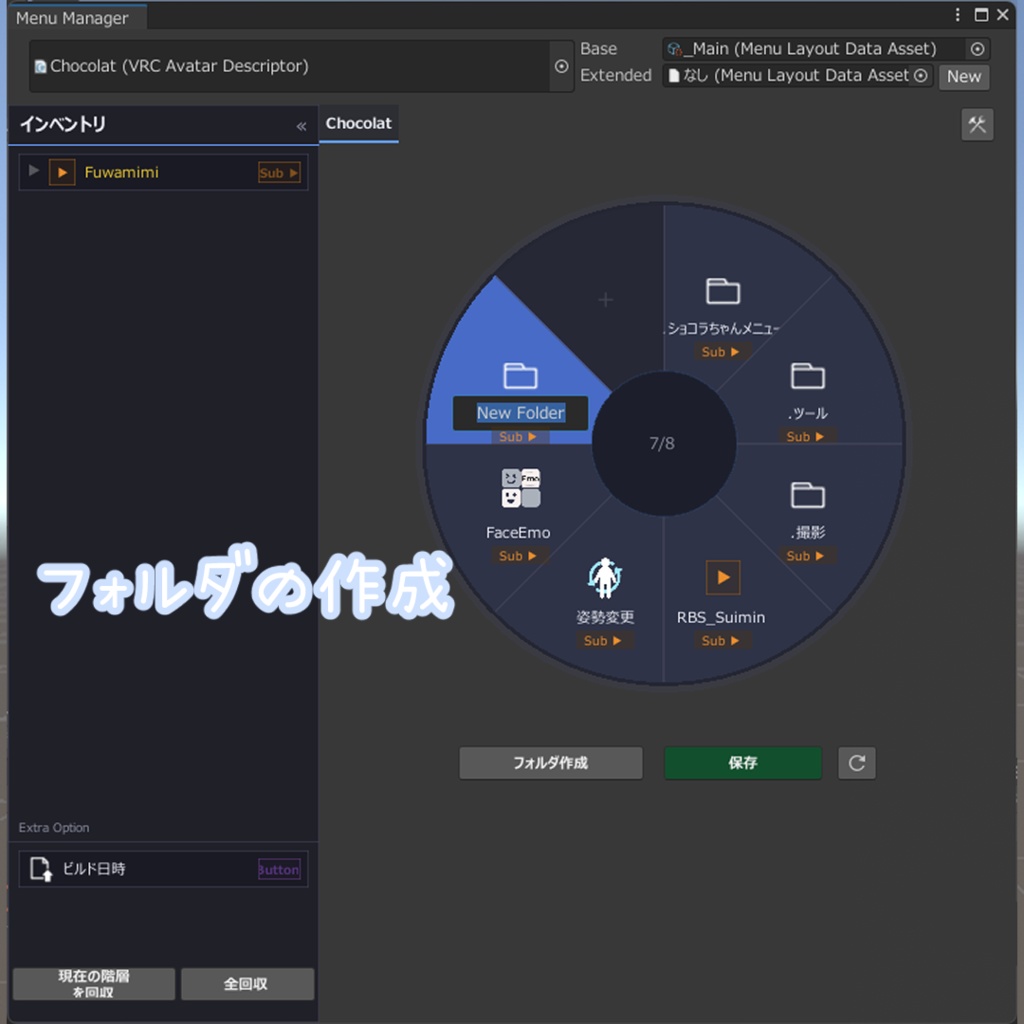
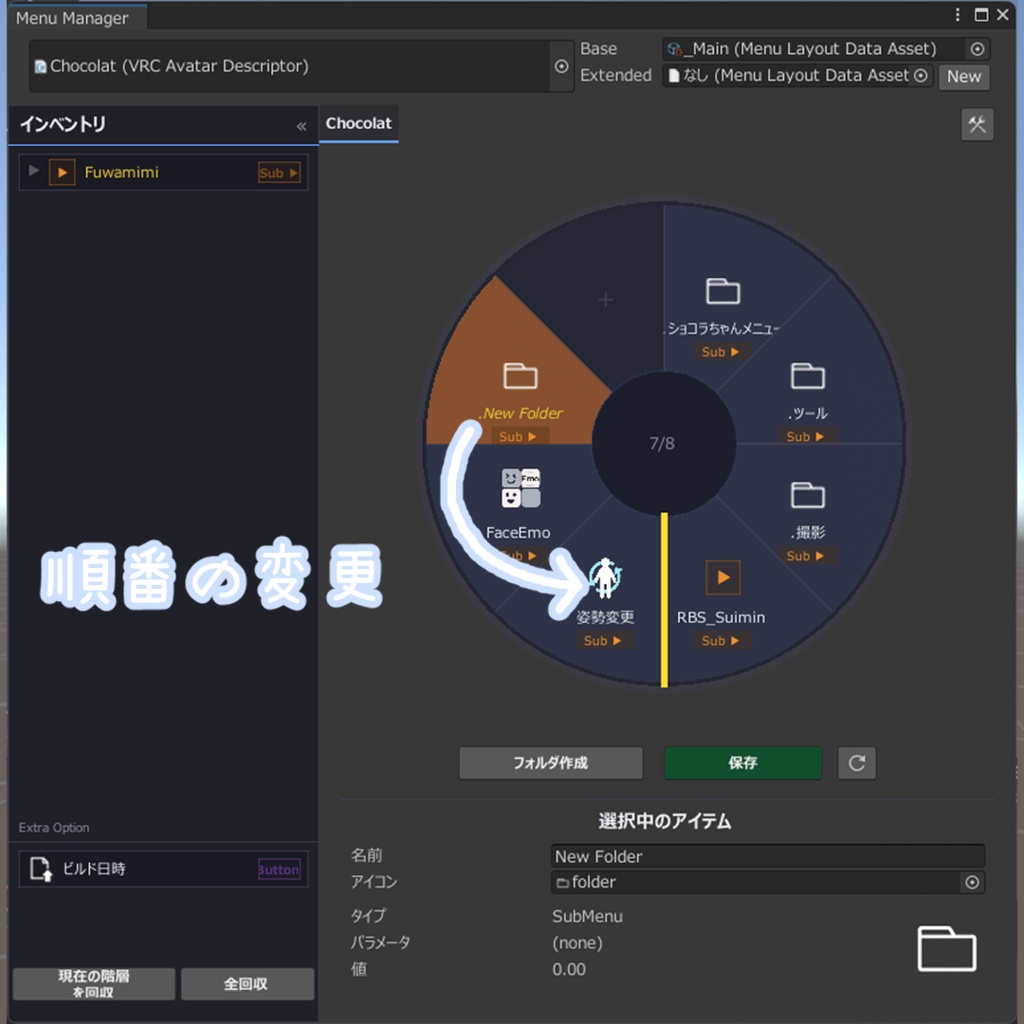


𐄁𐄙𐄁𐄙𐄁𐄙𐄁𐄙𐄁𐄁𐄙𐄁𐄙𐄁𐄙𐄁𐄙𐄁𐄙𐄁𐄙𐄁𐄙𐄁𐄙𐄁𐄁𐄙𐄁𐄙𐄁𐄙𐄁𐄙𐄁 v1.2.0 lilycalInventoryに対応しました! 𐄁𐄙𐄁𐄙𐄁𐄙𐄁𐄙𐄁𐄁𐄙𐄁𐄙𐄁𐄙𐄁𐄙𐄁𐄙𐄁𐄙𐄁𐄙𐄁𐄙𐄁𐄁𐄙𐄁𐄙𐄁𐄙𐄁𐄙𐄁 Lyra Menu Managerはギミックの追加によって煩雑になりがちなエクスプレッションメニューを整理する非破壊ツールです。 NDMFによって動作し、VRC Expressions MenuとMA Menu Installer、lilycalInventoryによって追加されるメニュー要素を管理します。 詳細や操作方法についてはドキュメントをご覧ください。 https://docs.lyrastellate.dev/menu-manager
主な特徴
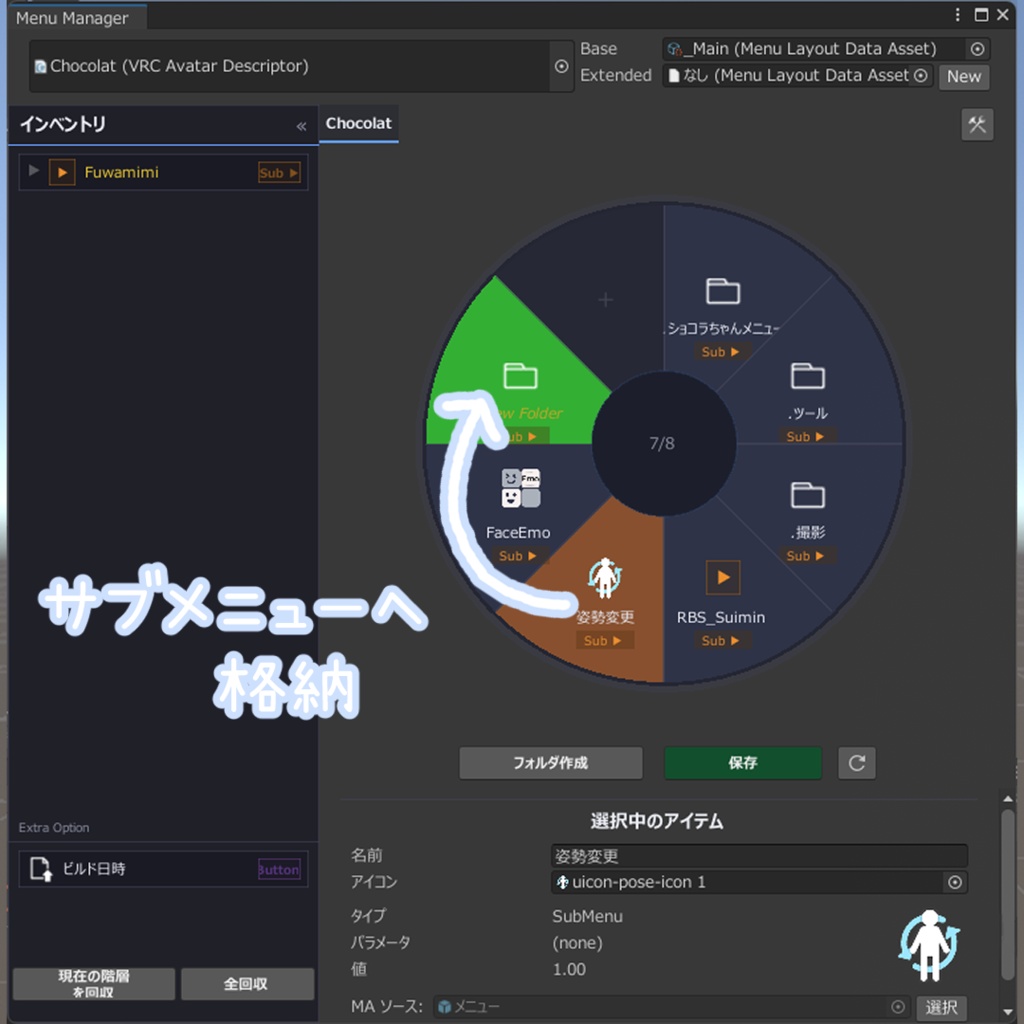
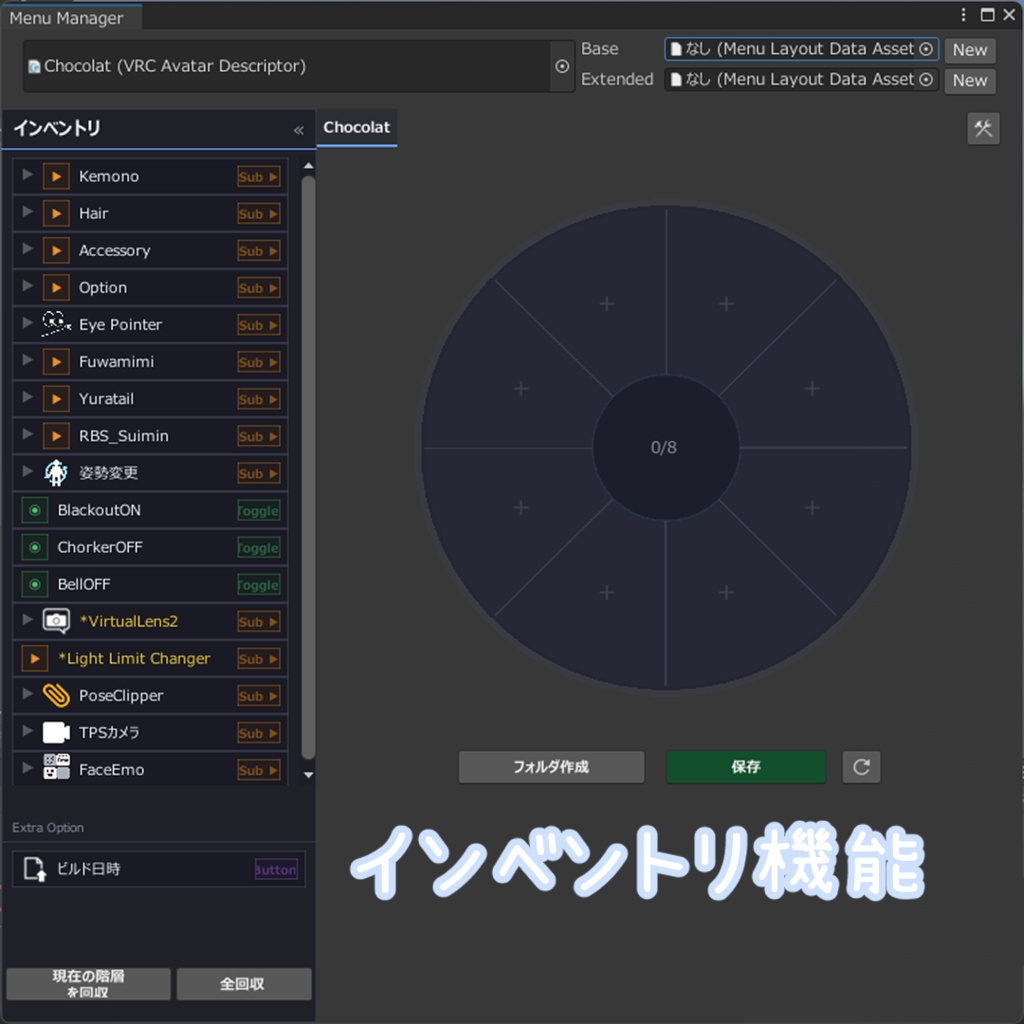
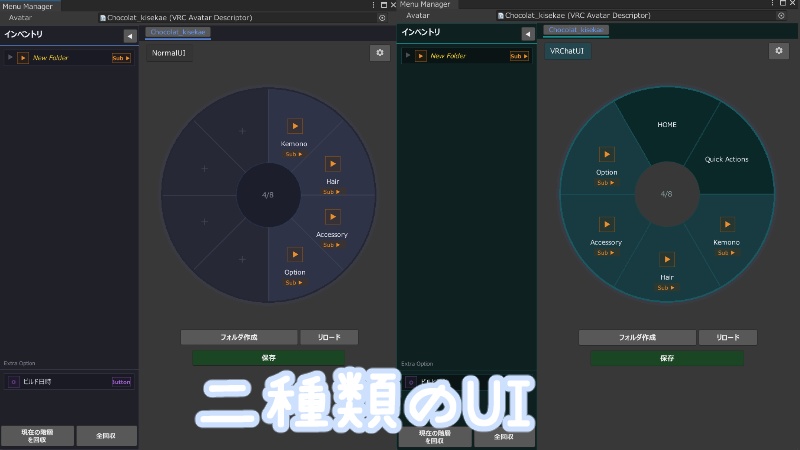
MAとLCIに対応しており、視覚的なメニュー編集をサポートします。 ・VRC内と同じレイアウトのUIと、編集時に便利な固定スロットUIの二種類を用いてスムーズなメニュー配置が可能 ・直感的なD&D操作によって順番の入れ替えやサブメニューへの移動が可能 ・インベントリシステムにより、メニューアイテム管理を補助 ・コンポーネントの削除で全て元通りにできる完全非破壊仕様
導入方法
1. 必須アセットの確認 本ツールの動作には、以下のツールが事前にプロジェクトへインポートされている必要があります。 ☆必須 - NDMF ( https://github.com/bdunderscore/ndmf ) ☆対応しているツール - Modular Avatar ( https://modular-avatar.nadena.dev/ja/ ) - lilycalInventory ( https://booth.pm/ja/items/5993590 ) 2. インストール VPMパッケージをVCCまたはALCOMに導入し、アバタープロジェクトに最新版のLyra Menu Managerをインストールしてください。
無料版とPro版の違いについて
無料版では以下の機能が制限されます。 ・第2階層以上の階層での編集 ・インベントリ一括回収機能 ・差分保存機能 なお、今後制限範囲が変更になる可能性があります。ご了承ください。 認証方法 Unityにインストール後、認証ウィンドウからこの商品の注文番号を入力して認証を行ってください。 ギフトする場合は注文番号をギフト相手に伝えてください。
注意事項
本ツールはアバタールートのExpressions MenuおよびModular AvatarのMA Menu InstallerやlilycalInventoryによって追加されるメニューのみサポートしています。 他ツールによるメニュー追加はMA Menu Installerを介する場合のみサポートし、スクリプト単体でメニューに直接干渉する場合は編集が不可能です。 この場合、Menu Manager Item Proxyコンポーネントを空のオブジェクトに追加し、Menu Item Nameにスクリプトによって追加される予定のメニューアイテムの名前とタイプを設定することで制御可能です。 詳細はドキュメント内コンポーネントに記載してあります。 https://docs.lyrastellate.dev/menu-manager/guide/components/MenuManagerItemProxy.html
免責事項
・本ツールは継続的なアップデートを予定しておりますが、VRChat、Unity、MA、LI等の関連環境において大幅な仕様変更が行われた場合、やむを得ず本ツールのサポートを終了する場合がございます。あらかじめご了承ください。 ・本製品はダウンロード商品という性質上、いかなる理由であってもご購入後の返品および返金には一切応じかねます。万が一、製品に不具合等が見受けられた場合、またはご不明な点がございましたら、メッセージにてお気軽にお問い合わせください。 ・本規定の日本語版と英語版の間に相違または矛盾が生じた場合、日本語版の規定が優先して適用されるものとします。
更新履歴
詳細につきましてはドキュメント内更新履歴に記載しております。 https://docs.lyrastellate.dev/menu-manager/guide/changelog.html [1.2.1] - 2026-03-16 - 名前空間エラーを修正 [1.2.0] - 2026-03-15 - lilycalInventoryに対応 [1.1.1] - 2026-03-14 - 不具合修正 [1.1.0] - 2026-03-14 - Menu Manager Item proxyコンポーネントを追加 [1.0.0] - 2026-03-13 - リリース
--English ver--
Lyra Menu Manager is a non-destructive tool for organizing expression menus, which can often become cluttered with the addition of various gimmicks. It operates using NDMF and manages menu elements added by VRC Expressions Menu, MA Menu Installer, and lyricalInventory. For details and instructions, please refer to the documentation: https://docs.lyrastellate.dev/menu-manager 【Key Features】 Compatible with MA and LI, it supports visual menu editing. - Smooth menu placement is possible using two types of UI: one with the same layout as in VRChat, and another with a fixed slot UI for convenient editing. - Intuitive drag-and-drop operation allows for rearranging the order and moving to submenus. - Inventory system assists in menu item management. - Completely non-destructive design allows everything to be restored by deleting components. 【Installation】 1. Check Required Assets This tool requires the following tools to be imported into your project beforehand: ☆Required - [NDMF]( https://github.com/bdunderscore/ndmf ) ☆Supported Tools - [Modular Avatar]( https://modular-avatar.nadena.dev/ja/ ) - [lilycalInventory]( https://booth.pm/ja/items/5993590 ) 2. Installation Install the VPM package into VCC or ALCOM, and install the latest version of Lyra Menu Manager into your avatar project. 【Differences Between Free and Pro Versions】 The following features are restricted in the Free version: Editing on the second layer or deeper Bulk inventory collection Diff (Delta) saving feature Please note: These restrictions are subject to change in future updates. Thank you for your understanding. 【Authentication】 After installing the package in Unity, please open the authentication window and enter your BOOTH order number to activate the tool. If you are purchasing this as a gift, please be sure to share the order number with the recipient. 【Important Notes】 This tool only supports menus added via the Expressions Menu in the avatar root and the MA Menu Installer or lyricalInventory in Modular Avatars. Menu additions by other tools are only supported via the MA Menu Installer; editing is not possible if the script directly interferes with the menu. In this case, you can control it by adding the Menu Manager Item Proxy component to an empty object and setting the Menu Item Name to the name and type of the menu item to be added by the script. For details, please refer to the component documentation: https://docs.lyrastellate.dev/menu-manager/guide/components/MenuManagerItemProxy.html 【Changelog】 For a detailed update history, please refer to the Changelog in this documentation: https://docs.lyrastellate.dev/menu-manager/guide/changelog.html 【Disclaimer】 ・Due to the nature of downloadable digital products, we cannot accept any requests for returns or issue refunds under any circumstances once the purchase has been made. ・While we generally intend to provide continuous updates for this tool, please note that support may be terminated without prior notice in the event of significant specification changes in related environments such as VRChat, Unity, MA, and LI. ・Should you encounter any bugs, defects, or have any questions regarding the product, please feel free to contact us via message. ・In the event of any discrepancy or inconsistency between the Japanese and English versions of this text, the Japanese version shall strictly prevail. [1.2.1] - 2026-03-16 namespace error fixed [1.2.0] - 2026-03-15 lilycalInventory supported [1.1.1] - 2026-03-14 bug fix [1.1.0] - 2026-03-14 "Menu Manager Item Proxy" component added [1.0.0] - 2026-03-13 Initial Release