
物理シミュレーションゲーム『Spawner(スポーナー)』 Physics Simulation Game "Spawner"
- Digital0 JPY


自作品バックアップ目的公開
詳細
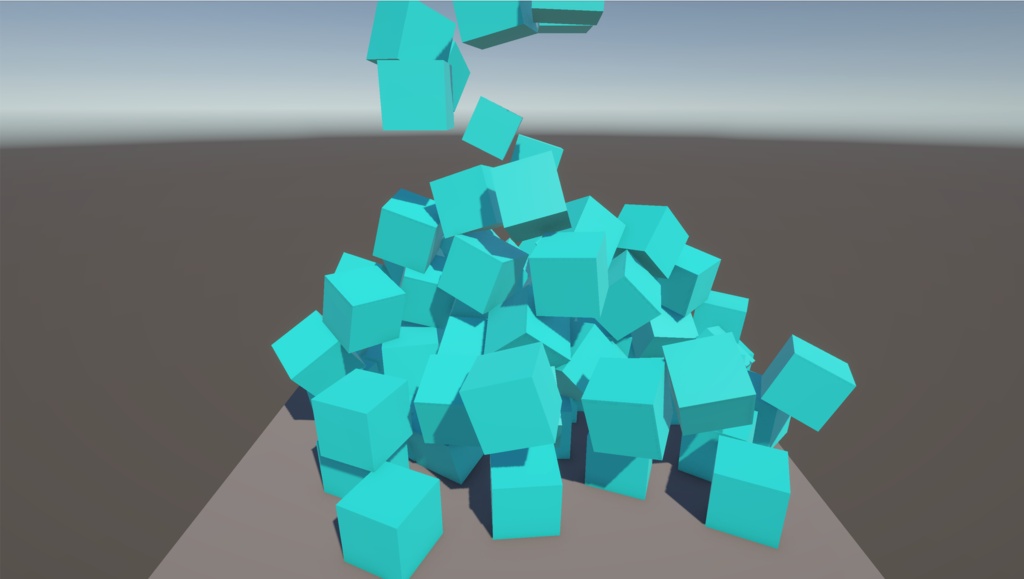
================================================== 【作品概要 / Description】 ================================================== (JP) 起動した瞬間から、上空からカラフルなキューブが猛烈な勢いで自動生成され、ボトボトと落ちてくる様子をただただ眺める、癒やし(?)の物理シミュレーションゲームです。 床からこぼれ落ちたキューブは自動で消滅(デスポーン)するエコ設計。 パソコンに負荷をかけすぎることなく、いつまでも無限に湧き出るキューブを眺めていられます。 作業用BGMの裏で動かしたり、画面の賑やかしにどうぞ! (EN) Launch the game, and colorful cubes will immediately start spawning from the sky at a furious pace. "Spawner" is a relaxing(?) physics simulation game where you can just sit back and watch them fall. It features an eco-friendly design where cubes that fall off the floor automatically de-spawn. You can watch the endless stream of cubes forever without overloading your PC. Perfect to leave running in the background while you work, or just to add some vibrant energy to your screen! ================================================== 【動作環境 / System Requirements】 ================================================== ・OS:Windows 11 ================================================== 【遊び方(重要) / How to Play (Important)】 ================================================== (JP) 1. ダウンロードした ZIP ファイルを右クリックして「すべて展開」または「解凍」してください。 2. 展開されたフォルダの中にある「Spawner.exe」をダブルクリックするとゲームが起動します。 ※注意:フォルダの中身(Spawner_Dataフォルダなど)をバラバラにしたり移動したりすると、ゲームが起動しなくなります。必ずフォルダにまとまった状態のまま起動してください。 (EN) 1. Right-click the downloaded ZIP file and select "Extract All" or "Unzip". 2. Open the extracted folder and double-click "Spawner.exe" to launch the game. *Note: If you separate or move the files inside the folder (such as the "Spawner_Data" folder), the game will not launch. Please make sure to keep all files together in the original folder. ================================================== 【制作・開発 / Developer】 ================================================== Gioro(ギョロ)
アップデート履歴
2026.5.23.公開