

【VRChatアバター】しばしば (ShibaShiba) / オリジナル3Dモデル
- VRC_ShibaShiba_Ver.FreeDigital0 JPY
- VRC_ShibaShiba_Ver.1.1Digital200 JPY
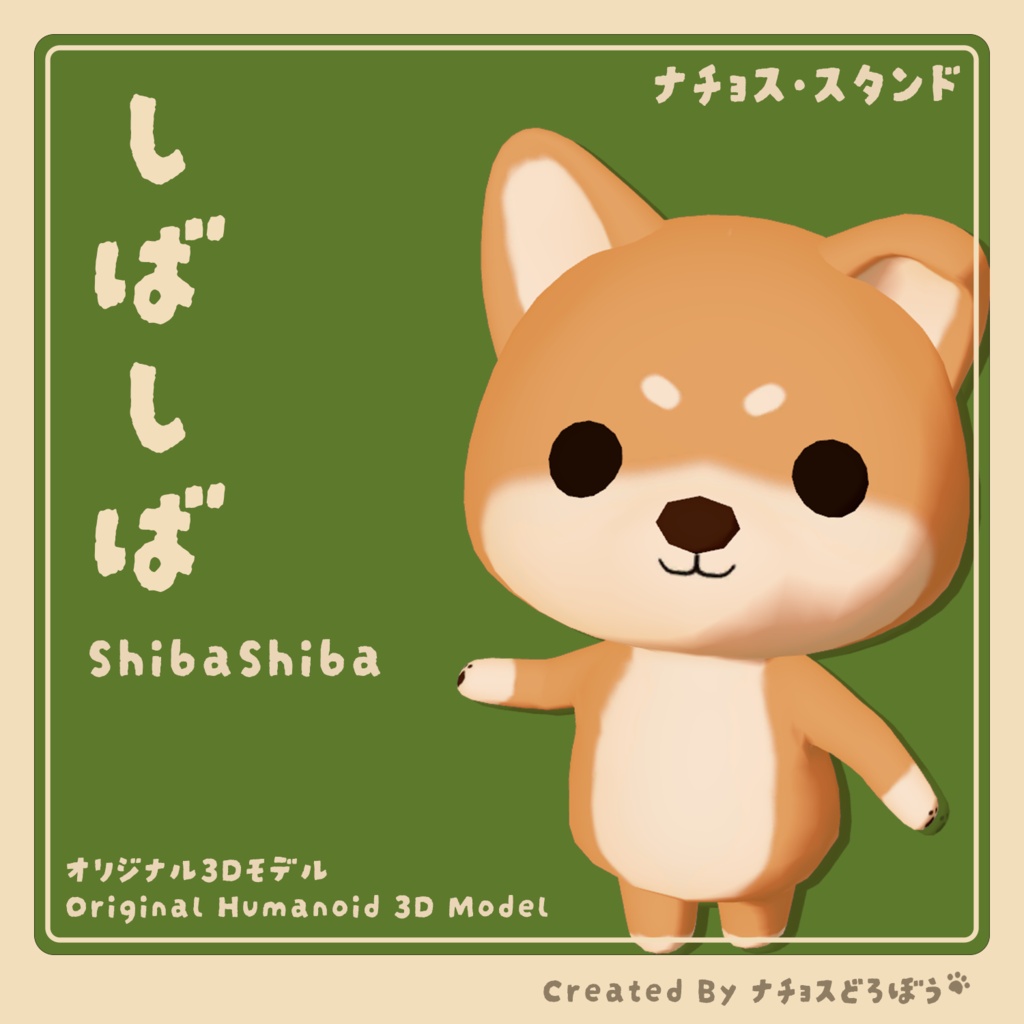
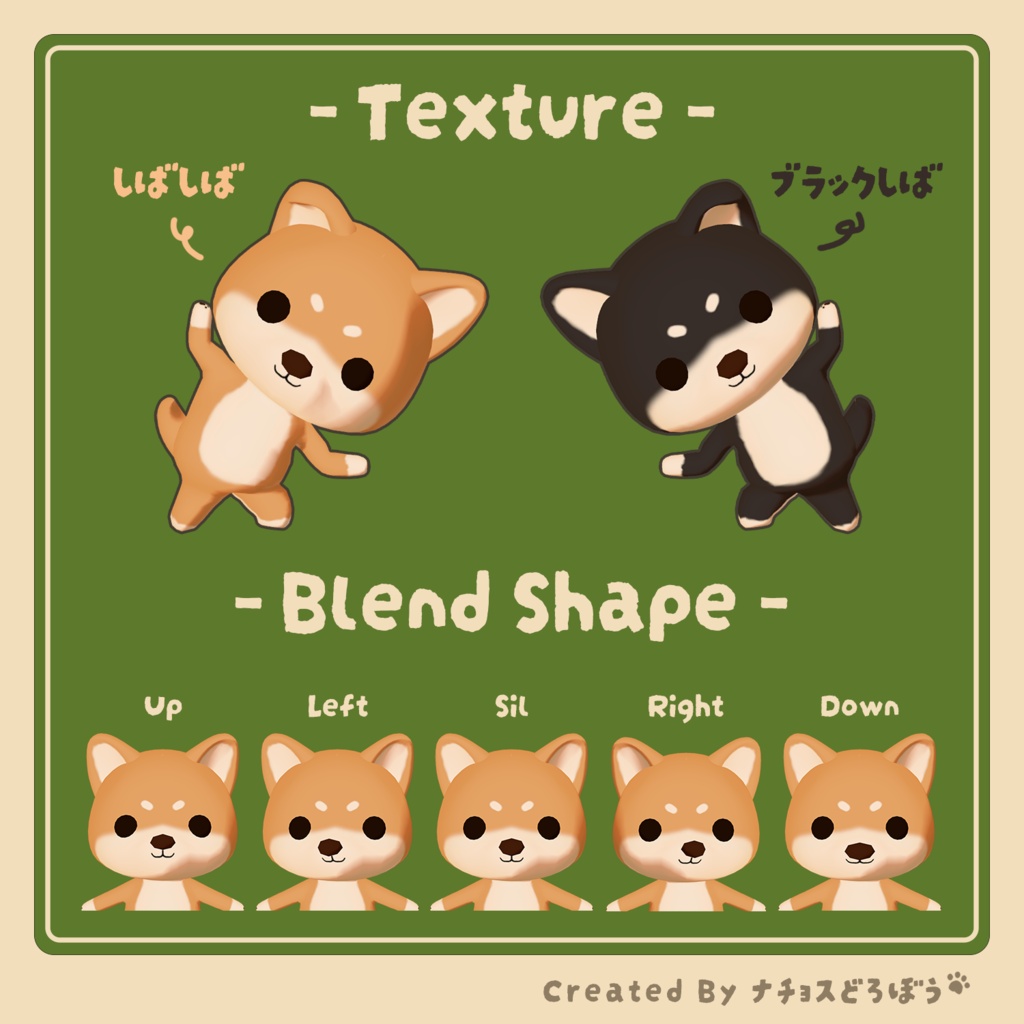


【概要】 柴犬アバター「しばしば(ShibaShiba)」です。 【アバタースペック及び主要機能】 ・ポリゴン数(△):5552 ・使用シェーダー:lilToon ・リップシンク(口の動き)用のシェイプキーを搭載しています。 【推奨環境及び注意事項】 ・VRChat SDK 3.0 (VCC) 環境でのセットアップを想定しています。 ・推奨Unityバージョン:Unity 2022.3.22f1 ・ご使用の前に、必ず同梱の「README」をお読みください。 【アバターの導入方法】 ① UnityとVRChat SDK(3.10.4)を導入します。 ② Unityを起動したら、アバター用のシェーダーであるlilToon(Ver.2.3.4)をインポートします。 (https://booth.pm/ja/items/3087170) ③ フォルダ内の「ShibaShiba_Ver.1.1.unitypackage」をUnityのプロジェクト内にドラッグ&ドロップします。 ④ フォルダの中にある「ShibaShiba_Ver.1.1.prefab」または無料版の「ShibaShiba_Ver.Free.prefab」を左上のHierarchy内にドラッグ&ドロップして配置します。 ⑤ 上部メニューの「VRChat SDK」から「Show Control Panel」をクリックします。 ⑥ VRChat SDKのウィンドウが表示されるので、上部の「Builder」タブを選び、「Name」と「Visibility」を設定します。 ⑦ 一番下の「Build & Publish」をクリックし、表示された確認画面の「OK」を押すとアップロードが開始されます。 【同梱ファイルについて】 ※無料版ではUnityPackageファイルのみの提供となります。 ※無料版には「ブラックしば」は含まれておりません。 ・Blenderデータ(※有料版のみ提供):改変や修正用に自由にお使いいただける「ShibaShiba.blend」を同梱しています。 ・Material:基本のしばしば用(M_ShibaShiba)とブラックしば用(M_BlackShiba)のマテリアルが入っています。 ・Texture:基本のしばしば用(BC_ShibaShiba)とブラックしば用(BlackShiba)のテクスチャが入っています。 【更新履歴】 ・Ver.1.1:頭頂部のテクスチャに誤った色が塗られていた問題を修正しました。 【利用規約】 本モデルはUVライセンス(Uni-Virtual License)で公開されています。 基礎条項に加え、個別条項をもとに以下の行為を許可します。 ・個人の商用利用の許可 (Personal Commercial Use) ・法人の利用の許可 (Corporate Commercial Use) 規約の全文は下記URLをご参照ください。 https://uv-license.com/ja/uvl [Introduction] This is a Shiba Inu avatar, "ShibaShiba". [Specifications & Features] ・ Polygons (△): 5,552 ・ Shader Used: lilToon ・ Shape keys for lip-sync (mouth movements) are included. [Requirements & Precautions] ・ Designed for the VRChat SDK 3.0 (VCC) environment. ・ Recommended Unity Version: Unity 2022.3.22f1 ・ Please make sure to read the included "README" file before use. [Setup Guide] ① Set up your project with Unity and VRChat SDK (3.10.4). ② Import the avatar shader, lilToon (Ver. 2.3.4), into Unity first. (https://booth.pm/ja/items/3087170) ③ Drag and drop "ShibaShiba_Ver.1.1.unitypackage" into Unity to import it. ④ Drag and drop "ShibaShiba_Ver.1.1.prefab" or the free version "ShibaShiba_Ver.Free.prefab" into the Hierarchy on the top left. ⑤ Click on "VRChat SDK" in the top menu and open the "Show Control Panel". ⑥ Select the "Builder" tab at the top of the VRChat SDK window and configure the "Name" and "Visibility" (Thumbnail). ⑦ Click the "Build & Publish" button at the bottom and click OK on the prompt to upload. [File Contents] ※Note: The free version only includes the UnityPackage file. ※Note: the Black Shiba is not included in the free version. ・ Blender Data (Paid version only): Includes the original "ShibaShiba.blend" file, which you can freely use for modification. ・ Material: Contains materials for the base Shiba Inu (M_ShibaShiba) and the Black Shiba (M_BlackShiba). ・ Texture: Contains base color textures for the base Shiba Inu (BC_ShibaShiba) and the Black Shiba (BlackShiba). [Changelog / Update History] Ver.1.1: Fixed an issue where the texture on the top of the head had an incorrect color. [Terms of Use / License] This model is released under the UV License (Uni-Virtual License). In addition to the Basic Terms, the following actions are permitted based on the Individual Terms: ・ Personal Commercial Use ・ Corporate Commercial Use For the full text of the rules, please refer to the following URL: https://uv-license.com/en/uvl