

BoneWeightPicker|ボーン選択ツール
- Digital0 JPY
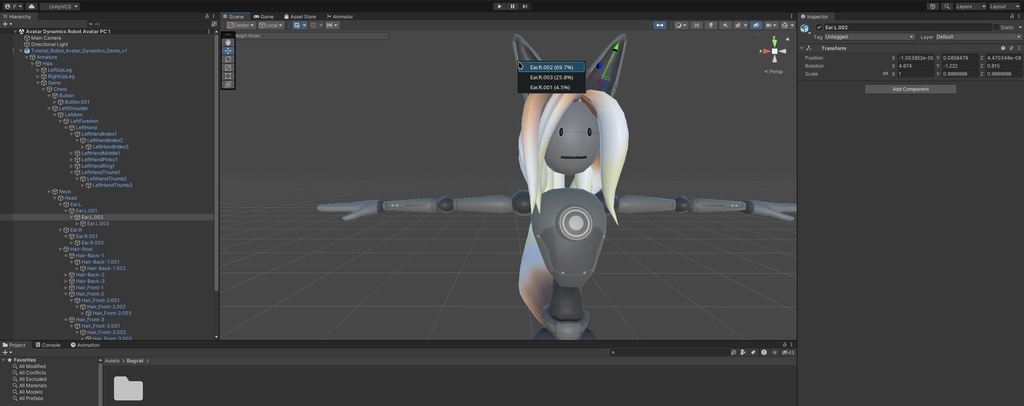
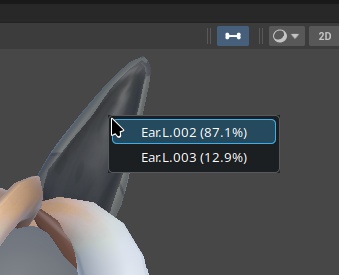
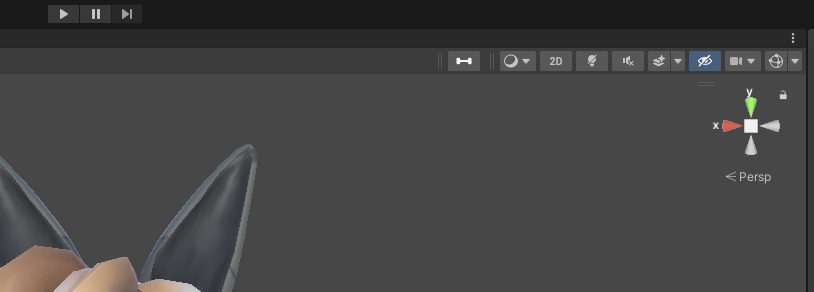


BoneWeightPicker ◆What It Does: -Adds a bone picker icon to the Unity toolbar -Once clicked, you can click any part of an avatar's SkinnedMeshRenderer in order to find out which bone that selection is most weighted to and select it in the hierarchy -Right click to find all the bones related to it and their weights ◆Setup/Directions: -Import the BoneWeightPicker Unity project into your project -Open the Scene view -If the Bone Weight Picker is not visible, open the Scene view Overlays menu and enable "Bone Weight Picker" -Click the button in the toolbar to activate it -Left-click a SkinnedMeshRenderer to select the bone with the highest weight at that point. -Right-click a SkinnedMeshRenderer to open a list of all bones influencing that point and their weight percentages. -Press Escape to cancel and turn the picker off. ◆Warnings: -The selected object must use a SkinnedMeshRenderer with a valid shared mesh. -Read/Write must be enabled in the model's import settings so the tool can inspect its vertices and bone weights. -The Scene view overlay APIs require a Unity version that supports EditorToolbarElement and ToolbarOverlay. -It was built for Unity 2022.3.22f1 ◆Contact: -If you have any questions, concerns, or suggestions, you may get in contact with me through the store page or Discord. -Discord: "bag_cat" BoneWeightPicker ◆機能: Unityのツールバーにピッカー(ボーン)アイコンを追加します。 メッシュ上をクリックすると、その地点で最もウェイトの高いボーンを特定します。 右クリックすると、その地点に関連するすべてのボーンを確認できます。 ◆セットアップ/使用方法: BoneWeightPickerのunitypackageをプロジェクトにインポートします。 Sceneビューを開きます。 Bone Weight Pickerが表示されていない場合は、SceneビューのOverlaysメニューを開き、「Bone Weight Picker」を有効にします。 ツールバーのボタンをクリックして有効にします。 SkinnedMeshRenderer上を左クリックすると、その地点で最もウェイトの高いボーンが選択されます。 SkinnedMeshRenderer上を右クリックすると、その地点に影響しているすべてのボーンと、それぞれのウェイトの割合が一覧表示されます。 Escapeキーを押すと操作をキャンセルし、Bone Weight Pickerを無効にできます。 ◆注意事項: 選択するオブジェクトには、有効なshared meshが設定されたSkinnedMeshRendererが必要です。 ツールが頂点情報とボーンウェイトを確認できるように、モデルのImport SettingsでRead/Writeを有効にする必要があります。 SceneビューのOverlay APIを使用するため、EditorToolbarElementおよびToolbarOverlayに対応したUnityバージョンが必要です。 Unity 2022.3.22f1向けに制作されています。 ◆お問い合わせ: ご質問、ご不明点、ご提案などがございましたら、ストアページまたはDiscordからご連絡ください。 Discord:「bag_cat」