
BracketMaker
- Digital0 JPY
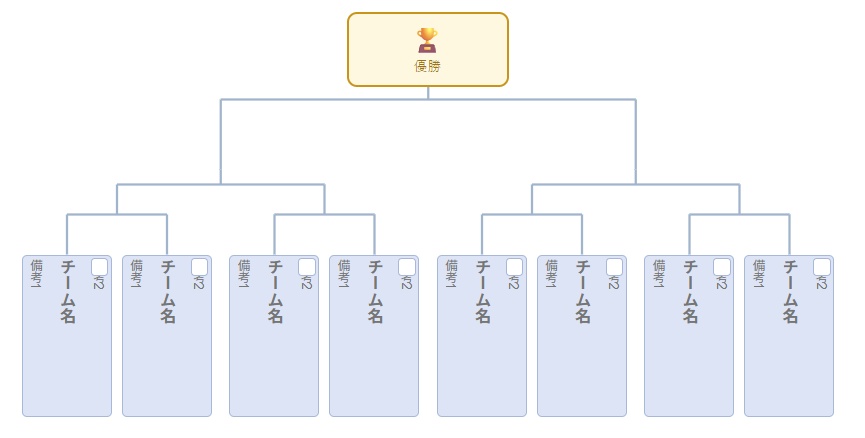
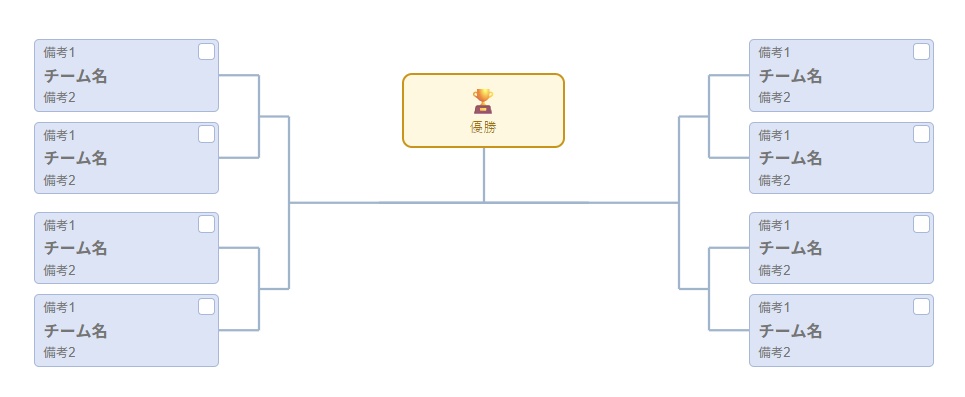
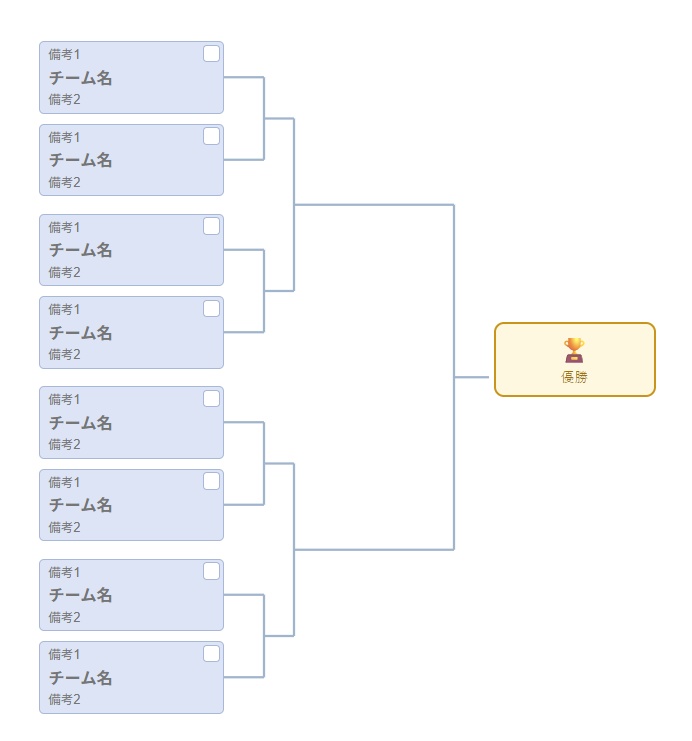
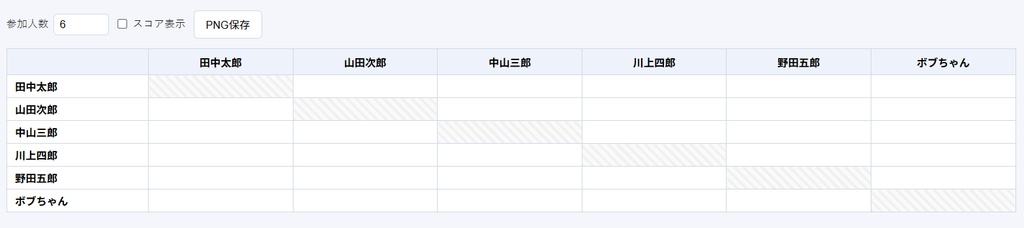


参加チーム名を入力するだけで、きれいなトーナメント表・リーグ戦表(総当たり表)を自動生成してくれる、Windows向けの無料デスクトップアプリです。印刷やPNG保存を前提に作っているので、「画面ではきれいだけど印刷したら崩れる」ということが起きません。 トーナメント表は3つの形から選べる 同じ組み合わせでも、見せ方はいろいろ選べます。 **横通常**――もっともオーソドックスな形。配信画面にもそのまま使いやすい形式です。 **左右型**――優勝を中央に置いて、左右対抗形式で見せたいときに。 **縦**――縦長のレイアウトで見せたいとき、配信画面の縦スペースに収めたいときに便利です。 ## リーグ戦(総当たり)も作れます トーナメントだけでなく、総当たり戦の対戦表も同じアプリで作れます。スコア欄は表示・非表示を切り替えられるので、当日に手書きで結果を書き込みたい場合は非表示にしておく、といった使い方もできます。 ## 面倒な「シード・不戦勝」も数クリックで 参加人数が2の累乗にならない大会、地味に組むのが面倒ですよね。BracketMakerなら、同じ対戦カード内の2枠を選んで「選択した2枠をシード化」を押すだけです。 設定すると、対戦相手のいない枠は自動で「シード解除」タグ付きの空欄になり、対戦線もまっすぐ1本につながります。間違えたらワンクリックで元に戻せます。 ## そのほかの細かい便利機能 - 日時やメモを、表の好きな位置にドラッグで置ける「テキスト注釈」機能(縦書き・横書き切り替え可) - 優勝ボックスや備考欄(備考1・備考2)は、表示/非表示をチェックボックスひとつで切り替え可能 - 参加人数をあとから変更しても、すでに入力したチーム名は消えません - 日本語のほか、英語・韓国語・簡体字/繁体字中国語・スペイン語にも対応 ダウンロード 【github】 https://github.com/daigorou-addon/BracketMaker/releases Support Me☕ https://buymeacoffee.com/daigorou This is a free desktop app for Windows that automatically generates clean-looking tournament brackets and league schedules (round-robin tables) simply by entering the names of the participating teams. Since it’s designed with printing and saving as PNG files in mind, you won’t run into the problem of the layout looking good on screen but becoming distorted when printed. Choose from three different bracket layouts Even with the same matchups, you can choose from various display options. **Standard Horizontal**—The most traditional layout. This format is also easy to use as-is for live streams. **Left-Right Layout**—Use this when you want to place the champion in the center and display the teams competing against each other on either side. **Vertical**—Useful when you want a tall, vertical layout or need to fit the chart within the vertical space of a live stream screen. ## You Can Also Create League (Round-Robin) Brackets In addition to tournaments, you can create round-robin match schedules using the same app. The score column can be toggled on or off, so you can hide it if you want to write in the results by hand on the day of the event. ## Handle the hassle of “seeds and byes” with just a few clicks Tournaments where the number of participants isn’t a power of two can be a real pain to set up. With BracketMaker, simply select two slots within the same matchup and click “Seed Selected 2 Slots.” Once set, slots with no opponents will automatically become blank spaces marked with a “Unseeded” tag, and the match lines will connect in a straight line. If you make a mistake, you can undo it with a single click. ## Other Handy Features - “Text Annotations” feature that lets you drag and drop dates, times, and notes anywhere on the table (with the option to switch between vertical and horizontal writing) - The championship box and remarks fields (Remark 1 and Remark 2) can be toggled on or off with a single checkbox - Even if you change the number of participants later, the team names you’ve already entered will not be deleted - Supports Japanese, English, Korean, Simplified/Traditional Chinese, and Spanish Download 【github】 https://github.com/daigorou-addon/BracketMaker/releases Support Me☕ https://buymeacoffee.com/daigorou