
Luna AI Studio English Edition
- Digital3,080 JPY
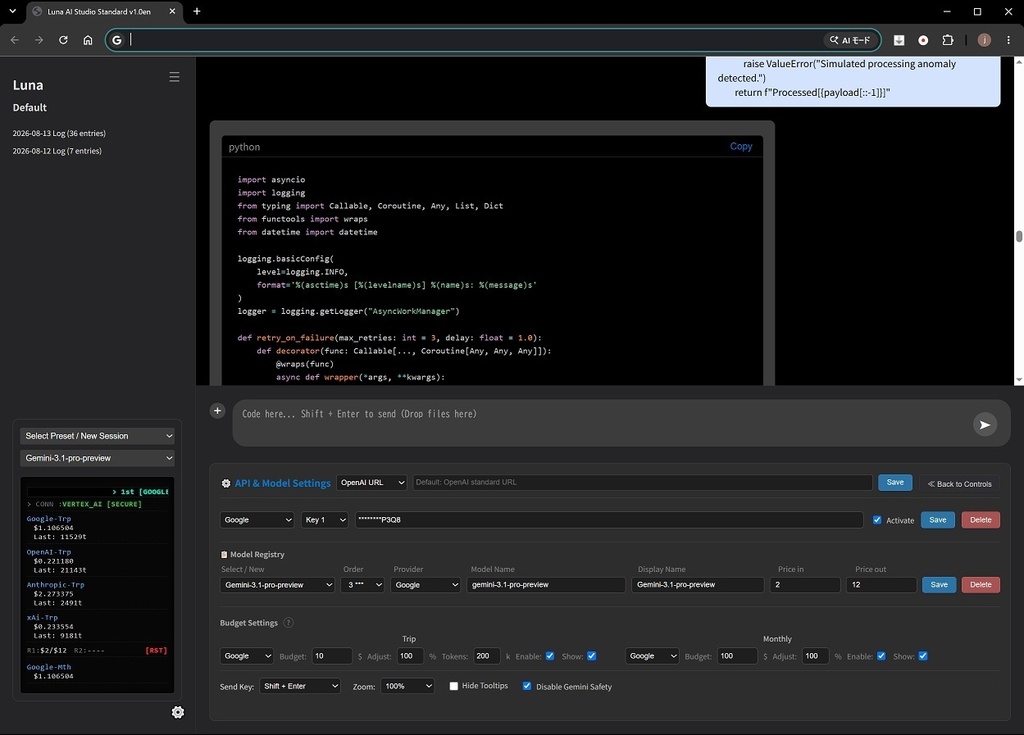
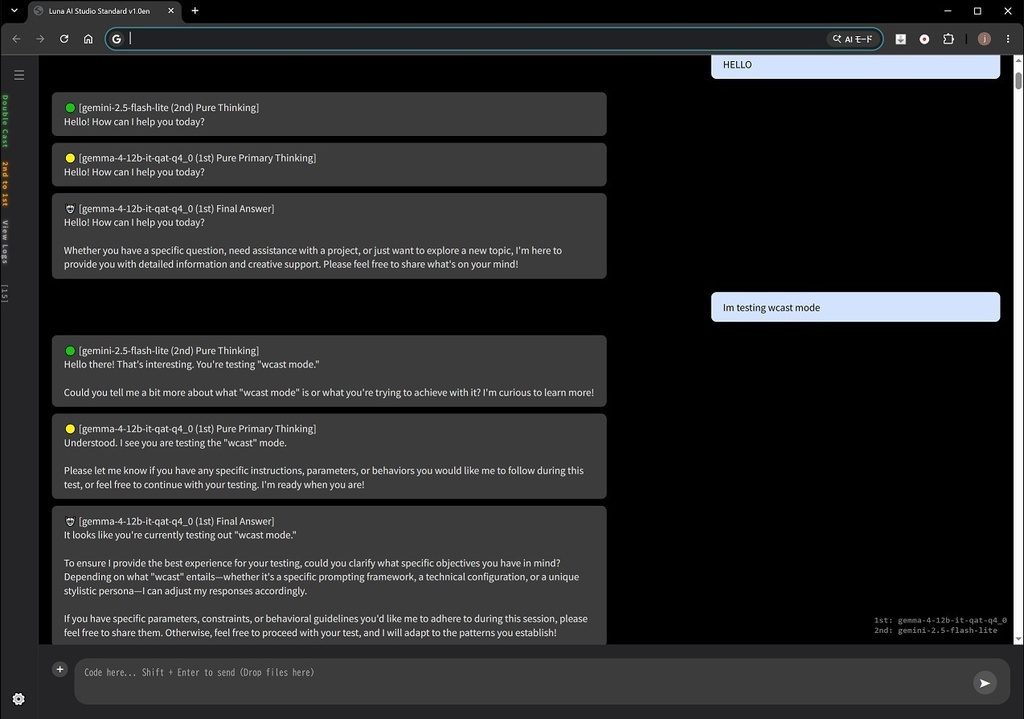


# Luna — Multi-AI Client with Double Cast System **AI reviews AI. AI collaborates with AI. Multi-AI Client supporting 4 major providers & local GGUF.**
Luna — Multi-AI Client with Double Cast System
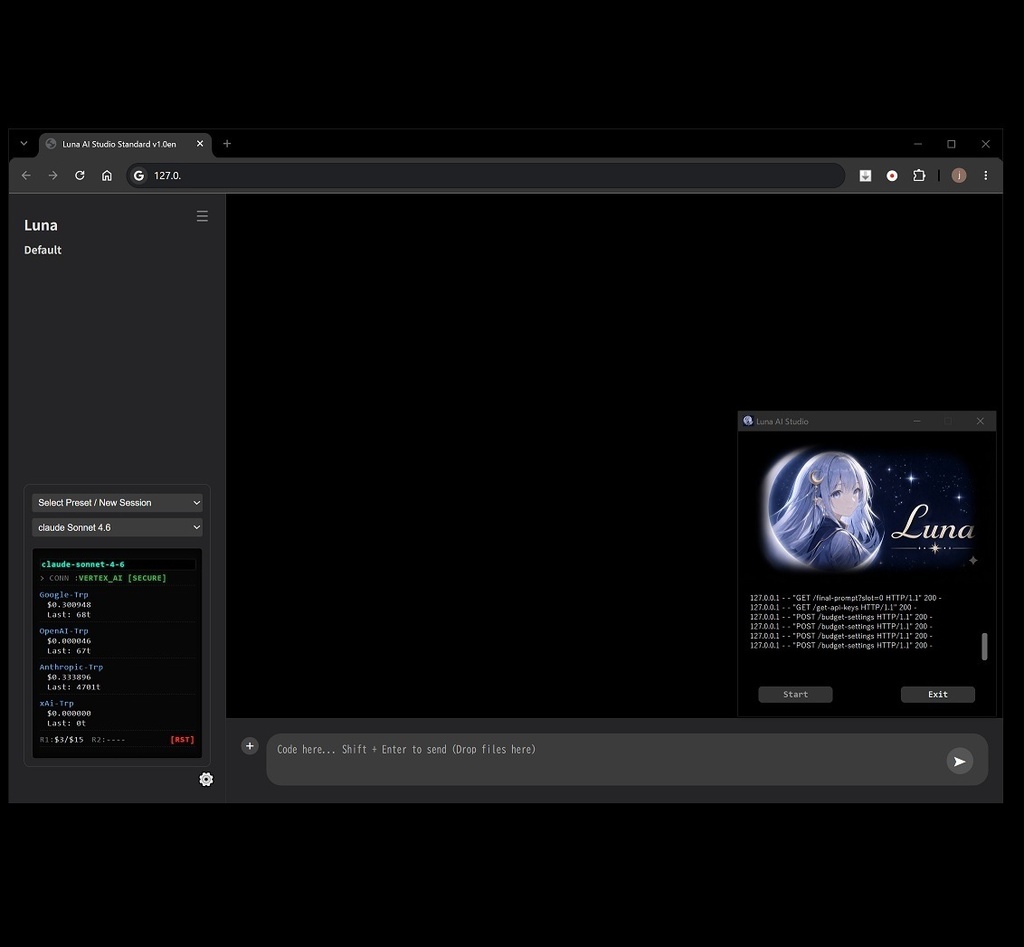
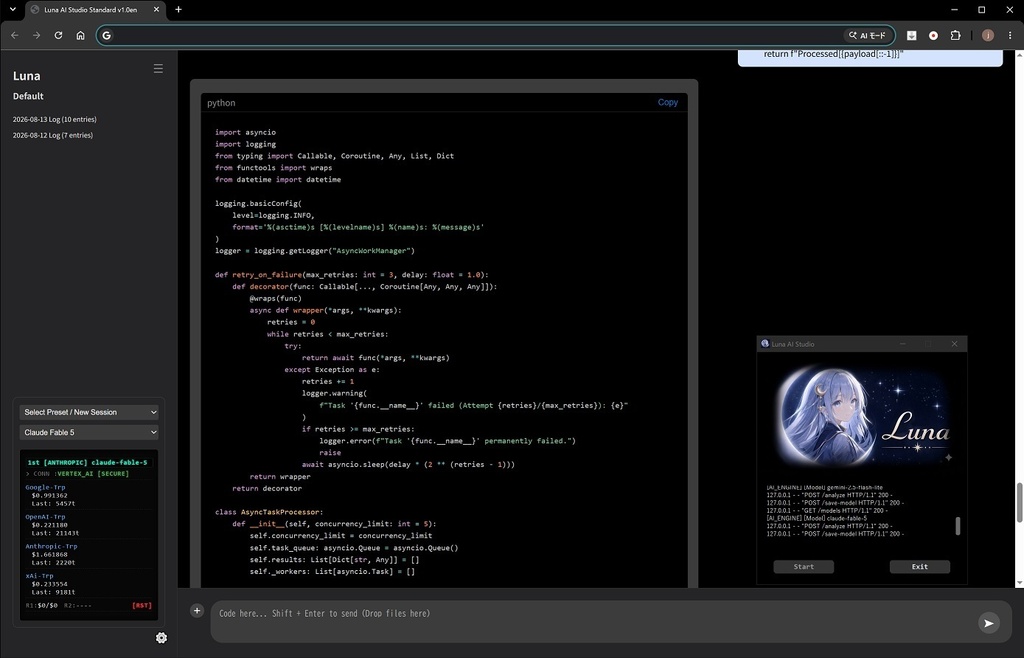
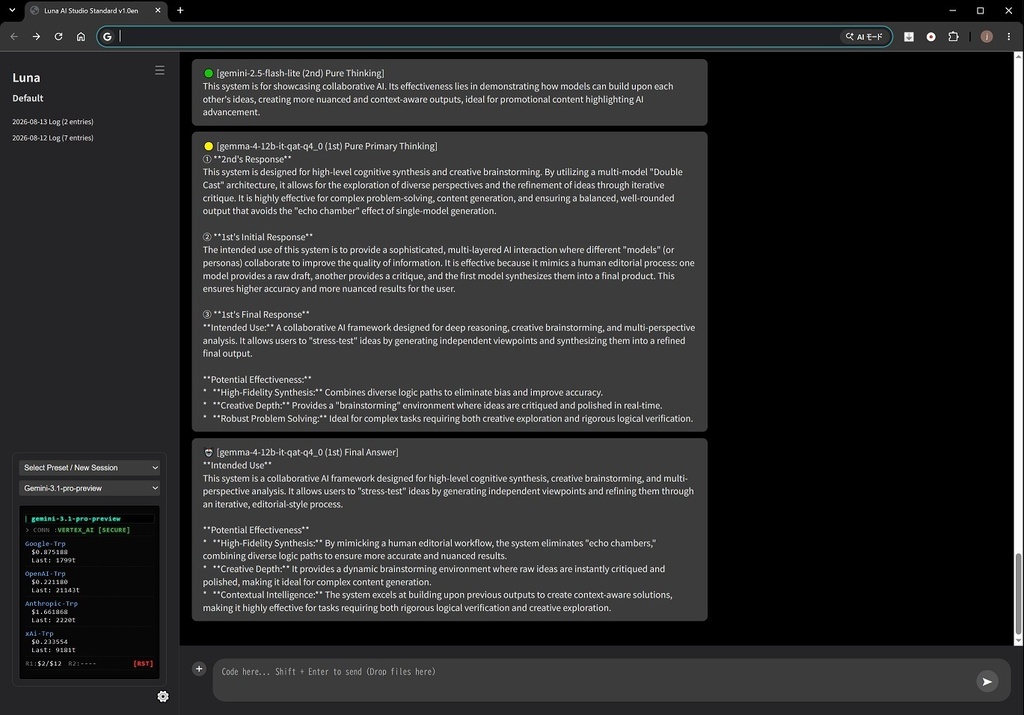
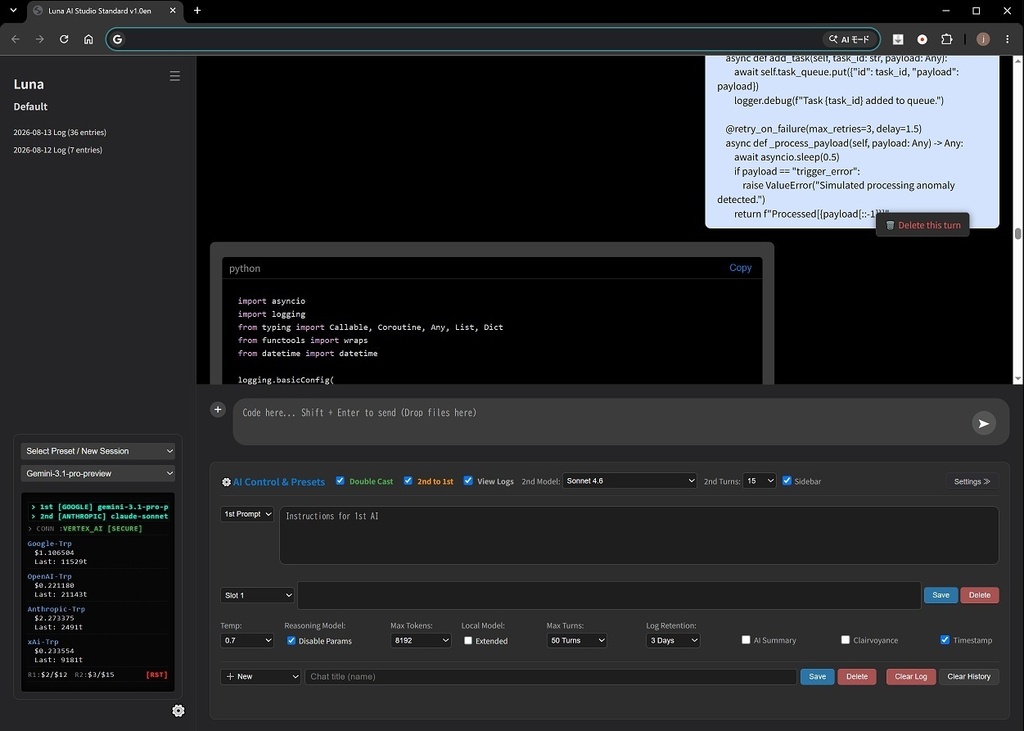
**AI reviews AI. AI collaborates with AI. You decide which models work together.** Luna is a text-based multi-AI client designed for people who want more than simply switching between AI models. Enter your API key, register your models, and start working. Use Luna in **Single Mode** when you want a straightforward AI conversation, or activate **Double Cast** to have two AI models work together — comparing responses, reviewing each other, and refining the final answer. ## Double Cast System **Two AI models. One conversation. A different way to work with AI.** Luna can call two AI models simultaneously and assign them different roles. One model can generate an answer while the other reviews, challenges, improves, or contributes to it. The models can then work together to produce a more refined final response. This is not simply "using two AI models." It is a system designed to let **AI review AI and collaborate with AI**. And you decide which models take part. Use different providers together and experiment with combinations such as: **Gemini × Claude** **GPT × Gemini** **Grok × Claude** **Cloud AI × Local GGUF model** The combination is up to you. --- ## Single Mode Prefer a traditional workflow? No problem. Use Luna as a conventional single-model AI client and switch models whenever you want. You can change the model **inside an existing thread while preserving the conversation context**, allowing you to continue the same discussion with a different AI. Compare models, change providers, and see how different AIs approach the same conversation. --- ## Designed for Real Use Luna was built not only to connect APIs, but to make working with multiple AI models comfortable and controllable. ### Ready-to-Use UI / UX * Register your API key and model name to get started. * Helpful tooltips throughout the main interface. * Hide all tooltips instantly with a single switch. * Choose from three different Enter/Send key behaviors. * Adjustable display zoom for different screen sizes and preferences. --- ## Developer-Focused Features Luna is particularly useful for developers, power users, and anyone who works with AI on a daily basis. * **Switch models inside a thread** while preserving conversation context. * **Dedicated code window** designed to preserve indentation and code formatting. * **Delete individual messages** when you want to remove unnecessary context. * **Adjust the number of conversation turns** used as AI context. * **Visualize the active context range** so you can see what the AI is actually receiving. * **API cost budget alerts** — set your own budget and receive visual warnings as usage approaches your limit. * **Token alerts** — receive a flashing warning when the number of tokens being sent exceeds your configured threshold. * **Vertex AI support** for advanced users. These controls are designed to give you something many AI clients don't: **visibility and control over what your AI actually sees and what it costs.** --- ## Local AI / GGUF Support Luna is not limited to cloud-based AI. You can also use compatible **GGUF local models**. Simply download a GGUF model, place it in the `models` folder, register it in Luna, and use it from the application. For systems with higher VRAM capacity, Luna provides an **Extended Mode** that can be selected directly from the UI. After use, Luna automatically releases VRAM to help keep your system stable. This makes Luna useful for both: **Cloud AI users and local AI enthusiasts.** --- ## Supported Providers * **Google** — Gemini / Vertex AI * **OpenAI** * **Anthropic** * **xAI** * **Local GGUF models** Mix and match the models that fit your workflow. --- ## Built for Experimentation One of the most interesting things about Luna is that there is no single "correct" way to use it. Try different model combinations. Let one model write and another critique. Let one model analyze and another summarize. Use a powerful cloud model with a local model. Or simply use Luna as a clean multi-provider AI client. **You decide how the models work together.** --- ## Limitations * Image generation and image reception are not supported. * Image/PDF input is supported for one turn only. * Double Cast between two local models is not supported, primarily to protect system VRAM. --- ## One More Thing **Luna is developed using Luna.** Yes — the application is being built and refined with the same multi-AI workflow it provides. In other words: **Luna is being used to build Luna.** --- ### Who is Luna for? Luna is for people who: * Use multiple AI providers. * Want to compare different models. * Work with AI for programming or development. * Want more control over API costs and context. * Enjoy experimenting with different AI model combinations. * Want to combine cloud AI with local models. * Are curious about what happens when **AI starts reviewing AI.** If that sounds like you, welcome to Luna. **Choose your models. Give them roles. Let them collaborate.** **Luna — AI working with AI.** =================================== ## ⚠️ Important Notices & Requirements * **API Keys Required:** You must provide your own API keys (OpenAI, Gemini, Claude, xAI, etc.) to use cloud AI services. * **License Key Delivery:** Your unique license key will be sent manually via BOOTH message within 24 hours of purchase. * **Refund Policy:** Due to the nature of digital downloads, all sales are final and non-refundable. Please verify system compatibility before purchasing. * **Operating System:** Designed for Windows PC.
System Requirements:
- Windows 10 (version 1903 or later) / Windows 11 - 64-bit - Intel 5th Generation CPU or later - RAM: 8GB minimum - Storage: 500MB - Internet connection required for cloud AI providers For Local AI (GGUF) Models: - NVIDIA CUDA-compatible GPU - VRAM: 8GB or more (varies by model) - Local model use is optional