

BRILLIANT(ブリリアント)【VRChat・lilToon・Quest用マテリアル同梱】本物カットの宝石マテリアル / Real-Cut Gem Materials
- ALL宝石10色:ダイヤモンド・ルビー・サファイア・エメラルド・アメジスト・アクアマリンほかDigital350 JPY
- FREE宝石1色:ダイヤモンドDigital0 JPY
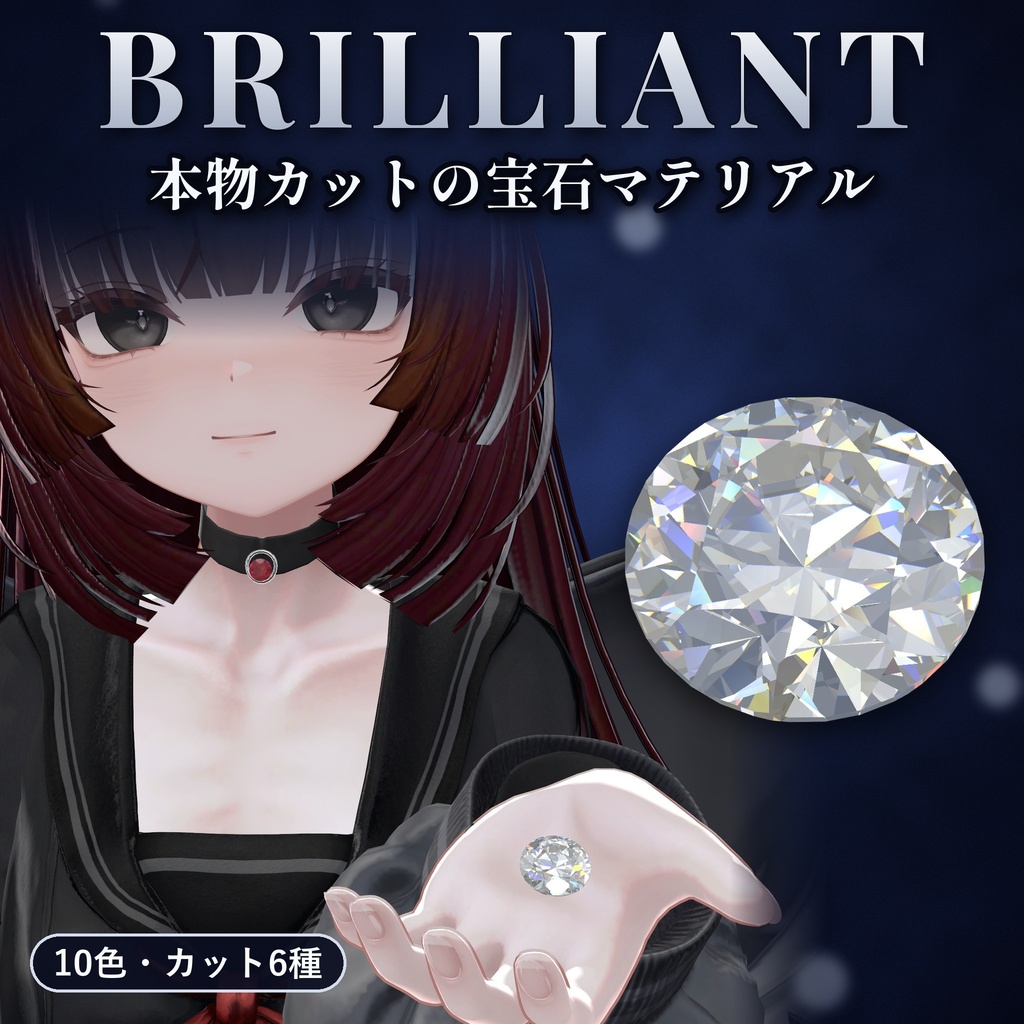
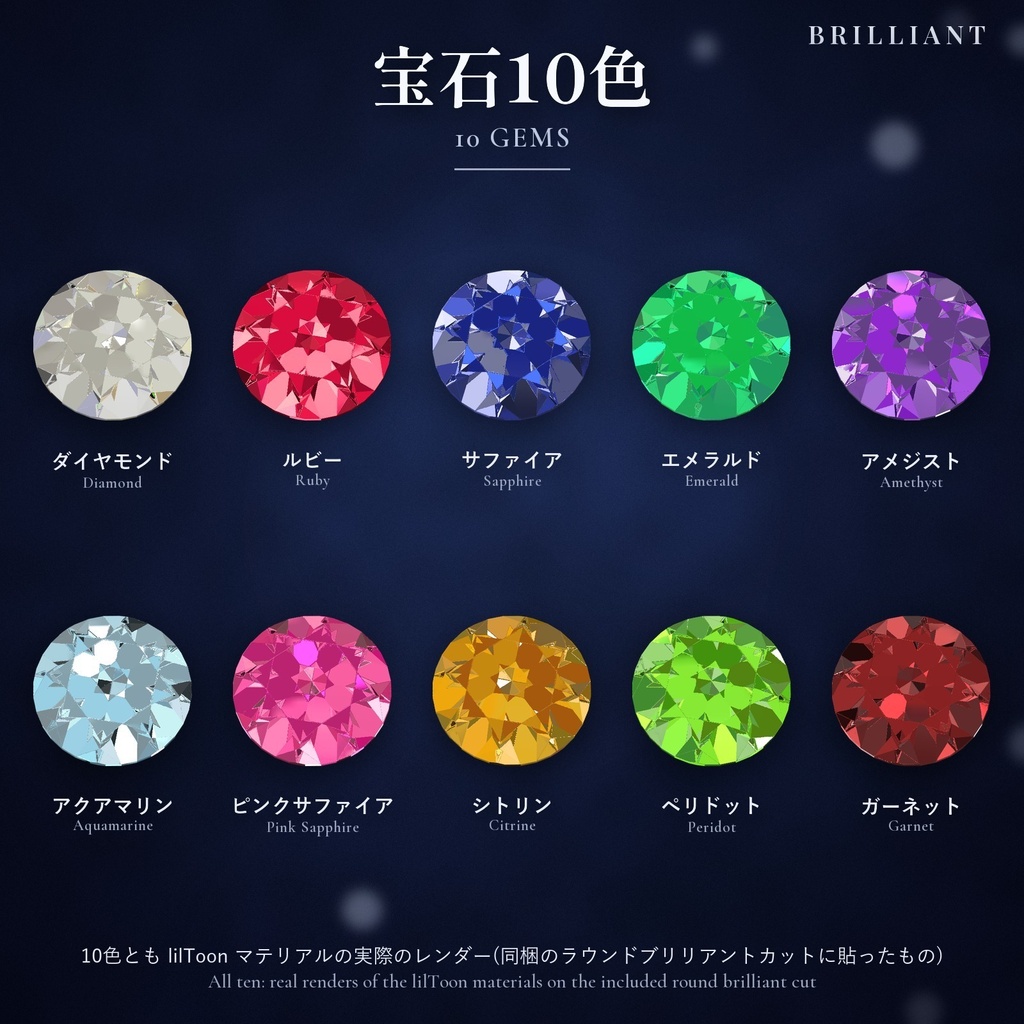
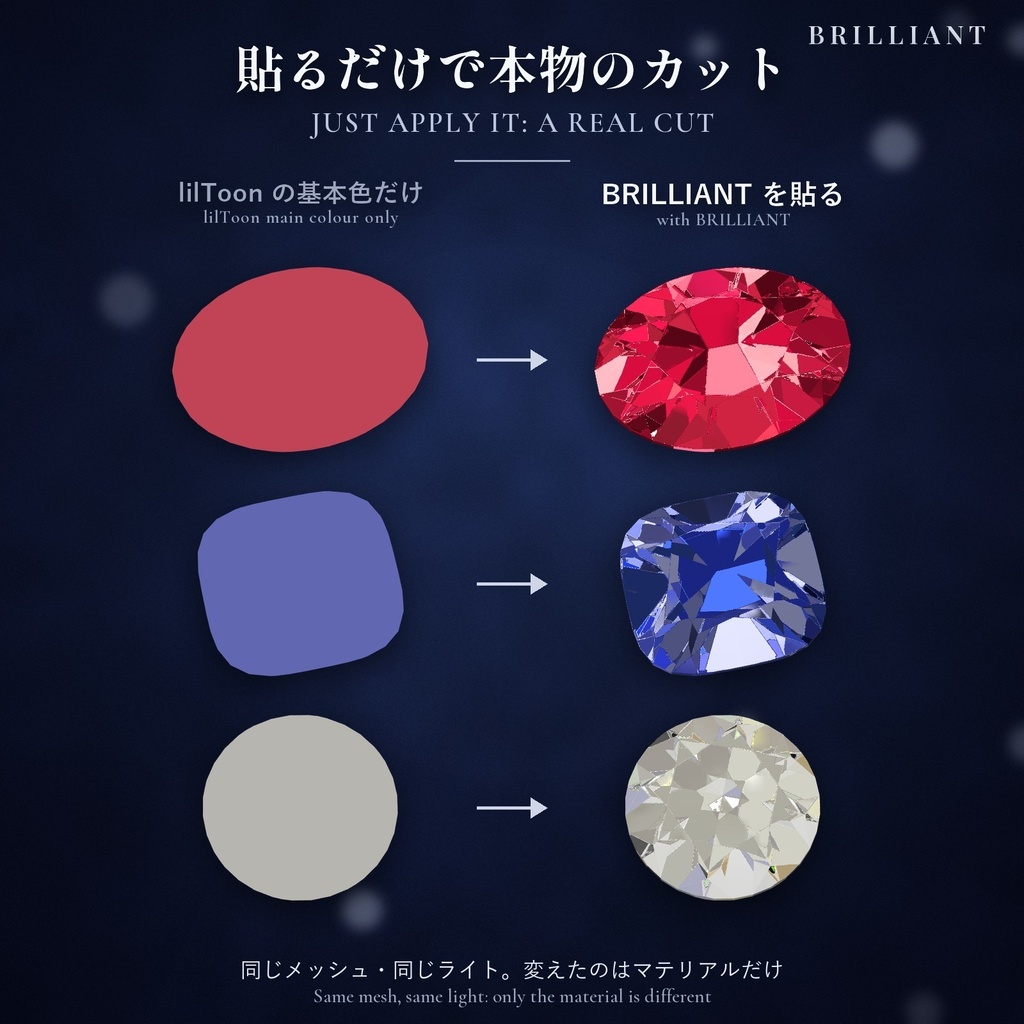
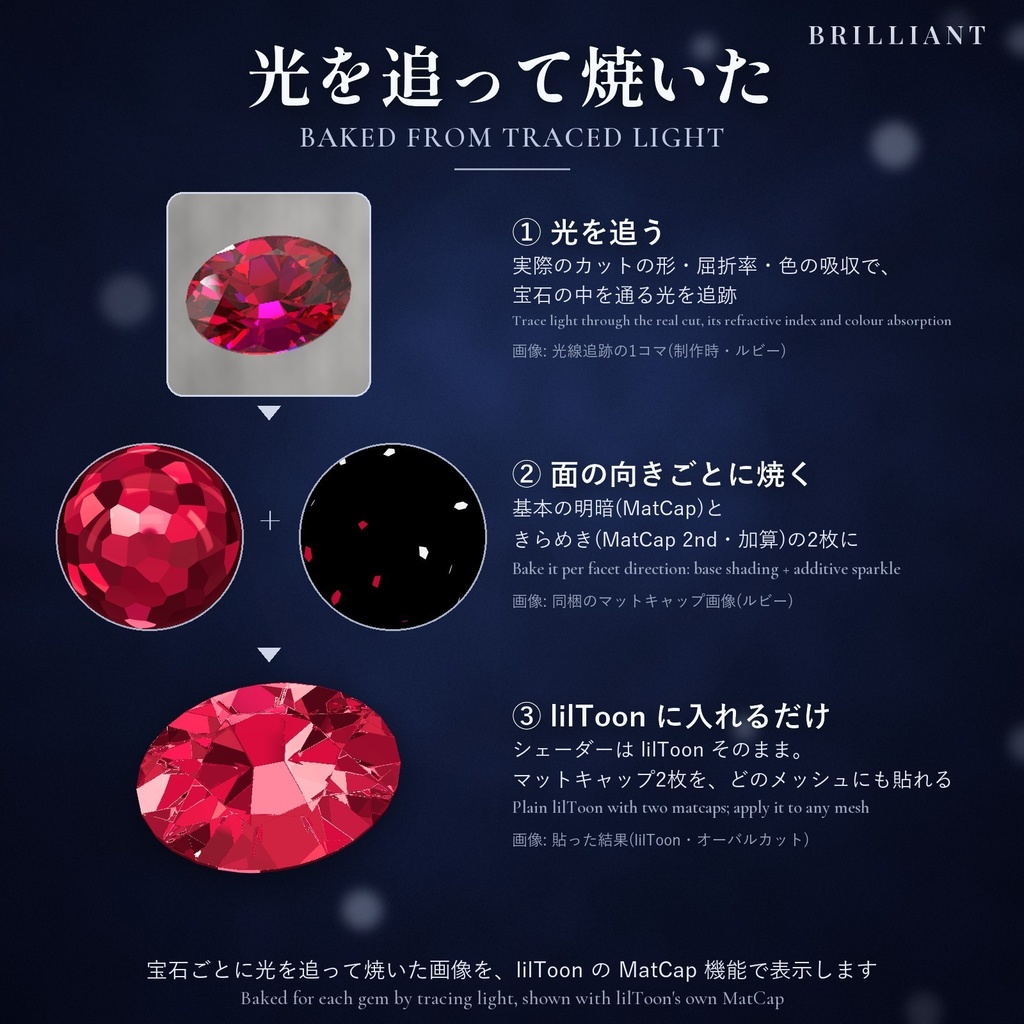
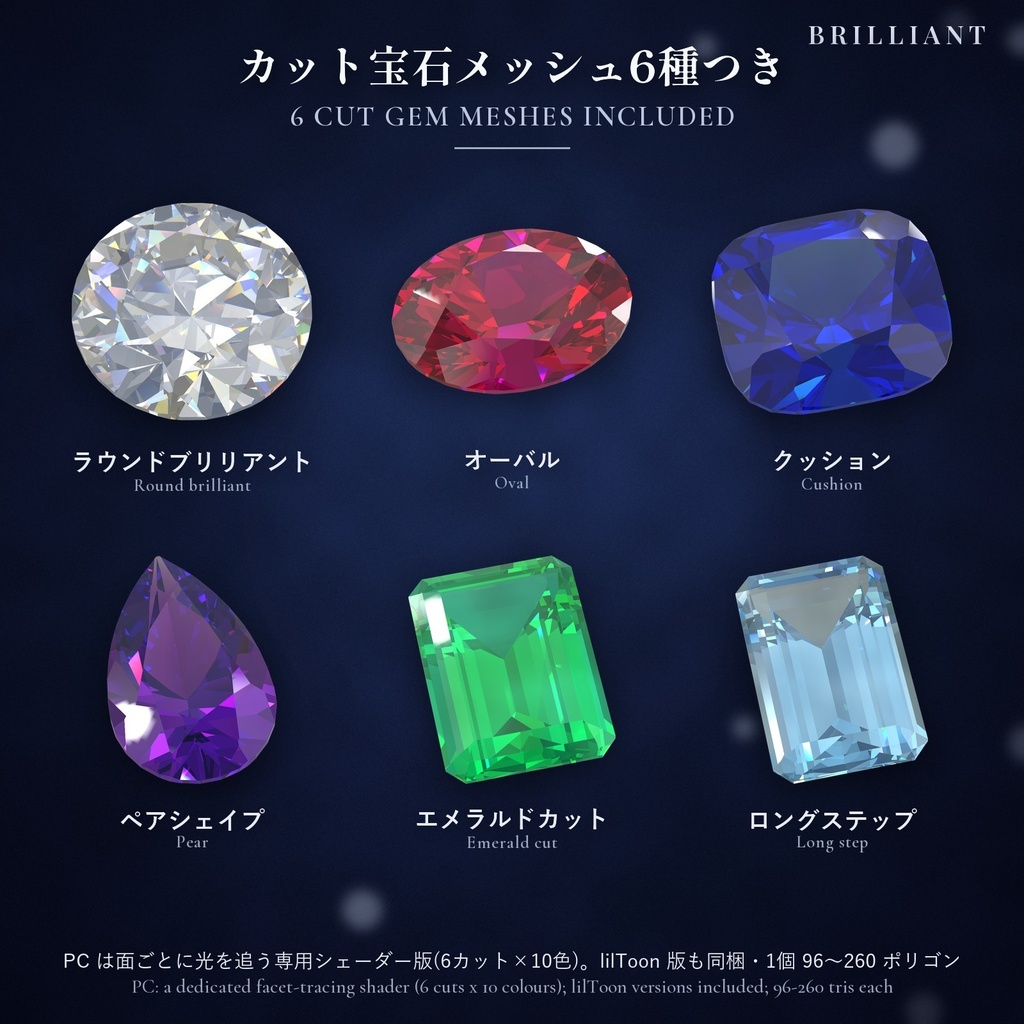
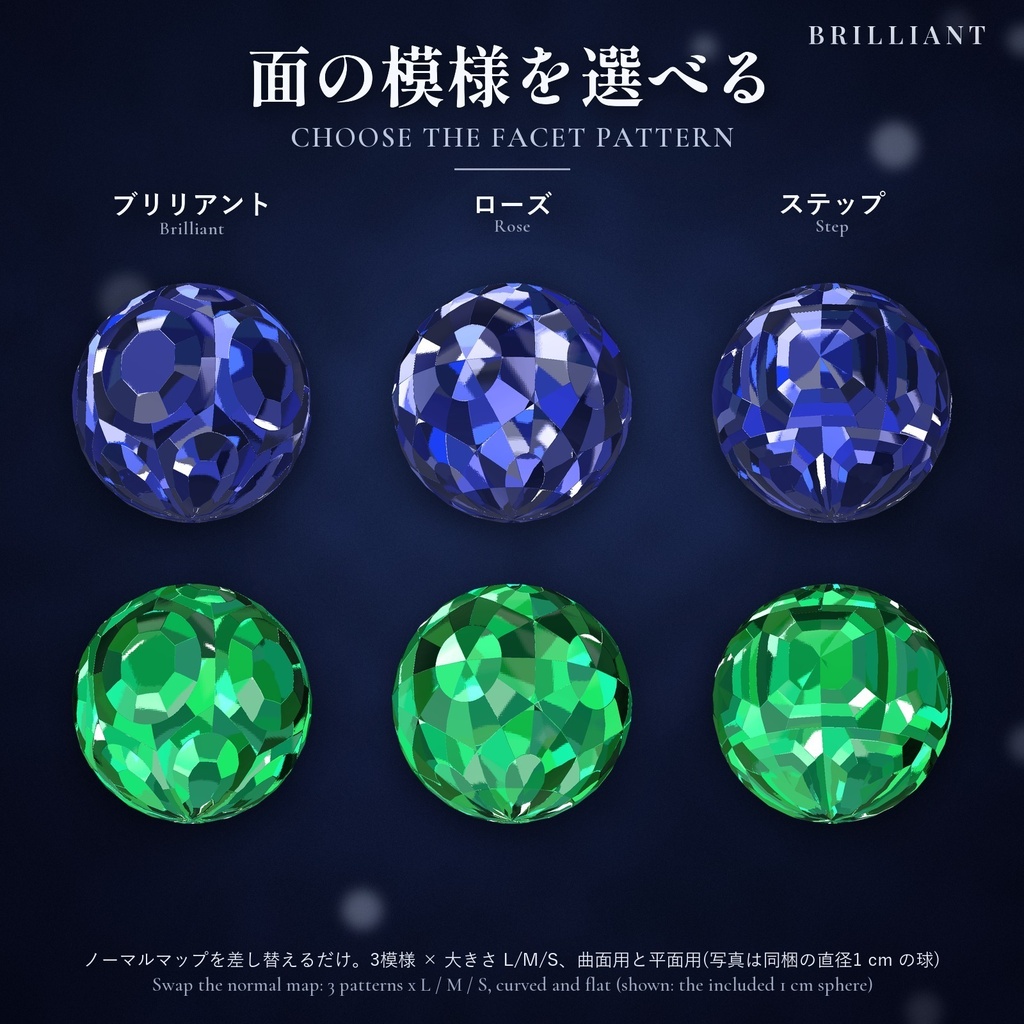
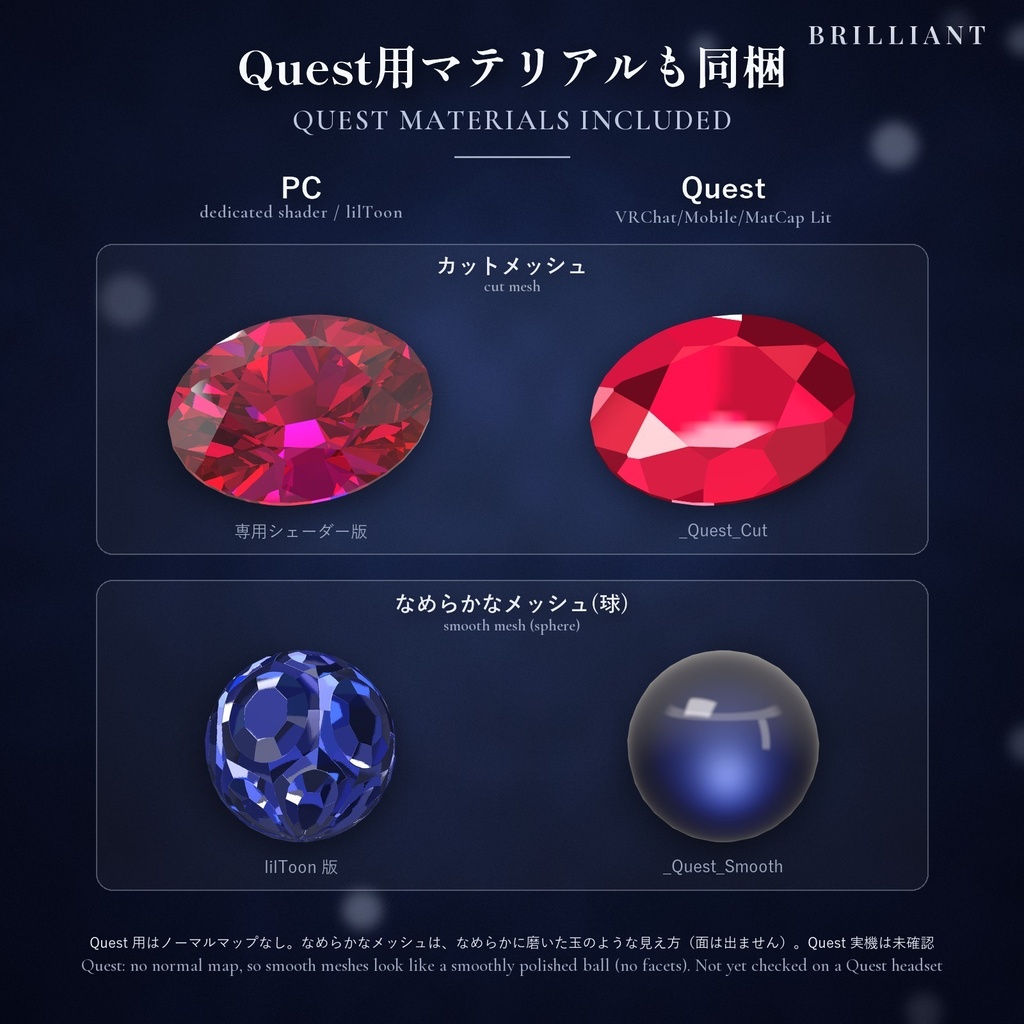
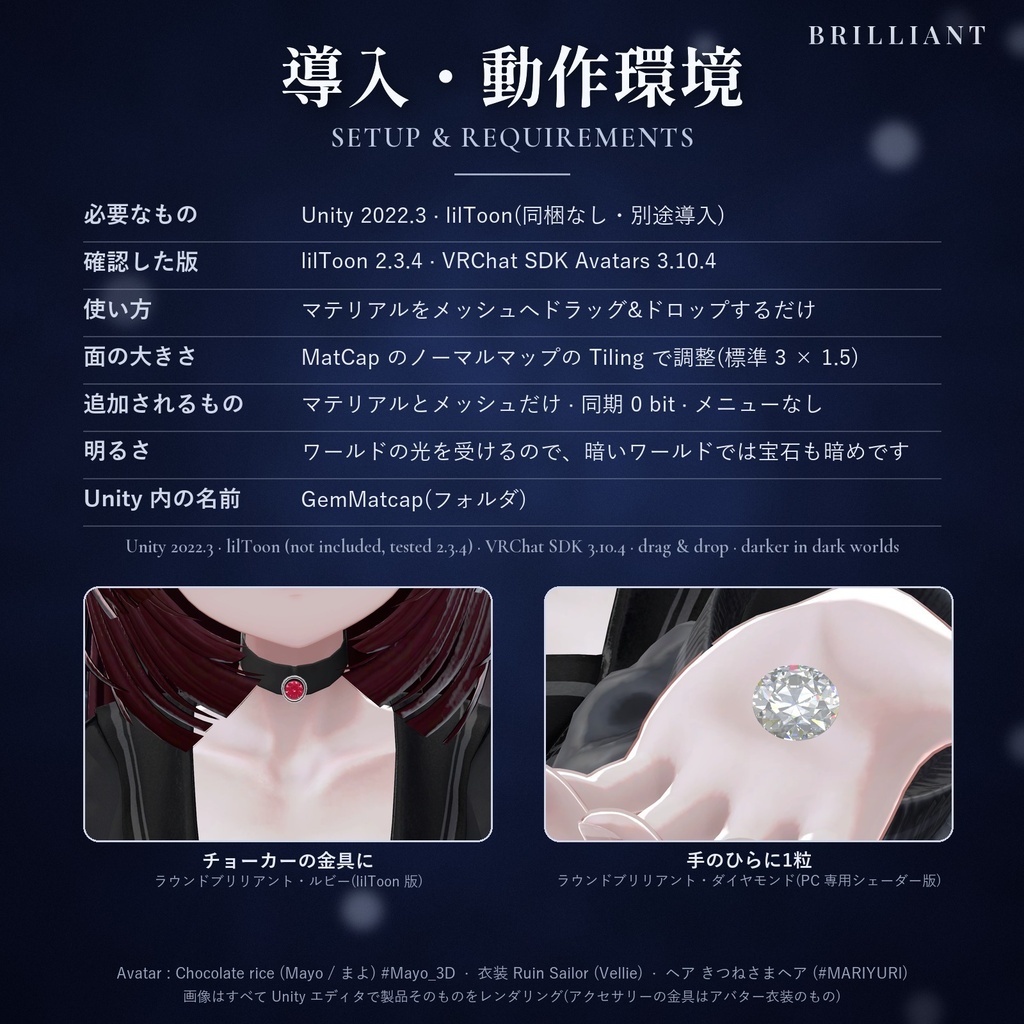


━━━━━━ 【日本語】 ━━━━━━ ◆ 商品説明 光を追って焼いた、本物のカットの輝き。貼るだけで、メッシュが面を切った宝石になるマテリアルセットです。実際の宝石カットの形と屈折率・色の吸収で光を追跡し、「その向きの面がカメラへ送る光」をマットキャップに焼き込みました。銀河や後光のような演出はありません。 同梱のカットメッシュ(PC)は専用シェーダーで面を光線追跡します(屈折・分散・内部反射。VR 用に左右の目で計算するコード入り、ヘッドセット未確認)。宝石は、同じショップの KARAT(本物の貴金属リング)と同じ10色です。 ◆ AI活用 / AI use / AI 활용 プログラミングとモデリングにAIを活用し、企画と修正は制作者が行っています。 AI was used for programming and modeling; planning and revisions were done by the creator. 프로그래밍과 모델링에 AI를 활용했고, 기획과 수정은 제작자가 했습니다. ◆ 主な内容(マテリアルは全部で160) ・宝石10色:ダイヤモンド・ルビー・サファイア・エメラルド・アメジスト・アクアマリンほか ・lilToon プリセット:不透明10+透明版10(PC 用) ・Quest 用マテリアル同梱 20 ※Quest 実機では未確認 ・カットメッシュ6種(実寸):ラウンドブリリアント・オーバル・クッション・ペアシェイプ・エメラルドカット・ロングステップ ・PC 用カット専用マテリアル120:専用シェーダー版60(6カット×10色)+ lilToon 版60 ・面模様ノーマルマップ18 ◆ 使い方 マテリアルをメッシュへドラッグ&ドロップするだけ。面の大きさは「マットキャップ」と「マットキャップ2nd」の「ノーマルマップ」の Tiling で調整します。遠くから見たきらめきは「マットキャップ2nd」(加算)が担当なので、オフにしないでください。 使い分け:カットメッシュ(PC)は専用シェーダー版、ふつうのメッシュ(PC)は lilToon。専用シェーダー版(Cut_FacetGem)は同名の同梱カットメッシュ専用で、他のメッシュや合体したメッシュでは正しく見えません。ワールドではその宝石の Static(Batching Static)をオフに。 ◆ 必要環境・注意事項 Unity 2022.3、VRChat SDK 3.10.4 の Unity エディター上で確認(確認アバター:Mayo(まよ)/ Chocolate rice 様)。lilToon 2.x が必要です(同梱なし、2.3.4 で確認)。 Quest 用はノーマルマップがなく、面のあるメッシュには _Quest_Cut を使います。なめらかなメッシュ用の _Quest_Smooth は面が見えず、磨いた玉のように見えます(きらめきの点なし)。lilToon と専用シェーダーは Quest では使えません。 専用シェーダー版は PC 専用の重いシェーダーで、リアルタイムのピクセルライト1つごとに、宝石のピクセルで追跡をもう1回行います(小さな宝石向け)。 ワールドの光への反応は版で違います。lilToon 版は明るさと色に従い(暖色のランプの下ではダイヤモンドも暖かい色に)、専用シェーダー版は自前のスタジオ反射をワールドの明るさ(空・太陽)に合わせ、点光源・スポットライトの光と色も受けます(リアルタイムの光源がない暗いワールドでは暗く)。 追加されるのはマテリアルとメッシュだけ(同期パラメーター0)。 ◆ 価格・利用規約(要約) ¥500(初期公開価格です。今後変更する場合があります)。無料版(ダイヤモンド1色)で見え方を確認できます。OK:自分のアバター・衣装・アクセサリー・ワールドでの使用と改変、収益化動画、R-18。禁止:再配布・転売、部品の取り出し、組み込み販売、パブリックアバター。法人利用は事前にご相談を。全文は LICENSE へ。返品・返金不可。 ━━━━━━ 【English】 ━━━━━━ ◆ Description Baked from traced light, the sparkle of real cuts. We traced light through real gem cuts and baked what each facet sends to the camera into matcaps: apply one and a mesh gets a cut stone's light and dark and facet-by-facet glints. No galaxies or halos. The bundled cut meshes (PC) use a dedicated shader that traces light through the facets (refraction, dispersion, internal reflection; VR per-eye code, not checked on a headset). Same 10 gems as KARAT (real precious-metal rings) from the same shop. ◆ What's included (160 materials) - 10 gems: Diamond, Ruby, Sapphire, Emerald, Amethyst, Aquamarine and more - lilToon: 10 opaque + 10 transparent (PC) - Quest: 20 materials (not tested on a Quest headset) - 6 life-size cut meshes: round brilliant, oval, cushion, pear, emerald cut, long step - 120 PC cut materials: dedicated shader 60 (6 cuts x 10 colours) + lilToon 60 - 18 facet-pattern normal maps ◆ How to use Just drag a material onto your mesh. Facet size = Tiling of the "Normal Map" in both "MatCap" and "MatCap 2nd". Keep MatCap 2nd (Add) on: it gives the glint seen from afar. Bundled cut meshes (PC): dedicated shader; other meshes (PC): lilToon. Dedicated-shader materials (Cut_FacetGem) are only for the same-named bundled cut mesh; on other or merged meshes they display wrongly. In a world, turn off Batching Static on them. ◆ Requirements / Notes Checked in the Unity editor: Unity 2022.3, VRChat SDK 3.10.4 (avatar: Mayo (まよ) / Chocolate rice). Needs lilToon 2.x (not included; tested with 2.3.4). Quest materials have no normal map: use _Quest_Cut on faceted meshes. _Quest_Smooth on a smooth mesh shows no facets and looks like a smoothly polished bead (no glint dots). lilToon and the dedicated shader do not work on Quest. The dedicated shader is heavy and PC-only: for each real-time pixel light it traces once more at the gem's pixels (small gems). World light: lilToon follows its brightness and colour (warm under a warm lamp); the dedicated shader matches its studio reflection to the sky/sun brightness and takes point/spot light colour (dark without real-time lights). Adds only materials and meshes (0 synced bits). ◆ Price / License (summary) ¥500 (initial release price; may change). The free version (Diamond only) lets you check the look. OK: use and modification on your own avatars, outfits, accessories and worlds; monetized video; R-18. Not OK: redistribution/resale, extracting parts, bundling it into products for sale, public avatars. Corporate: ask first. See LICENSE. No refunds. ━━━━━━ 【한국어】 ━━━━━━ ◆ 상품 설명 빛을 추적해 구운, 진짜 컷의 반짝임. 붙이기만 하면 메시가 면을 깎은 보석이 되는 머티리얼 세트입니다. 실제 보석 컷의 모양과 굴절률·색 흡수로 빛을 추적해서, "그 방향의 면이 카메라로 보내는 빛"을 매트캡에 구워 넣었어요. 은하나 후광 같은 연출은 없습니다. 동봉한 컷 메시(PC)는 전용 셰이더로 면을 광선 추적합니다 (굴절・분산・내부 반사. VR용으로 좌우 눈에서 각각 계산하는 코드 포함, 헤드셋 미확인). 보석은 같은 숍의 KARAT(진짜 귀금속 반지)와 같은 10색입니다. ◆ 주요 내용 (머티리얼은 모두 160) ・보석 10색: 다이아몬드・루비・사파이어・에메랄드・자수정・아쿠아마린 외 ・lilToon 프리셋: 불투명 10 + 투명판 10 (PC용) ・Quest용 머티리얼 20 ※Quest 실기에서는 확인하지 못했습니다 ・컷 메시 6종(실제 크기): 라운드 브릴리언트・오벌・쿠션・페어 셰이프・에메랄드 컷・롱 스텝 ・PC용 컷 전용 머티리얼 120: 전용 셰이더판 60 (6컷×10색) + lilToon판 60 ・면 무늬 노멀맵 18 ◆ 사용 방법 머티리얼을 메시에 드래그 앤 드롭하면 됩니다. 면 크기는 "매트 캡"과 "매트 캡 2nd" 양쪽 "노멀 맵"의 Tiling으로 조정합니다. "매트 캡 2nd"(가산)는 멀리서의 반짝임을 맡으니 끄지 마세요. 용도: 컷 메시(PC)는 전용 셰이더판, 보통 메시(PC)는 lilToon 프리셋. 전용 셰이더판(Cut_FacetGem)은 같은 이름의 동봉 컷 메시 전용이라 다른 메시나 합친 메시에서는 올바르게 보이지 않습니다. 월드에서는 그 보석의 Static(Batching Static)을 끄세요. ◆ 필요 환경・주의사항 Unity 2022.3, VRChat SDK 3.10.4의 Unity 에디터에서 확인 (확인 아바타: Mayo(まよ) / Chocolate rice 님). lilToon 2.x 필요 (동봉 없음, 2.3.4에서 확인). Quest용은 노멀맵이 없어서 면이 있는 메시에는 _Quest_Cut을 씁니다. 매끈한 메시용 _Quest_Smooth는 면이 보이지 않고 매끈하게 연마한 구슬처럼 보입니다 (반짝이는 점 없음). lilToon과 전용 셰이더는 Quest에서 쓸 수 없습니다. 전용 셰이더판은 PC 전용의 무거운 셰이더로, 실시간 픽셀 라이트 하나마다 보석 픽셀에서 추적을 한 번 더 합니다 (작은 보석용). 월드의 빛에 반응하는 방식은 판마다 다릅니다. lilToon판은 밝기와 색을 따르고 (따뜻한 색 램프 아래에서는 다이아몬드도 따뜻한 색으로), 전용 셰이더판은 자체 스튜디오 반사를 월드의 밝기(하늘·태양)에 맞추고 점광원·스포트라이트의 빛과 색도 받습니다 (실시간 광원이 없는 어두운 월드에서는 어둡게). 추가되는 것은 머티리얼과 메시뿐 (동기화 파라미터 0) ◆ 가격・이용약관(요약) ¥500 (초기 공개 가격이며 앞으로 변경될 수 있습니다). 무료판(다이아몬드 1색)으로 보이는 모습을 먼저 확인할 수 있어요. 가능: 본인 아바타・의상・액세서리・월드에서의 사용과 개변, 수익화 영상, R-18. 금지: 재배포・재판매, 부품 꺼내기, 포함 판매, 퍼블릭 아바타. 법인 이용은 사전 문의 바랍니다. 전문은 LICENSE 참고. 환불・반품 불가.