

【XWear】悪魔の羽&ツノ / Devil Wings & Horns
- Digital0 JPY
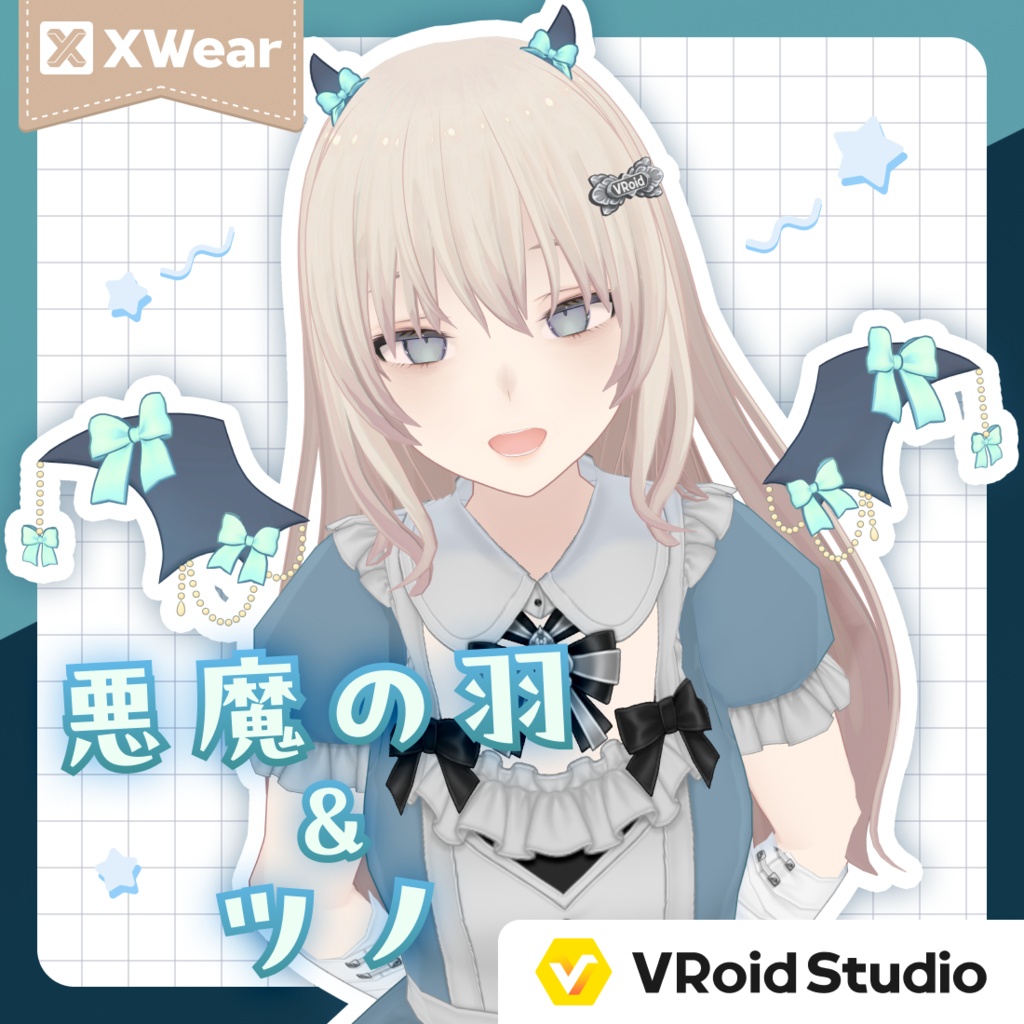
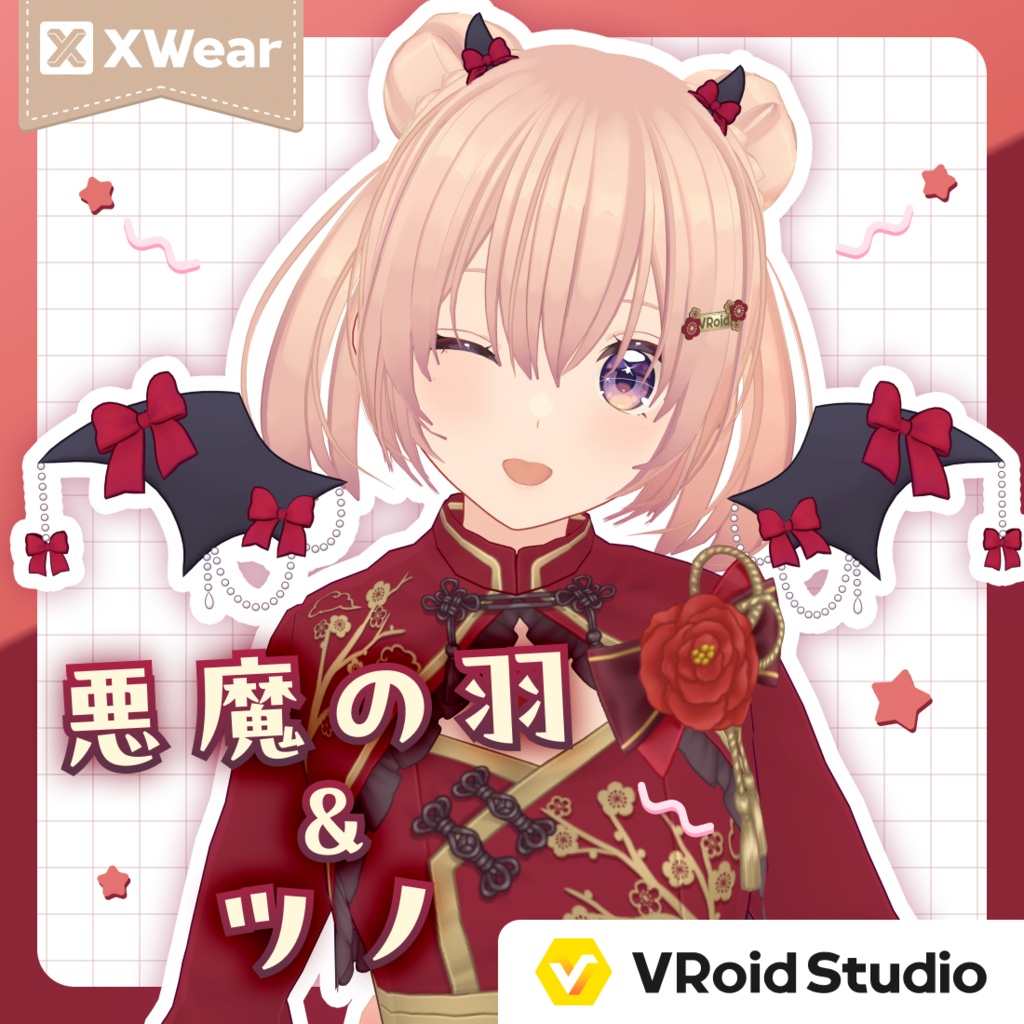
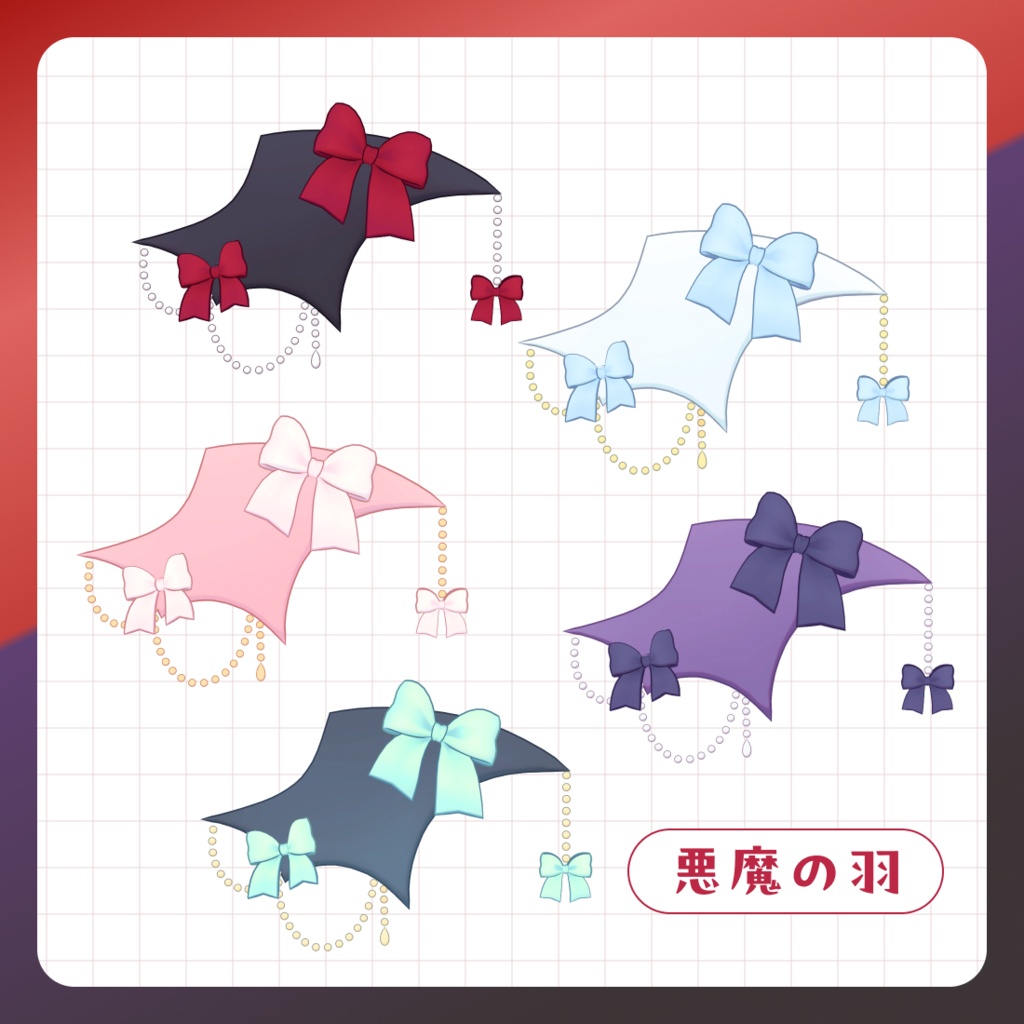
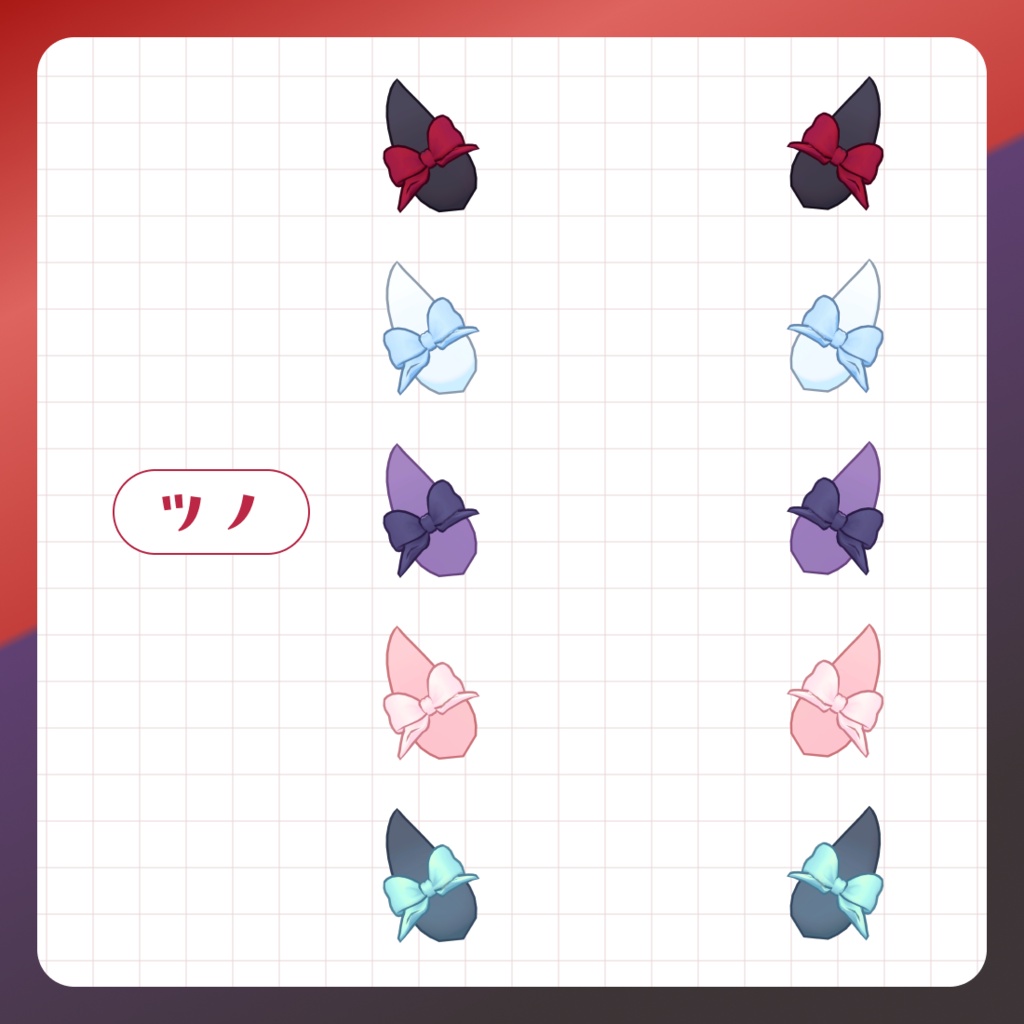
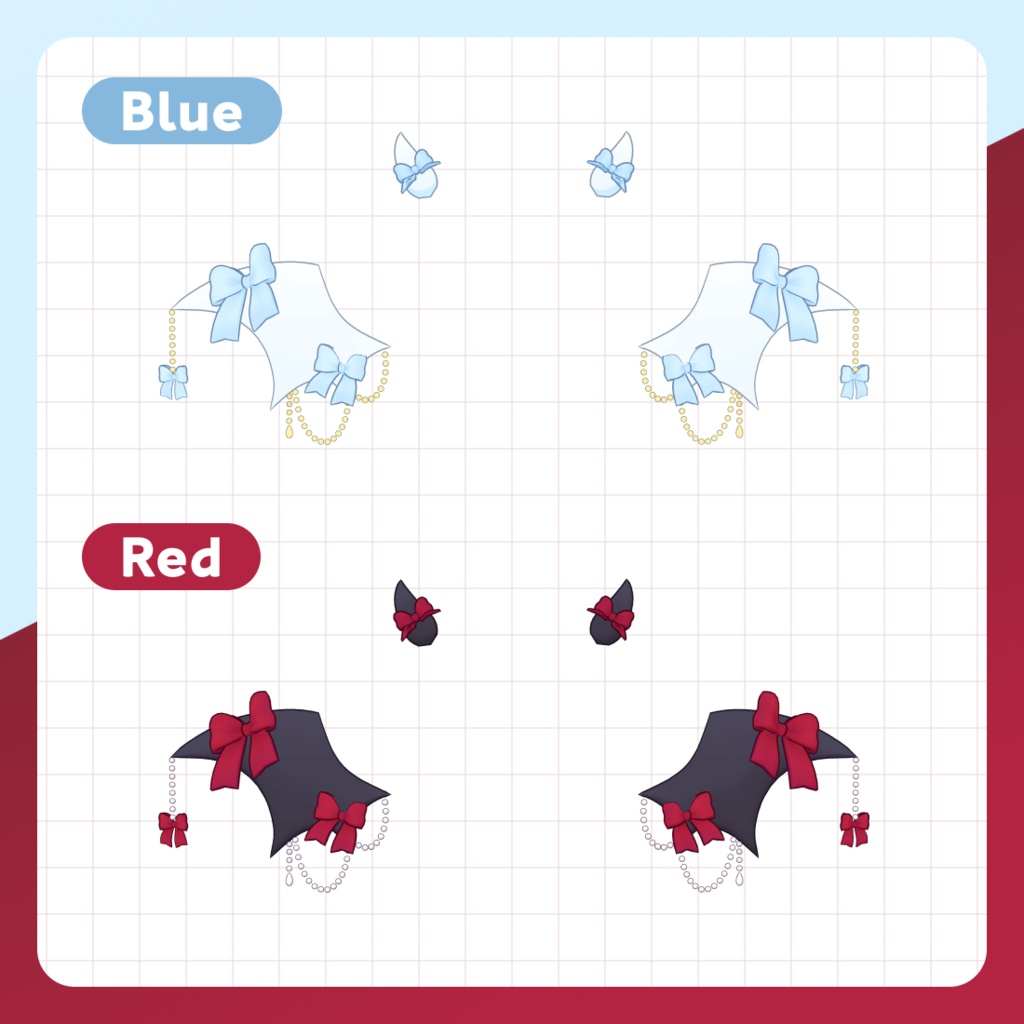
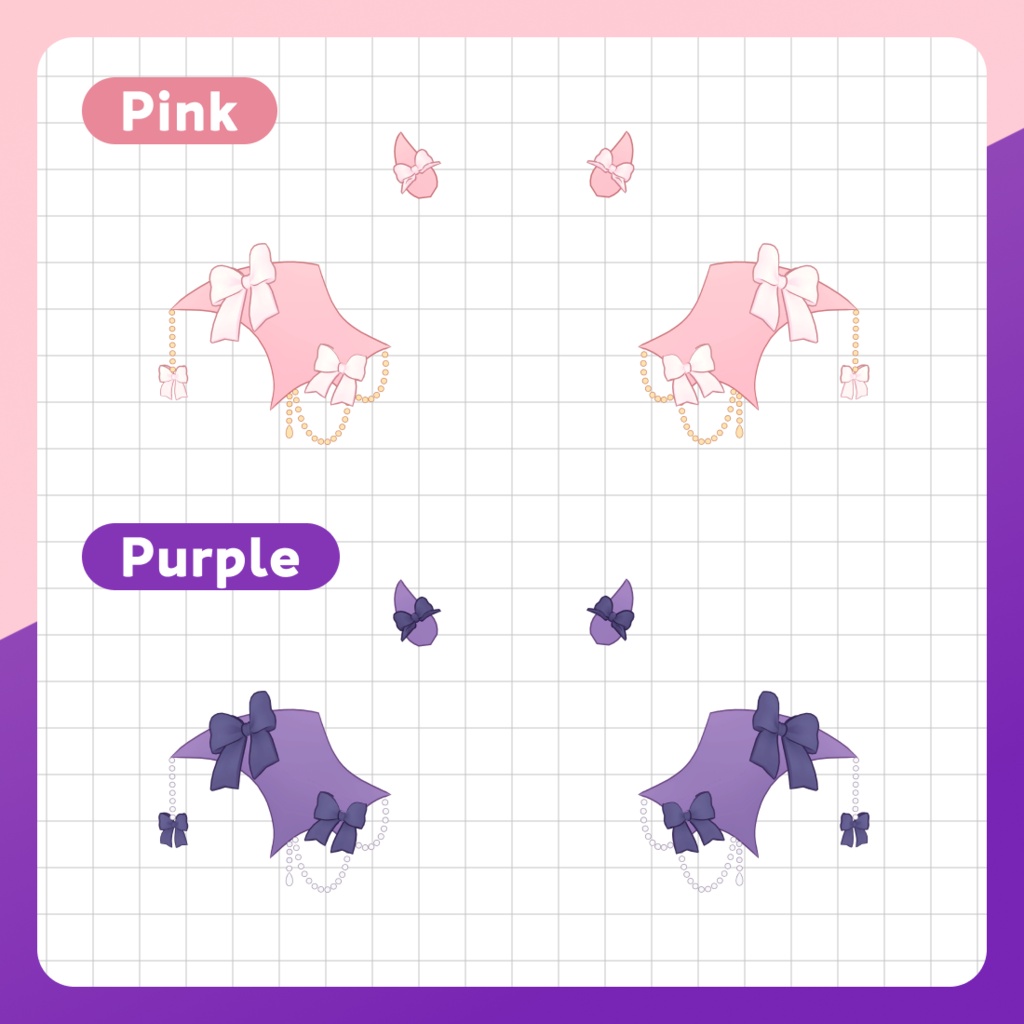
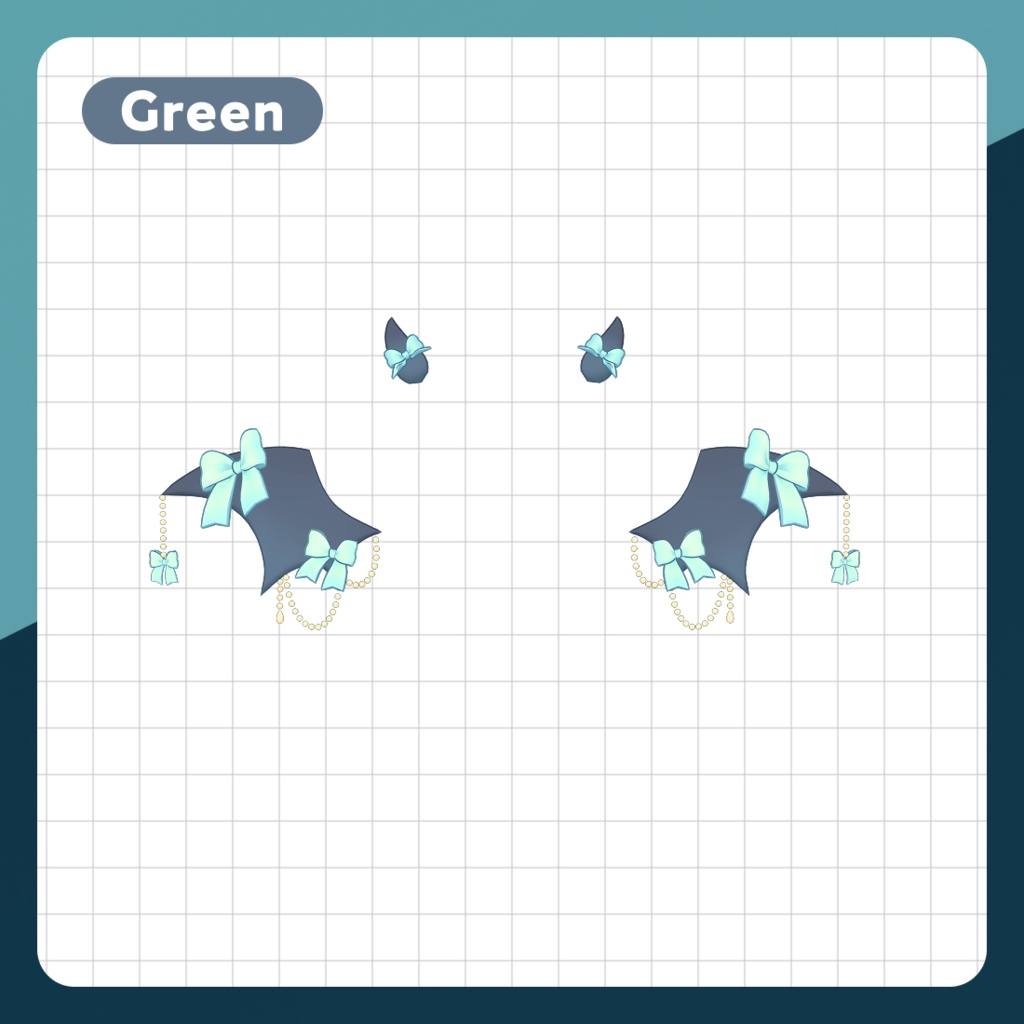
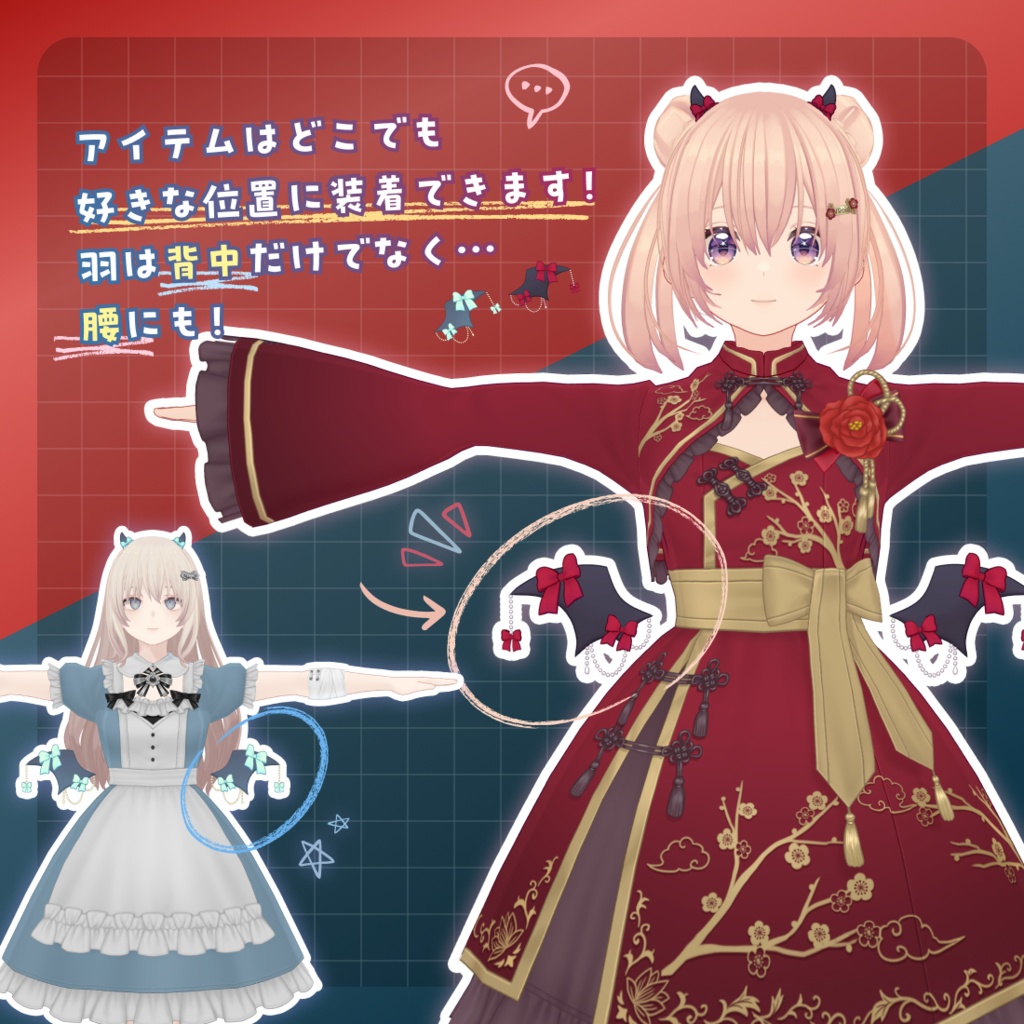


⑅ ◌ ⑅ ◌ ⑅ ◌ ⑅ VRoid Studio ⋆ XWear ⑅ ◌ ⑅ ◌ ⑅ ◌ ⑅ キュートなリボン&チェーン付きの「悪魔の羽」と リボンつきのちっちゃな「ツノ」をセットで無料配布! zipファイルの中には、 blue、red、pink、purple、greenのカラバリ5色をご用意しました。 左右セットの羽は、肩・背中・腰など……どこにつけるかはあなた次第! キャラに合わせた色改変やサイズ調整も大歓迎! あなたは天使?それとも悪魔? VRoid Studioの着せ替え機能を使って、 ぜひあなたのVRChatアバター・VTuberキャラや VRM・VRoid Studioモデルに装着して 遊んでみてください!👿🎀
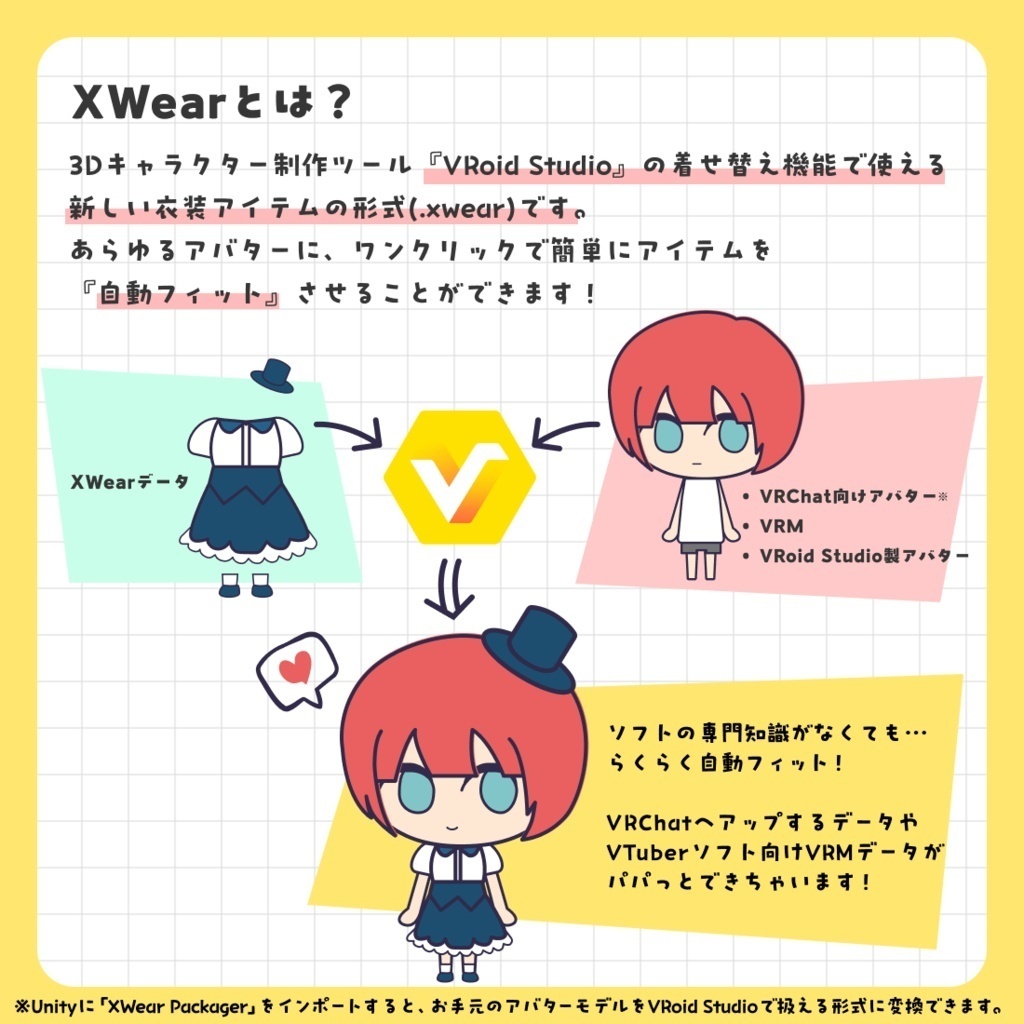
「XWear形式」の3Dモデルとは
VRoid Studioの「着せ替え機能」に対応した3Dアイテムの形式です。 拡張子は「.xwear」。.xwearデータには、 本アイテムのようにフルスクラッチでモデリングされたものや、 VRoid Studioのみで制作されたものもあります。 .xwearのアイテムがあれば、 VRoid Studioの着せ替え機能を通じて… VRChat向けアバターにもVRoid Studio製モデルにも、 そのアイテムを簡単フィットで着せることができます。 着せたあとは、VRChat用データや VTuber用のVRMとしてエクスポートすることもできます。 ぜひお試しください! ※着せ替え機能は、VRoid StudioのWindows版、macOS版、Steam版向け機能になります。 ※iPad版には非対応です。 ▼VRoid Studioのダウンロードはこちら https://vroid.com/studio
このデータの使い方
本商品のzipの中に入っている「.xwear」データは、 VRoid Studioの「着せ替え機能」で読み込むことができるデータです。 VRoid Studio(Windows/macOS/Steam版)をインストールした上でお使いください。 ▼着せ替え機能の使い方手順はこちら(スクリーンショット画像付き) https://vroid.pixiv.help/hc/ja/articles/38722733769241 ▼ 着せ替えたアバターをVRChatで使う手順はこちら https://vroid.pixiv.help/hc/ja/articles/38728373457561 ▼ 着せ替えたアバターをVRMとしてエクスポートする手順はこちら https://vroid.pixiv.help/hc/ja/articles/38726063278233
仕様
■ 使用シェーダー ・Mtoon10 ■ 内容物 ・XWear形式のデータ ■ポリゴン数 ・devil_wing △4500 ×2 ・devil_wing_plain △732 ×2 ・devil_horn △2304 ・devil_horn_plain △864 ■マテリアル数 ・1(各アイテムに1つずつ) ■セットアップ・動作確認環境 ・VRoid Studio: 2.13.0 ※iPad版は非対応です ・Unity: 2022.3.22f1 ・VRChat Package Resolver Tool: 0.1.29 ・VRChat SDK - Base: 3.10.2 ・VRChat SDK - Avatars: 3.10.2 ・XWearPackager: 0.3.4 ・PhysBones: 設定済み
利用規約
本アイテムはVN3ライセンス( https://www.vn3.org )を利用しております。 規約全文は下記URLからご確認ください。 JA: https://pixiv1.box.com/s/5m4yx7abuw3shcj31wsu1z70dk8l1qdq EN: https://pixiv1.box.com/s/nfm0fpjdylac00mklf43wggjo79t7nc5 KO: https://pixiv1.box.com/s/qx5p2k9rcn3gi9nmqw9mbkdm4tcneyxk ZH: https://pixiv1.box.com/s/80y83pk36h42a755sxiqk09fqgs9qu23
お問い合わせ先
不具合等がございましたら、以下のVRoidヘルプまでお問い合わせください。 https://vroid.pixiv.help/hc/ja/articles/360000336121 ※本アイテムは、商品公開時のセットアップ環境・バージョンにて動作確認・対応をしております。今後、ソフトウェアやVRサービスの仕様変更が発生した場合、本ページに登録された商品イメージ画像通りの表示や動作がされない可能性がございます。あらかじめご容赦ください。
―――――――――――
⑅ ◌ ⑅ ◌ ⑅ ◌ ⑅ VRoid Studio ⋆ XWear ⑅ ◌ ⑅ ◌ ⑅ ◌ ⑅ Get a free set of devil wings decorated with cute ribbons and chains, plus a pair of tiny ribbon-adorned horns! The zip file includes five color variations: blue, red, pink, purple, and green. The wings come as a left-and-right set, and where you attach them is entirely up to you: your shoulders, back, waist, or anywhere else! Feel free to change the colors to match your character or adjust the size however you like. Are you an angel or a devil? Use VRoid Studio's Dress-up feature to equip them on your VRChat avatar, VTuber character, VRM, or VRoid Studio model and have fun! 👿🎀
About 3D models in the XWear format
XWear is a 3D item format compatible with VRoid Studio's dress-up feature. XWear files use the ".xwear" extension. XWear items can include models created entirely from scratch, like this one, as well as items made solely in VRoid Studio. With an .xwear item, you can use VRoid Studio's dress-up feature to easily fit it to both VRChat avatars and models created in VRoid Studio. Once your model is dressed up, you can export it for use in VRChat or as a VRM for VTubing. Give it a try! *The dress-up feature is available in the Windows, macOS, and Steam versions of VRoid Studio. *It is not supported on the iPad version. ▼Download VRoid Studio here https://vroid.com/studio
How to use this data
The .xwear files included in the .zip folder can be imported using VRoid Studio's dress-up feature. Install VRoid Studio (Windows/macOS/Steam version) before using these files. ▼How to use the dress-up feature (with screenshots) https://vroid.pixiv.help/hc/en-us/articles/38722733769241-Getting-Started-with-the-Dress-up-Feature-for-those-who-want-to-dress-up-their-characters ▼How to upload dressed-up avatars to VRChat https://vroid.pixiv.help/hc/en-us/articles/38728373457561-Using-a-model-in-VRChat ▼How to export dressed-up avatars as VRM https://vroid.pixiv.help/hc/en-us/articles/38726063278233-How-do-I-export-a-model-as-VRM
Specifications
■ Shaders used ・Mtoon10 ■ Contents ・Data in XWear format ■ Polygon count ・devil_wing △4500 ×2 ・devil_wing_plain △732 ×2 ・devil_horn △2304 ・devil_horn_plain △864 ■ Material count ・1 ■ Setup and testing environment ・VRoid Studio: 2.13.0 *The iPad version of VRoid Studio does not support this feature. ・Unity: 2022.3.22f1 ・VRChat Package Resolver Tool: 0.1.29 ・VRChat SDK - Base: 3.10.2 ・VRChat SDK - Avatars: 3.10.2 ・XWearPackager: 0.3.4 ・PhysBones: Configured
Terms of Use
These items are licensed under the VN3 License (Visit https://www.vn3.org ). Please review the full terms at the following link. JA: https://pixiv1.box.com/s/5m4yx7abuw3shcj31wsu1z70dk8l1qdq EN: https://pixiv1.box.com/s/nfm0fpjdylac00mklf43wggjo79t7nc5 KO: https://pixiv1.box.com/s/qx5p2k9rcn3gi9nmqw9mbkdm4tcneyxk ZH: https://pixiv1.box.com/s/80y83pk36h42a755sxiqk09fqgs9qu23
Inquiries
For any issues, feel free to contact VRoid Help at the following link. https://vroid.pixiv.help/hc/en-us/articles/360000336121-VRoid-Inquiry-Form *This item has been tested and confirmed to work with the software environment and version available at the time of release. Future changes to the software or VR services may affect how the item appears or functions, and it may no longer appear or work exactly as shown in the images. Thank you for your understanding.