
【Warudo】Hair Color & Highlights 2.0 | 헤어 염색·브릿지 · 髪色変更・ハイライト
- Digital1,000 JPY
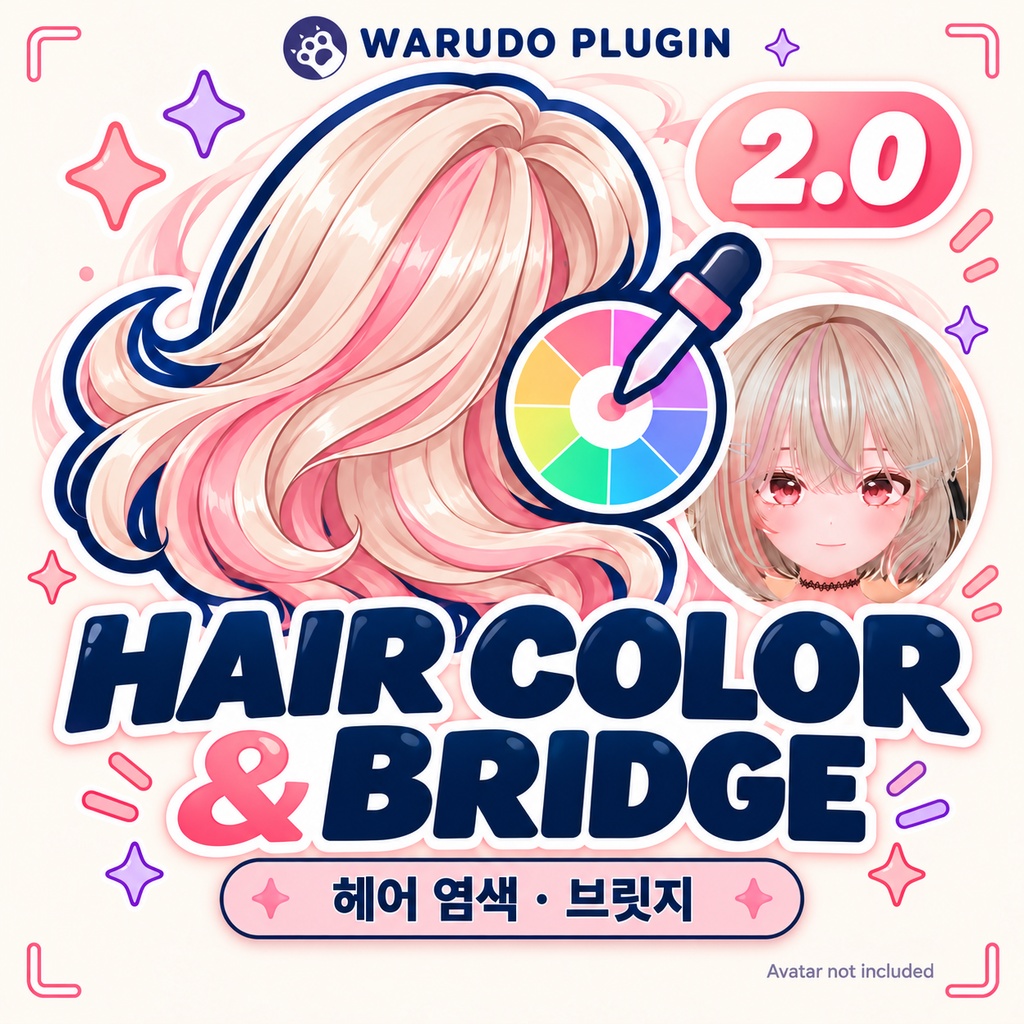
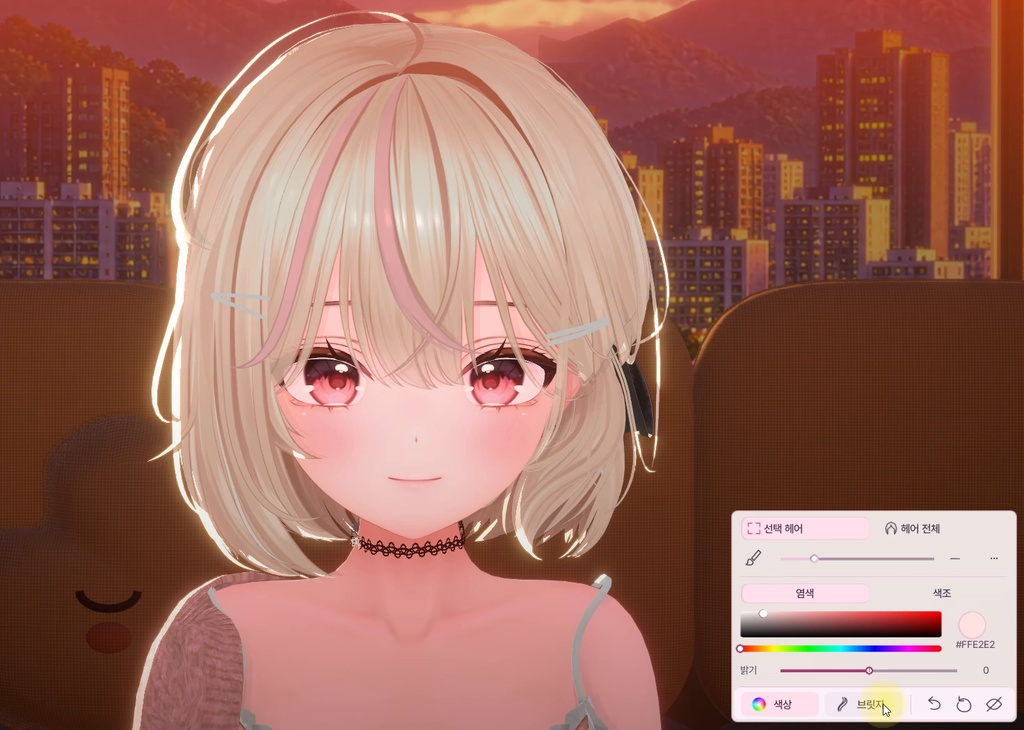
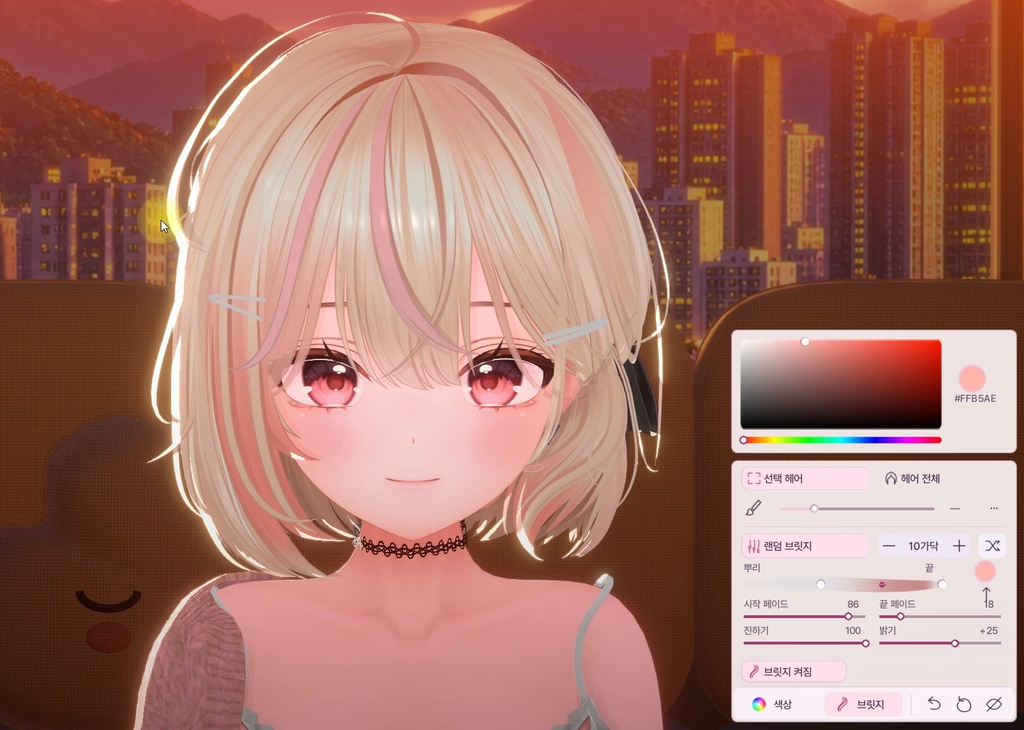


1,000 JPY / 2.0 UPDATE / 한국어 UI · KO / EN / JA manuals ━━ 한국어 ━━ Hair Color & Highlights 2.0 헤어 전체 컬러부터 원하는 가닥의 염색, 부드러운 브릿지까지. 2026.10.18 / 2.0 업데이트 기존 Hair Color의 전체 헤어 색상 변경에서, 화면을 클릭해 부분 염색과 브릿지를 더하는 헤어 편집 도구로 바뀌었습니다. 기존 구매자는 구매 내역에서 2.0 파일을 다시 받아 사용할 수 있습니다. 2.0의 새로운 기능 • 화면에서 헤어를 클릭해 부분 선택 / 헤어 전체 염색 • 붓 아이콘과 범위 조절로 주변 여러 가닥 함께 선택 • 염색·색조 변경·밝기 보정 • 브릿지 위치, 범위, 시작·끝 페이드, 진하기·밝기 조절 • 브릿지 색상창을 열고 헤어를 클릭하면 같은 색을 이어서 적용 • 랜덤 브릿지와 가닥 수 조절 • 새로 디자인한 우하단 UI, 실행 취소, 모든 설정 원래대로 구매 전 확인 • 헤어 원본 메시의 Read/Write Enabled가 켜져 있어야 합니다. Unity에서 원본 헤어 모델 선택 → Import Settings의 Model → Read/Write Enabled → Apply 후 캐릭터를 다시 내보내세요. 이미 설정된 모델은 별도 재작업이 필요하지 않습니다. • 가닥 선택 단위는 모델 안에서 실제로 분리된 메시 조각에 따라 달라집니다. 하나로 이어진 헤어를 임의의 가닥으로 나누는 기능은 아닙니다. • 그라데이션 브릿지에는 UV와 기본 텍스처가 필요합니다. 모델·셰이더·조명에 따라 색과 표현이 달라집니다. 밝기 보정으로 원래 없는 질감을 만들 수는 없습니다. • 2.0 시연 환경: Windows / Warudo Pro 0.15.1. 일반판은 2.0 실사용 검증을 완료하지 않았습니다. • UI는 한국어, 설명서는 한국어·English·日本語입니다. 헤어 편집 전용이며 의상 염색·매트캡은 포함하지 않습니다. • 아바타, 헤어 모델, 의상, 배경은 포함하지 않습니다. 첫 이미지는 기존 브랜드 썸네일입니다. 2.0 소개 이미지는 실제 시연 화면을 바탕으로 편집했으며 상세 화면과 영상은 실제 사용 예시입니다. 설치와 1.x에서 업데이트 1. 기존 장면을 별도 이름으로 백업하세요. 1.x의 Hair Color 에셋은 원래 색으로 복원한 뒤 비활성화하고 장면을 저장하세요. 2. Warudo를 종료하고 구버전 Hair Color.warudo를 Plugins 밖에 백업하세요. 개발판 Part Studio.warudo가 있으면 함께 빼 주세요. 3. Hair Color 2.0.warudo를 Warudo/Warudo_Data/StreamingAssets/Plugins에 넣고 다시 실행하세요. 4. 에셋 추가 → 캐릭터 → Hair Color 2.0을 추가하고 사용할 캐릭터를 선택하세요. 5. 헤어를 클릭해 선택한 뒤 색상 또는 브릿지를 조절하세요. 결과를 유지하려면 Warudo 장면을 저장하세요. ※ 1.x 설정을 2.0으로 자동 이전하는 기능은 없습니다. 새 에셋에서 다시 설정합니다. 구버전 ZIP은 이전 장면용으로 함께 제공합니다. 포함: 플러그인, 3개 언어 설명서, 이용 조건과 폰트 라이선스. 문의: 구매한 BOOTH 상품 페이지의 메시지. ━━ English ━━ Hair Color & Highlights 2.0 Recolor all your hair, dye selected strands, or add soft gradient highlights inside Warudo. 2.0 update / October 18, 2026 Hair Color now goes beyond whole-hair recoloring with click-to-select hair editing and gradient highlights. Existing purchasers can download version 2.0 from their purchase history. New in 2.0 • Click hair to select a part, or recolor the whole hairstyle • Adjustable brush radius to select nearby strands together • Dye, hue shift and brightness correction • Highlight position, range, start/end fade, strength and brightness • Keep the highlight color picker open and click hair to apply the same color • Random highlights with an adjustable strand count • Redesigned bottom-right UI, undo and reset all settings Before purchasing • The source hair mesh must have Read/Write Enabled. In Unity, select the source hair model → Import Settings / Model → enable Read/Write Enabled → Apply, then re-export the character. Already-readable models do not need re-exporting for this setting. • Selection follows disconnected mesh pieces in the model. It cannot split a continuously connected mesh into arbitrary strands. • Gradient highlights require UVs and a base texture. Results depend on the model, shader and lighting. Brightness correction cannot recreate missing texture detail. • Demonstration environment: Windows / Warudo Pro 0.15.1. Version 2.0 has not completed live verification in Standard Warudo. • Korean UI; Korean, English and Japanese manuals. Hair editing only; outfit recoloring and matcaps are not included. • Avatar, hair, outfit and environment assets are not included. The first image is the original brand thumbnail. The 2.0 introduction image is an edited composition based on the demonstration; detail screenshots and video show actual use. Installation / upgrading from 1.x 1. Back up your scene under a new name. Restore the old Hair Color asset to its original colors, disable it, and save the scene. 2. Close Warudo. Back up Hair Color.warudo outside Plugins. Also remove any development build named Part Studio.warudo from Plugins. 3. Copy Hair Color 2.0.warudo into Warudo/Warudo_Data/StreamingAssets/Plugins, then restart Warudo. 4. Add Asset → Character → Hair Color 2.0, then choose your character. 5. Click hair, adjust Color or Highlights, and save the Warudo scene to keep your result. 1.x settings are not migrated automatically. Configure the new asset again. The legacy ZIP remains available for older scenes. Included: plugin, manuals in three languages, terms of use and font license. Support: messages on the purchased BOOTH product page. ━━ 日本語 ━━ Hair Color & Highlights 2.0 髪全体の色変更から、選んだ毛束のカラー、自然なグラデーションハイライトまで。 2026.10.18 / 2.0 アップデート 従来の髪全体の色変更に加え、画面上で髪をクリックして部分カラーやハイライトを加えられるようになりました。購入済みの方は購入履歴から2.0をダウンロードできます。 2.0の新機能 • 髪をクリックして部分選択、または髪全体をカラー変更 • ブラシの範囲を調整して近くの毛束をまとめて選択 • カラー変更・色相変更・明るさ補正 • ハイライトの位置、範囲、開始・終了フェード、濃さ・明るさ調整 • カラーピッカーを開いたまま髪をクリックして同じ色を連続適用 • 毛束数を調整できるランダムハイライト • 右下のUIを刷新、取り消し、すべての設定をリセット 購入前の確認 • 元の髪メッシュでRead/Write Enabledを有効にする必要があります。Unityで元の髪モデルを選択 → Import SettingsのModel → Read/Write Enabledをオン → Apply後、キャラクターを再エクスポートしてください。すでに有効なモデルは、この設定のための再エクスポートは不要です。 • 選択単位はモデル内で分離されたメッシュの構造に依存します。つながったメッシュを任意の毛束に分割する機能ではありません。 • グラデーションハイライトにはUVとベーステクスチャが必要です。モデル・シェーダー・照明により仕上がりが異なります。明るさ補正で元にない質感を作ることはできません。 • 2.0のデモ環境:Windows / Warudo Pro 0.15.1。通常版Warudoでの2.0の実動作検証は未完了です。 • UIは韓国語、説明書は韓国語・英語・日本語です。髪の編集専用で、衣装の色変更・マットキャップは含みません。 • アバター・髪・衣装・背景は付属しません。1枚目は従来のブランドサムネイルです。2.0の紹介画像はデモ画面をもとに編集したものです。詳細画像と動画は実際の使用例です。 導入・1.xからの更新 1. シーンを別名でバックアップします。旧Hair Colorアセットを元の色に戻して無効化し、シーンを保存してください。 2. Warudoを終了し、旧Hair Color.warudoをPluginsの外へバックアップしてください。開発版Part Studio.warudoがある場合もPluginsから外します。 3. Hair Color 2.0.warudoをWarudo/Warudo_Data/StreamingAssets/Pluginsに入れ、Warudoを再起動します。 4. アセット追加 → キャラクター → Hair Color 2.0を追加し、キャラクターを選択します。 5. 髪をクリックし、カラーまたはハイライトを調整します。結果を残すにはWarudoのシーンを保存してください。 ※ 1.xの設定は自動移行されません。新しいアセットで設定し直してください。旧シーン用に旧版ZIPも残しています。 内容:プラグイン、3言語の説明書、利用条件、フォントライセンス。 お問い合わせ:購入したBOOTH商品のメッセージ。 Avatar: Chocolate rice — Mayo 아바타는 상품에 포함되지 않습니다.