

【Unity】ドラッグで自由に生成・変形!12種類のフェンス | Neruneru Fences
- Digital500 JPY


【お知らせ / NOTICE / 공지】
【お知らせ】有料Houdiniの購入は不要!無料Engineの導入・ライセンス設定が必要です
Unity上でフェンスを生成・変形できます。Houdiniを開いて操作する必要はありません。 初回に生成処理用のHoudini / Houdini EngineとUnityプラグインのインストール、無料のHoudini Engine for Unityライセンスの取得・設定が必要です。これらは本商品に同梱されていません。 ※無料版Houdini Apprenticeのライセンスだけでは使用できません。
【NOTICE】NO PAID HOUDINI REQUIRED - FREE ENGINE INSTALLATION & LICENSE SETUP REQUIRED
Create and reshape fences in Unity without opening or operating Houdini. Initial setup requires installing Houdini / Houdini Engine for generation and the Unity plug-in, then obtaining and activating the free Houdini Engine for Unity license. These prerequisites are not bundled with this product. The free Houdini Apprentice license alone is not supported.
【공지】유료 Houdini 구매 불필요 - 무료 Engine 설치·라이선스 설정 필요
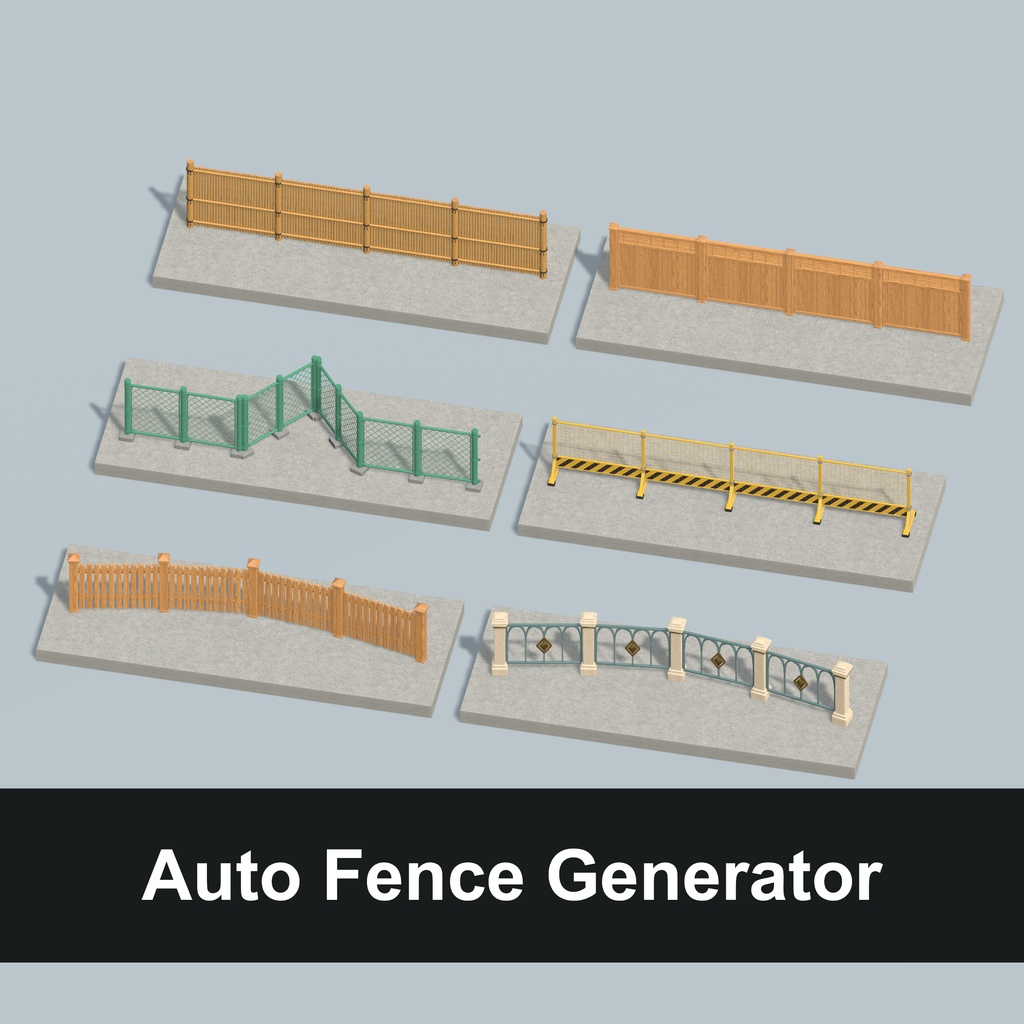
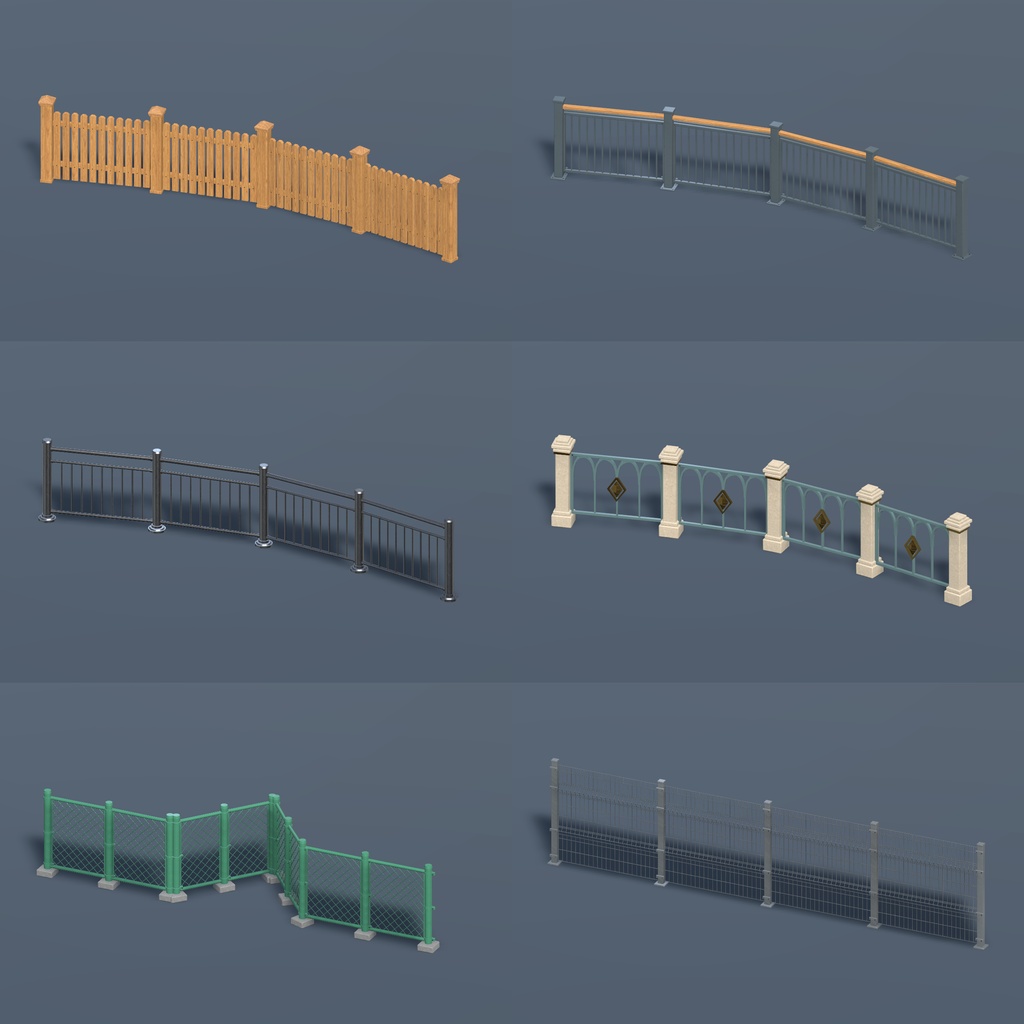
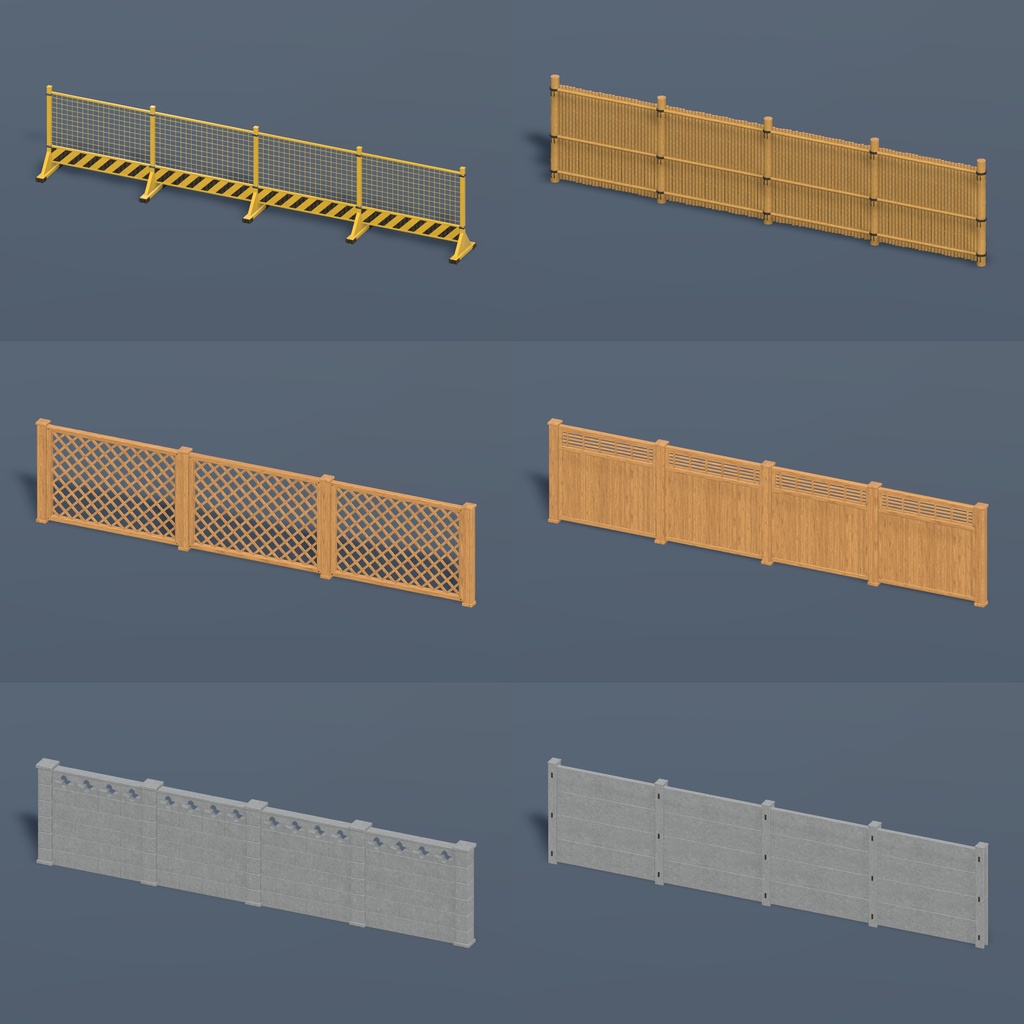
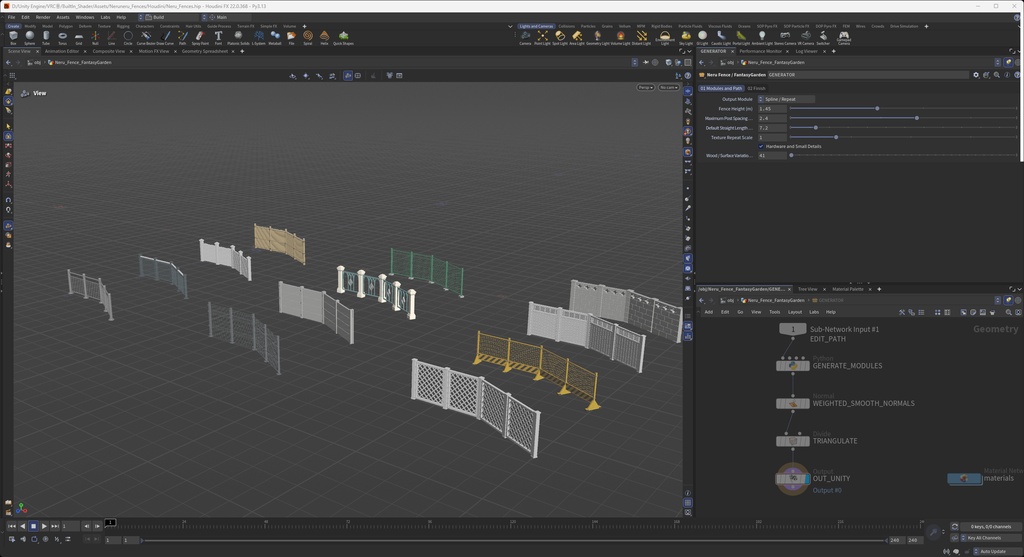
Houdini를 직접 열거나 조작하지 않고 Unity에서 펜스를 생성·변형할 수 있습니다. 최초에 생성 처리를 위한 Houdini / Houdini Engine과 Unity 플러그인을 설치하고, 무료 Houdini Engine for Unity 라이선스를 발급·설정해야 합니다. 해당 프로그램·플러그인·라이선스는 상품에 포함되지 않습니다. ※ 무료 버전 Houdini Apprentice 라이선스만으로는 사용할 수 없습니다. 【日本語】 Neruneru Fences - Unityで自由なパスに沿って12種類のフェンスを生成・編集し、FBXにベイクできるツール。 木柵、金属、金網、竹垣、和風の板塀、コンクリート塀まで。街並み、庭、和風ワールドの境界づくりに使えるセットです。 ■ 自分のパスで生成・編集 ・HDA12種類、パス編集・FBXベイクツール、完成FBX・プレハブ例を一つのパッケージに収録。 ・UnityにHoudini Engineを接続し、Unityのシーン上でパスの点をドラッグして形を更新できます。 ・点の追加・削除、曲線/角、右方向への直線整列、FBX + プレハブのベイク。 ・Neru HDA Toolsは日本語 / English / 한국어に対応。 ・色はマテリアルのBase Colorで調整できます。 ■ 収録スタイル 01 Cozy Wood / 木柵 02 Modern Metal / モダン金属柵 03 Urban Rail / 都市型レール 04 Fantasy Garden / 装飾フェンス 05 Chain-link / 菱形金網 06 Welded Wire / 溶接金網 07 Temporary Barrier / 仮設バリケード 08 Bamboo Screen / 竹垣 09 Wood Lattice / 木製ラティス 10 Japanese Timber Wall / 和風板塀 11 Concrete Block Wall / ブロック塀 12 Precast Panel Wall / コンクリートパネル塀 ■ 内容・導入 ZIPには統合パッケージ Neruneru_Fences.unitypackage と利用条件を収録。シーン内の操作表示は短い英語です。 ① 下記の必須ソフト・ライセンスを先に導入。 ② Neruneru_Fences.unitypackage をImport。 ③ Assets/Neruneru_Fences/Samples/Fence_Authoring.unity を開き、パスやパラメータを調整。 ④ FBX + プレハブをベイクして自分のワールドに配置。 HDA12種類、編集・ベイクツール、PBR素材、完成FBX・プレハブ12種類、編集用と展示用のサンプルシーンを収録。外部シェーダー・VRChat SDKは不要です。 すべてAssets/Neruneru_Fences内に配置されます。フォルダー名・位置は保持してください。 ■ 確認環境・必要ソフト Windows / Unity 2022.3.22f1 / Built-in Render Pipeline。 パッケージ導入前に必須: Houdini 22.0.368、同バージョンのHoudini Engine for Unity、対応Engineライセンス、Unity Splines 2.9.1、FBX Exporter 4.2.1が必要です。これらのソフト・ライセンスは付属しません。 SideFX公式のUnity向け無料Engineライセンスを利用できますが、取得・設定は必要です。ApprenticeはこのHDA編集用途に対応しません。 https://www.sidefx.com/products/houdini-engine/plug-ins/unity-plug-in/ ■ 購入前に 生成はUnity Editor内の機能です。VRChat / WarudoではベイクしたFBX・プレハブを使用します。SDK・Warudo Modは付属しません。 確認範囲はUnity Editor内の表示・編集・ベイクです。VRChatへのアップロード、Warudo内実機動作、Quest、URP/HDRPはこの配布版では検証していません。 金網などの細かな形状は長い経路で負荷が増えます。サンプルは約2,244〜31,272三角形。経路・設定で変動し、自動LODは含みません。 9素材・27枚のBase/Normal/ORM。テクスチャ制作に生成AIを使用しています。元PNGは1254×1254、Unityで2048×2048に拡大して読み込みます。Normal/ORMは推定マップで、実測スキャンや完全なシームレス素材ではありません。 ■ 利用条件 個人・商用作品への使用、改変、完成作品への組み込み・公開・販売可。クレジット任意。 素材・HDA・ツール自体や改変版の再配布・転売は禁止。編集可能なデータを受け取る共同制作者・依頼者にも購入が必要です。詳細は同梱ライセンスをご確認ください。 お問い合わせ: このショップのBOOTHメッセージ。 - English - Create and reshape fences directly in Unity - no need to open or operate Houdini! Drag path points in the scene; no Houdini modeling knowledge is needed. Initial setup requires a Houdini installation for generation, the Houdini Engine for Unity plug-in and a compatible Engine license. A free Engine license for Unity is available. Once set up, edit your fences inside Unity. Neruneru Fences is a Unity tool for generating and editing 12 fence styles along custom paths, then baking them to FBX. Wood, metal, chain-link, welded wire, bamboo, lattice, Japanese timber and concrete walls for streets, gardens and environments. One integrated Neruneru_Fences.unitypackage includes 12 HDAs, path editing and FBX/prefab baking tools, PBR materials, 12 finished FBX/prefab examples and authoring/showcase scenes. Tool UI supports Japanese / English / Korean. In-scene instructions use short English labels. Install all prerequisites first, import Neruneru_Fences.unitypackage, then open Assets/Neruneru_Fences/Samples/Fence_Authoring.unity. Drag path points, adjust parameters and bake the result into your world. Keep the Assets/Neruneru_Fences folder name/location. Checked: Windows, Unity 2022.3.22f1, Built-in. Before importing the package, install Houdini 22.0.368, matching Houdini Engine for Unity, a compatible Engine license, Splines 2.9.1 and FBX Exporter 4.2.1. These prerequisites/licenses are not bundled. SideFX offers free Engine licenses for Unity; setup is still required. Apprentice is not supported for this workflow. Generation happens in Unity Editor, not at runtime. Use baked assets for VRChat/Warudo; SDKs and Warudo mods are not included. VRChat upload, Warudo runtime, Quest and URP/HDRP are not verified for this release. Example meshes: approximately 2,244-31,272 triangles; counts vary with path/settings. No automatic LOD system. Textures use generative AI: 27 Base/Normal/ORM PNGs, 1254×1254 source resampled to 2048×2048 in Unity. Normal/ORM are estimated, not scanned; exact seamless tiling is not guaranteed. Personal/commercial use and modification in finished works are allowed; credit optional. No standalone redistribution/resale of assets or tools, including derivatives. Recipients of editable source files need their own purchase. See the included license. - 한국어 - Houdini를 직접 열거나 조작할 필요 없이, Unity 안에서 펜스를 자유롭게 생성·변형할 수 있습니다! 씬에서 경로점을 드래그해 원하는 형태로 만들 수 있으며, Houdini 모델링 지식은 필요하지 않습니다. 최초 설정 시 생성 처리를 위한 Houdini 본체와 Houdini Engine for Unity 플러그인 설치, 호환 Engine 라이선스 설정이 필요합니다. Unity용 무료 Engine 라이선스를 이용할 수 있으며, 설정 후 펜스 편집은 Unity 안에서 진행합니다. Unity에서 원하는 경로로 12종 펜스를 생성·편집하고 FBX로 베이크하는 도구입니다. 목재·금속·철망·대나무·일본풍 판벽·콘크리트 등 다양한 배경에 사용할 수 있습니다. 한 ZIP에 통합 패키지 Neruneru_Fences.unitypackage와 이용 조건을 넣었습니다. 씬의 조작 안내는 짧은 영어로 표시합니다. 아래 필수 환경을 먼저 설치하고 통합 패키지를 임포트한 뒤 Assets/Neruneru_Fences/Samples/Fence_Authoring.unity를 여세요. 경로점과 파라미터를 조절해 생성하고 FBX·프리팹으로 베이크해 사용합니다. HDA 12종, 경로 편집·베이크 도구, PBR 재질, 완성 FBX·프리팹 예제 12종, 편집·전시 샘플 씬을 포함합니다. Assets/Neruneru_Fences의 이름과 위치는 유지하세요. 확인 환경: Windows, Unity 2022.3.22f1, Built-in. 패키지 임포트 전 필수 설치: Houdini 22.0.368, 같은 버전의 Houdini Engine for Unity, 호환 Engine 라이선스, Splines 2.9.1, FBX Exporter 4.2.1 필요. 외부 소프트웨어와 라이선스는 미포함입니다. Unity용 무료 Engine 라이선스도 별도 발급·설정해야 하며 Apprentice는 이 작업에 사용할 수 없습니다. 에디터에서 생성하고 VRChat/Warudo에는 베이크 결과를 사용합니다. SDK·Warudo Mod는 미포함이며, 이 배포본의 플랫폼 업로드·실기 실행, Quest, URP/HDRP는 미검증입니다. 예제는 약 2,244~31,272삼각형이며 경로·설정에 따라 달라집니다. 자동 LOD는 포함하지 않습니다. 텍스처 제작에 생성형 AI를 사용했습니다. Base/Normal/ORM 총 27장, 원본 1254×1254를 Unity에서 2048×2048로 확대 임포트합니다. Normal/ORM은 실측 스캔이 아닌 추정 맵이며 완벽한 무봉제 타일은 보장하지 않습니다. 개인·상업용 완성 작품에 사용·수정·공개·판매 가능, 크레딧 선택. 에셋·도구 자체와 수정본의 재배포·재판매는 금지하며 편집 가능 원본을 받는 협업자·의뢰인도 구매해야 합니다. 자세한 조건은 동봉 라이선스를 확인하세요.