

【無料 / CC0】AngularScope — 可変倍率スコープシェーダー
- Digital0 JPY
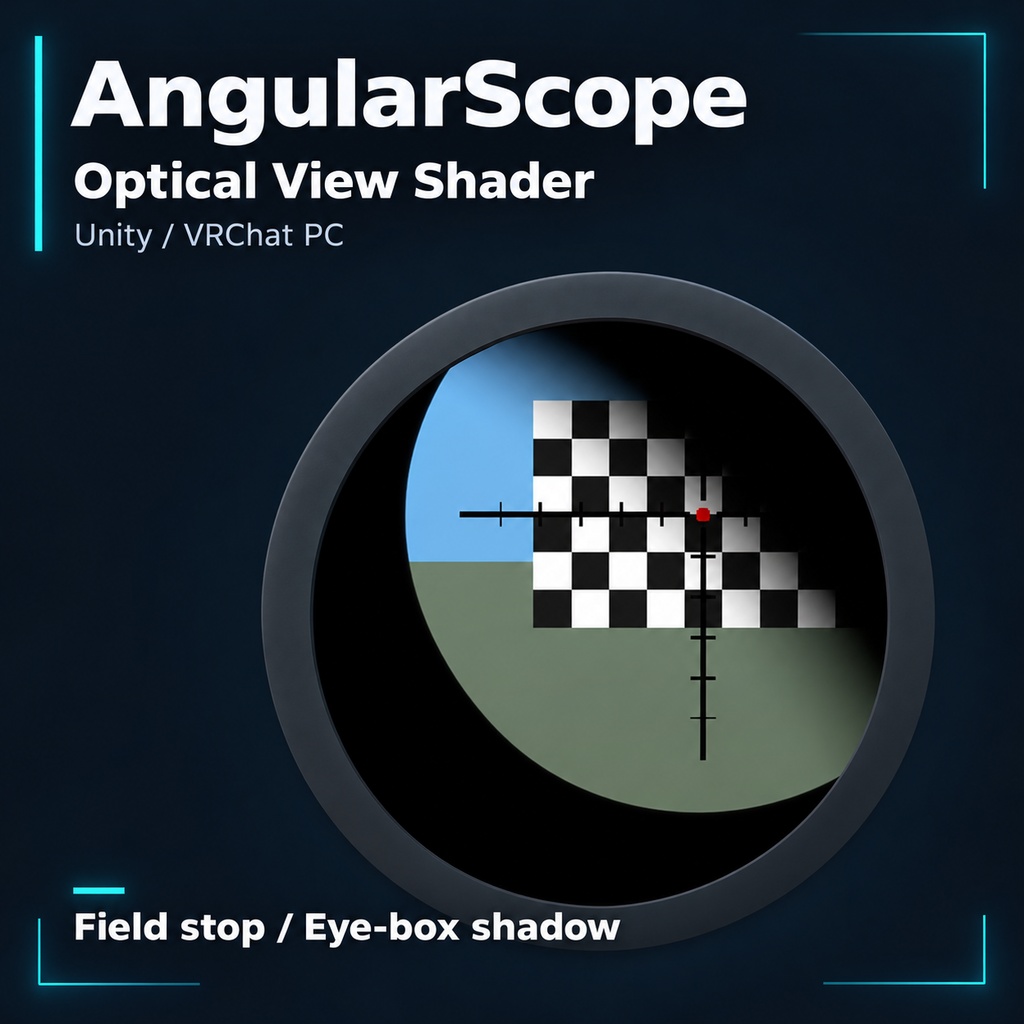
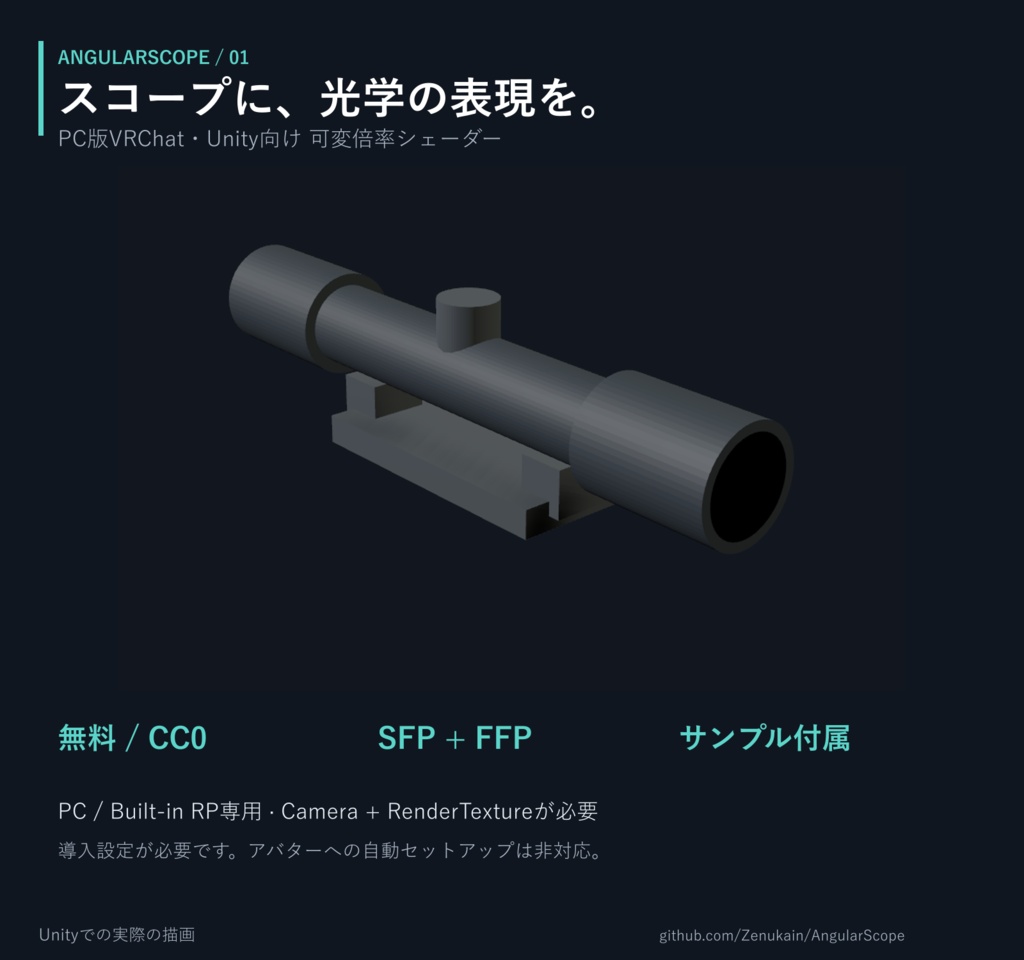
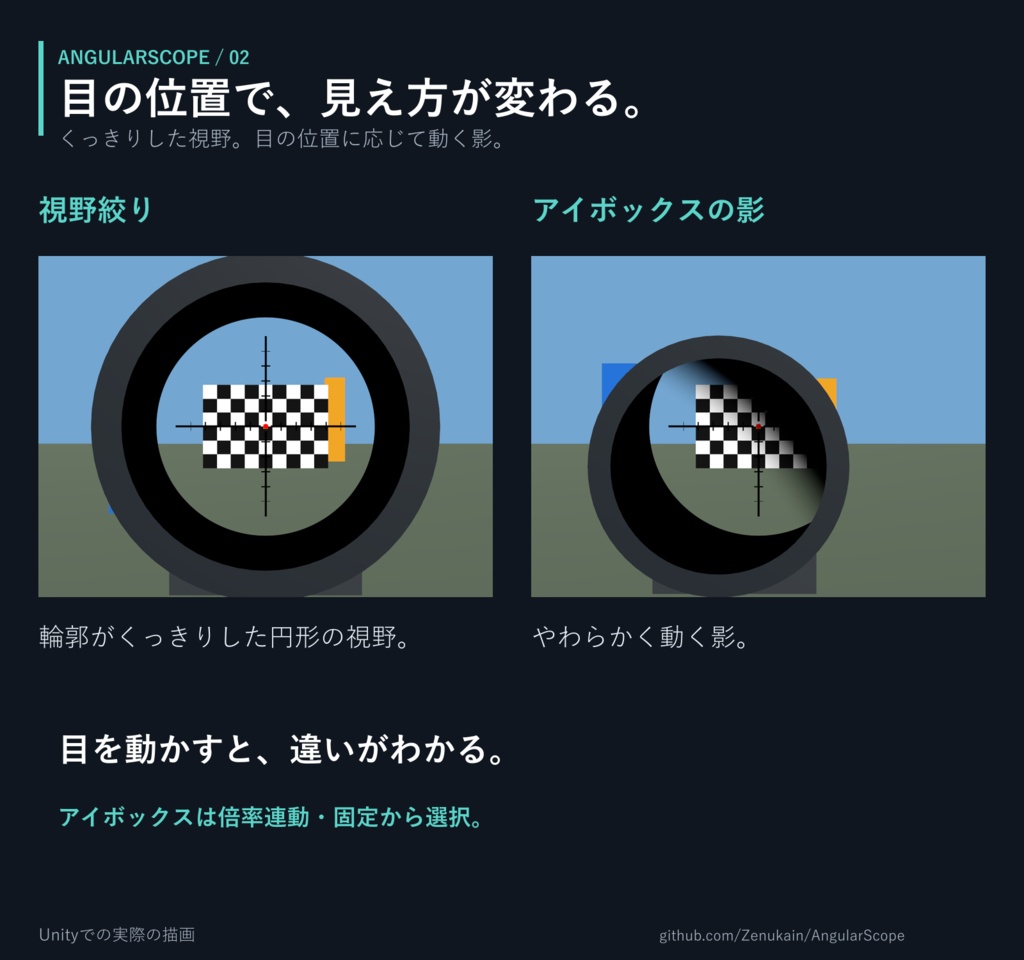
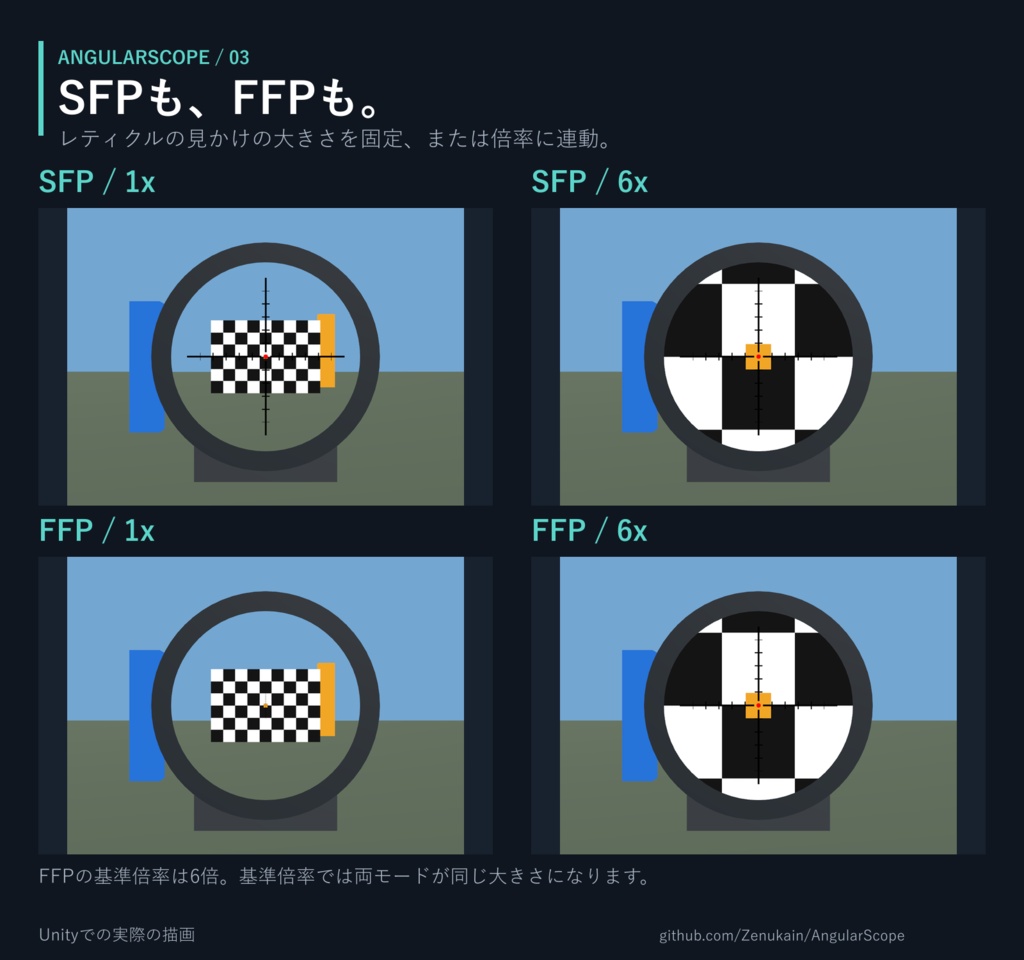
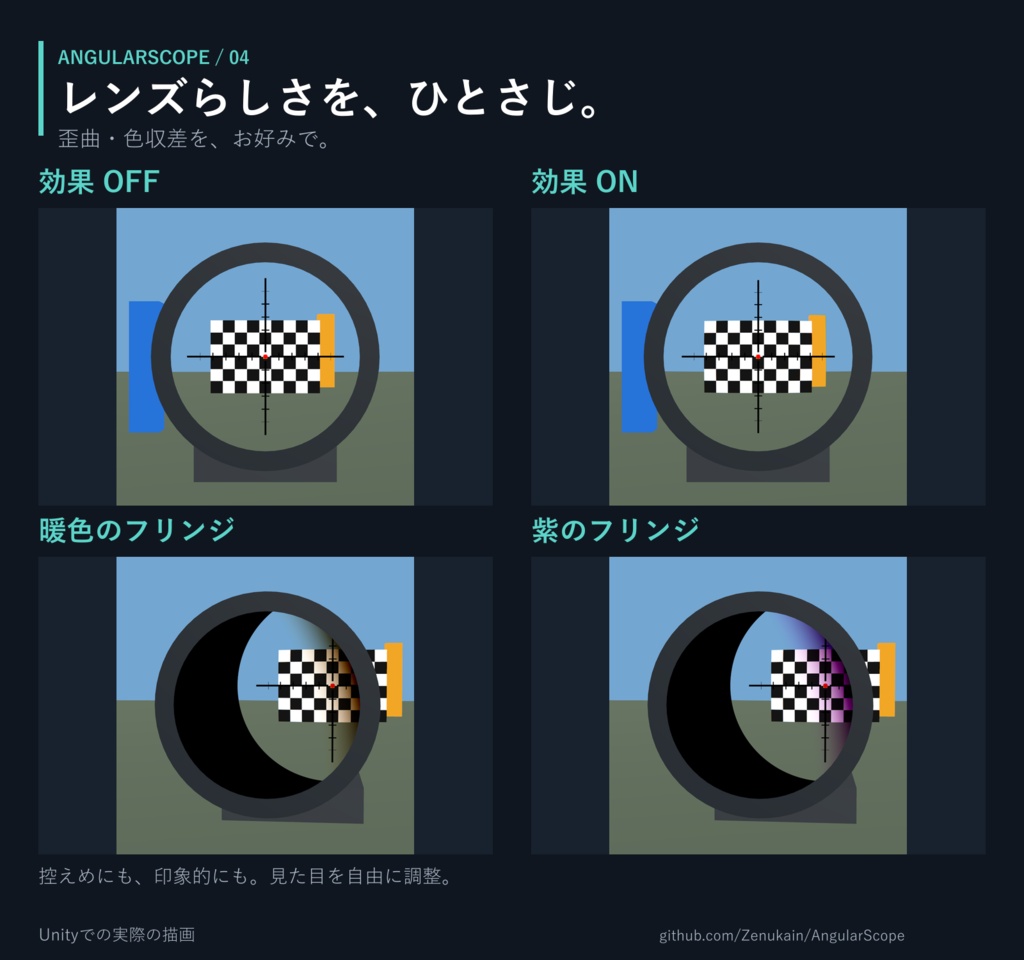


※サムネイルはAI生成の紹介用画像です。機能比較画像はUnityでの実際の描画です。 ※BOOTHの添付ファイルはダウンロード案内のみです。Unityパッケージ本体はGitHubから入手してください。 [JP] AngularScope — 可変倍率スコープシェーダー あなたのスコープモデルに、スコープらしい見え方を。 AngularScopeは、PC版VRChat・Unity Built-in RP向けのスコープシェーダーです。専用カメラとRenderTextureの映像を視線の方向に応じて表示し、さまざまなスコープモデルに合わせて調整できます。 主な機能 - 視野絞り・アイボックスの影 — 輪郭のくっきりした円形の視野と、目の位置に応じて動くやわらかな影 - 可変倍率・SFP/FFP — レティクルの見かけの大きさを固定、または倍率に連動 - 独立したレティクル・イルミネーションレイヤー — 黒い目盛りと発光する中央パターンを個別に設定 - 歪曲・色収差 — 強度を調整、または完全に無効化 - 設定ツール・サンプル — レンズの位置・距離調整、ズームアニメーション生成、軽量レティクルマスク変換ツールを付属 実際の光学系を完全に再現するシミュレーターではなく、スコープらしい視覚表現を目指した実装です。 ダウンロード 無料・CC0 最新のUnityパッケージと使い方は、GitHubから入手できます。 https://github.com/Zenukain/AngularScope/releases - WithExample:シェーダー・設定ツール・サンプルシーン・アバター連携用アニメーションサンプル - ShaderOnly:シェーダー・設定ツール・ドキュメントのみ CC0の適用対象は、自由に使用・改変・再配布できます。詳しい適用範囲は、リポジトリのLICENSEとNOTICEをご確認ください。 ご利用前に - PC・Unity Built-in Render Pipeline専用 - 動作確認環境:Unity 2022.3.22f1 - 専用のCameraとRenderTexture、レンズ表示用のMeshRendererが必要です。 - モデルに合わせた初期設定が必要です。 アバターメニューから倍率やON/OFFを操作する場合は、別途メニュー・アニメーションの設定が必要です。 - Quest/Androidアバター、URP、HDRPには対応していません。 - サンプルの操作スクリプトはUnityでのテスト用です。VRChatアバターで倍率などを操作する場合は、アニメーションで制御してください。 - 商品画像のシンプルなサンプルスコープはWithExampleに含まれます。銃のモデルは含まれません。 開発について 生成AIの支援を受けて開発し、人によるレビューとUnity・VR環境での反復テストを行っています。すべてのモデルや環境での動作を保証するものではありませんので、導入後はご自身の環境でご確認ください。 不具合のご報告は、再現手順と使用環境を添えてGitHub Issuesにお寄せいただけると助かります。 https://github.com/Zenukain/AngularScope/issues [EN] AngularScope — Variable-Magnification Scope Shader Give your scope model a scope-like view. AngularScope is a scope shader for PC VRChat and Unity’s Built-in Render Pipeline. It displays imagery from a dedicated camera and RenderTexture according to the viewer’s sight direction, with settings you can tune for different scope models. Features - Field stop and eye-box shadow — A crisp circular field of view and a soft shadow that moves with your eye position - Variable magnification and SFP/FFP — Keep the reticle’s apparent size fixed or scale it with magnification - Independent reticle and illumination layers — Configure black graduations and an illuminated centre pattern separately - Distortion and chromatic aberration — Adjust their strength or disable them entirely - Setup tools and examples — Includes lens calibration, zoom-animation generation, and lightweight reticle-mask conversion tools This is a visual approximation designed to give scopes a convincing optical appearance, not a complete simulation of real optical systems. Download Free · CC0 Get the latest Unity packages and documentation on GitHub: https://github.com/Zenukain/AngularScope/releases - WithExample: Shader, setup tools, example scene, and animation examples for avatar integration - ShaderOnly: Shader, setup tools, and documentation only Material covered by CC0 may be freely used, modified, and redistributed. See the repository’s LICENSE and NOTICE for the exact scope of the dedication. Before You Begin - PC / Unity Built-in Render Pipeline only - Tested with Unity 2022.3.22f1 - Requires a dedicated Camera and RenderTexture, plus a MeshRenderer for the optical display. - Initial setup must be tailored to your model. Controlling magnification or switching the scope on/off through an avatar menu requires separate menu and animation setup. - Quest/Android avatars, URP, and HDRP are not supported. - The example control script is for testing in Unity. Use animation-based controls for magnification and other settings on VRChat avatars. - The simple example scope shown in the product images is included in WithExample. No firearm model is included. About Development Developed with assistance from generative AI, human review, and iterative testing in Unity and VR. Compatibility with every model and environment is not guaranteed; please test it in your own setup. For bug reports, please include reproduction steps and your setup details in GitHub Issues: https://github.com/Zenukain/AngularScope/issues [KR] AngularScope — 가변 배율 스코프 셰이더 모델링한 스코프에, 스코프다운 시야를 더해보세요. AngularScope는 PC VRChat 및 Unity Built-in RP용 스코프 셰이더입니다. 별도 카메라와 RenderTexture로 만든 화면을 눈의 시선 방향에 따라 표시하며, 다양한 스코프 모델에 맞춰 조정할 수 있습니다. 주요 기능 - 필드 스톱과 아이박스 그림자 — 선명한 원형 시야와 눈 위치에 따라 움직이는 부드러운 그림자 - 가변 배율·SFP/FFP — 조준선의 보이는 크기를 고정하거나 배율에 연동 - 독립된 조준선·발광 레이어 — 검은 눈금과 발광하는 중앙 패턴을 별도로 설정 - 렌즈 왜곡·색수차 — 원하는 강도로 조절하거나 완전히 끄기 - 설정 도구와 예제 — 렌즈 보정, 배율 애니메이션 생성, 경량 조준선 마스크 변환 도구 제공 실제 광학계를 완전히 재현하는 시뮬레이터가 아니라, 스코프다운 시각적 표현을 위한 구현입니다. 다운로드 무료 · CC0 최신 Unity 패키지와 사용 설명서는 GitHub에서 받을 수 있습니다. https://github.com/Zenukain/AngularScope/releases - WithExample: 셰이더·설정 도구·예제 씬·아바타 연동용 애니메이션 예제 - ShaderOnly: 셰이더·설정 도구·문서만 포함 CC0 적용 대상은 자유롭게 사용·수정·재배포할 수 있습니다. 자세한 적용 범위는 저장소의 LICENSE와 NOTICE를 확인해주세요. 사용 전 확인 - PC / Unity Built-in Render Pipeline 전용 - 테스트 환경: Unity 2022.3.22f1 - 별도의 Camera와 RenderTexture, 렌즈 표시용 MeshRenderer가 필요합니다. - 모델에 맞는 초기 설정이 필요합니다. 아바타 메뉴로 배율·켜기/끄기를 조작하려면 별도의 메뉴·애니메이션 설정이 필요합니다. - Quest/Android 아바타, URP, HDRP는 지원하지 않습니다. - 예제 조작 스크립트는 Unity 테스트용입니다. VRChat 아바타에서는 애니메이션 기반으로 연동해주세요. - 상품 이미지의 단순한 예제 스코프는 WithExample에 포함됩니다. 총기 모델은 포함되지 않습니다. 개발 안내 생성형 AI의 도움을 받아 개발했으며, 사람의 검토와 Unity·VR 환경에서의 반복 테스트를 거쳤습니다. 모든 모델과 환경에서의 동작을 보장하지는 않으므로, 적용 후 직접 확인해주세요. 버그 제보는 재현 방법과 사용 환경을 함께 GitHub Issues에 남겨주시면 도움이 됩니다. https://github.com/Zenukain/AngularScope/issues