

【全アバター対応】覗く万聖スケルトン動的タトゥー(Animated Tattoo)【全身対応・3D吸着・4K・lilToon】
- Digital400 JPY
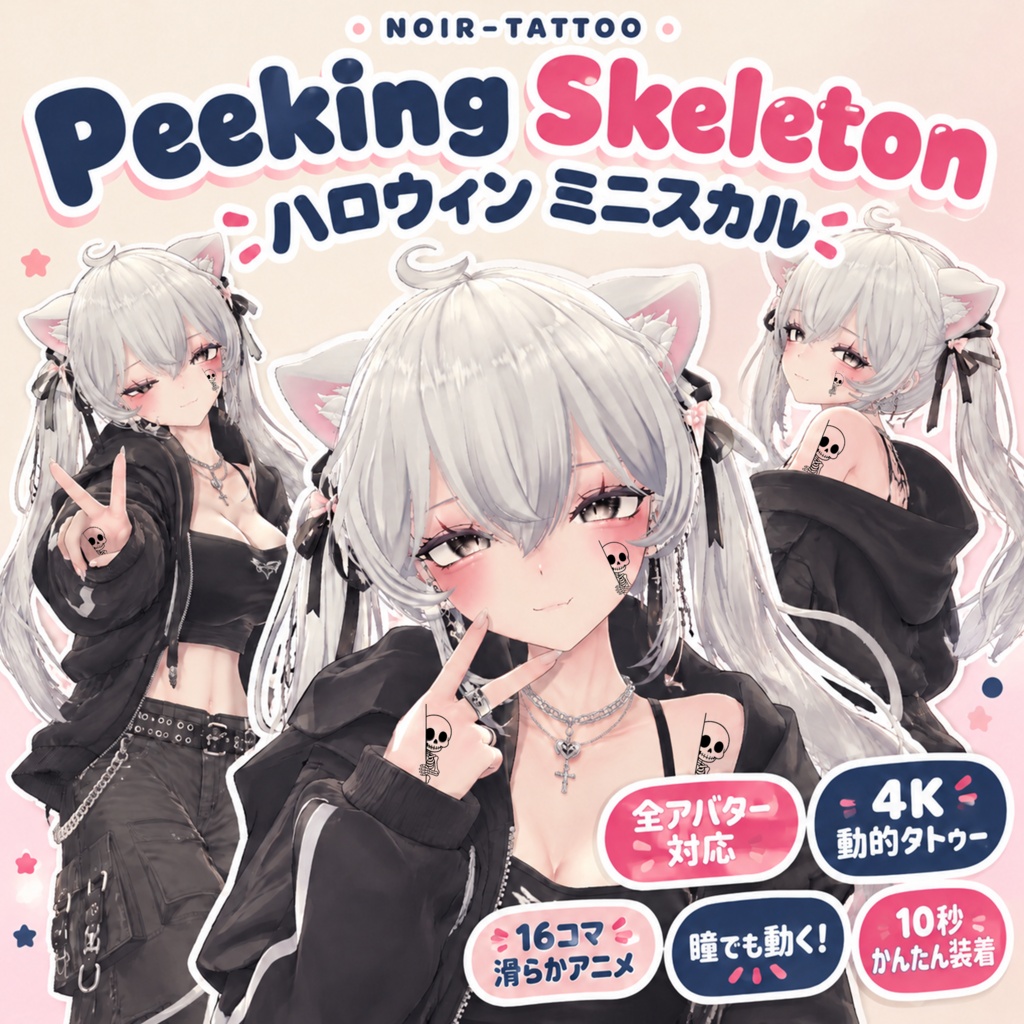
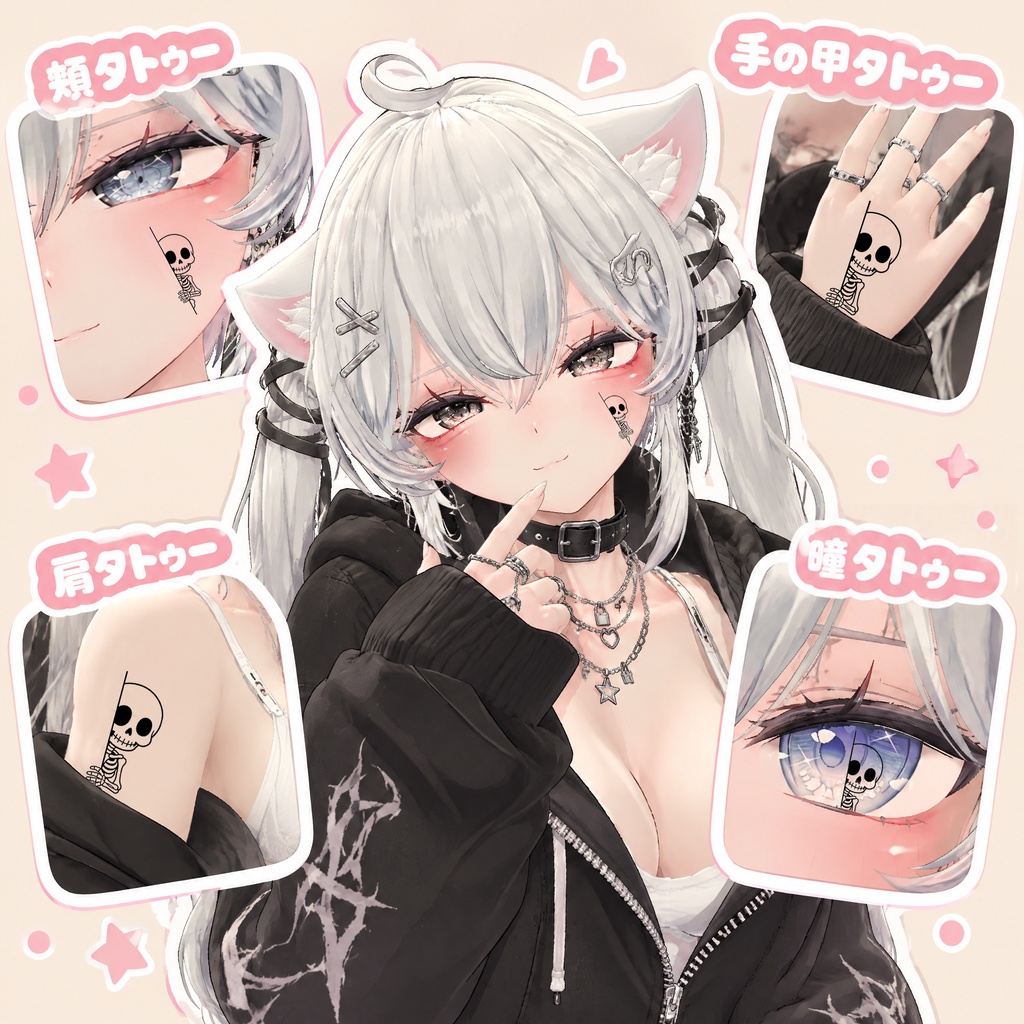
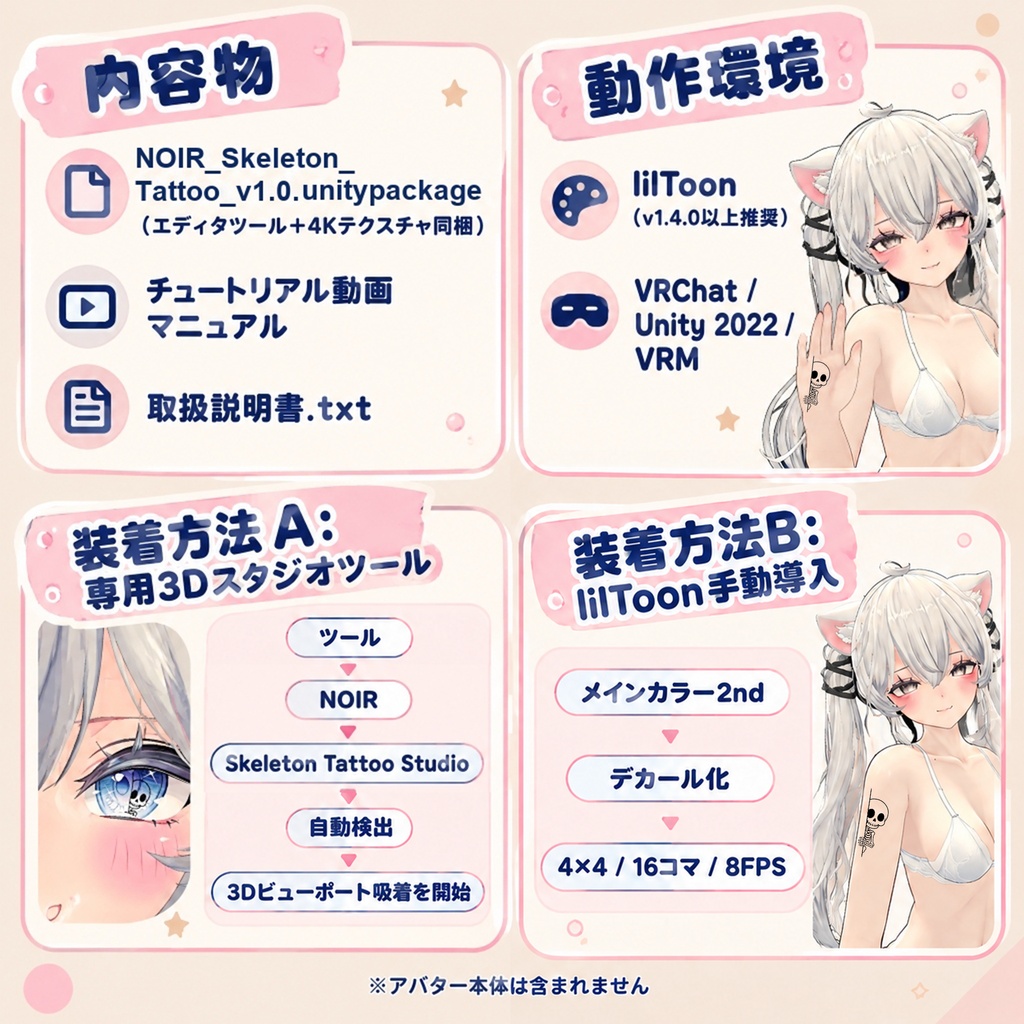


【リリース記念・24時間限定無料配布!】 通常価格 400円 ➔ 0円(期間限定) ✦ ショップの「スキ!」やフォローをいただけると、今後の制作の励みになります! ▶ 商品概要 本製品は VRChat / lilToon 向けに制作された【全アバター対応・4K動的タトゥー】です! ひょっこり顔を出す可愛らしい万聖小骸骨(Peeking Skeleton)が、16フレームの滑らかなアニメーションで動きます! 独自開発の Unity 専属「3D吸着スタジオツール」が付属しており、わずか10秒で簡単に小骸骨タトゥーを装着可能。 身体(鎖骨・胸元・腕・頬など)はもちろん、ワンクリックで直接「瞳」の中に配置して動くアイデカールとしてもお使いいただけます! 【全アバター対応】【4K動的タトゥー】【専属3Dクリック吸着ツール付属】 ▶ 導入・装着方法(選べる2つの方法) 【方法 A:専用3Dスタジオツール(超推奨・わずか10秒)】 ① 本 `.unitypackage` を Unity プロジェクトへインポートします。 ② Unity 画面上部メニューからツールを開きます: ➔ 【ツール】 ➔ 【NOIR】 ➔ 【Skeleton Tattoo Studio】 ③ 【自動検出】をクリック(または Hierarchy からアバターを一番上のスロットへドラッグ&ドロップ)。 ④ 【🎯 3Dビューポート吸着を開始 】をクリックし、Scene 画面上でアバターの身体・顔・瞳の付けたい場所をクリック! 小骸骨が瞬時に吸着し、アニメーションが動き出します! ※ パネル下部でサイズ拡大縮小、位置微調整、角度回転、再生速度(FPS、推奨: 8)がスライダーでリアルタイムに調整可能です。 ※ アバターだけでなく、服や装飾品のマテリアルを【適用マテリアル】枠へ直接ドラッグして適用することも可能です。 【方法 B:lilToon 手動導入】 ① Hierarchy でアバターの肌メッシュを選択し、Inspector で該当のマテリアルを開きます。 ② 【メインカラー2nd】を開き、上部の「メインカラー2ndを使用」と右下の「デカール化」にチェックを入れます。 ③ Textures フォルダ内の `Skull_02_BlackInk_4K.png` をテクスチャスロットへ割り当てます。 ④ スロット下の【アニメーション】を展開し、以下のように設定します: ・X:4 ・Y:4 ・コマ数(フレーム数):16 ・速度(FPS):8 ⑤ 【タイリングとオフセット】でお好みの位置と大きさに調整してください。 ▶ 内容物一覧 1. NOIR_Ghost_Tattoo_v1.0.unitypackage(エディタツール+4Kテクスチャ同梱) 2. 【チュートリアル】スケルトン動的タトゥー_使い方ガイド.mov(動画マニュアル) 3. 取扱説明書.txt ▶ 動作環境・仕様 ・対応シェーダー:lilToon(v1.4.0 以上推奨) ・動作環境:VRChat / Unity 2022 / VRM 等 lilToon が動作する環境 ▶ 利用規約(Terms of Use) 本データを購入またはダウンロードした時点で、本利用規約に同意したものとみなします。 【許可事項】 ・個人利用、改変(色変更、サイズ変更等) ・VRChat をはじめとする各種メタバースプラットフォームでの利用 ・本製品を着用したアバターでの写真撮影、動画配信、商用配信(収益化含む) 【禁止事項】 ・本データ(改変の有無を問わず、ツール含む)の再配布、転売、譲渡(パブリック化含む) ・自作発言 ・政治、宗教活動、誹謗中傷を目的とした利用 ▶ 免責事項 ・本データの著作権は制作者に帰属します。 ・本データの使用によって生じたトラブルや損失について、制作者は一切の責任を負いません。 ・デジタルコンテンツの性質上、返金・返品には対応いたしかねます。 ▶ サンプル使用アバター 本商品のプロモーション・撮影には、以下のモデルを使用しております: ・Sio (しお):https://chocolaterice.booth.pm/items/5650156 ※ 本製品にアバター本体は含まれません。 ▶ 注意事項 ・本製品をご利用になる前に、あらかじめ最新の【lilToon】をプロジェクトへインポートしてください。 ———————————————————————————————————— [Release Special・Free for 24 Hours Only!] Regular Price: 400 JPY ➔ 0 JPY (Limited Time Offer) ✦ Don't forget to follow our shop and give it a "Like / Heart" to stay updated on future releases and exclusive discounts! ▶ Product Overview This product is a [Universal・4K Animated Tattoo & Eye Decal] crafted specifically for VRChat & lilToon! Featuring the adorable Halloween "Peeking Skeleton" with a silky-smooth 16-frame animation loop! Includes our exclusive, proprietary Unity 3D Snap Studio Tool, allowing you to equip this tattoo onto your avatar in just 10 seconds. Not only can it be placed anywhere on the body (collarbone, chest, arms, cheeks, etc.), but it can also be snapped directly into your avatar's "EYES" as an animated eye decal or pupil highlight! [Universal / All Avatars Supported] [4K Animated Tattoo] [Exclusive 3D Viewport Click-Snap Tool Included] ▶ Setup & Installation Guide (2 Available Methods) [Method A: Dedicated 3D Studio Tool (Recommended・Takes ~10 Seconds)] ① Import this `.unitypackage` into your Unity project; ② In the Unity top menu bar, open the tool: ➔ 【Tools】 ➔ 【NOIR】 ➔ 【Skeleton Tattoo Studio】 ③ Click 【Auto Detect】 (or drag & drop your avatar from the Hierarchy into the top slot); ④ Click 【🎯 3Dビューポート吸着を開始 (Snap Mode)】, then simply click anywhere on your avatar's body, face, or eyes in the Scene view! The skeleton will instantly snap into place and start animating! ※ The lower section of the panel allows real-time adjustment of scale, position, rotation angle, and animation playback speed (FPS, recommended: 8). ※ You can also drag materials from clothing or accessories directly into the [Target Material] slot to apply instantly. [Method B: Manual lilToon Setup] ① Select your avatar's body/face mesh in the Hierarchy and open its material in the Inspector; ② Expand 【Main 2nd Color】, check 【Use Main 2nd Color】 and 【Decal】; ③ Assign `Skull_02_BlackInk_4K.png` from the Textures folder into the texture slot; ④ Expand the 【Animation】 section below the texture slot and configure: ・X: 4 ・Y: 4 ・Frames: 16 ・FPS: 8 ⑤ Adjust the decal's size and position via 【Tiling & Offset】. ▶ Package Contents 1. NOIR_Ghost_Tattoo_v1.0.unitypackage (Includes Studio Tool & 4K Textures) 2. Tutorial Video Guide (.mov) 3. Instruction Manual (.txt) ▶ Specifications & Compatibility ・Supported Shader: lilToon (v1.4.0 or newer recommended) ・Supported Environments: VRChat / Unity 2022 / VRM and any 3D environment supporting lilToon ▶ Terms of Use (VN3 License Standard) By purchasing or downloading this product, you agree to these Terms of Use. [Permitted] ・Personal use and modifications (resizing, recoloring, etc.) ・Use within VRChat and other metaverse platforms ・Photos, video creation, and commercial live streaming (monetization permitted) featuring avatars wearing this asset [Prohibited] ・Redistribution, resale, or transfer of this data (including the studio tool, whether modified or unmodified, or uploading as a Public avatar) ・Claiming authorship (stating this is your own original work) ・Use for political, religious activities, or malicious defamation against others ▶ Disclaimer & Copyright ・All copyrights of this asset belong entirely to the creator. ・The creator shall not be held liable for any issues, damages, or losses resulting from the use of this product. ・Due to the nature of digital goods, refunds and returns are not supported. ▶ Showcase Avatar Credit The promotional pictures and demo shots feature the following avatar model: ・Sio (しお): https://chocolaterice.booth.pm/items/5650156 ※ The avatar model and clothing are NOT included in this package. ▶ Important Notice ・Please make sure that the latest version of 【lilToon】 is imported into your Unity project before importing this package.