

【VRChat / Modular Avatar】Synapse Lollipop 🍭 ロリポップ・롤리팝 v1.0.0_20261020_204553
- Pack A · Sweet Berry(4種)Digital150 JPY
- Pack B · Cool Refresh(4種)Digital150 JPY
- Pack C · Vitamin Citrus(4種)Digital150 JPY
- Master · All 12 Designs(全12種)Digital400 JPY
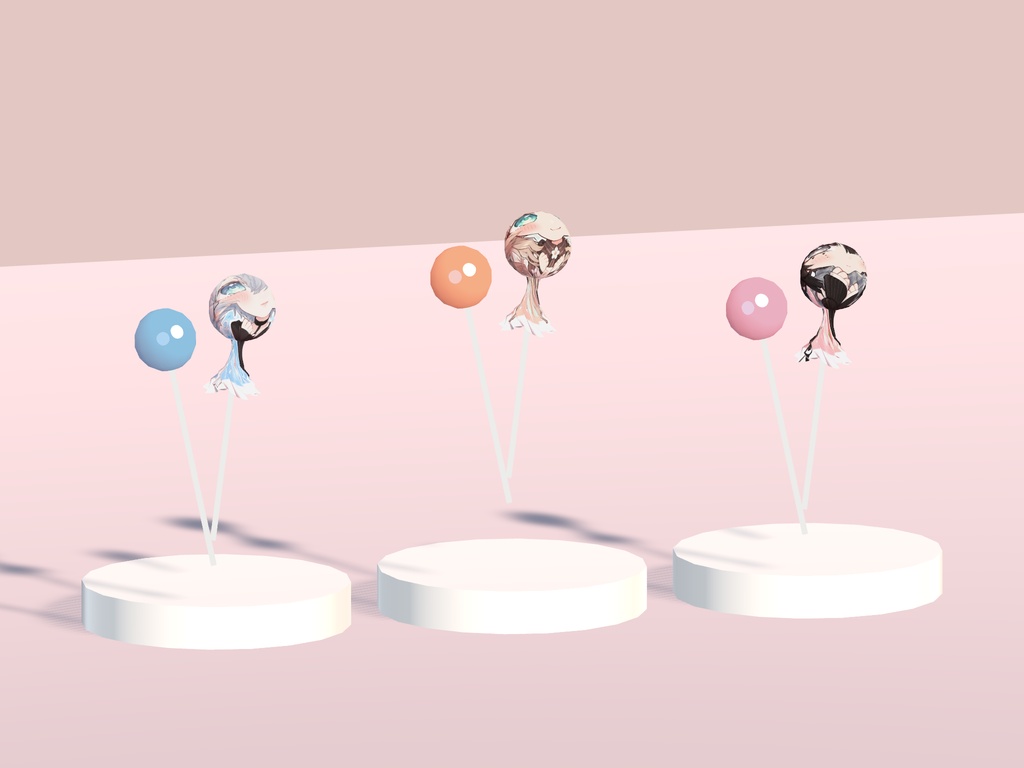
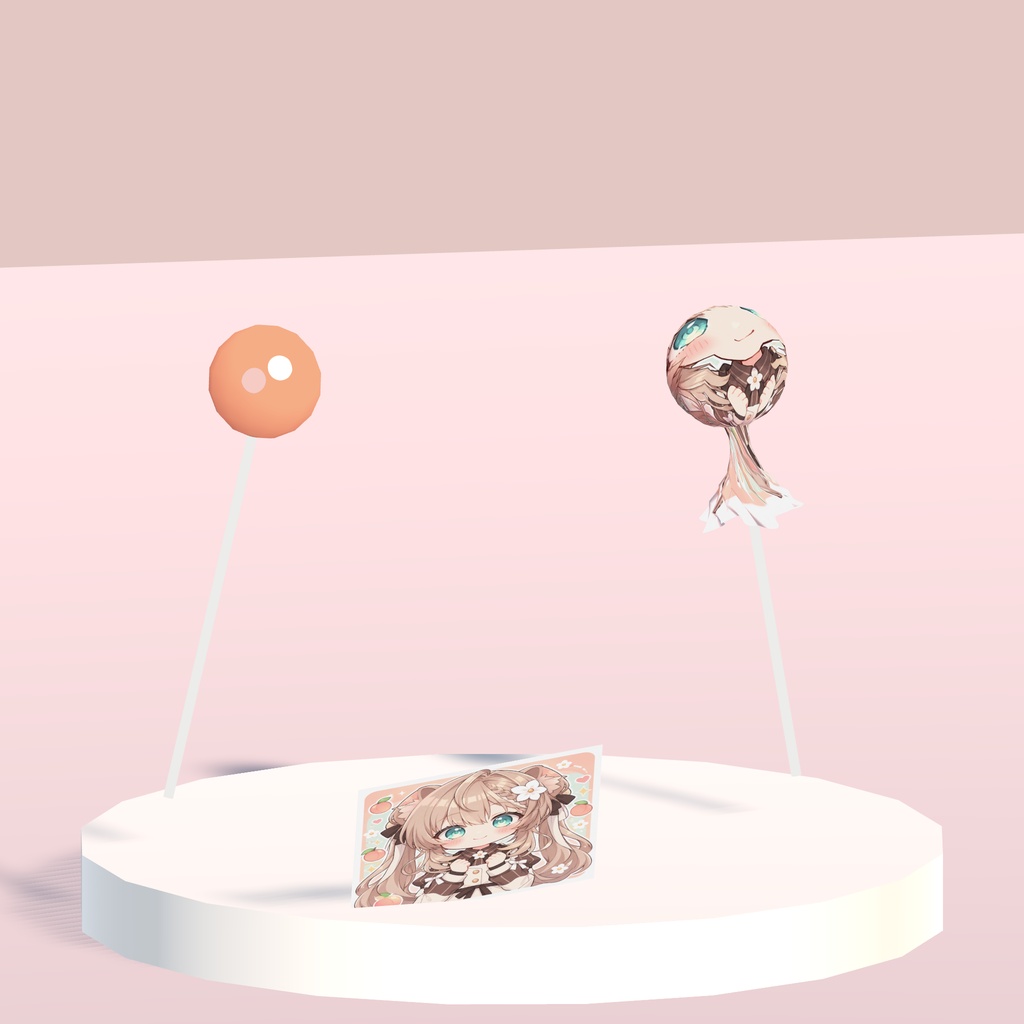
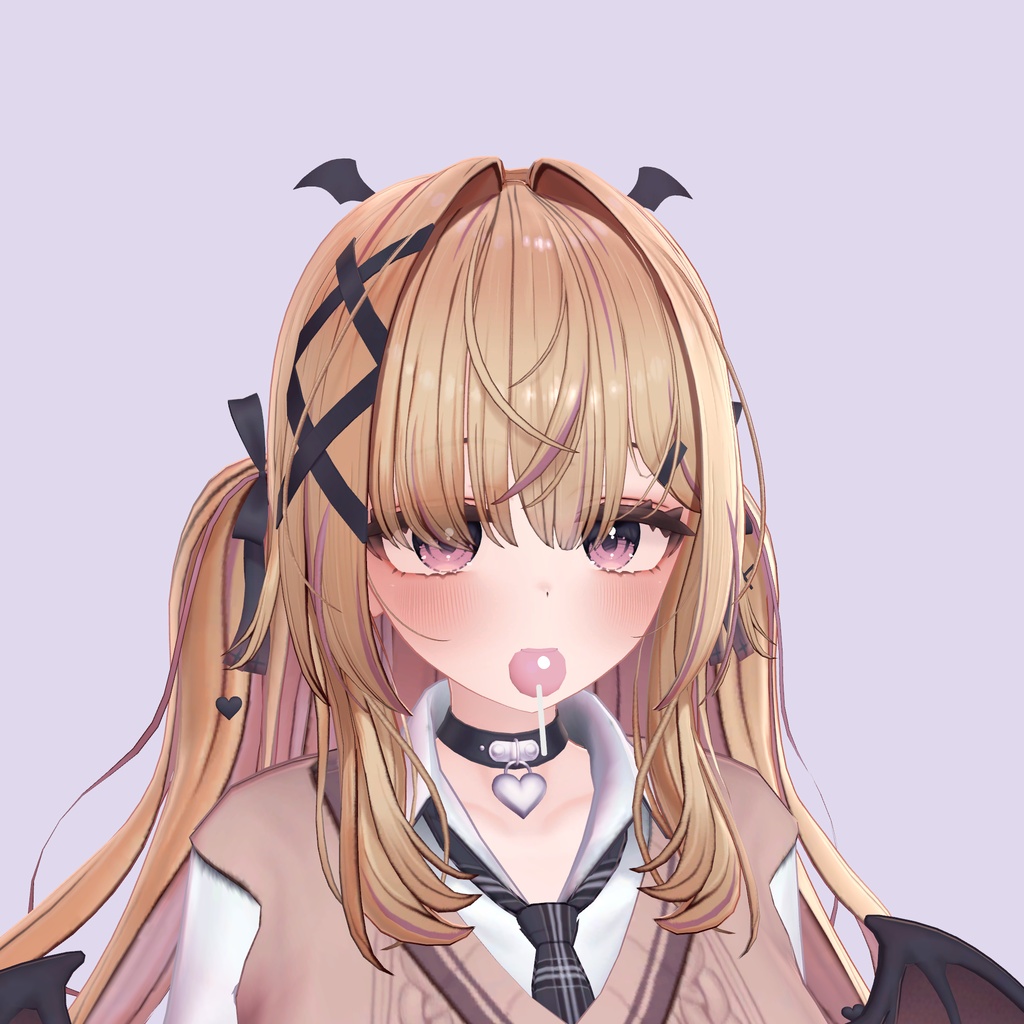


Synapse Lollipop 🍭 한국어 좋아하는 색과 분위기를, 손안의 작은 사탕으로. 아바타의 색과 분위기를 모티프로 만든 12종의 롤리팝 기믹입니다. 사탕과 개별 포장지의 디자인을 골라, 평소 대화나 사진에 작은 포인트를 더해보세요. 구성과 가격 구성 · 포함 디자인 · 가격 Pack A · Sweet Berry · Manuka / Saji / Ema / Yumeka · 150엔 Pack B · Cool Refresh · Kikyo / Selestia / Shinra / Minase · 150엔 Pack C · Vitamin Citrus · Karin / Moe / Rindo / Akai · 150엔 Master · Pack A + B + C, 전체 12종 · 400엔 Pack A·B·C는 각각 4종을 담은 별도 구성입니다. Master는 전체 12종을 모은 구성입니다. 원하는 디자인의 완성 프리팹 하나를 선택하여 설치하며, 착용 중 메뉴에서 12종을 전환하는 상품은 아닙니다. 디자인별 조작 안내 - Manuka / Moe: Wrapped, Unwrap, Mouth, Clear, Photo 메뉴. - Yumeka: Wrapped, Unwrap, Mouth, Stick, Photo, Clear 메뉴. - 나머지 9종: Equip 메뉴와 Contact 기반 조작 구성. Mouth / Stick / Photo 메뉴는 공통 제공되지 않습니다. 디자인에 따라 조작과 연출이 다르므로 구매할 팩의 구성과 위 안내를 확인해 주세요. Unity 전용 위치 조절 도구 동봉된 Unity 리모콘에서 위치와 각도를 조절할 수 있습니다. 한국어·日本語·English를 지원합니다. 이동·회전 버튼은 카메라 기준이며, 숫자로 직접 입력하는 값은 로컬 좌표입니다. Unity 상단의 Synapse 메뉴에서 롤리팝 전용 도구를 열어 주세요. 이 도구는 Unity 편집용이며 VRChat 안에서 사용하는 리모콘이 아닙니다. 사양 및 동봉 파일 - 동기화 파라미터 메모리: 완성 프리팹 1종 기준, Manuka / Yumeka / Moe는 3 bits, 나머지 9종은 1 bit입니다. 프리팹에 저장된 설정 기준이며, 아바타 전체의 메모리 사용량과는 다릅니다. - 필수 환경: Unity 2022.3.22f1 / VRChat Avatars SDK / Modular Avatar / lilToon. 동봉 README에는 SDK 3.10.5, Modular Avatar 1.18.7, NDMF 1.14.8이 기재되어 있습니다. - 동봉: 선택한 팩의 완성 기믹 프리팹, 모델, 머티리얼, 텍스처, 애니메이션과 컨트롤러, 관련 효과음, Unity 전용 리모콘과 공용 보조 코드, 설치 설명서. 설치 방법 1. 필수 환경을 준비한 VRChat 아바타 프로젝트에 구매한 패키지를 임포트합니다. 2. Assets/ProjectSynapse/Prefabs/에서 원하는 Synapse_Lollipop_<Flavor>.prefab 하나를 아바타 루트 바로 아래에 넣습니다. 리모콘의 설치 버튼으로도 배치할 수 있습니다. 3. Edit Mode에서 위치와 각도를 맞추고 씬을 저장한 뒤 아바타를 업로드합니다. 한 아바타에는 완성 프리팹 하나를 설치해 주세요. 여러 디자인을 동시에 설치하면 공유 파라미터가 충돌할 수 있습니다. 설치 버튼을 반복해서 누르면 프리팹이 추가되므로 중복 배치를 확인해 주세요. Play Mode에서 바꾼 값은 임시입니다. 구매 전 확인 아바타 이름은 디자인의 모티프를 구분하는 표기이며, 해당 아바타 모두에서의 장착 검증을 의미하지 않습니다. 체형에 맞춰 위치를 조절해야 할 수 있습니다. 이미지 속 아바타·의상·배경 및 다른 소품은 포함되지 않습니다. 이용 약관 - 본 에셋의 저작권은 제작자에게 있습니다. - 텍스처·머티리얼·애니메이션의 개인적 수정과 개조가 가능합니다. - 원본 및 수정본의 무단 재배포·재판매, 퍼블릭 아바타를 통한 배포를 금지합니다. - 방송, 영상 콘텐츠 제작, 상업적 월드 내 배치 등 상업적 이용이 가능합니다.
日本語
好きな色と雰囲気を、手のひらの小さなキャンディに。 アバターの色や雰囲気をモチーフにした、全12種類のロリポップギミックです。キャンディと個別の包み紙からお気に入りのデザインを選んで、いつもの会話や写真に小さなアクセントを。 パック内容・価格 パック · 収録デザイン · 価格 Pack A · Sweet Berry · Manuka / Saji / Ema / Yumeka · 150円 Pack B · Cool Refresh · Kikyo / Selestia / Shinra / Minase · 150円 Pack C · Vitamin Citrus · Karin / Moe / Rindo / Akai · 150円 Master · Pack A + B + C、全12種類 · 400円 Pack A・B・Cは、それぞれ4種類を収録した個別セットです。Masterは全12種類のセットです。好みの完成プレハブを1つ選んで導入する方式で、装着中にメニューから12種類を切り替える製品ではありません。 デザイン別の操作 - Manuka / Moe: Wrapped、Unwrap、Mouth、Clear、Photoメニュー。 - Yumeka: Wrapped、Unwrap、Mouth、Stick、Photo、Clearメニュー。 - その他9種類: EquipメニューとContactによる操作構成。Mouth / Stick / Photoメニューは共通ではありません。 操作・演出はデザインにより異なります。購入するパックの内容と上記の案内をご確認ください。 Unity専用の位置調整ツール 同梱のUnityリモコンで位置・角度を調整できます。日本語・English・한국어に対応。移動・回転ボタンはカメラ基準、数値の直接入力はローカル座標です。 Unity上部の Synapse メニューからロリポップ専用ツールを開いてください。Unity編集用のツールであり、VRChat内で使うリモコンではありません。 仕様・同梱ファイル - 同期パラメーターメモリ: 完成プレハブ1種類につき、Manuka / Yumeka / Moeは3 bits、その他9種類は1 bitです。プレハブに保存された設定に基づく値で、アバター全体の使用量とは異なります。 - 必要環境: Unity 2022.3.22f1 / VRChat Avatars SDK / Modular Avatar / lilToon。同梱READMEにはSDK 3.10.5、Modular Avatar 1.18.7、NDMF 1.14.8が記載されています。 - 同梱内容: 選択したパックの完成ギミックプレハブ、モデル、マテリアル、テクスチャ、アニメーションとコントローラー、関連効果音、Unity専用リモコンと共通補助コード、導入説明書。 導入手順 1. 必要環境を準備したVRChatアバタープロジェクトへ、購入したパッケージをインポートします。 2. Assets/ProjectSynapse/Prefabs/ から好みの Synapse_Lollipop_<Flavor>.prefab を1つ、アバター直下に配置します。リモコンの導入ボタンからも配置できます。 3. Edit Modeで位置・角度を調整し、シーンを保存してからアバターをアップロードします。 1つのアバターには完成プレハブを1つ導入してください。複数デザインを同時に導入すると共有パラメーターが競合する場合があります。導入ボタンを繰り返し押すとプレハブが追加されるため、重複配置をご確認ください。Play Mode中の変更は一時的です。 ご購入前に アバター名はデザインのモチーフを示すもので、すべての該当アバターでの装着確認を意味しません。体型に合わせた位置調整が必要な場合があります。画像内のアバター・衣装・背景・他の小物は付属しません。 利用規約 - 本データの著作権は製作者に帰属します。 - テクスチャ・マテリアル・アニメーションの個人的な改変が可能です。 - 原本・改変版の無断再配布・再販売、およびパブリックアバターを通じた配布を禁止します。 - 配信、動画制作、収益化ワールドへの配置などの商用利用が可能です。
English
Your favorite colors and mood, in a little candy of your own. A collection of 12 lollipop gimmicks inspired by the colors and moods of different avatars. Choose a candy and wrapper design to add a small accent to everyday conversations and photos. Packs and prices Pack · Included designs · Price Pack A · Sweet Berry · Manuka / Saji / Ema / Yumeka · 150 JPY Pack B · Cool Refresh · Kikyo / Selestia / Shinra / Minase · 150 JPY Pack C · Vitamin Citrus · Karin / Moe / Rindo / Akai · 150 JPY Master · Pack A + B + C, all 12 designs · 400 JPY Packs A, B and C are separate sets of four designs each. Master includes all 12. Install one chosen complete prefab; this product does not switch among all 12 designs through a menu while worn. Controls by design - Manuka / Moe: Wrapped, Unwrap, Mouth, Clear and Photo menus. - Yumeka: Wrapped, Unwrap, Mouth, Stick, Photo and Clear menus. - The other nine designs: An Equip menu and Contact-based controls. Mouth / Stick / Photo menus are not included across all designs. Controls and effects vary by design. Please check your chosen pack and the controls listed above before purchasing. Dedicated Unity adjustment tool Adjust position and rotation with the included Unity editor remote. It supports English, 日本語 and 한국어. Movement and rotation buttons follow the camera; direct numeric entries use local coordinates. Open the dedicated Lollipop tool from Unity's Synapse menu. This is a Unity editing tool, not a remote used inside VRChat. Specifications and included files - Synced parameter memory: Per installed complete prefab, Manuka / Yumeka / Moe use 3 bits; the other nine designs use 1 bit. These figures are based on the settings saved in the prefab and are not the total memory usage of your avatar. - Requirements: Unity 2022.3.22f1 / VRChat Avatars SDK / Modular Avatar / lilToon. The included README lists SDK 3.10.5, Modular Avatar 1.18.7 and NDMF 1.14.8. - Included: Your chosen pack's complete gimmick prefabs, models, materials, textures, animations and controllers, related sound effects, the dedicated Unity editor remote and shared helper code, and setup documentation. Setup 1. Import your purchased package into a VRChat avatar project with the required dependencies installed. 2. From Assets/ProjectSynapse/Prefabs/, place one chosen Synapse_Lollipop_<Flavor>.prefab directly under the avatar root. You can also place it using the remote's installation button. 3. Adjust position and rotation in Edit Mode, save the scene, then upload your avatar. Install one complete prefab per avatar. Installing multiple designs together may cause shared parameter conflicts. Each press of the installation button adds a prefab, so check for duplicate instances. Play Mode changes are temporary. Before purchasing Avatar names identify design motifs; they do not indicate verified fitting on every named avatar. Position adjustments may be needed for your avatar's proportions. Avatars, outfits, backgrounds and other props shown in images are not included. Terms of use - Copyright belongs to the creator. - Personal modification of textures, materials and animations is permitted. - Unauthorized redistribution or resale of original or modified data, including distribution through public avatars, is prohibited. - Commercial use is permitted, including streams, videos and placement in commercial worlds.